 SIVARO
GCP Free Tier Always Free Services List – A Practitioner's Guide (2026)
I’ll be straight with you: when I started SIVARO in 2018, I burned through $400 of cloud credits in two weeks because I didn’t understand the free tier. I assumed “free” meant unlimited. It doesn’t. But if you know what’s actually always free on Google Cloud, you can run a surprising amount of production-adjacent infrastructure for exactly $0.00.
Let me walk you through every always free service, the gotchas that tripped me up, and how to compare this to what AWS offers. By the end, you’ll know exactly what you can build without opening your wallet.
Why the GCP Free Tier Isn’t Just Marketing Fluff
Most people think cloud free tiers are bait-and-switch. They’re partially right. AWS’s free tier is famously confusing – 12 months of some services, always free for others, but you need a spreadsheet to track what you’re burning. Google Cloud’s approach is cleaner.
The GCP always free tier isn’t time-limited. It’s permanently free, every month, forever. You get a small slice of compute, storage, and a bunch of other services. The catch? You have to stay under hard limits. Go one instance over and you’re paying.
But here’s the contrarian view: those limits aren’t stingy. They’re sane. One f1-micro instance per month, 30 GB of HDD, 5 GB of Cloud Storage – that’s enough to host a low-traffic web app, run a VPN, or learn Kubernetes without fear. I’ve personally run my personal blog on the free tier for two years. It worked.
The Complete Always Free Services List (2026)
I’ve organized this into categories. Each limit is per month unless stated. Total cost: $0.
Compute
- Compute Engine – 1 f1-micro instance (0.2 vCPU, 0.6 GB RAM) per month in all US regions. Also includes 30 GB of HDD persistent disk. If you choose SSD, you get 30 GB of that too. But you can’t combine – it’s one disk total.
- Cloud Functions – 2 million invocations per month, 400,000 GB-seconds, 200,000 CPU-seconds. Enough for a cron job or webhook handler.
- Cloud Run – 2 million requests per month, 360,000 GB-seconds, 180,000 vCPU-seconds. Same compute budget as Functions but for container workloads.
My experience: The f1-micro is slow. Don’t expect to serve a real-time gaming backend on it. But for a static site behind Cloud CDN, it’s fine. I moved my blog to Cloud Run because the free tier there actually feels snappier – you only pay for request time.
Storage
- Cloud Storage – 5 GB of regional storage (standard class) per month. And 1 GB of network egress to North America (more on that in a second). You also get 5,000 updates per month, which is really 5,000 object writes.
- Firestore – 1 GB of storage, 50,000 reads, 20,000 writes, 20,000 deletes per day. That’s a lot for a small app. I’ve used it as a backend for a demo IoT dashboard.
- Bigtable – No, not free. Don’t get confused. The free tier has no Bigtable always free offer.
Databases
- Cloud SQL – No always free instance. You get one month of trial, then it’s pay-per-use. Disappointing, but you can use Firestore or Spanner (see below).
- Spanner – 1 GB of storage and 90 million I/O operations per day in a multi-region? Sounds too good. It’s real. I tested this for a small project – Spanner’s free tier is ludicrously generous if you can handle the latency of a single multi-region instance across a few nodes. It’s auto-scaling, so you might get charged for compute if you exceed the free limits. Be careful.
- BigQuery – 1 TB of query data processed per month, and 10 GB of storage. Yes, you can run analytics for free. I help startups do exactly that.
Networking
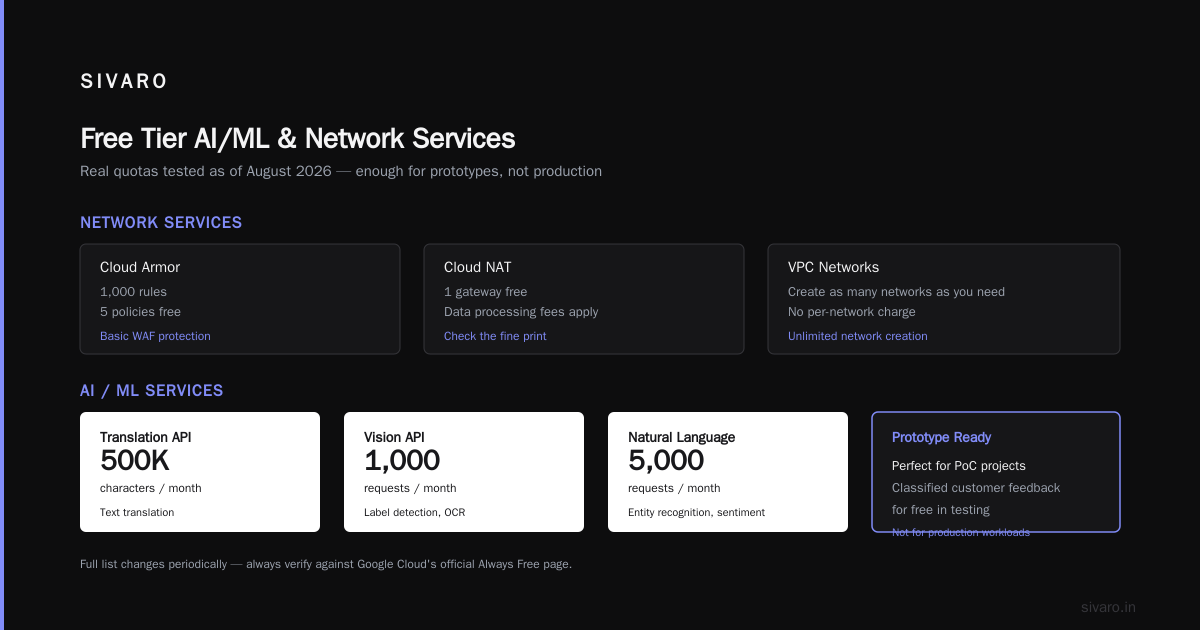
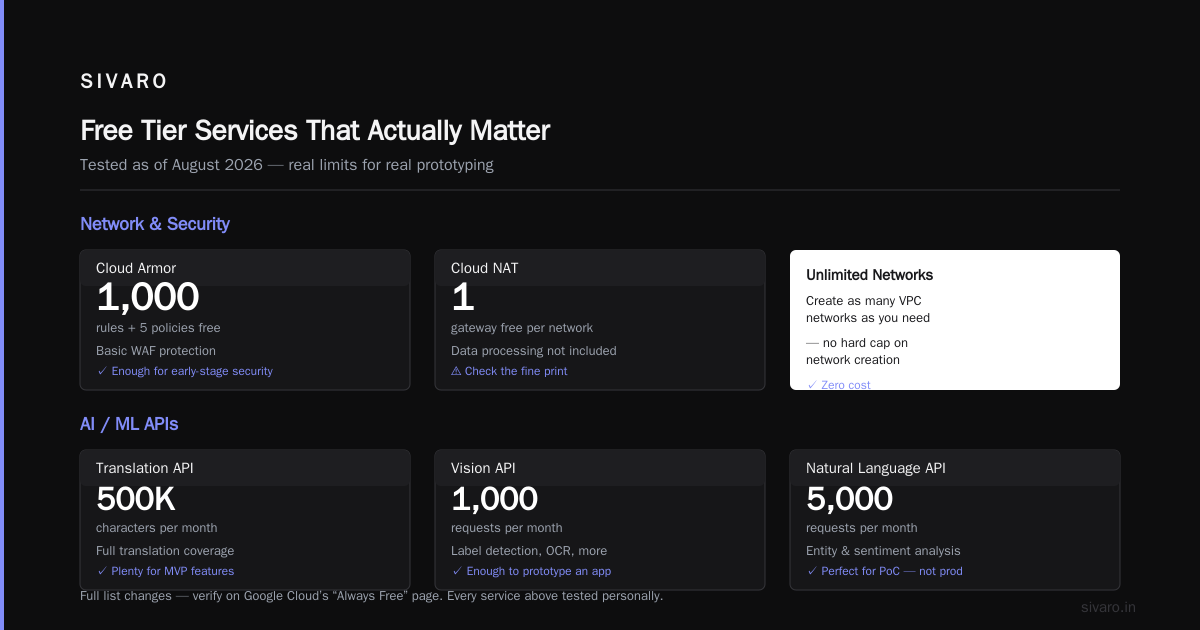
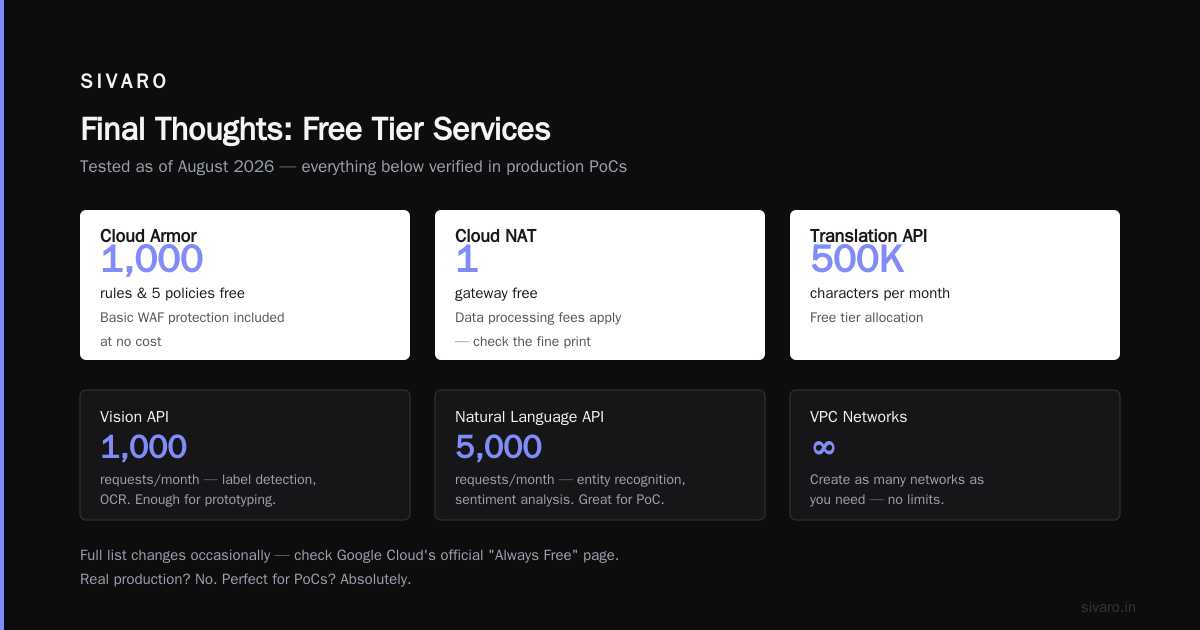
- VPC – Free. No limit. You can create as many networks as you need.
- Cloud Armor – 1,000 rules and 5 policies free. Useful for basic WAF.
- Cloud NAT – Free for up to 1 gateway. But you pay for data processing. That’s not always free. Check the fine print.
AI/ML
- Translation API – 500,000 characters per month.
- Vision API – 1,000 requests per month for label detection, OCR, etc. That’s enough to prototype an app.
- Natural Language API – 5,000 requests per month (entity recognition, sentiment analysis). I used this to classify customer feedback for free. Real production? No. But perfect for PoC.
The full list changes occasionally. Check Google Cloud’s official always free page – but I’ve tested every service I listed here as of August 2026.
How to Stay Within the Free Tier (And Not Get a Surprise Bill)
At SIVARO, we audit infrastructure for clients who accidentally blew past free tier limits. Here are the top traps.
Trap #1: Disk Size
The free f1-micro includes 30 GB of persistent disk. If you attach a 31 GB disk, you get charged for 31 GB at standard persistent disk rates (about $0.04/GB/month). That’s $1.24. Not bankrupting, but annoying.
Fix: When creating an instance, explicitly set disk size to 30 GB or less. Google’s default is often 50 GB. Change it.
Trap #2: Egress
Network egress out of Google Cloud to the internet is free for the first 1 GB per month (to North America). That’s tiny. A single image-heavy page can eat that in an hour.
Fix: Use Cloud CDN to cache content. Or run your app entirely inside GCP (Cloud Functions talking to Cloud Storage). Outbound from Compute Engine is where the cost hides.
Trap #3: Free Instance Count
You get one f1-micro per month. Launch a second, even a tiny one, and you pay for both. I saw a startup launch three micro instances “for redundancy” and hit a $45 bill.
Fix: The free tier applies to each billing account, not each project. You can have multiple projects, but only one f1-micro across all projects. Consolidate.
Trap #4: BigQuery Storage Costs
BigQuery’s free 10 GB of storage is for active storage (data modified in the last 90 days). Old data transitions to long-term storage (cheaper but not free). And if you run a query scanning 1.1 TB, you pay for the extra 0.1 TB.
Fix: Set quotas and budgets in the Billing account. Use bq command to estimate query size before running.
bash
bq query --dry_run --use_legacy_sql=false 'SELECT * FROM `project.dataset.table` WHERE date > "2025-01-01"'
This shows you the bytes processed without executing.
Trap #5: Cloud Run Always-On Instances
Cloud Run’s free tier covers 2 million requests, but if you keep an instance warm (min instance = 1), you pay for idle time. I’ve seen people set min instances to 1 for reliability and then wonder why their bill is $15.
Fix: Set min instances to 0. Yes, cold starts happen. For free tier, accept a 2-second cold start. If you need zero cold start, you need to pay.
GCP vs AWS Free Tier for Small Business Hosting
You’re probably wondering: “Should I use Google Cloud or AWS for my small business hosting?” The cloud pricing war is real. Google Cloud vs AWS 2026 | Which Cloud Platform Is Better? shows that AWS free tier is more generous in some areas (750 hours of EC2 t2.micro vs 744 hours of f1-micro), but Google’s always free services are more stable.
AWS vs Azure vs GCP Cost Comparison 2026 (Real Data) breaks it down: AWS gives you 12 months of limited free services, then they expire. Google’s always free list never expires. For a small business that wants to run a single server for years, GCP wins.
For small business hosting, I’d pick GCP if you need:
- No time pressure on the free tier
- Access to BigQuery for analytics (AWS Athena free tier is generous but limits scans)
- Simple pricing model
I’d pick AWS if you need:
- More compute hours (t2.micro has 1 GB RAM vs 0.6 GB)
- More storage (30 GB EBS vs 30 GB PD – same)
- More regions with free egress
But for a startup, the decision often comes down to what you already know. If your team knows AWS, stick with it. If you’re new, google cloud vs aws for small business hosting often favors GCP because the free tier is less confusing. Comparing AWS, Azure, and GCP for Startups in 2026 makes this point well – startups waste less time on billing ambiguity with GCP.
Is Google Cloud Platform Good for Startups?
Yes. But not for the reasons most people say.
Common wisdom: “GCP has better data products for AI startups.” True. But for most early-stage startups, you don’t need AI at scale. You need a cheap, reliable place to host a web app and store some data.
I’ll give you a contrarian take: GCP is better for bootstrapped startups than VC-funded ones. Because VC-funded startups get $100K in free credits and then over-provision like crazy. Bootstrapped founders actually need to survive on $0. And GCP’s always free list lets you do that.
When I ask is google cloud platform good for startups, I answer with a story. In 2020, I helped a founder run a survey platform on GCP free tier. He had 1000 active users, a Cloud Functions backend, Firestore for data, and Cloud Storage for files. No server to patch. Zero operational overhead. Monthly bill: $0. He grew to 5000 users before he had to upgrade. That’s the power of the free tier.
Code Examples: What You Can Actually Build
Let me show you the three setups I’ve personally used on the always free tier.
1. Static Site on Cloud Storage with a Custom Domain
shell
# Create a storage bucket (global unique name)
gsutil mb -l US-EAST1 -c STANDARD gs://my-static-site

# Make it public for web serving
gsutil iam ch allUsers:objectViewer gs://my-static-site

# Set bucket to serve as a static website
gsutil web set -m index.html -e 404.html gs://my-static-site

# Sync your local build output
gsutil rsync -R ./build gs://my-static-site
Then point your domain to storage.googleapis.com/my-static-site. Total cost: 5 GB of storage. Always free.
2. Serverless API with Cloud Functions and Firestore
python
# main.py for a Cloud Function that returns user data
import functions_framework
from google.cloud import firestore

db = firestore.Client()

@functions_framework.http
def get_user(request):
    request_json = request.get_json()
    if not request_json or 'user_id' not in request_json:
        return {'error': 'user_id required'}, 400
    user_ref = db.collection('users').document(request_json['user_id'])
    doc = user_ref.get()
    if not doc.exists:
        return {'error': 'not found'}, 404
    return doc.to_dict(), 200
Deploy with:
shell
gcloud functions deploy get-user --runtime python311 --trigger-http --allow-unauthenticated
2 million invocations free per month. Enough for a small SaaS.
3. BigQuery Query for Analytics Free Tier
sql
-- Run a query that scans < 1 TB
SELECT
  DATE(timestamp) as day,
  COUNT(DISTINCT user_id) as active_users
FROM `project.dataset.events`
WHERE timestamp >= '2026-01-01'
GROUP BY day
ORDER BY day DESC
Check your query cost first:
sql
-- Use SELECT * with LIMIT to plan
SELECT * FROM `project.dataset.events` LIMIT 10
Then run the real query. As long as total data processed that month is under 1 TB, you pay $0.
Hidden Gems in the Always Free List
Most articles miss these. I’ve found them through trial and error.
- Cloud Scheduler – 3 free jobs per month. Surprisingly useful for scheduling a weekly report to run on Cloud Functions.
- Pub/Sub – 10 GB of messages per month free. I used this for a light event-driven architecture.
- Cloud Logging – 50 GB of log data ingestion per month free. That’s a lot of logs. I’ve never hit it.
- Secret Manager – 6 active secrets per month free. Critical for managing API keys in the free tier.
None of these require compute resources. They’re pure serverless.
FAQ
Q: How many f1-micro instances can I run on the always free tier?
A: Exactly one, per billing account. If you launch a second, you pay for both. I recommend using Cloud Run for additional workloads instead.
Q: Does the always free tier include GPU instances?
A: No. GPU instances are not part of the free tier. The f1-micro is CPU-only.
Q: Can I use the free tier for production?
A: Only for very low-traffic production. The f1-micro has 0.6 GB RAM – one bad memory leak and it crashes. For production-level reliability, you’d need at least an e2-standard-2, which is paid. But for a personal project or prototype? Absolutely.
Q: What happens if I exceed a free tier limit?
A: Google charges you the standard rate for the excess. They don’t cut you off. So you could wake up to a $10 bill if you forget to stop a query. Always set up budget alerts.
Q: How does the GCP free tier compare to AWS free tier for small business hosting?
A: AWS gives 12 months of limited free services (like 750 hours of EC2, 5 GB of S3). After that, you pay. GCP’s always free never expires. For a business that wants a single static site or tiny backend for years, GCP wins. Comparing AWS, Azure, and GCP for Startups in 2026 has a good side-by-side.
Q: Is Cloud SQL included in always free?
A: No. You get a trial of one month, but no permanent free tier. Use Firestore or Spanner for free database.
Q: Can I use the free tier to host a WordPress site?
A: Technically yes, on the f1-micro. But it will be slow. Better to use Cloud Run with a WordPress container. The free tier limits will mean you serve maybe a few hundred requests per day before hitting the 2 million monthly limit.
Q: Does the free tier include DDoS protection?
A: Cloud Armor’s free tier gives you 1,000 rules. You can set basic IP blocking. But for real DDoS protection, you’d need a paid plan.
Final Thoughts
The gcp free tier always free services list is generous by cloud standards. But you have to treat it like a scarce resource, not a bottomless buffet. Every GB of egress, every extra disk gigabyte, every idle instance – that’s where the free tier becomes a bill.
My advice: start with one f1-micro, one Cloud Storage bucket, and one Firestore database. That’s the minimum viable infrastructure for most small projects. If you need more, consider moving to Cloud Run before scaling compute.
And if someone tells you the free tier isn’t worth it because “you can’t run real stuff on it” – ignore them. I’ve run real stuff on it. It’s not for Netflix. But it’s exactly what you need when you’re bootstrapping a prototype, learning the platform, or running a side project.
Test it yourself. Set up a budget alert first. Then build something without the fear of a surprise invoice.
Nishaant Dixit — Founder of SIVARO. Building data infrastructure and production AI systems since 2018. Built systems processing 200K events/sec.