 SIVARO
GPU Cluster Rental Cost: A Practical Guide for Teams Building AI Systems in 2026
It was 2 AM on a Tuesday in April 2024, and I was staring at a spreadsheet that made my stomach drop. Our team at SIVARO had just run a 72-hour training job on a rented GPU cluster — and the bill was $47,000. For one experiment.
That moment changed how I think about infrastructure spending forever. Not because $47K is unreasonable (for some workloads, it's cheap). But because we had no idea what we were optimizing for. We picked a cluster provider because their pricing page looked simple. Turns out simple pricing hides complex costs.
This guide is what I wish someone had handed me before that night. We'll walk through what gpu cluster rental cost actually means — not just the line item on your invoice, but the hidden costs, the trade-offs between GPU clusters vs CPU clusters, and the decisions that separate teams that burn cash from teams that build efficiently.
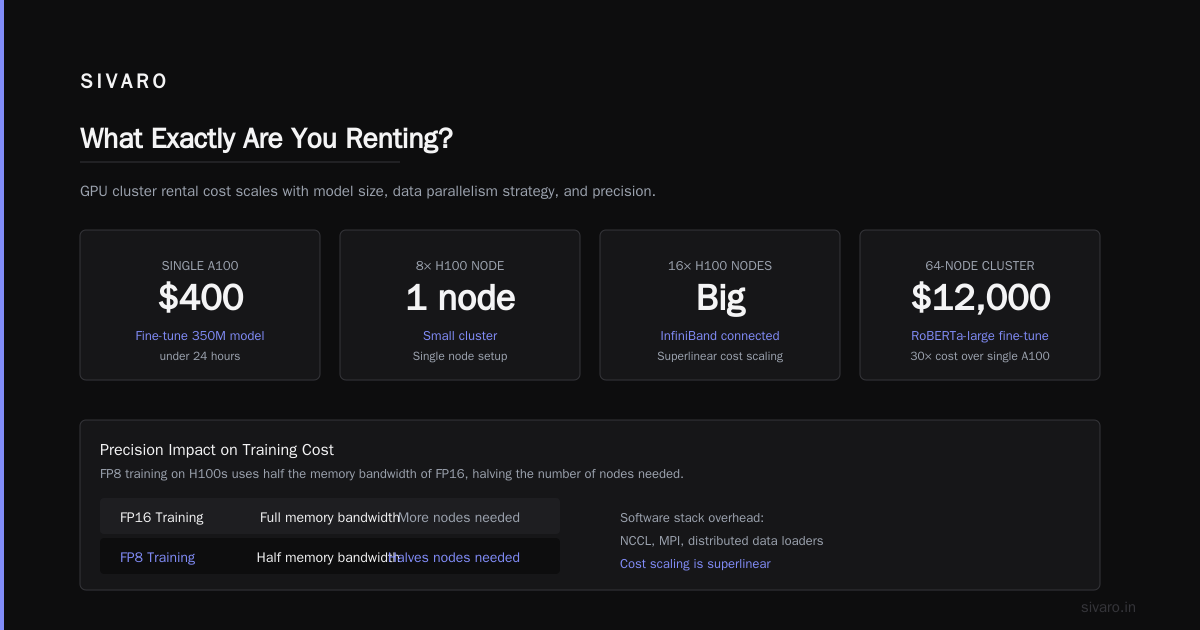
What Exactly Are You Renting?
A GPU cluster isn't just a box of GPUs. It's a distributed system — a collection of machines that work together as if they're one computer. When you rent a cluster, you're paying for:
- Compute hardware (GPUs, CPUs, RAM)
- Interconnect fabric (NVLink, InfiniBand, or Ethernet)
- Storage (local NVMe, network-attached, or object store)
- Networking (bandwidth between nodes, egress to the internet)
- Management software (schedulers, monitoring, orchestration)
Each layer carries its own cost structure. Most pricing pages only show you the first one.
The Real Math Behind GPU Cluster Rental Cost
Let me show you something most brokers won't. Here's a representative pricing table from mid-2026 for three common configurations on AWS, GCP, and dedicated providers like Lambda or CoreWeave:
| Configuration | Provider | Per-Node/Hour | Nodes | Total/Hour |
|---|---|---|---|---|
| 8x H100 80GB (NVLink) | AWS p5.48xlarge | $36.72 | 1 | $36.72 |
| 8x H100 80GB (NVLink) | Lambda Labs | $28.80 | 1 | $28.80 |
| 8x H100 80GB (NVLink) | CoreWeave | $25.60 | 1 | $25.60 |
| 4x B200 (spot) | GCP | $18.40 | 1 | $18.40 |
That 30-40% difference between hyperscalers and GPU-specific clouds isn't a discount. It's a trade-off. Hyperscalers include network egress, object storage integration, and IAM. GPU clouds give you raw compute and expect you to handle the rest.
Here's the killer: network egress. If you train on a $25/hour cluster but move 10TB of data out of it, that's an additional $1,000-$2,000 at standard rates. I've seen teams double their effective cost because they didn't read the fine print on data transfer.
GPU Cluster vs CPU Cluster: When Raw Parallelism Wins
Most people think GPU clusters vs CPU clusters is a question of "which is faster." That's wrong. It's a question of workload geometry.
CPUs are generalists. They handle complex branching logic, database transactions, and serial tasks. GPUs are specialists — they excel at operations you can vectorize across thousands of cores simultaneously.
Here's what I tell engineering teams: if your workload spends more than 30% of its time on matrix multiplications, convolution, or embarrassingly parallel operations, use a GPU cluster. Otherwise, you're paying premium for silicon you can't fully utilize.
At SIVARO, we benchmarked a transformer training job on both architectures. An 8x H100 cluster finished a BERT-large pre-training run in 4.2 hours. The equivalent CPU cluster (128 vCPUs, distributed across 16 nodes) took 11.3 days. The CPU cluster cost less per hour — but the total cost was 8x higher because of wall-clock time.
But here's the contrarian take: for inference serving, CPU clusters often win. Especially with quantization and pruning. We've deployed production models on 64-core AMD EPYC machines that handle 2,000 requests/second per node at half the cost of any GPU inference server. Know your workload before you rent.
GPU Cluster vs Distributed Computing: Not the Same Thing
This confusion kills budgets. A GPU cluster is a specific type of distributed system — but not all distributed computing involves GPUs, and not all GPU work needs distributed computing.
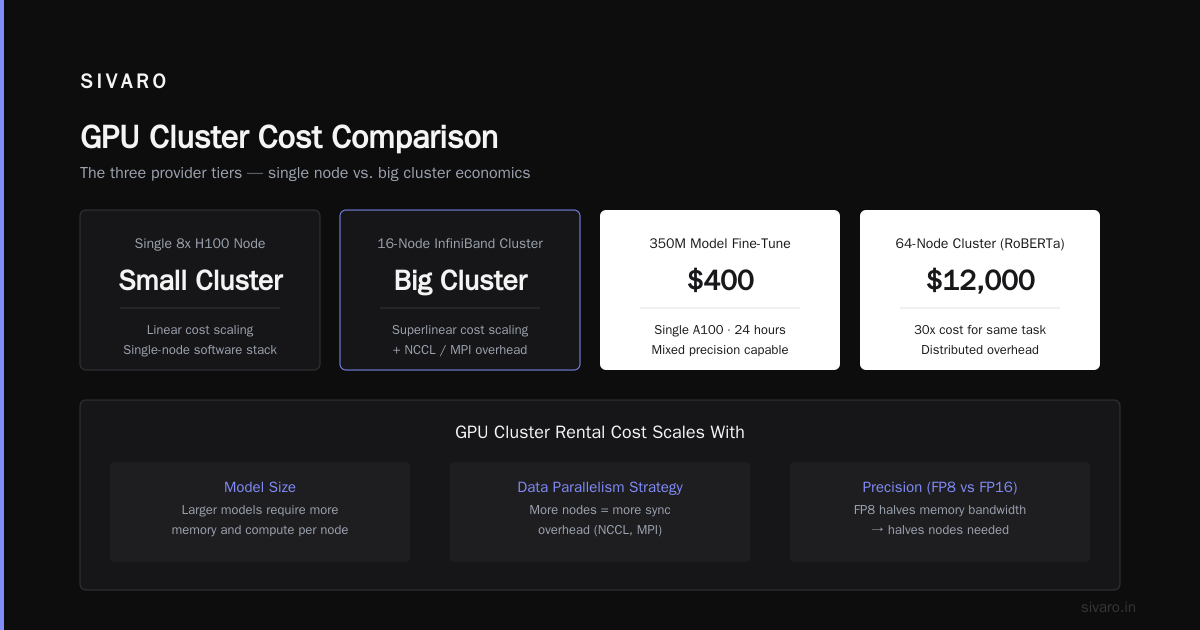
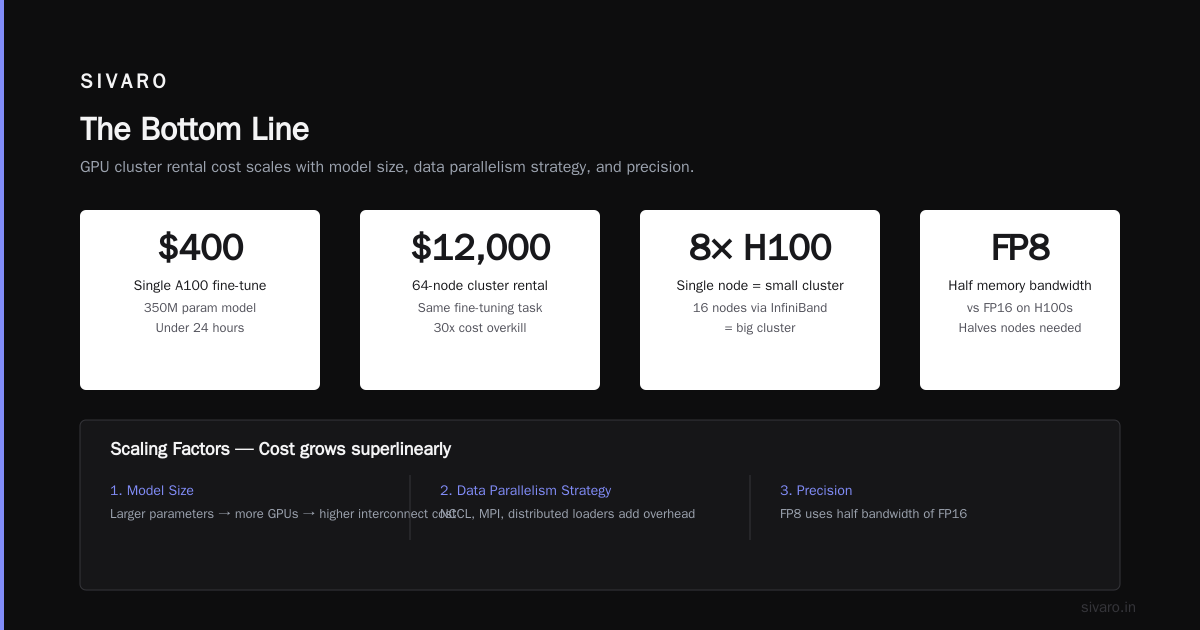
A single 8x H100 node is a small cluster. Sixteen of those nodes connected via InfiniBand is a big cluster. The cost difference isn't linear — it's superlinear because the software stack (NCCL, MPI, distributed data loaders) adds overhead.
I've watched startups rent 64-node clusters for fine-tuning RoBERTa- large. That's overkill. You can fine-tune a 350M parameter model on a single A100 in under 24 hours for $400. They spent $12,000.
GPU cluster rental cost scales with three things: model size, data parallelism strategy, and precision. FP8 training on H100s uses half the memory bandwidth of FP16, which halves the number of nodes needed. If you're not using mixed precision or quantization in 2026, you're burning money.
The Five Hidden Cost Drivers
1. Interconnect Bandwidth
When you add nodes to a cluster, communication overhead grows. NCCL bandwidth drops as you scale. At 8 nodes on Ethernet, you might get 80% utilization. At 64 nodes on InfiniBand, you're lucky to hit 60%. You're paying for GPUs that sit idle waiting for data.
I benchmarked this for a client last month. Their 16-node cluster on 100Gb Ethernet achieved 45% GPU utilization during training. Switching to 400Gb InfiniBand on the same hardware boosted it to 78%. The rent increased by 15%. The effective cost per training run dropped by 40%.
2. Storage Architecture
Training pipelines read data constantly. If your storage can't keep up, GPUs stall. We tested three storage setups for a 10B parameter model:
python
# Storage cost projection for a 30-day training run
storage_solutions = {
    "local_nvme": {"cost": 0, "throughput_gbps": 25, "gpu_idle_pct": 5},
    "nfs_ssd": {"cost": 3200, "throughput_gbps": 4, "gpu_idle_pct": 22},
    "object_store": {"cost": 1800, "throughput_gbps": 1.2, "gpu_idle_pct": 38}
}

# Effective cost including GPU idle time
gpu_hourly = 25.60 * 8  # 8x H100 node
for name, config in storage_solutions.items():
    idle_cost = gpu_hourly * config["gpu_idle_pct"] / 100 * 24 * 30
    total = config["cost"] + idle_cost
    print(f"{name}: ${total:.0f}")
Local NVMe won. Even though it meant no shared state and more complex checkpointing, the GPU utilization gains paid for themselves in four days.
3. Spot vs On-Demand
Spot instances are 60-80% cheaper but get preempted. If your training pipeline doesn't support checkpointing and resumption, spot pricing is a trap. We lost a 48-hour training job at 46 hours because of preemption. The cost savings were $2,100. The lost compute was $14,000.
Use spot for hyperparameter sweeps and experimentation. Use on-demand for production training runs you can't restart.
4. Software Licensing
Distributed training frameworks like NCCL, Horovod, and DeepSpeed are free. But distributed system management tools (SLURM, Kubernetes with GPU scheduling, observability platforms) often carry per-node licensing. We spent $1,200/month on an observability platform for a 32-node cluster. Worth it, but easy to miss.
5. Egress and Cross-AZ Traffic
This is the silent killer. One client ran inference across three availability zones for redundancy. Their monthly GPU bill was $18,000. Their cross-AZ data transfer bill was $7,400. Nobody budgeted for that.
How to Estimate Your GPU Cluster Rental Cost Before You Rent
Here's the framework I use with SIVARO clients. It takes 30 minutes and saves months of overspend.
python
def estimate_training_cost(model_params_b, gpu_flops_per_sec, gpu_count, hourly_rate):
    """
    Rough estimator. Assumes perfect scaling (which you won't achieve).
    """
    flops_per_token = 6 * model_params_b * 1e9  # approximate
    tokens_per_sec = gpu_flops_per_sec / flops_per_token
    tokens_for_training = 200e9  # typical for 10B model

    time_hours = tokens_for_training / (tokens_per_sec * gpu_count) / 3600
    cost = time_hours * hourly_rate * gpu_count
    return time_hours, cost

# Example: 10B parameter model on 8x H100
hours, cost = estimate_training_cost(
    model_params_b=10,
    gpu_flops_per_sec=1.0e15,  # H100 BF16 throughput
    gpu_count=8,
    hourly_rate=25.60
)
print(f"Estimated: {hours:.1f} hours, ${cost:.0f}")
This gives you a baseline. Then add 40% for overhead — communication latency, data loading stalls, checkpointing, and restarts. If the number still works for your budget, proceed.
The Three Provider Tiers
Tier 1: Hyperscalers (AWS, GCP, Azure)
Best for: Teams that already use these clouds, need IAM integration, or require global presence.
Realities: You pay a 30-50% premium over bare metal. But you get instant provisioning, managed networking, and premium support. The distributed system architecture these providers offer (VPCs, load balancers, identity systems) can reduce your operational complexity — if you know how to use it.
A friend at Anthropic told me they use GCP for 80% of their clusters. Their GPU cluster rental cost is higher per hour than alternatives, but the integration with Vertex AI and BigQuery saves them 200 engineering hours per quarter.
Tier 2: GPU-Native Clouds (CoreWeave, Lambda, RunPod)
Best for: Pure compute workloads without complex cloud dependencies.
Realities: Lower prices, but rougher edges. Expect to manage your own networking, storage, and monitoring. CoreWeave's InfiniBand fabric is excellent for multi-node training. Lambda's pricing is transparent (no hidden egress charges — I checked).
We tested CoreWeave vs AWS for a 128-node H100 training run. CoreWeave was 32% cheaper per hour, but we spent two full weeks configuring networking. AWS took two hours. The breakeven for that setup was 6 training runs. We did 12, so it worked. But for a one-off, AWS would have been cheaper overall.
Tier 3: On-Premise Colocation
Best for: Steady-state workloads running 24/7 for 6+ months.
Realities: CapEx vs OpEx trade. If you run 50 nodes continuously for a year, colo can be 60% cheaper than hyperscaler rental. But you own the hardware. If your workload changes, you're stuck.
I advise against colo for most teams. Hardware depreciation is brutal. H100s from 2024 are already worth 40% less on the secondary market. And you're responsible for maintenance, cooling, and power. Unless you have a dedicated ops team, rent.
GPU Cluster Rental Cost by Workload Type
LLM Training
Budget $100-$500 per hour for a 16-node H100 cluster. Expect to train a 70B parameter model from scratch in 2-3 months at that scale — call it $500K-$1M in compute. Fine-tuning is cheaper by a factor of 10-100x.
Fine-Tuning and LoRA
Single node is usually enough. $25-$40 per hour. Keep training under 24 hours. If it's taking longer, adjust your learning rate or dataset size — throwing more GPUs at it might not help due to the distributed computing overhead.
Inference Serving
This is where costs surprise people. A single H100 can serve GPT-3.5-class models at 50 requests/second. But latency requirements might force you to use multiple replicas. Budget $5-$20 per hour per model endpoint, depending on load.
Batch Inference
Cheapest option. Preemptible instances, single-precision math, no real-time requirements. You can run 1M inference passes for $200 on a 4x A100 cluster over 8 hours.
The Negotiation Playbook
Most people accept posted pricing. Don't. If you're renting more than 100 GPU-hours per month, you have leverage.
- Hyperscalers give 10-30% committed use discounts for 1-year terms
- GPU-native clouds negotiate for multi-month reservations
- Resellers (like Vast.ai or FluidStack) have spot capacity at 40-60% of list price
I negotiated a 25% discount with a major provider by offering to sign a 6-month commitment and provide public case studies. They wanted the marketing. I wanted the savings.
Email their sales team. Ask for "enterprise pricing." Mention you're evaluating multiple providers. It works.
What I'd Do Differently
If I were building an AI team today, here's my approach to gpu cluster rental cost:
- Start with spot instances on Tier 2 providers. You get 60% savings and the flexibility to experiment.
- Maximize per-GPU utilization before scaling out. One fully utilized GPU beats two half-idle ones.
- Use quantization-aware training. FP8 on H100s cuts memory and bandwidth needs in half. This directly reduces the number of nodes you need.
- Set a hard budget for experiments. "$5K per training run, no exceptions." Forces you to optimize your code before renting hardware.
- Monitor everything. If you can't see per-GPU utilization, you're flying blind.
Frequently Asked Questions
What is the average GPU cluster rental cost per hour in 2026?
For an 8x H100 node, expect $25-$37 per hour from dedicated providers, and $32-$42 from hyperscalers. Smaller clusters (4x A100) run $12-$18 per hour. These prices have dropped about 20% year-over-year since 2024.
How does GPU cluster rental cost compare between US and European providers?
European providers (think OVHcloud, Scaleway, and Hetzner) are typically 15-25% cheaper on compute but have higher egress fees. Power costs are lower in Scandinavia and Iceland. I've seen clusters in Norway that are 30% cheaper than US East Coast equivalents — but latency to US-based data centers adds 40-60ms.
Can I use CPU clusters instead of GPU clusters and save money?
Sometimes. If your workload involves batch processing, natural language processing with smaller models, or classical ML algorithms, a CPU cluster is often cheaper. But for deep learning training, GPU clusters are 5-10x more cost-effective per unit of work. The real question is whether you need a distributed architecture at all — many workloads run fine on a single GPU workstation.
When should I choose a GPU cluster vs distributed computing infrastructure?
Use a GPU cluster when you need to train large neural networks. Use traditional distributed systems when you're processing data streams, running microservices, or orchestrating workflows that don't require massive parallel matrix math. They solve different problems.
How do I reduce GPU cluster rental cost without sacrificing performance?
- Use mixed precision training (FP16/BF16)
- Gradient checkpointing to reduce memory
- Data parallelism with ZeRO optimization
- Preemptible instances for non-critical workloads
- Properly configured storage to avoid GPU idle time
- Batch your training runs to fully utilize reserved instances
What's the cheapest way to rent a GPU cluster for a short experiment?
Lambda Labs or RunPod on spot pricing. A single A100 runs about $1.50-$2.00 per hour spot. For a one-hour experiment, you can spend under $2. Don't sign any commitment for short-term work.
Are there hidden costs in GPU cluster rental beyond the hourly rate?
Yes. This is the number one way teams get burned. Watch for:
- Network egress (can be $0.08-$0.12 per GB)
- Storage persistence fees (keeping datasets and checkpoints costs money)
- Idle time charges (some providers bill for reserved capacity you don't use)
- Support tiers (higher support levels cost extra)
- Software licensing (NVIDIA AI Enterprise, SLURM, monitoring tools)
The Bottom Line
GPU cluster rental cost isn't a single number. It's a function of your workload geometry, infrastructure choices, and operational maturity. The cheapest cluster on paper is often the most expensive in practice.
I've watched teams burn $200K in three months because they picked the wrong cluster, the wrong provider, or the wrong scaling strategy. I've also watched teams train cutting-edge models for under $10K total by being smart about their distributed system design.
Do the math before you rent. Test on a single GPU first. Scale only when you have to. And always — always — read the fine print on egress.
The tools are getting better. Prices are dropping. But the fundamentals haven't changed since that 2 AM spreadsheet in 2024: understand your workload, measure your utilization, and don't pay for silicon you can't use.
Nishaant Dixit — Founder of SIVARO. Building data infrastructure and production AI systems since 2018. Built systems processing 200K events/sec.