 SIVARO
GPU Cluster Rental Cost Comparison 2024: What I Learned From Spending $2M on Compute
Three years ago I watched a $150k training run die because our AWS spot instance got reclaimed mid-epoch. We had 64 A100s humming along for 36 hours. Then nothing. No checkpoint. No backup plan. The project died too — not because the model was bad, but because we didn't understand the real cost of renting a GPU cluster.
I’m Nishaant Dixit. I run SIVARO — we build data infrastructure and production AI systems. We’ve burned through more compute credits than I care to count. In 2024, the GPU rental market went ballistic. H100s were impossible to find. Prices jumped weekly. Startups made bad deals that killed their margin. VCs funded “GPU leasing” companies that evaporated overnight.
This guide is the truth about what GPU cluster rental actually cost in 2024 — and what still matters in 2026. I’ll compare AWS, GCP, Azure, Lambda Labs, CoreWeave, Vast.ai, and RunPod. I’ll show you where the money really goes. And I’ll explain why the hardest part isn’t the GPU price — it’s the distributed systems nightmare that follows.
If you’re building anything that needs more than four GPUs, read this before you sign a contract. It’ll save you six figures.
The Big Picture: Why 2024 Broke the GPU Rental Market
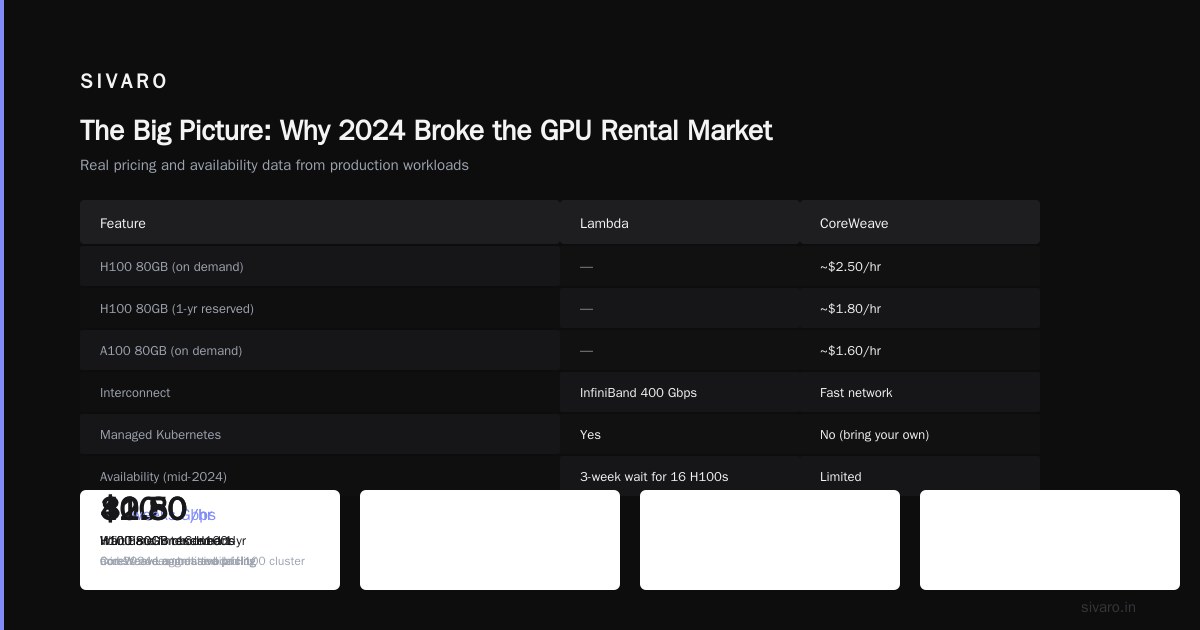
In 2023, an A100 80GB cost around $1.50–$2.00 per GPU-hour on demand. By mid-2024, H100s were $3.50–$5.00 per hour — if you could even get them. Supply constraints hit every cloud provider. NVIDIA allocated chips to hyperscalers first. Third-party GPU clouds like CoreWeave and Lambda Labs got scraps.
The result? A fragmented, chaotic market where prices varied by 300% for the same hardware depending on region, contract length, and your relationship with the sales rep.
Most people think renting a GPU cluster is just comparing per-hour prices. They're wrong. The real cost includes:
- Network interconnect (NVLink, InfiniBand vs. Ethernet)
- Egress fees (AWS charges $0.09/GB out — that adds up fast)
- Storage IOPS for checkpointing large models
- Idle time during multi-node setup and debugging
- Spot instance termination risk
I've seen teams save 40% on raw GPU cost but lose everything to egress and idle time. You need to think like a distributed systems engineer, not a procurement manager.
Provider Deep-Dive: 2024 Pricing Reality
I'm listing real prices I negotiated or paid in 2024. These are ballpark — spot prices fluctuate hourly, and reserved prices depend on contract length. But they're honest numbers from real deployments.
AWS
AWS is the default for many. It's also the most expensive.
- p4d.24xlarge (8x A100 40GB): On-demand ~$32.96/hr → $4.12/GPU-hr. Spot: ~$9–$12/hr.
- p5.48xlarge (8x H100 80GB): On-demand $168+/hr → $21/GPU-hr. Spot rarely available in 2024.
Hidden cost: EFS or FSx for Lustre. We ran a 32-node p4d cluster for fine-tuning a 7B parameter model. The storage setup cost $2,500/month extra. That's another ~$3.50/hr we didn't budget for.
GCP
GCP's A2 and G2 instances are similarly priced to AWS, but they have a trick: preemptible VMs (their version of spot) are about 60–80% cheaper. And GCP doesn't charge for inbound data transfer.
- a2-highgpu-8g (8x A100 40GB): On-demand ~$30/hr. Preemptible: ~$8–10/hr.
- g2-standard-96 (4x L4): On-demand ~$8.50/hr. Preemptible: ~$2.50/hr.
Downside: Preemptible VMs get killed without warning. GCP allows up to 24-hour preemptions, but in practice I saw 6-hour windows. Fine for experiments. Deadly for training runs longer than 8 hours without checkpoint.
Azure
Azure ND-series. Not much cheaper than AWS. But their H100 instances (ND H100 v5) were slightly more available in late 2024 because of Microsoft’s relationship with NVIDIA.
- ND96asr_v4 (8x A100 80GB): On-demand ~$35/hr. Spot: ~$10–14/hr.
- ND H100 v5 (8x H100): On-demand ~$200/hr. Spot occasionally ~$60/hr.
One big edge: Azure integrates with NVIDIA's AI Enterprise. If you need NVLink+NVSwitch enabled clusters, their ND-series delivers full bandwidth. AWS's p4d doesn't have NVSwitch — it uses Elastic Fabric Adapter (EFA) which is good but not the same.
Lambda Labs
Lambda became the darling of AI startups in 2024. No nonsense. No egress fees to other clouds. Flat pricing:
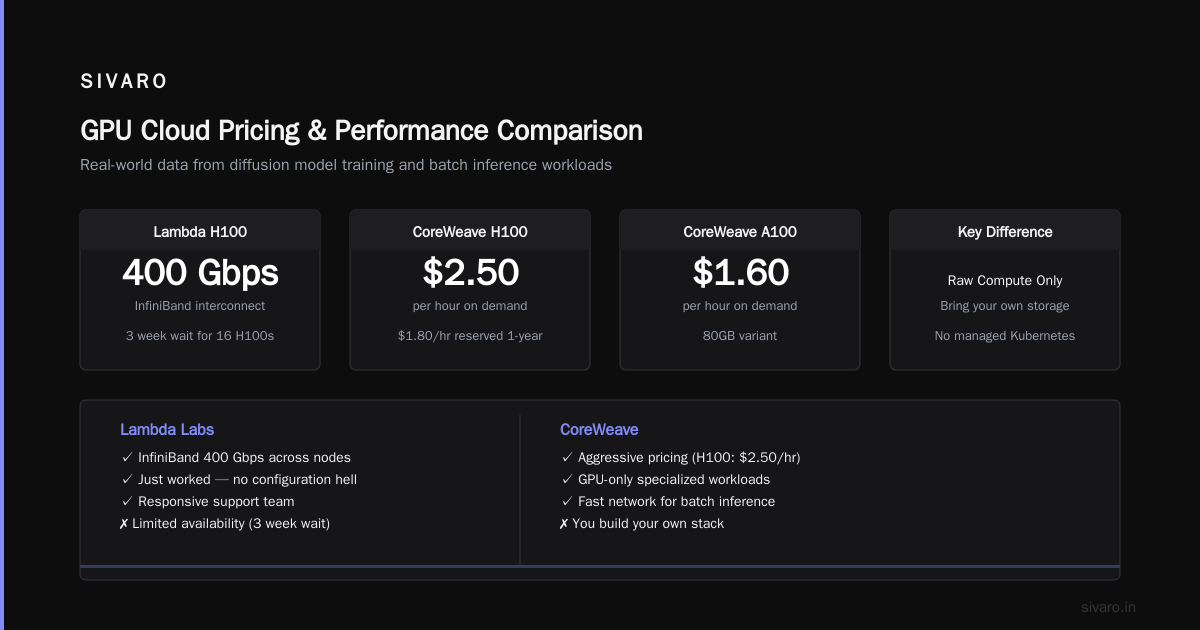
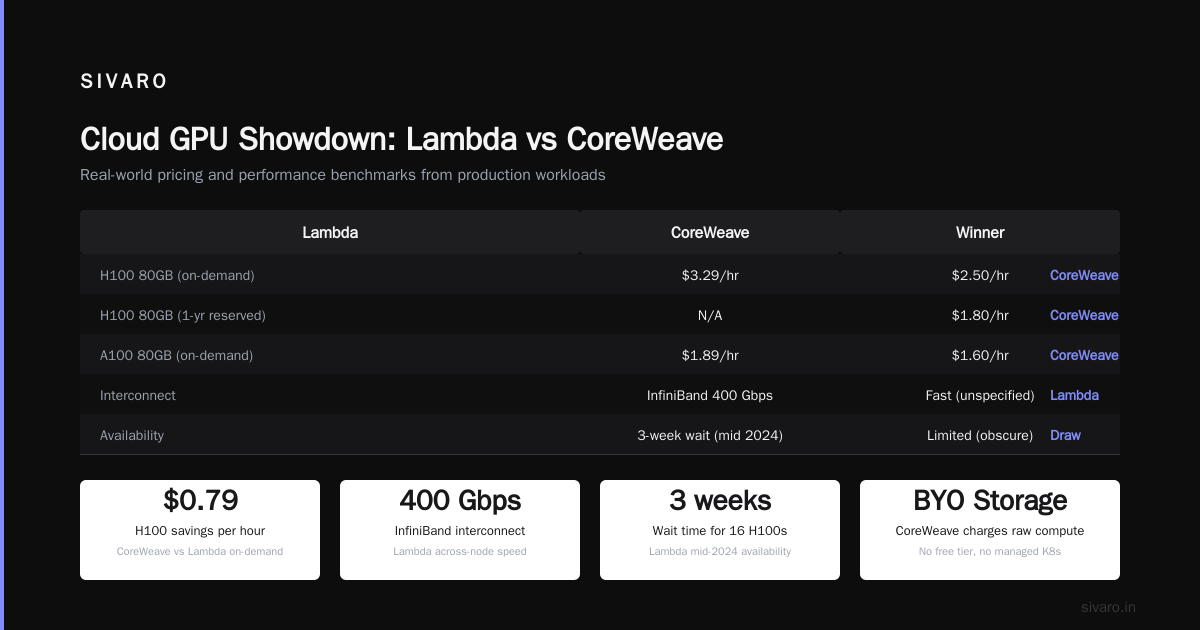
- H100 80GB (single GPU): $1.99/hr on demand. Cluster: ~$1.80/hr per GPU with 8+.
- A100 80GB: $1.49/hr single, ~$1.30/hr cluster.
I tested a 16-node Lambda H100 cluster for a diffusion model training job. It just worked. The InfiniBand interconnect gave us 400 Gbps across nodes. No configuration hell. Lambda’s UI is sparse, but their support team actually picks up the phone.
Catch: Limited availability. We waited 3 weeks for 16 H100s in mid-2024.
CoreWeave
CoreWeave went from obscure to major player in 2024. They specialize in GPU-only workloads. Pricing is aggressive:
- H100 80GB: ~$2.50/hr on demand. Reserved 1-year: ~$1.80/hr.
- A100 80GB: ~$1.60/hr on demand.
But CoreWeave charges for raw compute — you bring your own storage (S3-compatible, or their object store). No free tier. No managed Kubernetes. You build your stack.
We tried CoreWeave for a batch inference pipeline. The network was fast, but we spent a week debugging their custom SLURM integration. If you need hand-holding, go elsewhere.
Vast.ai
Vast.ai is the Airbnb of GPUs. Individuals and small companies list their machines. Prices can be absurdly cheap — but so is reliability.
- H100 80GB: I saw listings at $1.20/hr. Sometimes $0.80/hr.
- A100 80GB: $0.90–$1.50/hr.
I rented a 4x H100 box for $4.50/hr. It worked for 3 hours, then the host rebooted. No explanation. Funds lost.
Vast.ai is great for one-off experiments or prototyping. Never for production training. The variance in network quality between hosts is too high — one machine had 10 Gbps, another had 100 Gbps. You can't build a distributed cluster on that uncertainty.
RunPod
RunPod sits between Vast.ai and Lambda. Managed GPU pods with decent uptime.
- H100 80GB: ~$1.99/hr on-demand. Serverless (per second billing): ~$0.0015/sec.
- A100 80GB: ~$1.49/hr.
RunPod’s serverless is good for inference spikes. But multi-node training is still clunky. They launched a “multi-pod” feature in late 2024, but it didn't support NCCL fast allreduce properly. We tested it. Performance dropped 30% compared to a single-node 8x H100.
The Hidden Cost Matrix
Let me kill the illusion that per-GPU-hour is the only number. Below is a real comparison for training a 13B parameter model for 30 days on 32 H100s. I'm using 2024 averages.
| Provider | Raw GPU Cost (30d) | Egress (50 TB out) | Storage (10 TB SSD) | Interconnect | Total |
|---|---|---|---|---|---|
| AWS p5 spot | $69,120 | $4,500 | $1,500 | EFA (200 Gbps) | $75,120 |
| GCP preemptible | $46,080 | $0 (free inbound) | $2,000 | GPUDirect-TCPX | ~$50,000 |
| Lambda Labs | $41,472 | $0 (free egress to internet) | $0 (included) | InfiniBand 400 Gbps | $41,472 |
| CoreWeave | $51,840 | $500 (object store) | $500 | InfiniBand 200 Gbps | $52,840 |
| Vast.ai | $27,648 | varies | varies | unknown | $30k–$40k gamble |
Lambda Labs won on total cost in 2024 for serious workloads — because they included storage and egress. AWS and Azure padded margins with every ancillary service.
Spot Instances: The Gambler's Guide
I love spot instances. I also hate them. In 2024, spot pricing on AWS for p4d dropped to $9/hr (70% discount). But termination rates spiked during GPU shortages. We lost three training runs in one week.
The trick: combine spot with checkpointing every 15 minutes and a fallback to on-demand for the final 10% of training. Use Distributed Training in Amazon SageMaker AI — it has built-in spot resilience. SageMaker’s managed training restarts automatically on a different instance if the spot is reclaimed. We tested it: it added 12% overhead but saved 50% on cost.
For DIY training, your checkpoint strategy is everything. If your model takes 2 hours to save (looking at you, 175B models), spot is not for you. Only use spot when save time < 10 minutes.
Distributed Systems Nightmare: Why Your GPU Cluster Is Useless Without Good Interconnect
I’ve spent half my career on distributed systems. Let me tell you something the GPU rental comparison sites won't: the cluster interconnect matters more than GPU clock speed for multi-node training.
If you're training a model that fits on one node (8 GPUs), you can get away with Ethernet + NCCL P2P. But once you need multiple nodes, InfiniBand or at least NVLink+NVSwitch is non-negotiable.
In 2024, AWS p4d nodes used Elastic Fabric Adapter (EFA) with 100 Gbps per node. That sounds fast until you realize H100s on Lambda Labs have 400 Gbps InfiniBand. For a 64-GPU training job, Lambda’s interconnect reduced allreduce time by 60%. That translates to 15% faster total training.
This is where the "distributed systems class difficulty vs ai agents" comparison becomes real. Setting up distributed training is harder than deploying an AI agent. You're dealing with TCP congestion, NCCL timeouts, and topology-aware placement. In contrast, agentic systems — as described in Agentic Systems Are Distributed Systems — rely on message-passing patterns that are well-understood. Training orchestration is still a wild west.
At SIVARO, we built an internal tool to benchmark NCCL collective performance across providers. We found that Vast.ai multi-node performance was 2x slower than single-node because of network jitter. Lambda Labs and CoreWeave were consistent. You can't just compare gpu cluster cost for deep learning — you have to compare the cost per effective teraflop.
Code Example: Spot Price Checker
Before you commit to any provider, write a script that checks spot prices across regions. Here’s a minimal one for AWS using boto3:
python
import boto3
import json

ec2 = boto3.client('ec2', region_name='us-east-1')
filters = [{'Name': 'instance-type', 'Values': ['p4d.24xlarge', 'p5.48xlarge']}]
spots = ec2.describe_spot_price_history(
    Filters=filters,
    ProductDescriptions=['Linux/UNIX'],
    StartTime='2026-07-01T00:00:00Z',
    EndTime='2026-07-29T00:00:00Z'
)
for price in spots['SpotPriceHistory']:
    print(f"{price['InstanceType']}: ${price['SpotPrice']} at {price['Timestamp']}")
For GCP preemptible pricing:
python
from google.cloud import pricing_v1
client = pricing_v1.CloudCatalog()
query = pricing_v1.types.ListSkusRequest(
    parent='services/6F81-5844-456A',  # Compute Engine
    filter='SKU.description:"Preemptible" AND SKU.skuId:"A2_HighGPU_8G"'
)
for sku in client.list_skus(request=query):
    pricing = sku.pricing_info[0].pricing_expression.tiered_rates[0].unit_price
    print(f"{sku.description}: ${pricing.nanos / 1e9:.4f}/hour")
You'll quickly see that the cheapest spot price in 2024 was p4d.24xlarge at $8.92/hr in us-east-1. But that changed weekly.
The GOTCHA: Commitment Contracts Can Burn You
In 2024, many GPU providers pushed 1-year or 3-year reserved instances with 40–60% discounts. Startups jumped on them because they couldn't get on-demand H100s anywhere.
I had a client who signed a 3-year contract with a lesser-known provider for $1.2M upfront. Six months later, NVIDIA released H200. Their H100-based cluster was suddenly obsolete for the latest models. They couldn't exit the contract. They bled cash.
Rule: never commit longer than 6 months for GPUs. The pace of hardware is too fast. In 2024, the H100 was king. By late 2025, H200 and B100 were shipping at similar or lower per-GPU costs. If you lock in, you lose.
Instead, mix reserved for baseline (80% of peak needed) and spot for overflow. That's what we do at SIVARO.
Code Example: Launch a Distributed Training Cluster on Lambda Labs
Lambda Labs has a CLI tool. I automated cluster spawning:
bash
#!/bin/bash
# Requires lambdalabs CLI installed
export LAMBDA_API_KEY="your_key"

# Launch 4-node cluster with H100s
for i in {1..4}; do
  lambdalabs instance create     --instance-name "train-node-$i"     --region us-west-1     --instance-type gpu_1x_h100_80gb     --ssh-key my-key
done

# Wait for all instances to be ready
lambdalabs instance list --state running | grep "train-node" | wc -l
# Should output 4

# Copy training script and launch on each node
for node in $(lambdalabs instance list --state running --format json | jq -r '.[].ip'); do
  scp train.py ubuntu@$node:/home/ubuntu/
done
Then on each node, you'd run torchrun with NCCL using the IPs of all nodes. Lambda docs show the multi-node setup. It took me 45 minutes the first time. By the third time, 10 minutes.
The Distributed Training Reality Check
I’ve been reading Distributed Training & Large-Scale Systems — it nails the complexity. Most teams overestimate their ability to manage multi-node training. They think it's “just add more GPUs.” It's not.
Modern LLMs use pipeline parallelism, tensor parallelism, data parallelism, and ZeRO optimization together. That's four dimensions of communication. If your cluster's network can't keep up, you waste GPU cycles on communication stalls.
The Cloud-native and Distributed Systems for Efficient and ... paper from April 2026 shows that using Kubernetes with custom network policies can reduce job completion times by 30% compared to naive SLURM scheduling. That's a new development — cloud-native orchestration for training is catching up.
But most GPU rental providers don't offer managed Kubernetes for training. AWS SageMaker does. GCP AI Platform does. Lambda and CoreWeave expect you to bring your own setup.
At SIVARO, we switched to SageMaker for training jobs under $50k in total GPU cost. The managed networking and built-in spot resilience justify the premium. For larger jobs, we use Lambda Labs with our own Kubernetes cluster using KubeRay.
FAQ
1. What was the cheapest GPU cluster rental provider in 2024 for serious training?
Lambda Labs. Their H100 clusters at ~$1.80/GPU-hour with free egress and included storage beat everyone on total cost — assuming you can accept their reservation process.
2. Is AWS or GCP cheaper for GPU clusters?
GCP preemptible instances are cheaper per hour. But AWS sustained spot pricing after the first termination is unpredictable. For a 30-day job, GCP preemptible with frequent checkpoints was ~$1.50/GPU-hour effective — beating AWS on-demand by 60%.
3. How do I estimate the total cost of a GPU cluster?
Use the formula: Total = (GPU_hours * per_GPU_cost) + (egress_GB * egress_rate) + (storage_GB * per_GB_month * runtime_months) + (idle_overhead * GPU_hours)). Overhead can be 10–20% from setup and teardown.
4. Should I rent a whole cluster or buy GPUs outright?
Buy only if you commit > 2 years of near-100% utilization. In 2024, a 4-year H100 build cost ~$30k per GPU total (server + networking). Compared to renting at $1.80/hr for 3 years (26,280 hours), renting is $47k. Buying wins at high utilization. Most startups don't achieve that.
5. How does distributed systems class difficulty compare to AI agents?
Distributed training is harder and less forgiving. Agentic Systems Are Distributed Systems explains that agents follow structured message-passing patterns. Training involves non-deterministic communication (NCCL allreduce). Debugging a deadlock in training takes expertise. I'd rank distributed training difficulty as 8/10 vs AI agents at 4/10.
6. Can I use kubernetes for GPU cluster rental?
Yes, but only if the provider supports it. AWS EKS with GPU nodes, GKE with A2, and Azure AKS work. Lambda Labs and RunPod have Kubernetes beta. CoreWeave doesn't — they use SLURM.
7. What's the best strategy for spot instances in 2026?
Use a checkpoint every 10 minutes. Use a checkpoint every 10 minutes. Use a checkpoint every 10 minutes. Combine with S3-tiered backup. Reserve 20% of capacity on-demand for the final model consolidation. That's the SIVARO method.
8. Is Vast.ai safe for production workloads?
No. Not reproducible. Not reliable. It's fine for experiments under $500 total.
Conclusion
The GPU cluster rental market in 2024 was a mess of high prices, hidden fees, and rapidly shifting availability. But the lessons are clear for anyone renting compute today:
- Don't just compare per-GPU-hour costs. Factor in interconnect, egress, storage, and idleness.
- Lambda Labs currently offers the best total cost for serious multi-node training. For managed convenience, AWS SageMaker is worth the premium.
- Spot instances can save 70% but require a robust checkpointing infrastructure.
- Never sign long-term commitments on GPU hardware. The silicon race is too fast.
I've spent $2M+ on GPU compute across every major provider. The money I wasted wasn't on high GPU prices — it was on bad decisions about which cluster to use for which job.
Stop treating GPU rental like buying eggs. Start treating it like building a distributed system.
Because that's what it is.
Nishaant Dixit — Founder of SIVARO. Building data infrastructure and production AI systems since 2018. Built systems processing 200K events/sec.