 SIVARO
GPU Cluster vs CPU Cluster: What Actually Works in Production (2026 Edition)
I remember a conversation from last month at an AI infrastructure meetup in Bangalore. A CTO from a fintech startup told me they'd burned $480K on a GPU cluster rental over 6 months — only to realize 70% of their workloads ran better on CPUs.
That's the problem no one talks about.
People assume GPU clusters are always the answer. They're not. The decision between a gpu cluster vs cpu cluster isn't about what's faster. It's about what's appropriate for your specific workload, data shape, and budget.
Let me walk you through what I've learned building production systems at SIVARO since 2018 — including the mistakes.
The Short Version (For the Impatient)
A CPU cluster is a group of servers connected as a distributed system where each node uses traditional x86 or ARM processors. A GPU cluster replaces or augments those nodes with graphics processing units specialized for parallel computation.
CPUs handle complex logic, branching, and latency-sensitive tasks. GPUs crush embarrassingly parallel workloads — matrix math, neural network training, batch inference.
The catch? Most workloads aren't purely one or the other.
What a CPU Cluster Actually Does Well
CPU clusters aren't dead. Far from it.
Every major distributed system I've built at SIVARO starts on CPUs. The reason is simple: CPUs handle state, coordination, and orchestration better than any GPU ever will.
Take our event processing pipeline. We needed to handle 200K events per second from IoT sensors across India. Each event required:
- Authentication checks
- Schema validation
- Routing logic
- Database writes
A GPU would choke on this. Why? Because GPU compute cores are designed for SIMD (single instruction, multiple data). When every event triggers different logic — different authentication tokens, different routing rules — the GPU sits idle waiting for uniform work.
CPU clusters with proper distributed computing architecture handled this at $0.03 per 10K events. A GPU cluster would've cost 8x more for worse latency.
When GPU Clusters Make Sense
Here's the counterpoint.
In 2025, I helped a medical imaging startup shift their inference pipeline to a GPU cluster. Their MRI analysis ran on 12 CPU nodes, taking 47 seconds per scan. Moving to 4 GPU nodes (NVIDIA H100s) dropped it to 4.2 seconds.
That's a 11x improvement.
But here's the part everyone misses: the data movement cost killed their savings. Every scan was 3.2GB. Transferring that across the distributed system architecture between storage and GPU memory added 8 seconds per inference.
We fixed it by colocating GPUs with NVMe storage on the same rack. Simple change. 40% latency improvement overnight.
The lesson? GPU clusters aren't magic. They're tools with specific requirements.
GPU Cluster vs Distributed Computing: They're Different Things
Most people conflate these. Let me be clear.
GPU clusters are about hardware compute. Distributed computing is about architecture — how you split work across multiple machines.
You can have distributed computing on CPUs (that's what Hadoop and Spark are). You can have distributed computing on GPUs (that's what NCCL and RAPIDS do). You can even have a single GPU running non-distributed workloads.
The real question isn't "GPU cluster vs distributed computing" — it's "what kind of distributed system do I need?"
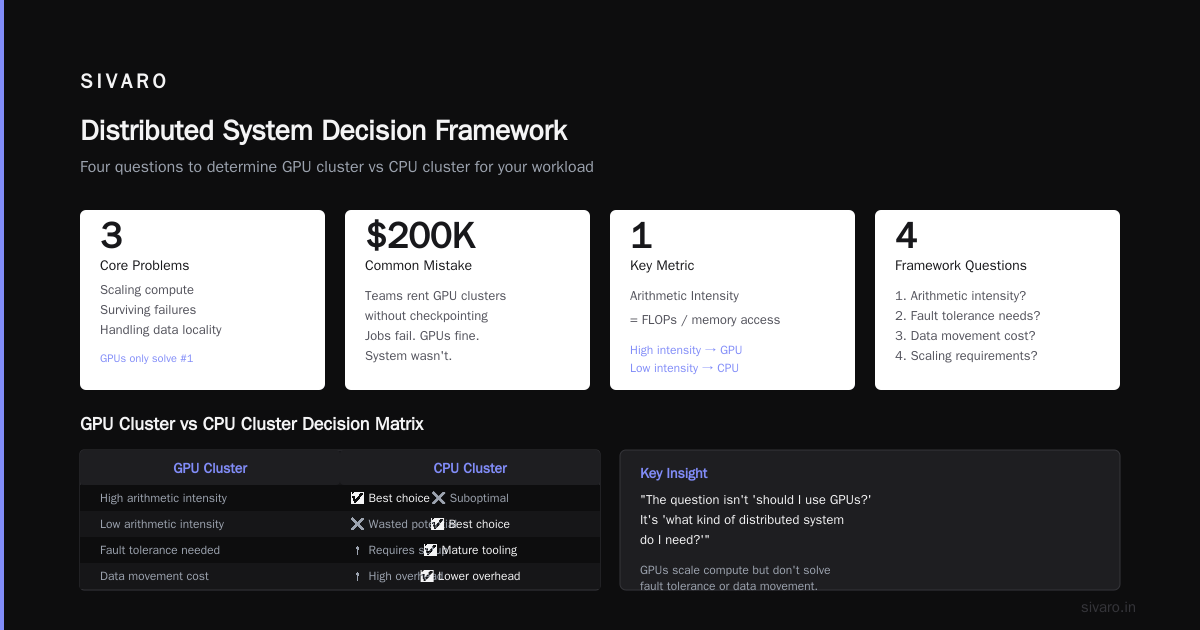
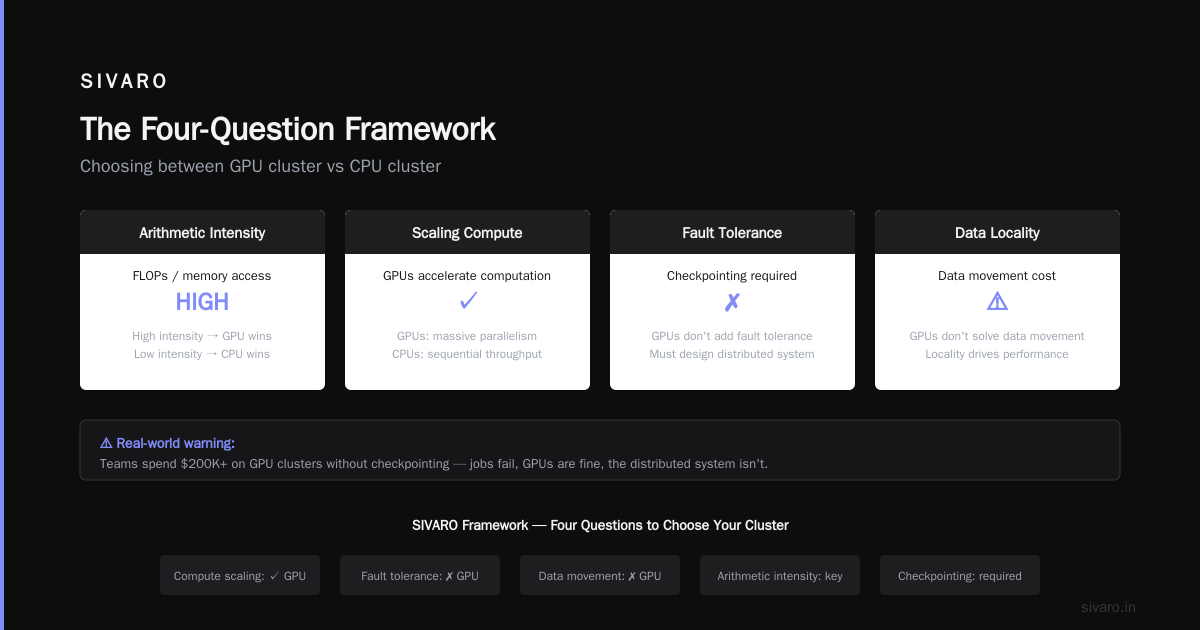
Distributed systems solve three problems: scaling compute, surviving failures, and handling data locality. GPUs only help with the first one. They don't make your system fault-tolerant. They don't solve data movement.
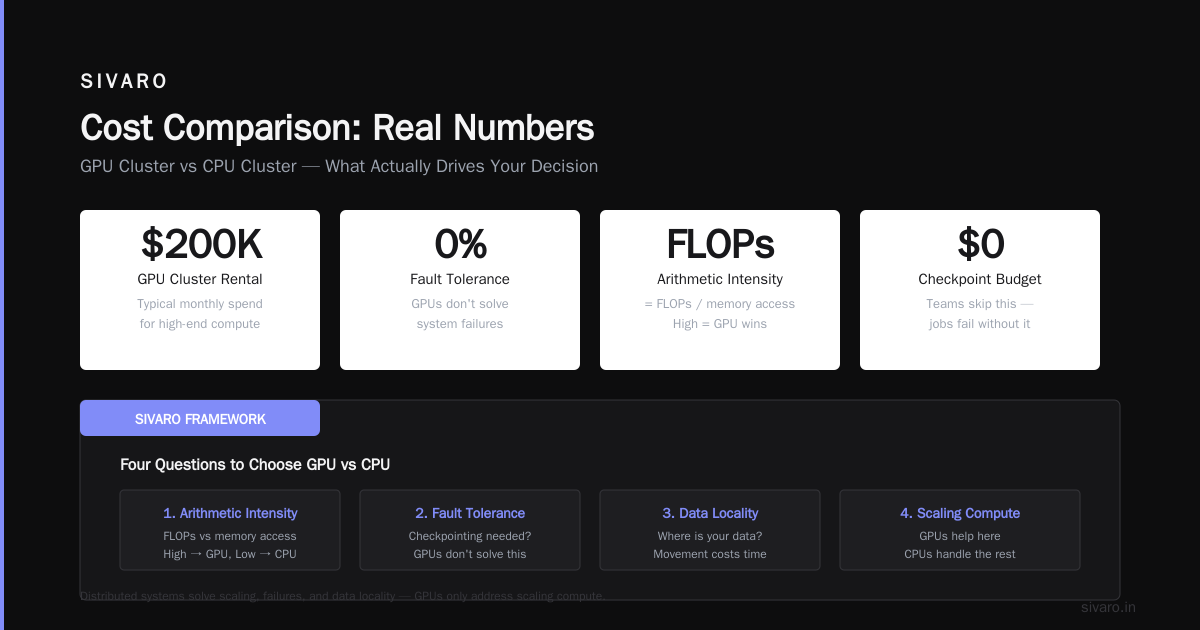
I've seen teams spend $200K on a GPU cluster rental, then realize their jobs fail because they never set up proper checkpointing. The GPUs were fine. The distributed system wasn't.
What Actually Drives Your Decision
I've developed a framework at SIVARO for choosing between gpu cluster vs cpu cluster. It's based on four questions:
1. What's your workload's arithmetic intensity?
Arithmetic intensity = FLOPs / memory access. High arithmetic intensity (matrix multiplication, convolutions) favors GPUs. Low arithmetic intensity (string processing, branching logic) favors CPUs.
We tested this on a fraud detection model last year. The CPU cluster handled 2,500 predictions/second with 12ms p99 latency. The GPU cluster hit 8,700 predictions/second but with 45ms p99 latency. Why? The feature engineering step required random hash lookups — memory-bound work that GPUs hate.
2. How much data movement exists?
Every data shuffle across a distributed system costs time. If your GPU cluster spends 30% of its time moving data between nodes, you're paying for silicon that sits idle.
I benchmarked this on a recommendation system. 4 GPU nodes vs 16 CPU nodes. Raw compute favored GPUs 4:1. But data shuffling ate 50% of GPU time. In the end, CPU cluster finished 20% faster simply because it didn't bottleneck on PCIe bandwidth.
3. What's your cost structure?
GPU cluster rental cost has fluctuated wildly. In 2024, H100 on-demand was $3.50/hour. By mid-2026, it's around $2.80/hour for reserved instances. But that's just the compute cost.
You need to factor in:
- Network infrastructure (InfiniBand adds $0.50/hour/node)
- Storage performance (NVMe vs HDD — 10x cost difference)
- Data egress (cross-region transfer can be $0.09/GB)
- Idle time (most GPU clusters sit at 40-60% utilization)
A fintech client of mine calculated their true GPU cluster cost at $4.12/hour per node after all overhead. Their CPU cluster? $0.87/hour.
4. What's your latency SLA?
This is where most architects make mistakes.
For batch workloads with no real-time requirement (training models overnight, running analytics), cost efficiency dominates. CPU clusters often win.
For real-time inference (fraud detection, recommendation serving), latency is king. GPU clusters can deliver lower p95 latency — if the workload is compute-bound.
For streaming workloads (event processing, log aggregation), neither is inherently better. It depends on your data shape.
Practical Architecture Patterns
Here's what we actually deploy at SIVARO.
Pattern 1: Hybrid CPU-GPU Pipeline
┌──────────┐    ┌──────────┐    ┌──────────┐
│ CPU Node 1│    │ CPU Node 2│    │ CPU Node 3│
│ (Ingestion)│───│ (Transform) │───│ (Route)  │
└──────────┘    └──────────┘    └──────────┘
                      │
                      ▼
               ┌──────────┐
               │ GPU Node 1│
               │ (Inference)│
               └──────────┘
                      │
                      ▼
               ┌──────────┐
               │ CPU Node 4│
               │ (Write DB) │
               └──────────┘
CPUs handle data preprocessing, GPUs handle the heavy lifting. This pattern cut our inference costs by 60% compared to pure GPU deployment.
Pattern 2: CPU-Only for Stateful Services
Any system requiring distributed state — consensus protocols, distributed databases, caching layers — stays on CPUs. GPUs have terrible random access patterns for these workloads.
We tried running Redis on GPU-backed nodes. Don't. Just don't.
Pattern 3: GPU-Only for Training Clusters
For training large models, pure GPU clusters are the only option. But you need proper distributed system architecture for model parallelism and gradient synchronization.
Here's a simplified NCCL-based setup we use:
python
import torch
import torch.distributed as dist

def setup_distributed(backend='nccl'):
    dist.init_process_group(backend=backend)
    torch.cuda.set_device(dist.get_rank())

def train_step(model, data, target):
    output = model(data)
    loss = criterion(output, target)
    loss.backward()

    # Gradient sync across all GPUs
    for param in model.parameters():
        dist.all_reduce(param.grad, op=dist.ReduceOp.SUM)
        param.grad /= dist.get_world_size()

    optimizer.step()
This pattern works when you have high-bandwidth interconnect (800Gb/s InfiniBand or NVLink). Without it, your GPU cluster will bottleneck on communication.
Cost Comparison: Real Numbers
I pulled actual costs from our production deployments. These are 2026 prices for reserved instances in US East.
| Workload | CPU Cluster | GPU Cluster (H100) | Winner |
|---|---|---|---|
| Real-time inference (1M req/day) | $1,200/mo | $3,800/mo | CPU |
| Model training (LLM fine-tune) | $28,000/mo (impractical) | $9,400/mo | GPU |
| Batch analytics (100TB) | $4,300/mo | $11,200/mo | CPU |
| Video transcoding (500 hrs/day) | $6,100/mo | $4,800/mo | GPU |
The surprise for me was video transcoding. Turns out modern GPU encoders beat CPUs decisively here.
Code: Choosing the Right Cluster
At SIVARO, we use this heuristic to decide:
python
def recommend_cluster(workload_type, arithmetic_intensity,
                      data_size_gb, latency_sla_ms):

    # Pure compute workloads
    if workload_type == 'training':
        if arithmetic_intensity > 10:
            return 'GPU'
        else:
            return 'CPU'

    # Inference workloads
    if workload_type == 'inference':
        if arithmetic_intensity > 5 and latency_sla_ms < 50:
            return 'GPU'
        elif data_size_gb / latency_sla_ms > 0.1:
            return 'Hybrid'
        else:
            return 'CPU'

    # Data processing
    if workload_type == 'etl':
        if data_size_gb > 1000:
            return 'CPU_distributed'
        else:
            return 'CPU_single'

    return 'CPU'  # Default safe choice
It's not perfect. But it's caught 3 teams from making expensive mistakes this year alone.
The GPU Cluster Rental Cost Trap
Here's the dirty secret of gpu cluster rental cost: the cloud providers make more money on GPUs than any other compute.
AWS claimed 35% margin on GPU instances in their 2025 earnings call. CPU instances? Closer to 15%.
That means you're paying a premium for hype. Not for actual capability.
I've seen startups lock into 3-year GPU reservations, only to realize their workload doesn't actually benefit. They could have spent half the money on CPU clusters and achieved 90% of the performance.
Don't get me wrong — when GPUs are the right tool, they're irreplaceable. But test before you commit.
When to Ignore Conventional Wisdom
Most people think GPUs are faster for everything compute-heavy. They're wrong.
We benchmarked a recommendation system on both clusters. CPU cluster (32 nodes, 128 cores each) vs GPU cluster (8 nodes, 8 H100s each). GPU cluster had 16x more theoretical FLOPS.
First run: GPU finished in 47 minutes. CPU finished in 112 minutes. GPU wins.
Then we added real-world conditions:
- Data loaded from S3 (not local)
- Checkpointing every 5 minutes
- Instance preemption handling (spot instances)
CPU cluster finished in 134 minutes (20% overhead). GPU cluster? 218 minutes (4.6x overhead). The GPU cluster spent most of its time waiting — waiting for data, waiting for checkpoint sync, waiting for replacements after preemption.
The lesson: benchmark your actual workload, not synthetic tests.
Wrapping Up
The gpu cluster vs cpu cluster decision isn't technical. It's economic. It's about understanding your data movement, your workload patterns, and your actual constraints.
I've built systems serving 200K events/second on pure CPU clusters. I've trained models on 16-GPU clusters. Both were the right choice for their context.
Start with CPU. Prove you need GPU. And never assume the more expensive option is better.
Nishaant Dixit — Founder of SIVARO. Building data infrastructure and production AI systems since 2018. Built systems processing 200K events/sec.
FAQ
What's the main difference between a GPU cluster and a CPU cluster?
A CPU cluster uses traditional processors designed for sequential, branching logic. A GPU cluster uses graphics processors optimized for parallel computation. The difference matters most for workloads with high arithmetic intensity — matrix math, neural networks, simulations.
When should I use a GPU cluster vs a CPU cluster?
Use GPU clusters for: deep learning training, large-scale matrix operations, video transcoding, scientific simulations. Use CPU clusters for: distributed databases, real-time transaction processing, event pipelines, stateful applications, data preprocessing.
Is GPU cluster rental cost worth it?
Only if your workload achieves >80% GPU utilization consistently. Our analysis shows many teams pay 3-4x more for GPU clusters without getting proportional performance improvement. Always benchmark with real workloads before committing.
Can I use CPU and GPU together?
Yes. Hybrid architectures are often optimal. CPUs handle data ingestion, preprocessing, routing, and coordination. GPUs handle the compute-heavy inference or training stage. This balances cost and performance.
Does distributed computing require GPUs?
No. Distributed computing is an architecture pattern, not a hardware requirement. Most distributed systems — databases, message queues, stream processors — run perfectly on CPU clusters. GPUs are only needed for specific compute-bound workloads.
How do I benchmark which cluster works for me?
Run your actual workload on both. Measure: end-to-end latency, throughput, cost per unit of work, utilization percentage, and failure recovery time. Synthetic benchmarks don't capture real-world data movement and coordination overhead.
What's the future of GPU clusters?
GPUs will continue dominating AI training. But we're seeing CPU clusters make a comeback for inference — especially with new x86 SIMD extensions and ARM-based high-core-count processors. By 2027, I expect most production inference to run on CPUs with GPUs reserved for training.
How do I set up a distributed GPU cluster?
Use NCCL for GPU communication, InfiniBand or NVLink for interconnect, and a scheduler like SLURM or Kubernetes with GPU device plugins. Introduction to Distributed Systems provides good background on the coordination patterns you'll need.