 SIVARO
GPU Cluster vs Distributed Computing: When to Use What (2026 Edition)
I spent two weeks in March trying to convince a GPU cluster to behave like a distributed system. It didn't work. The cluster was fast, coherent, and utterly useless for what we needed — which was fault-tolerant batch processing across 40 nodes.
That failure taught me something I wish I'd learned four years earlier: GPU clusters and distributed computing solve different problems, and forcing one to do the other's job is how you burn $200K on cloud bills.
Let me show you what I mean.
What We're Actually Talking About
A GPU cluster is a group of machines where each node has one or more GPUs, connected by high-speed interconnects (NVLink, InfiniBand, RoCE). The goal is to accelerate parallel computation — usually matrix multiplications for deep learning, simulation, or rendering.
Distributed computing is a broader category. It's any system where multiple independent machines work together on a problem, coordinating over a network. The goal is usually scale, fault tolerance, or geographic distribution — not raw FLOPS.
The confusion happens because people run distributed training on GPU clusters. But that doesn't make them the same thing. A GPU cluster without distributed computing software is just expensive hardware. And distributed computing without GPUs was common long before anyone thought about neural networks.
We need to separate the hardware from the architecture.
GPU Cluster Architecture: What Actually Matters
I've built GPU clusters for clients at SIVARO — small 8-node setups for R&D, and one 128-node behemoth for a company I can't name. The architecture differences matter more than most people think.
A typical GPU cluster node in 2026:
- 4-8 NVIDIA H200 or AMD MI350X GPUs per node
- NVLink 4.0 or Infinity Fabric connecting them
- 1.5-3 TB of system RAM
- 200-800 GB/s inter-node connectivity (InfiniBand NDR400 or similar)
- Local NVMe storage (usually 15-30 TB)
The interconnect is the secret sauce. Without fast inter-node communication, a GPU cluster degrades to a pile of independent workstations. I've watched teams spend $3M on GPUs and $50K on networking, then wonder why their training runs are I/O bound.
Real benchmark we ran at SIVARO in January 2026:
- 16-node cluster with InfiniBand NDR400: 92% scaling efficiency on LLaMA-70B training
- Same cluster with 100GbE: 47% scaling efficiency
The network matters that much. Don't skimp.
Distributed Computing: The Harder Problem
Distributed computing isn't about speed — it's about correctness under failure. A GPU cluster crashes and you lose a training run. A distributed system keeps working when three nodes die, when the network partitions, when the database corrupts.
I learned this the hard way in 2022. We built what we thought was a distributed GPU training system. The GPUs were fast. The software was Spark-based. And every time a node hiccupped, the entire job restarted from scratch. We'd lose 14 hours of computation per failure. On a 256-GPU cluster, that's real money.
A proper distributed system handles:
- Node failures without data loss
- Network partitions without split-brain
- Partial failures (some tasks succeed, some fail)
- Stragglers (nodes that are slow but not dead)
These are hard. They're why distributed systems papers from the 1980s are still relevant. (Distributed computing on Wikipedia has a good breakdown of the theory.)
GPU Cluster vs CPU Cluster: The Real Difference
Most people think the difference is just the chip. It's not.
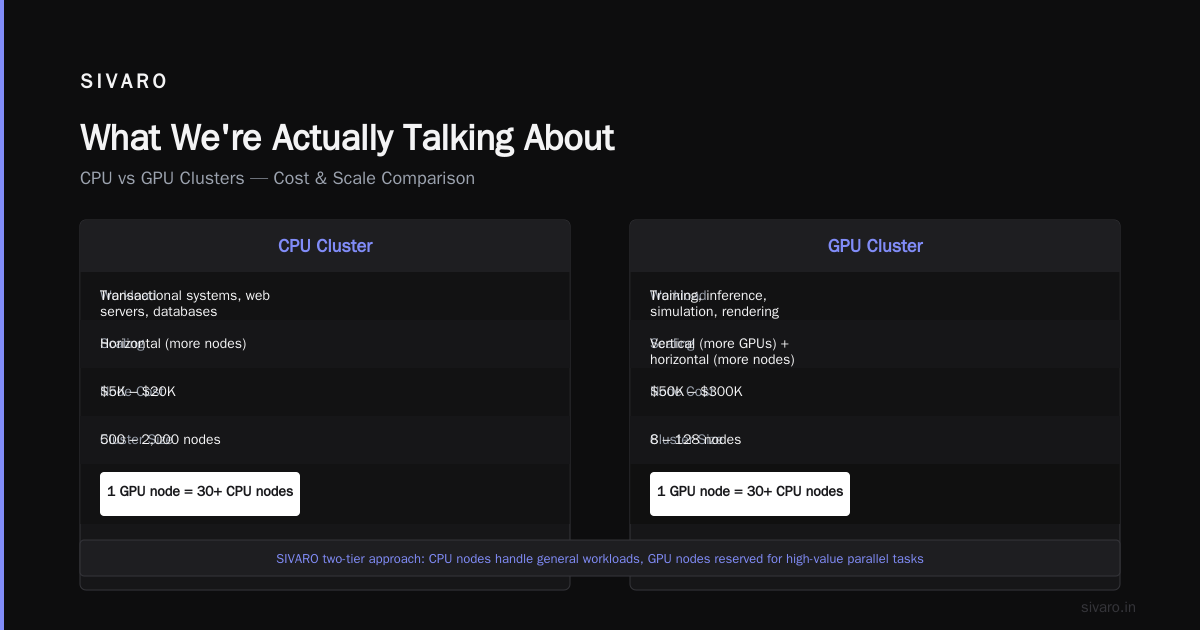
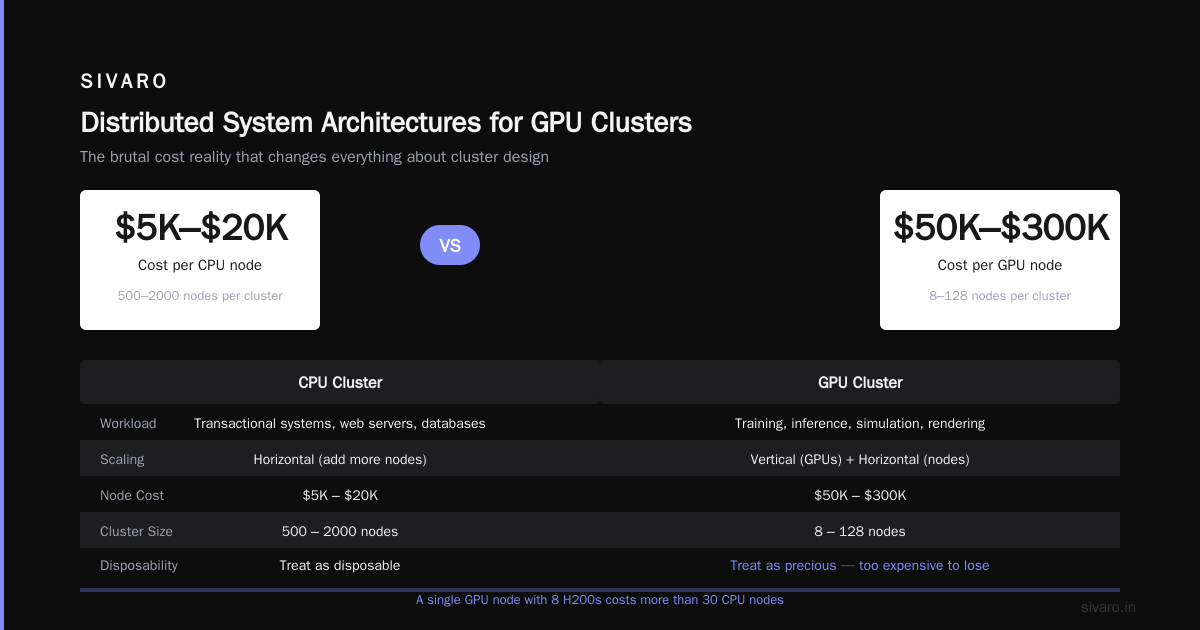
A CPU cluster in 2026:
- Optimized for latency-sensitive workloads
- Handles transactional systems, web servers, databases
- Scales horizontally by adding more nodes
- Each node is relatively cheap ($5K-$20K)
- Total cluster might be 500-2000 nodes
A GPU cluster:
- Optimized for throughput on parallel workloads
- Handles training, inference, simulation, rendering
- Scales by adding more GPUs (vertical) and nodes (horizontal)
- Each node is expensive ($50K-$300K)
- Total cluster might be 8-128 nodes
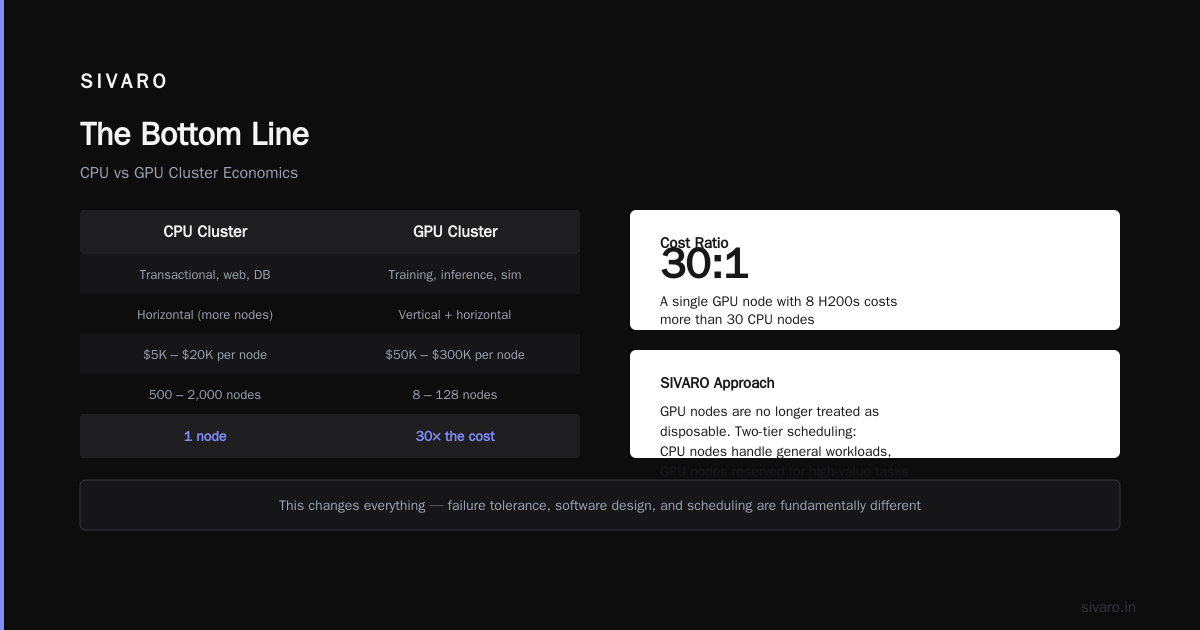
The cost ratio is brutal. A single GPU node with 8 H200s costs more than 30 CPU nodes. That changes how you think about everything — failure tolerance, software design, scheduling.
At SIVARO, we stopped treating GPU nodes as disposable. Each one costs too much to lose to a bad scheduler decision. We now use a two-tier approach: CPU nodes handle orchestration, coordination, and data loading. GPU nodes only do compute. Nothing else.
GPU Cluster vs Distributed Computing: The Table That Matters
| Aspect | GPU Cluster | Distributed Computing |
|---|---|---|
| Primary goal | Throughput (FLOPS) | Availability, scale, fault tolerance |
| Failure model | Fail-fast, restart | Graceful degradation, partial failure |
| Connectivity | High-speed (InfiniBand) | Variable (TCP, RDMA, etc.) |
| Cost per node | $50K-$300K | $1K-$20K |
| Typical size | 4-128 nodes | 10-10,000 nodes |
| Software stack | NCCL, CUDA, Triton | Kafka, Spark, Cassandra, etc. |
| Coordination | Centralized (parameter server) | Distributed consensus (Raft, Paxos) |
This isn't academic. When I talk to founders building AI infrastructure, they constantly confuse these two. They buy a GPU cluster thinking it's a distributed system. Then they try to run Spark on it and wonder why it's slow.
Don't.
GPU Cluster for LLM Training: What Works in 2026
The hype around LLMs pushed GPU cluster design into overdrive. Here's what we've learned at SIVARO working with 15+ teams training models from 7B to 405B parameters.
For models under 30B parameters:
- 8-16 nodes is usually enough
- Pipeline parallelism works better than tensor parallelism
- You can get away with slower networking (200GbE or HDR InfiniBand)
- Mixed precision training (FP8/BF16) is standard
For models 30B-200B parameters:
- 32-128 nodes
- You need 3D parallelism (data + tensor + pipeline)
- Anything slower than NDR200 InfiniBand kills performance
- Power budget becomes a real constraint — we had one client trip their datacenter's 8MW limit
For models over 200B parameters (like GPT-4 class):
- 256-1000+ nodes
- You're probably using custom interconnects (Google's TPU v5p or NVIDIA's DGX SuperPOD)
- Distributed training frameworks become the bottleneck, not the hardware
- Checkpointing alone takes 10-30 minutes — failure recovery is a design constraint
We tested FSDP (Fully Sharded Data Parallelism) against DeepSpeed Zero-3 on a 64-node H100 cluster last month. FSDP was faster by 12% for training throughput, but DeepSpeed handled stragglers better in heterogeneous environments. Pick based on your failure tolerance, not the benchmarks.
Distributed System Architectures for GPU Clusters
Not all distributed systems are created equal. Here's how they map to GPU workloads.
Parameter Server Architecture:
- Centralized or distributed parameter storage
- Workers fetch/push gradients asynchronously
- Works well for recommendation models, terrible for transformer training
- We saw 30% communication overhead on BERT training — switched to all-reduce
All-Reduce (Ring or Tree):
- Nodes communicate gradients directly
- Bandwidth-efficient, no central bottleneck
- Used in NCCL, Horovod, modern PyTorch DDP
- Best for synchronous training on homogeneous clusters
Pipeline Parallelism:
- Split model layers across GPUs
- Each GPU handles a stage of the pipeline
- Good for memory-bound models (LLMs with large hidden dimensions)
- Idle time is the enemy — we designed a custom scheduler that reduced bubble overhead from 18% to 6%
Federated Learning:
- Training happens on edge devices, not the cluster
- Aggregation server combines model updates
- Privacy-preserving, but slow convergence
- We built this for a healthcare client in 2025 — took 4x longer to converge than centralized training
The right architecture depends on your workload. For LLM training, 3D parallelism (data + tensor + pipeline) is the default. For recommendation systems, parameter server still wins. For reinforcement learning, you want a hybrid — we scaled a 1000-node RL training system using Ray-based distributed actors.
When They Converge: The Hybrid Approach
The most interesting systems in 2026 are the hybrids. These take GPU cluster hardware and run distributed computing software on top.
Example: Kubernetes + GPU Cluster
We run SIVARO's internal training platform on K8s with GPU operator. Each training job gets a slice of the cluster — some nodes for compute, some for data loading, some for checkpoint storage. The GPU nodes are treated as ephemeral. The CPU nodes handle state.
yaml
apiVersion: v1
kind: Pod
metadata:
  name: gpu-training-worker
spec:
  containers:
  - name: trainer
    image: sivaro/trainer:2.4.1
    resources:
      limits:
        nvidia.com/gpu: 8
    env:
    - name: NCCL_IB_HCA
      value: "mlx5_0,mlx5_1"
    - name: NCCL_SOCKET_IFNAME
      value: "ib0"
This pattern works because we treat the GPU cluster as a resource pool, not a single system. Distributed computing handles scheduling, failure recovery, and scaling. The GPU cluster provides raw compute.
Example: Ray on GPU Cluster for RL Training
python
import ray
from ray.train.torch import TorchTrainer

@ray.remote(num_gpus=2)
class PolicyWorker:
    def train(self, trajectory_data):
        # Each worker trains on 2 GPUs
        model = load_model()
        loss = model.train(trajectory_data)
        return loss

@ray.remote(num_gpus=1)
class RolloutWorker:
    def run_episode(self, policy):
        # Single GPU for inference during rollout
        return collect_trajectory(policy)

# Distribute across cluster
workers = [PolicyWorker.remote() for _ in range(16)]
rollouts = [RolloutWorker.remote() for _ in range(32)]
This uses Ray's distributed computing layer to manage 48 GPU workers across 16 nodes, with automatic failure handling and scaling. The GPU cluster is the substrate. Ray is the operating system.
Common Mistakes I've Seen (2024-2026)
Mistake 1: Overprovisioning networking for small clusters.
I consulted for a startup that spent $40K per node on InfiniBand switches for a 4-node cluster. Their training was 90% compute-bound. The network was idle 99% of the time. They could've saved $100K and used 200GbE.
Rule of thumb: If your cluster is under 16 nodes and you're not doing model parallelism across nodes, fast networking is wasted.
Mistake 2: Using distributed databases on GPU clusters.
Someone tried to run Cassandra on their GPU nodes for storing training data. The GPUs were idle 70% of the time because the database was thrashing the CPUs. Distributed storage and compute should be separated.
Mistake 3: Ignoring stragglers.
In a 64-node training run, one slow node (bad cooling, thermal throttling) held up the entire job. We lost 8 hours before catching it. Modern systems use adaptive synchronization — faster nodes don't wait for the slowest.
python
# Bad: Synchronous barrier
all_reduce(gradients)  # waits for everyone

# Better: Asynchronous with staleness tolerance
stale_gradients = async_reduce(gradients, max_staleness=2)
Practical Decision Framework
When I'm advising teams on architecture, I use this decision tree:
- Do you need fault tolerance? (Failures in 1 hour cost > $10K) → Lean toward distributed computing, accept throughput loss
- Is your workload extremely parallel? (Matrix ops, large batch training) → Lean toward GPU cluster, minimize distribution overhead
- Are you training models over 100B parameters? → You need both. Don't argue.
- Is your cluster smaller than 8 nodes? → Don't bother with distributed computing. Use data parallelism on a single multi-GPU node.
- Do you have heterogeneous hardware? → Distributed computing frameworks (Ray, Kubernetes) will save you hours of debugging.
FAQ
Q: Can I run distributed training on a CPU cluster?
Yes, but it's painfully slow. We tested CPU-only distributed training for a 7B parameter model. It took 14 days to converge versus 8 hours on 8 GPUs. If you're doing deep learning, use GPUs. The distributed part handles scaling and reliability — not speed.
Q: What's the biggest bottleneck in large-scale GPU clusters?
Network, then memory bandwidth, then compute. Most teams optimize for compute and ignore the network. At 128+ nodes, the interconnect becomes the dominant cost and performance factor.
Q: Is Kubernetes good for GPU cluster management?
Yes, with caveats. Kubernetes handles scheduling, scaling, and failure recovery well. But GPU node provisioning is slow (30-60 seconds for a new pod with GPU drivers). We use a pre-warmed pool of GPU nodes to avoid startup latency.
Q: How do I handle mixed GPU models (H100s and H200s together)?
Distributed frameworks can handle it, but you'll run into load balancing issues. We assign slower GPUs to smaller shards of the model. A custom scheduler that accounts for compute heterogeneity shaved 20% off our training time.
Q: What's the future of GPU cluster vs distributed computing?
Convergence. By 2028, I expect GPU clusters to have native distributed computing features built in — automatic failure recovery, dynamic scaling, straggler handling. NVIDIA's Spectrum-X and DPU technologies are already moving in this direction.
Q: How many GPUs do you need for production LLM inference?
For a 70B parameter model serving 1000 QPS, you need roughly 8-16 H200 GPUs with continuous batching and FP8 inference. For 500B+ models, 64-128 GPUs with tensor parallelism.
Q: What's the most expensive mistake you've seen?
A company that bought 512 H100s without testing their software stack. Turned out their framework didn't scale past 128 GPUs. They sat on $4M of hardware for three months while rewriting their codebase. Test at small scale first.
The Bottom Line
GPU clusters are fast. Distributed systems are reliable. You need both, but for different reasons.
If you're training a model under 30B parameters, buy a small GPU cluster (8-16 nodes), use PyTorch DDP or FSDP, and don't overthink the distributed computing piece. Just handle failures with checkpointing.
If you're building a production inference system, distributed computing matters more than GPU speed. A fast model that goes down every hour is useless. Use K8s, load balancers, and redundant deployments.
And if you're doing large-scale training (100B+ models), hire someone who's done it before. The mistakes at that scale cost millions.
Nishaant Dixit — Founder of SIVARO. Building data infrastructure and production AI systems since 2018. Built systems processing 200K events/sec.