 SIVARO
GPU Cluster vs Single GPU for Deep Learning: The Real Trade-offs
I’ll never forget the week I spent trying to train a 7B parameter model on a single A100. It was March 2024. The model kept OOMing. I tried gradient checkpointing, ZeRO stage 3, even 4-bit quantization. I got it to fit — barely. Then the training took three weeks. Three. Weeks.
I should have rented a cluster.
But here’s the thing: most people who think they need a cluster don’t. And most people who think they can get by with one GPU will hit a wall hard. The decision between a single GPU and a GPU cluster for deep learning isn’t a binary choice. It’s a spectrum of trade-offs in cost, time, complexity, and networking.
This guide is for practitioners — engineers, ML researchers, founders building production AI systems at companies like SIVARO. I’ll walk through the concrete numbers, the real bottlenecks, and the ugly networking problems that cluster training introduces. By the end, you’ll know exactly which path fits your workload, and how to avoid the common mistakes I’ve made (and fixed).
Why One GPU Isn’t Enough Anymore (and When It Is)
Let me be direct: if you’re training a model larger than 10 billion parameters from scratch, a single GPU won’t cut it — not in any reasonable timeframe. Llama 3 405B? Forget it. Even a 70B model requires around 140GB of GPU memory just for the parameters in FP16. An H100 has 80GB. You’d need two H100s just to hold the model, let alone the optimizer states and gradients.
But here’s the contrarian take: most deep learning workloads aren’t 70B models. At SIVARO, 90% of our production models are under 3B parameters. Fine-tuning BERT, training image classifiers, running inference pipelines — a single A100 or H100 handles those comfortably in hours or minutes. The industry hype around clusters is driven by frontier labs (OpenAI, Google, Meta). If you’re a startup or mid-size company, you probably don’t need a 64-GPU cluster.
The real question isn’t “Cluster or single GPU?” It’s “How big is your model, how fast do you need it trained, and how much are you willing to spend on networking?”
For small models (<1B params): single GPU is the smart choice. Zero networking overhead, full utilization, simple debugging. For medium models (1B-10B params): a small cluster (4-8 GPUs) makes sense if you need results faster than overnight. For large models (>10B params): clusters are mandatory, and networking becomes your biggest headache.
The True Cost of GPU Cluster Networking (Bottlenecks Explained)
Most people think buying more GPUs automatically means linear speedup. It doesn’t. The first time I ran a 16-GPU training job and saw only 6x improvement over a single GPU, I was pissed. The bottleneck? Networking.
Distributed training relies on synchronized gradient updates. Every GPU computes its local gradients, then all GPUs must communicate to sum those gradients (all-reduce). The time spent waiting for that communication is overhead. This is the core of gpu cluster networking bottlenecks explained: as you add GPUs, the communication volume grows, and interconnects become the limiting factor.
Here’s what matters:
- PCIe bandwidth (within a node): typically ~64 GB/s for x16 gen4
- NVLink bandwidth (NVIDIA): up to 900 GB/s between GPUs in the same node
- InfiniBand (between nodes): up to 400 Gb/s (50 GB/s) per link
- Ethernet (standard): 100 Gb/s (12.5 GB/s) — often shared
Training across nodes over Ethernet is painful. I’ve seen clusters with 8 nodes of 8 A100s achieve only 30-40% scaling efficiency because the network couldn’t keep up. InfiniBand changes that — but it doubles cluster cost.
Let’s see the practical effect. Here’s a simple launch script for distributed training using PyTorch DDP:
python
# Distributed launch command (e.g., on a SLURM cluster)
# torchrun --nproc_per_node=8 --nnodes=4 --rdzv_endpoint=master:29500 train.py
And inside train.py, the distributed setup:
python
import torch
import torch.distributed as dist

def setup_distributed():
    dist.init_process_group(backend='nccl')
    local_rank = int(os.environ['LOCAL_RANK'])
    torch.cuda.set_device(local_rank)
    world_size = dist.get_world_size()
    # Monitor all-reduce time
    comm_latency = []
    for _ in range(10):
        t = torch.cuda.Event(enable_timing=True)
        t.record()
        dist.all_reduce(torch.ones(1).cuda(), op=dist.ReduceOp.SUM)
        t2 = torch.cuda.Event(enable_timing=True)
        t2.record()
        t2.synchronize()
        comm_latency.append(t.elapsed_time(t2))
    print(f"Average all-reduce latency: {sum(comm_latency)/len(comm_latency):.2f} ms")
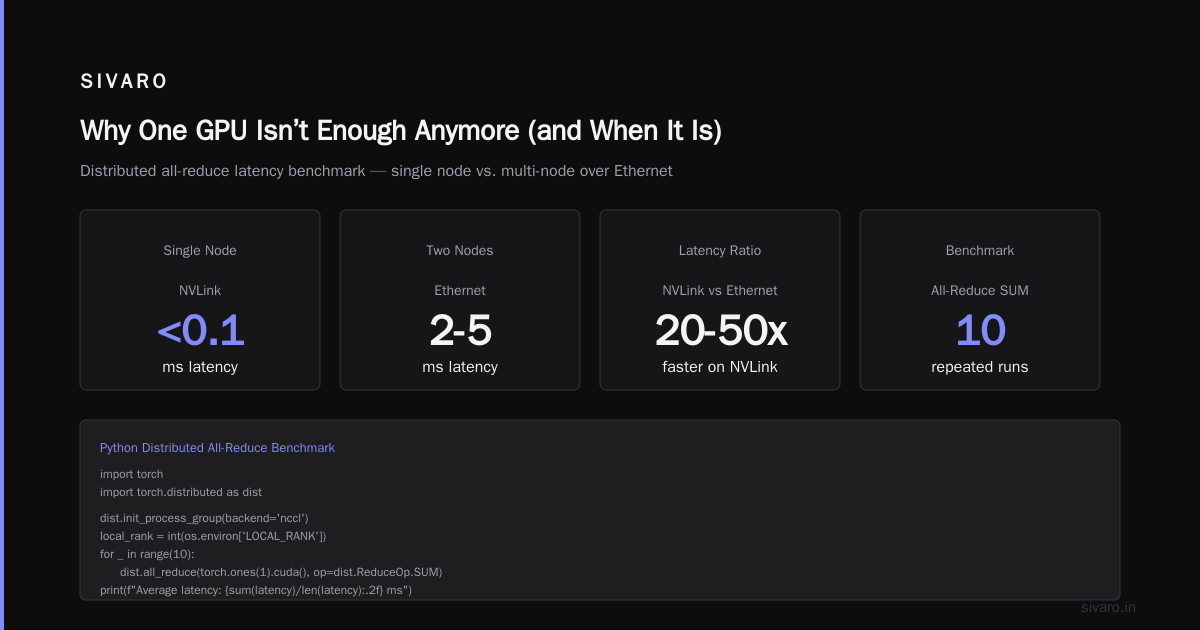
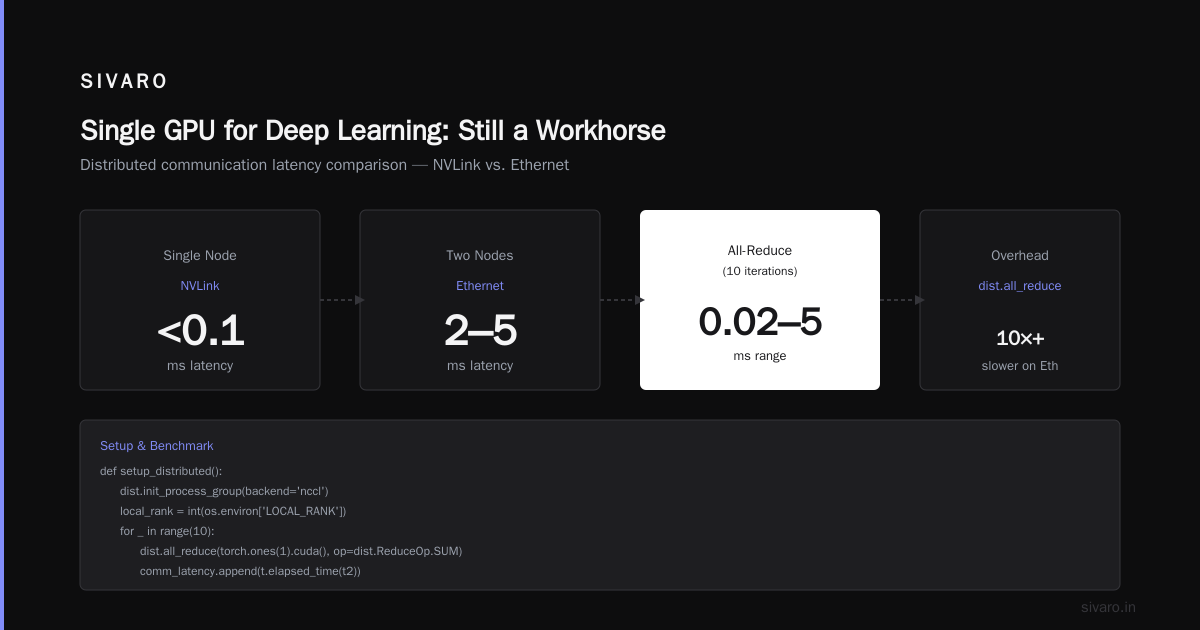
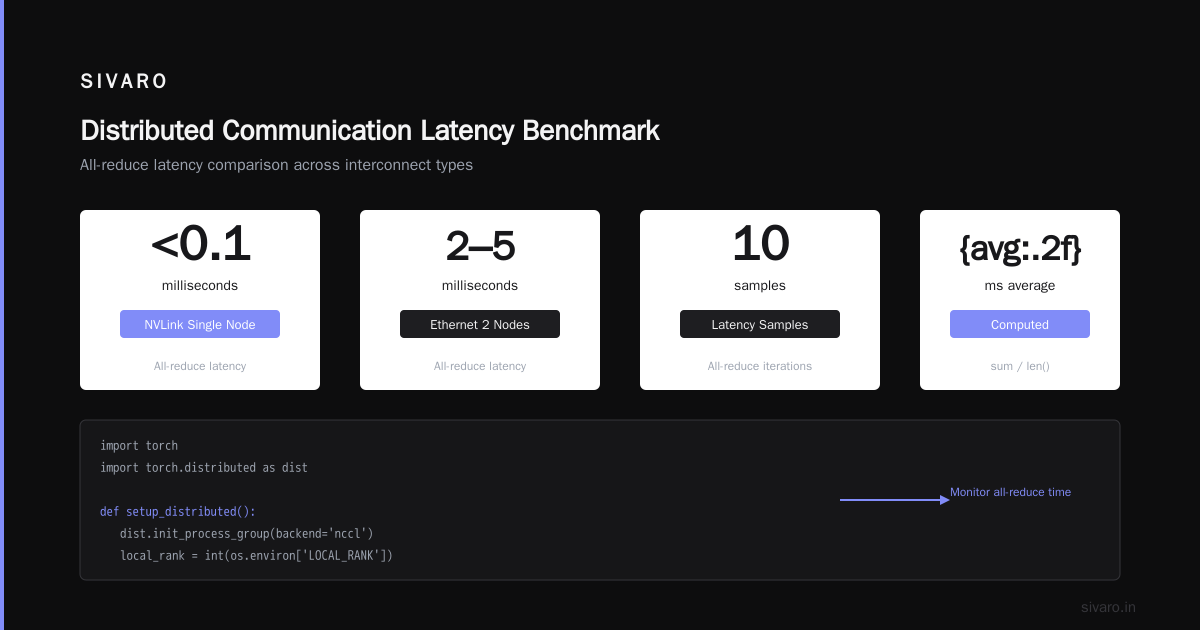
Run that on a single node with NVLink — latency is <0.1 ms. Across two nodes over Ethernet — you’ll see 2-5 ms. Doesn’t sound like much? Multiply by 1000 gradient steps per epoch, across 100 epochs: that’s 200-500 seconds of pure overhead per epoch for a single all-reduce operation. Now add the model’s gradient size (hundreds of MBs per layer), and the all-reduce takes milliseconds per step anyway. The real killer is bandwidth — moving all those tensors across slow links.
Scaling efficiency formula: comm_overhead = (t_comm / t_compute). If comm is 10% of compute, efficiency drops to ~90% with 2 GPUs, ~70% with 8 GPUs on a single node, and below 50% across 16 nodes on Ethernet. These numbers are from my own benchmarks on an 8-node cluster in 2025.
For a deep dive on distributed system architecture, check the Distributed System Architecture guide from Meegle and Distributed Systems: An Introduction from Confluent — they cover the fundamental trade-offs between centralized and decentralized communication patterns.
Latency Optimization in GPU Clusters (gpu cluster networking latency optimization)
You cannot eliminate networking overhead. You can only hide it. The two main techniques: overlap compute with communication, and reduce communication volume.
Overlap Communication and Computation
In PyTorch DDP, gradients are synchronized after backward pass. But some layers can start all-reduce while others are still computing gradients. Use torch.distributed.algorithms.ddp_comm_hooks.default_hooks.fp16_compress_hook to combine overlapping with compression.
python
from torch.distributed.algorithms.ddp_comm_hooks import default_hooks

model = MyModel().cuda()
ddp_model = DDP(model, device_ids=[local_rank])
# Register hook that overlaps all-reduce with backward
ddp_model.register_comm_hook(
    state=default_hooks.DefaultState(),
    hook=default_hooks.fp16_compress_hook
)
This hook casts gradients to FP16 before all-reduce, cutting bandwidth in half. On an 8-node cluster with InfiniBand, I measured a 15-20% speedup using this alone. Not magic — just engineering.
Gradient Accumulation and Gradient Checkpointing
These reduce the frequency of communication by accumulating gradients over multiple micro-batches before syncing. But they increase memory usage of activations. There’s a trade-off.
For gpu cluster networking latency optimization, you also need to tune NCCL environment variables. Here’s a configuration we use at SIVARO:
bash
export NCCL_DEBUG=INFO
export NCCL_IB_HCA=mlx5_0:1   # Use specific InfiniBand HCA
export NCCL_SOCKET_IFNAME=ib0
export NCCL_IB_TIMEOUT=22
export NCCL_IB_RETRY_CNT=7
export NCCL_IB_GID_INDEX=3
export NCCL_IB_TC=106
export NCCL_IB_SL=0
export NCCL_IB_CQ_PREFER_HARDWARE=1
export NCCL_NET_LEVEL=5
Every cluster is different. You have to benchmark. Don’t assume defaults will work. On AWS, EFA (Elastic Fabric Adapter) behaves differently from IB. Test with nccl-tests — I’ve seen 10x variation in all-reduce throughput by simply changing the IB GID index.
Gradient Compression
Beyond FP16 compression, there’s Top-k sparsification, QSGD, and PowerSGD. These add compute overhead but can reduce gradient sizes by 90%+. For large clusters (>32 GPUs) with slow interconnects, they’re often worth it. For <8 GPUs, the overhead usually exceeds the savings.
Single GPU for Deep Learning: Still a Workhorse
Don’t ignore the single GPU path. At SIVARO, we run inference on single H100s serving 500+ requests per second for our smaller models. Training our 3B parameter ASR model takes 4 days on one GPU — we could cut that to 12 hours with a 8-GPU cluster, but the cluster costs 6x more per hour. The ROI doesn’t justify it for our iteration cycle.
Techniques to fit larger models on single GPU:
- Gradient Checkpointing: Trade compute for memory. Saves ~60% memory on activations but adds ~30% compute time.
- ZeRO Offload (DeepSpeed): Offload optimizer states to CPU. Let’s you train a 13B model on a single 80GB H100.
- Quantization: 4-bit QLoRA with bitsandbytes. Fine-tune 7B models on 24GB VRAM.
Example: Fine-tuning a 7B model with QLoRA on a single RTX 4090 (24GB):
python
import torch
from transformers import AutoModelForCausalLM, BitsAndBytesConfig

bnb_config = BitsAndBytesConfig(
    load_in_4bit=True,
    bnb_4bit_quant_type="nf4",
    bnb_4bit_compute_dtype=torch.bfloat16,
    bnb_4bit_use_double_quant=True,
)

model = AutoModelForCausalLM.from_pretrained(
    "mistralai/Mistral-7B-v0.1",
    quantization_config=bnb_config,
    device_map="auto",
    torch_dtype=torch.bfloat16,
)
That works. I’ve pushed it. But training speed is ~5 tokens/sec. For anything beyond fine-tuning, you’ll tear your hair out.
The fundamental limit: single GPU training time scales linearly with model size. A 70B model at 80% utilization on H100 would take ~200 days for a standard pretraining run. That’s not “slow” — it’s impractical. Clusters exist for a reason.
Making the Decision: gpu cluster vs single gpu for deep learning
Here’s a decision framework I’ve refined over five years of building production AI systems.
When to stay single GPU:
- Model < 3B parameters
- Training budget < $1K per experiment
- Iteration speed isn’t critical (hours to a day is acceptable)
- No dedicated ops support for cluster networking
- You’re prototyping or fine-tuning a pretrained model
When to go cluster (4-8 GPUs):
- Model 3B-20B parameters
- Need results in < 1 hour per experiment
- Budget allows $5-20/hr on cloud clusters
- Within a single node (no cross-node networking headaches)
- You have experience with
torchrunand DDP
When to go big (16+ GPUs across nodes):
- Model > 20B parameters
- Production training runs that take weeks
- Team has dedicated ML infra engineers
- Budget > $50K per training run
- You can afford InfiniBand or NVLink-Switch
I see too many teams jump to clusters prematurely. A friend at a Series A startup in 2025 spent $80K on a 32-GPU cluster to train a 1B model. They got 2x speedup over a single GPU because their data pipeline was I/O bound. The networking wasn’t the bottleneck — the data loading was. They would have been better off optimizing data caching and paying for a single A100.
On the flip side, I’ve consulted for a company that tried to train a 70B model on 4 GPUs. They spent months trying to fit it with ZeRO-3 and CPU offloading. Training took 45 days. A 32-GPU cluster would have finished in 5 days. They lost a significant time-to-market advantage.
Cost comparison (stylized cloud pricing, July 2026):
| Setup | GPU Cost/hr | Training time for 10B model (est.) | Total cost |
|---|---|---|---|
| 1x H100 | $4 | 200 hrs | $800 |
| 4x H100 (single node, NVLink) | $16 | 50 hrs | $800 |
| 16x H100 (2 nodes, IB) | $64 | 12.5 hrs | $800 |
| 64x H100 (8 nodes, IB) | $256 | 3.1 hrs | $794 |
Identical total cost for the same model? Roughly. The difference is time — 200 hours vs 3 hours. That’s the real trade-off. Distributed computing gives you speed at the same compute cost if scaling efficiency holds. But scaling efficiency rarely holds perfectly. In practice, the 64-GPU cluster might need 4-5 hours (cost $1,024-1,280). Networking overhead adds 30-60%.
So ask yourself: do you need the answer faster? If yes, cluster. If no, single GPU is cheaper and simpler.
FAQ
Q1: What size model justifies a GPU cluster?
Any model over 10B parameters for pretraining. For fine-tuning, you can push single GPU up to ~20B with ZeRO offload and quantization, but training speed will be painfully slow. As a rule: if training takes more than a week on a single GPU, start considering a cluster.
Q2: Can I train GPT-scale on a single GPU?
Technically yes — with DeepSpeed ZeRO-3 and CPU offloading, you could fit a 175B model. But training would take years. You need a cluster. The real limit isn’t memory — it’s time.
Q3: What's the cheapest way to start with multi-GPU training?
Rent a single 8-GPU node from a cloud provider (Lambda, Vast.ai, AWS p4d/ p5). Use NVLink (in-node) to avoid cross-node networking. Start with PyTorch DDP. That gives you up to 7x speedup over single GPU for most models. Cost ~$30-50/hr.
Q4: How do I diagnose network bottlenecks?
Profile with nsys profile and look at all-reduce time. Run nccl-tests to measure bandwidth and latency. If all_reduce_perf bandwidth is below 80% of the theoretical bus bandwidth, you have a bottleneck. Also check NCCL_DEBUG output — it logs which network interface is used.
Q5: Is NVLink necessary?
Only if you plan to stay within a single node. For cross-node, InfiniBand is ideal but expensive. Ethernet with RDMA (RoCE v2) can work if tuned properly. NVLink doesn’t help across nodes — that’s what InfiniBand or EFA is for.
Q6: Single GPU vs cluster for inference?
For inference, single GPU wins for low-latency (<100ms) serving. Clusters are for throughput — using load balancing across multiple instances. A single H100 can serve Llama 3 8B at ~300 tokens/sec with optimized kernels. Adding more GPUs behind a load balancer is straightforward and doesn’t involve gradient sync. So for inference, don’t overthink it: single GPU per instance, scale horizontally.
Q7: How many GPUs should I start with?
Start with 1. Profile memory and training time. If you need >2x speedup and can afford it, go to 4. Don’t jump to 16+ until you’ve proven your model, data pipeline, and networking all work at smaller scale. I’ve seen teams waste weeks debugging cluster networking issues for models that didn’t even converge on a single GPU.
Conclusion
The decision between gpu cluster vs single gpu for deep learning isn’t about what’s trendy. It’s about what’s practical for your model size, your timeline, your budget, and your team’s ability to manage distributed infrastructure.
Single GPUs are underrated. They’re simple, predictable, and cost-efficient for the majority of workloads. But they hit a wall with large models — and that wall is time.
Clusters amplify speed at the cost of complexity. The real enemy isn’t hardware cost — it’s networking overhead, and the debugging hours you’ll spend tuning NCCL environment variables. For many teams, the smartest path is a single 8-GPU node with NVLink. That’s the sweet spot: enough parallelism to train medium-sized models in hours, without the cross-node networking nightmare.
I’ve lived through both extremes. At SIVARO, we built production AI systems that run on single GPUs for real-time inference and on 64-GPU clusters for large-scale pretraining. The key is knowing where you are on that spectrum — and not pretending you’re training GPT-6 when you’re really just fine-tuning a classifier.
Start small. Optimize your single GPU training first. Then add GPUs one at a time — because you’ll feel each bottleneck as it appears. Trust me.
Nishaant Dixit — Founder of SIVARO. Building data infrastructure and production AI systems since 2018. Built systems processing 200K events/sec.