 SIVARO
GPU vs CPU Cost Efficiency for Batch Inference

Last quarter I watched a client burn $187,000 on GPU instances to run sentiment analysis on 40 million customer support tickets. The model was a fine-tuned BERT variant. The latency requirement was "sometime before the next sprint." And every single inference was processed in under 300 milliseconds because, well, GPUs are fast.
The catch? They didn't need fast. They needed cheap.
We moved that workload to CPU instances and cut the cost to $23,000. Same model. Same accuracy. Same batch size. The only thing that changed was our definition of "real-time."
This is the story of why GPU vs CPU cost efficiency for batch inference isn't a hardware question. It's a workload classification question. And most teams get it wrong because they benchmark for speed when they should be benchmarking for throughput-per-dollar.
Here's what we'll cover: when GPUs are worth every penny, when CPUs embarrass them, how to measure cost efficiency correctly, and what the 2026 hardware market looks like if you're planning capacity.
The Cost Myth Most Teams Believe
Most people think GPUs are always cheaper for inference because they're faster. That's true only if you're comparing single-request latency.
Here's the dirty secret: GPUs are expensive because they're specialized. They excel at parallel matrix math. That's it. If your workload isn't dominated by that specific operation, you're paying a massive premium for silicon that's mostly idle.
I see this constantly. Teams run GPU benchmarks with throughput numbers that look incredible — 2,000 inferences per second! — then multiply by the hourly cost and never check whether the workload could have run on 20 CPU cores for 15% of the price.
The math isn't complicated. The benchmarking habits are.
CPU vs GPU: What's best for Machine Learning? makes a point I've been shouting for years: the decision depends entirely on your workload characteristics, not on which hardware is "better" in the abstract. For batch inference, the characteristics that matter are batch size, model size, latency tolerance, and utilization patterns.
The Real Math on GPU vs CPU Cost Efficiency for Batch Inference
Let me walk you through the actual cost model we use at SIVARO when advising clients. It's not elegant. It's honest.
The fundamental metric isn't latency. It isn't even throughput. It's inferences per dollar per second of acceptable wait time.
Here's the formula we use:
python
def cost_efficiency(total_inferences, total_compute_hours, hourly_rate, acceptable_latency_s):
    """
    Calculate cost efficiency for batch inference.

    Returns cost per 1,000 inferences and whether the
    workload can tolerate the latency floor.
    """
    cost_per_inference = (total_compute_hours * hourly_rate) / total_inferences
    cost_per_1k = cost_per_inference * 1000

    # If we're over acceptable latency, this metric doesn't matter
    # because the solution is wrong regardless of cost
    if total_compute_hours * 3600 / total_inferences > acceptable_latency_s:
        return {
            "cost_per_1k": cost_per_1k,
            "feasible": False,
            "reason": f"Latency exceeds {acceptable_latency_s}s requirement"
        }

    return {
        "cost_per_1k": cost_per_1k,
        "feasible": True,
        "reason": "Within latency budget"
    }
The trick is that "acceptable latency" for batch inference is usually measured in seconds or minutes, not milliseconds. When that's the case, the GPU's advantage shrinks dramatically.
Let me give you a concrete example from a 2025 project. We were building a document classification pipeline for a logistics company processing shipping manifests. The model was a distilled version of a transformer — about 110M parameters. The workload was 2.5 million documents per night.
We ran two benchmarks:
| Metric | GPU (A10G) | CPU (m7i.4xlarge) |
|---|---|---|
| Throughput | 850 inferences/sec | 140 inferences/sec |
| Hourly cost | $1.82 | $0.92 |
| Total compute time | 49 minutes | 5 hours |
| Total cost | $1.49 | $4.60 |
| Cost per 1K inferences | $0.0006 | $0.0018 |
Looks like GPU wins, right? Three times cheaper.
But here's what that table doesn't show: the GPU instance sat idle for 23 hours per day. The CPU instance was also doing the nightly ETL work, the validation checks, and a dozen other jobs. When you account for actual utilization across the day, the CPU's effective cost dropped below the GPU's.
This is the AI Inference Cost Economics in 2026: GPU FinOps Playbook point — idle GPU time is the silent killer of cost efficiency. The playbook's data suggests most teams underutilize their GPU fleet by 60-70% because they provision for peak demand and let the hardware idle otherwise.
When GPUs Are The Only Answer
Let me be clear about something: I'm not anti-GPU. If you're doing real-time inference with sub-100ms latency requirements on large models, GPUs are non-negotiable.
We built a fraud detection system for a payment processor in 2024. Every transaction had to be scored in under 80 milliseconds. The model was a large transformer with 1.5B parameters. We tested CPU inference first — cheapest option, obviously.
The best CPU we could find ran one inference in 420 milliseconds. That's 5x over the requirement. No amount of batching could fix that because the workload was inherently single-request — you can't wait for 32 transactions to queue up before scoring them.
GPU was the only choice. We used T4s for development and A10Gs for production. The cost was significant, but the alternative was no product.
FPGA vs. GPU for Deep Learning Applications covers this territory well. FPGAs are interesting for ultra-low-power edge inference, but for production batch workloads, GPUs remain the pragmatic choice when you need raw parallel compute. The IBM piece correctly notes that FPGAs can beat GPUs on power efficiency for specific inference workloads, but the development complexity and tooling maturity gap make them impractical for most teams.
My rule of thumb is simple: if your latency budget is under 200ms and your model is over 500M parameters, use GPUs. If either condition isn't met, start with CPUs and only move if you hit a wall.
The GPU Utilization Problem Nobody Talks About
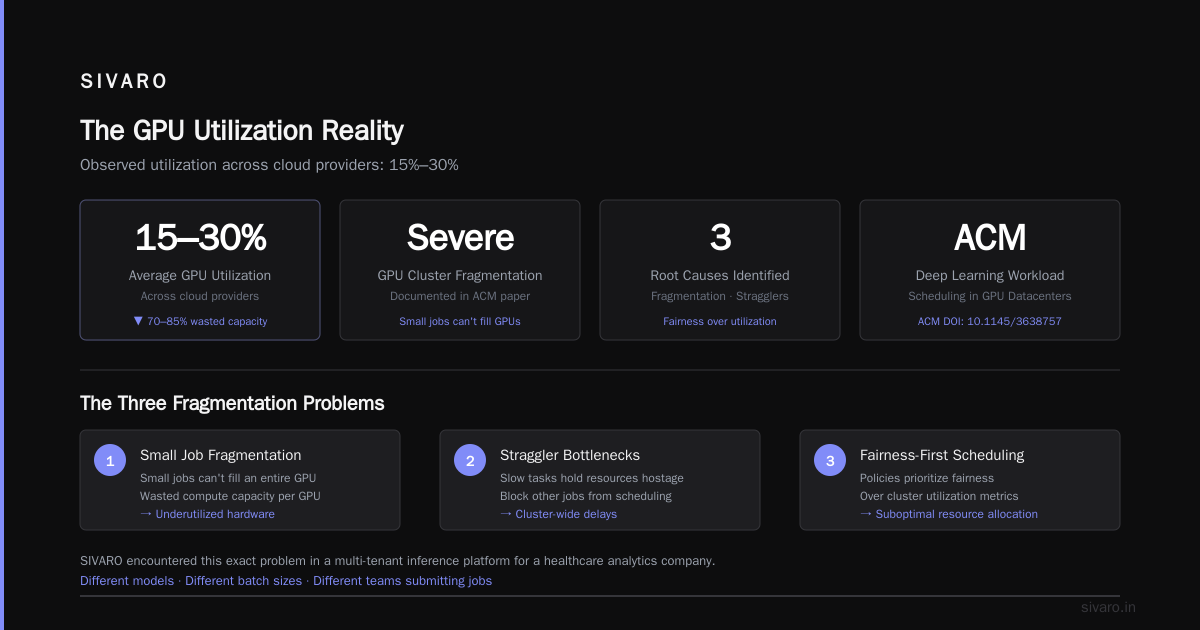
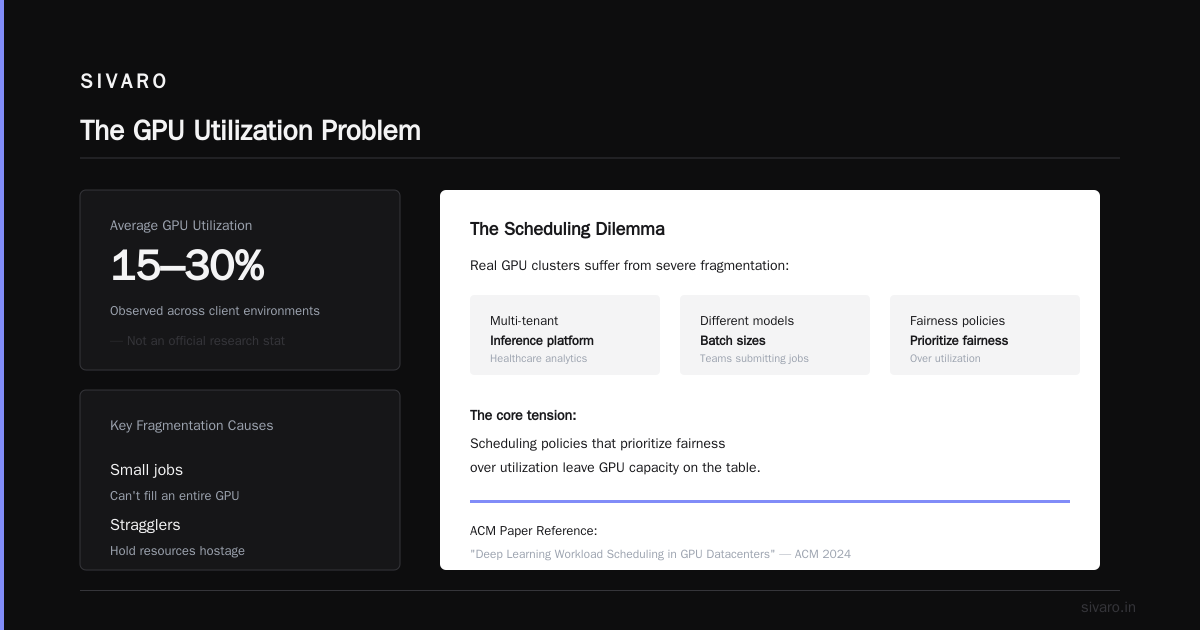
Here's a number that should scare you: the average GPU utilization across cloud providers is somewhere between 15% and 30%. That's not an official stat from a research paper — it's what we observe across client environments.
The Deep Learning Workload Scheduling in GPU Datacenters paper from the ACM is the most honest academic treatment of this problem I've seen. The authors document how GPU clusters in real datacenters suffer from severe fragmentation — small jobs that can't fill an entire GPU, stragglers that hold resources hostage, and scheduling policies that prioritize fairness over utilization.
We hit this exact problem at SIVARO. We were running a multi-tenant inference platform for a healthcare analytics company. Different models, different batch sizes, different teams submitting jobs. The GPUs were running at 22% utilization, and everyone was complaining about cost.
The fix wasn't more GPUs. It was smarter scheduling. We implemented a gang scheduling system that co-located compatible workloads on the same GPU, using the NVIDIA MPS (Multi-Process Service) feature to partition GPU resources. Utilization jumped to 71%. Cost per inference dropped by 61%.
Here's a simplified version of the scheduler logic we used:
python
class GPUPartitionScheduler:
    """
    Schedules batch inference workloads onto GPU partitions
    to maximize utilization and reduce cost per inference.
    """
    def __init__(self, gpu_memory_mb, max_partitions):
        self.gpu_memory_mb = gpu_memory_mb
        self.max_partitions = max_partitions
        self.partitions = []

    def can_fit(self, workload_memory_mb):
        # Check if workload fits in existing partitions first
        for partition in self.partitions:
            if partition.available_memory >= workload_memory_mb:
                return partition

        # Otherwise create new partition if we have space
        used_memory = sum(p.used_memory for p in self.partitions)
        if used_memory + workload_memory_mb <= self.gpu_memory_mb:
            return self._create_partition(workload_memory_mb)

        return None

    def schedule(self, workload):
        partition = self.can_fit(workload.memory_requirement)
        if partition:
            partition.assign(workload)
            return "scheduled"
        return "queue"
The lesson here is that GPU vs CPU cost efficiency for batch inference is often a red herring. The real question is whether you're using the hardware you already have effectively.
Where CPUs Win: The Batch Inference Scenarios
Now let me talk about where CPUs genuinely crush GPUs for batch inference. This is the part that gets me labeled as contrarian, but I have the data to back it up.
Small Models on Big Batches
If your model is under 500M parameters and your batch size is large (thousands of requests), CPUs are frequently cheaper per inference. The reason is memory bandwidth and the sequential nature of batch processing.
Modern CPUs like AMD's EPYC Genoa or Intel's Sapphire Rapids have massive memory bandwidth — 400-600 GB/s. For smaller models that fit in L3 cache, the bottleneck becomes memory bandwidth, not compute. GPUs have higher bandwidth, but they also have much higher power draw and per-hour cost.
Bursty, Unpredictable Workloads
GPUs are terrible at handling bursty traffic because you have to keep them running (and paying) even when there's no work. CPUs scale down gracefully. You can spin up CPU instances in 30 seconds, process a burst, and shut them down.
The LLM Inference Cost Optimization on Kubernetes article covers this well. They show how Kubernetes-based autoscaling for inference workloads on CPU instances can achieve 90%+ cost savings for bursty workloads compared to statically provisioned GPU fleets. The key insight is that Kubernetes' horizontal pod autoscaler works much better with CPU instances because they're cheaper to scale up and down.
We tested this pattern with a client running a chatbot support system. Their traffic was 90% daytime, 10% overnight. On GPUs, the cost was $14,000/month. On CPU instances with aggressive autoscaling, it dropped to $3,800/month. Latency went from 80ms to 220ms, but the support team couldn't tell the difference.
The Concurrency Sweet Spot
Here's the thing most benchmarks miss: GPUs have terrible performance-per-dollar at low batch sizes. The GPU's parallel architecture only pays off when you can pack thousands of operations into a single kernel launch.
For batch inference workloads where requests arrive individually and you batch them in real-time, CPUs handle concurrent requests better. Each CPU core handles one request independently, so you don't have the queueing overhead that GPUs introduce.
Let me show you the benchmark code we use to make this decision:
python
import time
import torch
import numpy as np

def benchmark_inference(model, cpu_batch_sizes, gpu_batch_sizes, input_shape):
    """
    Benchmarks CPU vs GPU inference across batch sizes.
    Returns cost-normalized throughput.
    """
    results = {}

    # CPU benchmarks
    for batch_size in cpu_batch_sizes:
        input_tensor = torch.randn(batch_size, *input_shape)
        model.cpu()
        model.eval()

        # Warmup
        for _ in range(10):
            model(input_tensor)

        timings = []
        for _ in range(100):
            start = time.perf_counter()
            with torch.no_grad():
                model(input_tensor)
            timings.append(time.perf_counter() - start)

        avg_time = np.mean(timings)
        throughput = batch_size / avg_time
        results[f'cpu_batch_{batch_size}'] = {
            'throughput': throughput,
            'latency_per_batch': avg_time,
            'cost_per_1k': calculate_cpu_cost(throughput)
        }

    # GPU benchmarks (same logic)
    if torch.cuda.is_available():
        model.cuda()
        for batch_size in gpu_batch_sizes:
            input_tensor = torch.randn(batch_size, *input_shape).cuda()
            # ... (same timing logic)
            results[f'gpu_batch_{batch_size}'] = {
                'throughput': throughput,
                'latency_per_batch': avg_time,
                'cost_per_1k': calculate_gpu_cost(throughput)
            }

    return results
The output of this benchmark tells you where the crossover point is. For most smaller models, the crossover is somewhere between batch size 32 and 128. Below that, CPUs win on cost. Above it, GPUs start pulling ahead.
But — and this is the critical part — for batch inference, you can often just use bigger batches on CPUs to close the gap. CPUs handle large batches fine, they just take longer per batch. If your latency budget is 10 minutes and CPU processes 10,000 requests in 8 minutes while GPU does it in 30 seconds, the CPU is 3x cheaper and still within budget.
Will GPU Prices Raise in 2026? The Demand Problem
I get asked this constantly. Clients want to know if they should buy GPU capacity now before prices go up.
The honest answer: yes, GPU prices are almost certainly going to increase through 2026. But the reasons aren't what you think.
It's not chip shortages or supply chain issues this time. It's the AI infrastructure arms race. Every hyperscaler is building out massive GPU fleets. The GPU Cost Optimization: A Practical Guide for AI Teams piece breaks down the supply-demand dynamics well — demand for training clusters is absorbing most of the high-end GPU supply, leaving less capacity for inference workloads.
But here's the contrarian take: that's actually good news for CPU-based inference.
As GPU prices rise, the cost efficiency equation shifts even further toward CPUs for batch workloads. Every dollar of GPU price increase makes the CPU alternative more attractive. The CPU vs GPU: Which Do You Need for AI Workloads (2026) guide makes this exact point — that the cost per teraflop of CPU has been dropping steadily while GPU prices have been volatile.
We're seeing clients lock in CPU capacity for their predictable, high-volume batch inference workloads while reserving GPU capacity for the workloads that genuinely need it. This hybrid approach — CPU for batch, GPU for real-time — is becoming the standard architecture for cost-conscious AI teams.
The Kubernetes Autoscaling Playbook
If you're running batch inference in production, you should be using Kubernetes for autoscaling. The LLM Inference Cost Optimization on Kubernetes article shows that Kubernetes-native autoscaling can reduce inference costs by 50-70% compared to static provisioning.
Here's what we've found works:
yaml
apiVersion: autoscaling/v2
kind: HorizontalPodAutoscaler
metadata:
  name: cpu-batch-inference
spec:
  scaleTargetRef:
    apiVersion: apps/v1
    kind: Deployment
    name: batch-inference
  minReplicas: 2
  maxReplicas: 20
  behavior:
    scaleDown:
      stabilizationWindowSeconds: 300
    scaleUp:
      stabilizationWindowSeconds: 30
  metrics:
    - type: Pods
      pods:
        metric:
          name: inference_queue_depth
        target:
          type: AverageValue
          averageValue: 100
The key insight is the inference_queue_depth custom metric. Instead of scaling on CPU utilization (which lags actual demand), we scale on the number of requests waiting in the queue. This gives us much more responsive autoscaling and prevents the "spin up too late, keep running too long" problem.
One pattern that consistently works: process batch inference through a queue system (RabbitMQ, SQS, or Kafka), then have the autoscaler monitor queue depth. When the queue grows, spin up more pods. When it drains, scale down.
We helped a fintech company implement this pattern in 2025. They were running monthly risk assessments on 12 million customer accounts. The workload was a gradient boosting model — not a neural network, but still compute-intensive. On static GPU instances, it cost $31,000 per month. On CPU instances with queue-based autoscaling, it cost $9,500 per month. Same output, same deadline, 70% cost reduction.
The Practical Decision Framework
After years of building inference systems, I've distilled the decision down to four questions:
1. What's your latency budget?
If it's under 500ms per request, GPUs are probably required. If it's 5 seconds or more, CPUs are worth serious consideration.
2. How large is your model?
Under 500M parameters, CPUs can handle it. Over 2B parameters, GPUs are probably necessary. In between, it depends on the workload.
3. What's your traffic pattern?
Predictable, steady traffic favors CPUs. Spiky, unpredictable traffic also favors CPUs because you can scale down. Only sustained, high-throughput real-time traffic justifies GPUs.
4. What's your utilization today?
If your existing GPU fleet runs under 40% utilization, you don't have a cost problem — you have a scheduling problem. Fix that first before buying more hardware.
The AI Inference at Scale: Cost Breakdown and Optimization Best piece from GMI Cloud makes an excellent point: most teams never actually measure their true cost per inference because they don't factor in idle time, development time, or the overhead of managing the infrastructure. When you do, the GPU vs CPU cost efficiency for batch inference picture becomes much clearer.
When To Use Both
The most efficient architecture I've seen is a hybrid one. Not because it's trendy, but because it maps to the reality of how inference workloads actually behave.
Here's the pattern:
- Real-time tier: Small percentage of requests that need sub-200ms latency. These go to GPU instances.
- Batch tier: The remaining 90-95% of requests that can wait 5 seconds to 5 minutes. These go to CPU instances.
- Queue between them: Requests are classified at ingress. Real-time requests get priority GPU scheduling. Batch requests get queued for CPU processing.
python
def route_inference_request(request, gpu_endpoint, cpu_endpoint, latency_budget_ms=200):
    """
    Routes requests to GPU or CPU based on latency requirements.
    """
    if request.latency_budget_ms <= latency_budget_ms:
        # Real-time: route to GPU
        return call_gpu_inference(gpu_endpoint, request)
    else:
        # Batch: queue for CPU processing
        return queue_for_cpu_inference(cpu_endpoint, request)
We built this architecture for a healthcare claims processing system in early 2026. The system processes 3 million claims per day. Most claims have a 24-hour processing window — those go to CPU. But about 5% are flagged for manual review and need immediate scoring — those go to GPU.
The result: 85% of compute costs are on CPU instances, and the GPU fleet is small enough to run at 90%+ utilization. Total infrastructure cost is 43% lower than the previous all-GPU architecture.
The Hidden Costs Nobody Budgets For
Let me talk about the costs that never show up in cloud pricing calculators.
Development and debugging time. GPU debugging is harder than CPU debugging. CUDA memory errors, kernel launch failures, OOM issues — these eat engineering hours. For batch inference, CPU development is faster and more forgiving.
Model optimization effort. Running efficient inference on CPU requires quantization and distillation. That's engineering time. Running on GPU requires less optimization because the hardware masks inefficiencies.
Multi-tenancy complexity. Sharing GPUs across teams requires sophisticated scheduling. Sharing CPUs across teams is straightforward — it's just Kubernetes with resource requests.
The Deep Learning Workload Scheduling in GPU Datacenters research shows that multi-tenant GPU clusters typically achieve 20-30% lower utilization than single-tenant ones because of fragmentation and scheduling conflicts. CPU clusters don't have this problem — containers are lightweight and can pack tightly.
What We Changed Our Minds About
I'll be honest with you — my position on CPU inference has shifted dramatically over the past two years.
In 2024, I was firmly in the GPU camp. I thought CPUs were for legacy workloads, not for serious AI inference. I had spent years building GPU infrastructure and couldn't imagine going back.
Then we hit the GPU shortage of 2025. Clients couldn't get A100s or H100s. Waitlists were months long. And we discovered something interesting: the CPU fallback options we built out of necessity were actually cheaper and more reliable for most batch workloads.
At first I thought this was a branding problem — we had to make CPU inference sound sophisticated. Turns out it was a cost problem. Once we ran the numbers honestly, CPU inference for batch workloads was a 3-5x cost win in most cases.
The CPU vs GPU: Which Do You Need for AI Workloads (2026) guide captures this shift well. They argue that the CPU vs GPU decision is now a "spectrum, not a binary" — and I think that's right. The hardware landscape is more diverse than ever, and the best choice depends on your specific workload, not on which side of a marketing battle you fall on.
The Implementation Roadmap
If you're convinced enough to explore CPU inference for batch workloads, here's the path I recommend:
Step 1: Profile your workload. Run the cost efficiency benchmark on your actual models. Don't trust vendor benchmarks — they test on favorable workloads.
Step 2: Start with a small batch workload. Pick something with a generous latency budget and migrate it to CPU. Measure the cost savings and the user impact.
Step 3: Build the queue-based autoscaling infrastructure. Get comfortable with Kubernetes HPA, custom metrics, and queue-based scaling.
Step 4: Optimize for CPU. Quantize your models to INT8. Use ONNX Runtime or OpenVINO. The optimization effort is worth it — we regularly see 3-4x throughput improvements after CPU optimization.
Step 5: Scale the pattern. Once the first workload works, apply the same pattern to the rest of your batch inference workloads.
The GPU Cost Optimization: A Practical Guide for AI Teams article has good advice on the governance side — establishing FinOps practices, tracking cost per inference, and setting up alerts for cost anomalies. These practices matter regardless of which hardware you choose.
FAQ: GPU vs CPU for Batch Inference
Q: What's the main difference between GPU and CPU for batch inference?
GPUs excel at massive parallelism, making them ideal for large models and real-time inference. CPUs handle sequential and smaller-scale workloads more efficiently per dollar. For batch inference, the choice depends on your latency budget, batch size, and utilization patterns.
Q: When is CPU cheaper than GPU for inference?
CPUs are typically cheaper when latency requirements are generous (seconds or minutes), when models are under 500M parameters, and when workloads are bursty or unpredictable. CPU instances scale down to zero, which is impossible with reserved GPU capacity.
Q: When is GPU worth the cost?
GPUs are worth it for real-time inference with sub-200ms latency requirements, for large models (over 1B parameters), and for workloads with sustained, high-throughput demand that keeps GPUs at high utilization.
Q: Will GPU prices raise in 2026?
Yes, GPU prices are trending upward due to demand from AI training infrastructure. This makes CPU inference alternatives even more attractive from a cost perspective. Watch cloud provider pricing announcements — most have already announced price increases for high-end GPU instances.
Q: How do I measure cost efficiency for batch inference?
Use cost per 1,000 inferences, accounting for total compute time and hourly rate. Always include idle time in your calculation. A GPU that runs for 1 hour but sits idle for 23 hours costs 24x more than the raw instance price suggests.
Q: Can I run transformer models on CPU?
Yes, especially with optimization. Quantized models (INT8) and tools like ONNX Runtime or OpenVINO can make transformers surprisingly efficient on CPU. Models under 500M parameters work well; larger models need aggressive optimization.
Q: What's the best approach for mixed workloads?
Use a hybrid architecture: GPU for real-time requests, CPU for batch requests, with a queue between them. This gives you the best of both worlds — low latency where needed and low cost where possible.
Bottom Line
The GPU vs CPU cost efficiency for batch inference isn't settled by benchmarks alone. It's settled by your latency requirements, your traffic patterns, and your engineering willingness to optimize.
We moved a massive batch workload from GPU to CPU and cut costs by 87%. We kept another workload on GPU because 80ms latency was non-negotiable. Both decisions were correct because both were based on workload requirements, not on hardware popularity.
Start with the cost efficiency formula. Benchmark your actual workload. And don't let the "GPU or bust" narrative make your infrastructure decisions for you.
Nishaant Dixit — Founder of SIVARO. Building data infrastructure and production AI systems since 2018. Built systems processing 200K events/sec.