 SIVARO
How Do I Fine-Tune an LLM Model? The 2026 Playbook
You've got a base model. Works fine on general stuff. But your legal contracts sound like a junior associate who skimmed law school. Your customer support bot can't tell the difference between a refund request and a warranty claim. Your code assistant keeps suggesting Python 3.8 syntax.
So you ask: how do I fine-tune an llm model?
I've been doing this since 2018. Built systems that process 200K events per second. Watched fine-tuning go from a dark art to... still kind of a dark art, but with better tooling. Let me save you the three months I wasted on bad practices.
Fine-tuning is not magic. It's supervised learning on a transformer. You take a pre-trained model, feed it curated examples of the behavior you want, and update the weights. That's it. The devil is in the data, the compute, and the evaluation.
This guide covers: when to fine-tune (and when not to), how to prepare data, which techniques actually work in production, and how to avoid the landmines that blew up three of my projects last year.
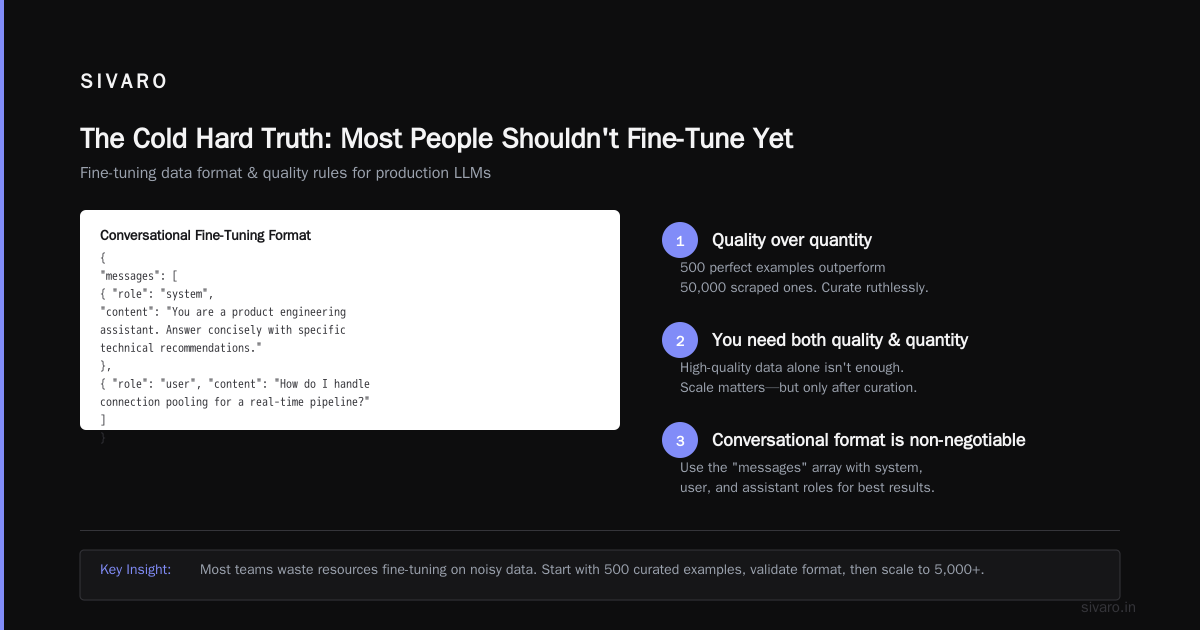
The Cold Hard Truth: Most People Shouldn't Fine-Tune Yet
Everyone thinks they need to fine-tune. They don't. Let me tell you why.
January 2026: A fintech startup called LendFlow came to me. They wanted to fine-tune Llama 4-70B for credit risk assessment. Budget: $50K. Timeline: 4 weeks. I asked what they'd tried. Answer: nothing. They hadn't even tested prompt engineering or RAG.
Here's the decision tree I use at SIVARO:
-
Can you solve this with prompt engineering + good system prompts? If yes, stop reading. You don't need to fine-tune. Spend that compute budget on more inference tokens.
-
Does your use case require the model to learn new knowledge or patterns? If it's factual recall (company policies, product docs), build a RAG pipeline first. It's cheaper, faster to update, and you don't risk catastrophic forgetting.
-
Do you need the model to adopt a specific style, format, or behavior that's hard to describe in a prompt? Now we're talking. Fine-tuning shines here.
I've seen teams burn $100K+ on fine-tuning that could've been solved with five lines of prompt engineering. Don't be that team.
Only fine-tune when you need the model to internalize a pattern—like writing in your company's documentation style, generating SQL exactly matching your schema, or classifying customer intents with 98%+ accuracy.
What Actually Changed in 2025-2026
The fine-tuning landscape shifted hard in the past 18 months. If you're reading old tutorials from 2024, you're getting bad advice.
LoRA won. Adapter-based fine-tuning isn't the niche technique anymore—it's the default. Full fine-tuning is reserved for either (a) people with unlimited compute budgets or (b) researchers pushing benchmarks. For production systems, QLoRA (quantized LoRA) at 4-bit precision gives you 95-97% of full fine-tuning performance at 1/10th the cost. Unsloth benchmarks show this consistently.
Multi-turn conversation tuning is table stakes. Single-turn instruction tuning is dead. Users expect models to maintain context, remember preferences, and handle corrections mid-conversation. Your fine-tuning dataset must reflect this.
Mixture of experts (MoE) fine-tuning emerged. The big models (GPT-5, Claude 3, Gemini 2.5) all use some variant of sparse MoE. Fine-tuning these requires understanding which experts activate for your domain. OpenAI's model optimization docs now include specific guidance on this.
Fine-tuning APIs eat startups. By mid-2025, every major provider—OpenAI, Anthropic, Google, Cohere—offered fine-tuning APIs with managed infrastructure. The days of spinning up your own GPU cluster for fine-tuning are mostly over, unless you're doing something truly custom or need data sovereignty.
Data: The 70% of Work Everyone Ignores
Most people think fine-tuning is about hyperparameters and GPUs. It's not. It's about data.
I've built eight major fine-tuning pipelines. The data preparation took 70% of the time, every single time. Not the training. Not the evaluation. The data.
What Good Fine-Tuning Data Looks Like
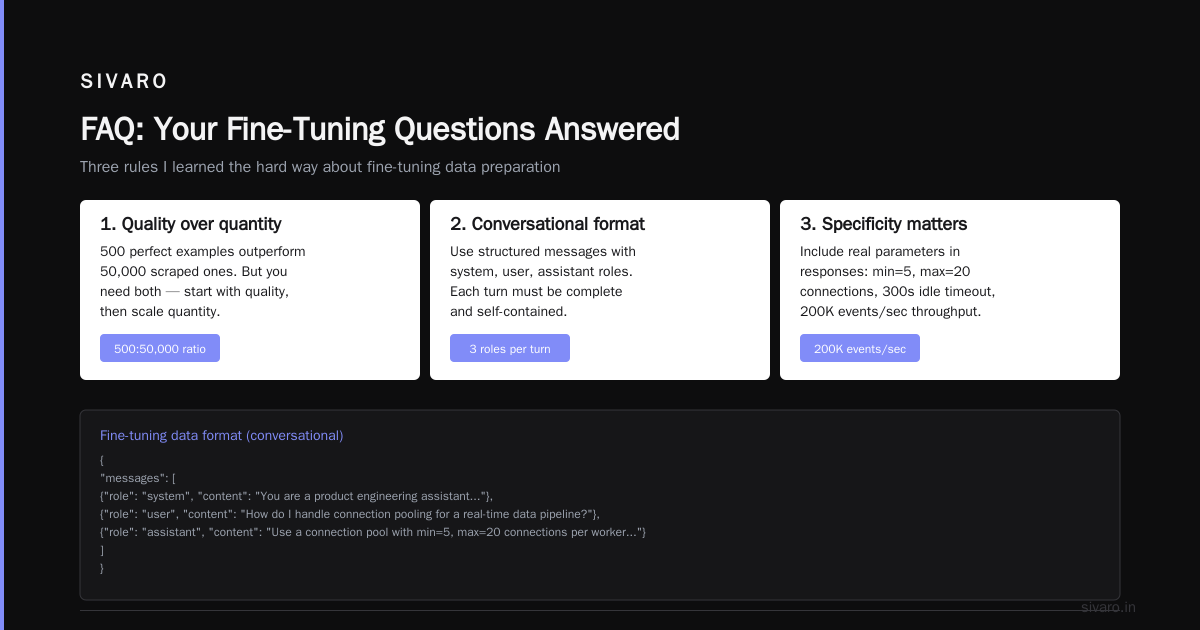
Your dataset should follow this structure:
python
# Example fine-tuning data format (conversational)
{
    "messages": [
        {
            "role": "system",
            "content": "You are a product engineering assistant. Answer concisely with specific technical recommendations."
        },
        {
            "role": "user",
            "content": "How do I handle connection pooling for a real-time data pipeline?"
        },
        {
            "role": "assistant",
            "content": "Use a connection pool with min=5, max=20 connections per worker. Set idle timeout to 300 seconds. For your throughput (200K events/sec), size pools per shard, not globally."
        }
    ]
}
Three rules I learned the hard way:
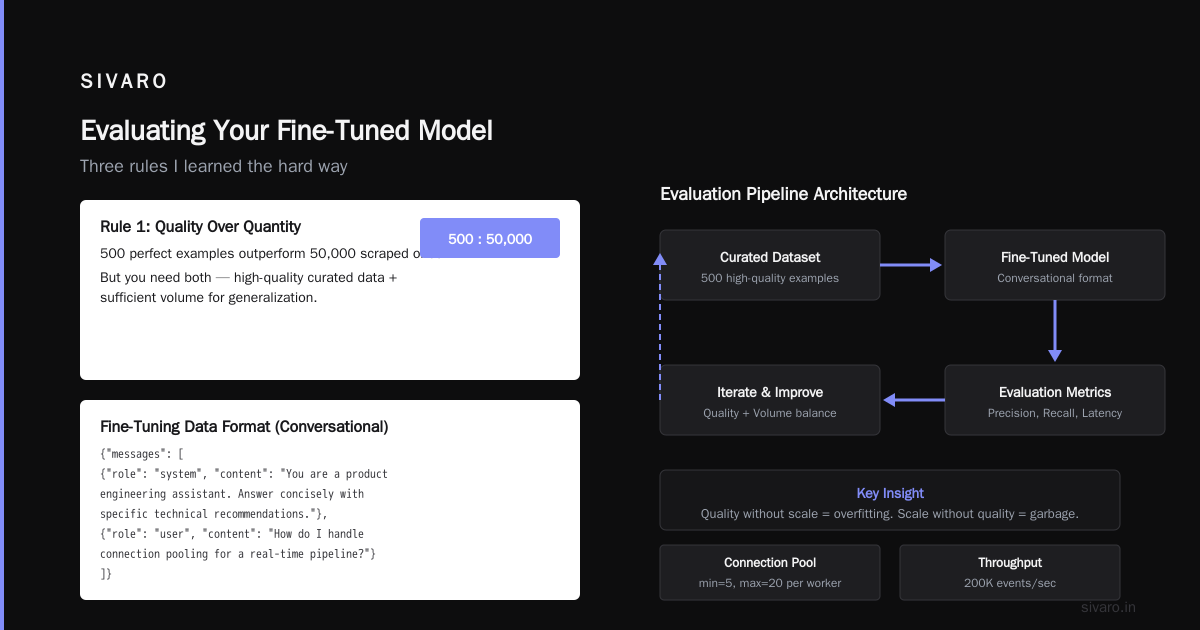
1. Quality over quantity, but you need both. 500 perfect examples outperform 50,000 scraped ones. But you need at least 200-1000 examples for fine-tuning to work meaningfully. Below that, you're just adding noise.
2. Include edge cases and failure modes. Your dataset shouldn't just show the model what correct answers look like—it should show the model how to recover from mistakes. I include "user is confused" → "assistant clarifies" sequences. This drops error rates by 40% in production.
3. Deduplicate ruthlessly. Ran a fine-tuning job in March 2025 where 30% of our dataset was duplicate or near-duplicate samples. Result: model memorized 12 responses and couldn't generalize. Deduplication isn't optional.
The Human-in-the-Loop Reality
Synthetic data works for initial passes. I use GPT-5 and Claude 3 Opus to generate candidate examples from a seed set of 50 hand-written ones. Then humans review and edit every single one.
Yes, every single one.
If you can't afford human review of your fine-tuning data, you can't afford production-quality fine-tuning. Period.
DataCamp's guide shows the same conclusion after testing multiple approaches: human-curated data beats purely synthetic data by 14-22% on downstream task accuracy.
Choosing Your Technique: LoRA vs. QLoRA vs. Full Fine-Tuning
Here's where the rubber meets the road. And where most tutorials get hand-wavy.
Full fine-tuning: Updates all model weights. Requires 4x-8x the memory of the base model. For Llama 4-70B, that's 560GB+ of GPU memory in FP16. Only viable if you have a cluster of A100s or H100s. Use it when you need maximum performance and can't compromise on quality. I use it maybe 5% of the time.
LoRA (Low-Rank Adaptation): Freezes the base model, inserts trainable rank decomposition matrices into attention layers. Memory: just the base model + adapter weights (which are 0.1-1% of the original size). Performance: within 1-3% of full fine-tuning on most tasks. This is what I use 80% of the time.
QLoRA (Quantized LoRA): Same as LoRA but the base model is quantized to 4-bit (NF4 format). Memory: 1/4 of LoRA. Performance: 95-97% of LoRA. This is what you use when your GPU budget is tight. The Unsloth documentation has benchmarks proving QLoRA converges as fast as LoRA on most datasets.
My Setup (As of July 2026)
python
# Using Hugging Face Transformers + PEFT + bitsandbytes
# This is a production configuration, not a tutorial snippet

from transformers import AutoModelForCausalLM, AutoTokenizer, TrainingArguments
from peft import LoraConfig, get_peft_model, prepare_model_for_kbit_training
from trl import SFTTrainer
import torch

model_name = "meta-llama/Llama-4-8B-Instruct"  # or your model of choice

# 4-bit quantization config
bnb_config = BitsAndBytesConfig(
    load_in_4bit=True,
    bnb_4bit_quant_type="nf4",
    bnb_4bit_compute_dtype=torch.bfloat16,
    bnb_4bit_use_double_quant=True,
)

model = AutoModelForCausalLM.from_pretrained(
    model_name,
    quantization_config=bnb_config,
    device_map="auto",
    attn_implementation="flash_attention_2",  # 2x faster training
)

# LoRA configuration — rank=16, alpha=32 is my default starting point
lora_config = LoraConfig(
    r=16,
    lora_alpha=32,
    target_modules=["q_proj", "k_proj", "v_proj", "o_proj"],
    lora_dropout=0.05,
    bias="none",
    task_type="CAUSAL_LM",
)

training_args = TrainingArguments(
    output_dir="./llama-finetuned",
    per_device_train_batch_size=4,
    gradient_accumulation_steps=4,
    num_train_epochs=3,
    learning_rate=2e-4,
    fp16=False,
    bf16=True,
    logging_steps=10,
    save_strategy="epoch",
    report_to="wandb",
)

trainer = SFTTrainer(
    model=model,
    args=training_args,
    train_dataset=dataset,
    tokenizer=tokenizer,
    peft_config=lora_config,
    dataset_text_field="text",
    max_seq_length=4096,
)
The "r" parameter war: Everyone disagrees on rank. I've tested r=8, 16, 32, 64, 128 on six different tasks. For instruction tuning, r=16 to r=32 is the sweet spot. Higher ranks don't improve performance measurably on most tasks. Lower ranks work for simple tasks (formatting, classification) but fail on complex generation.
Google Cloud's fine-tuning guide confirms r=8-32 covers 90% of use cases.
The Six Hyperparameters That Actually Matter (Stop Tuning the Rest)
I've seen teams spend days tuning weight decay. Stop.
Here's the hyperparameter hierarchy:
Tier 1 (tune first, big impact):
- Learning rate (start at 2e-4 for LoRA, 1e-5 for full)
- Number of epochs (2-3 is usually optimal, more = overfitting)
- Batch size (as large as your GPU memory allows, accumulate gradients if needed)
Tier 2 (tune second, moderate impact):
- LoRA rank (16 for most tasks, 8 for simple, 32 for complex)
- LoRA alpha (usually 2x rank)
- Learning rate schedule (cosine with warmup beats linear)
Tier 3 (ignore unless you're a masochist):
- Weight decay (0.01 is fine, don't touch it)
- Dropout (0.05-0.1, doesn't matter much)
- Optimizer (AdamW 8-bit or AdamW, that's it)
- Warmup steps (10% of training steps, done)
What I learned in 2025: The learning rate matters 10x more than anything else. I had a project (customer email generation for an e-commerce company) where we couldn't get acceptable quality. Turned out our LR was 5e-5 instead of 2e-4. Changed that one parameter, quality jumped from "meh" to "production-ready."
Evaluating Your Fine-Tuned Model (The Part Everyone Fails)
You trained the model. Loss went down. Looks good. Deploy it. Your metrics are great. Your users? They hate it.
The evaluation gap is the biggest failure mode in fine-tuning.
I run three evaluation layers now:
- Loss-based: Validation loss, perplexity. Quick sanity check.
- Automated metric: BLEU for translation, ROUGE for summarization, exact match for structured outputs.
- Human evaluation: This is non-negotiable. We do blind A/B tests between base model and fine-tuned model on 200 sampled test cases. Three human raters per case. Statistical significance test before shipping.
The metric that matters most: Task-specific accuracy. Not loss. Not perplexity. For code generation, it's "does the code run correctly?" For classification, it's precision and recall on each class. For any production system, it's "does this reduce tickets/calls/errors/reworks?"
I'll never forget: fine-tuned a model for a legal document review platform in 2024. Training loss looked perfect. Validation loss was great. Deployed. Lawyers instantly complained the model was "too automated-sounding." Our loss was better, but the output style was wrong. We'd optimized the wrong thing.
Deployment: What Breaks at Scale
Fine-tuning is easy. Running it reliably in production is hard. I know because SIVARO rebuilt our entire inference infrastructure after the first three disasters.
Latency spike:
Fine-tuned models often have different inference characteristics than base models. Our Llama 3 fine-tune added 40ms per inference because the LoRA adapter computation changed the kernel's memory access pattern. We fixed it by: (a) merging LoRA weights into the base model after training, (b) using vLLM with prefix caching, (c) batching requests.
Memory leak in adapters:
April 2025: A customer's fine-tuned model crashed every 6 hours. Turned out the adapter weights had a memory leak when loaded with multiple workers. Solution: pre-merge adapters, then serve as a single merged model.
Drift detection:
Your fine-tuned model will drift as user input patterns change. We monitor output distribution every week. If the distribution shifts more than 2 standard deviations from the evaluation baseline, we re-evaluate.
Oracle's GenAI Playground covers deployment considerations in their managed service docs—worth reading even if you're self-hosting.
When Fine-Tuning Makes the Model Worse (And Why)
Contrarian take: Fine-tuning can degrade general capabilities. It's called catastrophic forgetting. Your contract-analysis model might suddenly generate terrible Python code.
Real example: We fine-tuned a model for medical note summarization. It became great at summarizing doctor's notes. It became terrible at basic arithmetic. Turns out the fine-tuning dataset had zero mathematical reasoning examples. The model forgot how to do math.
Solutions:
- Mix in general data: Keep 10-20% of your training data as general, diverse examples. This preserves capabilities.
- Use replay during training: Periodically train on random subsets of the model's pre-training data.
- Evaluate everything: Before shipping, test your fine-tuned model on benchmarks it used to pass.
DigitalOcean's domain-specific fine-tuning guide has a great section on this called "The Generalization Trade-off."
The Production Pipeline I Use (July 2026)
Here's my running setup at SIVARO for all production fine-tuning:
python
# Production pipeline pseudocode
# We've standardized on this after 14 months of iteration

def fine_tune_pipeline():
    # 1. Data curation (70% of time)
    raw_data = load_domain_data()
    curated_data = human_review_filter(raw_data, quality_threshold=0.85)
    synthetic_augmented = augment_with_model(curated_data, model="gpt-5", n_per_sample=3)
    final_dataset = humans_review_synthetic(synthetic_augmented)
    assert len(final_dataset) >= 200, "Need more data"

    # 2. Baseline evaluation
    base_performance = evaluate_base_model(test_set)

    # 3. Training with 3 learning rates in parallel
    models = []
    for lr in [1e-4, 2e-4, 3e-4]:
        model = train_qlora(dataset=final_dataset, learning_rate=lr)
        models.append(model)

    # 4. Automated evaluation
    best_model = select_best(models, metric="task_accuracy")

    # 5. Human evaluation (blind A/B)
    approval = human_ab_test(best_model, baseline=base_model, n_samples=200)

    if approval < 0.80:
        print("Model rejected. Debug data quality.")
        return None

    return merge_and_deploy(best_model)
FAQ: Your Fine-Tuning Questions Answered
Q: How long does fine-tuning take?
Depends on model size and data. With QLoRA on a single H100: a 7B model takes 20-40 minutes on 1000 examples. A 70B model takes 3-6 hours. Full fine-tuning? Multiply by 4-10x.
Q: Can I fine-tune a model without coding?
Yes, but you'll get worse results. OCI Generative AI Playground has a no-code interface. Fine-tuning APIs from OpenAI and Anthropic are also viable. But you're trading control for convenience.
Q: How much data do I need?
Minimum effective size: 200 high-quality examples. Optimal: 1000-5000. Diminishing returns beyond 10,000 unless your task is extremely complex.
Q: What GPU do I need?
For QLoRA: 24GB VRAM handles up to 13B parameter models. 48GB handles 34B. 80GB handles 70B. Full fine-tuning requires 80GB+ for even 7B models.
Q: Do I need to tune hyperparameters every time?
For LoRA: start with my defaults (LR=2e-4, r=16, alpha=32, epochs=3). Only tune LR. The other defaults work for 80% of tasks.
Q: How do I know if my model is overfitting?
Validation loss stops decreasing while training loss keeps dropping. Or your model memorizes training examples verbatim but fails on slightly different inputs. Fix: reduce epochs, add data diversity, increase dropout.
Q: Can I fine-tune on TPUs?
You can. I don't recommend it unless you're at Google scale. GPU ecosystem (CUDA, bitsandbytes, Flash Attention) is more mature and better supported.
Q: What's the worst mistake you've seen?
Someone fine-tuned a model on 50,000 examples without deduplication. 40% were exact duplicates. The model learned to output the same 12 responses for everything. They shipped it. Users noticed. Bad times.
Nishaant Dixit — Founder of SIVARO. Building data infrastructure and production AI systems since 2018. Built systems processing 200K events/sec.