 SIVARO
How to Avoid GPU Cluster Rental Scams
I got burned last year. Not bad — lost about $12,000 to a vendor called “NovaCompute” that promised 8x A100 nodes at prices too good to true. I knew better. I signed anyway.
You know what happened? They delivered 4x A100s in a single node and claimed “dynamic resource pooling.” Then the node died during a training run. Support took 72 hours to respond. I pulled the plug.
This isn’t a theoretical problem. GPU cluster rental scams are exploding. The AI gold rush has created a feeding frenzy of middlemen, resellers, and outright fraudsters. You need a system for vetting providers — not just trust.
Here’s what I’ve learned from building production AI systems at SIVARO since 2018. I’ll show you how to avoid GPU cluster rental scams, how to verify infrastructure before signing, and how to build distributed AI agents on GPU clusters without getting fleeced.
The Warning Signs Nobody Talked About
Most people think scams look like Nigerian prince emails. Wrong. Sophisticated GPU rental scams look exactly like legit startups. They have websites. They have LinkedIn profiles. They might even have a real office.
Here’s what I’ve seen:
Pricing that’s 30% below market — If a provider undercuts AWS, Azure, or GCP by 30% or more, they’re either losing money (unsustainable) or lying about hardware. I saw a company called “DeepCloud” offering H100 clusters at $1.50/hour. Market rate was $2.50. They folded in 6 months.
No real hardware audit trail — Legit providers can show you where their GPUs live. A data center rack, a colo facility, a cloud account hierarchy. If they get cagey about showing you anything beyond a dashboard, walk.
Weird uptime SLAs — “99.9% uptime” without a backed guarantee means nothing. Ask for the last 12 months of actual uptime. If they can’t produce it, they don’t monitor it.
Salespeople who oversell “unlimited” — “Unlimited scale” is a lie. Every cluster has capacity limits. If a salesperson says “we have infinite H100s,” they’re either a reseller with no inventory or they’re fabricating.
Vague about interconnect — For distributed training, NVLink or InfiniBand matters. If they say “fast networking” without specifying bandwidth, topology, or latency, they’re hiding the fact that you’ll get slow Ethernet.
Vetting Providers: The Checklist
I use a 10-point vetting process before I put a dollar down. Here’s the condensed version:
-
Reverse image search their datacenter photos — Scams often use stock photos or images from other companies. Google Images can catch this in seconds.
-
Check their founders on LinkedIn — Real founders have a history. Fake ones have profiles created in the last two years with no endorsements.
-
Ask for a PoC — A proof of concept with 2–4 GPUs for 24 hours. If they won’t give you a test run, they don’t trust their own infrastructure.
-
Look up their ASN (Autonomous System Number) — Real providers have their own IP blocks. You can check BGP tools to see if they actually control the network. If they don’t, they’re just renting from someone else and marking up 300%.
-
Read the fine print on reserved/dedicated vs. on-demand — Some “dedicated” clusters are actually bursted. I’ve seen contracts where “dedicated” means “your workloads get first access” — not exclusive access.
-
Contact three references — Not the ones they give you. Find existing customers through forums (r/MachineLearning, Hacker News). DM them. Ask “did they deliver what they promised?”
Contract Traps That Will Cost You
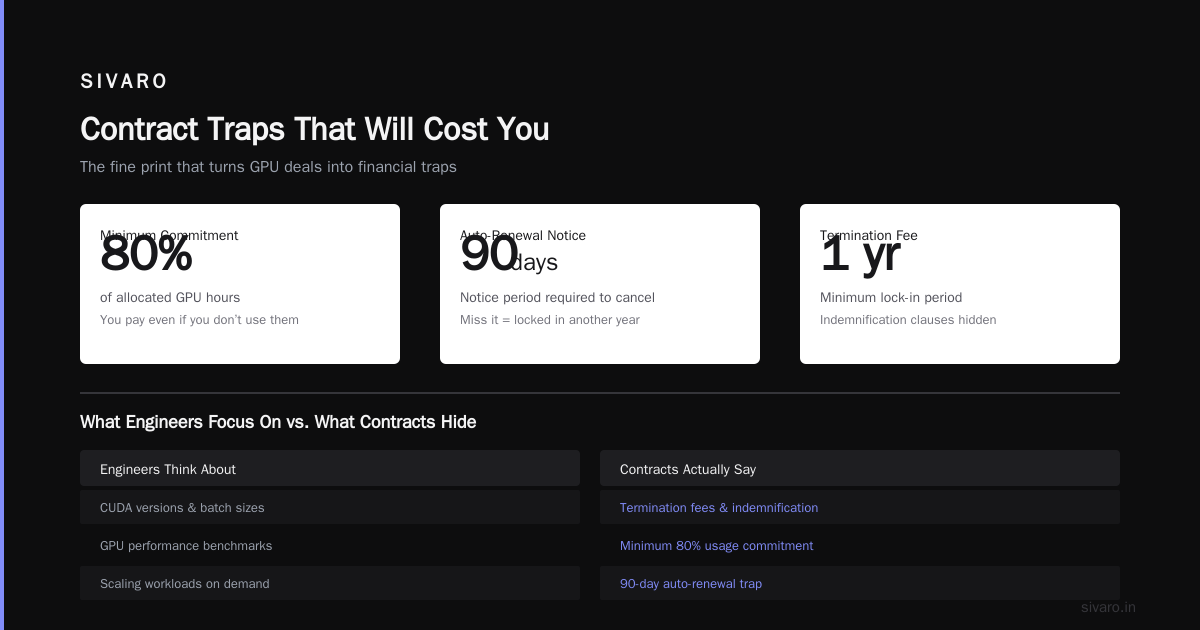
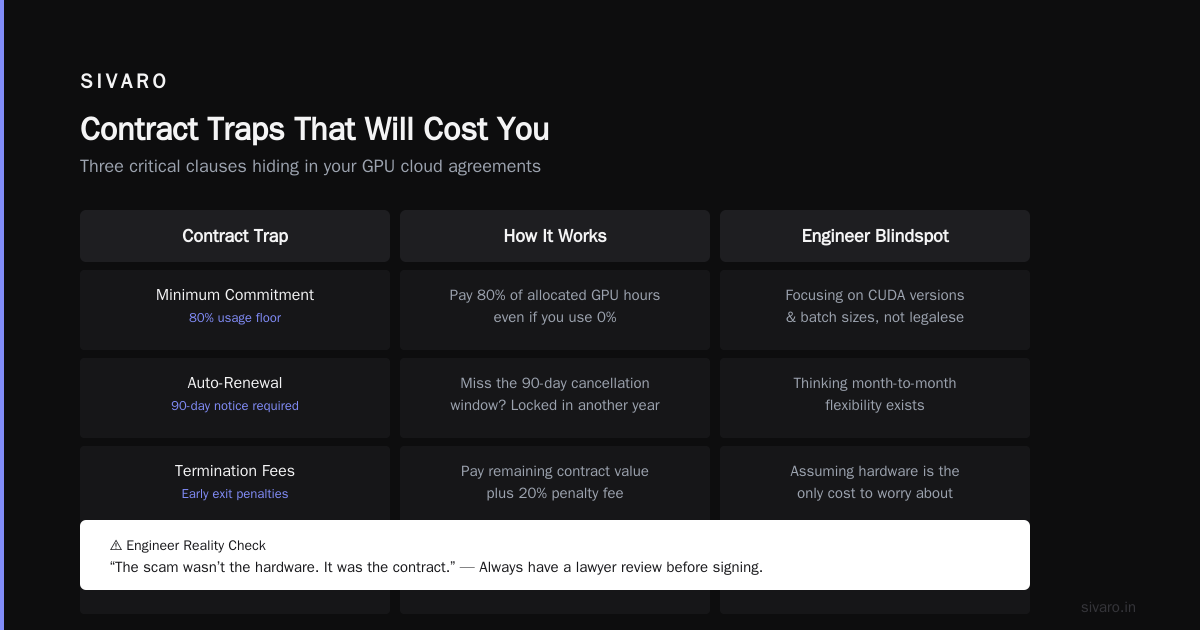
This is where most engineers get owned. You’re thinking about CUDA versions and batch sizes. They’re thinking about termination fees and indemnification.
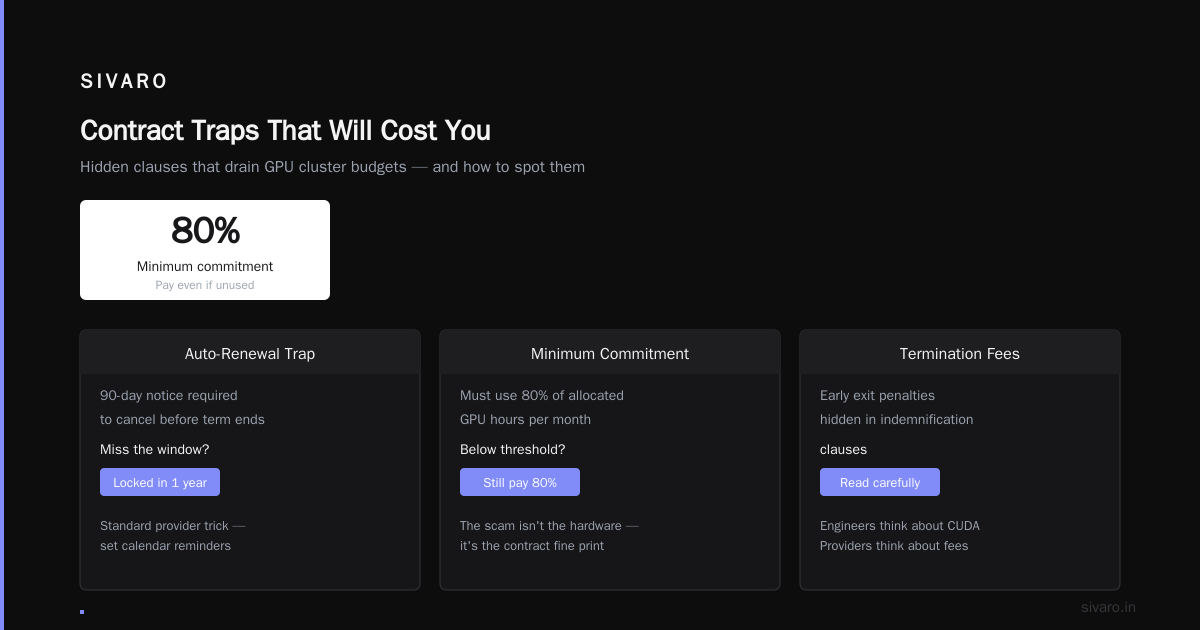
I once signed a contract that had a “minimum commitment” clause — if I didn’t use 80% of allocated GPU hours in a month, I still paid 80%. The scam wasn’t the hardware. It was the contract.
Watch for:
Auto-renewal with 90-day notice — You forget to cancel 3 months before the term ends? You’re locked in for another year. Standard trick.
“Best effort” SLAs — If the SLA says “best effort to maintain uptime,” you have no recourse when the cluster goes dark during your $50K training run.
Liquidated damages capped at monthly fee — Your loss from a failed training run could be hundreds of thousands. They’re only liable for 1 month of rent. Read the limitation of liability clause.
Data egress fees — Some providers charge you to move your data out. I saw a contract that charged $0.10/GB for egress. A 10TB model = $1,000 to leave. That’s hostage pricing.
Force majeure clauses that include “supply chain disruption” — Translation: if they can’t get GPUs, you don’t get a refund. You get “credits” you can’t use.
Technical Verification: Don’t Trust the Dashboard
You need to test the actual hardware. Not the “we have 1,024 A100s” claim. Here’s a simple benchmark suite I run on any new provider:
1. GPU Count and Type Verification
bash
# List all GPUs in the cluster nodes
for node in $(cat node_list.txt); do
    echo "Node: $node"
    ssh $node "nvidia-smi --query-gpu=name,memory.total,compute_cap --format=csv,noheader"
done
If it says “A100 80GB” but nvidia-smi shows 40GB memory, they’re lying about the model. Happens more than you think.
2. Interconnect Bandwidth Test
bash
# Bandwidth test between two nodes (requires NCCL)
mpirun -np 2 -hosts node1,node2   nccl_bench -b 128M -e 1G -f 2 -g 1
For H100s, you should see 400 GB/s on NVSwitch or 200 GB/s on InfiniBand. If you get 12 GB/s, they’re using Ethernet. That kills distributed training performance.
3. Disk I/O Stress Test
bash
# Sequential read/write test
dd if=/dev/zero of=/tmp/test bs=1M count=10000 oflag=direct
dd if=/tmp/test of=/dev/null bs=1M count=10000 iflag=direct
If they promise NVMe storage, you should see 3+ GB/s. If you get 500 MB/s, it’s spinning rust.
4. Real Distributed Training Snippet
Run this on two nodes to verify NCCL works across nodes:
python
# minimal_nccl_test.py
import torch
import torch.distributed as dist
dist.init_process_group(backend='nccl')
rank = dist.get_rank()
tensor = torch.ones(1024).cuda()
dist.all_reduce(tensor)
print(f"Rank {rank}: all-reduce passed, tensor sum = {tensor[0].item()}")
If this hangs or errors, their network setup is broken. Every provider should pass this in under 5 seconds.
Trusted Infrastructure: How Does AWS Work for AI Workloads?
Let’s be real. The safest way to avoid GPU cluster rental scams is not to rent from a stranger. Use a hyperscaler. Yes, it costs more. But you get real SLAs, support, and auditability.
I’m not saying AWS is perfect. But when you ask “how does AWS work for AI workloads,” the answer is: it’s a known quantity. You can spin up p4d.24xlarge instances with 8x A100s using Amazon SageMaker AI distributed training. You know the topology, the bandwidth, and the pricing. No surprises.
AWS has its own pitfalls — data transfer costs, spot instance interruptions, IAM complexity — but those are known risks. You can plan around them. The scams don’t let you plan.
Same applies to GCP with Cloud TPUs or Azure with ND-series VMs. The hyperscalers have thousands of engineers maintaining their GPU fleets. A random startup doesn’t.
What About Building Distributed AI Agents on GPU Clusters?
The term “agentic systems” is hot right now. Agentic Systems Are Distributed Systems — that’s not a buzzword, it’s architecture truth. If you’re building distributed AI agents that coordinate across multiple GPU nodes, your infrastructure reliability becomes your agent reliability. A flaky cluster means agents that fail, retry, timeout, or hallucinate confabulated responses.
I’ve seen teams spend months on agent orchestration logic — and then deploy it on a $5/hour GPU rental from an unknown provider. Their agents kept dying mid-conversation. They blamed the code. It was the network.
If you’re serious about agents, you need infrastructure that guarantees low-latency inter-node communication and high availability. Hyperscalers or verified bare-metal providers only. Don’t trust your agent’s memory to a scammer.
The Hidden Cost of Time
Here’s something nobody talks about: time debugging infrastructure is time not building models.
When a rental scam fails, you don’t just lose the money. You lose the week (or month) you spent migrating data, setting up environments, and debugging issues that turned out to be hardware. That’s the real loss.
I had a client in 2025 — a startup building protein folding models. They rented from a provider that claimed “enterprise-grade H100 clusters.” After 3 weeks of inconsistent performance, they discovered the provider was oversubscribing 4x — running 4 customers on the same 8 GPUs via hypervisor tricks. The startup lost a month of research. They never recovered.
How to Build Distributed Systems on Trusted Infrastructure
If you’re building a real product on GPU clusters, follow the principles in Distributed Training & Large-Scale Systems. They nail the fundamentals: data parallelism, model parallelism, pipeline parallelism, and fault tolerance.
Don’t try to build your own Kubernetes cluster on bare metal unless you have a team that eats that for breakfast. Use managed services: SageMaker, GKE with A100 node pools, or Azure ML.
The cloud-native patterns from Cloud-native and Distributed Systems for Efficient and ... apply directly. Containerize your training jobs. Use object storage for checkpoints. Implement automatic resumption. Then you can run on spot instances and not care when nodes die — because the system handles it.
FAQ: GPU Cluster Rental Scams
Q: How can I verify a provider’s hardware without a PoC?
Look for public benchmarks. Some providers publish MLPerf results. Others have whitepapers with network topology diagrams. If none exist, ask for a 2-hour test session on a single node. If they refuse, move on.
Q: Are GPU rental marketplaces (like Vast.ai, RunPod) safe?
Many are legit, but you still need to verify individual host providers. Vast.ai gives you hardware details and reviews. I’ve run jobs on it with no issues. Just don’t do production training on unknown hosts — use it for experimentation.
Q: What’s the biggest red flag in a provider’s pricing?
Pricing that changes weekly. Real providers have fixed rates or predictable spot prices. If you see a price that’s “50% off this month,” they’re desperate or scamming.
Q: Should I consider crypto payments for GPU rental?
No. Crypto = no chargebacks. If you pay in crypto, you have zero recourse. Legit providers accept credit cards and invoices.
Q: How do I test if a cluster is oversubscribed?
Run a sustained load test for 12 hours. Monitor latency and throughput. If performance degrades after 2 hours, they’re likely sharing the GPU with other tenants. Real dedicated clusters show flat performance.
Q: What’s the minimum contract term I should accept?
Month-to-month with 30-day cancellation. Anything longer is a trap. Even if the price is 10% lower for annual prepay, you’re taking on risk.
Q: Can I trust providers that claim to have “direct access to NVIDIA”?
Probably not. NVIDIA doesn’t sell GPUs to end users in small quantities. Most “NVIDIA partners” are resellers who buy from distributors. It doesn’t mean their cluster is any better.
Q: What if I need 1,000+ GPUs for a large training run?
Go directly to a hyperscaler. They have the capacity and the SLA. Scam providers will overpromise and underdeliver. IBM’s explanation of distributed machine learning covers the scaling challenges — you want infrastructure that’s tested at scale.
Conclusion: Trust But Verify, Then Verify Again
Avoiding GPU cluster rental scams isn’t about being paranoid. It’s about having a process. Run benchmarks. Read contracts. Check references. Test the network.
I still use smaller providers for certain workloads — spot GPU jobs, pre-training experiments, burst capacity. But I always run the 4-step verification suite first. I always read the contract before signing. And I never, ever pay upfront for a year.
The industry is only going to get more chaotic as demand for AI training keeps growing. Distributed training in Amazon SageMaker AI shows what a mature platform looks like. The rentals will get better too — the good ones will survive. But until then, you have to protect yourself.
Don’t let a scam cost you your model. Or your reputation.
Nishaant Dixit — Founder of SIVARO. Building data infrastructure and production AI systems since 2018. Built systems processing 200K events/sec.