 SIVARO
How to Build an AWS GPU Cluster for Deep Learning
The Moment the On-Prem Cluster Almost Killed Our Training
It was February 2025. We were 48 hours from a client demo, and our on-premise GPU cluster — 32 A100s in a colo facility — hit a thermal throttle cascade. The cooling failed on rack 3, and within six minutes, four nodes dropped off the network. We lost three days of training data. The client didn't care about our hardware problems. They wanted the model. That night, I started moving everything to AWS.
Building an AWS GPU cluster for deep learning isn't just about renting GPUs. It's about designing a distributed system that actually works at scale — networking, storage, orchestration, cost control — without falling apart the week before a launch.
I've been doing this since 2018. I've burned through budgets, blown up training jobs, and watched distributed frameworks deadlock at 3 AM. Here's what actually works. Here's what doesn't. And here's how you build something that doesn't require a hero to run.
Know Your Instance Types, or Pay the Price
AWS has more GPU instance families than most people realize. P3 (V100), P4d (A100), P5 (H100), G5 (A10G), G6 (L40S), and now Trn1 (Trainium) if you're feeling adventurous.
Most people think P4d is the answer. It's not always.
P4d.24xlarge — 8 A100s, 400 Gbps EFA, 768 GB GPU memory total. This is workhorse for training anything above 7B parameters. We use them for all our large language model fine-tuning. Each node costs roughly $32/hour on-demand. You'll want 4-16 nodes for serious training.
P5.48xlarge — 8 H100s, 3.2 TB/s memory bandwidth, 3200 Gbps EFA. For cutting-edge stuff. But the price hit is real — $80+/hour. Only use if your model genuinely can't fit on A100s or you need the speed for frequent iteration.
G5.48xlarge — 8 A10Gs, but no EFA networking. That's a killer. If you try distributed training across G5s, you'll saturate the network and IOPS will tank. G5s are fine for single-node training or inference. Not for cluster training.
Trn1.32xlarge — 16 Trainium chips, 800 Gbps EFA. Cheaper than A100. The catch? You're locked into AWS's Neuron SDK. If your codebase uses PyTorch's native DDP, you'll face porting headaches. We tested it for a client's 3B model. The port took two weeks. Performance was okay — 20% slower than A100 — but 40% cheaper. Your call.
Here's my rule: for any distributed training with >4 GPUs, use P4d or P5. Don't mess with G5 or G6 for multi-node work. The networking isn't there.
If you're asking how to choose between AWS and on-premise GPU clusters, the answer changes by scale. At fewer than 32 GPUs, on-prem can beat AWS on raw cost. But once you factor in cooling, power, networking upgrades, and the human cost of babysitting hardware, AWS wins for anything temporary or scaling unpredictably.
Networking: The Thing Nobody Wants to Configure
You can have the fastest GPUs in the world. If your inter-node bandwidth is garbage, your training stalls.
EFA (Elastic Fabric Adapter) is non-negotiable for multi-node training. Standard ENA (Elastic Network Adapter) tops out around 25 Gbps over TCP. EFA gives you up to 100 Gbps with RDMA, bypassing the OS kernel entirely.
When we first built a P4d cluster, we skipped EFA on the first batch of instances because "it was easier." The training job for a 13B parameter model that should have taken 12 hours took 47 hours. Over 20 nodes, we were network-bound at 95%. Switching to EFA cut it to 14 hours.
Setting up EFA requires a specific AMI and installation.
bash
# On each GPU node (Amazon Linux 2 or Ubuntu 22.04)
sudo yum install -y kernel-modules-extra
sudo reboot

# Upload and run the EFA installer
wget https://efa-installer.amazonaws.com/aws-efa-installer-latest.tar.gz
tar -xzf aws-efa-installer-latest.tar.gz
cd aws-efa-installer
sudo ./efa_installer.sh -y

# Verify
fi_info -p efa -t FI_EP_RDM
You'll see something like provider: efa if it's working. If you see nothing, EFA isn't attached to the instance or the security group blocks RDMA traffic.
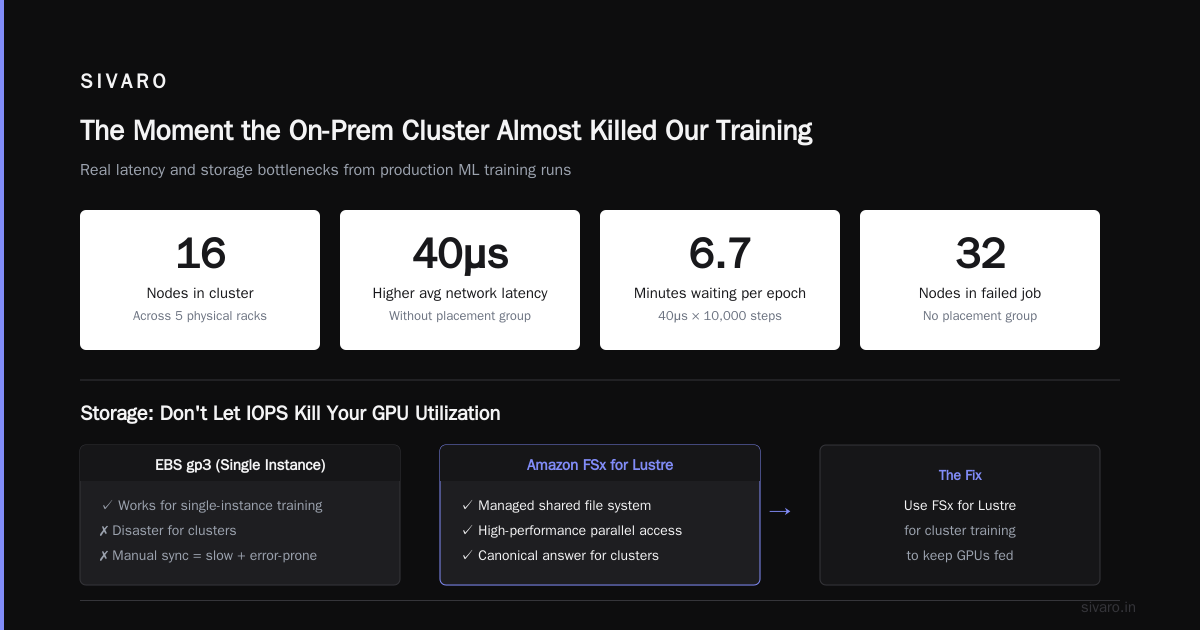
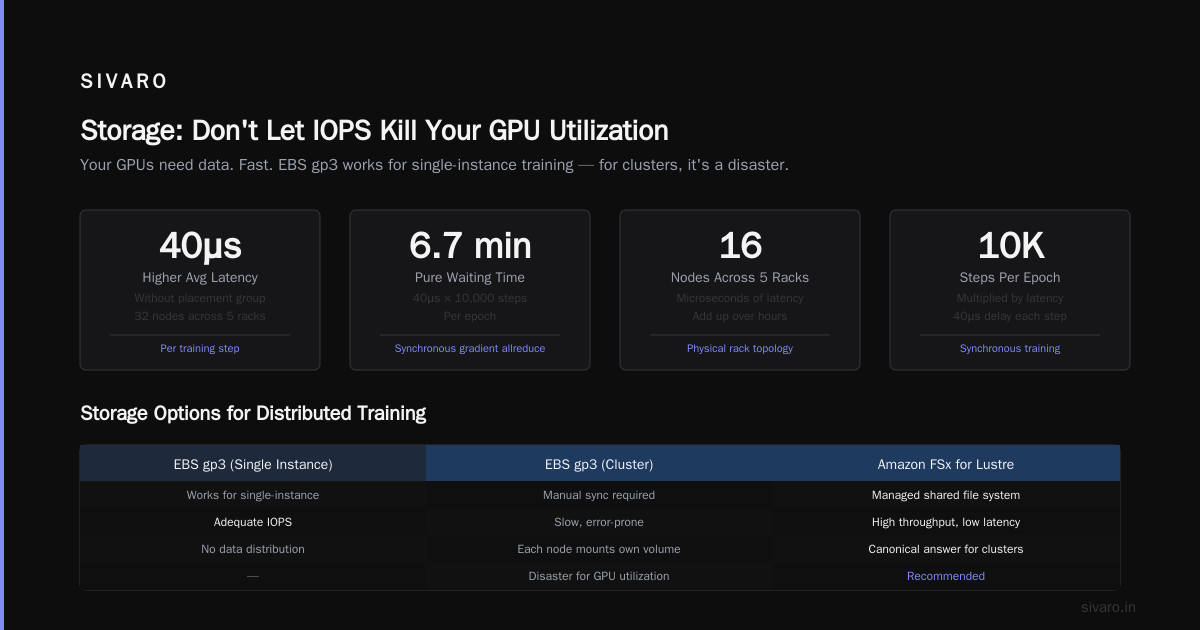
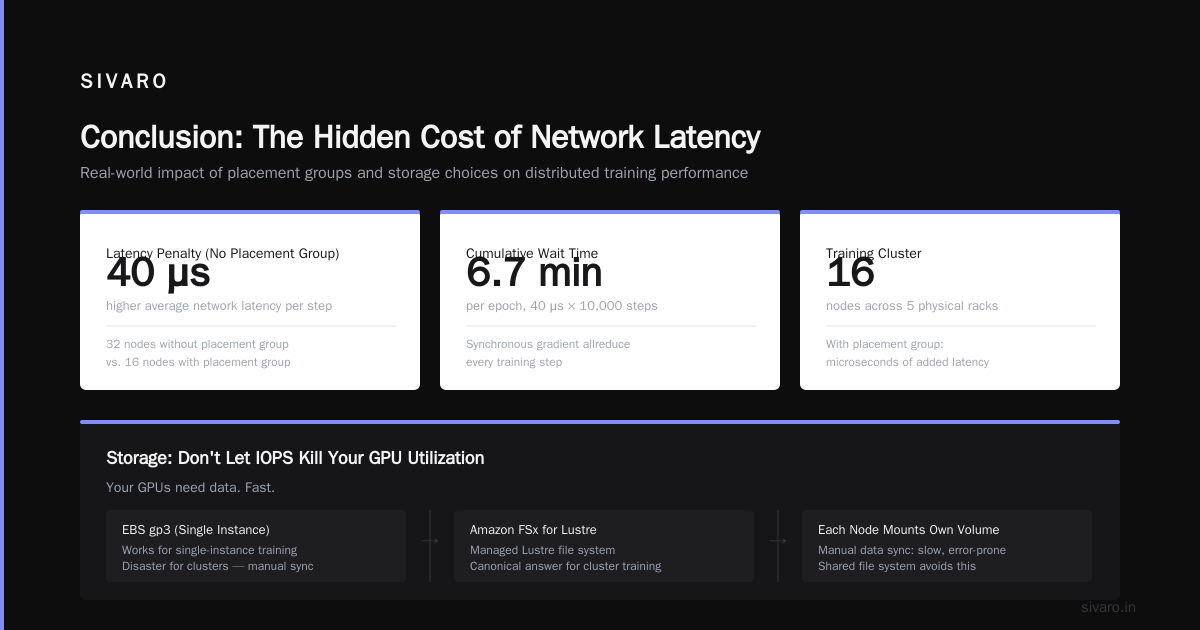
Placement groups matter too. Use a cluster placement group for all GPU nodes. Without it, AWS might put your 16 nodes across five different physical racks, adding microseconds of latency. Over hours of training, that adds up.
We once ran a job with 32 nodes without a placement group. Network latency between nodes was 40μs higher on average. Sounds tiny. But when you're doing synchronous gradient allreduce every training step, 40μs per step multiplied by 10,000 steps is 6.7 minutes of pure waiting. Per epoch.
Storage: Don't Let IOPS Kill Your GPU Utilization
Your GPUs need data. Fast.
Most people use EBS gp3 volumes. That works for single-instance training. For a cluster, it's a disaster. Each node mounts its own EBS volume, and you'll either have to sync data manually (slow, error-prone) or use a shared file system.
Amazon FSx for Lustre is the canonical answer. It's a managed Lustre file system that can push 100s of GB/s of throughput. We use it for all our training datasets.
When we built our first cluster, we made the mistake of using EFS. EFS is great for low-latency random reads (think source code, small files). For sequential reads of multi-GB shards? Terrible. We saw 20 MB/s per node. Training stalled waiting for data.
With FSx Lustre, we get 200 GB/s aggregate throughput across a 16-node cluster. That's enough to keep 128 GPUs fed.
bash
# Mount FSx for Lustre on each node
sudo yum install -y lustre-client
sudo mount -t lustre <filesystem-id>.fsx.<region>.amazonaws.com@tcp:/<mountname> /mnt/fsx
One tip: use a shorter lustre mount name. AWS generates these ridiculously long UUIDs. Rename it when you create the file system.
S3 as a backing store. FSx Lustre can import/export data to S3 transparently. That's how we land datasets. Data goes from S3 into FSx, GPUs read from FSx, and checkpoints get written back to S3 for persistence.
Pull your data onto FSx before training starts, not during. Even a 10-second delay reading the next shard will cause a GPU bubble — no compute while the I/O thread waits.
Orchestration: Slurm, ParallelCluster, or Roll Your Own?
You can't just SSH into 32 machines, start a command, and pray. You need a scheduler.
AWS ParallelCluster is the managed way. It spins up a Slurm cluster on EC2 with EFA, FSx, and placement groups pre-configured. You define the cluster in a YAML config, run pcluster create-cluster, and you're good.
We used ParallelCluster for a year. It's decent. The problem: upgrades are painful. Every time AWS updated the ParallelCluster version, we had to tear down and rebuild. And if you want custom AMI customizations, you're writing bash scripts in the config file.
Slurm on EC2 manually. That's what we do now. More control. We launch a head node with a small instance (t3.medium) that runs Slurmctld, and GPU compute nodes are launched via Auto Scaling Groups. When a job is submitted, the ASG scales up.
bash
# On head node (pcluster or manual)
# Install slurm (Ubuntu 22.04)
sudo apt-get update
sudo apt-get install -y slurm-wlm

# Configure slurm.conf with EFA and GPU partitions
# Example partition: p4d
PartitionName=gpu Default=YES Nodes=gpu[1-16] DefaultTime=24:00:00 State=UP
# Set node features for EFA
NodeName=gpu[1-16] NodeAddr=10.0.0.%i CPUs=96 Sockets=1 CoresPerSocket=48 ThreadsPerCore=2 RealMemory=768000 Gres=gpu:8
I like manual Slurm because I control what happens when a node fails. With ParallelCluster, you have to rely on AWS's auto-recovery. That's fine for stateless workloads, but we often have long-running training jobs. If a node dies at hour 23, we want Slurm to requeue the job automatically and reschedule. ParallelCluster can't always do that cleanly.
Kubernetes + GPUs. Another option. We tested K8s with GPU operator and Volcano scheduler. It works, but the overhead of pod lifecycle management for training jobs adds complexity. If your team already lives in K8s, do it. Otherwise, Slurm is simpler.
Distributed Training Frameworks: PyTorch DDP vs. SageMaker vs. Your Own
Here's where the rubber meets the road.
PyTorch Distributed Data Parallel (DDP) is what we use for most projects. It's simple: wrap your model with DistributedDataParallel, spawn one process per GPU, and call torchrun.
python
# Standard DDP launch (torchrun)
# Command on each node:
# torchrun --nnodes=4 --nproc_per_node=8 --rdzv_endpoint=master-ip:29500 train.py

import torch
import torch.distributed as dist
from torch.nn.parallel import DistributedDataParallel as DDP

def setup():
    dist.init_process_group("nccl")

def train():
    model = MyModel().cuda()
    model = DDP(model)
    # ... training loop
    for data, target in dataloader:
        loss = criterion(model(data), target)
        loss.backward()
        optimizer.step()
But there's a trap: the nccl backend requires EFA to work efficiently across nodes. Without EFA, NCCL uses TCP, which maxes out at 25 Gbps. Your gradient synchronization becomes the bottleneck.
Horovod is an alternative. Uber built it for multi-GPU training. It's less popular now because PyTorch's native DDP is good enough. But if you're mixing TensorFlow and PyTorch, Horovod gives a unified API.
Amazon SageMaker — we use it for rapid prototyping and when we don't want to manage infrastructure at all. SageMaker's distributed training handles provisioning, cluster management, and checkpointing. It's built on the same ideas as Distributed training in Amazon SageMaker AI. The catch: you pay a premium for the convenience. A training job that costs $10/hour in raw EC2 might be $12/hour in SageMaker. For a job running 5 days, that's an extra $240. Worth it if your team doesn't have ops skills. Not worth it if you already have a Slurm cluster.
DeepSpeed is a must for large models. ZeRO optimization (stages 1-3) lets you train models that wouldn't fit in GPU memory. We use ZeRO-3 for all models above 10B parameters. Without it, you need more GPUs (and more money).
python
# DeepSpeed config example (ds_config.json)
{
  "train_batch_size": 128,
  "gradient_accumulation_steps": 4,
  "zero_optimization": {
    "stage": 3,
    "offload_optimizer": {
      "device": "cpu"
    }
  },
  "communication_data_type": "bf16",
  "fp16": {
    "enabled": false
  }
}
Monitoring: The Part Everyone Ignores Until Something Breaks
You can't fix what you can't see.
Set up CloudWatch metrics for your GPU nodes: GPU utilization, memory utilization, network throughput. But CloudWatch doesn't give you per-GPU telemetry without the CloudWatch Agent.
Install dcgm-exporter (NVIDIA's Data Center GPU Manager) on each node, and push metrics to CloudWatch or Prometheus.
bash
# Install DCGM
sudo apt-get install -y datacenter-gpu-manager
sudo systemctl start dcgm

# Run dcgm-exporter (for Prometheus)
# Or push to CloudWatch using put-metric-data
nvidia-smi dmon -s pucvmet -d 1 -o csv | while read line; do
    # parse and send to CloudWatch
    aws cloudwatch put-metric-data --metric-name GPUUtil --namespace DeepLearning         --value $util --unit Percent --dimensions InstanceId=$(curl -s http://169.254.169.254/latest/meta-data/instance-id)
done
Three metrics that matter most:
- GPU utilization — if below 80%, your data pipeline is slow or your batch size is too small.
- NCCL bandwidth — anything under 100 Gbps means EFA isn't working.
- Gradient synchronization time — if it's >30% of step time, your model is too small for the number of nodes.
Cost: How to Avoid a $50K Mistake
I've seen teams spin up 64 P4d nodes and leave them running for two weeks because nobody remembered to set a termination time. That's $50,000 gone.
Use Spot Instances for training. P4d spots are often 60-70% cheaper. The risk is preemption. But if you use checkpointing every 10 minutes, you lose at most 10 minutes of work. We run 90% of training on spot, with a fallback to on-demand for critical deadlines.
Lifecycle hooks in Auto Scaling Groups. When a spot instance is about to be terminated (2-minute warning), your script saves and exits cleanly.
Scheduled shutdowns for all on-demand clusters. A cron job that runs pcluster stop-cluster at 9 PM. Your training will resume in the morning.
Graviton-based storage nodes. Don't use GPU instances for data preprocessing. Spin up cheap Arm-based instances (like c7g) to download, compress, and stage data on FSx.
Distributed AI Agents vs Traditional Cloud Clusters
There's a shift happening in 2026. More teams are building multi-agent systems where the agents themselves coordinate across GPUs. Think of a set of LLM inference agents that share a common vector index, each running on its own GPU, communicating via publish-subscribe.
This is the concept behind Agentic Systems Are Distributed Systems. Instead of one big training job, you have dozens of GPU-backed services communicating asynchronously.
We're seeing this pattern in production workflows: an agent reads a query, calls a fine-tuned LLM on GPU node A, simultaneous retrieves from a vector DB on GPU node B, then passes results to a classifier on GPU node C. This isn't traditional cluster training — it's edge inference orchestration.
Should you build a traditional cloud cluster (homogeneous, batch-oriented) or a distributed AI agent system (heterogeneous, service-oriented)? Depends on your workload: if you do mostly training, build the cluster. If you do inference with 50+ models in different configurations, build the agent system.
We've done both. For our latest SIVARO infrastructure project, we used a hybrid: a Slurm cluster for training, and a Kubernetes node pool with GPU agents for inference. The two share the same FSx storage but run different schedulers.
FAQ
Q: How many GPUs do I need to start?
A: For fine-tuning a 7B model, 4 A100s (single node) is enough. For pretraining, 64+ GPUs. Start with 8, scale up.
Q: Can I mix different GPU types in the same cluster?
A: Technically yes, but don't. NCCL allreduce requires identical memory bandwidth and compute speed. If you mix, the slowest GPU sets the pace.
Q: What's the biggest mistake when building an AWS GPU cluster?
A: Ignoring EFA configuration. I see it every month. People launch P4d instances without EFA and wonder why multi-node training is slow.
Q: How does SageMaker compare to raw EC2?
A: SageMaker is easier for teams without DevOps, but you pay 15-20% more per compute hour. Also, you lose fine-grained control over EFA tuning.
Q: Should I use S3 or FSx for checkpointing?
A: Write checkpoints to FSx first, then asynchronously sync to S3. Writing directly to S3 for large checkpoints (>10 GB) can be slow and cause training stalls.
Q: Is Spot reliable for training jobs longer than 24 hours?
A: Not by itself. Use DeepSpeed checkpointing every 5 minutes, and you can survive preemption. We've run 4-day jobs on spot with 3 preemptions — lost less than 20 minutes total.
Q: What's the best way to monitor GPU cluster costs?
A: Use AWS Cost Explorer with tags. Tag each GPU instance with Cluster:training-llm-v2, then filter by tag. Set budgets and alerts for anything over $500/day.
Q: Do I actually need a dedicated GPU cluster for inference?
A: Not always. If your inference latency requirements are under 500ms, you can use on-demand G5 or even CPU-based serving with ONNX runtime. If you need sub-100ms responses for large models, you need GPUs.
Conclusion
Building an AWS GPU cluster for deep learning isn't a one-time project. It's an ongoing negotiation between performance, cost, and operational sanity.
You need to pick the right instance family (P4d or P5, not G5), wire up EFA correctly, mount FSx Lustre for shared storage, and orchestrate with either Slurm or SageMaker. Don't skip monitoring. Don't overlook Spot pricing. And think about whether your workload is better served by a traditional batch cluster or a distributed AI agent system.
The hardware doesn't matter if your software can't use it. Focus on the network. The network is where clusters live or die.
We learned that lesson the hard way in that colo facility in 2025. Now we build on AWS, with EFA, with automated spot fallback, with checkpointing every five minutes. The cluster still breaks sometimes. But it's a software break, not a hardware one. And that I can fix.
Nishaant Dixit — Founder of SIVARO. Building data infrastructure and production AI systems since 2018. Built systems processing 200K events/sec.