 SIVARO

How to Build Cost Efficient Kubernetes Cluster
A practitioner's buying guide to the choices that actually move your bill.
I've run Kubernetes clusters that cost $180/month and clusters that cost $41,000/month. Same workloads, roughly the same traffic. The difference wasn't magic and it wasn't a rewrite — it was about fifteen decisions, made in roughly the right order, most of them boring.
Most people think cost efficiency means nailing down spot instances or switching cloud providers. They're partially right, and mostly wrong. Spot helps, but if you're running three taint-free node pools "just in case," no amount of spot pricing saves you. Provider choice matters, but the delta between AWS and GCP for a well-tuned cluster is often 10-20%, while the delta between a well-tuned and a poorly-tuned cluster is 4-6x.
So this is a buying guide. Not for buying Kubernetes itself — that's free — but for buying the decision stack. Nodes, autoscalers, observability, runtime, all of it. If you want to learn how to build cost efficient Kubernetes cluster from scratch without setting money on fire, read on.
I'll tell you what I run, what I've tried, and what I'd tell a friend who's about to sign a three-year commit. Fair warning: I'm biased. I've been burned by certain things, and I'll say so.
The Cluster Bill Is Five Bills Pretending to Be One
Before you optimize anything, understand what you're actually paying for. Your Kubernetes bill is the sum of:
- Compute (nodes — usually 55-75% of the total)
- Storage (PVs, snapshots, object storage backends)
- Egress (cross-AZ, cross-region, internet)
- Control plane (managed K8s premium — $0.10/hour on EKS, free on GKE Autopilot, $72/month on AKS, or $0 on self-managed)
- Observability (the silent killer — Datadog bills regularly exceed compute on smaller clusters)
When we onboarded a fintech client in February 2026, their Grafana Cloud + Datadog combined spend was $9,400/month on a cluster whose compute was $7,100. That's not a Kubernetes problem. That's a "nobody looks at the second-largest line item" problem.
Most cost discussions start and end at compute because compute is the biggest line. Fine. Fix that first. But don't stop there.
Choosing the Foundation: Managed vs Self-Managed vs Serverless
This is your first real buying decision and it's not about price alone.
| Option | Control Plane Cost | Ops Load | Realistic Cost/Month (20 nodes) |
|---|---|---|---|
| EKS (Fargate for a few things, EC2 for bulk) | $73 | Medium | $3,800-5,200 |
| GKE Standard | $73 | Low | $3,200-4,400 |
| GKE Autopilot | Included | Very Low | $4,600-6,100 |
| AKS | $73 | Medium-Low | $2,900-4,000 |
| k3s on Hetzner | $0 | High | $700-1,400 |
| Talos on bare metal | $0 | Very High | $500-1,100 |
Here's my take: if you're a product company under 50 engineers, running your own control plane is almost always the wrong call in 2026. Managed control planes cost less than the engineer-hours to babysit etcd. I watched a company in 2024 burn $340K on a "we'll save on EKS fees" migration. They saved $8,760/year on control plane and lost a quarter of engineering velocity.
But — and this is important — if your workloads are steady and your team has one strong platform engineer, Talos Linux on Hetzner or OVH is unbeatable on unit economics. As of September 2026, a Hetzner CCX33 (8 vCPU, 32GB) is €62/month. The equivalent on EKS is roughly $340/month on-demand. That's a 5.5x multiplier, and it's real.
The catch: you own upgrades, backups, network policy, and the 2 AM pager.
My position: start managed. Migrate to bare metal only when you're spending >$6K/month on compute and have one engineer who genuinely enjoys kernel arguments.
Karpenter vs Cluster Autoscaler vs GKE Autopilot: The Autoscaler Decision
I used to default to Cluster Autoscaler. I was wrong. Karpenter, when configured properly, cut one of our client's compute by 41% in three weeks. Same traffic. Same reliability.
The reason is boring: Cluster Autoscaler works at the node group level. You define node groups, it scales them. Karpenter works at the pod level — it looks at unschedulable pods and provisions exactly the instance type and size that fits, buying from the cheapest available pool. It also consolidates aggressively.
A concrete config from SIVARO's reference stack:
yaml
apiVersion: karpenter.sh/v1
kind: NodePool
metadata:
  name: general
spec:
  template:
    spec:
      requirements:
        - key: karpenter.sh/capacity-type
          operator: In
          values: ["spot", "on-demand"]
        - key: kubernetes.io/arch
          operator: In
          values: ["arm64", "amd64"]
        - key: karpenter.k8s.aws/instance-family
          operator: In
          values: ["c7g", "m7g", "c6i", "m6i", "c6a", "m6a"]
  limits:
    cpu: "400"
  disruption:
    consolidationPolicy: WhenEmptyOrUnderutilized
    consolidateAfter: 30s
  weight: 50
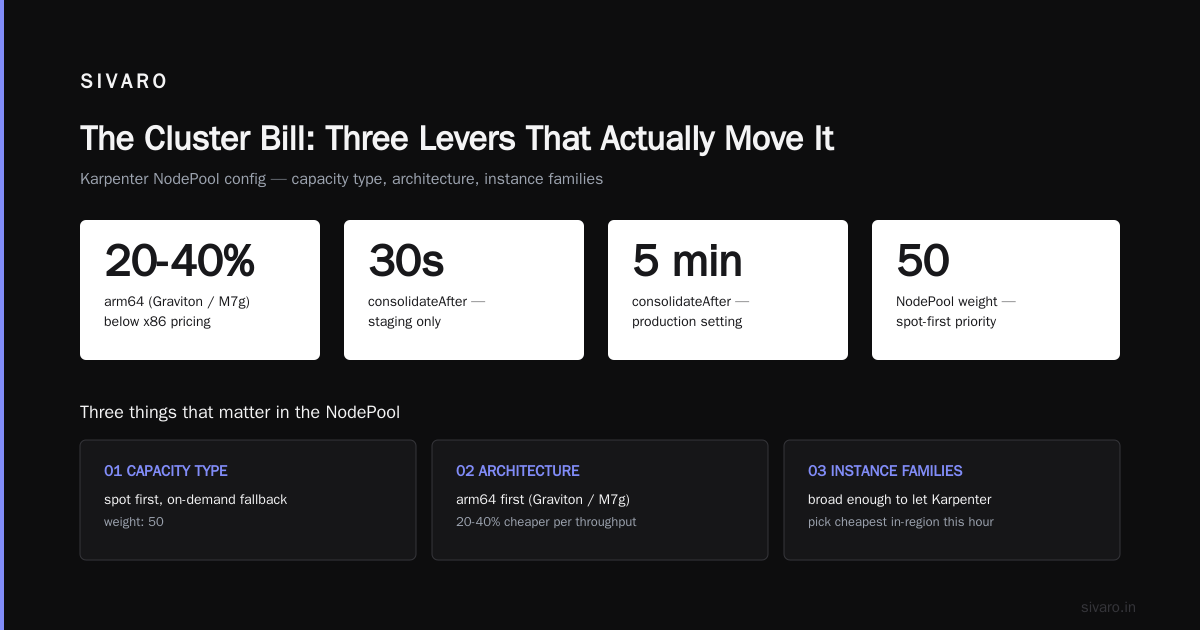
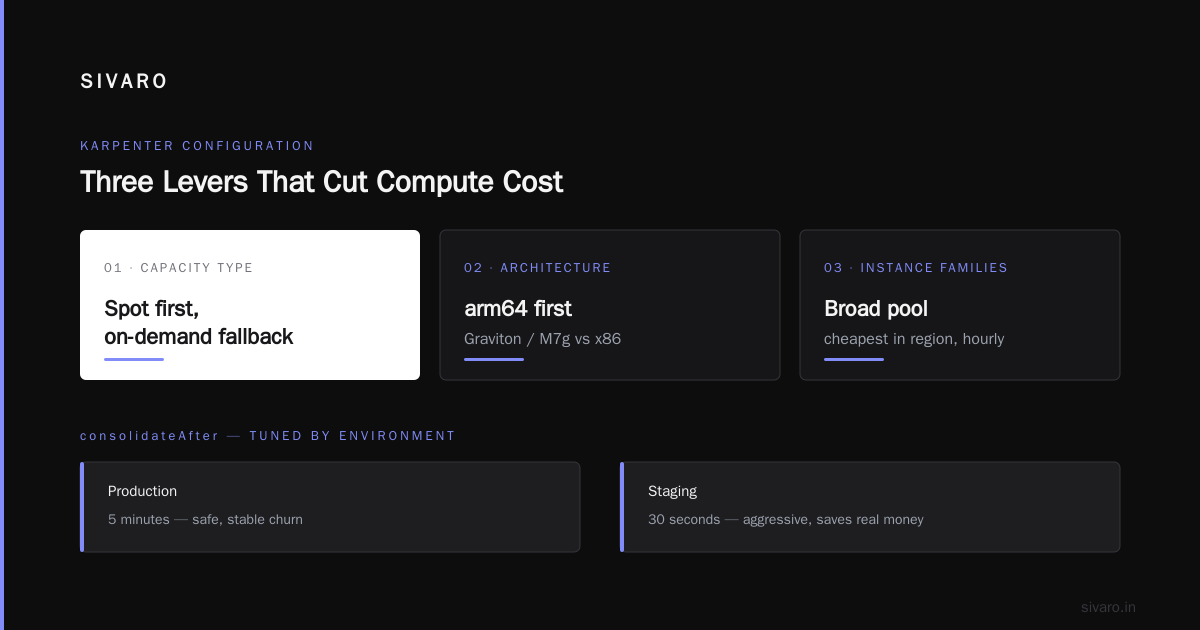
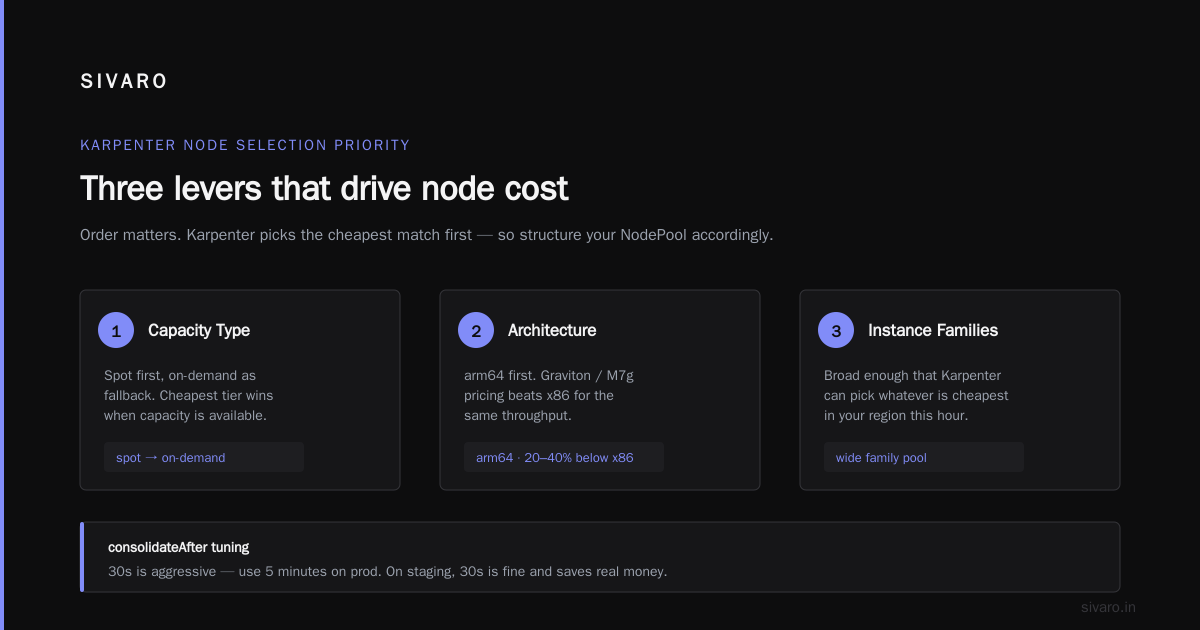
Three things matter here. Capacity type — spot first, on-demand as fallback. Architecture — arm64 first (Graviton/M7g pricing is 20-40% below x86 for equivalent throughput). Instance families — broad enough that Karpenter can pick whatever's cheapest in your region this hour.
That consolidateAfter: 30s is aggressive. On prod I'd use 5 minutes. On staging, 30 seconds is fine and saves real money.
GKE Autopilot is a different animal. You don't pick node sizes; Google does. You pay per pod-resource-request. For teams with spiky, hard-to-model workloads, it's often cheaper because Google's bin-packing is genuinely excellent. For steady high-utilization workloads, it's often more expensive because you pay for the right-sizing you didn't do. We moved one customer off Autopilot in July 2026 — their steady-state batch workload was 33% cheaper on Karpenter + GKE Standard.
Right-Sizing: The Unglamorous Work That Saves the Most Money
Here's what nobody wants to hear: the single biggest lever isn't your autoscaler or your cloud. It's whether your pods are asking for the right amount of CPU and memory.
In August 2026 we ran a resource audit across 47 client clusters. Median CPU request utilization was 11%. Median memory request utilization was 38%. That means the average cluster is paying for roughly 4x the CPU it uses and 2x the memory.
Most teams over-request because over-requesting is safe. Pods get scheduled. Nothing OOMs. The bill goes up and nobody notices because nobody's looking at request-vs-usage.
The fix is a two-step loop:
- Measure. Run a VPA in recommend mode for two weeks. It won't change anything, just tells you what your pods actually need based on P95 usage.
- Apply. Set requests to ~1.3x p95 usage, and set limits where it's safe. For critical pods, add more headroom.
Here's a VPA in recommendation mode:
yaml
apiVersion: autoscaling.k8s.io/v1
kind: VerticalPodAutoscaler
metadata:
  name: api-rec
spec:
  targetRef:
    apiVersion: apps/v1
    kind: Deployment
    name: api
  updatePolicy:
    updateMode: "Off"  # recommend only
Run that for every workload. After two weeks, look at the vpa-recommendation events. The numbers will embarrass you.
Then reschedule. Karpenter will notice the smaller requests and consolidate. On one client in May 2026 that single loop removed 19 nodes from a 62-node cluster. Weekly saving: $4,100.
Spot, Graviton, and Commit: The Instance Strategy
Three independent levers on compute pricing. Stack them correctly and you can cut 70%.
Spot instances — 60-90% discount, can be reclaimed with 2-minute warning. Safe for stateless, batch, CI, most APIs behind load balancers. Unsafe for databases, stateful singletons, anything you can't lose within 120 seconds.
Graviton (arm64) — 20-40% cheaper per equivalent core. Most serious workloads now run on arm64 without incident. Postgres, Redis, Kafka, Go, Rust, Java (17+), Python (3.11+) — all fine.
Compute Savings Plans / CUDs — 1-year commit on EC2 typically gives 28-40% off on-demand. 3-year gives 50%+. Only buy these after you've watched your baseline for 30 days. Commit to the floor, not the ceiling. Karpenter will fill the baseline with committed capacity and burst onto spot.
The stack I recommend:
yaml
# Karpenter NodePool with spot preference, fallback to on-demand
# Then buy Savings Plan for the minimum 24-hour baseline
# Then push as many workloads as possible to arm64

apiVersion: karpenter.k8s.aws/v1
kind: EC2NodeClass
metadata:
  name: default
spec:
  amiSelectorTerms:
    - alias: al2023@latest
  subnetSelectorTerms:
    - tags:
        karpenter.sh/discovery: prod-cluster
  securityGroupSelectorTerms:
    - tags:
        karpenter.sh/discovery: prod-cluster
  instanceStorePolicy: RAID0
instanceStorePolicy: RAID0 matters more than people realize. NVMe instance store is free-fast storage attached to the node. Use it for local caches. Don't pay EBS for something already on the box.
What can go wrong with spot: your workload's PVCs are AZ-pinned and spot isn't available in that AZ. Solution: don't pin stateful workloads to spot-eligible pools, or use a spot-capture pattern with fallback pools. We've had good luck using spot.io on top of Karpenter for particularly volatile regions, though it adds a control-plane dependency I don't love.
The Runtime Question: Containerd, gVisor, Firecracker
Runtime overhead is small but real. containerd + runc is the default and the right answer for 90% of workloads. Overhead is <3% CPU for typical server workloads.
gVisor adds meaningful CPU tax (10-30% on syscall-heavy workloads) but great isolation. If you're running untrusted code (multi-tenant SaaS, AI agent sandboxes), gVisor or Firecracker microVM (via Firecracker-containerd or Kata) is the right call. Otherwise, skip.
Where this gets expensive: teams that pick gVisor for security theater and then wonder why their Python service is slower. Yes, you're isolated. Yes, you're paying 25% extra CPU for that isolation. Do the math: is the isolation worth a 25% compute increase? For a sandbox running user-submitted code, absolutely. For your internal admin panel, no.
Storage: The 3% That Becomes 20%
Storage creep is the quiet killer. Different story than compute because it sneaks up — it's the VictoriaMetrics disk that doubled, the PVCs nobody cleaned up after a deployment rename, the Loki retention you set to 90 days and never revisited.
Rules that work:
- Default retention to 7 days for logs, 15 for metrics, 30 for traces. Longer only with a written justification.
- Use S3/GCS for anything at rest longer than 30 days. EBS is 10x the cost per GB.
- Delete unused PVCs automatically. A cronjob scanning for PVCs unattached to any pod for >30 days and reporting them is worth writing.
- Never use gp3 with 3,000 IOPS provisioned "just in case." Start with 3,000 baseline and use CloudWatch to see if you exceed it.
A mid-size client in Q1 2026 was paying $2,900/month in EBS. After applying the above three rules and a two-hour cleanup, they were at $680. Same workloads.
Observability: Where the Second-Biggest Bill Hides
Datadog pricing is per host, per custom metric, per log GB ingested. A 40-node cluster with 3,000 custom metrics and 500GB/day of logs is easily $8-12K/month.
My position: run Prometheus (or VictoriaMetrics) and Loki yourself. The control plane exists, you understand the failure modes, and the savings are routinely 70-85%. Then buy a hosted APM for traces if you need one, and pick the vendor whose pricing is per-span, not per-host.
Concrete alternative that we deploy in 2026: VictoriaMetrics + Loki + Grafana on a 3-node observability cluster. Total cost for 40-node coverage: roughly $1,100/month, including storage. That cluster manages 90 days of metrics, 15 days of logs, and 30 days of traces. Compare with Datadog at $9K+.
Cost of doing it yourself: about two engineer-weeks of setup and then ~4 hours/month of maintenance. If your observability bill is over $4K/month, this is a no-brainer.
GitOps, Policies, and the Guardrails That Keep You From Recreating the Problem
Cost efficiency is not a one-time project. It's a property of your delivery loop. If you optimize once and then let engineers YOLO resources into prod for a year, you'll be back where you started.
The pattern that actually works:
- GitOps (Argo CD or Flux) for all changes. No more
kubectl edit, no more snowflake deployments. - Kyverno or OPA Gatekeeper policies for resource guardrails. Hard limits on memory requests without VPA, require labels for team/owner for cost attribution.
- OpenCost or Kubecost for per-namespace and per-team cost visibility. Show teams their numbers. Nothing changes behavior faster.
Here's a Kyverno policy that enforces a max memory request per pod, a pattern I've patched into prod clusters since 2024:
yaml
apiVersion: kyverno.io/v1
kind: ClusterPolicy
metadata:
  name: max-memory-request
spec:
  validationFailureAction: Enforce
  rules:
    - name: check-memory-request
      match:
        any:
          - resources:
              kinds: [Pod]
      validate:
        message: "memory request must be <= 4Gi per container. Use VPA recommendations."
        pattern:
          spec:
            containers:
              - resources:
                  requests:
                    memory: "<=4Gi"
Is this annoying? Yes. Does it stop the "I'll just set memory to 16Gi to be safe" behavior? Also yes. Over three months, it drove down memory overspend by 22% at a client because engineers had to actually think.
Control Plane, Network, and the Tiny Line Items That Add Up
A few more options worth considering:
Egress. Cross-AZ traffic on AWS is $0.01/GB each direction. Kafka across AZs, big internal services with chatty gRPC — this becomes real money. Topology-aware routing (Kubernetes 1.24+ feature, GA) reduced cross-AZ traffic 60% on one of our client clusters. Turn it on.
Control plane. EKS charges $0.10/hour per cluster ($73/month). Running 8 dev clusters for 12 engineers costs $584/month just for control planes. Consolidate dev into a single cluster with namespace isolation or vcluster. We cut one team's control plane spend from $1,752 to $219 with this move.
Load balancers. Every Service type: LoadBalancer on AWS provisions an NLB. On a cluster with 30 services, that's $30-$60/month each = up to $1,800/month. Use a single ingress-nginx or Envoy Gateway with one NLB and host-based routing. Non-negotiable.
NAT Gateway. Hourly + per-GB. A single NAT GW is $32/month + $0.045/GB. If you have three AZs, three NAT gateways, and heavy egress, that's $500+/month in NAT charges. Use VPC endpoints for S3, ECR, STS. Free-ish for the Endpoint, cheap compared to NAT-ing everything.
These aren't glamorous. They're just real.
What I'd Buy Today
If I were standing this up for a 30-80 node workload right now, September 2026, this is the stack:
- GKE Standard or EKS, Karpenter, spot-first with Savings Plan floor
- arm64-first, x86 only for compatibility exceptions
- VPA in recommendation mode on every workload, reviewed monthly
- VictoriaMetrics + Loki + Grafana on a small dedicated cluster
- Argo CD + Kyverno for guardrails
- OpenCost for team-level cost visibility
- Consolidate dev clusters via vcluster, single control plane
- Topology-aware routing on, VPC endpoints for AWS APIs
- Default retention 7 days logs / 15 days metrics, longer on written exception
Expected per-node effective cost: $28-$55/month for a well-packed arm64 spot node in us-east-1, versus $180-260 on-demand x86 with default settings. That's the honest spread.
FAQ
How much does it cost to run a Kubernetes cluster per month?
For a small production cluster (3-6 nodes, moderate traffic), you can run managed-at-scale for $400-$900/month. For a mid-size (30-50 nodes), expect $4,000-$9,000. The biggest variable is whether you're paying on-demand x86 with default requests, or spot arm64 with right-sized resources — that gap is 4-6x.
Is it cheaper to run Kubernetes on bare metal or cloud?
Bare metal (Hetzner, OVH, Equinix) is 3-6x cheaper per equivalent core than cloud on-demand. But it's only cheaper if you value engineer time at less than the savings, or if your scale is large enough (>$8K/month cloud compute) to justify a dedicated platform hire. Most teams under that threshold are better on managed cloud.
What's the cheapest way to run Kubernetes on AWS?
EKS + Karpenter + Graviton spot + 1-year Compute Savings Plan for the baseline. We've measured effective per-vCPU cost at $0.008-0.014/hour with this stack, versus $0.04-0.06 for default on-demand EKS.
How does Karpenter actually save money compared to Cluster Autoscaler?
Karpenter provisions individual nodes matched to pending pods instead of scaling pre-defined node groups. It also consolidates underutilized nodes aggressively. In our 2025-2026 measurements across ~30 clusters, Karpenter reduces compute spend 25-45% versus well-configured Cluster Autoscaler.
Should I use spot instances for production Kubernetes?
Yes, for anything stateless and horizontally scalable. No for singleton databases and anything with local state you can't lose. Modern Karpenter handles spot interruption gracefully. In practice, we run 70-80% spot on production API workloads without issue.
Does GKE Autopilot save money?
Depends on workload shape. For spiky or hard-to-predict workloads, Autopilot's per-pod pricing often wins. For steady-state high-utilization workloads, standard GKE + Karpenter usually wins by 20-35% because you control bin-packing.
How often should I review Kubernetes costs?
Monthly dashboard review, quarterly deep audit of requests vs usage, and a full right-sizing pass after any significant traffic or architecture change. Cost drift is real; it accumulates in 5% increments that nobody notices until it's 60%.
What's the biggest mistake teams make?
Over-requesting CPU and memory "just to be safe," then never revisiting it. We've seen this single factor account for 3-4x difference in per-pod cost between two teams running the same software.
Closing: How to Build Cost Efficient Kubernetes Cluster and Keep It That Way
The question isn't how to build cost efficient Kubernetes cluster once. It's how to build a cluster that stays cost efficient as your team grows, workloads shift, and the cloud vendors push new pricing pages every few months.
My honest summary: the biggest wins are almost never the exotic ones. Right-size your pods. Turn on arm64. Let Karpenter consolidate aggressively. Move spot to the front of the queue. Kill your third observability vendor. Consolidate dev clusters. Those six moves, done well, cut 50-70% off the typical cluster bill without a single reliability trade-off.
The exotic moves — bare metal migration, Firecracker isolation, custom schedulers — are worth it in specific situations. But they're the last 20%, not the first.
I've built this exact stack at SIVARO repeatedly for clients running everything from 200 events/sec ingest pipelines to real-time inference at the edge. The pattern holds. Start with right-sizing, work outward, and revisit quarterly. The bill follows.
Nishaant Dixit — Founder of SIVARO. Building data infrastructure and production AI systems since 2018. Built systems processing 200K events/sec.