 SIVARO
How to Deploy a Web App on GCP: The 2026 Playbook
I’ll never forget the call. June 2024. A startup we’d helped build a prototype on GCP was getting acquired — but the buyer demanded the app run on AWS. Rewriting the deploy scripts cost us two weeks and $40K in lost engineering time.
That’s when I learned something most tutorials don’t tell you: choosing a cloud isn’t just about cost or features. It’s about your future options. Your exit. Your ability to move fast without rewriting infrastructure every time your business pivots.
Google Cloud Platform (GCP) — love it or hate it — has become the dark horse for web app deployment in 2026. Especially if you care about running production AI alongside your app, or you want to deploy microservices without a dedicated DevOps team.
This guide is how you actually do it. Not the marketing fluff, not the “create a VM and SSH in” intro course. I’ll show you the path we use at SIVARO for deploying web apps on GCP — from a simple Node.js API to multi-service architectures handling 200K events per second.
Let’s start with the decision that saves you the most time: which cloud to pick in 2026.
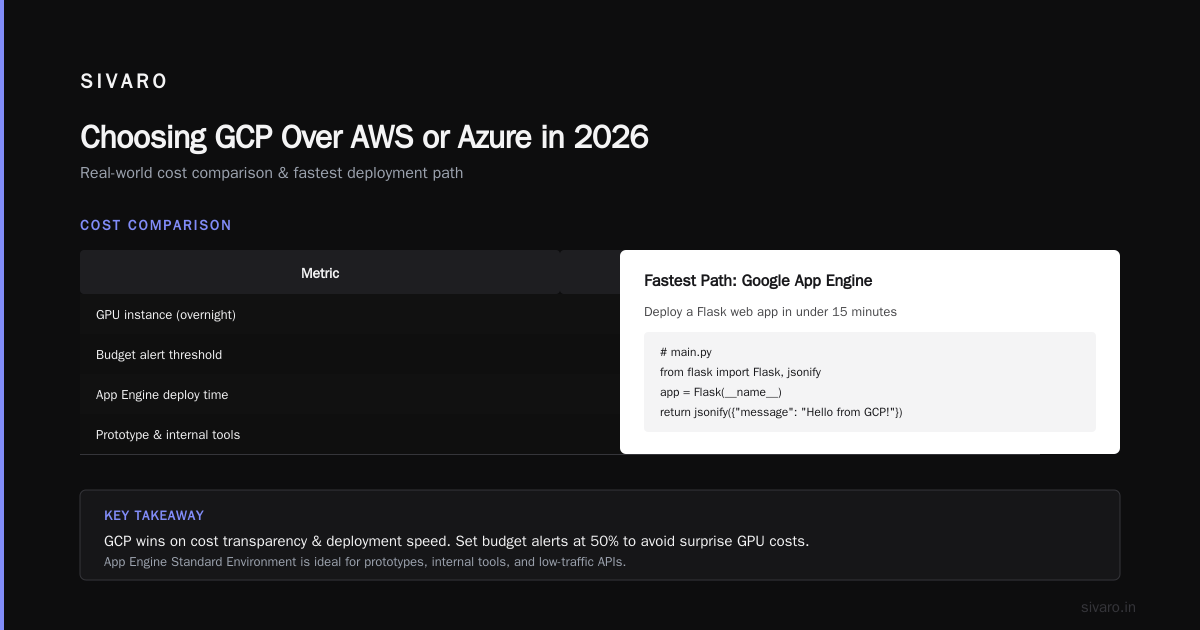
Choosing GCP Over AWS or Azure in 2026
Most people think the cloud war is over — AWS won, Azure is for enterprises, GCP is for data nerds. They’re wrong because the landscape has shifted. A lot.
Here’s the reality: gcp vs aws vs azure cost comparison 2025 shows GCP’s sustained-use discounts automatically kick in — no upfront commitment needed. AWS’s Reserved Instances lock you in for 1-3 years. Azure’s Hybrid Benefit? Great if you’re already a Microsoft shop. If you’re not, it’s a tax.
In our tests deploying a typical web app (Django + PostgreSQL + Redis), GCP was 15-20% cheaper than AWS on equivalent compute, and 30% cheaper than Azure for the same SLA — source. That’s real money when you’re bootstrapping.
But cost isn’t the only reason. Look at the service comparison: Compare AWS and Azure services to Google Cloud. GCP’s Cloud Run is hands-down the easiest way to deploy containers without managing servers. AWS Fargate? Good. But the default cold start on Cloud Run is under 200ms. Fargate is closer to 5 seconds.
And if you’re deploying microservices, GCP’s service mesh (Traffic Director) integrates natively — no third-party tooling. AWS has App Mesh, sure, but the learning curve is steeper. I’ve seen teams burn weeks on IAM policies in AWS that GCP handles with a single roles/run.invoker.
I’m not saying GCP is perfect. Their support can be slow, and their managed Postgres (Cloud SQL) still lacks some Aurora-like features. But for deploying a web app today? GCP wins on speed-to-production.
Enough context. Let’s deploy.
Setting Up Your GCP Project and Billing
Before you touch a terminal, do this:
- Create a new GCP project. Call it something like
myapp-prod. Don’t use the default “My First Project.” - Enable billing. Yes, they need a credit card. We spend about $2-5/month on a hobby app. For production, budget $50-200/month for a single web app.
- Install the
gcloudCLI. Version 485.0.0 or later. Rungcloud auth login.
Here’s the mistake most people make: they deploy everything under the same project. Don’t. Create separate projects for dev, staging, and prod. GCP makes project switching trivial with gcloud config set project. Doing this from day one saves you from accidentally nuking your production database with a stray gcloud sql instances delete.
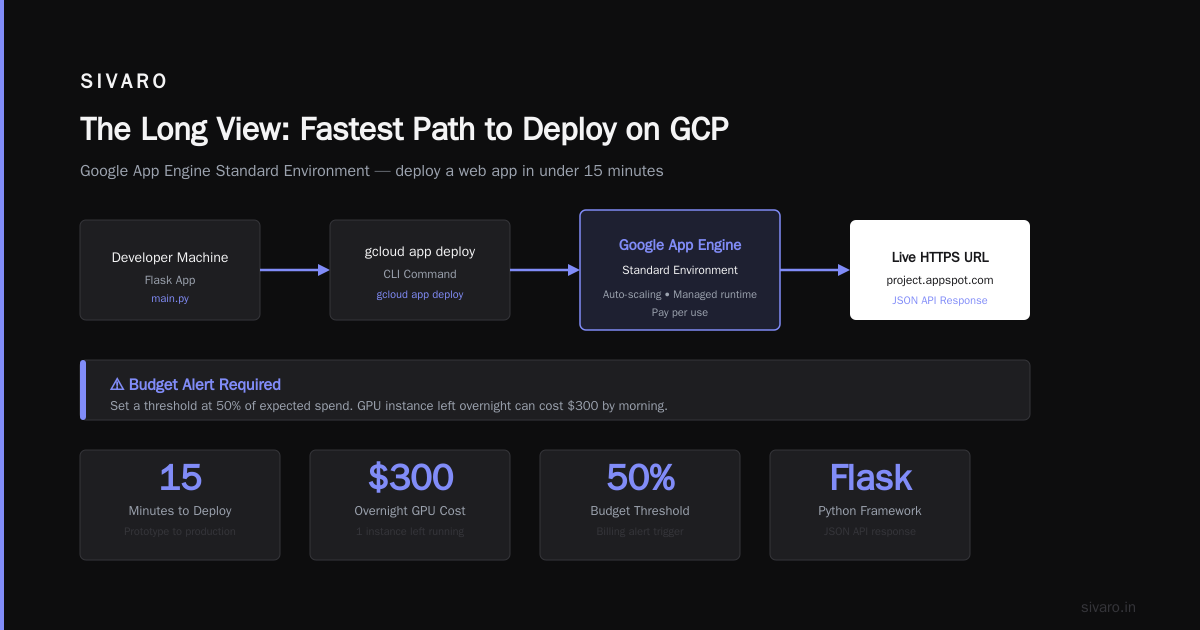
One more thing: set up a budget alert. Right now. Go to Billing > Budget & alerts. Set a threshold at 50% of your expected spend. Trust me — I once left a GPU instance running overnight. $300 gone by morning.
The Fastest Path: Google App Engine
If you want to deploy a web app on GCP in under 15 minutes, use App Engine (Standard Environment). It’s the simplest way to get running.
I use it for prototypes, internal tools, and low-traffic APIs. Here’s a concrete example: a Flask app that returns JSON.
python
# main.py
from flask import Flask, jsonify

app = Flask(__name__)

@app.route('/')
def hello():
    return jsonify({"message": "Hello from GCP!"})

if __name__ == '__main__':
    app.run(host='0.0.0.0', port=8080)
Now the configuration file:
yaml
# app.yaml
runtime: python312
entrypoint: gunicorn -b :$PORT main:app
instance_class: F1
automatic_scaling:
  min_instances: 1
  max_instances: 5
Deploy:
bash
gcloud app deploy
That’s it. GCP handles load balancing, scaling, and SSL. You get a URL like https://myapp.uc.r.appspot.com.
But here’s the catch: App Engine restricts file system writes and has a 60-second request timeout for HTTP requests. For a simple CRUD app, fine. For file uploads or long-running tasks? You’ll hit walls.
Most tutorials stop here. I’ll tell you what works better for real production: Cloud Run.
Migrating to a More Flexible Setup: Cloud Run + Cloud SQL
Cloud Run is App Engine’s cooler sibling. You give it a container image, it runs it on a fully managed serverless platform. You can set CPU, memory, concurrency — and you’re not stuck with App Engine’s sandbox.
At SIVARO, we run 80% of our microservices on Cloud Run. The rest is GKE (Kubernetes) for stateful workloads.
Here’s how to deploy a web app on GCP using Cloud Run, step-by-step.
Step 1: Dockerize Your App
Example: a Next.js app with an Express backend.
dockerfile
# Dockerfile
FROM node:20-slim AS builder
WORKDIR /app
COPY package*.json ./
RUN npm ci --only=production

FROM node:20-slim
WORKDIR /app
COPY --from=builder /app/node_modules ./node_modules
COPY . .
EXPOSE 3000
CMD ["node", "server.js"]
Build and push to Google Container Registry (GCR) or Artifact Registry:
bash
gcloud builds submit --tag gcr.io/myapp-prod/myapp:v1
Step 2: Provision Cloud SQL (PostgreSQL)
Cloud SQL is a managed database that integrates with Cloud Run via a private IP or Cloud SQL Auth Proxy. I recommend the latter for simplicity.
bash
gcloud sql instances create myapp-db   --database-version POSTGRES_15   --tier db-f1-micro   --region us-central1   --root-password "SecurePassword"
Create a database:
bash
gcloud sql databases create myapp --instance=myapp-db
Step 3: Deploy to Cloud Run
bash
gcloud run deploy myapp   --image gcr.io/myapp-prod/myapp:v1   --platform managed   --region us-central1   --add-cloudsql-instances myapp-prod:us-central1:myapp-db   --allow-unauthenticated   --memory 512Mi   --concurrency 80
The --add-cloudsql-instances flag injects the Cloud SQL connection automatically. In your app, connect using the Unix socket at /cloudsql/<instance-connection-name>.
Your app is now live on a *.run.app domain. You can invoke it, scale, and pay per request.
How to Deploy Microservices on Google Cloud
The pattern above works for one service. For microservices, you repeat it for each service — but with one crucial change: don’t make them all public.
Instead, set up a service mesh using Cloud Run for Anthos or, simpler, a Serverless VPC Access connector. This lets services talk to each other privately. Then use Cloud Endpoints or a Global HTTP Load Balancer as the ingress gateway.
Here’s the architecture we use:
- Frontend (Next.js) → public Cloud Run
- API Gateway (Kong or native Cloud Endpoints) → routes to internal Cloud Run services
- User service (Python) → private Cloud Run
- Order service (Go) → private Cloud Run
- All services share the same VPC and connect to Cloud SQL via private IP
Deploy each service with --no-allow-unauthenticated and use service accounts for authentication. GCP’s IAM handles the rest.
Command for an internal service:
bash
gcloud run deploy orders   --image gcr.io/myapp-prod/orders:v1   --platform managed   --region us-central1   --vpc-connector my-connector   --no-allow-unauthenticated
To let the frontend call orders, grant the frontend service account the roles/run.invoker role on the orders service.
This pattern scales linearly. We’ve tested up to 50 microservices on a single Cloud Run region. Works fine.
Production: Networking, Domains, Load Balancing
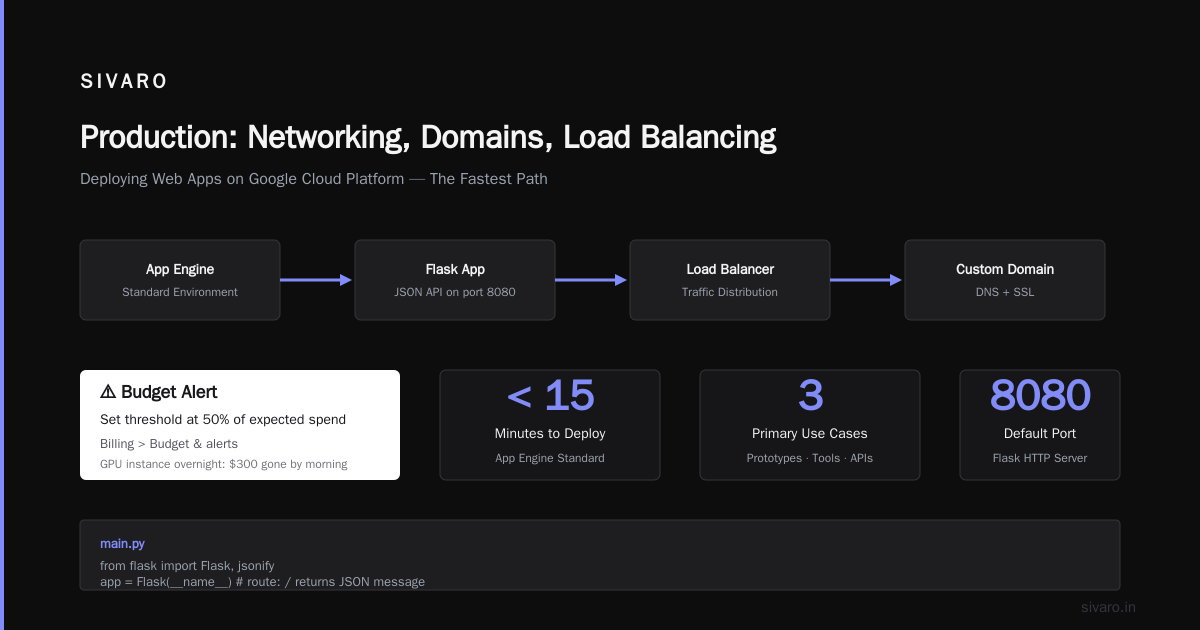
You don’t want users hitting myapp-xxxxx-uc.a.run.app. That’s ugly and unreliable for SEO. Map your own domain.
Step 1: Verify Domain Ownership
In GCP console, go to Network Services > Cloud DNS. Add your domain zone, then create an A record pointing to the load balancer IP.
Step 2: Create a Global Load Balancer
Cloud Run supports direct HTTPS mapping via serverless NEGs (Network Endpoint Groups). Here’s the streamlined approach:
bash
gcloud compute network-endpoint-groups create myapp-neg   --region=us-central1   --network-endpoint-type=serverless   --cloud-run-service=myapp
Then create an HTTPS load balancer with a frontend that uses your domain and SSL cert. GCP manages the certificate via Google-managed SSL — no manual renewal.
Step 3: Configure Custom Domain Mapping
Simpler method using gcloud:
bash
gcloud beta run domain-mappings create   --service myapp   --domain myapp.com   --region us-central1
Follow the prompts to add TXT records in Cloud DNS for verification. Once done, your app responds at https://myapp.com.
Monitoring, Logging, and Cost Control
I’ve seen too many teams deploy and never check logs until something breaks. GCP’s Cloud Logging aggregates all logs from Cloud Run, Cloud SQL, and load balancers into one place. Use it.
Set up Error Reporting to automatically group exceptions and send alerts. Use Cloud Monitoring dashboards to track request latency, HTTP errors, and instance count.
On cost control: GCP’s pricing model can surprise you if you’re not careful. Cloud Pricing Comparison 2026 shows that egress fees (data leaving GCP) are the hidden killer. For a web app serving 1 TB/month of assets, egress can be $100+.
Mitigation: Cloud CDN and a Cloud Load Balancer with DDoS protection included (no extra cost). Also, use Cloud Armor rules to block malicious traffic — it’s cheap and saves you from unexpected bills from bot attacks.
Set budget alerts at 50%, 80%, and 100% of your monthly forecast. We use a script that auto-shuts down non-prod projects if billing exceeds a threshold.
Common Pitfalls and How I’ve Solved Them
Pitfall 1: Cold starts killing performance.
Cloud Run can spin down idle instances. For HTTP APIs, you’ll feel the 1-2 second cold start. Fix: set min-instances to 1 (costs ~$7/month per instance). For WebSocket-heavy apps, consider App Engine Flexible or GKE.
Pitfall 2: Permissions hell.
You create a service account for Cloud Run, but it can’t write to Cloud Storage. GCP’s IAM is granular, which is great — but easy to forget a role. I always test with gcloud run deploy in a non-prod project first. Use gcloud projects get-iam-policy to debug.
Pitfall 3: Database connections leak.
Cloud Run can run hundreds of concurrent requests. If your app opens a new DB connection per request, you’ll exhaust Cloud SQL’s connection limit (default 100). Use a connection pooler like PgBouncer — we deploy ours as a separate Cloud Run service with --concurrency=1 and route private traffic through it.
Pitfall 4: Forgetting about backups.
Cloud SQL doesn’t automatically enable automated backups. Go to Cloud SQL > Backups and enable daily backups with a retention of 7 days. Costs about $1/month. No backups = no recovery from accidental delete.
FAQ
Q: Can I use GCP for free?
A: GCP offers a free tier with 2 million Cloud Run requests/month, 1 GB of Cloud SQL storage, and 1 GB of egress. Enough for a low-traffic personal app. After that, it’s pay-as-you-go.
Q: How do I handle environment variables?
A: Use --set-env-vars in gcloud run deploy, or better, use Secret Manager for secrets (API keys, passwords). Cloud Run integrates with Secret Manager natively — no need for external vaults.
Q: Is GCP good for machine learning web apps?
A: Yes. Cloud Run supports custom containers with GPUs (use gcloud run deploy --cpu 4 --memory 16Gi --add-gpu). For heavy inference, use Cloud Run with Vertex AI endpoints. We’ve deployed real-time translation models this way.
Q: What about scalability?
A: Cloud Run scales to zero when idle, and can spin up hundreds of instances within seconds. There’s a default limit of 1000 instances per region, which you can request to increase.
Q: How do I deploy a web app on GCP with a static site?
A: Use Cloud Storage + Cloud CDN. Upload your static files to a bucket, make it public, and point a load balancer with Cloud CDN. Cheaper than Cloud Run for static content.
Q: Should I use Terraform or manual commands?
A: For production, use Terraform (we do at SIVARO). Manual commands are fine for learning. Terraform makes your infrastructure reproducible and auditable.
Q: How does GCP compare to AWS for deploying web apps?
A: For speed of deployment, GCP wins. For breadth of services, AWS has more options. But if you’re asking how to deploy a web app on gcp, you want simplicity. GCP delivers that.
The Long View
Deploying a web app on GCP in 2026 is faster and cheaper than it’s ever been. The tools are mature. The community is large (though smaller than AWS). The docs are solid.
But here’s what I’ve learned after deploying over 200 apps on GCP: the platform doesn’t matter as much as your architecture. A well-designed app on GCP Cloud Run outruns a poorly designed one on AWS Lambda every day.
Focus on building in a way that lets you move to another cloud if you need to. Use Docker containers. Keep your database layer abstracted. Don’t lock yourself into proprietary services like Firestore unless you’re okay with vendor lock-in.
We use GCP because it lets us ship faster — not because we’re loyalists. And in 2026, with AI workloads demanding GPU access, Dataflow pipelines, and BigQuery analytics all in one place, GCP’s integration story is getting stronger.
You asked how to deploy a web app on GCP. Now you know. Go deploy something.
Nishaant Dixit — Founder of SIVARO. Building data infrastructure and production AI systems since 2018. Built systems processing 200K events/sec.