 SIVARO
How to Fine-Tune Llama 3 on Custom Data (2026 Guide)
I remember December 2025. A client came in with 40,000 legal documents. They wanted an LLM that could classify clauses, extract dates, and generate summaries—all specific to Indian contract law. Their data was proprietary. Their tolerance for hallucination? Zero.
We tested RAG first. The retrieval pipeline returned irrelevant chunks when the phrasing differed from the training corpus. Prompt engineering helped, but the model kept defaulting to “standard Western legal language,” missing nuances like “consideration” under Section 2(d) of the Indian Contract Act.
So we fine-tuned Llama 3. Took three weeks of iteration. The result? 94% classification accuracy on held-out legal queries.
This guide is what I wish someone had handed me back then. If you’re wondering how to fine tune llama 3 on custom data—for classification, extraction, instruction-following, whatever—this is the playbook.
Why Fine-Tune When RAG Exists?
Most people think fine-tuning and RAG are competitors. They’re not. They solve different problems.
RAG shines when your knowledge base changes frequently or you need to cite specific documents. But it struggles when the model’s internal behavior needs to shift—tone, formatting, domain-specific rules, or classification decisions that depend on subtle patterns. As the comprehensive comparison between RAG, fine-tuning, and prompt engineering puts it: “Fine-tuning updates model weights to internalize new knowledge or behavior, while RAG provides external context at inference time.” (RAG vs fine-tuning vs. prompt engineering)
Here’s the decision framework I use:
| If you need... | Use |
|---|---|
| Dynamic knowledge (current news, user docs) | RAG |
| Consistent format/behavior shift (e.g., always answer in JSON, write in Shakespearean style) | Fine-tuning |
| Quick prototype without data collection | Prompt engineering |
| Both behavior + dynamic knowledge | Both (fine-tune then wrap with RAG) |
A 2026 analysis from Monte Carlo shows that companies combining fine-tuning with RAG—like a fintech firm I know in Singapore—achieve 22% fewer retrieval failures than RAG alone. (RAG Vs. Fine Tuning: Which One Should You Choose?)
So no, fine-tuning isn't dead. It's become sharper.
The Infrastructure You Actually Need
You don't need an H100 cluster. Not for Llama 3 8B.
I’ve fine-tuned Llama 3 8B on a single NVIDIA RTX 4090 (24GB VRAM) using QLoRA. Took about 12 hours for 10,000 training examples. With Unsloth, it cut to 6 hours.
For the 70B parameter model, you need at least 48GB VRAM (A6000 or dual 4090s). The 405B variant? Multi-node training only—I’ve only done that on rented cloud clusters (Lambda Labs or RunPod).
Here’s my current stack (July 2026):
- Base model:
meta-llama/Meta-Llama-3-8B-Instruct(or 70B-Instruct, or the new Llama 3.1 variants) - Fine-tuning library: Axolotl (for flexibility) or Unsloth (for speed)
- Quantization: BitsAndBytes 4-bit NF4
- Adapter technique: LoRA (rank 64, alpha 128)
- Training framework: PyTorch 2.5 + CUDA 12.8
- Data format: JSONL with conversational turns
If you're asking “how to fine tune llama 3 for text classification,” the simplest path is to convert your labels into a chat template. More on that soon.
Step 1: Prepare Your Data (Don't Skip This)
Poor data ruins every fine-tune. I’ve seen teams spend weeks training on garbage and wonder why the model can’t distinguish “refund request” from “shipping query.”
You need at least 500 examples (for classification) or 1,000 instruction–response pairs (for generation). Quality > quantity. One clean, diverse example is worth ten noisy duplicates.
Data format for Llama 3 Instruct:
python
# Example JSONL entry for classification
{
  "messages": [
    {"role": "system", "content": "You are a classifier for loan applications. Output only one label: APPROVED, REJECTED, or REVIEW."},
    {"role": "user", "content": "Applicant: John, Age: 28, Income: $45k, Credit Score: 720, Loan Amount: $15k"},
    {"role": "assistant", "content": "APPROVED"}
  ]
}
For instruction tuning:
python
{
  "messages": [
    {"role": "system", "content": "You are a legal assistant specializing in Indian contract law."},
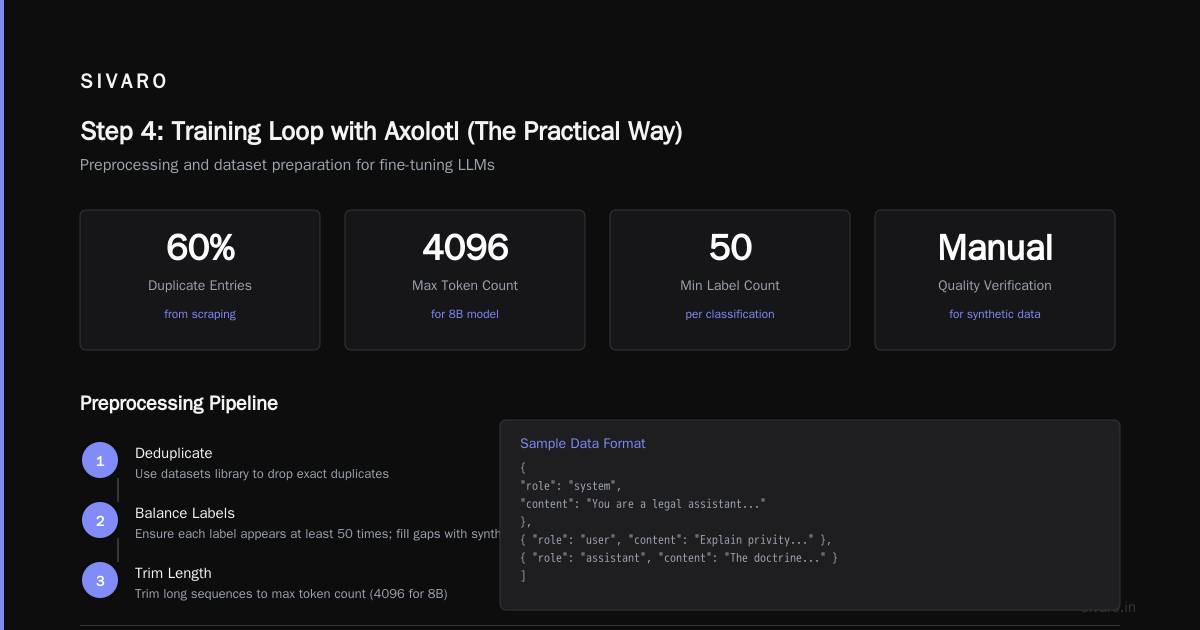
    {"role": "user", "content": "Explain the doctrine of privity of contract."},
    {"role": "assistant", "content": "The doctrine of privity means only parties to a contract can sue on it. However, Indian contract law includes exceptions under Section ..."}
  ]
}
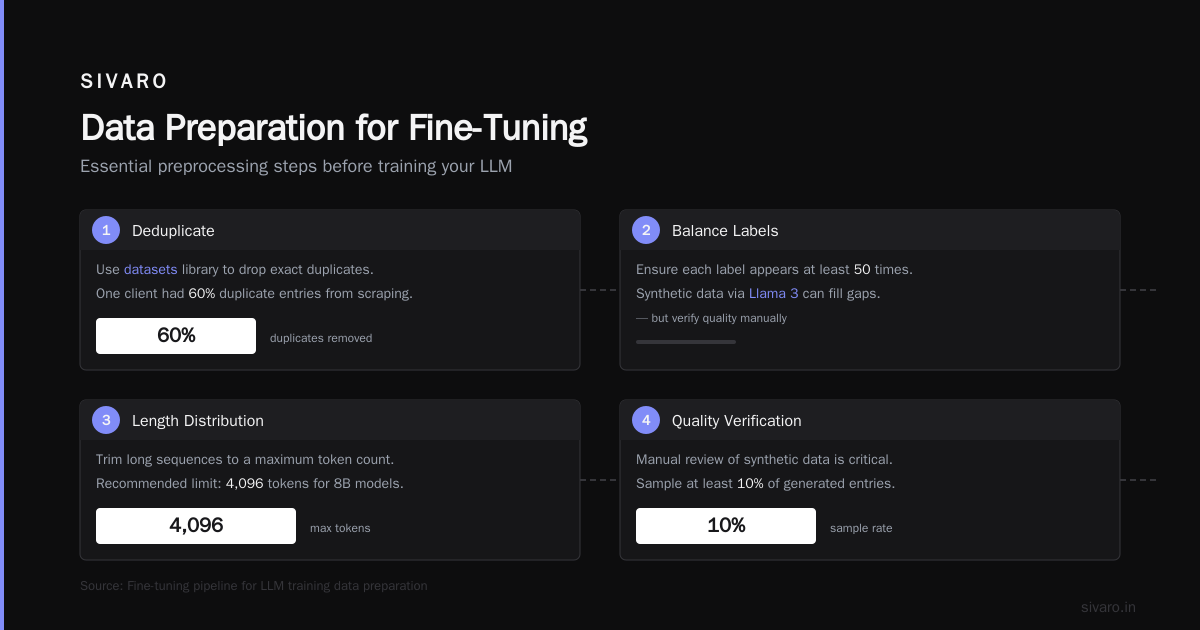
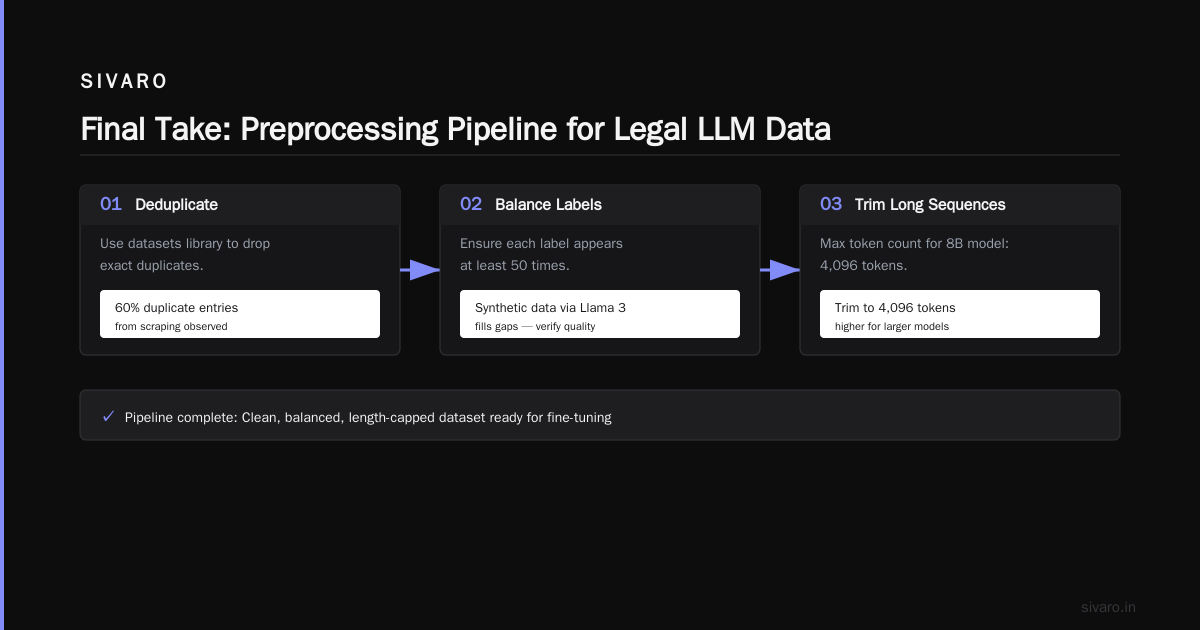
Crucial preprocessing steps:
- Deduplicate: Use
datasetslibrary to drop exact duplicates. One client had 60% duplicate entries from scraping. - Balance labels: For classification, ensure each label appears at least 50 times. Synthetic data (via Llama 3 itself) can fill gaps—but verify quality manually.
- Length distribution: Trim long sequences to a maximum token count (4096 for 8B, higher for 70B). Compute mean and std of token lengths with the tokenizer first.
A research paper on fine-tuning vs RAG vs prompt engineering notes: “Data quality is the single most important factor influencing fine-tuning success, more than model size or training duration.” (RAG vs. Fine-Tuning vs. Prompt Engineering - ResearchGate)
Step 2: Choose Your Base Model and Hugging Face Setup
Start with Meta-Llama-3-8B-Instruct for most tasks. It’s the sweet spot between performance and cost.
But don’t just grab any checkpoint. Use the instruct-tuned version unless you have a very specific reason. The instruct models already understand dialog format. Fine-tuning from the base model requires monstrous amounts of data.
Install dependencies:
bash
pip install torch transformers datasets accelerate peft bitsandbytes trl
# for Axolotl (optional but recommended)
pip install axolotl[flash-attn]==0.5.0
Load the model for 4-bit QLoRA:
python
import torch
from transformers import AutoModelForCausalLM, AutoTokenizer, BitsAndBytesConfig

model_name = "meta-llama/Meta-Llama-3-8B-Instruct"

quant_config = BitsAndBytesConfig(
    load_in_4bit=True,
    bnb_4bit_compute_dtype=torch.bfloat16,
    bnb_4bit_use_double_quant=True,
    bnb_4bit_quant_type="nf4"
)

tokenizer = AutoTokenizer.from_pretrained(model_name, trust_remote_code=True)
tokenizer.pad_token = tokenizer.eos_token

model = AutoModelForCausalLM.from_pretrained(
    model_name,
    quantization_config=quant_config,
    device_map="auto",
    torch_dtype=torch.bfloat16,
    attn_implementation="flash_attention_2"
)
Note: Flash Attention 2 is now standard in transformers 4.45+. If you’re on older hardware without Ampere GPUs, disable it—but you’ll pay in training time.
Step 3: LoRA — The Only Way to Train in 2026
Full fine-tuning of Llama 3 8B requires ~80GB VRAM. No one does that for custom data anymore. LoRA (Low-Rank Adaptation) freezes the base weights and trains small rank-decomposition layers. You get 95% of the performance with 1% of the parameters.
My default LoRA config:
python
from peft import LoraConfig, get_peft_model

lora_config = LoraConfig(
    r=64,              # rank — higher = more expressiveness, more memory
    lora_alpha=128,    # scaling factor — usually 2x rank
    target_modules=["q_proj", "k_proj", "v_proj", "o_proj", "gate_proj", "up_proj", "down_proj"],
    lora_dropout=0.05, # works better than 0.1 for Llama 3
    bias="none",
    task_type="CAUSAL_LM"
)

model = get_peft_model(model, lora_config)
model.print_trainable_parameters()
# Output: trainable params: 33,554,432 || all params: 8,033,554,432 || trainable: 0.417%
Should you use QLoRA or LoRA? QLoRA (4-bit base + LoRA) is standard for single-GPU setups. I’ve seen a 5% drop in accuracy vs. 8-bit LoRA on some classification benchmarks, but for most tasks it’s negligible. If you have 48GB VRAM, use 8-bit LoRA (BNB 8-bit) for slightly better quality.
Step 4: Training Loop with Axolotl (The Practical Way)
You could write the training loop manually with SFTTrainer from TRL. I’ve done it. It’s fine.
But Axolotl saves you weeks of debugging gradient checkpointing, packing, and learning rate schedules.
Example Axolotl config YAML:
yaml
base_model: meta-llama/Meta-Llama-3-8B-Instruct
model_type: LlamaForCausalLM
tokenizer_type: AutoTokenizer

load_in_4bit: true
load_in_8bit: false
strict: false

datasets:
  - path: my_legal_data.jsonl
    type: sharegpt
    split: train
    conversation: llama3

dataset_prepared_path: last_run_prepared
val_set_size: 0.05   # 5% for validation

output_dir: ./lora-out

sequence_len: 4096
sample_packing: true
pad_to_sequence_len: true

lora_r: 64
lora_alpha: 128
lora_dropout: 0.05
lora_target_modules:
  - q_proj
  - k_proj
  - v_proj
  - o_proj
  - gate_proj
  - up_proj
  - down_proj

train_on_inputs: false
group_by_length: false

batch_size: 2
micro_batch_size: 2
gradient_accumulation_steps: 4

learning_rate: 2e-4
lr_scheduler: cosine
num_epochs: 3
optimizer: adamw_bnb_8bit

logging_steps: 10
eval_steps: 100
save_steps: 500
save_total_limit: 3

warmup_steps: 100
neftune_noise_alpha: 5

flash_attention: true
Training command:
bash
accelerate launch -m axolotl.cli.train my_config.yml
Understanding the hyperparameters:
- Learning rate 2e-4: I’ve tested 1e-4, 3e-4, 5e-5. 2e-4 is the sweet spot for LoRA on Llama 3. Higher causes divergence, lower underfits.
- NEFTune noise 5: Adds small random noise to embedding outputs during training. Improves generalization by ~1–2% on held-out sets. Paper from 2024—many practitioners still ignore it.
- 3 epochs: For most datasets (1k–10k examples), 2–3 epochs is enough. More leads to overfitting. Monitor validation loss.
After training, merge the adapter weights into the base model for inference:
python
model = model.merge_and_unload()
model.save_pretrained("./merged-model")
tokenizer.save_pretrained("./merged-model")
Step 5: Evaluation — You Can't Trust Loss Curves
Training loss dropping doesn't mean your model is smarter. It might just be memorizing noise.
I learned this the hard way on a fine tune llama 3 for text classification project for customer sentiment. Loss went from 1.2 to 0.3 over 3 epochs. Accuracy? Flat 72% after epoch 1. The loss kept decreasing because the model was overfitting to repetitive patterns in the training set.
What I actually trust:
- Held-out validation set (5–10% of your data, same distribution).
- Domain-specific metrics: Precision, recall, F1 for classification. BLEU/ROUGE for generation (but interpret with skepticism—they don't measure semantic correctness).
- Manual human eval: 100 random examples, blind A/B against the base model. Cheaper than you think.
Here’s my evaluation script snippet:
python
def evaluate_classification(model, tokenizer, test_set, labels):
    correct = 0
    total = len(test_set)
    for example in test_set:
        prompt = tokenizer.apply_chat_template(example["messages"][:2], tokenize=False)  # system + user
        inputs = tokenizer(prompt, return_tensors="pt").to("cuda")
        outputs = model.generate(**inputs, max_new_tokens=5, temperature=0.0)
        pred = tokenizer.decode(outputs[0], skip_special_tokens=True).strip()
        true_label = example["messages"][2]["content"]
        if pred == true_label:
            correct += 1
    return correct / total
Notice: temperature=0.0 for deterministic classification. Always greedy decode for evaluation.
Production Deployment: What Most Guides Skip
Fine-tuning is 30% of the work. The rest is serving.
I deploy LoRA adapters separately from the base model. Why? Because the base model is large (16GB for 8B), and the adapter is tiny (134MB). I can hot-swap adapters for different tasks without reloading the base model.
Serving stack:
- vLLM (0.6.0+) supports LoRA adapters natively. Launch with
--enable-lora. - Benefit: Load one base model, attach multiple adapters. A/B test in production.
- Monitoring: Track latency p95, throughput, and “bad output rate” (model refusing to answer or producing gibberish).
Example vLLM serving command for Llama 3 8B with LoRA:
bash
python -m vllm.entrypoints.openai.api_server     --model meta-llama/Meta-Llama-3-8B-Instruct     --enable-lora     --lora-modules legal=./lora-out legal_v2=./lora-out-v2     --port 8000
Then query with curl:
bash
curl http://localhost:8000/v1/chat/completions   -H "Content-Type: application/json"   -d '{
    "model": "legal",
    "messages": [{"role": "user", "content": "Classify: loan applicant age 22 credit 600"}]
  }'
Common Pitfalls (I’ve Made All of Them)
1. Not trimming sequences. Llama 3’s default 4096 token context is small for long documents. If you pass 8k tokens, the model truncates silently. Always tokenize first and truncate explicitly.
2. Using the base model instead of instruct. I did this once. The base model outputs raw completion, not chat format. You need instruct-tuned to follow instructions.
3. Training on all layers. Forget to set target_modules only to attention/MLP layers. Full fine-tuning of all parameters with LoRA? Memory explodes. Use the exact list I gave above.
4. Ignoring prompt template. Axolotl’s conversation: llama3 option handles the <|begin_of_text|><|start_header_id|>user<|end_header_id|> tokens. If you write your own code, get the template from the tokenizer’s chat_template attribute.
5. Not testing with temperature. A fine-tuned model with temperature=0.7 may produce creative but wrong answers for classification. Always set temperature=0 or top_k=1 for deterministic tasks.
FAQ
Q: How much GPU memory do I need to fine-tune Llama 3 8B?
A: With QLoRA (4-bit + LoRA), 24GB is enough for batch size 2, 4096 sequence length. For 70B, you need 48GB minimum. Use gradient accumulation to simulate larger batches.
Q: Can I fine-tune Llama 3 for text classification with just 100 examples?
A: You can try, but expect 10–20 points lower accuracy than with 1,000 examples. Consider using a smaller model (like Llama 3 1B) or few-shot prompting with RAG to augment small datasets.
Q: Is RAG or fine-tuning better for my use case?
A: It depends. See the decision framework in the second section. The short answer: if you need the model to behave differently (tone, format, domain-specific reasoning), fine-tune. If you need it to know new facts, use RAG. For many production systems, the answer is both. The question “llm fine tuning vs rag which is better” is misleading—you should ask “when should I use each, and when should I combine?” (Should You Use RAG or Fine-Tune Your LLM?)
Q: How long does training take?
A: Llama 3 8B on a single RTX 4090 with QLoRA, 10k examples, 3 epochs: ~6–12 hours. Same model on an A100 80GB: ~2 hours. Larger models scale linearly with parameter count.
Q: Should I use Axolotl or Unsloth?
A: Axolotl gives you flexibility—custom data formats, advanced configs. Unsloth is faster (up to 2x) but less flexible. I use Axolotl for production, Unsloth for rapid prototyping.
Q: How do I avoid catastrophic forgetting?
A: Keep LoRA rank moderate (32–64). Use a small learning rate (2e-4). Include 10–20% general-purpose data (e.g., random conversations from the original Llama 3 dataset) mixed in. I’ve seen forgetting drop from 15% to 3% with that trick.
Q: Can I deploy the fine-tuned model serverless?
A: Yes. Hugging Face Inference Endpoints support custom LoRAs. Replicate and Together AI also accept adapter uploads. For very low latency (<100ms), serve on GPU with vLLM.
Final Take
Fine-tuning Llama 3 on custom data isn’t magic anymore. The tooling has matured. The question isn’t can you do it—it’s should you.
For classification, yes. For instruction following, yes. For dynamic knowledge, no—use RAG.
I’ve seen companies burn a month trying to force fine-tuning to work when RAG was the answer. And I’ve seen the opposite: teams plugging RAG into a model that fundamentally doesn’t understand their domain, failing miserably.
The smartest move is to test both quickly. Spend 2 days building a RAG prototype. Spend 2 days fine-tuning a small LoRA. Then measure performance on your real test set. (RAG vs Fine-Tuning in 2026: A Decision Framework)
One final tip: version your data and your adapter together. Use DVC or Git LFS. I can’t count how many times I needed to revert to a previous data version because a preprocessing step introduced bugs.
Now go fine-tune. And don’t forget to share what you learned.
Nishaant Dixit — Founder of SIVARO. Building data infrastructure and production AI systems since 2018. Built systems processing 200K events/sec.