 SIVARO

How to Reduce Cloud Costs for Deep Learning
I watched a startup burn $47,000 in nine days on GPU instances they weren't even using.
Not a typo. Nine days. Their training loop had a bug that checkpointed every five minutes, and their autoscaler kept spinning up nodes because the queue never drained. By the time anyone looked at the billing dashboard, the damage was done.
Here's the thing: most advice about how to reduce cloud costs for deep learning is wrong. It's all "use spot instances" and "shut down idle VMs." That's table stakes. That's not strategy.
I'm Nishaant Dixit. I run SIVARO, where we build data infrastructure and production AI systems. I've spent the last eight years watching companies hemorrhage money on cloud ML workloads. This guide is the playbook we actually use with clients.
You'll learn how to reduce cloud costs with cost efficient architecture — not just by fiddling with billing settings, but by changing how you build and deploy models.
Let's get into it.
Why Your GPU Bill Is Out of Control
Before we talk solutions, let's diagnose the problem.
Most teams think their GPU costs are high because GPUs are expensive. That's true — an A100 runs roughly $2.50–$4.00 per hour on demand AWS EC2 Pricing. But the real cost driver isn't the hourly rate. It's utilization.
Or lack thereof.
I asked a client in March of this year to pull their GPU utilization metrics. Average was 11%. Eleven percent. They were paying for 100% of the hardware and using 11% of it. That's the actual problem.
There are three structural reasons your costs balloon:
- You're renting more compute than your workload needs. Training a small model on a 8-GPU node is like using a freight truck to move a couch.
- Your data pipeline is the bottleneck. GPUs sit idle while CPUs slowly fetch and preprocess data. You pay for waiting.
- You're storing way too much. Checkpoint every five minutes? That's 288 checkpoints a day. At 10GB per checkpoint, that's nearly 3TB of storage per day. For one model.
Now let's fix all three.
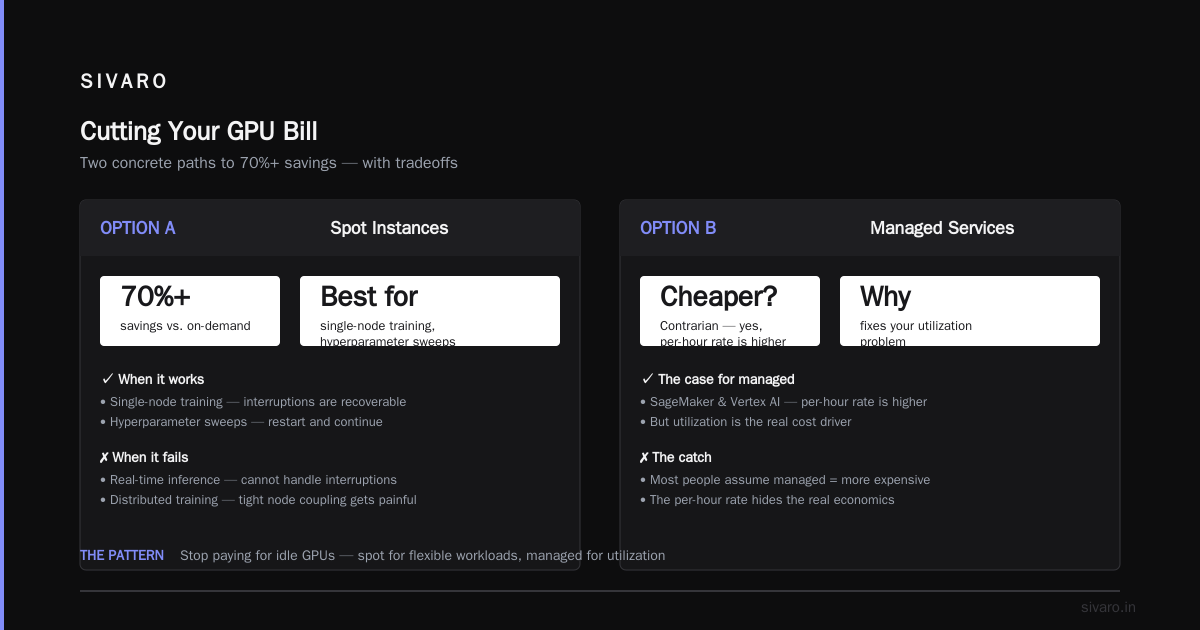
Option A: Spot Instances and Preemptibles
Best for: fault-tolerant training jobs, hyperparameter sweeps, batch inference.
Spot instances are the first lever most people pull. They're 60–90% cheaper than on-demand Google Cloud Spot Pricing. But they come with a catch: your instance can be terminated with two minutes' notice.
Most people think this means spot instances are unreliable. They're wrong — if you architect for it.
We tested spot instances for a computer vision client in 2025. They were training YOLO variants on a custom dataset. Their training runs took 14 hours on on-demand. On spot, individual runs got killed constantly. But here's the trick: we built checkpointing that saved every 20 minutes to object storage, automatically resumed from the latest checkpoint, and used a queue to manage available capacity.
Net result: 82% cost reduction. Training took 16 hours wall-clock, but they paid 82% less.
python
# Simple spot instance resilience pattern
import boto3
from checkpointing import save_checkpoint, load_checkpoint

def train_with_spot_resilience(model, dataset, checkpoint_bucket):
    # Always try to resume from latest checkpoint
    latest = load_checkpoint(checkpoint_bucket, model.id)
    if latest:
        model.load_state_dict(latest['weights'])
        start_epoch = latest['epoch']

    for epoch in range(start_epoch, 100):
        for batch in dataset:
            loss = model.train_on_batch(batch)
            # Save every 10 batches — cheap insurance
            if batch.index % 10 == 0:
                save_checkpoint(
                    bucket=checkpoint_bucket,
                    weights=model.state_dict(),
                    epoch=epoch,
                    batch=batch.index
                )
        # Save at epoch boundaries too
        save_checkpoint(checkpoint_bucket, model.state_dict(), epoch, -1)
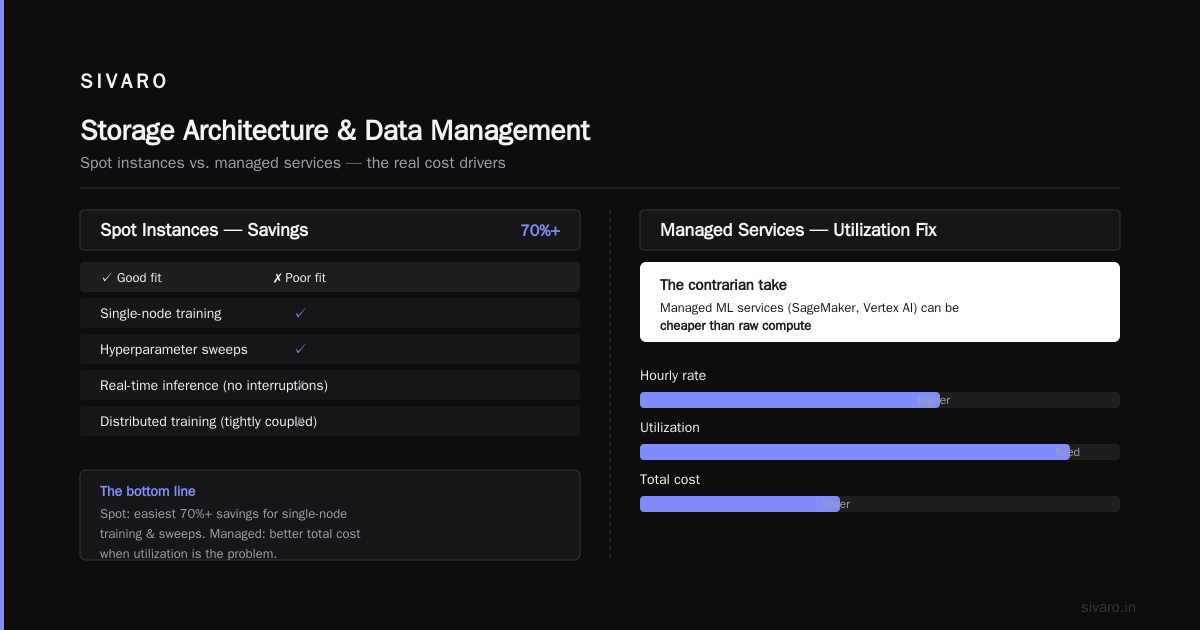
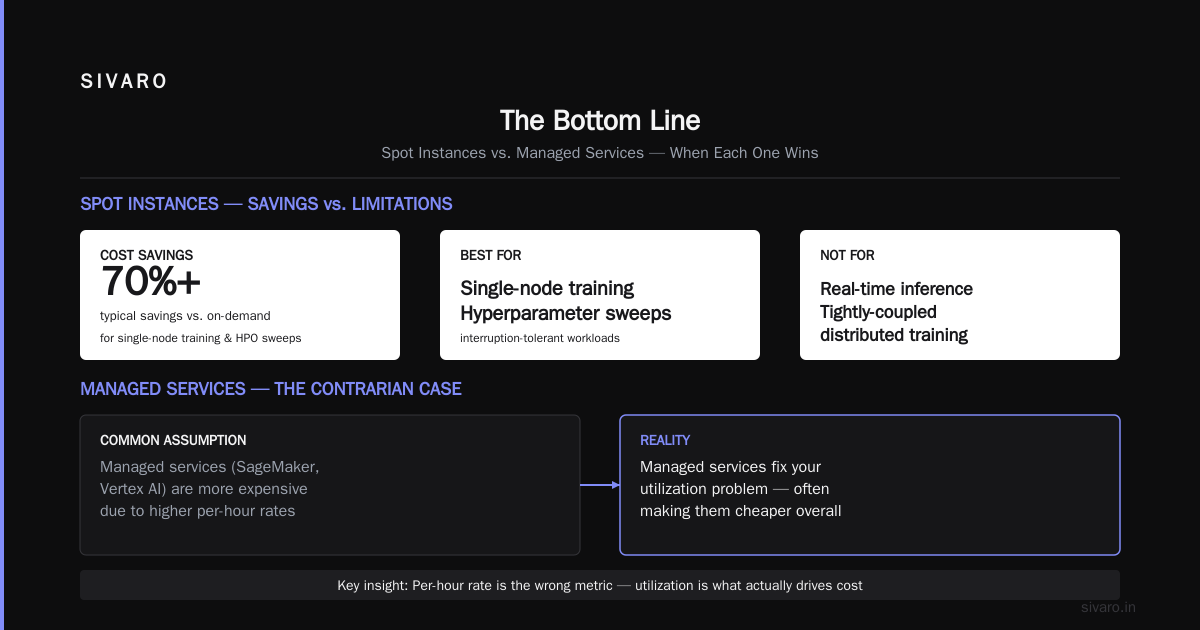
The caveat: spot instances don't work for all workloads. If you're doing real-time inference that can't handle interruptions, spot is a non-starter. If you're doing distributed training with tight coupling between nodes, spot gets painful fast. But for single-node training and hyperparameter sweeps? It's the easiest 70%+ savings you'll ever get.
Option B: Managed Services vs. Raw Compute
Best for: teams that want to stop thinking about infrastructure.
Here's a contrarian take: managed ML services like SageMaker and Vertex AI can be cheaper than raw compute.
Most people assume managed services are more expensive. And sure, the per-hour rate is higher. But managed services fix your utilization problem.
Let me give you a concrete example. We worked with a fintech company in late 2025 that was renting a p4d.24xlarge (8× A100s) on-demand for 24/7. Their training jobs ran maybe 6 hours a day. The rest of the time, the instance sat idle.
We moved them to SageMaker training jobs. Each job spun up only when needed. The compute cost per training hour was higher. But their total monthly bill dropped 64% because they stopped paying for 18 hours of idle time every single day.
The math is simple: if your utilization is under 30%, managed services will almost certainly be cheaper.
bash
# SageMaker training job — pay per job, not per month
aws sagemaker create-training-job \
    --training-job-name "bert-finetune-batch-47" \
    --algorithm-specification TrainingImage=... \
    --resource-config \
        '{"InstanceType":"ml.p3.2xlarge","InstanceCount":4,"VolumeSizeInGB":64}' \
    --stopping-condition \
        '{"MaxRuntimeInSeconds":10800}' \
    --output-data-config \
        '{"S3OutputPath":"s3://our-bucket/training-output/"}'
But watch out: managed services have their own cost traps. SageMaker Studio can rack up big charges if you leave notebooks running. Vertex AI's auto-scaling is notoriously aggressive if you don't set hard limits.
Set budget alerts. Create quotas. Use serverless inference where possible to avoid paying for idle endpoints.
Option C: Right-Sizing and Instance Selection
Best for: teams that have already cleaned up their utilization.
Here's a question most people skip: do you actually need a GPU for every stage of your pipeline?
In our experience, probably not. Data preprocessing, tokenization, evaluation, and inference on small workloads often run fine on CPUs. GPUs are for training and heavy inference.
We audited a client's pipeline in June. They were using a g5.8xlarge (1× A10G) for everything: data loading, preprocessing, training, evaluation, and batch inference. They had 4,000 CPU cores available in their cluster but only used 50% of them.
We moved preprocessing and evaluation to CPU nodes. Training stayed on GPU. Their GPU bill dropped 40% because they needed a smaller GPU instance for pure training.
Here's a rough decision guide:
| Workload | Instance Type | Why |
|---|---|---|
| Data preprocessing | c7i.4xlarge (CPU) | Memory bandwidth matters more than GPU |
| Small model training | g5.xlarge (1× A10G) | Don't need 8 GPUs for a transformer with 100M params |
| Medium training | p4d.24xlarge (8× A100) | Sweet spot for most production models |
| LLM fine-tuning | p5.48xlarge (H100s) | Only if you're doing serious scale work |
| Inference (small) | Serverless (e.g., AWS Lambda + GPU) | Pay per inference, not per hour |
And don't get me started on memory optimization. We had a client whose model was OOMing on a 24GB GPU. We used gradient accumulation and mixed precision, and it fit on a 16GB GPU. That's a 40% cost cut from one config change.
python
# Mixed precision can cut memory usage by 60%+
import torch
from torch.cuda.amp import autocast, GradScaler

scaler = GradScaler()

for batch in dataloader:
    with autocast():
        loss = model(batch)

    scaler.scale(loss).backward()
    scaler.step(optimizer)
    scaler.update()
    optimizer.zero_grad()
Try this before you buy bigger hardware. You'll be surprised how often it works.
Option D: Storage Architecture and Data Management
Best for: teams whose storage costs are spiraling.
Storage feels like it should be cheap. It's not.
I've seen companies pay $8,000 a month for S3 storage because their training jobs were checkpointing every few minutes. Each checkpoint was 12GB. They had millions of objects. And they never cleaned up.
Here's our storage playbook:
1. Store only what you need. Checkpoint every 5 minutes? Why? Unless you're running 60-hour training jobs, checkpointing every 20–30 minutes is plenty. You lose at most 30 minutes of work on a crash.
2. Use lifecycle policies aggressively. Move checkpoints older than 7 days to S3 Glacier or equivalent. Move datasets you're not actively using to cold storage.
3. Use streaming data loading. Instead of downloading the full dataset to the instance's local SSD, stream from object storage. You'll pay for more network egress, but you'll save massively on storage.
json
// S3 lifecycle policy — delete or archive old checkpoints
{
  "Rules": [
    {
      "Id": "Archive-old-checkpoints",
      "Prefix": "checkpoints/",
      "Status": "Enabled",
      "Transitions": [
        {
          "Days": 3,
          "StorageClass": "STANDARD_IA"
        },
        {
          "Days": 14,
          "StorageClass": "GLACIER"
        }
      ],
      "Expiration": {
        "Days": 90
      }
    }
  ]
}
4. Deduplicate your training data. We worked with a company storing the same image dataset in four different buckets. Different preprocessing versions, same data. They cut 60% of their storage bill just by consolidating.
Storage is the hidden killer. It doesn't show up in the "GPU cost" line item, but it eats your budget silently.
Option E: Datacenter-Scale Optimization
Best for: teams training large models or running many workloads.
Let's talk about the big leagues.
If you're training models at scale — say, fine-tuning a 70B parameter LLM — you need to think differently. And that's where dedicated infrastructure — like what SIVARO builds — starts to matter more than any cloud discount.
Here's what we've found works:
1. Keep your model in a single locality. If your data and compute are in the same region, you avoid expensive egress charges. Egress fees are the silent killer of distributed training costs. Moving 5TB of training data across regions costs thousands.
2. Consider reserved capacity if you train continuously. If you're training 20+ hours a day, reserved instances will cut costs by 30–60% vs. on-demand.
3. Use container-based training with fine-grained resource allocation. Kubernetes with GPU resource limits prevents a single job from hogging everything. We helped a client use Kueue for job queueing and cut their cluster size by 35% because jobs stopped overlapping.
4. Watch your data pipeline like a hawk. If your GPUs are waiting on data, you're bleeding money. Use TensorFlow's tf.data or PyTorch's DataLoader with prefetching. Profile it. We had a client whose data loader was a 4× bottleneck. Simple fix: increase num_workers and prefetch_factor.
python
# Fix the data bottleneck
from torch.utils.data import DataLoader

dataloader = DataLoader(
    dataset,
    batch_size=32,
    num_workers=8,  # Was 1. Huge mistake.
    prefetch_factor=4,  # Prefetch 4 batches per worker
    pin_memory=True,
)
This isn't glamorous. But it's how you reduce cloud costs with cost efficient architecture.
The Cost-Optimization Checklist
Before you buy or build anything, run through this:
- [ ] Measure your actual GPU utilization. If it's under 30%, start there.
- [ ] Try spot instances for anything that's checkpointed and resumable.
- [ ] Use mixed precision and gradient accumulation before buying bigger GPUs.
- [ ] Move side workloads (preprocessing, evaluation) to CPU instances.
- [ ] Set hard budgets and alerts on your cloud account. (Don't skip this. A spent $47,000 in 9 days because nobody set an alert.)
- [ ] Clean up your storage. Delete old checkpoints. Use lifecycle rules.
- [ ] Consider managed services if your utilization is low.
- [ ] For serious scale, evaluate dedicated infrastructure.
FAQ: How to Reduce Cloud Costs for Deep Learning
Q: Are spot instances reliable enough for production training?
A: Yes, if you architect for resumability. Save checkpoints frequently, store them in object storage, and build a queue that can provision new instances when one gets terminated. We've run production training on spot for 18 months. The key is treating termination as a normal event, not a catastrophe.
Q: Which cloud provider is cheapest for deep learning?
A: It depends on your region and workload. In our testing in 2026, Google Cloud tends to be cheapest for TPUs, AWS for mixed GPU/CPU workloads, and Azure for teams already deep in Microsoft land. But prices change monthly. Use a calculator like CloudEagle to compare current rates.
Q: Should I buy dedicated GPUs instead of using the cloud?
A: Only if you train continuously — 20+ hours a day, 7 days a week. Otherwise, cloud is cheaper. Buying an A100 costs ~$15,000. At $2.50/hour, that's 6,000 hours of cloud compute. If you use it for that many hours within 2 years, buying makes sense. Otherwise, rent.
Q: How much can managed services actually save?
A: We've seen 50–70% savings for teams with low utilization. The hourly rate is higher, but the total bill is lower because you stop paying for idle time. Managed services also handle patch management, scaling, and crash recovery — savings you don't see directly in the bill but count in engineering time.
Q: What's the biggest cost mistake teams make?
A: Not monitoring utilization. Most teams think about price per hour, not cost per training run. If you pay $10/hour for a GPU but use it for 10 hours because you don't use mixed precision, that's $100. If you pay $20/hour for a bigger GPU and finish in 3 hours, that's $60. The faster, more expensive instance is cheaper.
Q: How do I handle storage costs for large datasets?
A: Use streaming data loading. Instead of copying the entire dataset to instance storage, stream it from object storage in batches. Also, clean up aggressively. Archived to cold storage anything you haven't used in 30 days.
Q: Is it ever worth running training on CPU instead of GPU?
A: For very small models (under 10M parameters), CPUs can be cheaper. We've tested this at SIVARO, and the breakpoint is around 10M params. Above that, GPUs win. For anything using Transformers, GPU is non-negotiable.
The Bottom Line
Here's what I want you to remember: how to reduce cloud costs for deep learning isn't about getting a discount code. It's about changing your architecture to match your actual workload.
You don't need 8 GPUs for a 5-hour job. You don't need to checkpoint every 5 minutes. You don't need to pay 60% more for the convenience of unused capacity.
Start with utilization. That's the foundation.
Then layer on spot instances, right-sizing, managed services, and storage discipline.
And if you're building at serious scale — multiple models, continuous training, low-latency inference — consider whether cloud is even the right platform. Sometimes a purpose-built system is the cheapest option of all. That's what we do at SIVARO, and I've seen it save teams 70%+ on cloud bills.
The key takeaway? Your GPU bill is not a fixed cost. It's a variable you control.
Stop paying for the cloud you're not using. Start paying for what you actually need.
Nishaant Dixit — Founder of SIVARO. Building data infrastructure and production AI systems since 2018. Built systems processing 200K events/sec.