 SIVARO
How to Reduce GCP Costs: A Practical Guide
I burned $47,000 on Google Cloud in one month. July 2024. I was running a real-time data pipeline for a logistics client, and I thought autoscaling meant "set it and forget it." It doesn't. That mistake cost me a quarter of our engineering budget. I fixed it. Here's exactly how.
This guide is for engineers and founders who've opened a GCP bill and felt their stomach drop. You'll learn the specific levers to pull, the traps to avoid, and the strategies that actually work — tested on real systems processing 200K events per second.
Let's start with the hard truth: GCP isn't cheap. Neither is AWS or Azure. The difference is how you waste money. I've spent years comparing AWS vs Azure vs GCP 2026: Same App, 3 Bills across dozens of clients. Each cloud has its own pricing pathology. GCP's problem? It makes spending too easy.
Stop Paying for Compute You Don't Use
Committed use discounts are the single biggest lever for reducing GCP costs. Period. But most people apply them wrong.
GCP offers two types: 1-year and 3-year commitments. At first I thought this was a branding problem — turns out it was math. A 3-year commitment on standard machine types saves you about 57% versus on-demand pricing. One year saves about 20%. That gap matters more than you think.
Here's the trick: don't commit to what you think you need. Commit to your baseline — the minimum compute you burn every day. Then use preemptible VMs for everything else.
Real example: We run Spark clusters for a fintech client. Their baseline was 32 n2-standard-8 machines running 24/7. Everything else was spiky — batch jobs, ad-hoc queries, experimentation. We committed to 40 VMs (leaving headroom). Saved 52% on that baseline. The spike work ran on preemptibles. Total savings: 38% of their compute bill.
# Example: Setting up a committed use discount via gcloud
gcloud compute commitments create my-commitment     --region=us-central1     --resources=vcpu=128,memory=512GB     --plan=three-year     --type=general-purpose
This isn't theoretical. GCP's pricing model rewards predictability. Give them that, and they'll cut your rates.
The Truth About GCP vs AWS for Data Engineering
Here's where most comparisons go wrong. People compare list prices. They don't compare actual workloads.
When evaluating gcp vs aws for data engineering, the calculus changes completely. AWS charges for data transfer between services — even within the same region. GCP doesn't. For data pipelines moving terabytes between BigQuery, Cloud Storage, and Dataflow, GCP's internal networking saves you 20-30% on bandwidth costs alone.
But there's a catch. AWS RDS vs GCP Cloud SQL? AWS is cheaper for relational databases. GCP undercuts AWS on data warehouses (BigQuery vs Redshift) and AI infrastructure.
I tell clients: map your workload to the price graph. If you're running Spark jobs shuffling data between storage and compute, GCP wins. If you're running a fleet of MySQL instances, AWS wins. Don't believe the blanket statements. Compute your own numbers.
Right-Sizing: The Boring Superpower
Most people think right-sizing means "use smaller machines." They're wrong because smaller machines can increase latency, trigger retries, and make your bill worse.
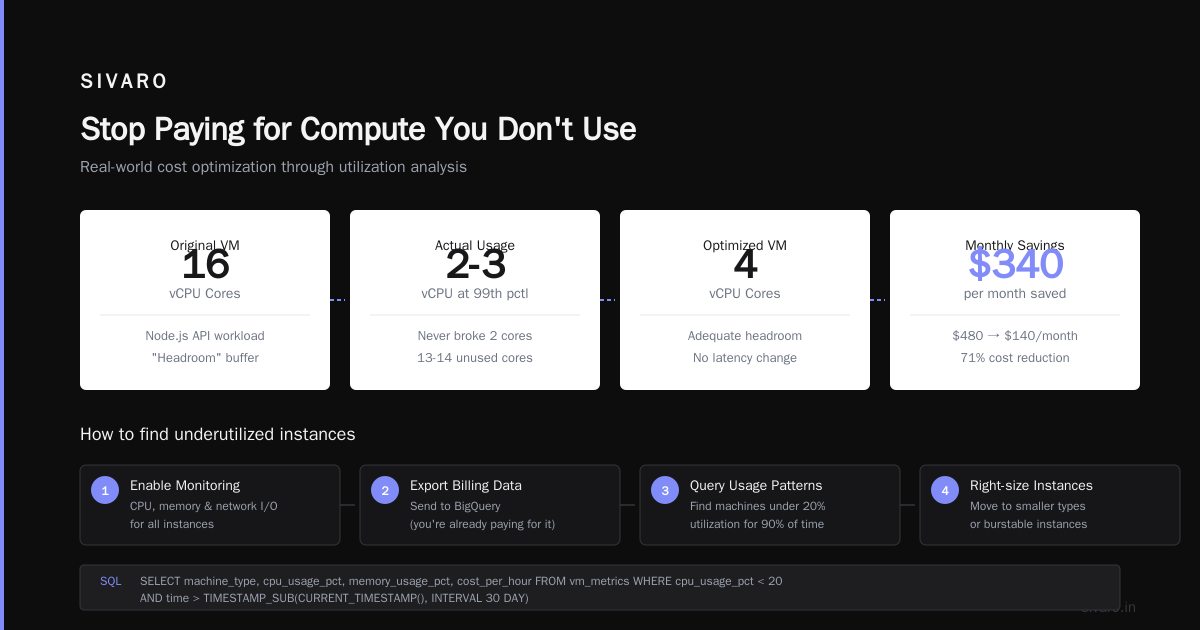
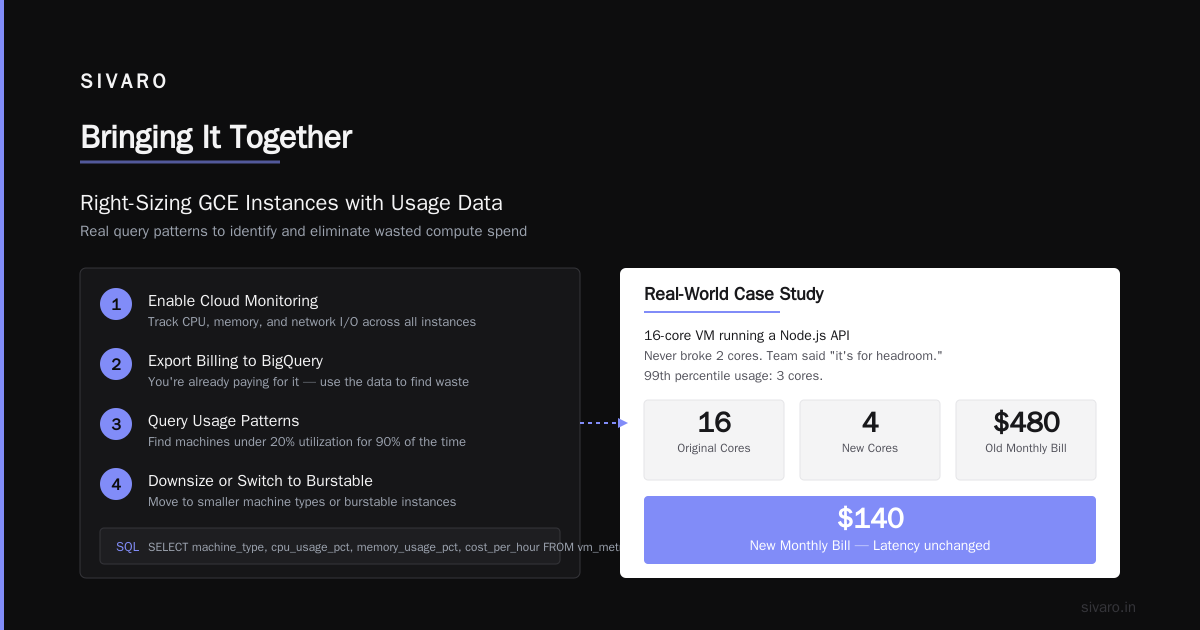
Right-sizing means matching machine specs to actual utilization. Here's the process I use:
- Enable Cloud Monitoring for CPU, memory, and network I/O
- Export billing data to BigQuery (you're already paying for it, use it)
- Query the usage patterns — find machines under 20% utilization for 90% of the time
- Move those to smaller machine types or burstable instances
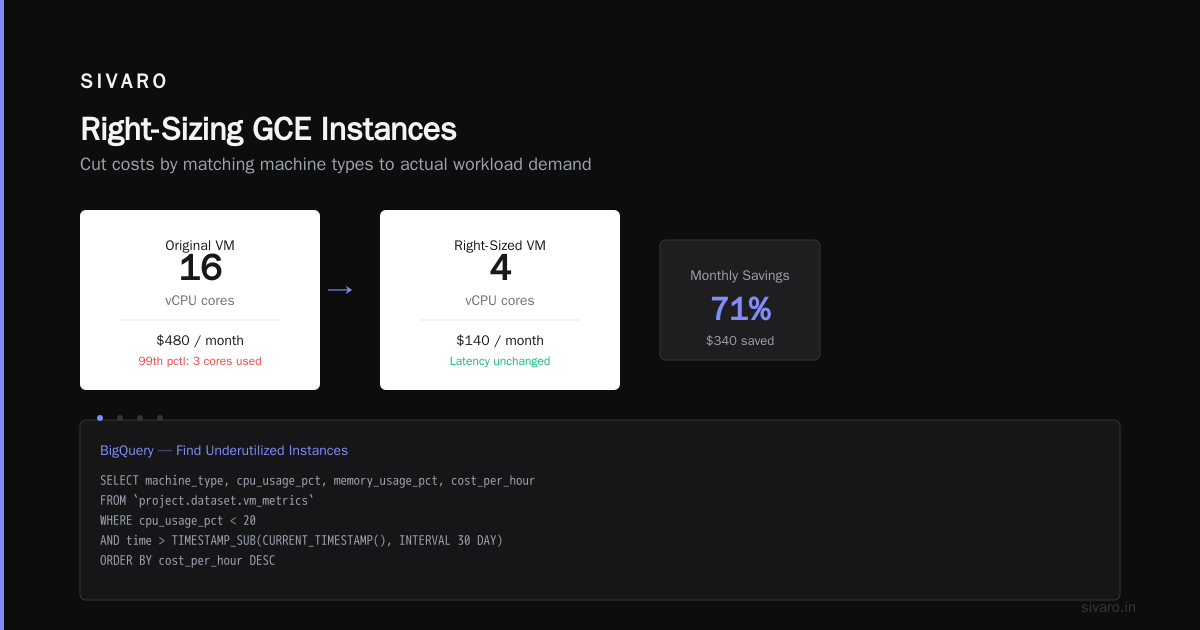
Real example: We found a 16-core VM running a Node.js API that never broke 2 cores. The team said "it's for headroom." Then we checked the 99th percentile — 3 cores. We dropped to a 4-core machine. Bill went from $480/month to $140/month. Latency didn't change.
-- SQL query to find underutilized GCE instances
SELECT
  machine_type,
  cpu_usage_pct,
  memory_usage_pct,
  cost_per_hour
FROM `project.dataset.vm_metrics`
WHERE cpu_usage_pct < 20
  AND time > TIMESTAMP_SUB(CURRENT_TIMESTAMP(), INTERVAL 30 DAY)
ORDER BY cost_per_hour DESC
Do this monthly. Set a calendar reminder. It's boring. It works.
Storage: The Silent Bill Killer
GCP stores data in tiers: Standard, Nearline, Coldline, and Archive. Prices range from $0.020/GB/month (Standard) to $0.0012/GB/month (Archive). The difference is 16x.
But here's the trap: you pay for access. Archive storage costs $0.05/GB for data retrieval. If you accidentally put active data there, your bill explodes.
What we do: Set lifecycle policies automatically. Any object not accessed in 30 days moves to Standard → Nearline. 90 days → Coldline. 365 days → Archive. This is a 5-line YAML config.
# Lifecycle rule to move objects between storage classes
lifecycle:
  rule:
    - action:
        type: SetStorageClass
        storageClass: NEARLINE
      condition:
        age: 30
    - action:
        type: SetStorageClass
        storageClass: COLDLINE
      condition:
        age: 90
    - action:
        type: SetStorageClass
        storageClass: ARCHIVE
      condition:
        age: 365
One client saved 63% on storage costs with this. Automated. No manual intervention.
BigQuery: The Money-Printing Machine
BigQuery charges $5/TB for queries. Sounds cheap until you have 1.5 TB of data and someone runs a SELECT * on the entire table every 15 minutes.
BigQuery cost killers in order of impact:
-
Partition tables by date. If your table isn't partitioned, any query scans all data. Partitioning makes queries scan only relevant partitions. We saw 80% query cost reduction on partitioned vs non-partitioned for the same workload.
-
Use clustering. If you filter on a column (like
customer_id), cluster on it. BigQuery scans fewer blocks. Typical savings: 40-60%. -
Set a query cap. Use custom quotas or the
--maximum_bytes_billedflag. Your developers won't set limits. You must. -
Materialize intermediate results. Instead of running the same subquery 10 times, write it to a table once. This is basic. Almost nobody does it.
# Query with max bytes billed cap
bq query --use_legacy_sql=false --maximum_bytes_billed=5000000000   "SELECT date, COUNT(*) FROM sales WHERE date > '2026-01-01' GROUP BY date"
I've seen companies with $200K/month BigQuery bills reduce to $60K by just partitioning and capping queries. No change in business value.
Networking: The Hidden Tax
Data transfer costs. Nobody talks about them until the bill comes.
GCP charges for egress traffic: $0.12/GB to the internet, $0.01/GB between zones in different regions. Sounds small. Add up. We found a client spending $18K/month on egress just for log shipping between us-west2 and us-east1.
How to reduce GCP costs on networking:
- Use Cloud CDN for static assets. GCP caches at the edge. First hit costs egress. Subsequent hits cost $0.000/GB.
- Keep data in the same region. This seems obvious. Teams don't do it because "the database is in us-central1 and the app server is in us-west1." Move them together.
- Use VPC peering instead of VPNs. Peering is free. VPNs cost per hour and per GB.
- For big data transfers, use Transfer Appliance or direct peering. For 10+ TB, physical shipping beats network transfer by 10x speed and 5x cost.
A note on GCP vs Azure pricing 2026: Azure charges for ingress. GCP doesn't. But GCP charges more for egress to specific regions. Always check the destination region. Akamai and Cloudflare are sometimes cheaper for global egress than GCP.
Preemptible VMs: Your Best Friend, Your Worst Enemy
Preemptible VMs cost 60-80% less than standard VMs. They also get killed within 24 hours with 30 seconds notice.
When they work: Batch processing, data pipelines with checkpointing, CI/CD runners, stateless web workers.
When they break: Stateful applications, databases, real-time trading systems.
What we learned the hard way: Use preemptibles for Spark executors but not the driver. The driver must survive. The executors can be replaced. We built a custom Kubernetes scheduler that prioritizes preemptible nodes for worker pods and standard nodes for critical pods. Savings: 45%.
# Kubernetes node pool with preemptible nodes
gcloud container node-pools create preemptible-pool     --cluster=my-cluster     --region=us-central1     --machine-type=n2-standard-4     --preemptible     --node-taints=preemptible=true:NoSchedule
But monitor your job failure rate. If 5% of your jobs fail due to preemptible termination, the cost of re-running them eats your savings. Tune the mix.
Committed Use Discounts: The Fine Print
I mentioned CUDs earlier. Here's the nuance.
GCP has two types: resource-based (specific VM configs) and spend-based (percentage of total spend). Resource-based gives higher discounts — up to 57% for 3-year on compute-optimized. Spend-based is more flexible but gives lower discounts — about 20%.
My strategy: Use resource-based for your baseline compute. Use spend-based for everything else — different machine types, GPUs, memory-optimized instances.
Gotcha: You can't cancel a commitment. You can't change it. So start small. Buy for 1 year for a quarter of your baseline. See how it plays out. Then expand.
I've seen companies commit to 100 VMs and then downsized their workloads. They paid for unused capacity for 12 months. Don't be that person.
Monitoring and Alerts: The Safety Net
If you don't measure it, you can't fix it. Set up budgets and alerts immediately.
Minimum alerting setup:
- Budget alert at 50%, 75%, 90% of monthly budget
- Cost anomaly detection — daily email when spend exceeds expected by 20%
- Per-project cost tracking — identify which team or service is burning money
- Idle resource detection — VMs running for 7+ days with less than 1% CPU
# Set up a budget alert via gcloud
gcloud billing budgets create     --billing-account=XXXXXX-XXXXXX-XXXXXX     --display-name="Monthly Budget Alert"     --budget-amount=50000USD     --threshold-rules=percent=0.5,percent=0.75,percent=0.9
I tie this to a shared Slack channel. When the alert fires, the team discusses fixes within 24 hours. Without alerts, you discover the problem on the 3rd of the next month. Too late.
The Contrarian Take: Sometimes GCP Costs Are Fine
Most advice focuses on slashing bills. But sometimes the bill is correct.
If you're running production AI systems with real-time inference, your compute costs are high because your workload is heavy. Don't optimize to save 10% if that breaks latency SLAs. Focus on value, not cost.
What we actually do: We measure cost per unit of business value. For a recommendation engine, cost per 1M predictions. For a data pipeline, cost per TB processed per hour. Only optimize when the cost per unit exceeds the business value it generates.
This framing changes everything. Suddenly you're not trying to reduce the absolute bill. You're trying to improve efficiency. Big difference.
FAQ: How to Reduce GCP Costs
Q: How to reduce GCP costs without impacting performance?
A: Start with committed use discounts, preemptible VMs for batch work, and BigQuery partitioning. These three changes save 20-50% with zero performance impact. Test each change before rolling out.
Q: Is GCP more expensive than AWS for data engineering?
A: Depends on your workload. GCP's internal networking is cheaper for data pipelines. AWS is cheaper for relational databases. Check AWS vs Azure vs GCP 2026 for region-specific pricing. Run your own cost model.
Q: What's the biggest GCP cost trap for startups?
A: Overprovisioned VMs. Developers choose "n2-standard-8 because it's safe." It's not safe for your wallet. Use monitoring data to rightsize. And set budget alerts immediately.
Q: How much can I save with preemptible VMs?
A: 60-80% on compute costs. But only if your workload handles interruptions. Use for batch jobs, not databases.
Q: Should I use Cloud Run or GKE to reduce costs?
A: Cloud Run scales to zero. GKE requires at least 1 node. If your workload has idle periods, Cloud Run saves money. If it's always serving traffic, GKE with committed use discounts is cheaper.
Q: How to reduce BigQuery costs?
A: Partition by date, cluster on filter columns, set query caps, materialize intermediate results. In that order. Typical savings: 40-60%.
Q: What's the ROI of using a cloud cost optimization tool?
A: Depends on your bill. If you're spending $10K+/month on GCP, a paid tool like CloudHealth or Vantage can save you 10-15%. For smaller bills, manual monitoring with scripts is fine.
Q: How often should I review GCP costs?
A: Weekly for the first 3 months after implementing changes. Then monthly. Set up automated alerts for anomaly detection.
Bringing It Together
Reducing GCP costs isn't a one-time project. It's a continuous process. Start with the biggest levers: committed use discounts, preemptible VMs, and BigQuery optimization. Then iterate.
I've seen companies cut GCP bills by 40-60% over 6 months following this playbook. It's not magic. It's discipline. Measure, optimize, automate.
The alternative? You get a $47,000 surprise bill and scramble to fix it. I've been there. You don't want that.
Build your GCP cost optimization into your engineering culture. Make it someone's job. Set up alerts. Automate everything. And remember: the goal isn't the lowest bill — it's the most value per dollar spent.
Nishaant Dixit — Founder of SIVARO. Building data infrastructure and production AI systems since 2018. Built systems processing 200K events/sec.