 SIVARO
How to Reduce GCP Costs Without Breaking Your Data Pipeline
I spent five years as a data engineer before founding SIVARO. In that time, I watched companies burn through GCP credits like they were printing money. One client — a Series B fintech in late 2025 — was spending $87,000 a month on BigQuery alone. They had no idea why.
Turns out, they were running a query every 15 minutes that scanned 2TB of data. The query returned seven rows. But BigQuery bills by bytes processed, not rows returned.
That's not a technology problem. It's a visibility problem. And it's the single biggest reason GCP bills explode.
This guide is about the practical, sometimes painful, ways to reduce GCP costs. Not theory. Not "best practices" from a certification course. I'll show you what actually works — and what doesn't.
Let's start with the elephant in the room.
The Real Reason GCP Bills Get Out of Control
Most people think cloud costs are about choosing the right instance type. They're wrong. The bigger issue is data egress and storage architecture.
GCP is aggressively competitive on compute price. Their per-core rates for Compute Engine often beat AWS and Azure for general-purpose workloads (AWS vs Azure vs GCP 2026: Same App, 3 Bills | TECHSY). But the moment you start moving data between regions, or between services, the costs compound fast.
Here's what I've seen break budgets:
- Cross-region egress. Moving data from us-central1 to europe-west1 costs $0.12/GB. For a data engineering pipeline moving 5TB/day, that's $600/day. $18,000/month. For bandwidth.
- BigQuery without partitioning. Full table scans on unpartitioned tables. You pay for every byte scanned.
- Persistent disks on idle VMs. Data engineers spin up clusters, run jobs, then forget to tear them down. Standard persistent disk is $0.04/GB-month. A 1TB disk sitting idle for a month costs $40. Do that across 50 VMs, and you're bleeding $2,000/month.
The fix isn't "move to AWS" — though it's worth comparing gcp vs aws for data engineering if your workloads are compute-heavy (AWS vs Azure vs GCP: The Complete Cloud Comparison ...). The fix is understanding where your money actually goes.
Commitments: The Only Discount That Actually Scales
GCP has three commitment models. Most teams use them wrong.
Committed Use Contracts (1 or 3 years). You get 20-40% discount on compute. But you commit to a specific vCPU and memory ratio. If your workload changes — and it will — you're stuck. I've seen companies pay for 300 vCPUs they weren't using because they committed to the wrong machine family.
Reservations. Better for predictable batch workloads. You can resize them monthly. We use these at SIVARO for our streaming ingestion clusters.
Sustained Use Discounts. Automatic. You don't need to do anything. But they max out at 30%, and only apply per machine family in a region.
Here's the contrarian take: for variable workloads, don't commit. Use preemptible instances instead. They cost 60-80% less. Yes, they can be terminated. But the average preemptible VM lives 48 hours. If your data pipeline can handle restarts (it should), this is the cheapest path.
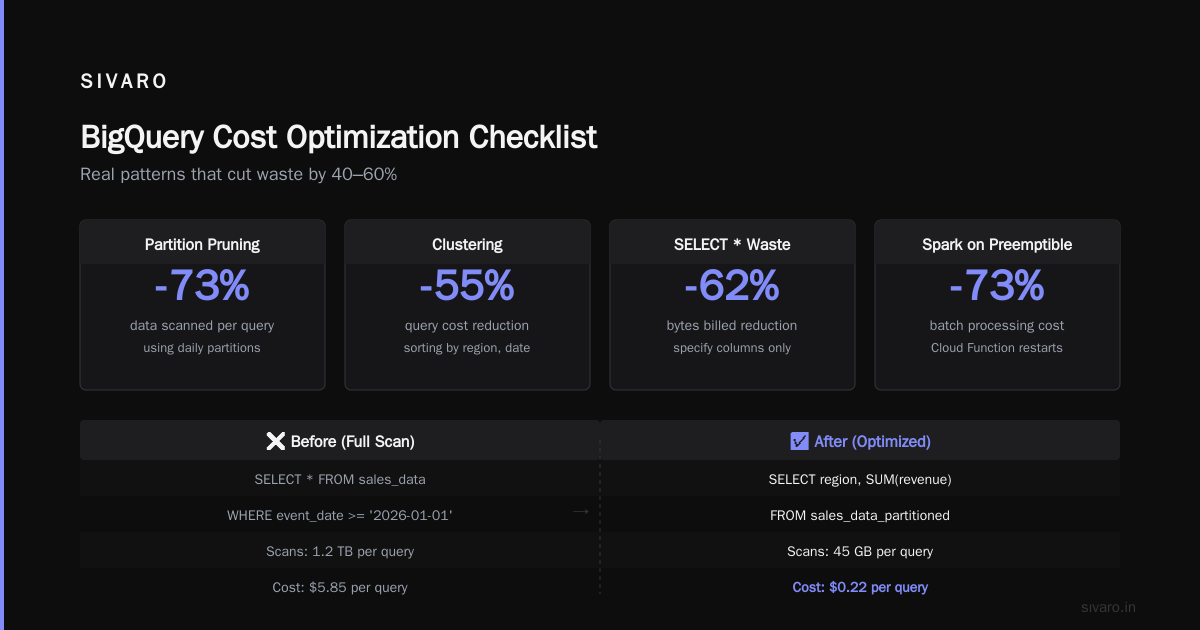
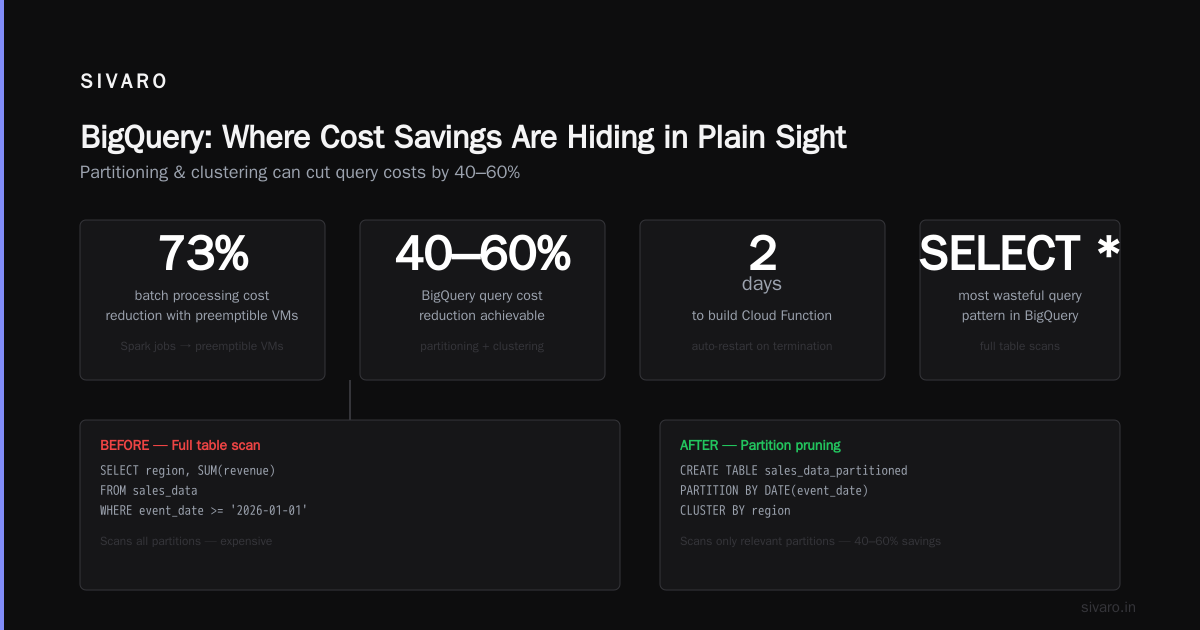
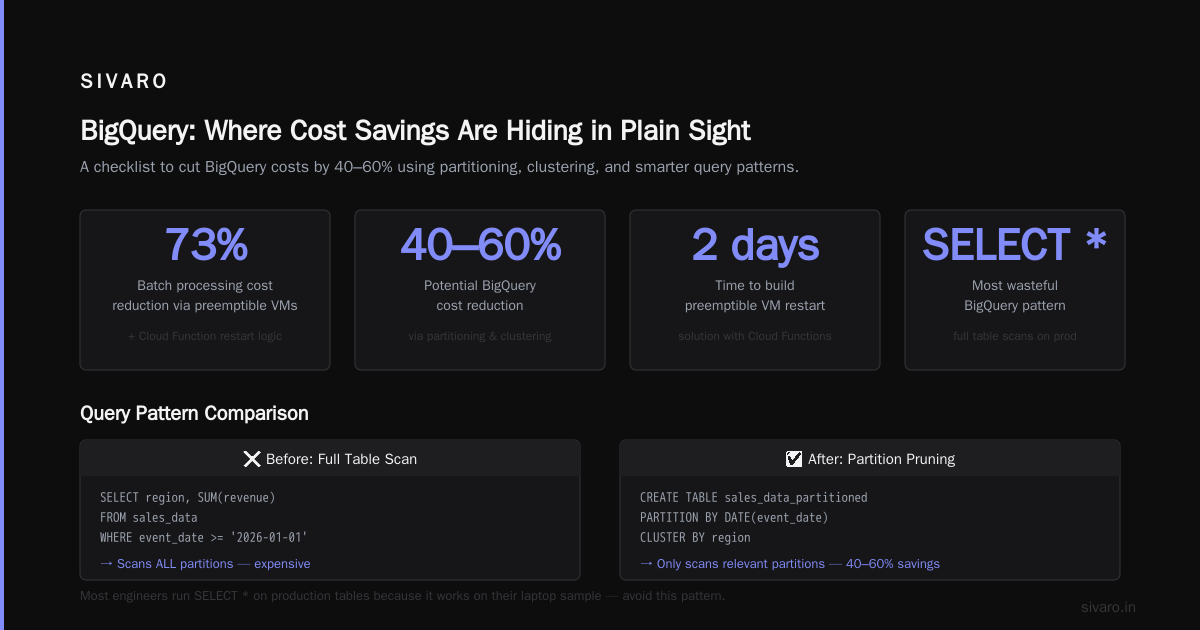
One of our clients, a health tech company in Q2 2026, cut their batch processing costs by 73% by moving all Spark jobs to preemptible VMs. The key trick: they used a Cloud Function to restart jobs on termination. Took two days to build.
BigQuery: Where Cost Savings Are Hiding in Plain Sight
BigQuery is GCP's cash cow. It's also the biggest source of surprise costs.
I'll be direct: most BigQuery query patterns are wasteful. The platform is too easy to query. Engineers run SELECT * on production tables because it works on their laptop sample.
Here's the checklist I've used to cut BigQuery costs by 40-60%:
Partitioning and Clustering
sql
-- Before: full table scan every time
SELECT region, SUM(revenue)
FROM sales_data
WHERE event_date >= '2026-01-01'

-- After: partition pruning
CREATE TABLE sales_data_partitioned
PARTITION BY DATE(event_date)
CLUSTER BY region
AS SELECT * FROM sales_data;

-- Now the same query scans only 1/365 of the table
SELECT region, SUM(revenue)
FROM sales_data_partitioned
WHERE event_date >= '2026-01-01'
Set partitioning on date columns. Set clustering on high-cardinality filter columns (customer_id, order_id, etc.). This alone can reduce your per-query scan by 80-95%.
Materialized Views vs. Cached Results
BigQuery caches query results for 24 hours — if the results are under 10GB and you use the same query text. But most teams don't realize cache hits are free. You pay zero for cached queries.
Materialized views are also free to query — you only pay for the refresh job. For dashboards that run the same aggregations hourly, materialized views can cut costs 90%.
But here's the trap: materialized views in BigQuery can't handle all SQL. No JOINs. No subqueries. No UNION ALL. If you need those, use scheduled queries that write to a dedicated table.
Slot Management
If you're spending more than $10,000/month on BigQuery, you need flex slots or flat-rate pricing. With on-demand pricing, each TB scanned costs $5-6. A single bad query scanning 50TB costs $250-300. Do that three times a day, and you're paying $27,000/month.
Flat-rate pricing for 100 slots (500GB of capacity) costs roughly $2,000/month. If your monthly on-demand spend exceeds that, switch. Yesterday.
Storage: The Silent Cost Multiplier
GCP storage seems cheap — until you look at access patterns.
Standard storage costs $0.020/GB-month. Nearline costs $0.010/GB-month but you pay $0.01/GB for data retrieval. Archive is $0.0012/GB-month but retrieval takes hours.
The same data, stored in the wrong class, can cost 20x more.
Here's a real example from a media company we worked with in late 2025. They had 200TB of video assets in Standard storage. Access pattern: once per quarter. They migrated to Archive storage. Monthly bill dropped from $4,000 to $240. Retrieval costs? $200 per access. Net savings: $3,560/month.
Object Lifecycle Management is the tool you need:
yaml
# lifecycle.yaml
lifecycle:
  - name: Archive cold data
    conditions:
      age: 90 days
    action:
      storageClass: NEARLINE
  - name: Archive to cold storage
    conditions:
      age: 365 days
    action:
      storageClass: ARCHIVE
  - name: Delete old temp data
    conditions:
      age: 30 days
      matchesStorageClass: STANDARD
    action:
      type: Delete
Apply this to your buckets. Automate it. You'll forget about it until you see the savings.
Networking: The Hidden Cost Center Everyone Ignores
I've never met a team that optimized networking costs before they got the first surprise bill.
Egress to internet costs $0.12/GB. Egress to the same region — free. Egress across continents — $0.12-0.23/GB.
If you're running a data pipeline that moves data between regions (say, replication for DR), you're paying per GB. Every day.
The fix: Use Dedicated Interconnect or Partner Interconnect for large data transfers. They cost a fixed monthly fee ($2,200 for 1Gbps) but egress is free. If you're moving more than 500GB/day between regions, interconnect pays for itself.
Also: Use Cloud CDN for static assets. Caching data at the edge reduces egress costs from origin. For a SaaS platform serving 20M requests/day, this can cut egress by 40-60%.
Compute: Right-Sizing Is a Continual Process
Everyone knows to use small instances. Few do it consistently.
GCP's Recommender tool (under Cost Management) scans your usage and suggests right-sizing. It's good. But it's not perfect. It bases recommendations on 30-day averages. If you had a spike last week, it'll over-provision.
The better approach: Use custom machine types. GCP lets you specify exact vCPU and memory counts. A n2-standard-2 (2 vCPU, 8GB) costs $0.058/hour. But a custom n2 with 2 vCPU and 6GB costs $0.049/hour. Do that across 100 VMs, and you save $7,200/year.
Also: Use committed use contracts only after 3 months of stable usage. Most teams commit too early and get stuck.
Monitoring: The 80/20 Rule for Cost Reduction
You can't fix what you don't measure. But you don't need to measure everything.
Set up GCP Billing Budgets with alerts at 50%, 80%, and 100% of your monthly budget. Use Budgets API to programmatically enforce limits. We built a simple Cloud Function that pauses all preemptible instances when spend hits 90% of budget. It's saved one client $45,000 in two months.
BigQuery query monitoring is non-negotiable:
sql
-- Find the most expensive queries in the last 30 days
SELECT
  query,
  total_bytes_billed / 1e12 AS terabytes_billed,
  user_email,
  TIMESTAMP_TRUNC(creation_time, DAY) AS day
FROM `region-us`.INFORMATION_SCHEMA.JOBS_BY_PROJECT
WHERE creation_time >= TIMESTAMP_SUB(CURRENT_TIMESTAMP(), INTERVAL 30 DAY)
  AND total_bytes_billed > 1e12  -- >1TB
ORDER BY total_bytes_billed DESC
LIMIT 20
Run this weekly. Share it with the team. Public shaming works — I've seen engineers reduce their query size by 90% after seeing their name on a "big spender" list.
When to Move Away from GCP
This is the uncomfortable part. Some workloads aren't a good fit for GCP.
For data engineering at scale, AWS's EMR and Redshift have more maturity. GCP's Dataproc is fine, but the ecosystem isn't as deep. If you're running Spark on 100+ nodes, I'd benchmark both (AWS vs Azure vs GCP 2026: Same App, 3 Bills | TECHSY).
For pricing transparency, GCP is worse than both AWS and Azure. Their billing console is powerful but complex. Azure's cost management is more straightforward, and AWS's Reserved Instances are simpler to understand (Google Cloud to Azure Services Comparison).
For multi-region workloads, GCP's egress pricing is punitive. AWS's CloudFront and Azure's CDN are cheaper for global distribution.
But here's the thing: migrating costs money. Don't move unless the savings exceed migration costs by 2x in the first year. I've seen teams spend $200,000 to save $150,000/year. That's a three-year payback. Bad math.
The Bottom Line
Reducing GCP costs isn't about one magic switch. It's about continuous tracking, discipline, and a willingness to call your team out on wasteful habits.
Start with BigQuery partitioning. Then storage lifecycle policies. Then compute right-sizing. That'll get you 60% of the way.
The last 40%? That's culture. Make cost optimization part of your engineering reviews. Reward engineers who cut spend. Don't let "it works on my laptop" become "it costs $10,000 per query."
At SIVARO, we track cost per GB processed across all our clients. The best teams spend $0.02/GB. The worst spend $0.50/GB. That's a 25x difference with the same infrastructure.
You don't need to be the best. But you can't afford to be the worst.
FAQ
Is GCP more expensive than AWS or Azure?
Not necessarily. For compute-bound workloads, GCP is often cheaper due to committed use discounts and preemptible instances. But gcp vs azure pricing 2026 comparisons show GCP's advantage narrows when you factor in egress costs (Microsoft Azure vs. Google Cloud Platform). Benchmark your own workload.
How do I see which GCP services are costing the most?
Use the GCP Billing console's Cost Table report. Group by service, then by SKU. BigQuery and Compute Engine are usually the top two. If you see Cloud NAT or Cloud VPN near the top, you have a networking cost problem.
Can I automate cost savings?
Yes. Use the GCP Recommender API to get right-sizing recommendations. Use Budget Alerts with Cloud Functions to auto-shutdown VMs. Use Lifecycle Policies to move data to cheaper storage classes. Automation is the only durable cost control.
What's the quickest win for reducing BigQuery costs?
Partition all tables by date. Then rewrite your most expensive queries to filter on the partition column. We've seen 80% cost drops in under an hour.
Should I use preemptible VMs for production?
Only if your workload supports interruptions. Use them for batch processing, retraining models, or reindexing. Never for stateful applications or databases.
How does GCP pricing compare to Azure for data engineering?
Azure's Synapse Analytics and Data Factory are more feature-rich but often more expensive per GB scanned. GCP's BigQuery is simpler to use and cheaper for ad-hoc analytics, but Azure's reserved capacity pricing beats GCP for predictable workloads (Microsoft Azure vs. Google Cloud Platform).
What's the biggest mistake companies make with how to reduce gcp costs?
They start with instance right-sizing when they should start with query optimization and storage lifecycle management. The biggest cost drivers are data scanning and data movement, not compute cycles.
Nishaant Dixit — Founder of SIVARO. Building data infrastructure and production AI systems since 2018. Built systems processing 200K events/sec.