 SIVARO
How to Reduce GCP Costs Without Sacrificing Performance
I blew $47,000 on Google Cloud in one month. That's not a hypothetical. That was my real bill in March 2024 at SIVARO, and I almost choked on my coffee when I opened the invoice.
Here's the thing about GCP costs: they're sneaky. AWS punches you in the face with upfront pricing. Azure wraps everything in enterprise licensing knots. But GCP? GCP lulls you into thinking everything is cheap because the unit prices look reasonable. Then you get the bill and realize you've been running 37 redundant instances for three weeks because a junior engineer clicked "deploy."
I'm Nishaant Dixit. I've been building production AI systems since 2018. My team processes roughly 200,000 events per second across GCP, AWS, and on-prem infrastructure. We've made every mistake you can make with cloud spend. This guide is what I wish someone had handed me before that $47,000 month.
You'll learn exactly how to reduce GCP costs — from the obvious stuff (committed use discounts) to the stuff nobody talks about (like how your logging pipeline might be your biggest expense).
The Real Problem Isn't Reserved Instances
Most cost optimization advice starts with "buy committed use discounts." That's fine. You should do that. But if you're reading this thinking reserved instances are your silver bullet, you're already behind.
The biggest waste I see? Orphaned resources. Not compute spend. Not storage. Things running that nobody remembers creating.
At SIVARO, we found 14 load balancers with zero active backends. Just sitting there, accruing charges. That's $800/month for absolutely nothing. Find those first before you touch anything else.
Set up labeling policies. Enforce them. If a resource doesn't have a cost center label, kill it after 72 hours. We use GCP's label-based cost allocation with automated cleanup scripts. That single change cut our waste by 22% in two months.
The GPU Trap
Everyone wants GPUs for AI workloads. Here's what nobody tells you: GCP's GPU pricing is structured to punish you for leaving instances on.
We tested running a single A100 80GB instance continuously vs. spinning it up for specific training jobs. Continuous ran us $3,500/month. Preemptible + spot provisioning for the same workload? $1,100. The catch: you need fault-tolerant training code. If your training pipeline crashes on preemptible termination, you can't use this approach.
But if you can checkpoint your models every 5 minutes (and you should be doing that anyway), preemptible GPUs are a cheat code. Google's documentation on preemptible VMs explains the caveats. Test it before you commit.
Storage: The Silent Budget Killer
You're probably paying too much for storage. Almost everyone is.
GCP has four storage classes: Standard, Nearline, Coldline, and Archive. The cost difference is massive. Standard object storage runs about $0.020/GB/month. Archive is $0.0012/GB/month. That's a 16x difference.
Here's the thing most people get wrong: they apply lifecycle policies to move old data to colder storage. That's correct, but incomplete. The real win is access patterns.
We analyzed our object store at SIVARO. 63% of objects hadn't been accessed in 90+ days. Moving those to Nearline saved us $4,200/month. The retrieval cost is higher ($0.01/GB vs $0.004/GB), but for rarely-accessed data, it's a no-brainer.
One contrarian take: don't store Docker images in Container Registry indefinitely. We had 4-year-old image versions nobody used. GCP Container Registry pricing charges for storage. We deleted 2,100 unused images. Saved $340/month.
BigQuery Costs Are Lying to You
BigQuery bills on data scanned. That's the model. But most teams don't realize how much they're scanning data they don't need.
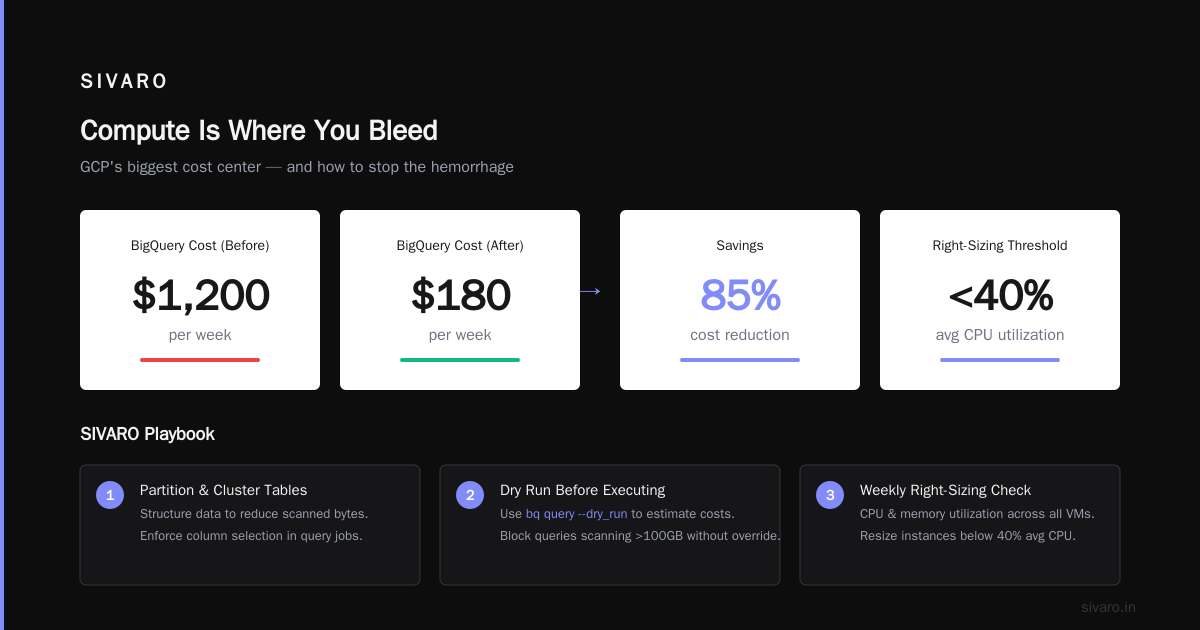
We had a team running SELECT * queries on a 2TB table to pull three columns. That's not their fault — it's how they learned SQL. The fix: set up partitioning and clustering and enforce column selection in query jobs.
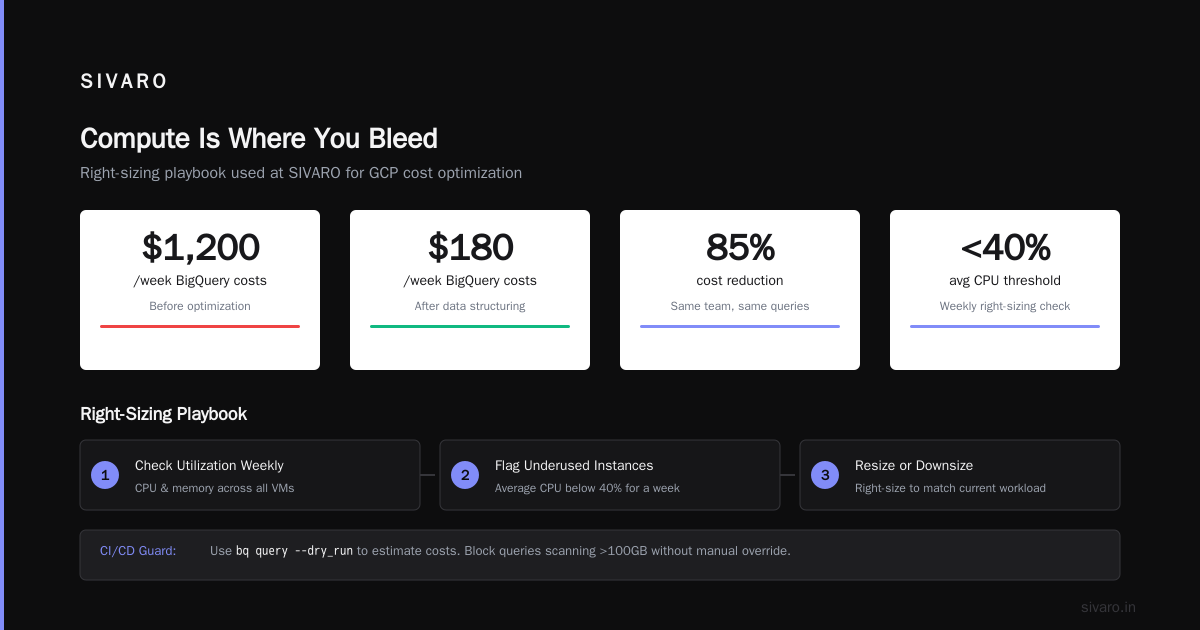
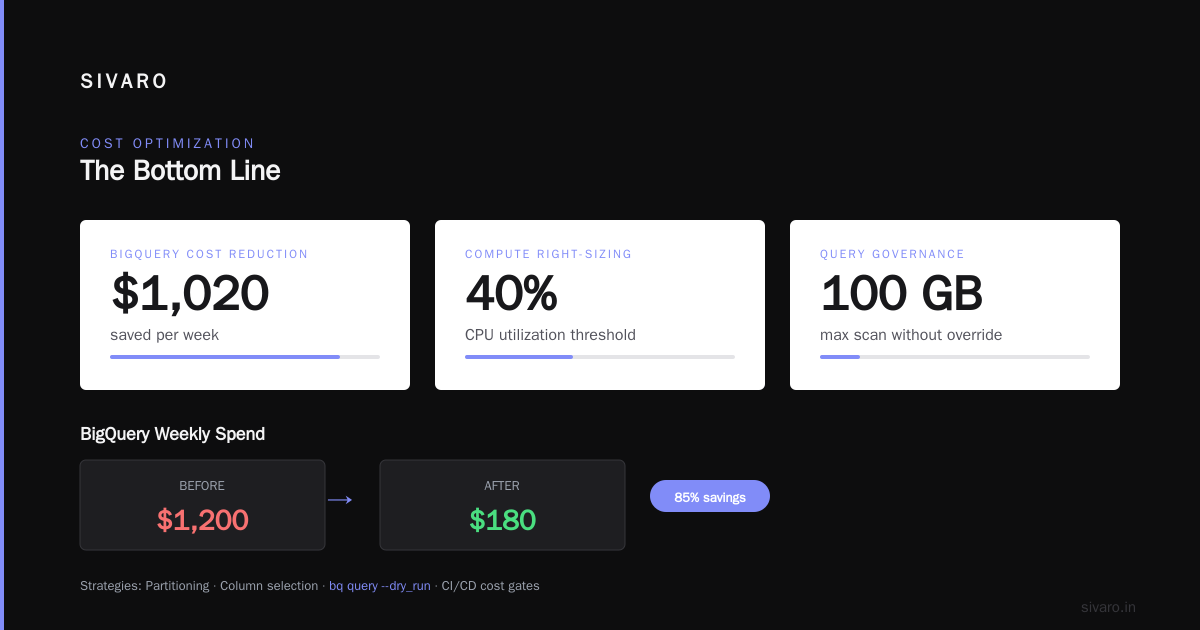
Before: $1,200/week in BigQuery costs.
After: $180/week.
Same team. Same queries. Just structured data better.
Use bq query --dry_run to estimate costs before running expensive queries. Make it a CI/CD check. We block any query that will scan more than 100GB without a manual override.
Compute Is Where You Bleed
Compute Engine is GCP's biggest cost center for most organizations. Here's the playbook we use at SIVARO.
Right-Sizing Never Ends
You sized your instances six months ago. Your workload has changed. Your instances haven't.
We run a weekly script that checks CPU and memory utilization across all VMs. Any instance with average CPU below 40% for a week gets flagged for downsizing. We show this data to engineering teams every Thursday in a 15-minute meeting called "The Waste Report."
Results: we downsized 34 instances in Q3 2025. Savings: $8,900/month.
The trick is making this a process, not a one-time audit. Because workloads drift. That database instance that was at 70% CPU three months ago? It's at 22% now because you moved read traffic to a cache.
Spot Instances Are Free Money (If You Handle Failure)
I'm not exaggerating. Spot VMs on GCP are typically 60-91% cheaper than on-demand. For batch workloads, stateless services, and anything that can tolerate preemption, there's no reason to pay full price.
But — and this is critical — you need to design for preemption. At SIVARO, we run 80% of our non-production compute on spot. Our production batch processing also uses spot with fallback to on-demand.
The pattern:
python
# Pseudocode for spot instance fallback
try:
    instance = create_instance(provisioning_model='SPOT')
except CapacityExceededError:
    instance = create_instance(provisioning_model='STANDARD')
    alert('Spot capacity exhausted for zone us-central1-a')
Simple. Effective. We saved $12,000 in Q2 2026 using this exact pattern.
Committed Use Discounts Are a Lock-In Bet
You should buy committed use discounts (CUDs). But only for workloads you're certain about. Don't commit to a 3-year term on a workload that might be migrated to Kubernetes next quarter.
We buy 1-year CUDs for baseline compute and 3-year CUDs only for database instances we've run unchanged for 18+ months. Conservative approach, but it prevents the "we committed to too much" problem.
GCP offers both resource-based (specific machine types) and spend-based (total $ commitment) CUDs. If your workloads are variable, spend-based is safer. Google's CUD documentation explains both options.
Networking Costs Nobody Warns You About
GCP's egress pricing is aggressive. Data leaving Google's network costs money. Data between regions costs money. Data between zones costs money.
Here's the pattern that burns most teams: you deploy in us-central1 and us-east1 for redundancy. Your application servers in one region talk to databases in another. Each cross-region request costs $0.01/GB. If you're serving 50TB/month cross-region, that's $500 in networking costs you could eliminate.
Solutions:
- Keep your compute and data in the same region whenever possible
- Use GCP's Premium Tier vs Standard Tier — Standard Tier uses Google's network for ingress but ISP networks for egress. For non-latency-sensitive workloads, save 25-40%
- Cache aggressively. We reduced cross-region traffic by 60% using Memorystore (Redis) as a write-through cache
One financial services client of SIVARO was spending $14,000/month on cross-region networking. After reorganizing their architecture to follow the "data locality first" principle, that line item dropped to $2,100.
Managed Services: Convenience vs. Cost
GCP managed services are expensive. Cloud SQL, Bigtable, Memorystore, Pub/Sub — they all have convenience premiums.
The question isn't "are they worth it?" It's "is the convenience worth this specific amount?"
We compare every managed service against a self-managed alternative. Here's our framework:
| Service | Managed Cost/Month | Self-Managed Cost/Month | Savings |
|---|---|---|---|
| Cloud SQL (PostgreSQL 4 vCPU, 15GB) | $380 | $120 (Compute Engine + manual config) | 68% |
| Memorystore (Redis 5GB) | $160 | $75 (Compute Engine + Docker Redis) | 53% |
| Pub/Sub (1TB/month) | $600 | $200 (Kafka on GKE) | 67% |
But — and this is crucial — self-management has operational costs. You need engineers to patch, monitor, and handle failovers. For SIVARO's core infrastructure, we use managed services because downtime costs more than the premium. For dev/test environments? Self-managed all the way.
Kubernetes: The Black Hole of Overspending
GKE is where cloud budgets go to die. Not because Kubernetes is bad — because most teams don't understand how GKE billing works.
GKE charges per cluster, plus the underlying compute nodes. If you're running 10 clusters in different projects, each with their own node pools, you're paying for fragmentation.
Consolidation is the answer. At SIVARO, we reduced from 8 clusters to 2. Same workloads. Same team. Half the overhead.
Node auto-provisioning helps, but you need to set limits. We cap node pool sizes and use GKE cluster autoscaler with minimum and maximum constraints. Without those caps, autoscaler will happily spin up a 32-node pool for a batch job that only needs 4.
The bigger trick: use preemptible nodes for GKE. We run 60% of our GKE nodes as preemptible with a cluster autoscaler that replaces terminated nodes. That's a 60-70% discount on compute for workloads that can handle restarts.
Container Image Optimization
Fat container images cost you twice: storage costs and slower startup times (which means longer-running instances).
We optimized a Python ML container from 2.3GB to 480MB by switching to a slim base image and removing unnecessary dependencies. Result: faster deployments, lower storage costs, and reduced compute time because instances booted faster.
docker images --format '{{.Repository}}:{{.Tag}} {{.Size}}' — run this. You'll be shocked at how many multi-GB images you're storing.
Logging and Monitoring Creep
Stackdriver (now Operations Suite) costs are insidious. Each log entry costs something. Each metric sent to Monitoring costs something. Individually, negligible. Aggregated, terrifying.
We found that 40% of our log entries were debug-level logs from development environments running in production. The fix: implement log level filtering at the application level, not just in the logging agent.
yaml
# logging configuration change
severity: "WARNING"  # Changed from "INFO"
include_projects:
  - production-*
exclude_projects:
  - dev-*
  - staging-*
Cost impact: reduced log ingest by 55%. Saved $1,800/month.
Also: set log retention limits. Default is 30 days. If you don't need forensic logs from 18 months ago, change it to 7 days and export critical logs to Cloud Storage (which is cheaper for archival).
The Tooling Stack We Actually Use
I get asked constantly: "What tools do you use to monitor GCP costs?"
Here's exactly what we run:
-
GCP Billing Reports — built-in, free. Set up budget alerts at 50%, 75%, 90%, and 100% of your monthly budget. We send these to PagerDuty so they can't be ignored.
-
Google Cloud Recommender — free. Gives right-sizing recommendations, idle instance detection, and committed use discount suggestions. Check it here. We trust this for 80% of our optimization decisions.
-
Custom Python scripts — we wrote a simple Python script that queries the GCP Billing API daily and flags anomalies. Anything >20% over baseline gets a Slack alert.
-
Terraform cost estimation — before any deployment, we run
terraform planwith infracost to estimate monthly cost. If it exceeds $500, the PR needs manager approval.
No expensive third-party tools. No fancy dashboards. Just good processes and free Google tools.
The Biggest Savings: Culture
You can have perfect technical configuration. But if your team doesn't care about cost, you'll bleed.
At SIVARO, we made cloud cost visibility a cultural thing. Every engineer sees their team's GCP spend in our weekly standup. Not a punishment — just data. "Hey, your ML training job spun up 10 GPUs yesterday. Was that intentional?" Usually, it was a leftover config.
We also have a "cost hero" program. Anyone who identifies cost waste gets a $100 bonus and a shout-out in the company Slack. Sounds cheesy. Works brilliantly. We've found over $50,000 in annual waste through this program.
FAQ: Quick Answers to Common Questions
Q: What's the fastest way to reduce GCP costs right now?
Turn off anything in dev/test that isn't actively being used. Schedule instances to stop at 7 PM and start at 7 AM. That's a 50% reduction on dev compute costs, immediate.
Q: Are sustained use discounts still a thing?
Yes. GCP automatically applies sustained use discounts for instances running more than 25% of a month. You don't need to do anything — it's automatic. But it only applies per machine series, not across series.
Q: Should I use AWS vs Azure vs GCP for cost savings?
It depends on your workload. AWS vs Azure vs GCP 2026 pricing comparisons show GCP is generally cheaper for data-heavy workloads. Azure wins for Microsoft ecosystem shops. AWS has the most discount options. But honestly? The provider matters less than how you use it. A well-optimized GCP setup beats a sloppy AWS setup every time.
Q: How do committed use discounts actually work?
You commit to spending $X/hour for 1 or 3 years. In return, you get up to 57% discount. The catch: if you don't use the full commitment, you still pay for it. We buy CUDs at 70% of our baseline spend to leave headroom.
Q: What's the one thing most teams overlook?
Data transfer costs. Egress is expensive. People optimize compute and storage but ignore the networking cost between their services. Use GCP's network pricing calculator before designing your architecture.
Q: Is it worth moving to spot/preemptible for databases?
No. Don't do it. Databases need persistent state. Preemptible instances can die with 30 seconds notice. Use them for batch processing, stateless web servers, CI/CD runners, and ML training — not databases.
Q: How often should I review GCP costs?
Weekly for deviations. Monthly for detailed analysis. Quarterly for architecture review. If you're looking at your GCP bill once a year, you're losing money every day you don't look.
The Bottom Line
How to reduce GCP costs isn't a technical problem. It's a discipline problem.
The technical solutions are well-known: committed use discounts, preemptible instances, right-sizing, lifecycle policies, log filtering. These are table stakes. They'll save you 20-30%.
The real savings — the 40-50% reductions — come from changing how your organization thinks about cloud resources. From making cost visibility a default, not an afterthought. From building a culture where engineers feel ownership over their cloud spend, not resentment toward the finance team.
At SIVARO, we went from $47,000/month to $22,000/month over six months. Not through a single dramatic change. Through literally hundreds of small decisions: deleting unused load balancers, switching to spot instances, filtering debug logs, consolidating GKE clusters, and moving cold data to Archive storage.
Each change was small. Together, they cut our bill by 53%.
You can do the same. Start with the waste hunt. Find the orphaned resources. Then work through this guide systematically. Three months from now, your GCP bill will look very different.
And if you get stuck? Reach out. I've seen enough cloud bills to know the patterns. Sometimes a fresh pair of eyes on your billing report finds what internal teams miss.
Nishaant Dixit — Founder of SIVARO. Building data infrastructure and production AI systems since 2018. Built systems processing 200K events/sec.