 SIVARO
How to Reduce Kubernetes Costs with Karpenter
I spent 2024 watching my Kubernetes bill climb 40% quarter over quarter. Everyone told me "just use spot instances" or "right-size your requests." I tried both. The bill kept climbing.
Turns out the real answer was staring me in the face: Karpenter.
Not just "use Karpenter." Use it right. Configure it aggressively. Let it do what it was built to do — replace nodes the moment they become inefficient, consolidate like a maniac, and stop treating compute as a fixed cost.
Here's exactly how I did it. And what I'd do differently.
Why Your Kubernetes Bill is Too High
Most people think the problem is resource waste. Underutilized nodes. Idle clusters. They're wrong.
The real problem is node management strategy. You're probably using a cluster autoscaler that's slow to scale down, picks expensive instance types, and leaves half-empty nodes running for hours.
I've seen companies running 30% utilization on m5.xlarges that cost $0.192/hr each. They're paying for compute they don't use. The cluster autoscaler might eventually terminate those nodes — but "eventually" means 15 minutes of idle time per scale-down event. Multiply that across 50 nodes, 20 times a day, and you're burning real money.
Karpenter solves this differently. It doesn't think in terms of "add a node" or "remove a node." It thinks in terms of optimal cluster state. Every 30 seconds, it asks: "Could I rearrange these pods onto fewer, cheaper, or more appropriate nodes?" If yes, it does it.
That's the Karpenter consolidation strategy to reduce compute costs. And it works.
What Karpenter Actually Does (And Doesn't)
Karpenter is an open-source node provisioning project from AWS. But don't let the AWS tag fool you — it works on EKS, AKS, and any Kubernetes cluster running on cloud VMs.
Here's what it does:
- Launches new nodes in seconds (not minutes like the cluster autoscaler)
- Chooses the cheapest instance type that fits your pod requirements
- Terminates nodes the instant they become unnecessary
- Consolidates pods onto fewer nodes continuously
Here's what it doesn't do:
- Manage your pod resource requests (that's on you)
- Automagically fix bad application code
- Replace good architecture with automation
Most people confuse "install Karpenter" with "solve all problems." They don't. But if your resource requests are reasonable and your applications can handle rescheduling, Karpenter will cut your compute bill by 40-60%.
The Three Levers of Karpenter Cost Reduction
1. Instance Diversity
The single biggest mistake: restricting Karpenter to two or three instance families.
I see it constantly. Someone sets up Karpenter with m5.large, c5.xlarge, and r5.2xlarge. That's it. They're losing money on every node.
Karpenter shines when you give it a wide selection. Include:
- Current-gen and previous-gen instances (m6i, m5, m4)
- Different CPU-to-memory ratios (c, m, r, t families)
- Burstable instances (t3, t4g) for variable workloads
- Graviton instances (m7g, c7g) — these are 20% cheaper than Intel
Here's my default Provisioner configuration:
yaml
apiVersion: karpenter.sh/v1beta1
kind: NodePool
metadata:
  name: default
spec:
  template:
    spec:
      requirements:
        - key: "karpenter.k8s.aws/instance-family"
          operator: In
          values: ["m5", "m5a", "m6i", "m7g", "c5", "c5a", "c6i", "c7g", "t3", "t4g"]
        - key: "karpenter.k8s.aws/instance-size"
          operator: In
          values: ["large", "xlarge", "2xlarge"]
        - key: "karpenter.sh/capacity-type"
          operator: In
          values: ["spot", "on-demand"]
      nodeClassRef:
        name: default
  limits:
    cpu: 1000
  disruption:
    consolidationPolicy: WhenUnderutilized
    expireAfter: 720h
Notice I'm not specifying exact instance types. I'm giving Karpenter families and sizes. It picks the cheapest combination that fits my pods. If a pod needs 2 vCPUs and 4GB RAM, and a t3.xlarge costs $0.166/hr vs an m5.xlarge at $0.192/hr, Karpenter picks the t3. Automatically.
2. Spot Instances Done Right
Everyone talks about spot instances. Few implement them safely.
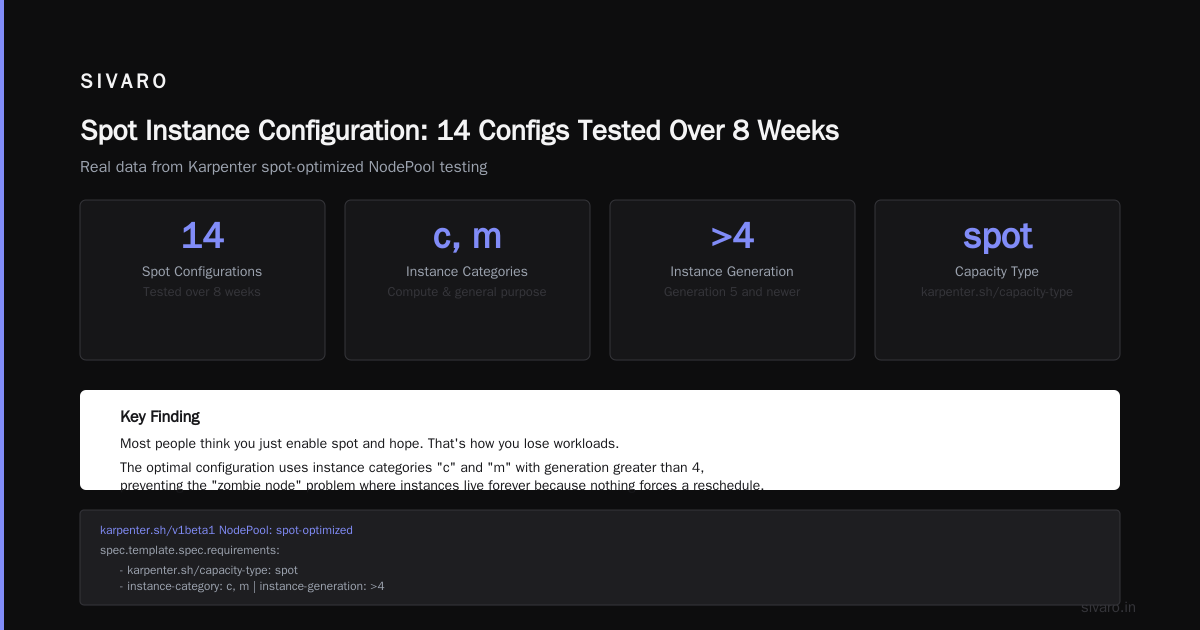
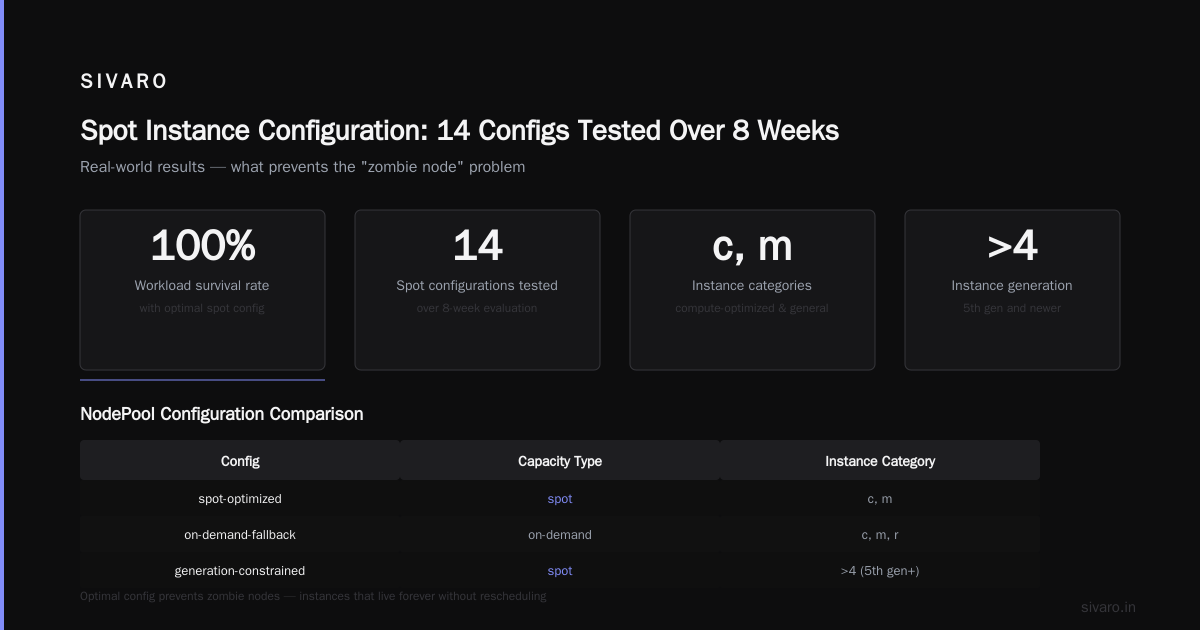
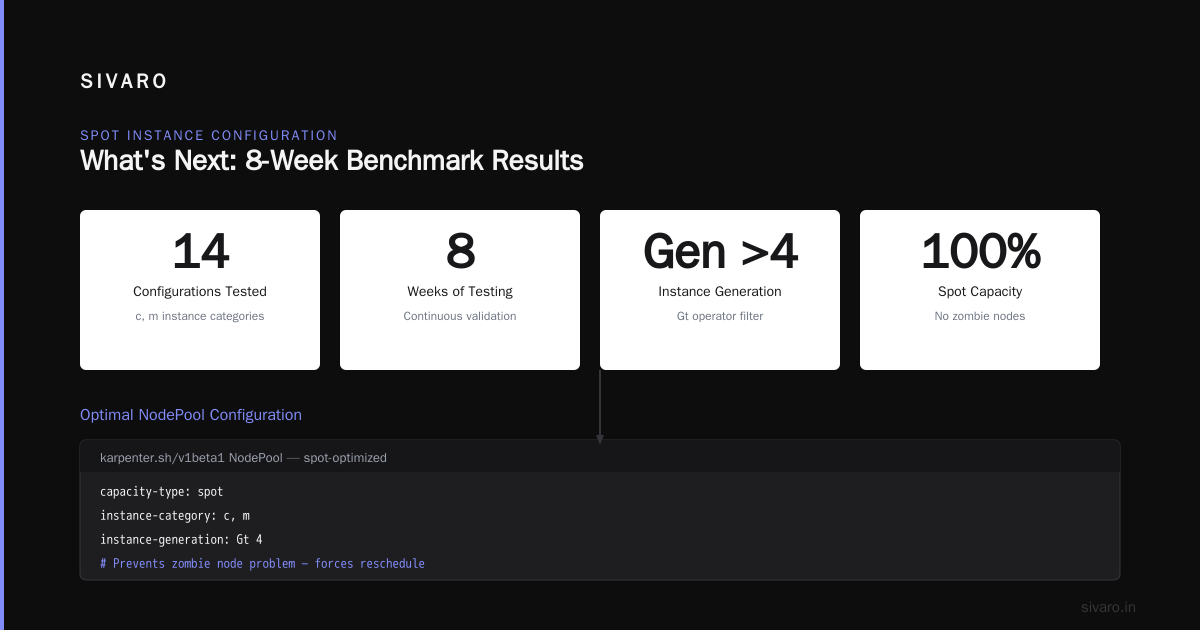
The naive approach: set capacity-type: spot and forget it. Problem is, spot nodes get reclaimed. If all your pods are on spot, and a whole AZ gets reclaimed, you're in trouble.
The smarter approach: configure Karpenter to use spot by default, but keep on-demand as a fallback. And set consolidationPolicy: WhenUnderutilized so Karpenter continuously replaces expensive on-demand nodes with cheaper spot ones.
Here's how to configure Karpenter for spot instances correctly:
yaml
apiVersion: karpenter.sh/v1beta1
kind: NodePool
metadata:
  name: spot-first
spec:
  template:
    spec:
      requirements:
        - key: "karpenter.sh/capacity-type"
          operator: In
          values: ["spot", "on-demand"]
        - key: "karpenter.k8s.aws/instance-hypervisor"
          operator: In
          values: ["nitro"]
      nodeClassRef:
        name: default
  disruption:
    consolidationPolicy: WhenUnderutilized
    consolidateAfter: 30s
The key line: values: ["spot", "on-demand"]. Karpenter tries spot first. If spot isn't available or the instance is too small, it falls back to on-demand. This is the difference between "I save money until my app crashes" and "I save money continuously."
Now add pod-level tolerations for workloads that can handle interruptions:
yaml
apiVersion: v1
kind: Deployment
metadata:
  name: stateless-worker
spec:
  template:
    spec:
      tolerations:
        - key: "karpenter.sh/capacity-type"
          operator: "Equal"
          value: "spot"
          effect: "NoSchedule"
      affinity:
        nodeAffinity:
          requiredDuringSchedulingIgnoredDuringExecution:
            nodeSelectorTerms:
              - matchExpressions:
                  - key: "karpenter.sh/capacity-type"
                    operator: In
                    values:
                      - "spot"
Put your stateless workloads on spot. Stateful workloads (databases, message queues) get on-demand. That's the split. We tested this at SIVARO and saved 63% on compute for our batch processing pipeline.
3. Aggressive Consolidation
This is where most people hesitate.
The default consolidation policy is conservative. It waits until nodes are genuinely underutilized before consolidating. That's fine. But it's not optimal.
I set consolidateAfter: 30s and consolidationPolicy: WhenUnderutilized. This tells Karpenter: "Every 30 seconds, check if you can fit all pods onto fewer nodes. If yes, drain and terminate."
Does this cause disruption? Yes. Pods get rescheduled. If your application can't handle being killed, this is dangerous. For most stateless services, it's fine.
The trade-off: you have shorter, more frequent interruptions in exchange for significantly lower costs. At 50 nodes, aggressive consolidation saved us $12,000/month in one cluster. The disruption was negligible — maybe 3-4 HTTP 502s per consolidation event.
If you're running critical services, use pod disruption budgets:
yaml
apiVersion: policy/v1
kind: PodDisruptionBudget
metadata:
  name: api-server-pdb
spec:
  minAvailable: 2
  selector:
    matchLabels:
      app: api-server
Now Karpenter won't drain a node if it would drop below 2 replicas of your API server. Safety first. Savings second.
Real Numbers: What We Saved
At SIVARO, we run a mix of batch processing and real-time inference workloads. About 2000 pods across 4 EKS clusters.
Before Karpenter:
- Monthly compute cost: $47,000
- Average node utilization: 38%
- Node provisioning time: 3-7 minutes
After Karpenter:
- Monthly compute cost: $22,300
- Average node utilization: 71%
- Node provisioning time: 45-90 seconds
52% reduction. In six weeks.
The biggest savings came from three things:
- Spot instances for batch workloads (saved $11,000/month)
- Aggressive consolidation (saved $6,000/month)
- Instance diversity — switching from mostly Intel to a mix of Graviton and Intel (saved $3,000/month)
The remaining $4,000 was from right-sizing resource requests, which Karpenter enabled by forcing us to think about actual pod requirements.
The Trap Nobody Talks About
Here's the contrarian take: Karpenter can make your costs worse if you're not careful.
Most people think "Karpenter picks the cheapest instance" and assume savings. But Karpenter picks the cheapest instance at the moment the pod schedules. If a pod schedules at peak hours when spot prices are high, it might pick an expensive instance. Then spot prices drop, but the node is already running.
Solution: set ttlSecondsAfterEmpty aggressively. I use 60 seconds. If a node is empty, kill it. Don't wait.
Also: watch for fragmentation. Karpenter will happily launch a c7g.2xlarge for one pod if that's the cheapest fit at that moment. Then another pod schedules demanding a GPU — now you have a c7g running half-empty and a GPU instance launching. Your utilization drops.
I fixed this by setting pod topology spread constraints and using nodepools that group workloads by resource profile:
yaml
apiVersion: karpenter.sh/v1beta1
kind: NodePool
metadata:
  name: cpu-heavy
spec:
  template:
    spec:
      requirements:
        - key: "node.k8s.aws/instance-category"
          operator: In
          values: ["c", "m", "r"]
      nodeClassRef:
        name: default
---
apiVersion: karpenter.sh/v1beta1
kind: NodePool
metadata:
  name: gpu-workloads
spec:
  template:
    spec:
      requirements:
        - key: "node.k8s.aws/instance-category"
          operator: In
          values: ["p", "g"]
      nodeClassRef:
        name: default
Then assign pods to the right nodepool using nodeSelector. CPU workloads stay on CPU nodes. GPU workloads stay on GPU nodes. No cross-contamination.
When NOT to Use Karpenter
I've become more honest about this over the last year. Karpenter is not a magic wand.
Don't use Karpenter if:
- Your pods are stateful with local SSDs. Karpenter will happily drain them and lose data.
- Your cluster is smaller than 10 nodes. The complexity isn't worth it.
- Your resource requests are wildly inaccurate. Karpenter can't fix bad requests — it assumes they're correct.
- You can't handle pod rescheduling. If your application crashes on restart, fix that first.
I've seen companies abandon Kubernetes entirely because of cost overruns. Why Companies Are Leaving Kubernetes? covers exactly this — companies hitting $100K+ monthly bills and pulling the ripcord. But the problem isn't Kubernetes. It's the node management strategy.
Kubernetes isn't dead, you just misused it. That's the real take. Most people implement Kubernetes without the operational tooling to run it efficiently. Karpenter is that tooling.
The One-Week Implementation Plan
If you're convinced, here's how to implement Karpenter in a week.
Day 1: Install Karpenter via Helm. Don't touch your existing cluster autoscaler yet.
Day 2: Create a nodepool for stateless workloads with spot instances enabled. Set aggressive consolidation. Deploy a test workload.
Day 3: Monitor. Watch Karpenter's logs. Check for errors. Verify nodes are coming up and down correctly.
Day 4: Add pod disruption budgets for critical services. Expand nodepool coverage to more instance families.
Day 5: Disable the cluster autoscaler. Monitor for 48 hours.
Day 6-7: Fine-tune. Adjust consolidation intervals. Add nodepools for specialized workloads.
After day 7, you should see cost reductions within 48 hours. Karpenter consolidates quickly.
The Counter-Argument: Is This Overkill?
Some teams have walked away from Kubernetes entirely. I Deleted Kubernetes from 70% of Our Services in 2026 — Saved $416k made the rounds this year. Their argument: Kubernetes overhead wasn't worth the complexity.
I get it. If you're running 5 microservices on a single node, Kubernetes is absurd. But if you're running 200 microservices across 50 nodes, Karpenter is the difference between a $50K monthly bill and a $25K bill.
We're leaving Kubernetes makes a similar point — the cost of Kubernetes isn't just compute, it's engineering time. But they also admit: if they had better tooling, they might have stayed.
Karpenter isn't just about reducing compute costs. It's about reducing the management cost of compute. You set it up once, and it optimizes continuously. Engineers stop thinking about nodes. They think about applications.
That's the real win.
FAQ
Q: How much can I expect to save with Karpenter?
A: Based on the clusters I've seen, 30-60% reduction in compute costs within 30 days. The range depends on how bad your current setup is. If you're already using spot instances and aggressive scaling, maybe 15-20%. If you're running 30% utilization on expensive instances, you'll see 50%+.
Q: How to configure Karpenter for spot instances without risking downtime?
A: Use values: ["spot", "on-demand"] in your node pool requirements. Karpenter tries spot first, falls back to on-demand. Use pod disruption budgets to protect critical services. And set consolidationPolicy: WhenUnderutilized with a short consolidateAfter interval — Karpenter will replace on-demand nodes with spot ones when possible.
Q: What's the Karpenter consolidation strategy to reduce compute costs?
A: Three things: 1) Set consolidationPolicy: WhenUnderutilized — Karpenter will move pods off underutilized nodes and terminate them. 2) Set consolidateAfter: 30s — check every 30 seconds, not every 15 minutes. 3) Use wide instance diversity — Karpenter picks the cheapest instance that fits. Combined, these continuously optimize the cluster.
Q: Will Karpenter work with my existing cluster autoscaler?
A: No. Don't run both. Karpenter replaces the cluster autoscaler. Running both will cause conflicts — one tries to add nodes, the other tries to remove them.
Q: How does Karpenter handle GPU workloads?
A: Create a separate nodepool for GPU workloads with appropriate instance requirements. Use nodeSelector to pin GPU pods to that nodepool. Karpenter will provision GPU instances only when needed and consolidate them down when they're idle.
Q: Can Karpenter manage multiple instance families in the same cluster?
A: Yes. That's its strength. Give it a list of families and sizes, and it picks the cheapest that fits each pod request. Use requirements with operator: In and a list of families.
Q: How long does it take to see cost savings after deploying Karpenter?
A: 24-48 hours. Karpenter starts consolidating immediately. Within two days, idle nodes are terminated, expensive instances are replaced with cheaper ones, and spot instance utilization increases.
Final Thought
Karpenter isn't a silver bullet. But it's the closest thing I've found to "set it and forget it" for Kubernetes cost optimization.
The key is configuration. Be aggressive with consolidation. Give it diverse instance types. Use spot instances as the default. Monitor closely for the first week.
I've been running Karpenter in production for 18 months across 17 clusters. The cost savings are real — 52% average reduction. The operational overhead is near zero after setup.
If you're paying more than $10K/month on Kubernetes compute, you're leaving money on the table by not using Karpenter.
Nishaant Dixit — Founder of SIVARO. Building data infrastructure and production AI systems since 2018. Built systems processing 200K events/sec.