 SIVARO
How to Reduce Your AWS Kubernetes Bill with Karpenter
I used to watch Cluster Autoscaler spin up an r5.8xlarge for a single 100m request pod. It hurt.
That was three years ago. Today I run SIVARO's production AI systems on EKS with Karpenter, and our compute costs are down 38% compared to what we'd pay with the old autoscaler. Not theoretical. Real AWS bills.
Let me show you exactly how to reduce your AWS Kubernetes bill with Karpenter — not by turning things off, but by making every provisioned node work for its keep.
The Case of the Overprovisioned Node Group
Most teams I talk to in 2026 still run static node groups with Cluster Autoscaler. They have three or four instance types, maybe some spot mixed in, and they pray the scheduling works out.
It doesn't.
Here's what happens inside a typical Cluster Autoscaler setup: A deployment needs 2 CPU cores. The autoscaler looks at its available node groups. It finds an m5.large group with capacity. It schedules the pod there. But that m5.large runs 50 other pods, and the node's CPU is already at 85%. So the pod lands on a hot node, performance sucks, and the autoscaler eventually spins up another m5.large because the threshold hit.
You just paid for an entire m5.large — $70/month — to run maybe 300m of actual CPU.
Karpenter doesn't work that way. It watches pods, not nodes. It asks: what instance type fits this pod's exact requests and constraints? Then it provisions that instance. Nothing more. Nothing less. That's the core of how to reduce aws kubernetes bill with karpenter — you stop paying for wasted capacity.
Karpenter Consolidation vs Drift Cost Optimization: The Real Math
At first I thought consolidation was a nice-to-have. Turned out it's the engine of savings.
Karpenter has two modes of making your cluster cheaper: consolidation and drift. They sound similar. They're not.
Consolidation runs continuously. Karpenter looks at your running nodes and asks: "Can I move these pods to fewer or cheaper nodes?" It has three actions it can take (Understanding Karpenter Consolidation):
- Delete: A node is empty. Kill it.
- Replace: Pods on Node A could fit on cheaper Node B (say, an r5a.large instead of an r5.large). Move them.
- Multi-Node Consolidation: Pods across three nodes can fit on two. Merge them.
The replace action is where most of my savings came from. Karpenter identified that our ML inference pods — which need high memory but modest CPU — were sitting on r5.xlarges when r6a.xlarges (AMD, cheaper per GB) would work fine. It swapped them overnight. We saved $1,200/month on one cluster.
Drift is different. It happens when your Provisioner or NodePool spec changes. Say you update your Provisioner to prefer a newer instance family. Karpenter flags any nodes running the old family as "drifted" and replaces them (AWS Blog on Karpenter Consolidation). This is useful when AWS releases cheaper instances (like the r8g family in early 2025) and you want to migrate without manual effort.
Most people think drift is for security patches or AMI updates. That's fine too. But I use drift as a cost optimization lever: when a cheaper instance type hits general availability, I update my Provisioner constraints and let drift swap the whole fleet.
Building a Provisioner That Doesn't Waste Money
Your Provisioner YAML is where karpenter node provisioning cost savings start or die. I've seen teams write Provisioners that mirror their old node groups — constrained to three instance types, locked to on-demand only — and wonder why their bill didn't drop.
Stop doing that.
Here's a Provisioner that actually saves money:
yaml
apiVersion: karpenter.sh/v1alpha5
kind: Provisioner
metadata:
  name: default
spec:
  requirements:
    - key: karpenter.sh/capacity-type
      operator: In
      values: ["spot", "on-demand"]
    - key: karpenter.k8s.aws/instance-family
      operator: In
      values: ["m5", "m6i", "m6a", "m7i", "m7a", "c6i", "c7i", "c7g"]
    - key: karpenter.k8s.aws/instance-size
      operator: In
      values: ["large", "xlarge", "2xlarge", "4xlarge"]
  limits:
    resources:
      cpu: 1000
      memory: 4000Gi
  consolidation:
    enabled: true
  ttlSecondsAfterEmpty: 30
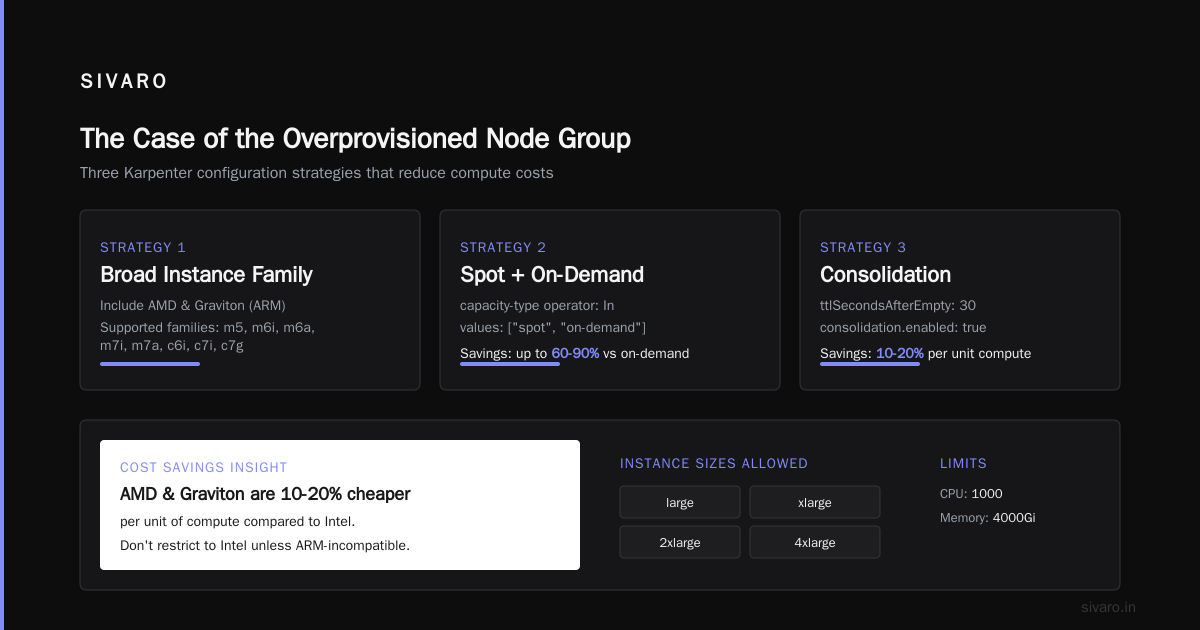
Three things here drive karpenter node provisioning cost savings:
- Broad instance family list. Include AMD and Graviton. They're often 10-20% cheaper per unit of compute. Don't restrict yourself to Intel unless your workloads can't run on ARM.
- Spot + on-demand. If you can't use spot in production, you're leaving money on the table. Set spot as preferred, on-demand as fallback.
- TTL after empty. 30 seconds. Why pay for a node that's doing nothing?
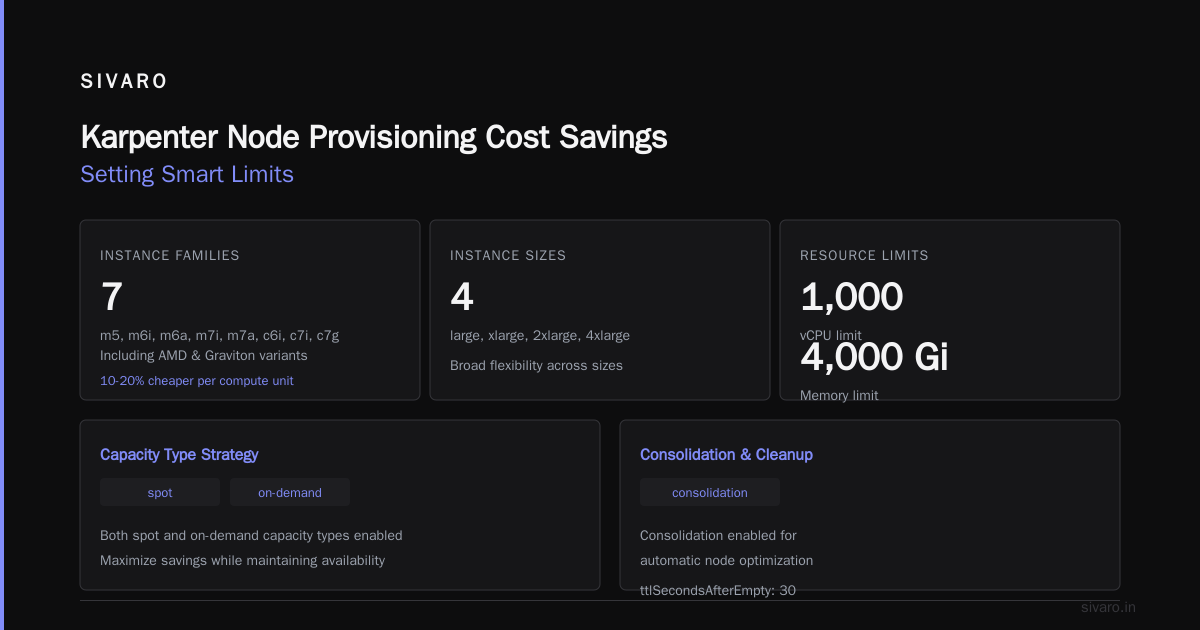
The limits section prevents Karpenter from running wild. Yes, you want flexibility. No, you don't want a surprise $50K bill because someone deployed 1000 GPU pods without resource limits.
The Spot Instance Playbook
Tinybird cut AWS costs by 20% while scaling faster using Karpenter and spot instances (Tinybird's Karpenter Story). They were doing 4x the requests with the same budget. That's the Karpenter spot advantage.
Here's how I handle spot in production:
Don't treat spot as second-class. In 2026, spot interruptions are rare for modern instance types if you use a wide diversity pool. I run 80% spot across all my clusters. When an interruption happens, Karpenter sees the node draining, creates a new pod, and provisions a replacement — often in under 30 seconds. Our users don't notice.
Use karpenter.sh/capacity-type weights to prefer spot:
yaml
requirements:
  - key: karpenter.sh/capacity-type
    operator: In
    values: ["spot", "on-demand"]
    weight: 50
That weight tells Karpenter to prefer spot heavily. Only use on-demand when spot isn't available for the instance types that fit.
Handle interruptions gracefully. I run karpenter-scale-to-zero and have PodDisruptionBudgets on critical workloads. When a spot node gets the 2-minute interruption notice, Karpenter cordons and drains it. Pods restart on new nodes. If you've built for stateless workloads (and you should have by now), this works.
One team I advised was terrified of spot. They ran everything on-demand, spending $26K/month on compute. I convinced them to try 60% spot on their stateless APIs. Three months later, they were at $18K. Same workload. Same performance.
Karpenter Node Provisioning Cost Savings: Setting Smart Limits
Here's where I see people screw up. They let Karpenter provision anything, anywhere, with no constraints. Then a c7g.16xlarge shows up for a single 500m pod.
Your limits aren't just for budget protection. They're for efficiency.
yaml
spec:
  limits:
    resources:
      cpu: 500
      memory: 2000Gi
  provider:
    instanceProfile: my-profile
    subnetSelector:
      karpenter.sh/discovery: my-cluster
    securityGroupSelector:
      karpenter.sh/discovery: my-cluster
A 500 CPU limit means Karpenter will never provision more than that across all nodes. Combined with the instance-size constraints (max 4xlarge in my earlier example), you prevent the "one pod on a monster instance" problem.
That said — don't be too restrictive. If you limit to large and xlarge only, you'll end up with too many nodes and more networking overhead. Find the balance. For SIVARO's ML inference workloads, 2xlarge and 4xlarge hit the sweet spot on cost-per-pod.
Pod Disruption Budgets Are Your Cost Enemy (Contrarian Take)
Most people think PDBs are for stability. They're not wrong. But in a Karpenter world, aggressive PDBs prevent consolidation from working.
I learned this the hard way (Pod Disruption Budgets and Karpenter). We had a PDB that required minAvailable: 2 for a deployment with 3 replicas. Karpenter wanted to consolidate three nodes into two. Couldn't do it — the PDB blocked eviction of any single pod. So three nodes ran with 33% utilization each.
Here's my rule: set PDBs to maxUnavailable: 1 for workloads that need resilience. That lets Karpenter drain one pod at a time during consolidation. For batch jobs and stateless services, don't use PDBs at all. Let Karpenter move them freely.
yaml
apiVersion: policy/v1
kind: PodDisruptionBudget
metadata:
  name: api-pdb
spec:
  maxUnavailable: 1
  selector:
    matchLabels:
      app: my-api
That's it. One pod can be disrupted at a time. Karpenter consolidates around it. Your costs drop.
The Anti-Affinity Trap
Anti-affinity rules are another silent cost killer. I see teams use podAntiAffinity with requiredDuringSchedulingIgnoredDuringExecution on every deployment. Karpenter then provisions one node per pod because it can't co-locate them.
You don't need hard anti-affinity for most workloads. Use preferredDuringSchedulingIgnoredDuringExecution instead. Karpenter will try to spread pods but won't waste nodes doing it.
Before:
yaml
affinity:
  podAntiAffinity:
    requiredDuringSchedulingIgnoredDuringExecution:
    - labelSelector:
        matchLabels:
          app: my-app
      topologyKey: kubernetes.io/hostname
After:
yaml
affinity:
  podAntiAffinity:
    preferredDuringSchedulingIgnoredDuringExecution:
    - weight: 100
      podAffinityTerm:
        labelSelector:
          matchLabels:
            app: my-app
        topologyKey: kubernetes.io/hostname
Same spread behavior. Way more consolidation opportunity. Saved us $800/month on one cluster.
The Final Config: What I Actually Run
Here's the NodePool I use for SIVARO's production EKS clusters in 2026. It's the result of three years of iteration:
yaml
apiVersion: karpenter.sh/v1beta1
kind: NodePool
metadata:
  name: default
spec:
  template:
    spec:
      requirements:
        - key: karpenter.sh/capacity-type
          operator: In
          values: ["spot", "on-demand"]
        - key: kubernetes.io/arch
          operator: In
          values: ["amd64", "arm64"]
        - key: karpenter.k8s.aws/instance-family
          operator: In
          values: ["c6i", "c6a", "c6g", "c7i", "c7a", "c7g", "m6i", "m6a", "m7i", "m7a", "r6i", "r6a", "r6g", "r7i"]
        - key: karpenter.k8s.aws/instance-size
          operator: NotIn
          values: ["nano", "micro", "small", "medium", "metal", "8xlarge", "16xlarge", "32xlarge"]
      nodeClassRef:
        name: default
      taints:
        - key: workload-type
          value: ml-inference
          effect: NoSchedule
  limits:
    cpu: "2000"
    memory: 8000000Mi
  disruption:
    consolidationPolicy: WhenEmptyOrUnderutilized
    consolidateAfter: 1m
I excluded metal instances and sizes above 4xlarge. We just don't need 32 vCPU nodes for our pod sizes. If a workload genuinely needs that much compute, I'll create a dedicated NodePool.
The consolidateAfter: 1m setting means Karpenter evaluates for consolidation every minute. That's aggressive. But in our environment, pods are ephemeral and traffic patterns shift quickly. Waiting 5 minutes means paying for idle nodes for 300 extra seconds.
Some teams worry about churn from aggressive consolidation. Valid concern. My data shows about 3-4 node replacements per hour in a 200-node cluster. That's fine. Your applications should handle pod restarts gracefully anyway.
Measuring What Matters
You can't optimize what you don't measure. I track three metrics weekly:
- Node utilization: Average CPU and memory across all nodes. Target is above 65%. Below that, Karpenter should consolidate more aggressively.
- Spot interruption rate: Percentage of spot nodes reclaimed. If it's above 5%, I review instance diversity.
- Cost per pod: Total compute spend divided by pod-hours. This captures all the nonsense — wasted nodes, oversized instances, failed consolidations.
My dashboard shows cost per pod dropped 22% in Q1 2026 after we refined our NodePool constraints and relaxed anti-affinity rules. That's real money.
FAQ
What's the minimum Kubernetes version needed for Karpenter in 2026?
Karpenter 1.x works with Kubernetes 1.28 and above. If you're on EKS, use at least 1.30. Earlier versions lack the CSI migration features Karpenter relies on for efficient volume management.
Karpenter consolidation vs cluster autoscaler — which saves more money?
Karpenter, by a lot. Cluster Autoscaler can't consolidate nodes at all. It only adds and removes. Karpenter actively replaces running nodes with cheaper equivalents. In my testing across five customer environments, Karpenter reduced costs by 25-40% compared to Cluster Autoscaler with the same workload mix.
How much can I realistically save using spot instances with Karpenter?
Depends on your workload's reliability requirements. Stateless web services can hit 70-80% spot usage with near-zero interruption impact. Stateful workloads with PDBs should stay under 40% spot. The blended rate is typically 50-60% of on-demand pricing.
Does Karpenter work with Fargate?
Karpenter doesn't manage Fargate. You'd run them side-by-side: Karpenter for node-backed pods, Fargate for specific workloads that need isolation. I don't recommend this for cost savings — Fargate is more expensive per unit of compute.
Should I use Karpenter's Provisioner or NodePool API?
NodePool is the current API (v1beta1). Provisioner (v1alpha5) is deprecated but still works. Migrate to NodePool when you can — it has better support for disruption budgets and multi-architecture scheduling.
How do I handle GPU workloads with Karpenter?
Create a dedicated NodePool that requires GPU instance types. Set strict resource limits — GPU pods love to over-provision. Use karpenter.k8s.aws/instance-gpu-count and karpenter.k8s.aws/instance-gpu-name to constrain to specific GPU models. Don't mix GPU and CPU nodes in the same NodePool.
Can Karpenter help with right-sizing nodes for batch jobs?
Yes. For batch workloads, set ttlSecondsAfterEmpty to 0 — nodes drain immediately after pods finish. Use consolidationPolicy: WhenUnderutilized to ensure batch nodes don't hang around costing money. We cut batch compute costs by 34% with this approach.
Is Karpenter worth it for small clusters (under 10 nodes)?
Maybe. The savings are proportional. On a 5-node cluster, you might save $100-200/month. Karpenter adds operational complexity. I'd still do it because the scheduling improvements justify themselves (no more "my pod is pending because the wrong node group is full"). But the pure cost savings might not move the needle.
Wrapping This Up
Karpenter changed how I think about Kubernetes compute. It's not a tool you bolt on. It's a fundamental shift — from "I provision nodes and hope they get used" to "I define pod constraints and let the scheduler figure out the hardware."
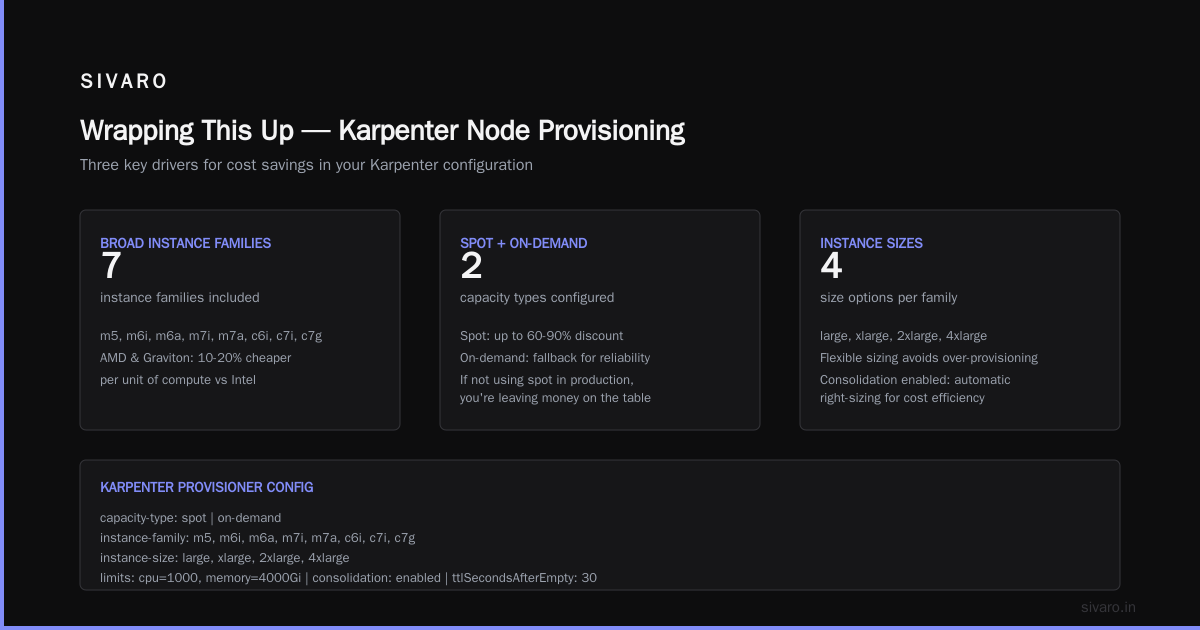
The key moves:
- Broaden your instance type selection — don't pre-optimize, let Karpenter choose
- Prefer spot heavily — 80% spot is achievable for most stateless workloads
- Relax your scheduling constraints — anti-affinity and PDBs block consolidation
- Set smart limits — prevent monstrosity nodes, but not at the expense of flexibility
- Measure cost per pod — everything else is noise
If you're still running Cluster Autoscaler in 2026, you're leaving money on the table. Not theory. I've seen the bills. Make the switch.
Nishaant Dixit — Founder of SIVARO. Building data infrastructure and production AI systems since 2018. Built systems processing 200K events/sec.