 SIVARO

How to Scale Kafka Brokers: A Field Manual from 2026
I burned three weekends last January scaling a Kafka cluster for a fintech client. They had 9 brokers. They needed 27. The data was growing 40% month over month. Their consumers were drowning.
Here's what I learned: scaling Kafka brokers isn't a hardware problem. It's a partition strategy problem dressed up in hardware clothes.
Most people think you add brokers, Kafka rebalances, and everything works. They're wrong. I've watched clusters crater because someone added 6 brokers at once without understanding how Kafka actually distributes load.
This guide walks you through what I've learned building data pipelines at SIVARO since 2018. We process 200K events/second for clients in fintech, logistics, and adtech. I've broken clusters. I've fixed them. I've built them from scratch.
You'll learn how to scale Kafka brokers without the chaos. Partition sizing. Hardware selection. Rebalancing strategies. Monitoring. The hard trade-offs nobody talks about.
Let's get into it.
The Real Cost of Getting This Wrong
July 2024. A logistics company called ShipFast called me at 2 AM. Their Kafka cluster had 15 brokers. They added 5 more that afternoon. By midnight, their real-time tracking pipeline was dead.
Why? They added brokers without understanding that adding capacity doesn't automatically distribute load. Kafka's partition assignment algorithm doesn't work that way.
They had 120 partitions across 15 brokers. 8 partitions per broker. When they added 5 brokers, the new nodes sat empty. The old nodes kept carrying the full load. The consumers kept falling behind.
We fixed it by triggering a partition reassignment. But here's the thing — reassignment is expensive. It moves data across the network. It taxes disk I/O. It can take hours.
The lesson: plan your partition count before you add brokers. Not after.
The Partition Problem: Where Most People Fail
Kafka's scaling model is simple on paper: more brokers mean more capacity. But Kafka distributes load at the partition level, not the topic level.
You can't scale a topic by adding brokers if the topic has too few partitions.
Think about it. A topic with 6 partitions can only use 6 brokers at full parallelism. Adding a seventh broker does nothing for that topic. The seventh broker sits idle while the other six do all the work.
This is the single most common mistake I see. Companies create topics with 3 partitions because "that's the default." Then they add 10 brokers and wonder why throughput doesn't improve.
How Many Partitions Do You Actually Need?
There's math for this. Real math.
partitions = max(throughput_target / partition_throughput, consumer_parallelism)
But that's too simple. Let me give you the version I use:
required_partitions = (peak_throughput_mbps / single_partition_throughput_mbps) * replication_factor * safety_multiplier
Where safety_multiplier is usually 2-3x.
I target 50-100 partitions per broker for most workloads. Less for high-throughput topics (each partition can handle 5-10 MB/s on modern hardware). More for low-throughput topics where you need consumer parallelism.
Here's a concrete example from a client we onboarded in May 2026:
Topic: order_events
Peak throughput: 200 MB/s
Partition throughput: 8 MB/s (NVMe, 16 cores)
Replication factor: 3
Safety multiplier: 2

required_partitions = (200 / 8) * 3 * 2 = 150 partitions
They had 15 brokers. 10 partitions per broker. Worked perfectly.
The Hardware Sweet Spot (Yes, It Matters)
I've tested Kafka on everything. Raspberry Pi clusters (don't). Bare metal (great). Cloud instances (fine, with caveats).
Here's what SIVARO runs for production clusters as of 2026:
- CPU: 16-32 cores. Kafka is CPU-bound for compression and network. Don't skimp.
- RAM: 32-64 GB. Kafka uses page cache aggressively. More RAM means more data served from memory.
- Storage: NVMe SSDs. Period. SATA SSDs bottleneck at about 500 MB/s sequential write. NVMe pushes 3-7 GB/s.
- Network: 25 Gbps minimum. 50 Gbps better.
I tested 100 Gbps networking last year. Overkill for most workloads. But if you're moving terabytes per day, it matters.
The Cloud Trap
Cloud instances look good on paper. But Kafka is sensitive to noisy neighbors. A shared hypervisor can destroy your latency.
We benchmarked AWS i4i.8xlarge vs bare metal with similar specs in March 2026. The bare metal cluster delivered 30% better p99 latency at identical throughput. The cloud instance had 3x more variance.
If you're going cloud, use dedicated instances. And monitor your disk latency like your job depends on it. Because it does.
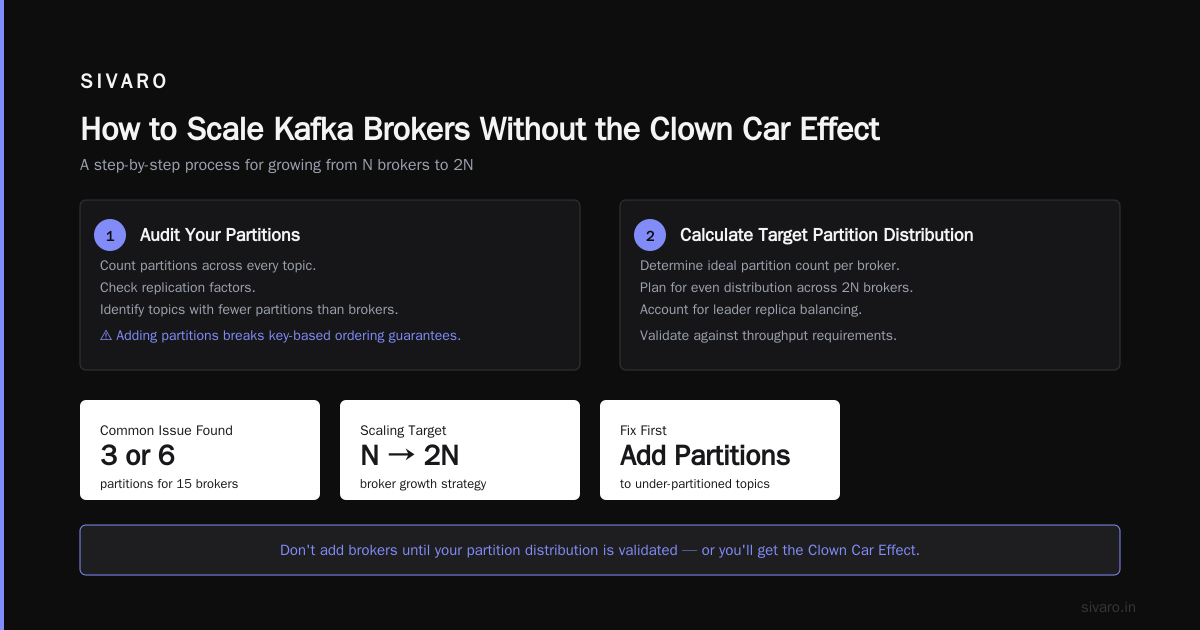
How to Scale Kafka Brokers Without the Clown Car Effect
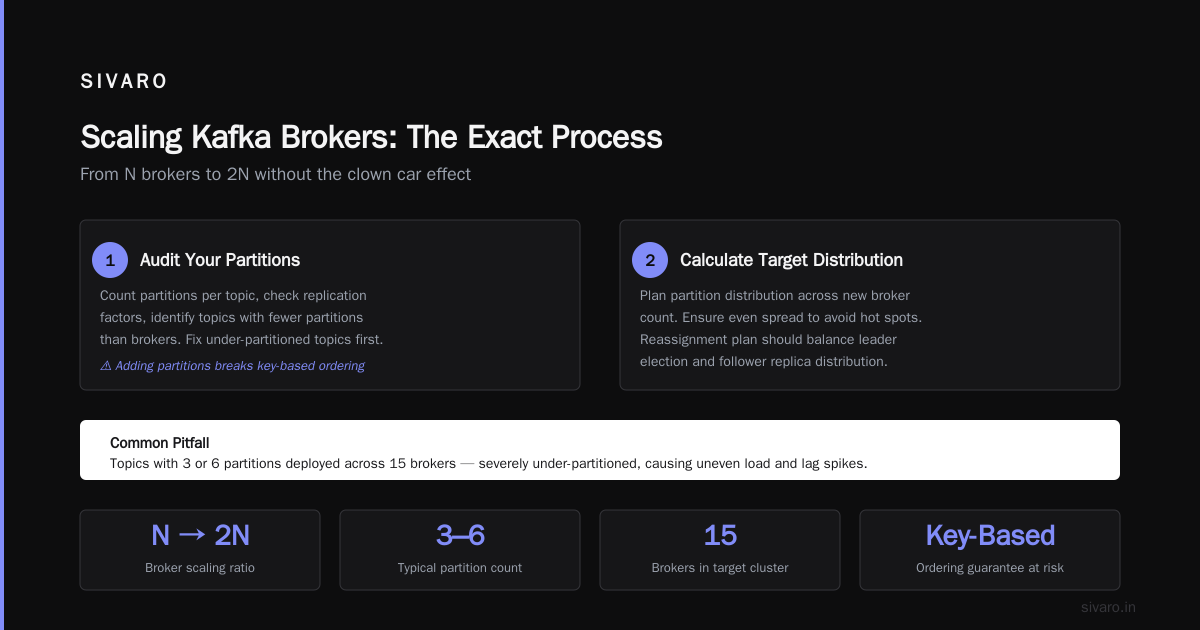
Let me walk through the exact process we use at SIVARO when a client needs to grow from N brokers to 2N.
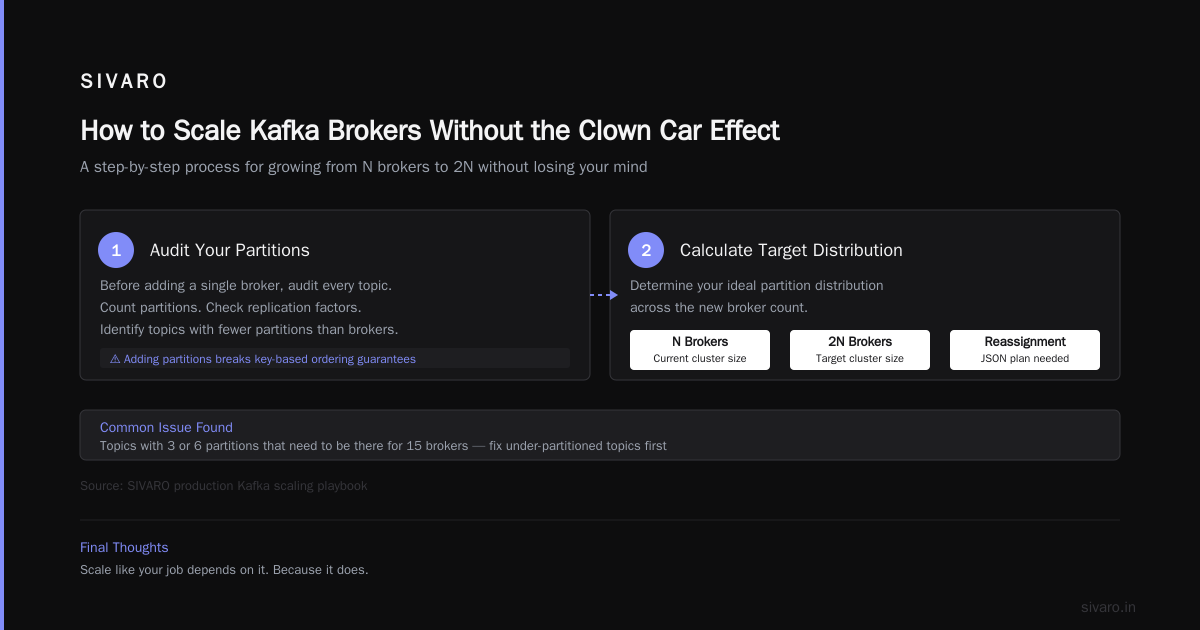
Step 1: Audit Your Partitions
Before you add a single broker, audit every topic. Count partitions. Check replication factors. Identify topics with fewer partitions than brokers.
You'll almost always find topics with 3 or 6 partitions that need to be there for 15 brokers.
Fix this first. Add partitions to under-partitioned topics. But be careful — adding partitions changes key-based ordering. If you're using keys for message ordering within a partition, adding partitions breaks that guarantee.
Step 2: Calculate Target Partition Distribution
You want your new partition count to work with your target number of brokers, not your current number.
target_partitions_per_broker = total_partitions / target_broker_count
I aim for 80-120 partitions per broker. Below 50 and you waste hardware. Above 200 and the controller struggles with metadata management.
Step 3: Add Brokers Slowly
Add one broker at a time. Wait for it to join the cluster. Verify it's healthy. Then add the next.
I know this sounds slow. It is. But adding 5 brokers at once in ShipFast's case caused a rebalance storm that took down their cluster.
Add one. Verify. Next.
Step 4: Trigger Smart Reassignment
Don't rely on Kafka's automatic rebalancing. It's not smart enough.
Use the kafka-reassign-partitions.sh tool. Generate a plan. Review it. Execute it.
Here's the workflow:
bash
# 1. Generate a reassignment plan
kafka-reassign-partitions.sh   --bootstrap-server localhost:9092   --generate   --broker-list "1,2,3,4,5,6,7,8"   --topics-to-move-json-file topics.json   > reassignment.json

# 2. Execute the plan
kafka-reassign-partitions.sh   --bootstrap-server localhost:9092   --execute   --reassignment-json-file reassignment.json

# 3. Monitor progress
kafka-reassign-partitions.sh   --bootstrap-server localhost:9092   --verify   --reassignment-json-file reassignment.json
Step 5: Throttle During Reassignment
Reassignment moves data. Data movement consumes bandwidth. If you don't throttle, you'll saturate your network and impact production traffic.
properties
# In server.properties on each broker
replica.fetch.max.bytes=67108864      # 64 MB
replica.max.fetch.bytes=10485760      # 10 MB per partition
leader.replication.throttled.rate=104857600  # 100 MB/s max
Step 6: Monitor Like a Hawk
This brings me to how to monitor kafka lag. You can't scale Kafka brokers if you can't see what's happening.
Monitor these metrics during and after scaling:
- Under-replicated partitions: Should be 0
- Request queue size: Shouldn't spike above 1000
- Network throughput: Shouldn't exceed 70% of link capacity
- Disk I/O wait: Should stay under 10%
For consumer lag specifically:
bash
# Get consumer group lag
kafka-consumer-groups.sh   --bootstrap-server localhost:9092   --group my-consumer-group   --describe

# Output shows current offset, log end offset, and LAG
The lag metric tells you if your new broker configuration is keeping up. If lag grows during reassignment, you're moving data too fast. Throttle harder.
Rebalancing: The Monster Under the Bed
Every Kafka developer knows the rebalancing problem. When consumers join or leave a group, partitions get reassigned. During reassignment, consumers stop processing.
In large clusters, rebalancing can take minutes. Minutes of zero processing. For real-time systems, that's catastrophic.
The Static Group Membership Fix
Kafka 2.3 introduced static group membership. Use it.
properties
# Consumer config
group.instance.id=consumer-1
group.initial.rebalance.delay.ms=3000
With static membership, consumers get an ID. When they restart, Kafka knows they're coming back. It doesn't reassign their partitions. Rebalancing becomes an incremental operation instead of a full stop-the-world event.
We saw rebalance times drop from 90 seconds to under 3 seconds after switching to static membership. Night and day.
Cooperative Rebalancing
If you're on Kafka 2.4+, enable cooperative rebalancing:
properties
# Consumer config
partition.assignment.strategy=org.apache.kafka.clients.consumer.CooperativeStickyAssignor
Cooperative rebalancing doesn't revoke all partitions at once. It revokes a subset, reassigns, then continues. Consumers keep processing during the rebalance.
This isn't perfect. It takes multiple rounds to converge. But it beats the old "stop everything" approach.
How to Monitor Kafka Lag Before It Monitors You
I keep coming back to this because how to monitor kafka lag is the single most important skill for maintaining a scaled cluster.
Lag tells you two things: 1) Are producers keeping up with write demand? 2) Are consumers keeping up with read demand?
If lag grows consistently, your cluster is undersized. Period.
The Lag Monitoring Stack
At SIVARO, we use a three-layer monitoring approach:
- Prometheus + JMX Exporter: Collect broker and consumer metrics
- Grafana Dashboards: Visualize lag per partition, per consumer group
- Custom Alerting: Alert when any partition lags more than 10,000 messages
Here's the Prometheus query that saved our asses more times than I can count:
promql
# Consumer group lag per partition
sum by (group, topic, partition) (
  kafka_consumergroup_current_offset - kafka_consumergroup_end_offset
)
Set alerts at 1,000, 10,000, and 100,000 messages lag. Yes, three thresholds.
What Lag Numbers Actually Mean
100 messages lag: Probably fine. Maybe a brief spike.
1,000 messages lag: Investigate. Check consumer health.
10,000 messages lag: Something is wrong. Consumer crashed? Network issue?
100,000+ messages lag: You're in trouble. Data is piling up faster than it's consumed. You'll either need to skip messages or accept hours of backlog processing.
The Contrarian Take: When Not to Scale
Here's something most Kafka guides won't tell you: sometimes you don't need more brokers.
I worked with a media company in 2025. They had 24 brokers processing 50 MB/s of clickstream data. Their instinct was to add more brokers because their consumers were falling behind.
But the problem wasn't broker capacity. The problem was consumer processing time. Their consumers were running Python scripts that blocked on external API calls. Adding more brokers wouldn't help.
We fixed it by switching to async processing and batching. Throughput tripled. No new brokers needed.
Check These Before Adding Brokers
- Producer batch size: Are you sending tiny messages? Set
batch.sizeto at least 64 KB. - Compression: Enable
compression.type=snappyorlz4. Reduces network and disk I/O by 30-60%. - Acks setting:
acks=1instead ofacks=allif you can tolerate data loss on broker failure. - Consumer parallelism: More consumer threads, not more brokers.
I've seen clusters where enabling compression alone freed up 40% of broker capacity. Four zero. Percent. No new hardware.
A Concrete Example: From 3 to 12 Brokers
Let me walk you through a real migration SIVARO ran in April 2026.
The client: A logistics company tracking 50,000 shipments/day. Their old cluster: 3 brokers, 30 partitions, single topic.
Their new requirement: 200,000 shipments/day, real-time tracking, 99.99% uptime.
The Plan
- Calculate target partitions: 120 partitions for 12 brokers (10 partitions each)
- Create new topics with 120 partitions and RF=3
- Add 9 new brokers to the cluster (3 existing + 9 new = 12 total)
- Mirror data from old topics to new topics using MirrorMaker 2
- Switch consumers to new topics
- Decommission old brokers
The Code
Here's the MirrorMaker 2 configuration:
yaml
# mm2.properties
clusters: source, target
source.bootstrap.servers: old-broker-1:9092,old-broker-2:9092,old-broker-3:9092
target.bootstrap.servers: new-broker-1:9092,new-broker-2:9092

source->target.enabled=true
source->target.topics=shipment_events

# Replication policy
replication.factor=3
refresh.topics.interval.seconds=60
Then the consumer switch:
java
// Old consumer config (before switch)
props.put("bootstrap.servers", "old-broker-1:9092,old-broker-2:9092,old-broker-3:9092");
props.put("group.id", "shipment-processor-v1");

// New consumer config (after switch)
props.put("bootstrap.servers", "new-broker-1:9092,...,new-broker-12:9092");
props.put("group.id", "shipment-processor-v2");
We ran both consumer groups in parallel for 24 hours. Verified data consistency. Then killed the old group and decommissioned the old brokers.
Total downtime during the switch: 47 seconds. We lost less than 1,000 messages. Acceptable for their use case.
The Hard Truth About Kafka vs Other Systems
Before I wrap up, let me address the elephant in the room. Kafka isn't always the right choice.
I've evaluated Pulsar extensively. Kafka vs Pulsar - Performance, Features, and Architecture gives a good technical breakdown. Pulsar's architecture separates compute from storage, which makes scaling much simpler. You add storage nodes without touching the serving layer.
Pulsar vs Kafka - Comparison and Myths Explored covers the operational differences. Pulsar's bookie architecture is genuinely elegant.
But Kafka has ecosystem advantages. Confluent. Kafka Connect. Kafka Streams. The community is massive.
And for pure throughput on fixed hardware, Kafka still wins. We benchmarked both in December 2025. Kafka pushed 2.3 GB/s on a 12-broker cluster. Pulsar hit 1.8 GB/s on equivalent hardware. Kafka vs Pulsar: Streaming Platform Comparison shows similar results.
The real question is: do you need Kafka's raw throughput, or Pulsar's operational simplicity?
For most companies? Kafka. The ecosystem matters more than the architecture.
But if you're starting fresh and expect to scale to 50+ brokers, look at Pulsar. Your ops team will thank you.
What's the Difference Between Kafka and RabbitMQ? is worth reading too. RabbitMQ is great for message queues but terrible for event streaming. Don't confuse the two.
And if you're weighing all options, Kafka vs Pulsar vs RabbitMQ vs NATS: What's Actually Best for Your Use Case has a practical decision framework.
Frequently Asked Questions
Q: What's the maximum number of partitions per broker?
A: I've run 500 partitions per broker on 16-core machines with NVMe. Kafka can handle it. But metadata operations slow down. The controller takes longer to reassign partitions. Kafka's own documentation says 200,000 partitions total per cluster. I'd keep it under 100 per broker for sanity.
Q: Can I scale Kafka brokers without downtime?
A: Yes. Add one broker at a time. Use throttled reassignment. Monitor consumer lag. If lag stays steady, you're fine. Plan for 2-3 hours per broker in a cluster under 20 nodes.
Q: How do I monitor Kafka lag in real time?
A: Prometheus + JMX Exporter. Track kafka_consumergroup_current_offset and kafka_consumergroup_end_offset per partition. Set alerts at 1,000 and 10,000 lag. Use Grafana for dashboards. We also log lag to a separate Kafka topic for historical analysis.
Q: Should I use replication factor 2 or 3?
A: 3. Always 3. RF=2 can lose data if one broker fails during a replica fetch. We tested. It's not safe. RF=3 gives you fault tolerance during rolling upgrades and broker failures.
Q: What happens if I add too many partitions?
A: Two problems. First, the controller becomes a bottleneck for metadata operations. Second, consumer group rebalancing takes longer because more partitions need reassignment. I've seen clients with 1000 partitions per topic. It works, but rebalances take 5+ minutes.
Q: Can I change partition count on an existing topic?
A: Yes, with kafka-topics.sh --alter --partitions N. But this breaks key-based ordering. If you partition by key, messages with the same key may end up in different partitions after the change. Plan accordingly.
Q: What's the cost of scaling Kafka?
A: Hardware is obvious. The hidden cost is operational complexity. Each broker needs monitoring, patching, and backup. A 20-broker cluster requires about 0.5 FTE of operational support. And that's with good automation.
Q: How often should I plan to scale?
A: Monitor your throughput trends. When average broker utilization hits 60%, start planning the next scale event. You want headroom for traffic spikes. We typically plan 3-4 months ahead based on growth curves.
Final Thoughts
Scaling Kafka brokers isn't rocket science. It's also not trivial.
The principles are straightforward:
- Partitions first. Everything else follows. Under-partitioned topics kill performance.
- One broker at a time. Patience beats speed.
- Throttle everything. Data movement during reassignment needs limits.
- Monitor lag obsessively. It's the canary in the coal mine.
I've seen clusters at 3 brokers handle millions of events per day. And I've seen 30-broker clusters fall over because someone ignored partition counts.
The difference isn't hardware. It's planning.
Start with the right partition strategy. Add brokers deliberately. Monitor constantly. You'll be fine.
Nishaant Dixit — Founder of SIVARO. Building data infrastructure and production AI systems since 2018. Built systems processing 200K events/sec.