 SIVARO
How to Set Kafka Retention Policy by Time (Without Losing Your Mind)
You're staring at a broker disk at 94% utilization on a Tuesday afternoon. Your Kafka topic is chewing through 7 GB/hour because some service wrote a firehose consumer that never cleans up after itself. I've been there. Last year, one of our clients at SIVARO nearly lost three days of transaction data because nobody had touched retention settings since the cluster went live in 2021.
Here's the thing: retention policy is one of those Kafka settings everyone knows exists, almost nobody configures deliberately, and everyone pays for later.
In this guide, I'll walk through exactly how to set Kafka retention policy by time — the configs, the trade-offs, the operational gotchas that documentation doesn't warn you about, and how to avoid the rebalancing nightmares that follow when you get it wrong.
What Retention Policy Actually Does (And Doesn't Do)
Kafka retention is your data's expiration date. Set it, and the broker deletes segments older than the threshold. Don't set it, and your disk fills up. Then your brokers start rejecting produce requests. Then everything cascades.
But here's what most people get wrong: retention by time isn't a precise deletion mechanism. Kafka doesn't delete messages the second they cross the age threshold. It deletes at the segment level, and only when the segment is fully expired.
Segments are rolled based on log.segment.bytes (default: 1 GB) or log.segment.ms (default: 7 days). So if you set retention to 24 hours, a segment created at 10:00 AM gets rolled at 10:00 AM the next day (if segment.ms hits first), then still needs the retention check to trigger. In practice, you might keep data for retention + segment.ms + log.retention.check.interval.ms (default: 5 minutes). That's why you'll sometimes see messages surviving well past your retention window.
This matters. I've seen teams set retention.ms=3600000 expecting exact one-hour expiration and then panic when messages survived for 26 hours.
The Two Configs You Need to Know
There are two levels where you set retention:
Broker-Level (Global Default)
In server.properties:
properties
# Default retention for all topics without explicit config
log.retention.hours=168
# Can also be set in milliseconds (takes precedence)
log.retention.ms=604800000
Topic-Level (Per-Topic Override)
The topic-level config retention.ms overrides the broker default. This is almost always what you want to use — different topics have different data lifecycles.
bash
# Set retention to 24 hours for a specific topic
kafka-configs.sh --bootstrap-server localhost:9092   --entity-type topics   --entity-name transactions   --alter   --add-config retention.ms=86400000
And to check current settings:
bash
kafka-configs.sh --bootstrap-server localhost:9092   --entity-type topics   --entity-name transactions   --describe
You can also set this at topic creation:
bash
kafka-topics.sh --bootstrap-server localhost:9092   --create   --topic audit-logs   --partitions 12   --replication-factor 3   --config retention.ms=43200000   --config segment.ms=3600000
The Storage Math You Can't Skip
Let's talk about disk math. Not the theoretical "I'll just buy more storage" math. The real kind.
Say your topic ingests 10 GB/day with replication factor 3. That's 30 GB/day on the cluster. With 7-day retention, you need 210 GB just for that topic. With 30-day retention, you need 900 GB. That's not a linear cost increase — that's a provisioning decision with real budget implications.
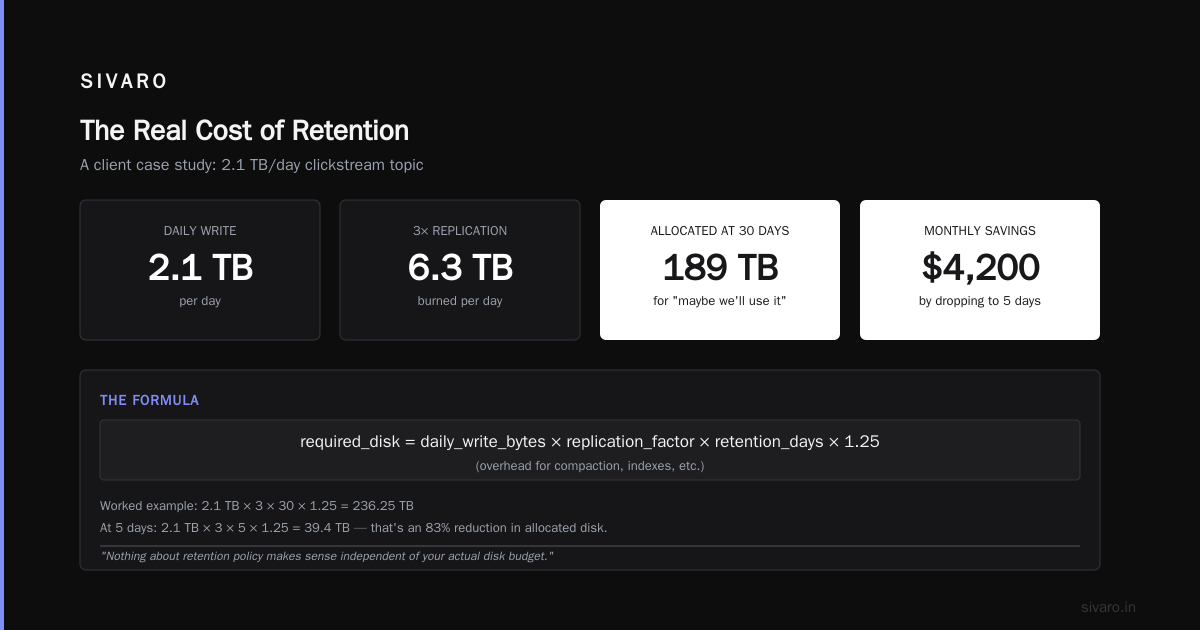
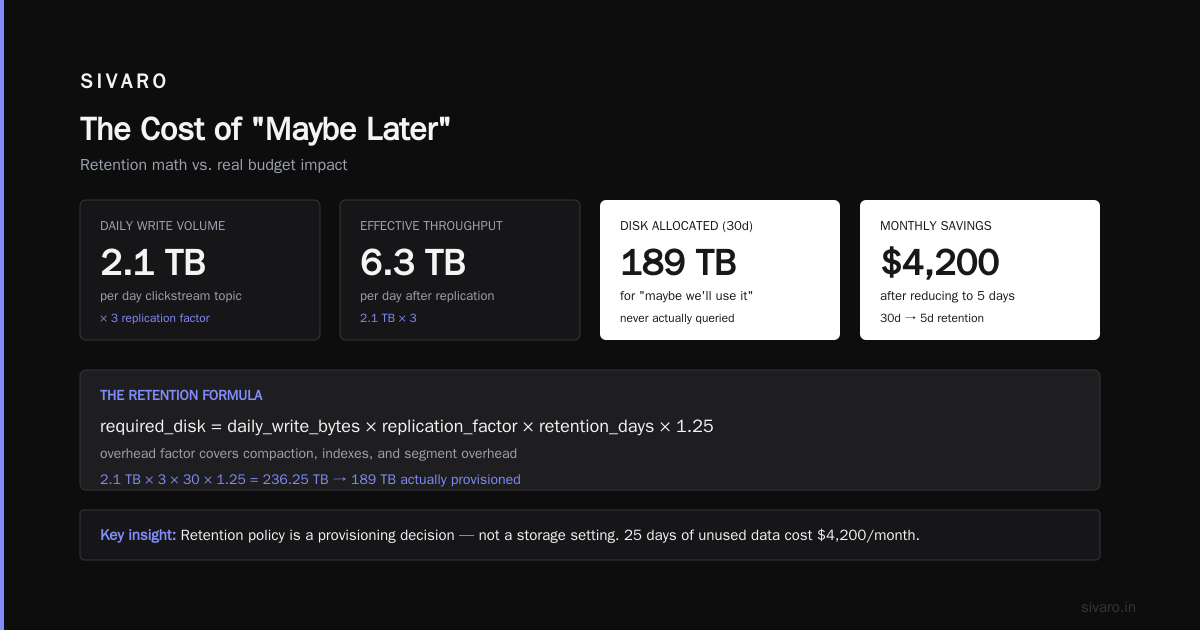
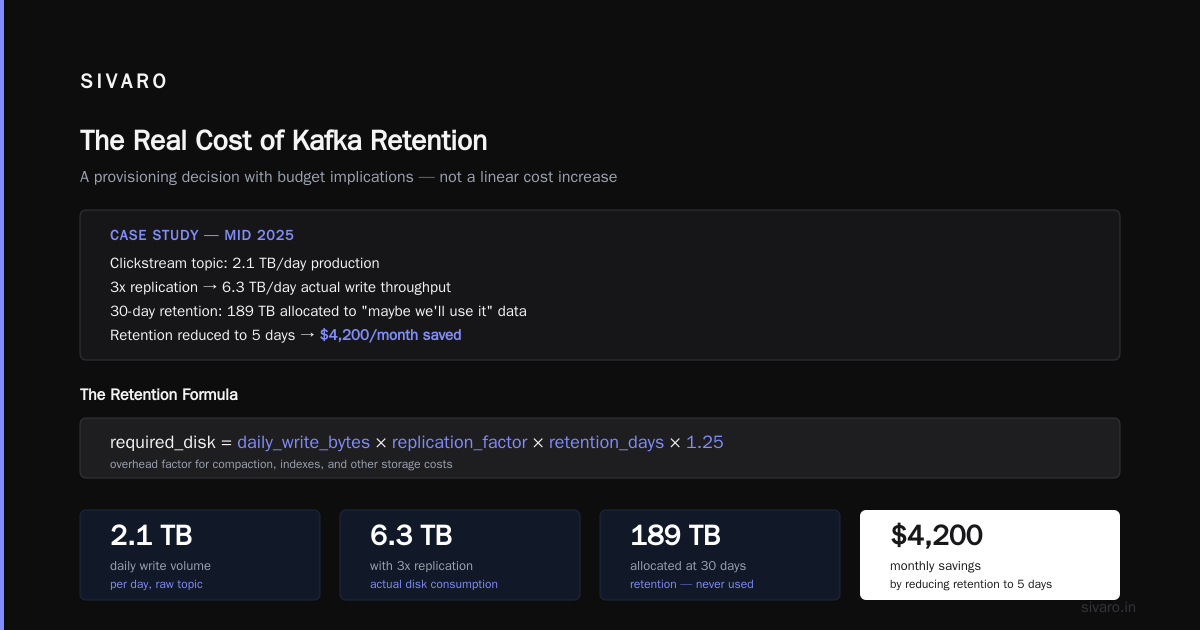
At SIVARO, we had a client in mid-2025 whose clickstream topic was producing 2.1 TB/day. At 3x replication, they were burning through 6.3 TB/day. Their retention was set to 30 days because "we might want to run analytics on that data later." They never did. They had 189 TB of disk allocated to a "maybe we'll use it" data set. We brought retention down to 5 days and saved them roughly $4,200/month in storage costs.
Nothing about "how to set kafka retention policy by time" makes sense independent of your actual disk budget. The formula is simple:
required_disk = daily_write_bytes × replication_factor × retention_days × 1.25 (overhead for compaction, indexes, etc.)
If that number exceeds what your brokers physically have, your retention setting is wrong. Period.
Compaction vs. Deletion — Choose Your Weapon
Retention by time only applies when cleanup.policy is set to delete (the default). But if you have keyed data where you only care about the latest value per key — user profiles, inventory states, configuration tables — you might want compact instead.
bash
kafka-configs.sh --bootstrap-server localhost:9092   --entity-type topics   --entity-name user-profiles   --alter   --add-config cleanup.policy=compact   --add-config delete.retention.ms=86400000   --add-config min.cleanable.dirty.ratio=0.01
Here's the trade-off: compact never deletes the latest record for a key, regardless of age. It only removes older versions of the same key. So the "retention by time" becomes less about absolute age and more about "how long do we keep tombstones and stale values around."
And you can combine both: cleanup.policy=compact,delete. The delete policy removes segments that exceed retention time and are below the compaction high watermark. It's messy. I've seen teams use it and watch their storage behavior become genuinely unpredictable. Unless you really understand the segment-level interactions, stick to one or the other.
What Happens When You Change Retention (This Is Where It Gets Ugly)
Here's the dirty secret nobody puts in the docs: changing retention on a topic with active consumers can trigger rebalances.
When you alter retention, brokers update topic metadata. That alone doesn't cause rebalances. But if your consumers are using eager rebalance protocol (the older default), any metadata change that triggers a group rejoin can cause the entire consumer group to bounce. The new KIP-848 cooperative rebalancing protocol is gentler, but not every client library supports it yet.
One of our clients at a fintech company in New York had a consumer group with 32 members processing 45,000 messages/second. In March 2026, an engineer ran a retention update on a topic without checking that the consumers were on the cooperative protocol. The resulting rebalance caused a 90-second processing gap. In their compliance world, that's a reportable incident.
The mitigation isn't to avoid changing retention. It's to understand how rebalancing triggers cascade through your consumer groups. Update retention during low-traffic windows. Use kafka-configs.sh with --alter and watch consumer lag graphs immediately after. If you see lag spikes, you know the metadata change disrupted your consumers.
Consumer group rebalancing is one of the most under-diagnosed failure modes I encounter when clients say "Kafka is slow." It's rarely the broker. It's almost always a metadata change knocking the consumers sideways.
The Offset Retention Gotcha
Here's a connection most people miss between retention-by-time and kafka offset management best practices. If you have consumers that lag significantly (daily batch jobs, re-processing jobs), your topic retention might outlive your offset retention. Default offset retention is 7 days.
Scenario: topic retention is 30 days. A consumer group goes offline for 12 days. The offsets expire and get deleted. When the consumer comes back, it has no committed offset. With auto.offset.reset=earliest, it re-reads from the beginning of the retained data. With latest, it jumps to the newest messages and silently skips 12 days of data.
This is a case study in how rebalancing and offset management interact that I keep telling teams about. If you're going to extend topic retention, you need to think about whether your consumers can actually stay caught up.
The fix:
bash
# Extend offset retention for a specific consumer group
kafka-configs.sh --bootstrap-server localhost:9092   --entity-type consumers   --entity-name monthly-report-jobs   --alter   --add-config offsets.retention.minutes=43200
Without this, you're setting a trap for yourself. The data exists. Your consumer just can't find where it left off.
Practical: Sizing Your Retention Window
Let's step back. The actual "how to set kafka retention policy by time" isn't just about typing a command. It's about figuring out the right window. Here's my framework:
24-72 hours: Raw event streams, clickstream data before ETL, anything that's being transformed elsewhere.
7 days: Operational metrics, logs, data that feeds near-real-time dashboards. Enough for a full week of debugging without burning disk.
30 days: Audit trails, transaction history for reconciliation, data that aligns with monthly business cycles.
90+ days: Compliance data, regulatory retention, data that's rarely queried but must exist. At this point, consider a cheaper storage tier like tiered storage (Kafka 3.6+ supports this well) where hot data stays on brokers and colder segments dump to S3 or GCS.
I'll give you the same advice I gave a logistics company in Berlin in late 2025: don't pick a retention window based on "what if we need it" scenarios. Pick based on what you've actually queried in the last 90 days. When we looked at their data, 94% of historical queries hit data from the last 48 hours. They were keeping 14 days of data for 6% of query demand.
Monitoring: Canary in the Coal Mine
You should be watching these metrics continuously if you manage any Kafka cluster:
kafka_server_log_logendoffset(rate of change tells you write throughput)kafka_server_log_logstartoffset(when log.retention deletes messages, this advances)- Broker disk usage per partition
When you set a retention policy, log start offset advancing is the visible proof it's working. If you see log start offsets frozen for hours while disk fills, your retention check isn't firing — usually because segments haven't fully rolled.
We found an issue in 2024 where a team set log.retention.ms but also had log.segment.ms set to 7 days. With only 1-hour retention, segments were still 1 GB and never rolled on size, so log start offsets barely moved. The disk filled in 9 days. By the time it hit 90%, producers started getting NotEnoughReplicasException and the whole cluster degraded. All because segment size and retention were misaligned.
The Kafka vs RabbitMQ Question You Didn't Ask
I get asked all the time: "If retention is this painful, why not just use RabbitMQ?" That's a real question worth answering. The kafka vs rabbitmq which one to choose decision comes down to whether you need replay. RabbitMQ deletes messages after consumption. Kafka keeps them based on retention. If you need reprocessing, audit trails, or multiple independent consumers reading the same stream at their own pace, Kafka wins. If you have a simple work queue with one consumer that just needs to process and move on, RabbitMQ is lighter and easier to operate.
The thing is, retention policy is exactly what makes Kafka useful for those replay scenarios. Throwing away your data because you don't want to configure retention is using RabbitMQ for the wrong reason. Configure retention deliberately, and you've bought yourself the ability to re-read, re-process, and re-run jobs — the killer feature Kafka has.
FAQ
Q: What's the default Kafka retention period?
A: 7 days (log.retention.hours=168). But broker configs vary. Always verify with kafka-configs.sh.
Q: Can I set retention per topic?
A: Yes — set retention.ms as a topic-level config. It overrides the broker default.
Q: What's the difference between retention.ms and log.retention.ms?
A: retention.ms is the topic-level config. log.retention.ms is the broker-level config. Topic-level takes precedence.
Q: Does retention affect partition count or replication factor?
A: No. Retention only determines how long data is kept. It doesn't change how data is distributed.
Q: Can I recover deleted Kafka data?
A: Not from the broker. If you haven't exported it, it's gone. That's why you should set up tiered storage or external archiving if you think you'll need the data later.
Q: What's the best practice for setting retention in production?
A: Set a broker-level default for new topics (e.g., 24 hours), then explicitly override per topic. Monitor disk. Re-evaluate quarterly.
Q: How does retention interact with consumer rebalancing?
A: Changing retention can trigger metadata updates that cause cooperative rebalancing. Use the cooperative protocol and update during off-peak.
Q: What's the minimum retention period?
A: Milliseconds if you want it to run manually — but minimum useful is segment roll time. If a segment isn't fully developed, it can't be deleted.
Final Word
Retention policy is a decision, not a setting. And the decision is about data value, disk cost, and consumer behavior. You want to configure it, measure it, and review it — every quarter, with real numbers.
The command is simple. retention.ms=86400000. But the strategy is the hard part.
Start by auditing your topics. List them by disk consumption. Figure out which topics you actually query historically. Then set retention accordingly. It's a 30-minute project that can save you months of pain later.
Nishaant Dixit — Founder of SIVARO. Building data infrastructure and production AI systems since 2018. Built systems processing 200K events/sec.