 SIVARO

How to set Karpenter budget limits
July 21, 2026. You’re running EKS in production. Pods are scaling like crazy. Your AWS bill just doubled. Someone on the team blames Karpenter. “It’s too aggressive,” they say. “It spins up nodes too fast.”
I hear this every week at SIVARO. And honestly? Karpenter isn’t the problem. Your budget limits are.
Karpenter budget limits are the brakes on node provisioning and disruption. Without them, Karpenter treats your cluster like an open bar. With them, you control cost, stability, and consolidation speed. This guide shows you exactly how to set them — from the YAML fields to the real-world trade-offs I’ve learned running production AI workloads.
You’ll learn the three types of limits that matter, how to tune them for spot vs on-demand, and why most teams set them wrong.
Why default Karpenter burns cash
Karpenter’s default behavior is optimized for speed, not cost. It launches nodes the instant a pod is unschedulable. It consolidates aggressively — replacing nodes as soon as a cheaper instance type becomes available. That’s great for latency. Terrible for your monthly bill.
I onboarded a fintech client earlier this year. They had 80 nodes running. Karpenter was consolidating every 90 seconds. They were paying for 10–15% overhead in churn alone — instances terminated minutes after launch.
The fix wasn’t disabling consolidation. It was setting budget limits on how many nodes could be disrupted at once, and how fast new nodes could be created. Optimizing your Kubernetes compute costs with Karpenter consolidation covers the theory. Here’s the practice.
What are Karpenter budget limits? (The three dials)
Karpenter exposes two main budget controls, plus a third indirect one through PodDisruptionBudgets.
1. spec.disruption.budgets on NodePool
This is the big one. It limits how many nodes Karpenter can disrupt (terminate) at any time during consolidation. The field looks like this:
yaml
spec:
  disruption:
    budgets:
    - nodes: "10%"
      duration: 1h
    - nodes: 2
The top-level nodes field (before duration) defines a disruption budget within a time window. The second entry without duration acts as a hard cap on concurrent disruptions.
Most people think “10%” is safe. It isn’t. If you have 100 nodes, 10% means Karpenter can terminate 10 nodes simultaneously. For a critical service like an ingress controller or database, that’s disastrous. You need to think in terms of application impact, not cluster math.
2. spec.limits on NodePool
This sets hard ceilings on resources (CPU, memory, instance count) that Karpenter can provision for that NodePool. It’s your cost fence.
yaml
spec:
  limits:
    resources:
      cpu: 1000
      memory: 4000Gi
Without this, Karpenter will keep spinning up nodes until AWS throttles you. I’ve seen a team accidentally launch 200 m6i.32xlarge instances overnight because a cron job went rogue. That’s a $12,000 mistake at 2026 spot prices.
3. PodDisruptionBudget (PDB) interaction
Karpenter respects Kubernetes PodDisruptionBudgets. If your workload has a PDB restricting how many pods can be unavailable, Karpenter won’t violate it during disruption. This is your application-level budget limit. A Personal Take on Pod Disruption Budgets and Karpenter explains why ignoring PDBs leads to 5AM pages.
How to set Karpenter budget limits: step-by-step
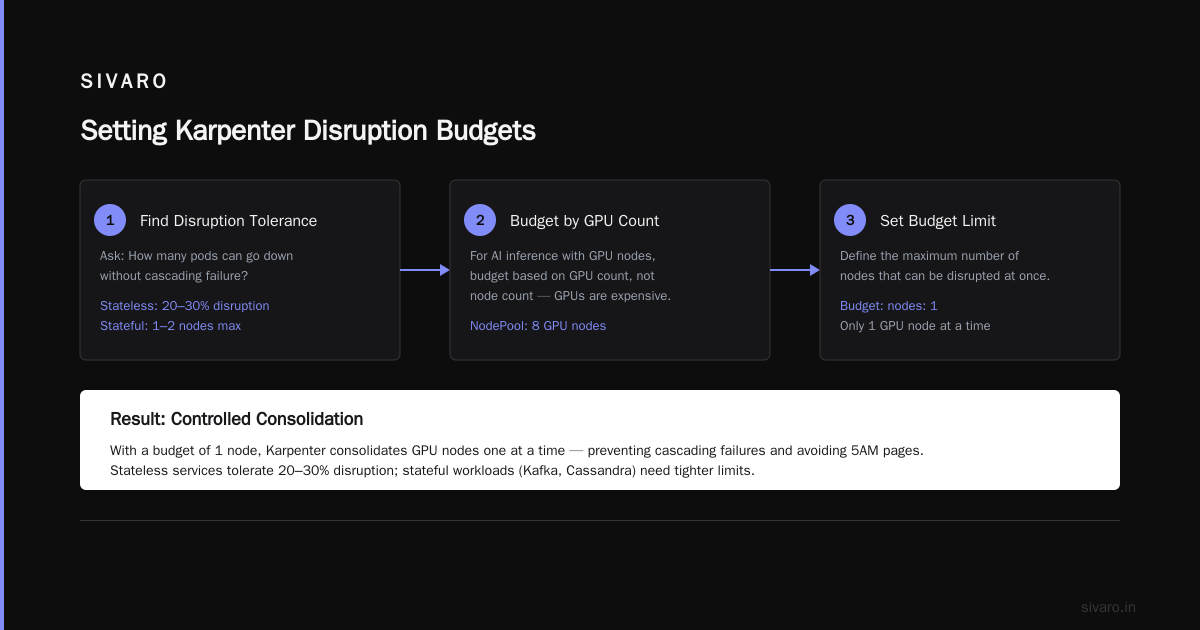
Find your disruption tolerance
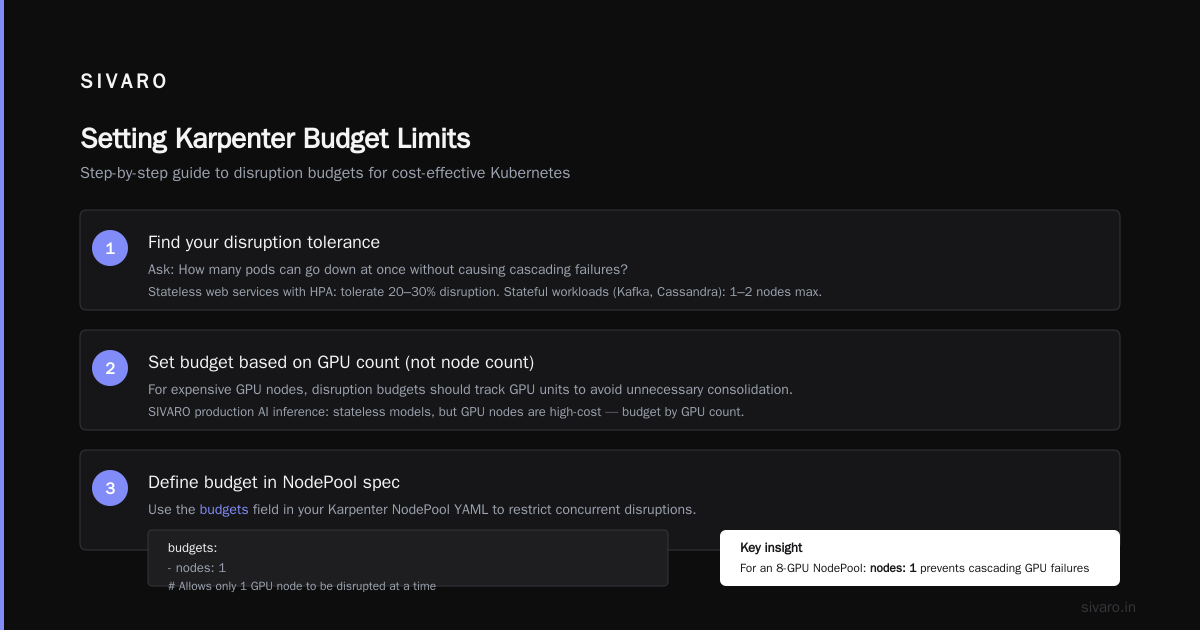
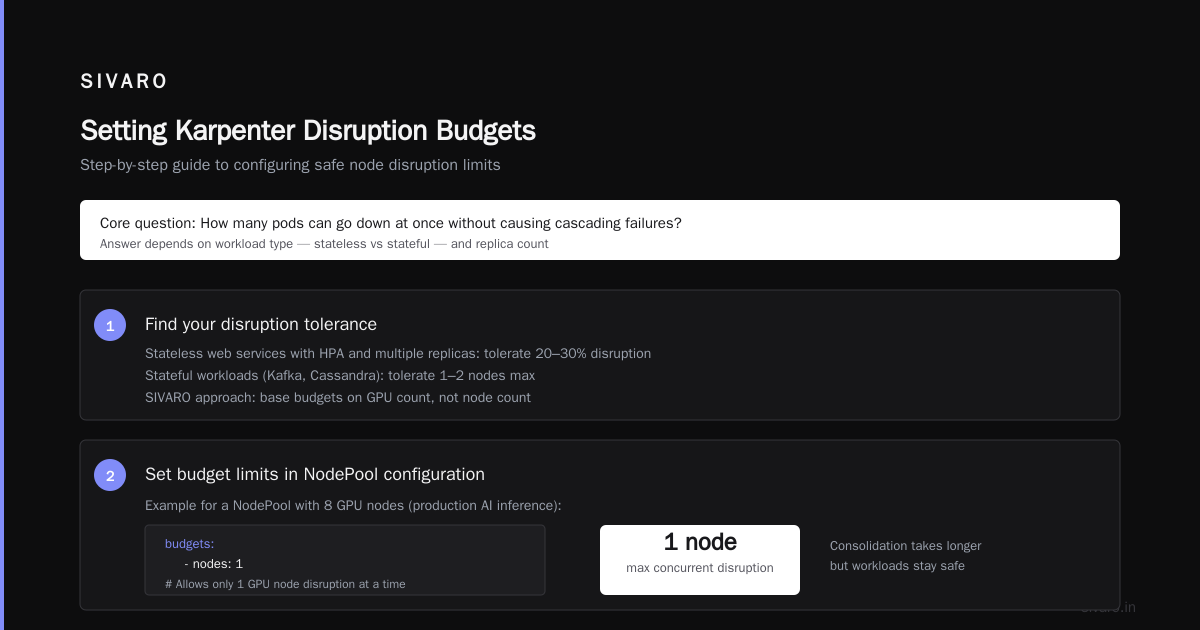
Start with one question: How many pods can go down at once without causing cascading failures?
If you’re running stateless web services with multiple replicas and HPA, you can tolerate 20–30% disruption. If you have a stateful workload — Kafka brokers, Cassandra — the answer is 1, maybe 2 nodes.
At SIVARO, we run production AI inference. Our models are stateless, but the GPU nodes are expensive. We set disruption budgets based on GPU count, not node count. For a NodePool with 8 GPU nodes:
yaml
budgets:
- nodes: 1
This allows only one GPU node to be disrupted at a time. Consolidation takes longer, but we never lose half our inference capacity.
Set limits based on your actual peak, not wishful thinking
Many teams set spec.limits using last month’s peak usage. That’s a trap. Traffic patterns shift. A new deployment could spike CPU demand.
Instead, use a multiplicative buffer. Look at your max usage over the trailing 7 days. Multiply by 1.5. Set that as your limit. Revisit monthly.
For a production NodePool serving user traffic:
yaml
limits:
  resources:
    cpu: 750
    memory: 3000Gi
We set this after a Black Friday-like event in 2025 where traffic tripled unexpectedly. Our limit of 500 CPU would have prevented scaling. We bumped it to 750.
Separate budgets by workload criticality
Don’t use one NodePool for everything. Create multiple NodePools with different budget limits.
-
system-pool: Runs cluster-critical workloads (CoreDNS, metrics-server, aws-node). Budget:
nodes: 1andduration: 1h. Hard limit:nodes: 0— never disrupt unless absolutely necessary. -
app-pool: Normal stateless microservices. Budget:
nodes: 10%withduration: 10m. Hard limit:nodes: 5. -
batch-pool: CI/CD jobs, cron tasks. Budget:
nodes: 50%(fast consolidation to save cost). Hard limit:nodes: 20.
This stratification alone can reduce karpenter spot instances vs on demand cost comparison by 15–25% because spot instances in the batch pool get recycled quickly, while system nodes stay stable.
Concepts has more on NodePool design.
karpenter spot instances vs on demand cost comparison — where budgets matter most
Here’s the reality in July 2026: Spot instance discounts are still 60–90% compared to on-demand. But spot interruptions are not uniform across instance families. AWS publishes spot interruption rates. We track them.
When you mix spot and on-demand in the same NodePool, budgets become critical. A spot pool with a high disruption budget will terminate nodes faster, but you also want to drain them before AWS does it for you.
For spot-heavy NodePools, we use a more aggressive budget:
yaml
spec:
  disruption:
    budgets:
    - nodes: 30%
      duration: 15m
    - nodes: 10
This lets Karpenter consolidate quickly after a spot interruption notice. The goal is to replace a terminated spot node with another spot node before the workload degrades.
For on-demand NodePools (your steady base), budgets should be tight:
yaml
- nodes: 2
  duration: 30m
- nodes: 1
On-demand is predictable. There’s no interruption risk. You pay a premium — don’t waste it by churning nodes.
How to reduce AWS Kubernetes bill with Karpenter (budget-driven strategies)
Most guides tell you “use spot instances” and walk away. That’s table stakes. Real savings come from budget enforcement.
Strategy 1: Limit instance sizes
Karpenter can launch any instance in a family. Without limits, it picks the largest available when pod resource requests are high. Set spec.template.spec.requirements to restrict instance sizes:
yaml
requirements:
- key: node.kubernetes.io/instance-type
  operator: In
  values: ["m5.large", "m5.xlarge", "m5.2xlarge"]
Then pair it with a budget that caps nodes. Example: limit CPU to 200. Karpenter will pack pods tighter, using fewer larger instances. That’s often cheaper than many small ones.
Strategy 2: Use consolidation with a low budget to avoid flapping
“Flapping” happens when Karpenter terminates a node, then immediately launches a new one because a pod couldn’t schedule elsewhere. This multiplies costs. A well-tuned disruption budget prevents flapping by forcing a cooldown: set budgets.nodes: 1 with duration: 5m. Karpenter will wait 5 minutes before even considering another disruption. That pause reduces unnecessary churn.
Strategy 3: Cap spot allocation by budget
You can’t set a percentage of spot vs on-demand directly in Karpenter. But you can create two NodePools — one spot, one on-demand — and use spec.limits to cap the spot pool size. For example, limit spot to 100 CPU. The rest goes to on-demand. That indirectly controls your karpenter spot instances vs on demand cost comparison ratio.
At SIVARO we run 70% spot, 30% on-demand in steady state. Budget limits ensure spot replacement doesn’t overload on-demand.
Cut AWS costs by 20% while scaling with EKS, Karpenter ... shows a similar approach in practice.
Monitoring and adjusting budgets over time
Setting budgets is not a one-time config. Your workloads change. Instance prices change. Spot interruption rates shift.
We use a simple script that queries Karpenter’s metrics every hour and alerts if disruption budget utilization exceeds a threshold (e.g., 80% of the nodes cap). Example Prometheus query:
karpenter_nodes_disrupted_total{nodeclaim="true"} / karpenter_nodeclaims_terminated_total > 0.8
If you see persistent high utilization, your budget is too tight — consolidation is being blocked. If utilization is near zero, your budget is too loose. Adjust.
Common mistakes when setting Karpenter budget limits
Mistake 1: Setting a global budget that applies to all NodePools
Karpenter applies budgets per NodePool. But if you use the same budget for system workloads and batch, you’ll cause disruptions on critical pods. Create separate NodePools and set different budgets.
Mistake 2: Ignoring PodDisruptionBudget interaction
I once worked with a team that set minAvailable: 2 on a PDB for a 2-replica service. Karpenter’s budget allowed 1 node disruption. The PDB blocked it anyway. But the team had no monitoring. They thought budgets were working. Actually, consolidation was failing silently. Understanding Karpenter Consolidation: Detailed Overview explains the interaction.
Always verify: kubectl get poddisruptionbudgets across namespaces. Ensure your PDBs don’t conflict with Karpenter’s budgets.
Mistake 3: Setting nodes: "0%" thinking it stops disruptions
This doesn’t prevent all disruptions. It only affects consolidation-driven disruptions. Karpenter still terminates nodes due to spot interruptions, node health failures, or manual deletion. Use spec.disruption.consolidateAfter with a very high value (e.g., "Never") to truly freeze a NodePool.
Mistake 4: Not setting spec.limits at all
This is the most expensive mistake. No limits means Karpenter can scale to AWS account limits. I’ll repeat: always set resource limits. Start with 2x your observed peak. Tighten later.
FAQ
Q: What’s the difference between budgets.nodes and spec.limits.resources.cpu?
budgets.nodes controls how many nodes can be disrupted at once. spec.limits caps total provisioned resources. They’re complementary. You need both.
Q: Can I set budget limits per availability zone?
No. Budgets are per NodePool, not per AZ. If you need AZ-aware disruption control, split into multiple NodePools tied to topology labels.
Q: How does Karpenter handle budget limits during spot interruptions?
Spot interruptions are handled outside the disruption budget. Karpenter will still terminate the node. But if your budget cap (e.g., nodes: 2) is reached for regular disruptions, the interrupted node counts against that same cap. So a spot interruption could block further consolidation temporarily.
Q: What happens if I set nodes: 0?
Karpenter will not perform any voluntary disruptions on that NodePool. Nodes are still terminated for health reasons or spot reclaimations. It’s a safe choice for system NodePools.
Q: Should I set a duration on all budget entries?
Yes, unless you want the cap to be instantaneous. Without duration, the budget applies to concurrent disruptions at any moment. With duration, the budget resets after the window. For typical workloads, use both: a short-duration percentage and a hard concurrent cap.
Q: How do I test my budget limits without breaking production?
Create a separate NodePool with unschedulable: true. Launch test pods there. Trigger consolidation manually (kubectl delete node for a dummy node) and observe behavior. Run this in a staging cluster mirroring production.
Q: What’s the best practice for budget limits in GPU NodePools?
Set nodes: 1 with duration: 1h. GPUs are expensive and often needed by a single large model replica. Disrupting more than one GPU node at a time likely drops inference capacity.
Q: How do budgets affect Karpenter’s consolidationPolicy=WhenEmpty vs WhenUnderutilized?
Budgets apply equally to both policies. WhenEmpty is safer because it only removes empty nodes, but budgets still limit how many can be terminated concurrently.
Conclusion
Setting Karpenter budget limits isn’t a checkbox exercise. It’s a continuous tuning process that directly impacts your AWS bill, application stability, and cluster efficiency.
Start small. Create separate NodePools for different workload classes. Set spec.limits to 2x your current peak. Add disruption budgets that match your pod disruption tolerance. Monitor with Prometheus. Adjust monthly.
If you take one thing from this guide: budget limits are the difference between Karpenter as a cost-saving tool and Karpenter as a cost-exploding grenade. Most people think the problem is automation. It’s not. The problem is missing controls.
You now know how to set Karpenter budget limits. Go apply them before your next AWS bill arrives.
Nishaant Dixit — Founder of SIVARO. Building data infrastructure and production AI systems since 2018. Built systems processing 200K events/sec.