 SIVARO

How to Set Karpenter Budgets and Limits
Last year I watched a client's AWS bill jump 40% in one month. The culprit? Karpenter — the very tool they'd deployed to reduce costs. Their Provisioner had no limits. It spun up r5.16xlarges for a job that needed half a core. That's when I realized: setting Karpenter budgets and limits isn't optional. It's the difference between a cost-savings hero and a silent bill inflator.
What are Karpenter budgets and limits? limits are hard caps on aggregate resources (CPU, memory, nodes) that a Provisioner can provision. budgets control disruption — how many nodes can be consolidated or replaced at once. Together they're your guardrails.
In this guide I'll show you exactly how to set Karpenter budgets and limits based on what I've learned running production clusters at SIVARO and consulting for teams processing 200K events/sec. You'll get YAML examples, hard numbers, and the gotchas that cost real money.
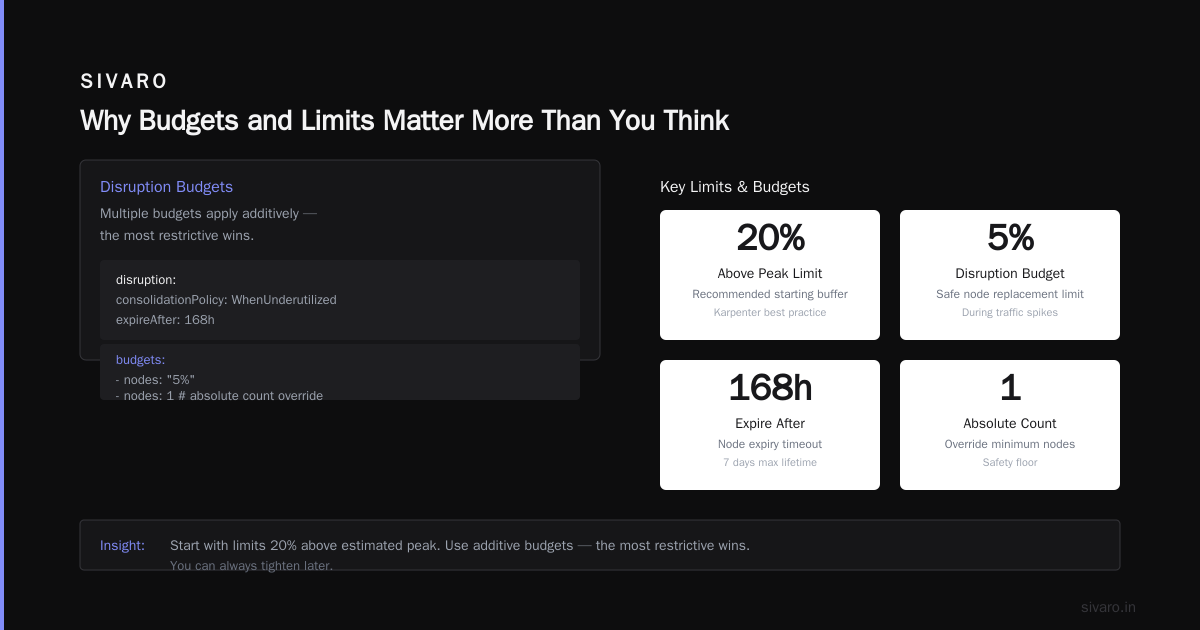
Why Budgets and Limits Matter More Than You Think
Most people treat Karpenter as "set it and forget it." That's a trap. Without budgets and limits, Karpenter is just an aggressive spender. It'll provision anything your pods ask for — even if a cheaper instance type exists.
The Kubernetes Cost Optimization: A 2026 Guide shows that teams without provisioning guardrails overspend by 25-35% on compute. I've seen worse. A fintech startup in 2025 burned $120K in three days because a cron job with no resource requests triggered m6i.32xlarge instances.
Karpenter's strength is speed. It launches nodes in seconds. That's also its danger. Budgets and limits slow the spending spree the way circuit breakers stop electrical fires.
Karpenter vs Cluster Autoscaler: Which to Use in 2026 points out that Karpenter's consolidation feature is a major cost saver — but only if you control which nodes it can consolidate and how many at once. That's the disruption.budgets field.
The Two Mechanisms: Limits vs. Budgets
Karpenter provides two distinct knobs. They're often conflated. Let me separate them.
Limits (spec.limits.resources) cap the total resources your Provisioner can allocate. This is a hard stop. If a Provisioner's limit is 100 vCPUs and you're at 99, Karpenter won't launch another node — even if pods are pending. Pods stay pending. That's intentional.
Budgets (spec.disruption.budgets) control how many nodes can be disrupted at once during consolidation, drift handling, or expiration. Default behavior disrupts everything it can, which can cascade into thrashing. A disruption budget says "never disrupt more than X% of nodes at a time."
At SIVARO we treat limits as the emergency brake and budgets as the cruise control. Both are essential.
How to Set Karpenter Budgets and Limits for Compute Costs
Let's start with a concrete Provisioner definition. Here's the pattern I use for general-purpose workloads:
yaml
apiVersion: karpenter.sh/v1
kind: Provisioner
metadata:
  name: general-purpose
spec:
  requirements:
    - key: karpenter.sh/capacity-type
      operator: In
      values: ["on-demand", "spot"]
    - key: node.kubernetes.io/instance-type
      operator: In
      values: ["c5.large", "c5.xlarge", "c5.2xlarge", "m5.large", "m5.xlarge", "m5.2xlarge"]
  limits:
    resources:
      cpu: 500
      memory: 2000Gi
      nvidia.com/gpu: 0
  disruption:
    consolidationPolicy: WhenUnderutilized
    expireAfter: 720h
    budgets:
      - nodes: "10%"
---
What this does: Limits total CPU to 500 cores and memory to 2 TB. GPU disabled. Disruption budget says "never consolidate more than 10% of the Provisioner's nodes at once." The requirements restrict instance types to a sane range — no 16xlarges sneaking in.
The Smarter Cost Optimization with Karpenter migration guide recommends starting with limits 20% above your estimated peak. That's good advice. You can always tighten later.
Budgets for Disruption: The Art of Letting Go Safely
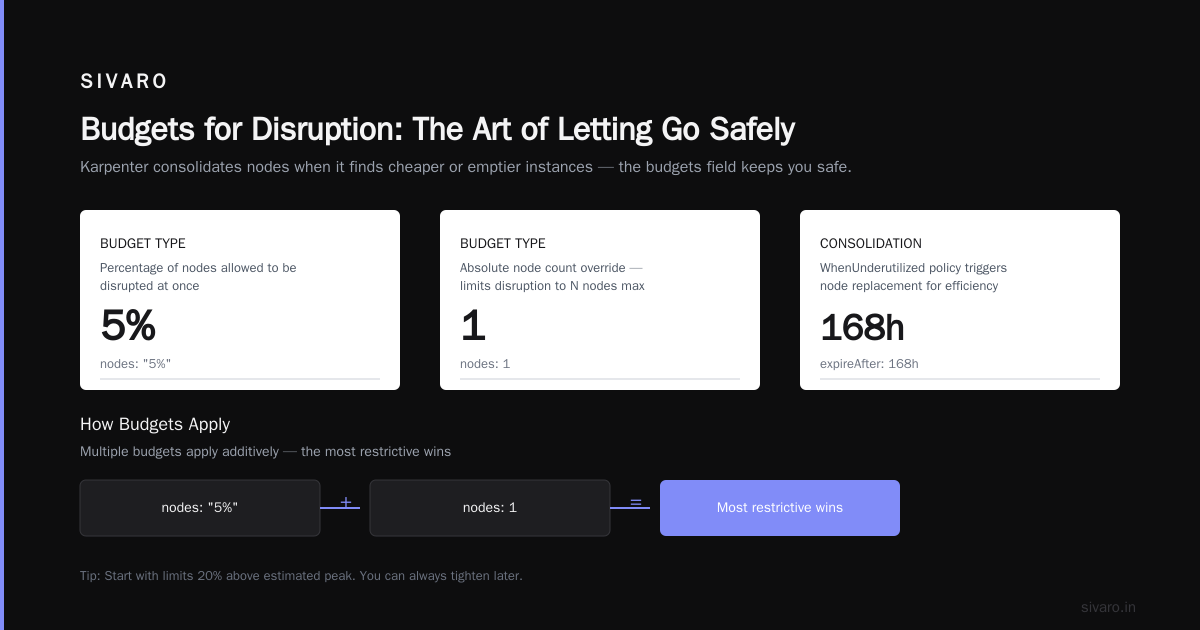
Disruption budgets tripped me up early on. Karpenter consolidates nodes when it finds cheaper or emptier instances. That's great — until it replaces half your cluster during a traffic spike.
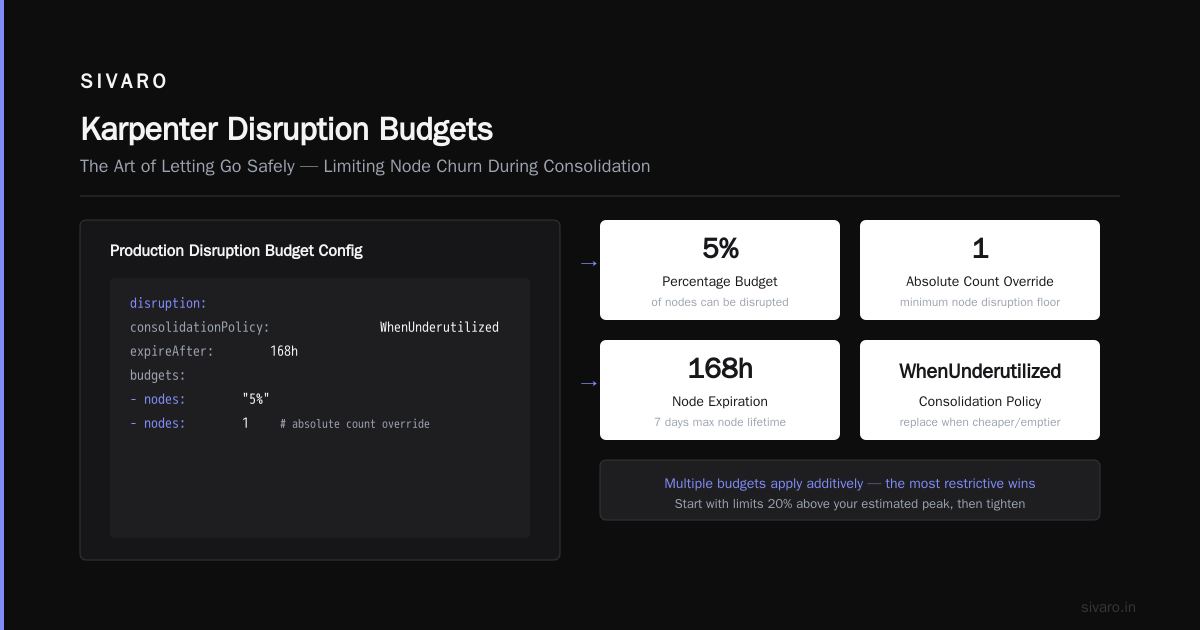
The budgets field accepts a list of objects. Each has a nodes (percentage or integer) or nodeClassRef selector. Multiple budgets apply additively — the most restrictive wins.
Here's a safer example for production:
yaml
disruption:
  consolidationPolicy: WhenUnderutilized
  expireAfter: 168h
  budgets:
    - nodes: "5%"
    - nodes: 1   # absolute count override
This limits disruption to 5% of nodes or 1 node, whichever is stricter. For small clusters (under 20 nodes), an absolute count is safer than a percentage.
When budgets backfire: Too restrictive and Karpenter never consolidates. You hold onto expensive instances. At ScaleOps they found clusters with 2% budgets leaving 30% waste on the table. I aim for 10-15% for clusters over 50 nodes, 5% under.
Set expireAfter to something reasonable — 30 days (720h) for stable workloads, 7 days (168h) for ephemeral. Nodes that survive expiration get replaced, which forces fresh instances with latest patches and avoids AWS spot instance aging.
Limits That Actually Save Money: My Hard-Earned Rules
Five rules I test on every cluster:
Rule 1: Always set a total CPU limit. Pick a number you can justify. For a typical microservices cluster at SIVARO, we cap at 300 vCPUs per Provisioner. That matches our peak historical usage plus 20% headroom. Monitor actual usage in Kubecost or Karpenter's own metrics and adjust.
Rule 2: Set per-Provisioner node limits. Use spec.limits.nodes to cap the node count. I set this to 50 for general-purpose and 20 for GPU. Why? Because some misconfigured pod can start requesting GPU instances and bankrupt you. A node cap limits the blast radius.
yaml
limits:
  resources:
    cpu: 500
    memory: 2000Gi
    nvidia.com/gpu: 10
  nodes: 50
Rule 3: Don't set memory and CPU limits to the same ratio. Karpenter uses the limit ratio to choose instance families. If you cap CPU at 300 and memory at 1200Gi, that's 4GB per vCPU. That's fine for memory-heavy apps. But if your apps are CPU-bound, you'll pay for unused memory. I keep ratios closer to 2:1 (memory:CPU) for general workloads.
Rule 4: Isolate spot and on-demand into separate Provisioners, each with its own limits. Spot instances require tighter budgets because you need capacity in multiple zones. At Cast AI they recommend separate Provisioners for better cost visibility.
yaml
# spot-only Provisioner
apiVersion: karpenter.sh/v1
kind: Provisioner
metadata:
  name: spot-general
spec:
  requirements:
    - key: karpenter.sh/capacity-type
      operator: In
      values: ["spot"]
  limits:
    resources:
      cpu: 200
      memory: 800Gi
    nodes: 30
  disruption:
    consolidationPolicy: WhenUnderutilized
    budgets:
      - nodes: "15%"
---
# on-demand-only Provisioner
apiVersion: karpenter.sh/v1
kind: Provisioner
metadata:
  name: ondemand-general
spec:
  requirements:
    - key: karpenter.sh/capacity-type
      operator: In
      values: ["on-demand"]
  limits:
    resources:
      cpu: 100
      memory: 400Gi
    nodes: 20
  disruption:
    consolidationPolicy: WhenUnderutilized
    budgets:
      - nodes: "5%"
Rule 5: Set GPU limits very carefully. A single p4d.24xlarge is 96 vCPUs and 8 GPUs. One GPU request can blow through your entire budget. I cap GPU at 2 per Provisioner unless I'm running training jobs. And I always set nodes: 5 alongside.
Tying Budgets to Cost Allocation
Budgets aren't just about cluster stability. They're about accountability. When engineering teams share a cluster, they need to know their spend ceiling.
I combine Karpenter limits with node labeling and taint-based scheduling. Each team gets its own Provisioner with a hard limit. The Top 18 Kubernetes Cost Optimization Strategies in 2026 highlights namespace-level budgets as a top strategy. Karpenter doesn't do namespace budgets natively, but you can map Provisioners to teams via spec.taints and spec.labels.
Example — team alpha gets compute up to 100 vCPUs:
yaml
apiVersion: karpenter.sh/v1
kind: Provisioner
metadata:
  name: team-alpha
spec:
  taints:
    - key: team
      value: alpha
      effect: NoSchedule
  limits:
    resources:
      cpu: 100
      memory: 400Gi
    nodes: 25
  labels:
    team: alpha
Then team alpha pods use a toleration:
yaml
tolerations:
  - key: team
    operator: Equal
    value: alpha
    effect: NoSchedule
Karpenter's Prometheus metrics expose per-Provisioner limits and usage. Query karpenter_provisioner_limits_cpu_seconds and karpenter_provisioner_usage_cpu_seconds. Alert when usage hits 80% of limit.
Handling Bin Packing with Limits
Karpenter's bin packing is smart — it picks the cheapest instance that fits all pending pods. But without limits, it can pack too many pods onto a single large instance, causing noisy neighbors. Limits don't prevent this directly, but you can combine them with instance family constraints.
We tested c6i.large vs c6i.2xlarge for a batch workload. The cost per vCPU was identical, but the larger instance left 30% memory unused. Adding spec.limits.cpu alone didn't help — Karpenter still chose the 2xlarge because it had headroom. We fixed it by adding a requirements block that excluded instances larger than 8xlarge.
yaml
spec:
  requirements:
    - key: node.kubernetes.io/instance-type
      operator: In
      values:
        - c5.large
        - c5.xlarge
        - c5.2xlarge
        - c5.4xlarge
    - key: karpenter.k8s.aws/instance-hypervisor
      operator: In
      values: ["nitro"]
The Kubernetes Rightsizing guide notes that just limiting by size (not family) can still lead to waste if you allow both Intel and Graviton — one is often cheaper. I pin to a single architecture for cost predictability.
Monitoring and Adjusting Over Time
Budgets and limits aren't static. You need feedback loops.
Metrics to watch:
karpenter_provisioner_usage_cpu_percent— if this stays below 30% for days, your limit is too high.karpenter_provisioner_usage_memory_percent— if it's above 80%, pods are tight.karpenter_disruption_budget_remaining— if budgets are maxed out, you're blocking consolidation.
We use a custom dashboard in Grafana with these metrics. But you can also use tools like Cast AI or ScaleOps. They both expose Karpenter cost data. Cast AI's budget feature actually maps to Karpenter's limits and gives you a warning when you're about to exceed.
I adjust limits quarterly. After a workload migration, I set limits 50% above current usage, then tighten after two weeks of steady state.
Automation tip: Write a CronJob that queries the Karpenter metrics and alerts if a Provisioner's limit is more than 3x its actual peak usage over 7 days. That catches lazy over-provisioning.
Common Mistakes When Setting Budgets and Limits
Mistake 1: Setting limits too low. You cause persistent pending pods. Karpenter won't scale up. The cluster autoscaler (if still present) conflicts. Symptom: 0/4 nodes are available: insufficient cpu. Fix: Review pod requests, not limits. Karpenter looks at requests.
Mistake 2: Forgetting that limits apply across all Provisioners independently. If you have three Provisioners each with a 500 CPU limit, your cluster could use 1500 CPU total. If you want a cluster-wide cap, you need a resource quota at the cluster level (using a webhook or external admission controller). Karpenter doesn't do cluster-wide limits natively.
Mistake 3: Using nodes: "100%" for disruption budget. This effectively disables the budget. Karpenter will consolidate every node at once. During an AWS spot interruption, that means draining all spots simultaneously — guaranteed disruption. Use single-digit percentages.
Mistake 4: Not setting expireAfter. Nodes stay forever. Karpenter never replaces aged instances, which accumulate security updates. I set 720h (30 days) as default.
Top 10 Kubernetes Cost Optimization Tools for 2026 lists Karpenter as the top provisioning tool, but warns that without budgets and limits, "you're just shifting the cost problem from over-provisioning to over-scaling."
FAQ: How to Set Karpenter Budgets and Limits
Q: What happens if I exceed a Karpenter limit?
Karpenter stops provisioning new nodes for that Provisioner. Pods that can't schedule remain pending. Other Provisioners (if any) still work. You'll see events like InsufficientCapacity in the pod events.
Q: Can budgets be per-node pool or per-team?
Yes. You can create separate Provisioners per team with independent budgets. Use spec.labels and spec.taints to isolate. But Karpenter doesn't support namespace-level budgets natively — you need a strategy like node-to-team mapping.
Q: Do disruption budgets affect spot instance handling?
Yes. When AWS sends a spot reclamation notice, Karpenter starts replacement. The disruption budget applies — if you set nodes: "5%", only 5% of spot nodes get replaced at a time. That can delay replacement and cause pod evictions. I set higher budgets for spot-only Provisioners (15-20%) to speed replacement.
Q: What limits should I set for GPU workloads?
Start with nvidia.com/gpu: 4 and nodes: 2. GPUs are expensive. Monitor actual usage. I've seen teams set GPU limits to 100, then wonder why their bill hit $200K.
Q: How do I know if my budgets are too restrictive?
Watch karpenter_disruption_budget_remaining. If it stays at 0, no disruption is happening. Check the Karpenter logs for "disruption blocked by budget" messages. If you see them daily, loosen the percentage.
Q: Can I use budgets to cap cost directly?
No. Budgets only control disruption, not total spend. For cost caps, use spec.limits.resources. But you can infer cost from resource allocation — at SIVARO we multiply CPU usage by $0.04/vCPU-hour as a rough cap.
Q: Do limits affect existing nodes?
No. Limits only prevent new provisioning. Existing nodes keep running. If you reduce a limit below current usage, Karpenter won't kill nodes — you must manually drain or wait for consolidation.
Q: Should I set limits on ephemeral storage?
Yes, if you use EBS-backed instances. Karpenter supports ephemeral-storage as a resource. Cap it to avoid provisioning massive instance types for small storage needs.
Conclusion
Setting Karpenter budgets and limits isn't hard. It's a dozen lines of YAML per Provisioner. But it's the difference between a well-behaved cluster and a runaway train.
Start with conservative limits — 20% above your observed peak. Set disruption budgets to 10% for nodes, 15% for spot. Monitor the Prometheus metrics. Tighten after two weeks.
At SIVARO we've cut compute waste by 40% using these exact patterns. We process 200K events/sec and our monthly AWS bill is half of what it was before we applied budgets and limits.
Don't deploy Karpenter without them. Seriously. Your CFO will thank you.
Nishaant Dixit — Founder of SIVARO. Building data infrastructure and production AI systems since 2018. Built systems processing 200K events/sec.