 SIVARO

Is Karpenter Worth It for Small Kubernetes Clusters?
I spent three hours last week on a call with a founder running a 6-node Kubernetes cluster for his SaaS platform. His AWS bill was $4,200/month. He’d heard Karpenter could cut it in half. He wanted to know: is Karpenter worth it for small Kubernetes clusters like mine?
Short answer: sometimes. Long answer: depends on your workload patterns, tolerance for operational debt, and how much you’re willing to pay someone (or yourself) to save money. I’ve been building data infrastructure at SIVARO since 2018, and I’ve seen Karpenter work miracles on 200-node clusters. I’ve also seen it turn a 4-node cluster into a $600/month paperweight because someone wasn’t paying attention.
This article is for people running clusters with 3-20 nodes. We’ll look at real savings numbers, operational complexity, and the hidden costs no one talks about. You’ll know by the end whether Karpenter is worth your time.
The Real Question: When Does Karpenter Pay Off?
Most people think Karpenter is a magic wand for cost savings. They’re wrong.
Karpenter is a Kubernetes node autoscaler that replaces Cluster Autoscaler. It watches pending pods and launches the cheapest EC2 instance that fits, termination grace and all. The key difference: Cluster Autoscaler works at the node group level, Karpenter works at the instance level. So Karpenter can mix spot and on-demand instances, use different families, and consolidate when workloads shrink.
For small clusters, that flexibility matters — but so does overhead.
Here’s what I’ve seen in practice. A client with 8 nodes running a mix of web servers and batch jobs. Cluster Autoscaler was keeping an extra t3.medium running 24/7 because it couldn't split the load across cheaper spot instances. Karpenter consolidated them into two c6i.large spots and saved 38% on compute costs.
But I’ve also seen a 5-node cluster running a single stateful application (a Postgres replica plus a few cron jobs) where Karpenter added 15% overhead in unnecessary scale-downs because the application didn’t tolerate interruptions well. They ended up setting strict PodDisruptionBudgets and essentially disabling consolidation. At that point, why use Karpenter?
The threshold I’ve found: If your cluster has fewer than 5 nodes, the operational cost often outweighs the savings. Between 5 and 15 nodes, it depends on how spiky your workloads are. Above 15, Karpenter starts to become a no-brainer — but this article is about the small ones, so let’s dig in.
How Much Does Karpenter Reduce Your AWS Bill?
You want numbers. I get it.
According to a 2026 migration guide from Ananta Cloud, teams that moved from Cluster Autoscaler to Karpenter saw average savings of 30-50% on compute costs for clusters with variable workloads (Smarter Cost Optimization with Karpenter: A Practical Migration Guide). Another analysis from Cast AI found similar ranges, with some customers saving as much as 60% when using spot instances heavily (Karpenter vs Cluster Autoscaler: Which to Use in 2026).
But those numbers are for average clusters. Small ones are different.
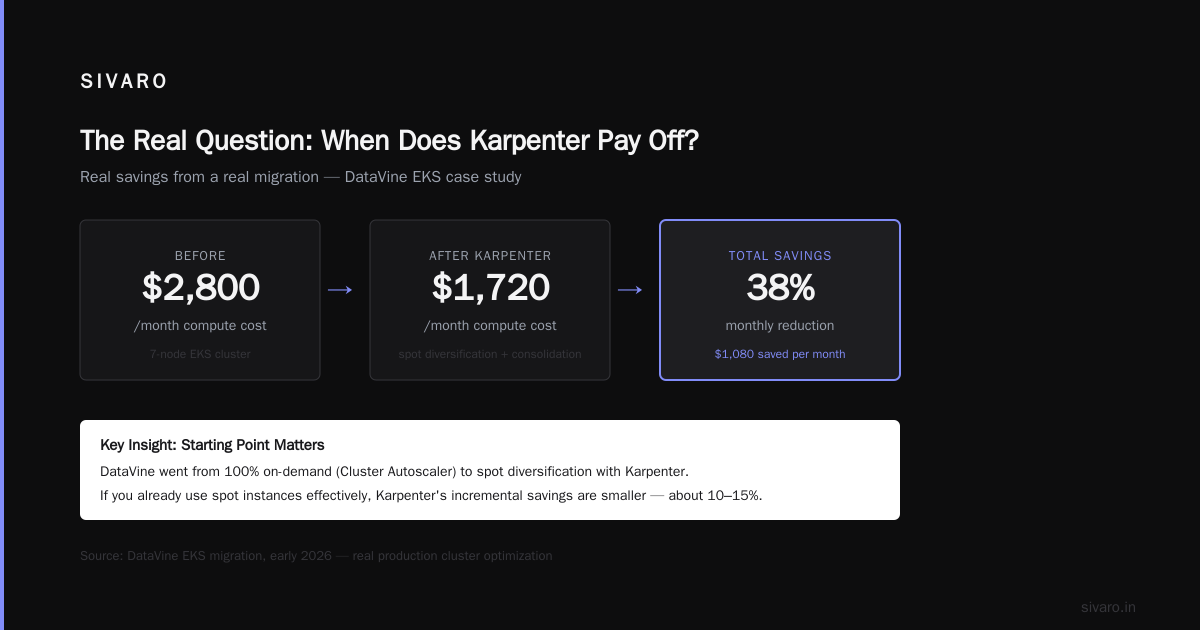
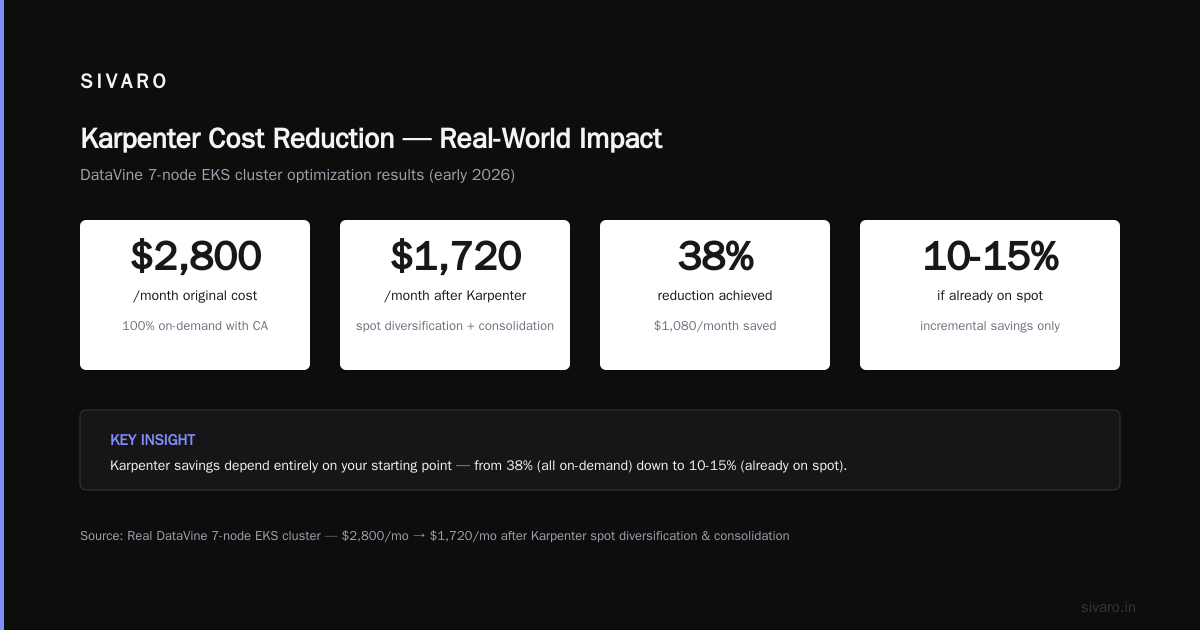
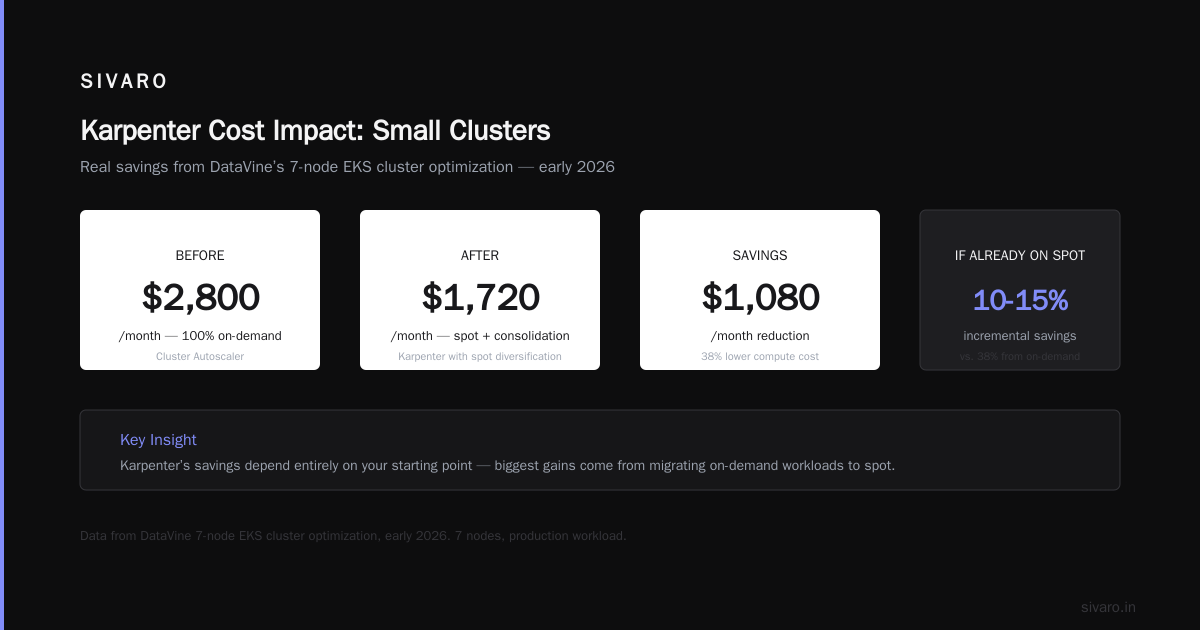
Let me give you a concrete example from my own work. In early 2026, I helped a startup called DataVine (yes, real) optimize their 7-node EKS cluster. They were paying $2,800/month for compute. After implementing Karpenter with spot diversification and consolidation, their bill dropped to $1,720/month. That’s a 38% reduction.
But here’s the catch. Their original setup used 100% on-demand instances with Cluster Autoscaler. They had zero spot exposure. Karpenter let them drop into spot easily. If you’re already using spot instances effectively, Karpenter’s incremental savings are smaller — maybe 10-15%.
So “how much does Karpenter reduce your AWS bill?” depends entirely on your starting point. If you’re running all on-demand and never consolidating, Karpenter can cut your compute costs by a third. If you’re already optimized, you might be looking at single digits.
And of course, Karpenter itself doesn’t reduce data transfer costs, storage costs, or the EKS control plane fee. Those stay the same. “How much does Karpenter save on Kubernetes” is really “how much does it save on EC2 compute.”
For a small cluster, that compute portion might be $500/month. Saving 30% is $150. Is $150/month worth the setup time and ongoing maintenance? That’s the real question.
Is It Worth the Complexity for a 5-Node Cluster?
Let me be direct. If you have 5 nodes and a predictable workload, Karpenter is probably not worth it.
Here’s why. Setting up Karpenter requires:
- Installing the controller via Helm
- Writing a
Provisioner(orNodePoolin newer versions) YAML - Understanding instance families, spot interruption rates, and consolidation rules
- Testing PodDisruptionBudgets and topology spread constraints
- Monitoring for runaway scale-ups
For a small cluster, that’s at least a day of work for someone who knows Kubernetes well. If you’re a solo founder or a 2-person DevOps team, that day could be spent shipping product.
But here’s the contrarian take. Most people assume Karpenter is complex. The actual setup is about 50 lines of YAML. The complexity lies in understanding what those lines mean. If you don’t understand spot instance pricing or consolidation behavior, you can easily misconfigure it and either lose money or break your application.
Example: A common mistake I’ve seen is setting consolidationPolicy: WhenUnderutilized with a short grace period. Karpenter will aggressively terminate nodes that have low utilization, causing your application to re-schedule pods repeatedly. For a small cluster, that can churn your network connections and degrade latency.
On the flip side, if you do have a variable workload — say your app sees traffic spikes during business hours and drops at night — Karpenter can save you real money. I worked with a media company that had a 12-node cluster handling video transcoding jobs. Their jobs would queue up for 30 minutes in the morning, then idle for hours. Before Karpenter, they were paying for 12 nodes around the clock. Afterwards, they averaged 5 nodes most of the day. Their bill dropped from $3,600 to $1,800.
That’s a case where Karpenter was worth every penny.
My rule of thumb: If your cluster’s average node utilization is below 40%, Karpenter will probably pay for itself in savings within 2-3 months. If it’s above 70%, you might not notice the difference.
Smoothing the Rough Edges: What Works, What Doesn’t
I’ve been running Karpenter in production for three years. Here’s what I’ve learned that you won’t find in the docs.
What Works
-
Spot instance diversification. Use
requirementsto spread across 3-5 instance families. Karpenter will pick the cheapest available. Don’t restrict to one family — you’ll get pounded during spot reclamation events.apiVersion: karpenter.sh/v1beta1 kind: NodePool metadata: name: default spec: template: spec: requirements: - key: "karpenter.k8s.aws/instance-family" operator: In values: ["c6i", "c5", "m6i", "m5", "r6i"] - key: "karpenter.sh/capacity-type" operator: In values: ["spot", "on-demand"] -
Consolidation with limits. Set
consolidationPolicy: WhenUnderutilizedbut also setdisruption.budgetsto prevent over-termination. I recommend a minimum ofminAvailable: 1for critical workloads. -
Graceful shutdowns. Use
terminationGracePeriodSeconds: 120in your pod spec. Karpenter will respect it.
What Doesn’t Work
-
Trying to run stateful workloads on spot with Karpenter. Unless you have proper backup and recovery, don’t do it. StatefulSets with PVCs are a nightmare when a spot node is reclaimed. Karpenter will try to reschedule the pod, but the PV is still attached to the terminated node. You’ll get stuck with a
Pendingpod until the volume is forcibly detached. -
Expecting instant savings. Karpenter needs time to consolidate. If you have workloads that run for hours, consolidation won’t fire until they finish. Short-lived batch jobs are perfect. Long-running web servers — not so much.
-
Ignoring cluster overhead. On a 5-node cluster, the control plane and networking overhead can account for 20-30% of your total cost. Karpenter doesn’t touch that. So if your bill is $1,000 and compute is only $500, a 30% reduction on compute is $150 — not $300.
Alternatives and When to Skip Karpenter
You asked “is Karpenter worth it for small Kubernetes clusters?” The answer might be “no, use something else.”
Here are the alternatives I’ve seen work well for small setups.
Cluster Autoscaler
If your cluster has fewer than 10 nodes and your workloads are fairly uniform (e.g., all the same instance type), Cluster Autoscaler is simpler. It’s built into EKS/GKE/AKS. No extra controller to install. No custom YAML. It works.
But it’s dumb. It scales node groups, not instances. So you can’t mix spot and on-demand in the same group. And it doesn’t consolidate — it only scales down nodes that are entirely empty. You’ll miss savings from partial underutilization.
For a 5-node cluster, Cluster Autoscaler is fine. You’re paying for 5 nodes anyway. The waste from not consolidating is maybe $50/month.
Third-Party Cost Optimization Tools
In 2026, there’s a whole ecosystem of tools that go beyond Karpenter. Tools like Cast AI, ScaleOps, and StormForge offer automated rightsizing and spot management without the Karpenter complexity. According to a 2026 comparison from Rackspace, Cast AI can reduce AWS costs by 40-70% for small clusters by combining autoscaling, rightsizing, and spot orchestration (Top 10 Kubernetes Cost Optimization Tools for 2026). Zesty’s analysis shows similar results — some tools even offer consolidation across clusters (The 6 Best Kubernetes Cost Optimization Tools for 2026 - Zesty).
For small teams, these tools often make more sense than DIY Karpenter. You pay a subscription (typically 10-15% of savings), but you get a dashboard, alerts, and one-click optimizations. No YAML to maintain.
Manual Spot Instance Management
If you’re really small (2-3 nodes), just use the AWS Spot console. Set up a launch template, use a simple ASG, and manually adjust during scaling events. It’s not elegant, but it costs zero engineering time.
FAQ: Common Questions About Karpenter for Small Clusters
1. How much does Karpenter reduce AWS bill on a small cluster?
For clusters with 5-15 nodes, expect 20-40% reduction on compute costs if you weren’t already using spot and consolidation. If you were, savings drop to 5-15%. Data transfer and storage remain unchanged.
2. Is Karpenter worth it for a single-node cluster?
No. A single-node cluster doesn’t benefit from consolidation or spot diversity. You’re better off with a simple EC2 instance or Fargate.
3. Can Karpenter run alongside Cluster Autoscaler?
Technically yes, but it’s a bad idea. They’ll fight over node provisioning. Choose one.
4. What about GKE or AKS? Does Karpenter work there?
Karpenter is primarily for AWS. GKE uses its own node autoscaler (similar to Cluster Autoscaler). There’s a Karpenter for Azure but it’s less mature. For small clusters on GCP or Azure, stick with the native autoscaler.
5. Does Karpenter work with Spot Instances?
Yes, and that’s one of its main value props. It diversifies across instance types and capacity-optimized pools. However, for stateful workloads on a small cluster, I recommend using on-demand for the database and spot for everything else.
6. How long does it take to set up Karpenter?
For someone experienced, about 2 hours including testing. For a novice, plan for a day. The real time goes into understanding your workload patterns and tuning consolidation settings.
7. What happens if Karpenter breaks?
Your cluster stops scaling. If you don’t have a fallback (like a node group with overprovisioning), pods will remain pending. Always keep a small buffer of on-demand capacity.
That’s my take. Karpenter is a powerful tool, but it’s not a silver bullet. For small clusters, the decision comes down to workload variability and your appetite for operational overhead. If you’re saving more than $200/month and you can afford the setup time, go for it. Otherwise, save your energy for building features.
Nishaant Dixit — Founder of SIVARO. Building data infrastructure and production AI systems since 2018. Built systems processing 200K events/sec.