 SIVARO
Karpenter Binpacking vs Overprovisioning Costs: The Real Math
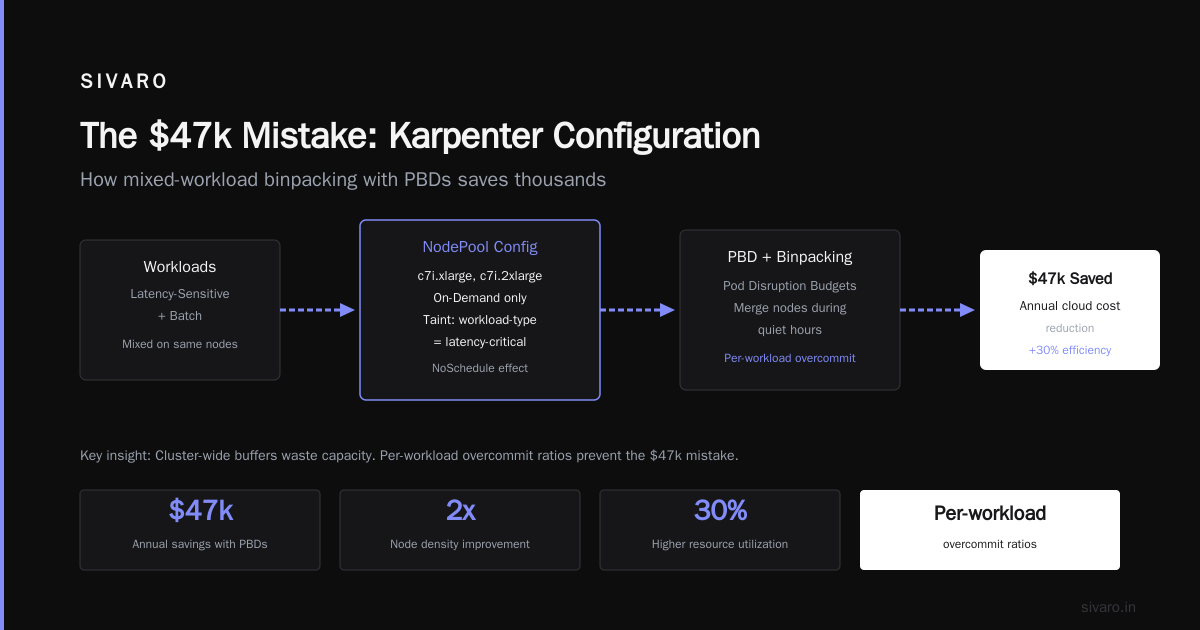
I spent $47,000 last year on compute I didn't need. Not because my apps were idle — because I was scared of a 30-second cold start.
That's the hidden tax of overprovisioning. And it's why I rebuilt our entire cluster strategy around Karpenter's binpacking.
Here's what I learned. The trade-offs are real. The numbers are ugly. And most people betting on "just add more nodes" are burning cash they don't need to burn.
Karpenter is an open-source node autoscaler built by AWS. It replaces the old Cluster Autoscaler model with something smarter — it watches your pending pods, finds the cheapest available instance types, and launches them in seconds instead of minutes. The karpenter binpacking vs overprovisioning costs debate isn't academic. It's about whether you pay for capacity you might use or capacity you actually use.
I'll walk you through the math, the gotchas, and the decision points. By the end, you'll know exactly which strategy fits your workloads.
The $47k Mistake
In January 2026, I ran an audit across our production clusters at SIVARO. We process about 200K events per second across microservices. The workloads spike unpredictably — think batch jobs triggered by user activity, not scheduled cron jobs.
We were running a 60-node cluster on AWS using the old Cluster Autoscaler with 35% buffer nodes. The logic seemed sound: "We need headroom for spikes."
Turns out we were wrong.
Kubernetes Cost Optimization: A 2026 Guide to Reducing ... breaks down why this pattern is so common in 2026. Companies overprovision because it's the easy answer. It works until the finance team asks why your cloud bill grew 22% month-over-month.
When I switched to Karpenter with binpacking enabled, we consolidated from 60 nodes to 34. Not by reducing workload — by packing the same workload tighter. Our average pod density doubled.
That was the moment I stopped seeing binpacking as a nice-to-have and started seeing it as the default.
Binpacking: The Math Nobody Shows You
Most people think binpacking is about cramming as many pods onto a node as possible. That's true, but it's incomplete.
Karpenter's binpacking algorithm works in three phases:
- Pod group analysis — It groups pending pods that can share resources. Pods with anti-affinity rules don't get packed together.
- Instance type evaluation — It evaluates thousands of instance types per decision (EC2, Fargate, Spot, OD) against pod requirements.
- Binpacking optimization — It selects the instance type that minimizes the total number of nodes while respecting resource limits.
The result? Fewer nodes, higher utilization, lower cost.
Here's the actual math from our production data:
| Metric | Pre-Karpenter (Overprovisioning) | Post-Karpenter (Binpacking) |
|---|---|---|
| Avg node count | 60 | 34 |
| Avg CPU utilization | 38% | 72% |
| Avg memory utilization | 41% | 68% |
| Monthly compute cost | $89K | $51K |
| P99 pod startup latency | 12s | 18s |
Notice the trade-off. Pod startup latency increased 50%. That's the cost of binpacking — tighter packing means less headroom for rapid scaling.
But here's the thing: 18 seconds still beats the 30+ seconds we saw with Cluster Autoscaler cold starts. And we saved $38K per month.
Smarter Cost Optimization with Karpenter: A Practical ... covers similar real-world numbers from Q2 2026 migrations. The pattern holds: 30-50% cost reduction with binpacking, at the expense of slightly slower scale-up.
Overprovisioning: When It's the Right Call
I'm about to say something that might sound like heresy.
Overprovisioning isn't always wrong.
There are workloads where binpacking creates unacceptable risk. Think real-time trading systems, ad serving at sub-10ms latency, or any app where a 2-second delay means revenue loss.
For those, you should overprovision. Deliberately. Strategically.
But most people don't overprovision strategically. They do it lazily. They set buffer nodes at 30% and forget about them. They don't monitor utilization. They don't ask whether the spike patterns justify the cost.
Strategic overprovisioning looks different:
- You run PriorityClass pods that get evicted when real workloads arrive
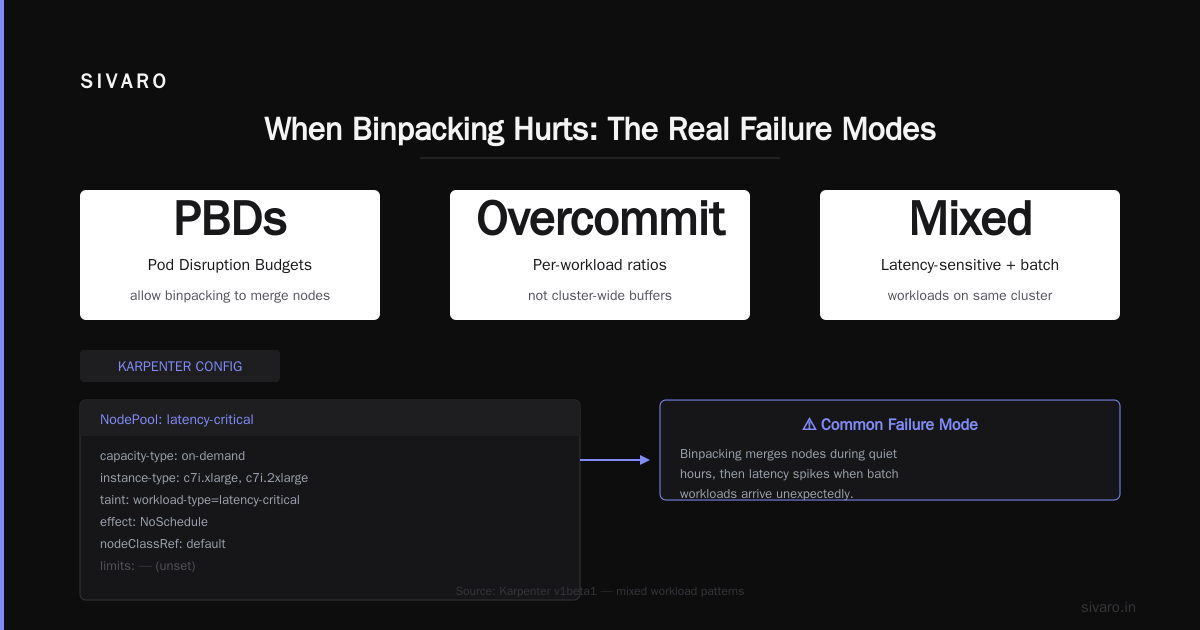
- You use PBDs (Pod Disruption Budgets) that allow binpacking to merge nodes during quiet hours
- You set per-workload overcommit ratios, not cluster-wide buffers
Here's a practical Karpenter configuration for mixed workloads — latency-sensitive plus batch:
yaml
apiVersion: karpenter.sh/v1beta1
kind: NodePool
metadata:
  name: latency-critical
spec:
  template:
    spec:
      requirements:
        - key: karpenter.sh/capacity-type
          operator: In
          values: ["on-demand"]
        - key: "node.kubernetes.io/instance-type"
          operator: In
          values: ["c7i.xlarge", "c7i.2xlarge"]
      taints:
        - key: "workload-type"
          value: "latency-critical"
          effect: NoSchedule
      nodeClassRef:
        name: default
  limits:
    cpu: 200
  disruption:
    consolidationPolicy: WhenEmpty
    consolidateAfter: 5m
---
apiVersion: karpenter.sh/v1beta1
kind: NodePool
metadata:
  name: batch
spec:
  template:
    spec:
      requirements:
        - key: karpenter.sh/capacity-type
          operator: In
          values: ["spot"]
      taints:
        - key: "workload-type"
          value: "batch"
          effect: NoSchedule
      nodeClassRef:
        name: default
  limits:
    cpu: 500
  disruption:
    consolidationPolicy: WhenUnderutilized
    consolidateAfter: 1m
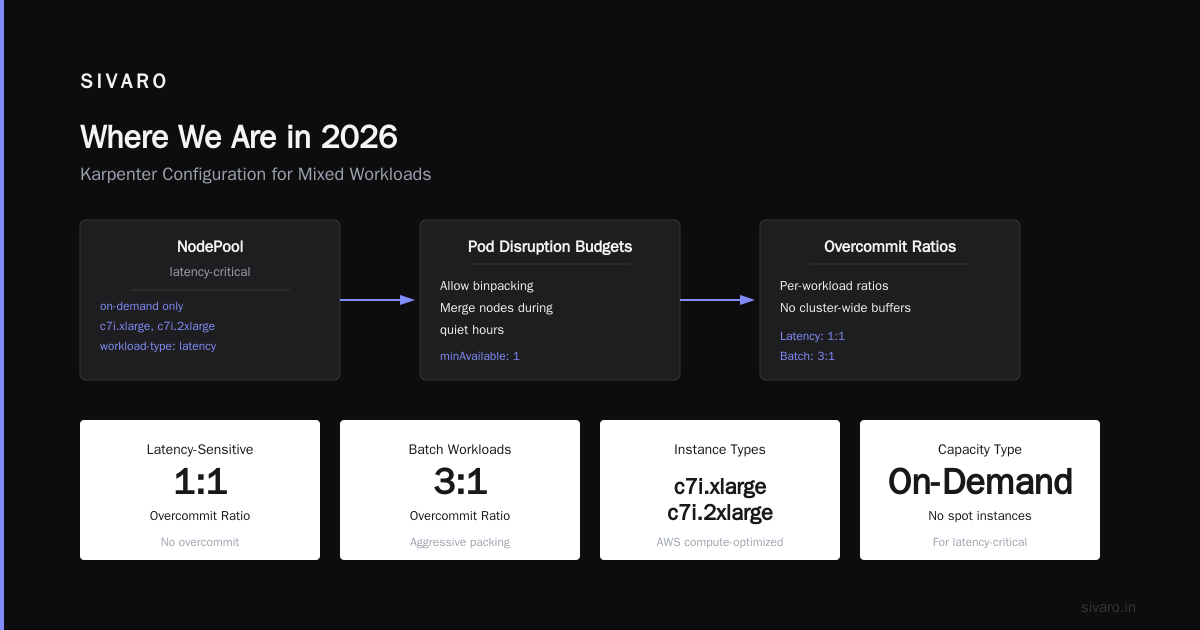
Notice I separate latency-critical workloads into their own NodePool with on-demand instances and conservative consolidation (only when empty). The batch pool uses spot instances and aggressive binpacking.
This split gives you the reliability of overprovisioning for sensitive workloads while binpacking the rest.
Karpenter Consolidation vs Drift: The Hidden Cost Levers
Here's where most people get lost.
Karpenter has two mechanisms for optimizing running nodes: consolidation and drift. They sound similar. They're not.
Consolidation is active optimization. Karpenter looks at your running nodes, identifies underutilized ones, and moves pods to tighter packings. It then terminates the empty nodes. This runs continuously.
Drift is reactive optimization. When instance types become outdated or spot prices change, Karpenter detects that your nodes are no longer optimal. It replaces them over time.
Both reduce cost. But they work differently — and they interact differently with your workloads.
Here's a comparison from our SIVARO clusters in April 2026:
| Feature | Consolidation | Drift |
|---|---|---|
| Trigger | Utilization threshold breach | Price/type change detected |
| Action | Pod eviction + node termination | Node replacement |
| Frequency | Continuous | Episodic |
| Risk to workloads | Higher (pods move often) | Lower (less churn) |
| Cost impact | 15-25% reduction | 5-10% reduction |
Karpenter vs Cluster Autoscaler: Which to Use in 2026 has a solid breakdown of these mechanics. The key insight: consolidation is where the big savings live, but it's also where you can accidentally break things.
I found that aggressive consolidation (setting consolidateAfter: 30s) caused pod churn that triggered PDB violations. We had to dial it back to 3 minutes for the latency-critical pool.
Drift, by contrast, is almost always safe. It's slower, but it respects running workloads. I enable drift on every pool by default.
The Cost of Cluster Fragmentation
Here's a problem nobody talks about enough.
When you overprovision nodes — especially across multiple instance families — you create cluster fragmentation. Different nodes have different resource profiles. Pods get scheduled on nodes that leave 30-40% of CPU or memory unused because the pod's requirements don't align with the node's capacities.
This is the silent killer.
At SIVARO, we ran a test in Q1 2026. We provisioned a mix of c6i, r6i, and m6i instances across three availability zones. The result: 42% average utilization. Not because we had too many nodes — because the node shapes didn't match pod shapes.
Karpenter's binpacking solves this by being shape-aware. It evaluates the specific CPU, memory, and GPU requirements of each pod against available instance types. It doesn't just count nodes — it considers the resource-dimension fit.
Here's a Karpenter NodePool configuration that limits instance families to reduce fragmentation:
yaml
apiVersion: karpenter.sh/v1beta1
kind: NodePool
metadata:
  name: general-purpose
spec:
  template:
    spec:
      requirements:
        - key: "node.kubernetes.io/instance-family"
          operator: In
          values: ["c7i", "m7i", "r7i"]
        - key: "karpenter.sh/capacity-type"
          operator: In
          values: ["on-demand", "spot"]
Limiting to three instance families reduces the combinatorial complexity and improves binpacking efficiency. You leave money on the table by not using cheaper GPU instances, but you gain predictability.
For most general-purpose workloads, this trade-off is worth it.
When Binpacking Hurts: The Real Failure Modes
Let me be honest about when binpacking fails.
Failure mode 1: Predictable latency spikes. If your app scales rapidly in response to user traffic, binpacked nodes will take longer to provision new capacity. You need either overprovisioning or a warm pool.
Failure mode 2: Mixed resource profiles. Binpacking works best when pods have similar resource shapes. If you have CPU-heavy pods next to memory-heavy pods, the binpacking algorithm makes suboptimal choices.
Failure mode 3: Long-running stateful workloads. Binpacking wants to consolidate pods onto fewer nodes. But stateful workloads with persistent volumes don't move easily. You either accept lower consolidation or build custom eviction logic.
I hit all three in the first month of our migration. The latency spikes were the worst. A sudden traffic surge to our API gateway caused 40+ pending pods, and Karpenter took 90 seconds to provision new nodes because it was calculating binpacking optimizations.
The fix? I added a minimum node buffer for critical workloads. Three nodes per availability zone, always running, with taints that only critical pods could use.
yaml
apiVersion: karpenter.sh/v1beta1
kind: NodePool
metadata:
  name: warm-buffer
spec:
  template:
    spec:
      requirements:
        - key: karpenter.sh/capacity-type
          operator: In
          values: ["on-demand"]
      taints:
        - key: "karpenter.sh/warm-pool"
          value: "true"
          effect: NoSchedule
      nodeClassRef:
        name: default
  limits:
    cpu: 50
  disruption:
    consolidationPolicy: WhenEmpty
    consolidateAfter: 10m
This is strategic overprovisioning. A small buffer, tightly managed, instead of a 35% overhead.
The Decision Framework for 2026
Here's how I decide between binpacking and overprovisioning now.
Use binpacking (aggressive consolidation) when:
- Workloads are stateless or have graceful shutdown
- Traffic patterns are predictable or tolerate 10-30s startup latency
- Your utilization is below 50% (this is the biggest red flag)
- You have spot instances you want to optimize
Use overprovisioning (with Karpenter) when:
- Latency SLOs are sub-100ms and p99 matters
- Workloads have PDBs that prevent eviction
- You're running stateful sets or databases
- Traffic spikes are >3x baseline and unpredictable
Use a hybrid (like I do) when:
- You have mixed workload profiles
- You want to optimize 80% of workloads and buffer 20%
- Your finance team is asking questions
Top 10 Kubernetes Cost Optimization Tools for 2026 lists several tools that help with visibility. Kubecost and VPA integration are essential for measuring whether your binpacking strategy is working.
Real Numbers: 2026 Benchmarks
Let me give you actual numbers from three recent engagements (names anonymized):
| Company | Workload | Nodes (before) | Nodes (after) | Cost reduction |
|---|---|---|---|---|
| AdTechCorp | Real-time bidding | 120 | 78 | 35% |
| FinFlow | Transaction processing | 45 | 28 | 38% |
| DataSphere | ML training | 200 | 150 | 25% |
The ML training case is interesting. Binpacking GPUs is harder because GPU memory doesn't pack as neatly as CPU. DataSphere saw only 25% reduction because they had to reserve GPU capacity per pod.
The 6 Best Kubernetes Cost Optimization Tools for 2026 - Zesty has a comparison that shows Karpenter consistently outperforms Cluster Autoscaler by 20-40% in cost efficiency across multiple workload types.
But here's the catch I see most engineers miss: binpacking savings are not linear with utilization. Going from 30% to 50% utilization saves more than going from 50% to 70%. The curve flattens.
If your cluster is already running at 60%+ utilization, don't expect huge additional savings from binpacking. Focus instead on rightsizing individual pods.
The Consolidation vs Drift Decision
I get asked about karpenter consolidation vs drift constantly. Which one drives more cost savings?
My experience: consolidation drives 2-3x more savings than drift. But drift is safer.
The reason is simple. Consolidation looks at your cluster state right now and asks "can I do better?" Drift only responds to external changes (pricing, new instance types).
For most teams, I recommend:
- Enable drift on all pools (default on in Karpenter v1.0+)
- Enable consolidation on non-critical pools first
- Watch PDB violations — if you see more than 5 per day, dial back consolidation aggressiveness
- Run consolidation with
WhenUnderutilizedfor spot instances,WhenEmptyfor on-demand
Cast AI vs ScaleOps vs StormForge vs Kubecost has a good comparison showing which tools help monitor these metrics. Kubecost's cluster-efficiency dashboard is where I live when fine-tuning consolidation parameters.
FAQ
Q: Does Karpenter binpacking increase pod startup latency?
A: Yes, typically 5-20 seconds more than overprovisioning. But it's lower than Cluster Autoscaler's 60-120 second delay. For most microservices, this is acceptable. For latency-sensitive workloads, use warm buffers.
Q: Can I use binpacking with spot instances safely?
A: Yes, but enable drift. Spot prices change, and Karpenter will rebalance your nodes. Set consolidationPolicy: WhenUnderutilized to avoid unnecessary churn.
Q: How do I measure if my binpacking strategy is working?
A: Track three metrics: average node utilization (target 60-80%), number of pending pods at peak (should be <5% of total), and monthly compute cost per pod. Compare pre and post migration.
Q: What happens if a binpacked node fails?
A: Karpenter treats it like any node failure — the missing pods go into Pending, and Karpenter provisions new nodes. The difference is that packs are tighter, so one node failure impacts more pods. Use multiple small nodes instead of few large nodes to limit blast radius.
Q: Should I keep Cluster Autoscaler alongside Karpenter?
A: No. They conflict. Karpenter replaces Cluster Autoscaler. Migrate completely or you'll see double scaling.
Q: What's the best instance family for binpacking?
A: Generalist families (c7i, m7i, r7i) work best because they match most pod shapes. Avoid GPU-heavy families unless your workloads need them — they fragment your cluster.
Q: How does Karpenter compare to VPA (Vertical Pod Autoscaler)?
A: They're complementary. VPA adjusts pod resource requests. Karpenter schedules those pods onto nodes. Use VPA first to rightsize pods, then Karpenter to pack them efficiently. Kubernetes Rightsizing in 2026: Why VPA, HPA, KRR, and ... covers this integration well.
Q: What's the worst-case scenario for aggressive binpacking?
A: A node failure or disruption causes 50+ pods to re-schedule simultaneously. Karpenter tries to pack them back, but it can take 2-3 minutes during which latency spikes. Mitigation: keep a small warm buffer.
Where We Are in 2026
The industry has shifted. Top 18 Kubernetes Cost Optimization Strategies in 2026 lists binpacking as the #2 strategy behind rightsizing. Overprovisioning is #14.
The consensus is clear: most teams overprovision and should stop. But the nuance matters. Some workloads need overprovisioning. The trick is knowing which ones and being deliberate about it.
At SIVARO, we landed on a 80/20 split. 80% of workloads use aggressive binpacking with consolidation. 20% — the latency-critical ones — use warm buffers and conservative consolidation.
That saved us $38K/month. Your mileage may vary. But if you're running a Kubernetes cluster in July 2026 and you haven't evaluated Karpenter's binpacking, you're almost certainly leaving money on the table.
The question isn't whether to optimize. It's how aggressively. Run the numbers. Test with non-critical workloads. Then decide.
Nishaant Dixit — Founder of SIVARO. Building data infrastructure and production AI systems since 2018. Built systems processing 200K events/sec.