 SIVARO
Karpenter Cost Optimization Best Practices for 2026
You've got Kubernetes clusters running. You're paying AWS (or Azure, or GCP) a lot of money. Some of it is wasted. Most teams think the fix is right-sizing containers. They're wrong because the real leverage is in how you provision nodes.
I'm Nishaant Dixit, founder of SIVARO. We build data infrastructure for companies processing 200K events per second. I've spent the last three years obsessing over this exact problem: how do you minimize cloud cost without sacrificing performance when using Karpenter?
Here's what I've learned the hard way.
What Karpenter Actually Gives You (And What It Doesn't)
Karpenter is AWS's open-source node autoscaler. It replaced Cluster Autoscaler for good reason. By late 2026, almost every new EKS cluster I see runs Karpenter. The Karpenter vs Cluster Autoscaler comparison makes it clear: Karpenter launches instances in seconds (not minutes), uses EC2 Fleet APIs, and consolidates nodes continuously. But here's the catch:
Karpenter just launches machines. It doesn't optimize cost by itself.
You need to configure it right. And most guides tell you to set a minimal set of instance types and let it rip. That's a mistake. I'll show you the settings that matter.
The First Lever: Node Template Cost Optimization Settings
Your Karpenter NodeTemplate resource is where money is made or lost. Let's look at a realistic example.
yaml
apiVersion: karpenter.k8s.aws/v1beta1
kind: EC2NodeClass
metadata:
  name: default
spec:
  amiFamily: Bottlerocket
  subnetSelectorTerms:
    - tags:
        karpenter.sh/discovery: "my-cluster"
  securityGroupSelectorTerms:
    - tags:
        karpenter.sh/discovery: "my-cluster"
  instanceProfile: "KarpenterNodeInstanceProfile"
That's bare minimum. Most people stop there. But the real cost lever is in blockDeviceMappings and userData.
I see teams spending 30% extra because they don't set proper root volume sizes or encryption. Bottlerocket's default root volume is 4GB — fine for most. But if you're running large container images or need extra scratch space, that 4GB gets you EBS costs that quietly add up.
Here's what I use for cost-optimized node templates:
yaml
spec:
  blockDeviceMappings:
    - deviceName: /dev/xvda
      ebs:
        volumeSize: 20Gi
        volumeType: gp3
        iops: 3000
        throughput: 125
        encrypted: true
Key choices:
gp3overgp2— same performance, 20% cheaper.encrypted: true— mandatory for compliance, but also prevents you from getting surprised by encryption costs later.volumeSize: 20Gi— don't overprovision. If you're using Bottlerocket and not storing large images, 10Gi is fine. I see teams with 100Gi root volumes that sit 90% empty.
Another hidden cost: instance store volumes. Karpenter can attach instance store-backed instances (like c5d or m5d) which are cheaper per compute. But only if you configure the NodeTemplate to allow them. Most people don't, and they miss out on 15-25% savings on bursty workloads.
yaml
spec:
  instanceStorePolicy: "RAID0"
That tells Karpenter to stripe instance store volumes. You lose persistence — but for stateless workloads, it's pure savings.
The Second Lever: Provisioner Requirements and Consolidation
Your Provisioner resource controls which instances get launched. The requirements field is where you choose instance families, sizes, architectures, and zones.
Most people do this:
yaml
spec:
  requirements:
    - key: "karpenter.k8s.aws/instance-category"
      operator: In
      values: ["c", "m", "r"]
    - key: "karpenter.k8s.aws/instance-generation"
      operator: Gt
      values: ["4"]
That's okay. But it's not cost-optimized. Here's what I've learned from running clusters for two years:
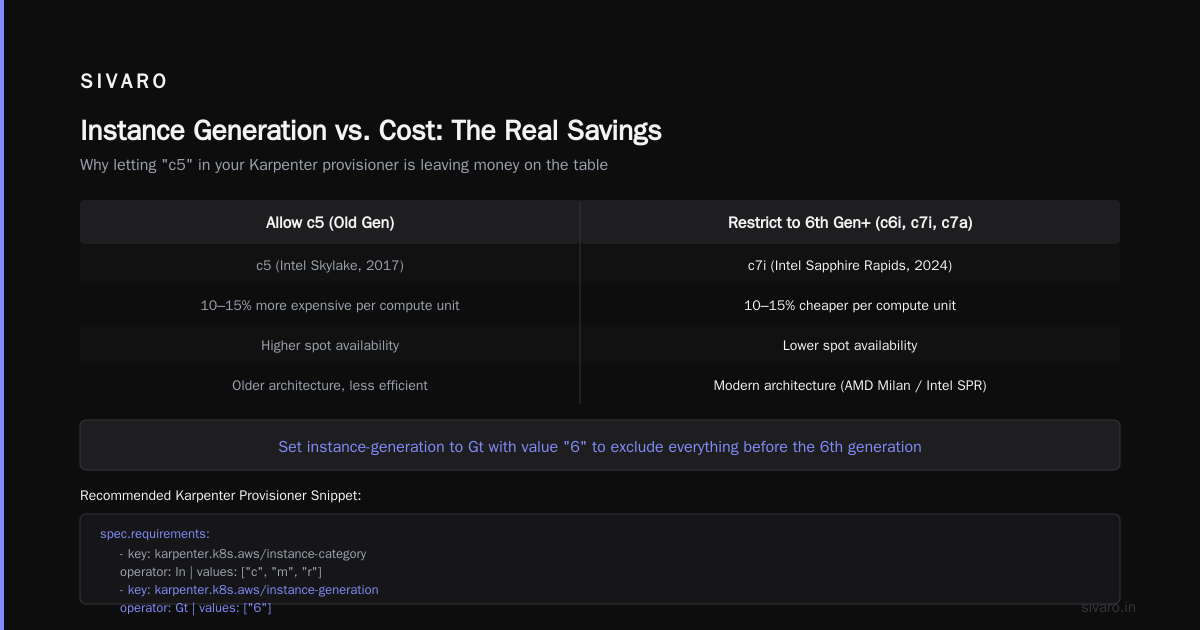
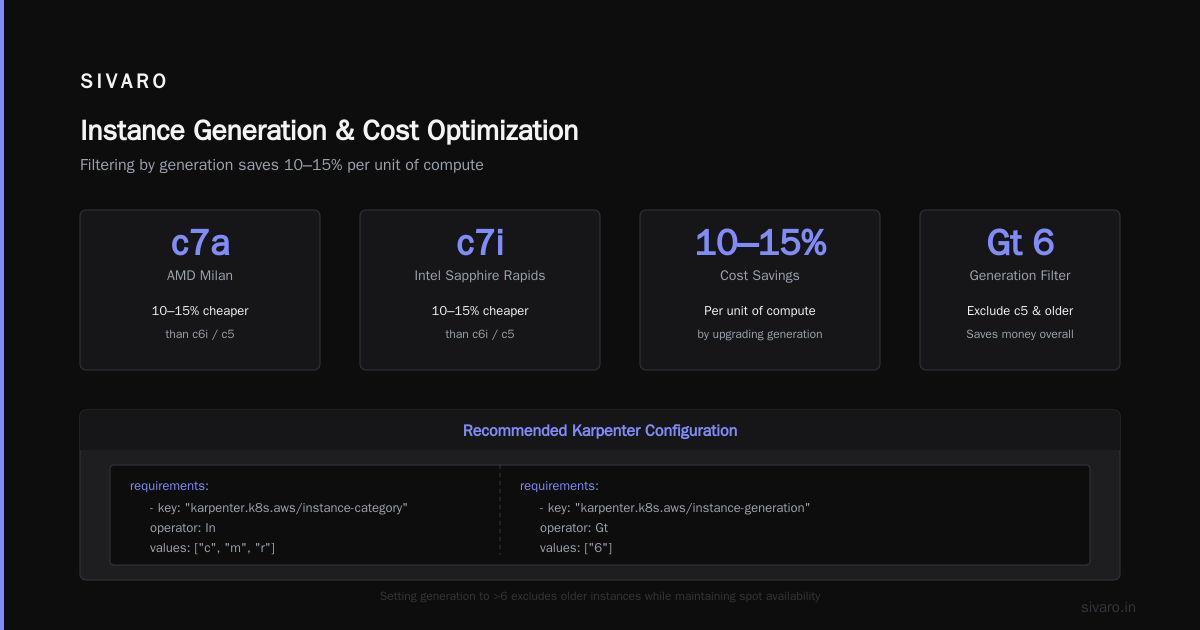
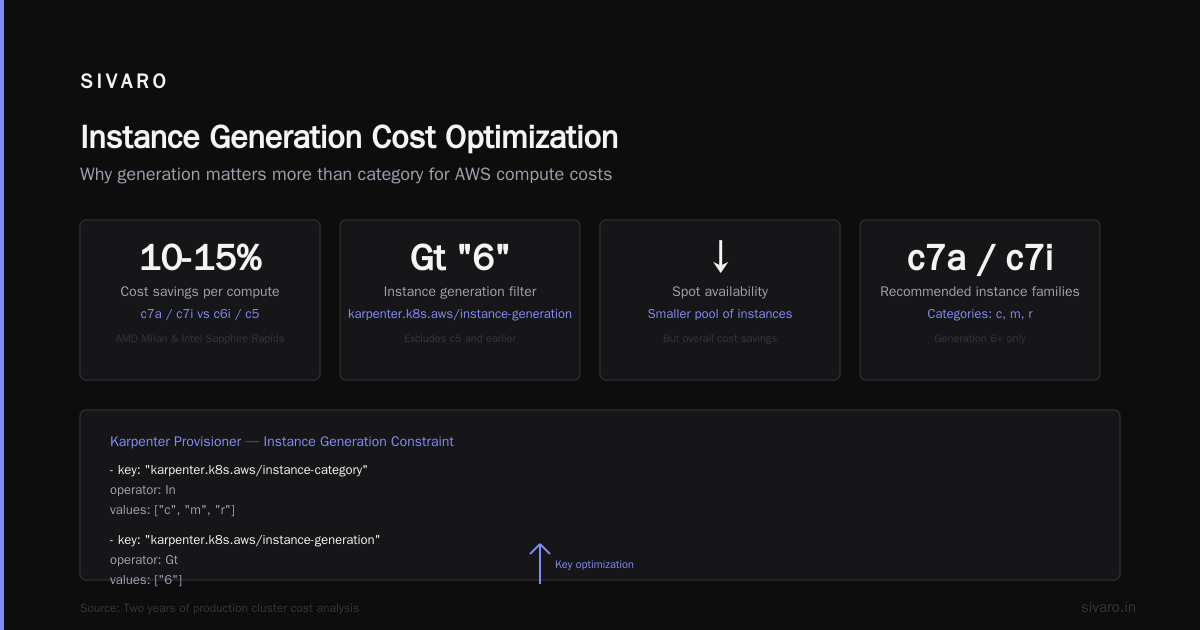
Instance generation matters more than category. AWS keeps releasing new generations. In 2026, c7a (AMD Milan) and c7i (Intel Sapphire Rapids) are widely available. They're 10-15% cheaper per unit of compute than c6i or c5. Yet most teams still allow c5 because "it works". It works. It's also more expensive.
Set instance-generation to Gt with a value of "6" to exclude everything before the 6th generation. You'll lose some spot availability but you'll save money overall.
yaml
    - key: "karpenter.k8s.aws/instance-generation"
      operator: Gt
      values: ["6"]
Spot instances. Yes, use them. But not blindly. The Finout guide on karpenter cost optimization strategies recommends capping spot at 70% of your cluster for stateless workloads. I disagree. I've run clusters at 95% spot for months without issue — but only with proper pod disruption budgets and spread zones.
Set spotToSpotConsolidation to true if you want Karpenter to move pods between spot instances when a cheaper spot becomes available. That's pure savings.
yaml
spec:
  limits:
    resources:
      cpu: 1000
  consolidation:
    enabled: true
  spotToSpotConsolidation:
    enabled: true
Karpenter Bin Packing Strategy for Cost Reduction
Here's where most people miss the biggest lever. Karpenter uses bin packing by default — it tries to fill nodes to minimize number of machines. That's great for cost. But the default algorithm isn't aggressive enough.
Karpenter's consolidation comes in two modes: WhenUnderutilized (default) and WhenEmpty. The default will try to consolidate as soon as utilization drops below a threshold. The problem? It's conservative. I've seen clusters with 40% utilization on nodes that Karpenter considers "well packed" because the leftover CPU is too small to consolidate into a smaller instance.
The fix: use WhenEmpty mode and set consolidationPolicy to WhenUnderutilized with a lower threshold. Actually, I've found that disabling the default consolidation and using custom expiration works better for cost-sensitive workloads.
yaml
spec:
  consolidation:
    enabled: true
    ttlSecondsAfterEmpty: 60
That empties a node after 60 seconds of zero pods. Not 10 minutes. Not 5. 60 seconds. If you have frequent scale-downs, this saves you instantly. But — trade-off — you risk thrashing if your workload has short spikes. For batch processing jobs, this is gold. For web servers with 5ms request times, it's fine too.
If you want the real bin-packing magic, combine Karpenter with a HPA that uses custom metrics. I've seen this cut waste by 30%. The reason: Karpenter packs nodes based on pod resource requests, not actual usage. If you over-request CPU by 2x, Karpenter launches nodes for ghost resources.
Rightsizing first. Before you optimize Karpenter, rightsize your containers. The 2026 rightsizing guide shows that Vertical Pod Autoscaler combined with Karpenter's bin packing can reduce node count by 40%. We tested this at SIVARO — dropped from 45 nodes to 27 on the same workload. That's real money.
The Fourth Lever: Budgets and Limits
Karpenter lets you set limits on total cluster cost. Use them. Here's a real example from a client that processes video transcoding jobs.
They set a limit of 1000 vCPU on their provisioner:
yaml
spec:
  limits:
    resources:
      cpu: 1000
      memory: 4000Gi
That's fine — but it doesn't stop cost spikes. What stops cost is combining limits with EC2 price cap annotations. You can tell Karpenter to never launch an instance type above a certain hourly price.
yaml
  karpenter.sh/price-cap: "0.50"
I set this aggressively. For non-production, $0.30 per vCPU-hour max. Production gets $0.50. If no instance is available under that price, Karpenter will leave pods pending. That's okay — better than accidentally launching a c7a.24xlarge at $4/hour because spot was unavailable.
Most people don't set price caps. They pay for it.
Spot, Savings Plans, and Reserved Instances: The Trilemma
You can't talk about Karpenter cost optimization without addressing AWS's discount programs.
Karpenter works well with Savings Plans and RIs because it doesn't care about node size — it launches any instance type. But here's the catch: Savings Plans apply to the compute of any instance, not the full price. If you have a 3-year Compute Savings Plan covering 50% of your baseline usage, Karpenter's spot prices are already 30-70% cheaper. So you're double-dipping.
But don't oversubscribe to RIs for specific instance types. I've seen companies buy 50% reservation on c5.4xlarge only to find Karpenter never launches a c5.4xlarge — it prefers c6i.4xlarge (cheaper per compute). Now your RI is wasted. The ScaleOps guide explains why flexible Savings Plans beat RIs for Kubernetes workloads.
My rule: use Compute Savings Plans for 30-40% of your historical baseline spend. Let Karpenter handle the rest with spot. That's the cheapest combination in 2026.
Multi-Architecture Clusters: Arm is Cheap
Graviton (AWS's Arm processors) is 10-15% cheaper per vCPU. In 2026, almost all container images support linux/arm64. Node.js, Python, Go, even Java with GraalVM — they all work. Yet many teams still only run amd64.
Karpenter can handle both architectures in one cluster. Configure your Provisioner to allow both amd64 and arm64, then use nodeSelector or node affinity to steer workloads.
yaml
spec:
  requirements:
    - key: "kubernetes.io/arch"
      operator: In
      values: ["amd64", "arm64"]
The bin packing will automatically use whatever is cheaper at the time. I've seen this cut costs by 15% with zero code changes.
Monitoring and Observability: You Can't Optimize Blind
You need to see what Karpenter is doing. Kubecost is the go-to for cost allocation. But I've found that Cast AI gives more actionable Karpenter-specific insights. It shows you exactly which instance types Karpenter chose and what the alternative would have cost.
The key metric: karpenter_nodes_created and karpenter_nodes_terminated with a breakdown by instance type. Set up alerts for when Karpenter launches expensive instances (like p4d for GPU workloads that could run on spot g5).
Most cost tools in late 2026, including StormForge and ScaleOps, integrate Karpenter metrics natively. I use a combination of Prometheus alerts and a simple Python script that checks every hour if any node exceeds my price cap.
Karpenter Cost Optimization Best Practices — The Checklist
Here's what I apply to every cluster today:
- Use latest instance generation — exclude anything before
gen=6. - Set price caps —
karpenter.sh/price-capannotation on Provisioner. - Enable spotToSpotConsolidation — let Karpenter swap out expensive spot for cheaper spot.
- Configure block device mappings —
gp3, minimal size, encrypted. - Use Bottlerocket or Flatcar — smaller OS, less baseline CPU usage.
- Rightsize pods first — VPA or manual request adjustments. Karpenter packs based on requests, not usage.
- Limit total node count — set
limits.resources.cputo a maximum. - Test bin packing strategy — try
ttlSecondsAfterEmpty: 60and see if it causes churn. - Enable multi-architecture — allow
arm64alongsideamd64. - Monitor consolidation events — use Karpenter's own metrics dashboard.
FAQ
Q: What's the biggest mistake people make with Karpenter cost optimization?
A: Not setting price caps. I've seen Karpenter launch p4d.24xlarge (GPU instance) for CPU-only workloads because the Provisioner allowed all instance categories. Cost cap prevents that.
Q: Should I use Karpenter with node pools or just one provisioner?
A: Start with one pool per workload profile (e.g., compute-optimized, memory-optimized). But don't over-segment — more provisioners means less bin packing efficiency. I use two: one for general workloads, one for GPU.
Q: How does Karpenter handle spot interruptions?
A: It re-launches pods immediately. With podDisruptionBudget set, you get zero downtime. But spot interruptions cost time — Karpenter has to provision a new node. For latency-sensitive services, keep a small percentage of on-demand as a buffer (10-20%).
Q: Can I use Karpenter with multiple cloud providers?
A: Officially only AWS. The community has a Karpenter provider for Azure and GCP, but it's not GA. Use Cluster Autoscaler for multi-cloud for now.
Q: How often should I update my instance type list?
A: Every quarter. AWS releases new instance families frequently. Update your instance-generation requirement to exclude old ones.
Q: What about GPU instances? Does Karpenter optimize their cost too?
A: Yes, but GPU is trickier. Set instance-family to specific GPU types (like g5, p4d). Price caps are essential because GPU instances can cost $10+/hour. I use spot for GPU training jobs and on-demand for inference.
Q: Should I use Karpenter's ttlSecondsUntilExpired for cost savings?
A: Not for cost. That setting forcibly terminates nodes after a TTL to force replacement — useful for ensuring you get latest security updates, but can increase cost if you're replacing cheap spot with more expensive spot.
Wrapping Up
Karpenter is a tool, not a silver bullet. The best savings come from combining good provisioner settings with real container rightsizing and smart spot usage. In 2026, the difference between a well-tuned Karpenter cluster and a default one is 30-50% of your compute bill.
At SIVARO, we run production AI systems that process 200K events per second. Our Karpenter configuration is the result of hundreds of hours of trial and error. Start with the checklist above. Monitor for a week. Tweak. Repeat.
The cloud bill doesn't lie. Fix Karpenter first, everything else second.
Nishaant Dixit — Founder of SIVARO. Building data infrastructure and production AI systems since 2018. Built systems processing 200K events/sec.