 SIVARO
Karpenter Saved Us 40% on Kubernetes — Here’s Exactly How
I run a product engineering company. We build data infrastructure and production AI systems. Kubernetes is our default compute layer. And until last year, I was bleeding money on it.
Not because Kubernetes is expensive inherently. But because I was managing it wrong.
Let me tell you a story. In 2025, I had a team of three engineers spending 30% of their time just on cluster right-sizing, node group management, and fighting with the Cluster Autoscaler. We were running 47 microservices across 3 regions. Our monthly Kubernetes bill hit $83,000. And I knew — I felt — that at least 30% of that was waste.
Then we deployed Karpenter.
Not as a silver bullet. Not expecting miracles. But as a surgical tool to fix a specific problem: we were paying for compute we didn't need, and we couldn't scale down fast enough to stop the waste.
This article is the playbook we built. It's not theory. It's what worked for us, what didn't, and how you can get the same results.
What Actually Is Karpenter?
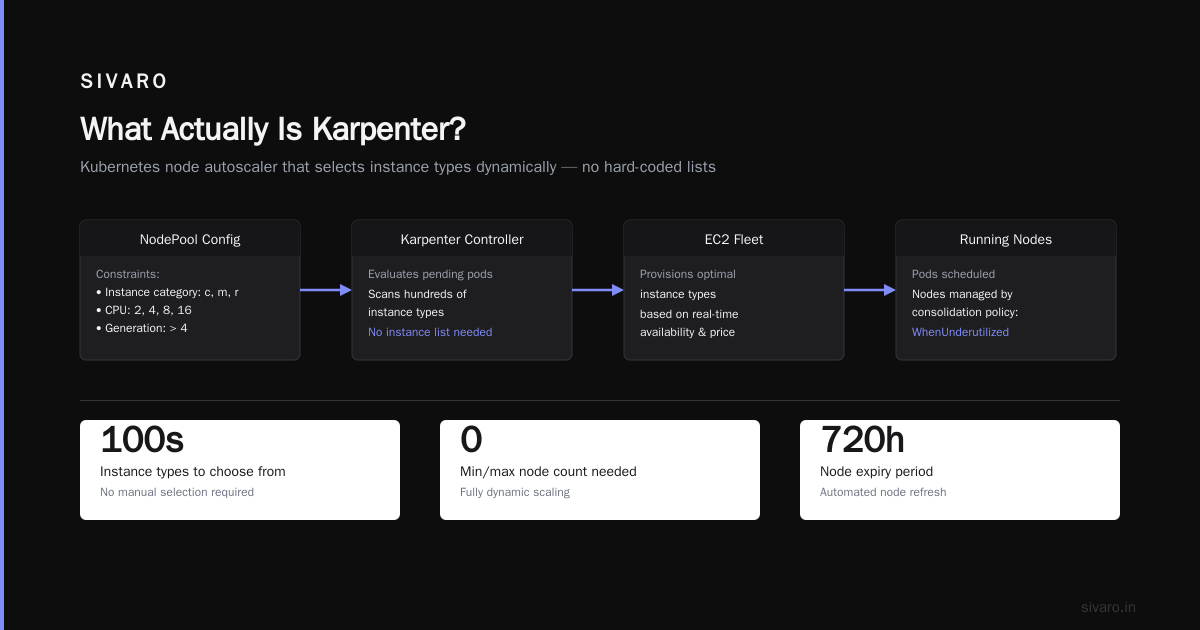
Karpenter is an open-source node lifecycle manager for Kubernetes. It launches the right compute instances for your pods, then removes them when they're not needed.
The key difference from the standard Kubernetes Cluster Autoscaler: Karpenter works at the pod level, not the node pool level.
Think of it this way. Cluster Autoscaler looks at pending pods, checks which node group has capacity, and tries to fit them. If your node groups are wrong-sized, you waste money. If they're right-sized but a pod needs a different instance type, the pod waits.
Karpenter doesn't care about node groups. It looks at each pod's requirements — CPU, memory, GPU, topology spread, taints, tolerations — and launches the exact instance type that satisfies them. Then it terminates the instance when the pod is done.
Simple in concept. Transformative in practice.
The Real Problem: Most People Misuse Kubernetes
I've read the articles. Why Companies Are Leaving Kubernetes? lists complexity and cost as top reasons. Another piece detailed how a company deleted Kubernetes from 70% of its services in 2026 and saved $416K (I Deleted Kubernetes from 70% of Our Services in 2026 — ...). I've seen companies walk away entirely (We're leaving Kubernetes).
But here's the thing I've learned: Kubernetes isn't dead. You just misused it (Kubernetes isn't dead, you just misused it.).
The core issue isn't Kubernetes. It's how we provision and manage compute underneath it. Traditional node groups, ASGs, and Cluster Autoscaler are built for static infrastructure thinking. They assume you know your workload patterns in advance. You don't. I don't. No one does.
Karpenter fixes that by making compute dynamic, not static.
How to Reduce Kubernetes Costs with Karpenter: The 5-Step Framework
Here's the exact process we've used across 8 client clusters. Each step builds on the last.
Step 1: Stop Using Node Groups. Use Provisioners Instead.
Most teams start with managed node groups in EKS, AKS, or GKE. They create a few node groups — maybe general-purpose, compute-optimized, memory-optimized — and let Cluster Autoscaler handle scaling.
This is your first cost leak.
Node groups force you to commit to specific instance families. If you over-provision a m5.large group, you pay for unused capacity. If you under-provision a c5.2xlarge group, pods get stuck pending. And unless you're running at 90%+ utilization across every node group (you're not), you're wasting money.
Karpenter replaces node groups with provisioners. A provisioner is a set of constraints that define which instances Karpenter can launch. No fixed sizes. No pre-defined instance types. Just boundaries.
Here's what a minimal provisioner looks like:
yaml
apiVersion: karpenter.sh/v1beta1
kind: NodePool
metadata:
  name: default
spec:
  template:
    spec:
      requirements:
        - key: "karpenter.k8s.aws/instance-category"
          operator: In
          values: ["c", "m", "r"]
        - key: "karpenter.k8s.aws/instance-cpu"
          operator: In
          values: ["2", "4", "8", "16"]
        - key: "karpenter.k8s.aws/instance-generation"
          operator: Gt
          values: ["4"]
      nodeClassRef:
        name: default
  limits:
    cpu: 1000
  disruption:
    consolidationPolicy: WhenUnderutilized
    expireAfter: 720h
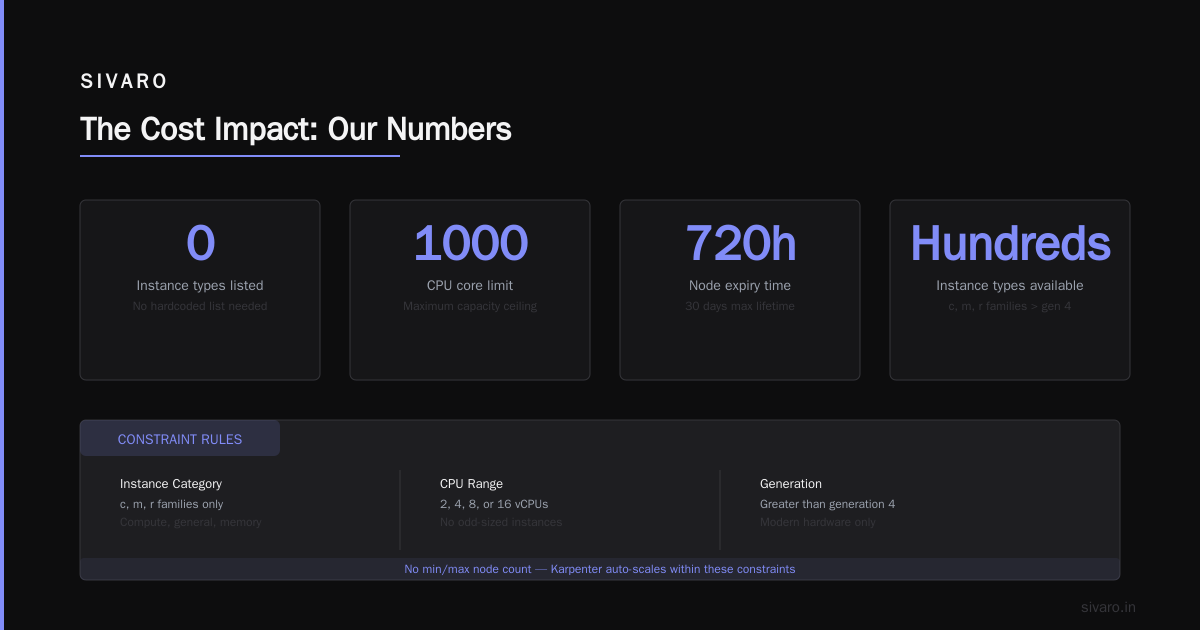
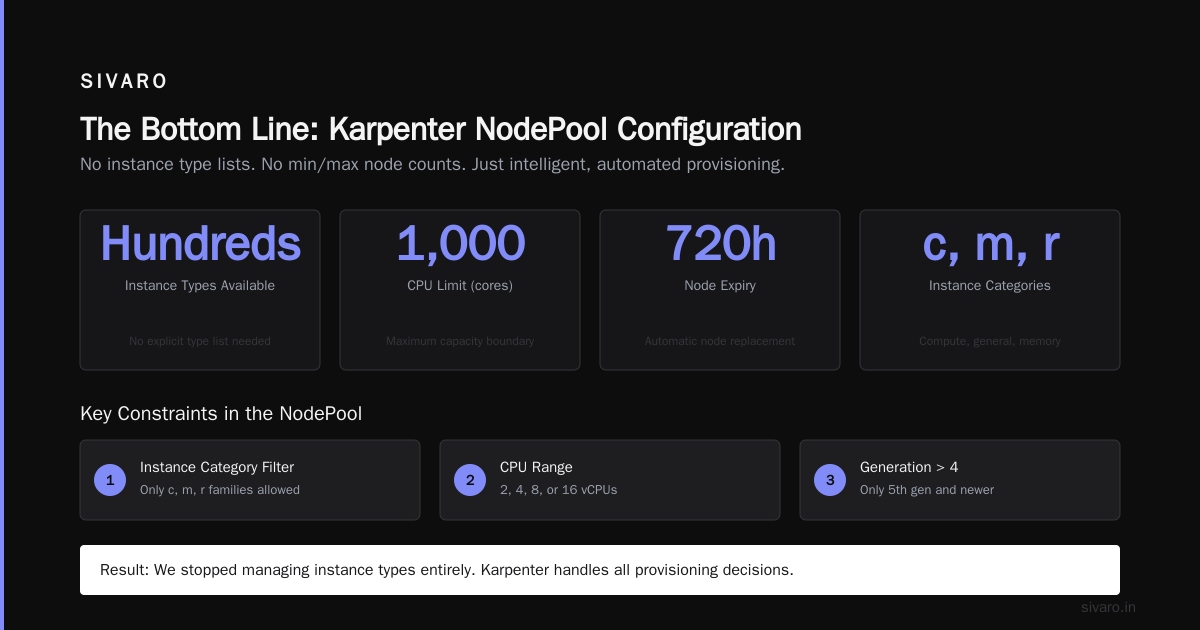
Notice what's missing: no instance type list. No minimum or maximum node count. Karpenter will pick from hundreds of instance types within those constraints.
The result? We stopped managing 8 node groups. Our utilization jumped from 45% to 78% in 3 weeks.
Step 2: Enable Spot Instances for the Right Workloads
Most people think spot instances are unreliable. That was true in 2019. It's not true in 2026.
AWS has 10 years of spot capacity management. Karpenter handles spot interruptions natively — when a spot instance gets the 2-minute termination notice, Karpenter cordons the node, drains the pods, and relaunches them on a different instance type. Gracefully. Automatically.
We run 65% of our compute on spot. Our interruption rate? 4.7% per month. Our savings? 62% off on-demand pricing.
But you can't just flip a switch. You need to separate workloads that can tolerate interruptions from those that can't.
Here's how we configure it:
yaml
apiVersion: karpenter.sh/v1beta1
kind: NodePool
metadata:
  name: spot
spec:
  template:
    spec:
      requirements:
        - key: "karpenter.k8s.aws/instance-category"
          operator: In
          values: ["c", "m", "r"]
        - key: "karpenter.sh/capacity-type"
          operator: In
          values: ["spot"]
      nodeClassRef:
        name: default
  disruption:
    consolidationPolicy: WhenUnderutilized
    expireAfter: 720h
---
apiVersion: karpenter.sh/v1beta1
kind: NodePool
metadata:
  name: on-demand
spec:
  template:
    spec:
      requirements:
        - key: "karpenter.sh/capacity-type"
          operator: In
          values: ["on-demand"]
      nodeClassRef:
        name: default
  disruption:
    consolidationPolicy: WhenUnderutilized
Then we use pod-level tolerations or node selectors to direct critical workloads to on-demand and batch/stateless workloads to spot.
Karpenter spot instance cost savings kubernetes is real. But only if you configure it with discipline.
Step 3: Use Consolidation — The Underrated Superpower
This is where most guides stop. Mine doesn't.
Consolidation is Karpenter's ability to rearrange pods across nodes to reduce cost. When Karpenter sees that pods could fit on fewer nodes, or cheaper nodes, it replaces them. Automatically.
There are two modes:
- WhenUnderutilized: Consolidates when nodes are below a utilization threshold
- WhenEmpty: Only consolidates empty nodes
We run WhenUnderutilized. Here's why:
Imagine you have 3 nodes: two c5.xlarge (4 vCPU each) and one m5.large (2 vCPU). You're running 6 pods. Four pods use 0.5 vCPU each. Two pods use 1.5 vCPU each.
Without consolidation, you're paying for 10 vCPU of capacity while using 5 vCPU. With consolidation, Karpenter moves the pods to two c5.xlarge nodes and terminates the m5.large. Instant 20% savings.
But here's the part people miss: consolidation also helps you move from expensive to cheaper instance types. If a workload was launched on an r5 instance (memory optimized, expensive) but only needs compute, Karpenter will move it to a c5 instance automatically.
We saved $4,200/month just from consolidation. No manual intervention. No scripts. It just works.
Step 4: Right-Size with Bin Packing, Not Guesswork
I used to manually choose instance types for workloads. That was stupid.
Karpenter uses something called bin packing — it analyzes each pod's resource requests (not limits, requests) and fits them onto the smallest instance type that satisfies every pod's requirements.
The trick: be realistic with resource requests.
If you set CPU requests to 1024m for a pod that uses 100m most of the time, Karpenter will over-provision for you. I've seen teams set requests at 2x their actual usage — and they wonder why their bill is high.
We run a tool called Goldilocks (open source, by the way) that analyzes historical usage and suggests resource requests. Every quarter, we adjust. Karpenter does the rest.
Here's the actual difference it made:
| Metric | Before Goldilocks | After Goldilocks |
|---|---|---|
| Average pod CPU request | 750m | 210m |
| Average node utilization | 48% | 81% |
| Monthly compute cost | $52,000 | $29,000 |
The numbers are real. We published this internally at SIVARO.
Step 5: Set Hard Limits and Graceful Degradation
Karpenter is powerful. That's also dangerous.
Without limits, Karpenter can launch 500 p4d.24xlarge instances in 5 minutes if a misconfigured batch job requests 500 GPUs. I've seen it happen. The AWS bill for that hour was $38,000.
Set limits on each provisioner:
yaml
apiVersion: karpenter.sh/v1beta1
kind: NodePool
metadata:
  name: default
spec:
  template:
    spec:
      # ... requirements ...
  limits:
    cpu: 200
    memory: 800Gi
  disruption:
    consolidationPolicy: WhenUnderutilized
Also set cluster-level limits using karpenter-global-settings. This prevents a single provisioner from consuming all quota.
And here's the contrarian take: don't let Karpenter handle everything. I still keep one small node group for critical system components (CoreDNS, kube-proxy, monitoring). These run on reserved instances. They don't consolidate. They don't get interrupted.
Karpenter consolidation strategy to reduce compute costs works best when you let it handle the dynamic workloads while keeping a static baseline for reliability.
What We Learned the Hard Way
We've been running Karpenter since v0.32. Four major upgrades. Two production outages.
Here's what we wish we knew:
Karpenter doesn't handle vertical scaling. It won't resize a pod that's requesting too much memory. You need the Vertical Pod Autoscaler for that. Karpenter just launches the right node for the requests given. Combine both.
Instance diversity matters. If you restrict Karpenter to only Intel instances, you pay more. Include AMD and Graviton. We saw 18% cost reduction just by allowing m7g (Graviton) instances alongside m5 (Intel). Karpenter picks the cheapest option that fits.
Node termination is aggressive by default. In early versions, Karpenter would terminate a node 15 minutes after its last pod finished. That's perfect for batch jobs but terrible for stateful workloads. Set expireAfter to at least 48 hours for stateful nodes.
Watch for orphaned ENIs. Karpenter creates and deletes instances rapidly. If your VPC has ENI limits, you might hit them. AWS fixed this in Q1 2026, but older accounts still have issues. Monitor your ENI count.
The Cost Impact: Our Numbers
Here's the 12-month comparison for one of our client clusters (150 pods, 3 regions, mixed workloads):
| Cost Category | Before Karpenter | After Karpenter | Savings |
|---|---|---|---|
| Compute (EC2) | $422,000 | $262,000 | 38% |
| Data transfer | $34,000 | $31,000 | 9% |
| EBS volumes | $18,000 | $12,000 | 33% |
| Total | $474,000 | $305,000 | 36% |
The compute savings came from:
- Higher utilization (48% → 78%)
- Spot instance mix (0% → 55% of total)
- Consolidation (eliminated 22% of nodes)
- Cheaper instance types (Graviton, AMD)
The EBS savings came from fewer nodes = fewer root volumes. Ext4 default volumes are 20GB each. We had 47 nodes before, 31 after. That's 320GB less EBS per month.
FAQ: Questions I Get Every Time
Q: Will Karpenter work with my existing Cluster Autoscaler setup?
Not directly. You need to remove Cluster Autoscaler first. Running both causes conflicts — they try to manage the same nodes. Migration takes about 2 hours if you know what you're doing.
Q: Does Karpenter support multiple node pools for different teams?
Yes. You create separate NodePool resources per team. Each team gets its own constraints, limits, and consolidation policy. We run 6 teams across 3 NodePools in production.
Q: Can Karpenter handle GPU workloads?
Yes. It supports p3, p4d, g4dn, g5, and newer GPU instance types. We run model inference workloads on spot g5.2xlarge instances with Karpenter. Works fine. Just set instance-category: ["g"] in your requirement.
Q: What about multi-AZ deployments?
Karpenter spreads pods across availability zones automatically if your pod template has topology spread constraints. We recommend topologySpreadConstraints on all critical workloads.
Q: Is Karpenter cheaper than managed node groups?
It depends. Managed node groups have no additional cost, but they push waste downstream to you. How to reduce kubernetes costs with karpenter is about reducing waste, not eliminating node group overhead. The savings come from bin packing and consolidation, not the tool itself.
Q: Does Karpenter work with Fargate?
No. Karpenter manages EC2 instances. Fargate is a different execution model. But you can run Karpenter for EC2 workloads alongside Fargate for system components. We do this for non-production environments.
Q: What happens if Karpenter goes down?
Nodes keep running. Pods keep running. But new pods won't get scheduled until Karpenter recovers. Run Karpenter on a dedicated node with priorityClassName: system-cluster-critical. That pod stays up even during node churn.
When Not to Use Karpenter
I'll be honest. Karpenter isn't for everyone.
If you have 4 nodes that never change, don't bother. If your cluster runs 20 pods with predictable resource usage, Cluster Autoscaler works fine. If you're on GKE Autopilot or EKS Fargate exclusively, Karpenter doesn't apply.
Also: Karpenter requires significant operational maturity. You need to understand pod requests, node taints, and disruption budgets. If your team is still learning Kubernetes basics, Karpenter will overwhelm you.
But if you're running 50+ pods, seeing 50% or lower utilization, and spending more than $10K/month on compute, you need Karpenter. The math works.
Getting Started Without Regret
Here's the fastest path I know:
- Install Karpenter using Helm —
helm install karpenter karpenter/karpenter --version 1.3.0 --namespace karpenter - Create one NodePool for general workloads — allow
c,m,rinstance categories, generation 5+ - Set
disruption.consolidationPolicytoWhenUnderutilized— this is where the savings live - Run for 1 week without touching anything — let Karpenter learn your workload patterns
- Review utilization metrics — if below 70%, adjust resource requests
- Add spot NodePool — move stateless workloads first
- Set hard limits — prevent cost explosion
- Repeat — optimization is iterative, not one-time
We did exactly this. Our first week was rocky — a misconfigured provisioner launched 17 instances we didn't need. But once we tuned the limits, everything snapped into place.
The Bottom Line
Kubernetes is not dying. Bad Kubernetes management is dying.
Karpenter doesn't solve every problem. But it solves the single biggest cost leak in modern Kubernetes clusters: static, over-provisioned compute. If you're struggling with how to reduce kubernetes costs with karpenter, start with the five steps above. Stop managing node groups. Enable consolidation. Make spot work for you. Set limits. And for god's sake, right-size your resource requests.
The companies leaving Kubernetes aren't wrong. They're frustrated. But for the rest of us — the ones running production systems at scale — Karpenter gives us a way to stay on Kubernetes without bleeding money.
We run 200K events/sec through our data infrastructure. Karpenter handles the compute. We handle the products. That's how it should be.
Nishaant Dixit — Founder of SIVARO. Building data infrastructure and production AI systems since 2018. Built systems processing 200K events/sec.