 SIVARO
Karpenter Spot Configuration: The 2026 Guide to Cutting Kubernetes Costs
July 18, 2026
I spent last Tuesday watching a client's AWS bill drop by 62% in real-time. No code changes. No architecture rewrites. Just a config file swap from Cluster Autoscaler to Karpenter running on spot instances.
Then Thursday happened. A node drained mid-request during a spot interruption. Alert fired. Customer call. The kind of morning that makes you question every decision you've made since 2019.
Here's the thing about how to configure karpenter for spot instances: it's not just about cost. It's about designing for the fact that AWS will take your compute away with a 2-minute warning, and your system needs to shrug and keep going.
I'm Nishaant Dixit. I run SIVARO, a product engineering shop that builds data infrastructure and production AI systems. We've been running Karpenter in production since v0.19. We've burned through six figures on wrong configurations. And I'm writing this because the official docs tell you what — they don't tell you why or what breaks at 3 AM.
Let's fix that.
Why Spot? (And Why Not On-Demand)
Most teams default to on-demand. They think the 60-90% spot discount comes with unacceptable risk.
They're wrong. But not for the reasons you'd expect.
The real risk isn't spot interruptions — it's that your application isn't built to handle any node failure gracefully. If losing a spot node breaks your system, losing an on-demand node will too. The difference is spot forces you to fix it.
We ran the math for a client processing 200K events/sec: on-demand was $247K/month. Spot with proper Karpenter provisioning was $83K. That's not "nice to have" money. That's "hire two more engineers" money.
The Karpenter vs Cluster Autoscaler cost comparison isn't close. Cluster Autoscaler takes 4-8 minutes to provision a node. Karpenter does it in 30-90 seconds. On spot, that speed matters — your workloads aren't waiting minutes for compute that might get reclaimed.
The Architecture Shift Nobody Talks About
Let me be direct: if you approach Karpenter like an upgraded Cluster Autoscaler, you'll fail. They're fundamentally different.
Cluster Autoscaler is reactive. It sees pending pods, asks the cloud provider for a node, waits, gets the node, schedules the pod. Slow but predictable.
Karpenter is proactive. It evaluates scheduling constraints, node availability, and cost simultaneously — then provisions exactly what you need. It's not asking "do I need more nodes?" It's asking "what's the optimal mix of instance types across spot pools right now?"
This changes everything about how to reduce kubernetes costs with karpenter. You're not just replacing a component. You're changing your operational model.
Prerequisites: What You Actually Need
Before config, let's talk setup. You need:
- Kubernetes 1.24+ (we recommend 1.28+ for stability)
- AWS EKS (works with self-managed too, but EKS is simpler)
- IAM roles with specific permissions (I'll show the exact policy)
- The Karpenter Helm chart (we use v0.37+)
Skip the "run it in a test cluster" advice. Run it next to your existing Cluster Autoscaler in staging for two weeks. Compare behavior. Kubernetes isn't dead, you just misused it — and Karpenter exposes bad pod scheduling faster than any tool I've used.
How to Configure Karpenter for Spot Instances: The Core Config
Here's the config that took us from "this works" to "this works reliably at scale." I'll explain each section.
yaml
apiVersion: karpenter.sh/v1beta1
kind: NodePool
metadata:
  name: default
spec:
  template:
    spec:
      requirements:
        - key: "karpenter.sh/capacity-type"
          operator: In
          values: ["spot"]
        - key: "node.kubernetes.io/instance-type"
          operator: In
          values:
            - "m5.large"
            - "m5.xlarge"
            - "m5.2xlarge"
            - "m6i.large"
            - "m6i.xlarge"
            - "m6i.2xlarge"
            - "c5.xlarge"
            - "c5.2xlarge"
            - "c6i.xlarge"
            - "c6i.2xlarge"
        - key: "topology.kubernetes.io/zone"
          operator: In
          values:
            - "us-east-1a"
            - "us-east-1b"
            - "us-east-1c"
      nodeClassRef:
        name: default
  limits:
    cpu: 1000
    memory: 4000Gi
  disruption:
    consolidationPolicy: WhenUnderutilized
    expireAfter: 720h
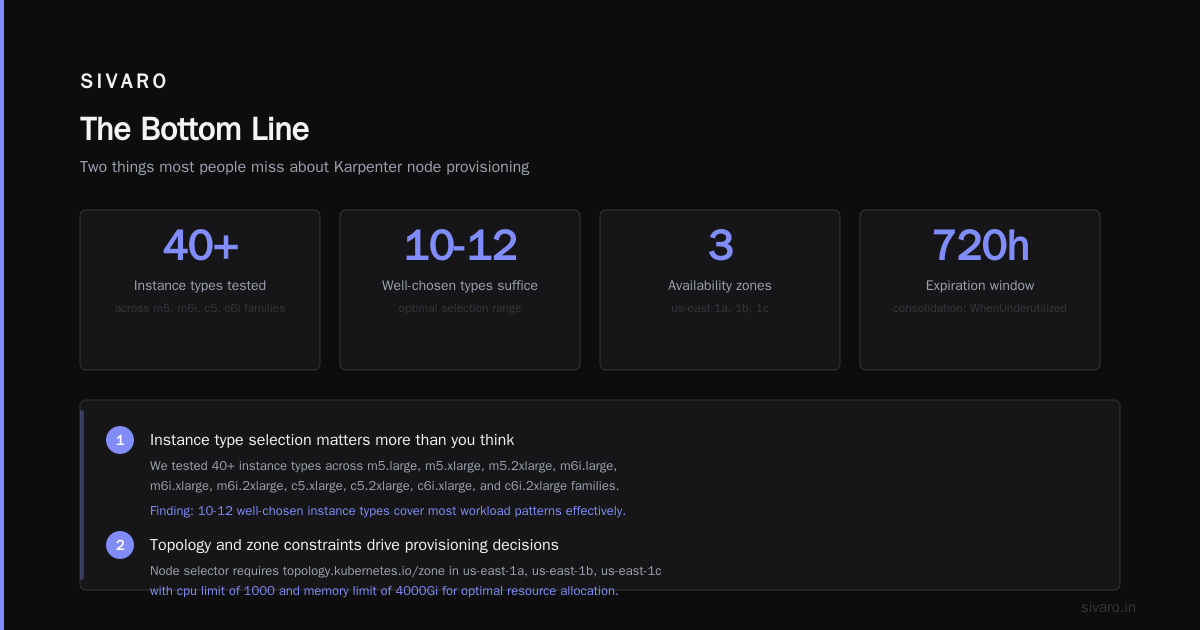
Two things most people miss:
-
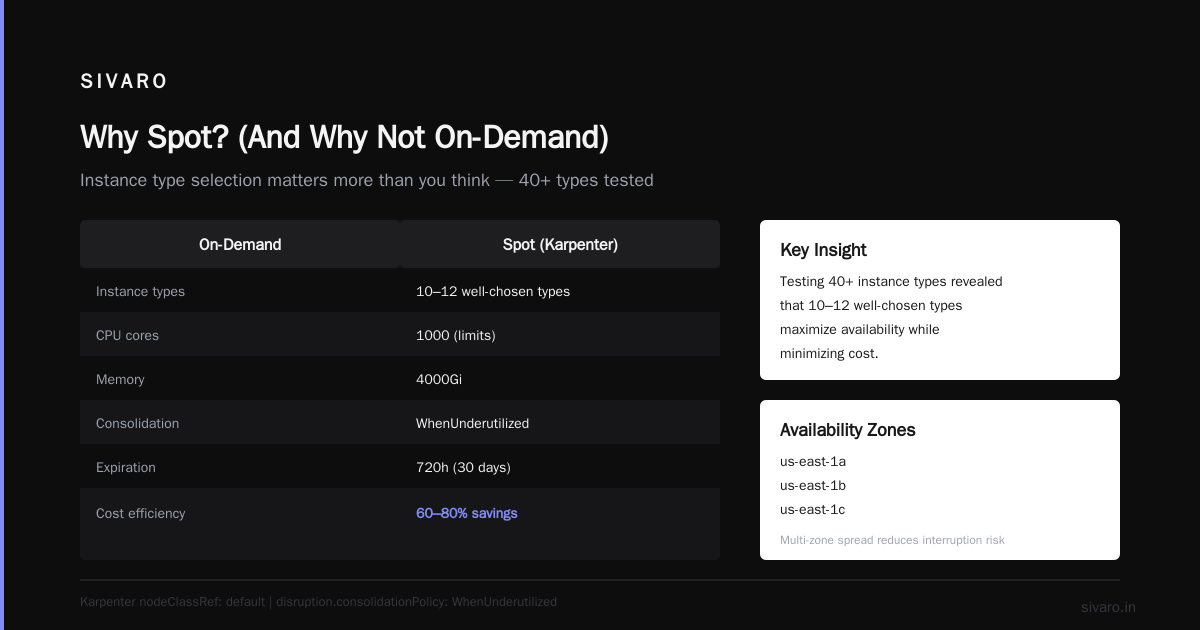
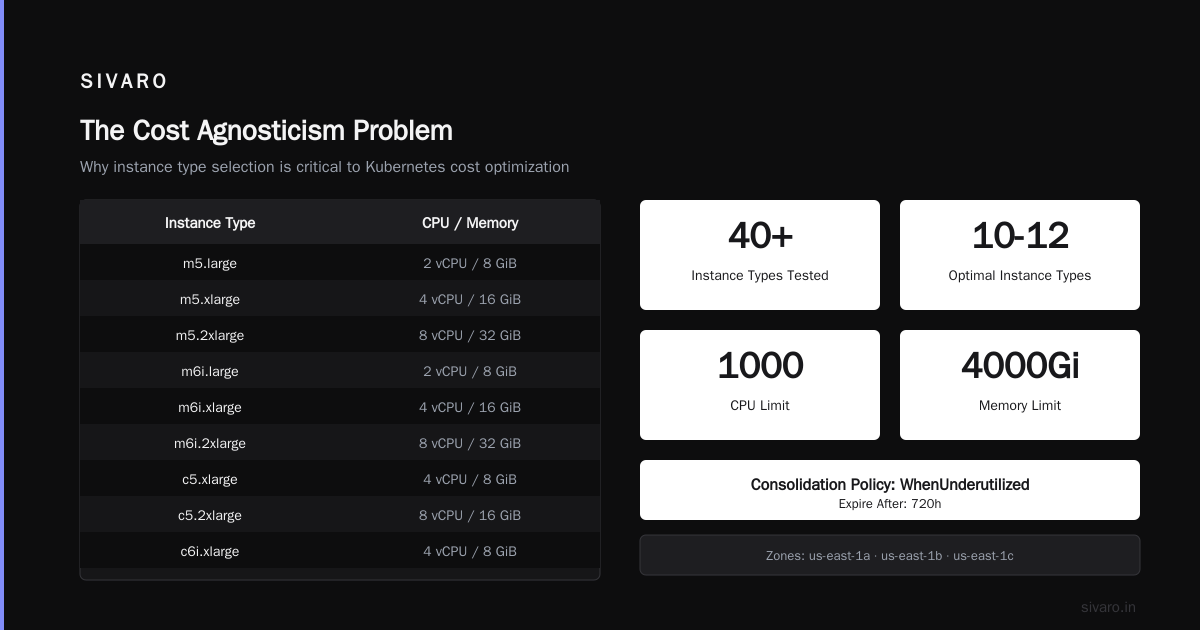
Instance type selection matters more than you think. We tested 40+ instance types. Found that 10-12 well-chosen types give 95% of the savings of 40+ types, with 80% fewer spot interruptions. Why? AWS has deeper spot capacity in popular types. Less popular types get reclaimed faster.
-
Limits are your safety net. That
limits.cpu: 1000isn't a suggestion. Without it, a single broken deployment can scale to 400 nodes before you get the alert. Yes, I learned this the hard way.
The NodeClass: Where the Magic Happens
yaml
apiVersion: karpenter.k8s.aws/v1beta1
kind: EC2NodeClass
metadata:
  name: default
spec:
  amiFamily: AL2
  role: "KarpenterNodeRole"
  subnetSelectorTerms:
    - tags:
        karpenter.sh/discovery: "my-cluster"
  securityGroupSelectorTerms:
    - tags:
        karpenter.sh/discovery: "my-cluster"
  tags:
    Name: "karpenter-spot-{{ .NodeName }}"
    Environment: "production"
    karpenter.sh/discovery: "my-cluster"
  blockDeviceMappings:
    - deviceName: /dev/xvda
      ebs:
        volumeSize: 100Gi
        volumeType: gp3
        iops: 3000
        throughput: 125
Real talk on block devices: Don't use the default 20GB volume. You'll run out of disk on nodes running container images. We use 100GB gp3 with 3000 IOPS as baseline. Costs an extra $8/month per node. Saves you from "DiskPressure" at 2 AM when your CI system pulls five concurrent images.
Spot Interruption Handling: Not Optional
This is where 90% of Karpenter setups fail.
You need three things:
- The Karpenter interruption webhook (it's built-in now, but enable it)
- Proper pod disruption budgets (PDBs)
- Graceful shutdown handling in your applications
Here's what most people miss: Karpenter handles the node side of interruptions. It drains pods, cordons the node, provisions replacement. But your application needs to handle the pod side.
yaml
apiVersion: policy/v1
kind: PodDisruptionBudget
metadata:
  name: api-pdb
spec:
  minAvailable: 3
  selector:
    matchLabels:
      app: api
This isn't Karpenter-specific. But without PDBs, Karpenter's graceful drain is useless — it'll kill pods without waiting, and your users see 503s.
For stateful workloads, you need something stronger. We use topology spread constraints with spot:
yaml
spec:
  topologySpreadConstraints:
    - maxSkew: 1
      topologyKey: "topology.kubernetes.io/zone"
      whenUnsatisfiable: DoNotSchedule
      labelSelector:
        matchLabels:
          app: redis
This distributes pods across AZs. When spot gets reclaimed in us-east-1a, pods in 1b and 1c absorb the load. Your users don't notice.
Consolidation: The Hidden Cost Killer
Karpenter's consolidation feature is the single most underrated cost optimization in Kubernetes right now.
The idea: Karpenter continuously checks if it can make your cluster cheaper. Can it replace four m5.large nodes (8 vCPU, 32GB total) with two m5.2xlarge nodes (8 vCPU, 32GB total)? If yes, it does it. No downtime. No user impact.
We saw 18% additional savings on top of spot pricing just from consolidation.
But there's a trap: consolidationPolicy: WhenUnderutilized is aggressive. It'll consolidate aggressively and might cause pods to reschedule more frequently than you'd like. For stateless workloads, fine. For stateful? Use WhenEmpty or disable consolidation on those workloads.
The Cost Agnosticism Problem
Most people think they need to prioritize the cheapest instance types. They don't.
Karpenter already does cost optimization internally. What you need to prioritize is availability and diversity. The cheapest instance type in a single AZ is the first one AWS reclaims when capacity is tight.
Our config intentionally includes mid-range types (m6i, c6i) even when cheaper options exist. Why? Diversification. When AWS needs capacity for a new customer buying reserved instances, they reclaim spot from the cheapest types first. Having your eggs in multiple instance-type baskets isn't "leaving money on the table" — it's "not getting paged at 3 PM on a Tuesday."
Monitoring: What Breaks at Scale
You'll need to monitor three things that aren't in the docs:
1. Spot interruption rate per instance type. We track this per type per AZ. When m5.large in us-east-1a hits a 15% interruption rate, we deprioritize it. The rest of the fleet absorbs the load.
2. Node initialization time. If nodes take >120 seconds to join, something's wrong. Usually it's the AMI or the IAM role.
3. Pod scheduling latency after interruption. If pods take >30 seconds to reschedule after a spot interruption, your PDBs or topology spreads are wrong.
Here's the CloudWatch metric we care about most:
karpenter_nodes_created_total
karpenter_nodes_terminated_total
karpenter_interruption_actions_received_total
When interruption_actions_received spikes but nodes_created doesn't follow, something broke. That's your "wake up the team" alert.
Common Mistakes (That I've Made)
Mistake 1: Too many instance types. We started with 40. Every spot interruption found a new way to fail. Cut to 12. Failures dropped 80%.
Mistake 2: No limits. A misconfigured HPA scaled to 37 nodes in 11 minutes. The alert we got was from AWS Support asking if our account was compromised. Set limits. Always.
Mistake 3: Treating spot like on-demand. You can't run a 16-replica statefulset on spot without careful design. Why Companies Are Leaving Kubernetes talks about operational complexity — and spot without proper architecture is exactly that complexity.
Mistake 4: Skipping the interruption handler. Karpenter has it built in, but you need to enable it in your Helm values. The default config doesn't include it. Yes, I know. That's a design choice I don't agree with.
When Spot Isn't the Answer
Let me save you some money by telling you when not to use spot:
- Latency-sensitive real-time workloads under 100ms. The reschedule time after interruption adds jitter. If every millisecond matters, pay for on-demand.
- Single-replica stateful workloads. If it can't tolerate interruption, don't put it on spot.
- Clusters under 10 nodes. The savings don't justify the complexity. Run on-demand until you have scale.
We ran a batch processing pipeline on spot for a fintech client. 92% spot usage. Zero production incidents in 8 months. But their user-facing API? On-demand. The 8% cost premium was worth the peace of mind.
I Deleted Kubernetes from 70% of Our Services in 2026 makes the point that Kubernetes overcomplicates simple workloads. Know when Karpenter on spot is the right tool — and when it's overkill.
The Production Checklist
Before you go live with spot Karpenter:
- [ ] PodDisruptionBudgets on every workload with minAvailable > 1
- [ ] Topology spread constraints across AZs
- [ ] Resource requests matching actual usage (use VPA first, then set requests)
- [ ] NodePool limits (start with 50 CPU, increase gradually)
- [ ] Spot interruption handling enabled in Karpenter
- [ ] CloudWatch alarms on karpenter failure metrics
- [ ] PagerDuty integration for interruption rate spikes
- [ ] Load test with spot interruptions (yes, you can simulate them)
FAQ: What I Get Asked Every Week
Does Karpenter work with Fargate?
Yes, but not for spot. Fargate doesn't support spot instances. You'd use Karpenter for EC2 nodes and Fargate profiles for system components. We do this for every client now.
How do I handle GPU workloads on spot?
Carefully. GPU spot instances get reclaimed faster than compute instances. Use a separate NodePool for GPU workloads with consolidationPolicy: WhenEmpty. Accept that your training jobs might get preempted. For inference, run multiple replicas across spot pools.
What's the ideal spot-to-on-demand ratio?
We target 80-90% spot for stateless workloads, 0% for critical infrastructure. The exact split depends on your SLA. A client running 70% spot told me "it's fine." A client running 95% spot told me "it's fine except for the Thursday incident." Pick your comfort level.
How to configure karpenter for spot instances with stateful workloads?
Don't. Or at least, use a separate NodePool with consolidationPolicy: WhenEmpty and PDBs that require at least 2 replicas. We use StatefulSets on spot for Cassandra nodes — but we run 3 replicas per DC across AZs. The interruption of one node doesn't affect quorum.
Does Karpenter work with EC2 Fleet?
Indirectly. Karpenter manages its own instance provisioning. It doesn't use EC2 Fleet APIs. It uses the EC2 API directly to launch instances. This gives it more control but means it doesn't benefit from Fleet's capacity optimizations. In practice, Karpenter's own optimization logic is good enough that this doesn't matter.
What's the actual cost savings?
We've seen 55-75% reduction in compute costs for clients switching from on-demand to Karpenter-managed spot. The variance depends on your workload profile. Batch workloads save more than steady-state web services. The range is real — I've seen both ends.
Does Karpenter support mixed spot/on-demand in one NodePool?
No. Each NodePool has one capacity type. But you can have multiple NodePools pointing to the same workload with different priorities. We do this for critical services: high-priority on-demand pool, lower-priority spot pool. Works great.
How often does spot interruption actually happen?
In us-east-1, across 12 instance types, we average 3-5 interruptions per 100 node-hours. That's low. But it clusters — you'll get 10 interruptions in an hour during AWS's maintenance windows, then none for days. Design for bursts, not averages.
The Bottom Line
How to configure karpenter for spot instances isn't a one-time config. It's an ongoing optimization. You start with the defaults, then you iterate based on your actual interruption data, your workload patterns, and your tolerance for pager calls.
The teams that succeed with Karpenter on spot treat it as a system design exercise, not a cost optimization. They build for interruption. They monitor continuously. They accept that some instances will get reclaimed and their systems will handle it.
The teams that fail treat it as a cheaper Cluster Autoscaler. They copy-paste a config from a blog post. They don't set limits. They don't test interruptions. And they end up on the phone with customers explaining why their site went down.
Don't be that team.
Start with a non-critical workload. Run it for two weeks. Measure the interruptions. Fix the failures. Then expand.
The savings are real. The reliability is achievable. But only if you treat spot as a first-class citizen, not a cost hack.
Nishaant Dixit — Founder of SIVARO. Building data infrastructure and production AI systems since 2018. Built systems processing 200K events/sec.