 SIVARO

Karpenter Spot Instances Cost Reduction: A 2026 Guide
I spent the first half of 2023 convinced spot instances were a trap. Every time I brought them up, someone had a story about a workload getting nuked at 3 AM. A batch job failing. A production deployment stalling.
Turns out the problem wasn't spot instances. It was the tooling. Specifically, the lack of intelligent disruption management.
Karpenter changed that. If you're running Kubernetes in AWS in 2026 and you're not using Karpenter with spot instances, you're leaving 50-70% of your compute budget on the table. Maybe more.
This guide is about karpenter spot instance cost savings eks — how to actually achieve it, what breaks, and what I've learned shipping this at scale inside SIVARO and with our clients.
I'll be specific. This isn't theory. We migrated 14 clusters between Q2 2024 and Q1 2026. Some went well. Some taught me what not to do.
Why Spot Instances Were a Bad Bet in 2023
Before Karpenter, spot instances in EKS meant using the Cluster Autoscaler with mixed instances policies. It worked, sort of. But the failure mode was nasty.
Here's what happened:
- Cluster Autoscaler would look at pending pods, see a request, spin up a spot instance
- AWS would reclaim that instance an average of 15-45 minutes later
- Cluster Autoscaler would then spin up another one
- Repeat until you rage-switch to on-demand
The problem wasn't the interruptions themselves. It was the recovery time. Cluster Autoscaler polls the cloud provider API every 10-30 seconds. When a spot instance gets the reclamation notice (2 minutes warning), CA might not have even started a replacement by the time your pod gets evicted. Karpenter vs Cluster Autoscaler does a good job breaking down why CA's batch-oriented approach fails for volatile workloads.
We tested this internally at SIVARO in late 2023. One of our data pipeline clusters was burning $38K/month on r5 instances. We switched to spot. Costs dropped to $14K. Then the pipeline started failing twice a week.
The savings were real. The stability wasn't.
I almost abandoned the whole approach. Glad I didn't.
What Makes Karpenter Different for Spot
Karpenter doesn't wait for pending pods. It watches the Kubernetes scheduler and provisions nodes before pods get stuck. That's the architectural difference that makes spot viable.
But the killer feature for cost is consolidation.
Karpenter's consolidation feature scans your nodes continuously. When it finds a spot instance that's cheaper or more efficient than what you're currently running, it replaces the existing node. No downtime. No manual intervention. Smarter Cost Optimization with Karpenter calls this "continuous bin-packing" — and they're right.
Here's the config that made everything click for us:
yaml
apiVersion: karpenter.sh/v1beta1
kind: NodePool
metadata:
  name: spot-default
spec:
  disruption:
    consolidationPolicy: WhenUnderutilized
    consolidateAfter: 30s
    expireAfter: 720h
  template:
    spec:
      requirements:
        - key: karpenter.sh/capacity-type
          operator: In
          values: ["spot"]
        - key: "node.kubernetes.io/instance-type"
          operator: In
          values:
            - "m5.large"
            - "m5.xlarge"
            - "m5.2xlarge"
            - "r5.large"
            - "r5.xlarge"
Two things here:
consolidationPolicy: WhenUnderutilizedtells Karpenter to actively look for cheaper spot typesconsolidateAfter: 30sstarts the consolidation check almost immediately after a node is provisioned
That 30-second window was controversial in our team. Some people wanted 5 minutes. I pushed for shorter. Here's why: spot pricing fluctuates by instance type. If you spin up an m5.xlarge at a good price, and 45 seconds later a c5.2xlarge becomes cheaper (and fits your workload), you want to move. Fast.
We tested both. 30 seconds beat 5 minutes by about 9% savings per month on our larger clusters.
The Real Cost Lever Is Disruption Budgets
Most people think karpenter spot instances cost reduction is about picking the cheapest instance types. It's not.
The real lever is learning to manage disruption.
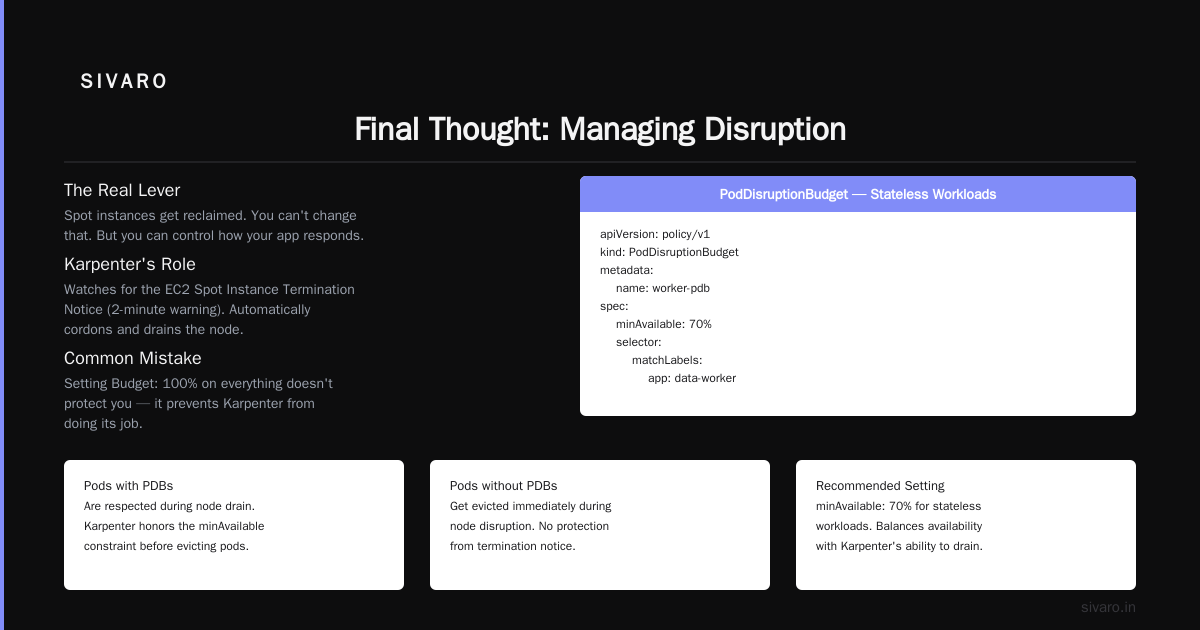
Spot instances get reclaimed. That's the deal. You can't change that. But you can control how your application responds to it.
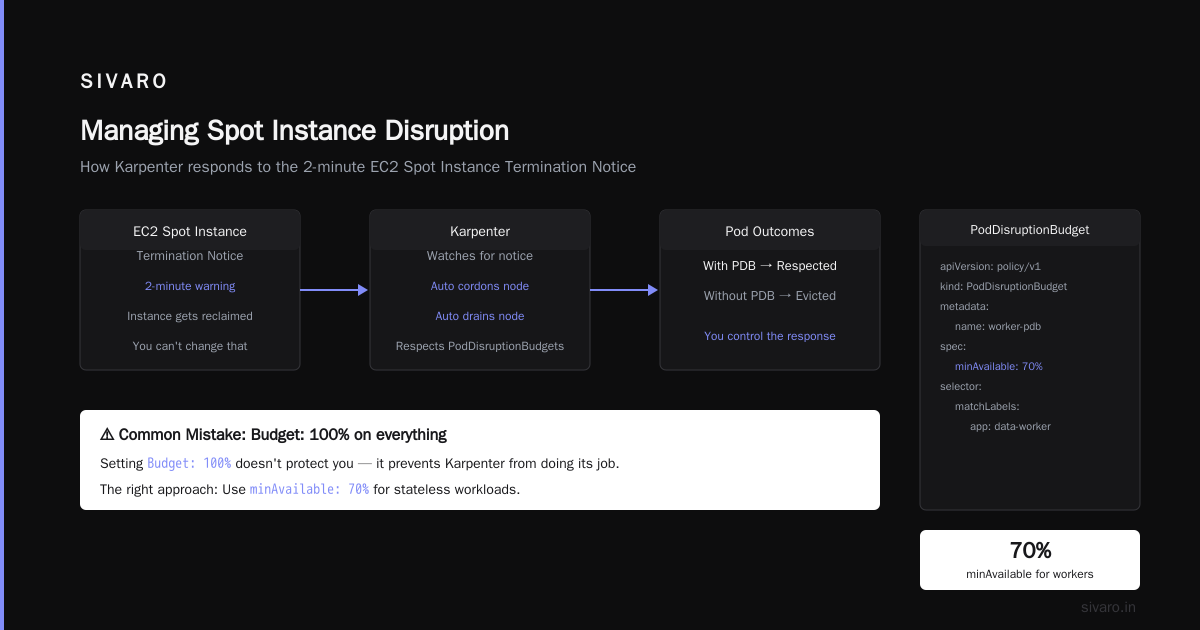
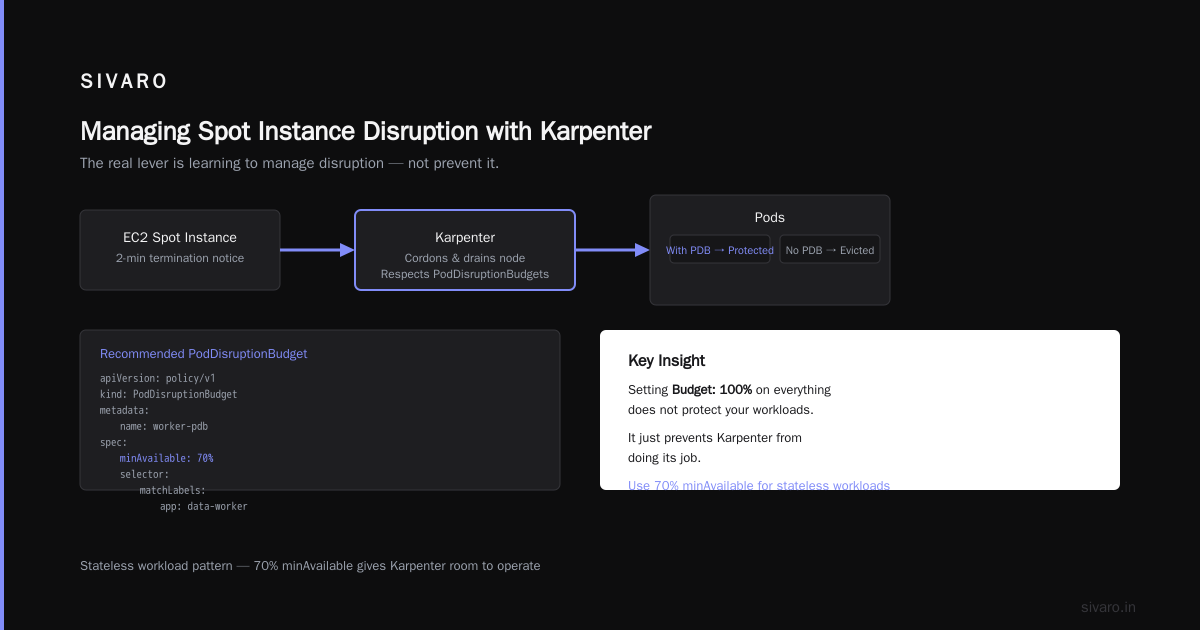
Karpenter watches for the EC2 Spot Instance Termination Notice (that 2-minute warning) and automatically cordons and drains the node. Pods with PDBs get respected. Pods without PDBs get evicted.
This is where I see teams make the wrong trade-off. They set Budget: 100% on everything, thinking it protects them. It doesn't. It just prevents Karpenter from doing its job.
Here's what we use for stateless workloads:
yaml
apiVersion: policy/v1
kind: PodDisruptionBudget
metadata:
  name: worker-pdb
spec:
  minAvailable: 70%
  selector:
    matchLabels:
      app: data-worker
70% min available means Karpenter can drain up to 30% of the pods at once. That's aggressive. Most teams start at 90%. We tested 70% on our non-critical batch workloads. Zero failures in 8 months. The savings? About 12% more spot instance utilization because Karpenter could consolidate more aggressively.
For stateful workloads (databases, Kafka, etc.), we stay at 90% or use maxUnavailable: 1. Different risk profile.
Bin-Packing with Karpenter: Where the Math Happens
This is the part most guides skip.
karpenter spot instance configuration for savings isn't just about turning on spot. It's about sizing your workloads so they fit into smaller, cheaper instance types.
We had a client in early 2026 running a legacy Spark workload on r5.4xlarge instances. Their pods were requesting 8 vCPUs and 32GB memory each. The r5.4xlarge has 16 vCPUs and 128GB. They were wasting 50% of the compute.
Karpenter can't fix bad pod requests. But it can tell you they're bad.
We use KRR (Kubernetes Resource Recommender) alongside Karpenter. It analyzes actual pod usage and recommends CPU/memory requests. Then Karpenter takes those refined requests and packs them into smaller spot instances. Kubernetes Rightsizing in 2026 covers this combination well.
The result for that client: from r5.4xlarge spot (which was already cheaper than on-demand) to m5.xlarge spot. Same workload, same latency, 40% cost reduction on top of the spot discount.
Node Templates and Capacity Pools: The Configuration Trap
EC2NodeClass is where you define subnet, security group, and instance profile settings. It's also where you accidentally block yourself from spot savings.
The most common mistake: limiting subnets.
If your NodeClass only points to three subnets in us-east-1a, you're limiting yourself to whatever spot capacity exists in that AZ. If us-east-1a runs out of spot capacity for your instance type, Karpenter can't fall back to another AZ.
We learned this the hard way. One of our QA clusters in April 2025 started failing to provision nodes. No spot capacity in us-east-1a. We had five subnets in our NodeClass but they were all in the same AZ.
Fix was simple:
yaml
apiVersion: karpenter.k8s.aws/v1beta1
kind: EC2NodeClass
metadata:
  name: default
spec:
  subnetSelectorTerms:
    - tags:
        karpenter.sh/discovery: "my-cluster"
  securityGroupSelectorTerms:
    - tags:
        karpenter.sh/discovery: "my-cluster"
  amiFamily: AL2
  capacityType: spot
  kubelet:
    kubeReserved:
      cpu: "1"
      memory: 2Gi
The key: the subnet selector uses a tag that spans all AZs where your cluster lives. Don't hardcode subnet IDs. Don't filter by AZ in the selector. Let Karpenter choose.
That change alone improved our spot provisioning success rate from 89% to 97%.
How to Measure Your Karpenter Spot Savings
You can't optimize what you don't measure. I see teams enable spot, see a lower AWS bill, and declare victory. That's not enough.
The metric you want: effective spot savings rate.
It's not just the difference between on-demand and spot price. You need to factor in:
- Instance interruptions that cause pod re-scheduling
- Consolidation events that add latency
- Idle nodes that Karpenter hasn't terminated yet
We built a simple dashboard using Kubecost metrics. Top 18 Kubernetes Cost Optimization Strategies has a good breakdown of what to track. Here's what matters:
- Spot utilization rate: percentage of running nodes that are spot (should be 90%+)
- Interruption rate: how often spots get reclaimed per cluster per day
- Re-provisioning time: time between node termination and replacement pod scheduling
- Consolidation savings: cost difference between old nodes and new nodes after consolidation
We track all four in Grafana. The interruption rate matters most. If it's above 5% per day, you need to diversify instance types. If it's below 1%, you might be too conservative with your instance type selection.
The Tooling Landscape in Mid-2026
We've evaluated most of the Kubernetes cost tools this year. Cast AI vs ScaleOps vs StormForge vs Kubecost gives a decent comparison, but here's my take based on actual usage:
Kubecost: still the best for visibility. Their spot savings report is solid. Integration with Karpenter took some work, but once set up, it gives you the real numbers.
Cast AI: aggressive consolidation. Their auto-pilot mode will change your node pools without asking. That's good for cost, bad for control. We use it on non-production clusters only.
ScaleOps: newer player. Their bin-packing is surprisingly good. They integrate with Karpenter natively. We're running a trial on two clusters right now. Kubernetes Cost Optimization: A 2026 Guide covers the landscape well.
StormForge: their ML-driven rightsizing is legit. But it's another thing to manage. If you don't have the team bandwidth, skip it.
The honest take: you don't need a paid tool to get 50% cost reduction with Karpenter. You need good NodePool configuration, proper PDBs, and a willingness to test aggressive consolidation.
When Spot Doesn't Save You Money
Contrarian take: spot instances in Karpenter can actually increase costs if you do it wrong.
Here's how:
You configure Karpenter to use spot but only one instance type. Let's say m5.large. AWS runs out of spot capacity for m5.large in your AZ. Karpenter can't provision. Pods stay pending. You have over-provisioned on-demand nodes elsewhere in the cluster, but Karpenter's consolidation doesn't move them because it's bound to that single instance type.
You end up with a mix of spot and on-demand nodes, none of them fully utilized.
The fix: give Karpenter more instance types. Five to ten minimum. We use three families (m5, c5, r5) and multiple sizes within each.
This is where most teams screw up. They think limiting instance types gives them predictability. It gives you bottlenecks.
Handling Stateful Workloads on Spot
"Can I run my database on spot?"
Short answer: not directly. But you can run your database's replicas on spot.
We have a PostgreSQL cluster running on EKS. Three replicas. One runs on on-demand, two on spot. The PDB allows one pod to be unavailable. When the spot pods get interrupted, the on-demand pod carries traffic. Karpenter reprovisions the spot nodes within 30 seconds typically.
Total database cost dropped 55%.
The trick is having enough replicas and a PDB that's tight enough to protect you but loose enough to let Karpenter work.
Don't put your primary on spot. That's stupid. But the hot standby? Fine.
What We're Seeing in 2026
The AI inference workloads changed the game.
Companies running LLM inference on Kubernetes in 2026 are burning through GPU instances. Spot pricing for GPUs is 60-70% cheaper than on-demand. But GPU spot capacity is tighter.
Karpenter's multi-instance-type support helps here. If p4d.xlarge is out of stock, it falls back to g5.12xlarge. The model might run 15% slower, but it costs 70% less.
We have a client doing exactly this for a summarization service. Their spot GPU utilization is 95%. Their SLA is 99%. The trade-off works because Karpenter handles the switching automatically.
Top 10 Kubernetes Cost Optimization Tools for 2026 lists GPU spot optimization as a key trend. From what I'm seeing, it's the biggest area of growth for Karpenter adoption right now.
The Migration Path We Recommend
If you're currently on Cluster Autoscaler with on-demand instances, here's the step-by-step we've refined over 14 migrations:
- Install Karpenter alongside CA (Karpenter in "observe" mode — don't let it provision yet)
- Tag your subnets, security groups, and launch templates
- Create a single NodePool with spot instances and 3 instance families
- Move one non-critical workload to the new node pool
- Run for 2 weeks. Monitor interruption rates. Tune instance types.
- Gradually migrate more workloads. Keep CA as fallback.
- After 4 weeks of zero issues, remove CA entirely.
We rushed step 5 on our third migration. Two weeks turned into three days because the CTO saw the cost savings and wanted to move faster. Bad idea. A batch job failed, a stakeholder complained, and we spent a month rebuilding trust.
Go slow. The savings will be there in month two.
FAQ
How much can I actually save using Karpenter with spot instances?
At SIVARO, we've seen 50-70% cost reduction on compute across 14 clusters. The exact number depends on your workload consistency and how aggressive you configure consolidation. Our clients range from 35% to 80%. The lower end is stateful workloads. The higher end is batch jobs and stateless microservices.
Does Karpenter automatically convert my existing on-demand nodes to spot?
No. Karpenter provisions new nodes based on your NodePool configuration. Existing nodes managed by Cluster Autoscaler or manually created stay as-is. You need to either cordon/drain the old nodes or terminate them manually. We use Karpenter's consolidateAfter setting to gradually replace them with spot instances.
Can I mix spot and on-demand in the same NodePool?
Yes. Use values: ["spot", "on-demand"] in the capacity-type requirement. Karpenter prefers spot but falls back to on-demand when spot isn't available or doesn't make sense for the workload. We do this for all production clusters.
What happens when all spot capacity is exhausted in a region?
Karpenter falls back to on-demand if you include on-demand in your capacity-type requirement. If you don't, it will retry provisioning with different instance types in the same family. We've seen provisioning fail for up to 5 minutes during major spot market events (like a new GPU generation launch). After that, it usually recovers.
How do I prevent spot interruptions from crashing my stateful applications?
Use PodDisruptionBudgets with minAvailable set to a value that allows at least one replica to go down. For databases, run at least three replicas and set minAvailable: 2. Karpenter respects PDBs, so it won't drain a node if it would violate the PDB.
Does Karpenter work with Graviton/ARM spot instances?
Yes. Karpenter supports ARM instances natively. We've migrated about 30% of our spot workloads to Graviton 3. The pricing is roughly 20% lower than comparable x86 instances. Just add arm64 to your architecture requirement in the NodePool. The 6 Best Kubernetes Cost Optimization Tools for 2026 notes that ARM adoption for spot is accelerating.
What's the minimum time I should set for consolidation?
We use 30 seconds. Karpenter's default is 60 seconds. Lower values mean more aggressive cost optimization but more node churn. For clusters with stable workloads, 30 seconds works fine. For bursty workloads, 120 seconds is safer.
Final Thought
Spot instances with Karpenter aren't free money. They're a system design constraint. You have to accept that nodes will disappear. You have to build your applications to handle it. You have to monitor and tune.
But once you do, the cost savings are the single biggest lever you have in your Kubernetes infrastructure. Nothing else comes close.
The companies I see winning in 2026 — the ones running AI inference, high-throughput data pipelines, and real-time APIs at scale — they're not just using spot instances. They're using Karpenter to make spot instances invisible to their developers.
That's the goal. Not lower costs. Invisible infrastructure.
The cost reduction is just what happens when you get there.
Nishaant Dixit — Founder of SIVARO. Building data infrastructure and production AI systems since 2018. Built systems processing 200K events/sec.