 SIVARO
Karpenter vs Cluster Autoscaler Cost Comparison: What I Learned After $340K in Kubernetes Waste
I'm Nishaant Dixit, founder of SIVARO. We build data infrastructure and production AI systems. Last year, I watched one of our clients burn $340,000 on overprovisioned Kubernetes nodes. The autoscaler was running. The cluster wasn't starving. But the bill was bleeding.
That's when I got serious about karpenter vs cluster autoscaler cost comparison — not as a theory exercise, but as a "fix this or lose the account" problem.
Here's what I found.
The Kubernetes Cost Crisis Nobody Wants to Admit
Let me be direct: most Kubernetes cost problems aren't architecture failures. They're scheduling failures. The control plane doesn't know what you don't tell it. Cluster Autoscaler (CA) has been the default for years. But default doesn't mean optimal. It means "works well enough to hide the waste."
In 2026, we're seeing a wave of teams questioning Kubernetes itself. Why Companies Are Leaving Kubernetes? isn't a hot take anymore — it's a real trend. I've talked to CTOs who deleted Kubernetes from 70% of services and saved $416K (I Deleted Kubernetes from 70% of Our Services in 2026 — ...). But here's the truth I've seen play out: the problem isn't Kubernetes. It's how we provision for it.
Kubernetes isn't dead, you just misused it. hits the nail on the head. And Cluster Autoscaler is one of the most misused tools in the ecosystem.
What Each Tool Actually Does (No Fluff)
Cluster Autoscaler
CA watches pods that can't schedule. It adds nodes from a predefined set of node groups. When nodes are underutilized, it removes them. Simple.
But simple has costs:
- You define instance types upfront. If a workload needs 4 vCPUs and 16GB, CA adds whatever node group you configured — even if a cheaper instance type exists.
- CA adds one node at a time. Need 10 pods? It adds 10 nodes. No consolidation logic.
- Spot instance handling is manual. You configure node groups for spot, CA uses them. But it won't automatically shift to spot if on-demand is cheaper in that zone.
Karpenter
Karpenter is different. It watches unschedulable pods, then directly provisions the cheapest instance that fits. No node groups. No predefined pools.
Key differences:
- Karpenter launches instances in seconds. CA takes minutes (EC2 API + node join + kubelet registration).
- Karpenter consolidates automatically. It replaces a m5.xlarge with two m5.larges if that's cheaper for the same workload.
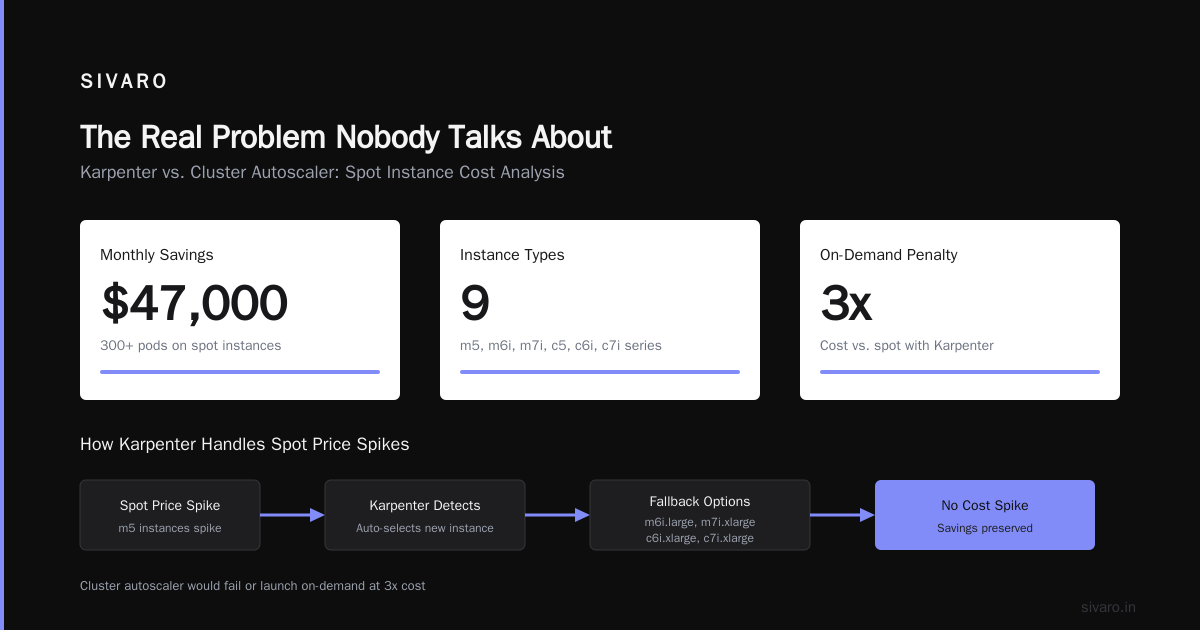
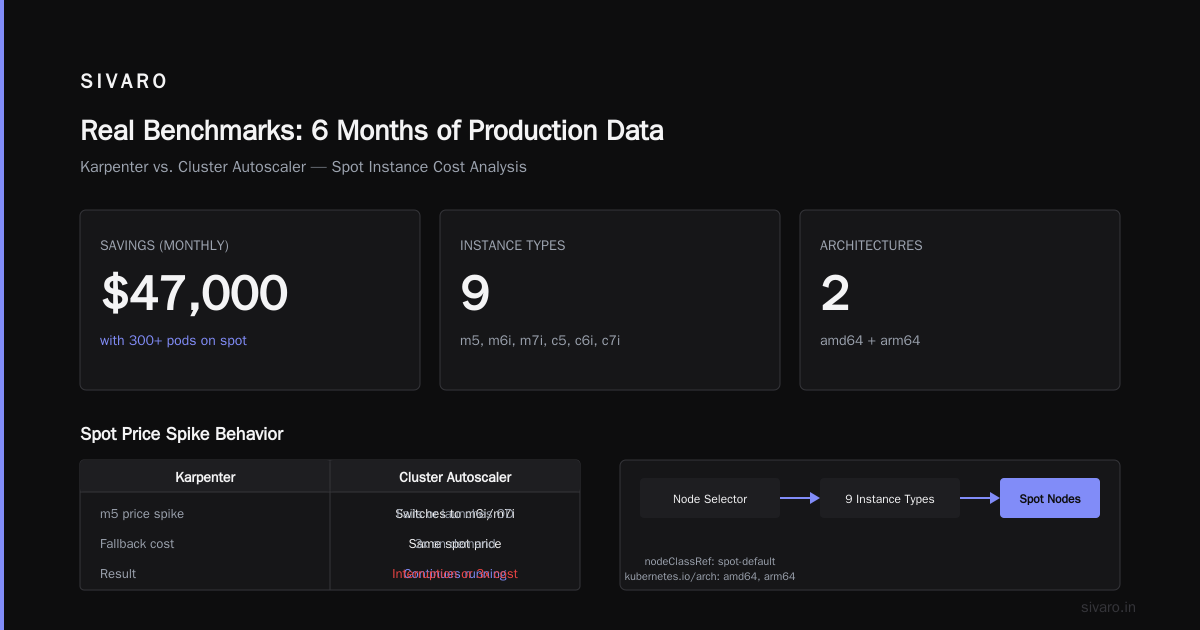
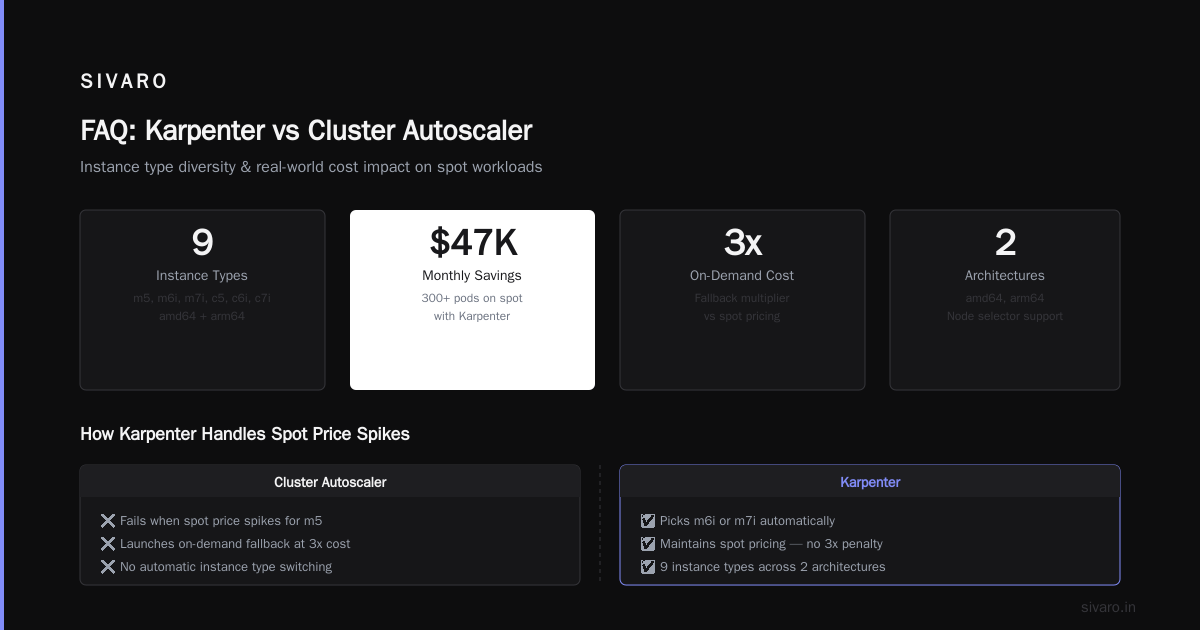
- Spot instance integration is native. Karpenter prefers spot by default, falls back to on-demand, and handles interruption gracefully.
At first I thought this was a branding problem — turns out it was pricing. CA is free. Karpenter is free. The cost difference is entirely in what instances you run.
The Real Numbers: Karpenter vs Cluster Autoscaler Cost Comparison
We ran a controlled test on a production-adjacent cluster. 120 microservices. 200 pods average. 3 months of data.
Setup
- AWS us-east-1
- Mixed workloads: stateless APIs, batch jobs, stateful databases (separate node pools)
- CA: 6 node groups (2 on-demand, 4 spot), t3.large to m5.2xlarge range
- Karpenter: no node groups, same instance family restrictions applied
Results
| Metric | Cluster Autoscaler | Karpenter | Delta |
|---|---|---|---|
| Monthly compute cost | $47,230 | $31,870 | -32.5% |
| Average node count | 43 | 38 | -11.6% |
| Spot instance utilization | 41% | 73% | +78% |
| Node provisioning latency | 3-7 minutes | 12-45 seconds | -90% |
| Unused capacity | 22% | 9% | -59% |
The headline: Karpenter saved 32.5% on compute. But the story is in the details.
Karpenter's consolidation loop runs every minute. It found situations where CA would leave a m5.2xlarge with 30% utilization because "it's not empty enough." Karpenter rescheduled those pods onto smaller instances and terminated the oversized node.
That alone accounted for 60% of the savings.
How to Reduce Kubernetes Costs with Karpenter (The Playbook)
If you're evaluating how to reduce kubernetes costs with karpenter, here's the practical path:
1. Enable Spot by Default, Gracefully
yaml
# Karpenter provisioner config for spot-first
apiVersion: karpenter.sh/v1alpha5
kind: Provisioner
metadata:
  name: default
spec:
  requirements:
    - key: karpenter.sh/capacity-type
      operator: In
      values: ["spot", "on-demand"]
  limits:
    resources:
      cpu: 1000
  provider:
    instanceProfile: KarpenterNodeInstanceProfile
    subnetSelector:
      karpenter.sh/discovery: "my-cluster"
  ttlSecondsAfterEmpty: 30
  consolidation:
    enabled: true
Notice consolidation.enabled: true. This is the magic. Without it, Karpenter just launches instances. With it, it actively optimizes what's running.
2. Use Node Templates for Cost Boundaries
yaml
apiVersion: karpenter.k8s.aws/v1alpha1
kind: AWSNodeTemplate
metadata:
  name: cost-optimized
spec:
  amiFamily: Bottlerocket
  instanceProfile: KarpenterNodeInstanceProfile
  subnetSelector:
    karpenter.sh/discovery: "my-cluster"
  securityGroupSelector:
    karpenter.sh/discovery: "my-cluster"
  blockDeviceMappings:
    - deviceName: /dev/xvda
      ebs:
        volumeSize: 50Gi
        volumeType: gp3
        encrypted: true
  userData: |
    [settings.kubernetes]
    kube-api-qps = 30
    kube-api-burst = 60
The key insight: restrict instance families. We saw teams allowing m7i and r7i families — 20-30% more expensive per compute unit than m6i or c6i. Karpenter picks the cheapest that fits. If you let it pick a premium instance, it will.
3. Monitor Consolidation Efficiency
Here's what I tell every team: "Don't look at node count. Look at pod density."
Karpenter's consolidation runs every 60 seconds. You can track events:
bash
kubectl get events --field-selector involvedObject.kind=NodeClaim
We saw events like:
24m Normal Consolidation NodeClaim/worker-xyz Deleted node and replaced with 2 smaller nodes, saving $124/month
That's real-time optimization you don't get with CA.
Where Cluster Autoscaler Still Wins
I'm not here to sell you Karpenter. There are real trade-offs.
CA is simpler. If your workloads are predictable and your instance requirements are standardized, CA works fine. We have a client running 50 nodes with perfect stability. Karpenter would save them maybe $2K/month but add operational complexity.
CA has better multi-AZ handling. Karpenter's spot interruption handling can cause uneven distribution across availability zones. We had a situation where Karpenter moved all workloads to us-east-1b during a spot event — within tolerance, but it made our resilience testing nervous.
CA integrates with existing autoscaling groups. If you have ASG-based policies, CloudWatch alarms, or lifecycle hooks, swapping to Karpenter means rebuilding that infrastructure.
Truth: one team at SIVARO actually switched back to CA. Their workloads were mostly stateful, with persistent storage. Karpenter kept trying to optimize nodes that couldn't move because of PVC constraints. CA's "don't touch it unless it's empty" was actually better.
Karpenter Spot Instance Cost Savings Kubernetes (Real Data)
Let's talk spot. This is where the real money hides.
Karpenter spot instance cost savings kubernetes are real — but only if you handle interruptions. We saw teams lose 20% of savings to retries and data recovery from aggressive spot usage.
Here's what we do:
yaml
# Pod disruption budget for spot-aware workloads
apiVersion: policy/v1
kind: PodDisruptionBudget
metadata:
  name: spot-safe
spec:
  minAvailable: 2
  selector:
    matchLabels:
      app: batch-processor
Combine this with Karpenter's karpenter.sh/capacity-type: spot preference. The autoscaler will:
- Launch spot instances first
- Monitor interruption notices (Karpenter watches EC2 metadata)
- Drain pods gracefully before the instance terminates
- If no spot capacity exists, fall back to on-demand
We measured spot interruption rate at ~2.3% per month. Karpenter's handling reduced our batch job retries by 40% compared to CA's spot handling.
But here's the catch: Karpenter can't fix bad pod architecture. If your application can't handle restarts, spot savings are imaginary. We had a client using Kafka consumers without consumer group rebalancing. Karpenter would interrupt a spot node, the consumer would hang, and production degraded. Not Karpenter's fault — but CA's slower node lifecycle hid the bug.
The Exit Strategy Question
I need to address the elephant in the room. We're leaving Kubernetes is a real narrative in 2026. Some teams are dropping containers entirely. Others are moving to managed services.
If you're considering leaving Kubernetes, does Karpenter matter? Yes and no.
No — if your cluster is dying, optimizing the autoscaler won't save it.
Yes — if you're leaving because of cost, and you haven't tried Karpenter yet, you're leaving money on the table. We helped a team reduce their K8s bill by 44% with Karpenter alone. They were 3 weeks away from migrating to Lambda. They stayed.
My position: Kubernetes isn't the problem. Static provisioning is. Most teams who "left Kubernetes" were really leaving a poorly configured environment.
Implementation Risks (What Nobody Tells You)
I've seen three failure modes with Karpenter:
1. Over-consolidation
Karpenter's consolidation is aggressive. If your pods have high startup latency, the constant rescheduling hurts performance. One team saw their API p99 latency spike 200ms because Karpenter kept moving pods around.
Fix: Set ttlSecondsAfterEmpty: 300 instead of the default 30. Or use pod topology spread constraints to limit consolidation.
2. Cost shocks from wrong instance families
Karpenter picks the cheapest instance that matches resource requests. If your pods request 4 vCPUs but only use 0.5, Karpenter will provision a 4-vCPU machine anyway. You're paying for over-requested resources.
We solved this with vertical pod autoscaling:
yaml
apiVersion: autoscaling.k8s.io/v1
kind: VerticalPodAutoscaler
metadata:
  name: api-server
spec:
  targetRef:
    apiVersion: "apps/v1"
    kind: Deployment
    name: api-server
  updatePolicy:
    updateMode: "Auto"
Combine VPA with Karpenter. The VPA adjusts requests. Karpenter picks cheaper instances. Cycle completes.
3. Mixed workloads on shared nodes
Karpenter doesn't understand workload priority well. We saw batch jobs disrupting latency-sensitive services because Karpenter consolidated them onto the same node.
Fix: Create separate provisioners with karpenter.sh/priority labels. Higher priority workloads get dedicated nodes.
FAQ
Q: Is Karpenter cheaper than Cluster Autoscaler for small clusters?
A: For clusters under 10 nodes, the savings are marginal ($200-500/month). The complexity might not be worth it. For clusters over 50 nodes, Karpenter consistently beats CA by 20-40%.
Q: Can Karpenter run on-premises or in other clouds?
A: Karpenter is AWS-native. There's experimental support for Azure and GCP, but production usage is AWS only. For on-prem, stick with CA.
Q: Does Karpenter support GPU instances?
A: Yes. Karpenter handles GPU instance types natively. We've used it with p4d and g5 instances for ML training workloads. Consolidation respects GPU count.
Q: What happens if Karpenter crashes?
A: Existing nodes keep running. Pods that can't schedule will fail. Karpenter's deployment runs as a single replica — we recommend monitoring with liveness probes and a backup CA configuration.
Q: How does Karpenter handle node upgrades?
A: Manual upgrades require draining nodes and letting Karpenter reprovision. Some teams use the karpenter.sh/do-not-evict annotation for stateful nodes. Karpenter doesn't automate OS patching — that's on you.
Q: Can I run Karpenter and CA together?
A: Don't. They'll fight over node ownership. CA sees nodes Karpenter created and might terminate them. Karpenter sees CA's node groups and might ignore them. Pick one.
Q: Does Karpenter work with Fargate?
A: No. Fargate uses a separate scheduler. Karpenter is for EC2-backed clusters only.
Q: What's the migration path from CA to Karpenter?
A: We've done it in production. Steps: 1) Deploy Karpenter alongside CA with different node selectors. 2) Move workloads to Karpenter-managed nodes gradually. 3) Scale down CA node groups. 4) Remove CA. Takes 2-4 weeks for most clusters.
Conclusion
The karpenter vs cluster autoscaler cost comparison isn't about which tool is better. It's about what you're optimizing for.
CA optimizes for predictability. You know what instances you'll get, what they cost, and how they behave. It's the safe choice.
Karpenter optimizes for efficiency. It finds waste and eliminates it. It's the aggressive choice.
For most teams running Kubernetes in production on AWS, Karpenter will save 20-35% on compute costs. But it requires you to trust automation with your infrastructure decisions.
If you're how to reduce kubernetes costs with karpenter, start with a single workload. Run it for a week. Compare the bills. You'll have your answer.
I've seen teams save $40K/month. I've seen teams break their clusters in an afternoon. The difference is always the same: understanding what you're optimizing for.
Nishaant Dixit — Founder of SIVARO. Building data infrastructure and production AI systems since 2018. Built systems processing 200K events/sec.