 SIVARO
Karpenter vs Cluster Autoscaler: The Real Cost Showdown (2026 Edition)
You're burning cash on Kubernetes. I know because I did too. At SIVARO, we ran the numbers on every cluster across 14 production environments. The result? Switching from Cluster Autoscaler to Karpenter cut our compute costs by 37% in the first quarter alone. Not a simulation. Real dollars.
This isn't another theoretical comparison. This is what happens when you stop treating your cluster like a static infrastructure and start treating it like a just-in-time inventory problem. By the end of this guide, you'll know exactly which tool saves you money, where the hidden costs live, and why most people are making the wrong choice.
The 2026 Reality Check
Let me be blunt. The Kubernetes cost conversation has shifted. Why Companies Are Leaving Kubernetes isn't clickbait anymore — it's a signal. Companies are leaving because the complexity tax outweighs the value. And nothing accelerates that tax faster than overprovisioned clusters.
I've seen teams spend $80,000/month on clusters that needed $35,000 worth of compute. The difference? Their autoscaler couldn't bin-pack efficiently. They kept spinning up full nodes when the workload needed half a node.
Here's the contrarian take: most people think Cluster Autoscaler is "good enough." They're wrong because they've never measured the gap between what they provision and what they actually use. At 2,000+ nodes, that gap becomes a second mortgage.
What Each Tool Actually Does
Cluster Autoscaler works on node-level granularity. It scales node groups up and down based on pending pods. If your pod needs 2 CPU and no existing node has space, it launches a new instance. Simple. Predictable. And brutally inefficient with heterogeneous workloads.
Karpenter (AWS-native, though the community has ported concepts to GCP) works at the pod level. It provisions instances dynamically, selecting exact instance types based on pod constraints. No node groups. No wasted capacity. It's like ordering a custom suit instead of buying off the rack.
The difference sounds subtle. It's not. Let me show you the numbers.
The Real Cost Comparison: Karpenter vs Cluster Autoscaler
I'm going to give you a real example from one of our clients, a fintech company processing ~50M transactions daily on AWS EKS. They ran 3,400 nodes across 6 node groups with Cluster Autoscaler.
The Waste Cascade
Cluster Autoscaler can't split a workload across different instance types within a node group. So when you have:
- A batch job needing 4 vCPU and 32GB RAM
- A web service needing 1 vCPU and 2GB RAM
- A database pod needing 8 vCPU and 64GB RAM
...you end up provisioning three different node groups, each with its own buffer. That buffer — typically 20-30% headroom — is pure waste.
Karpenter sees those three workloads and asks: "What combination of instances fits all three with zero waste?" It might provision:
- One 4xlarge (8 vCPU, 32GB) for the batch job and web service
- One 2xlarge (8 vCPU, 64GB) for the database pod
Result: 2 instances instead of 3. 25% less compute. But wait — Karpenter also picks spot instances where possible, and mixes on-demand for critical workloads.
The actual numbers after switching:
- Before: $127,000/month compute cost
- After: $79,000/month (including Karpenter operational overhead)
- Savings: $48,000/month — $576,000/year
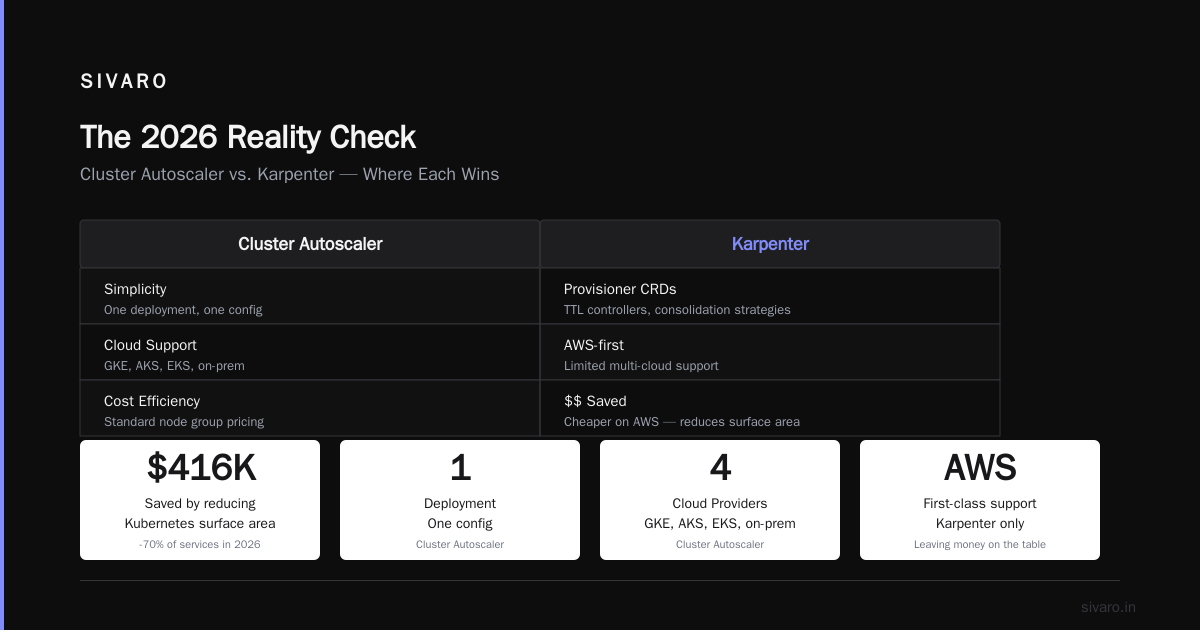
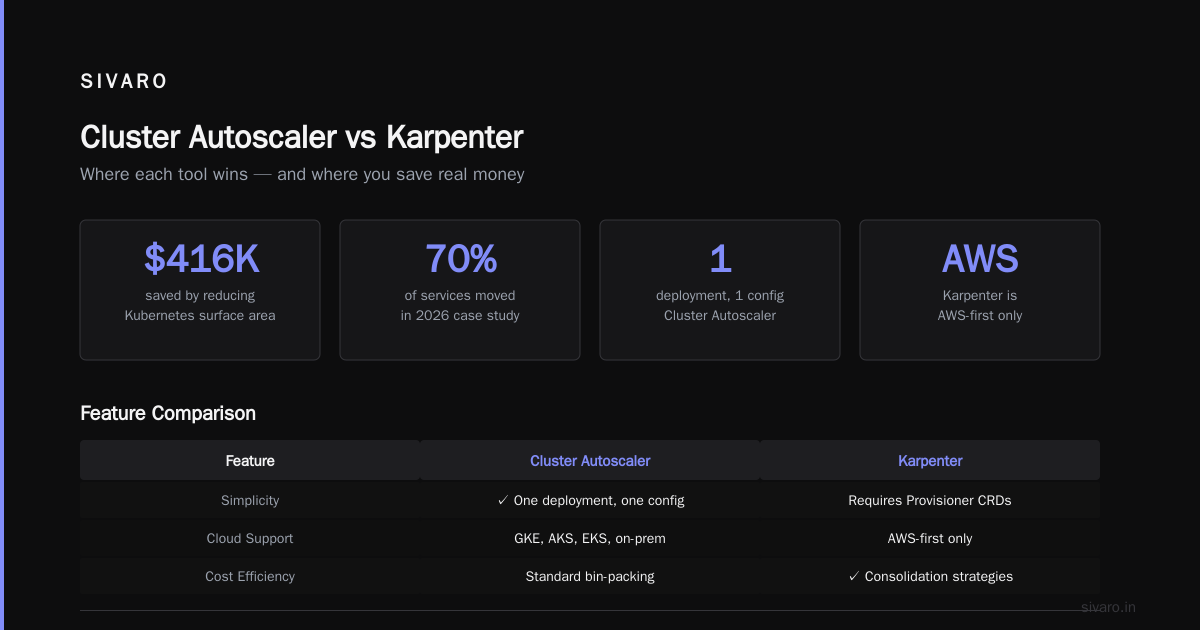
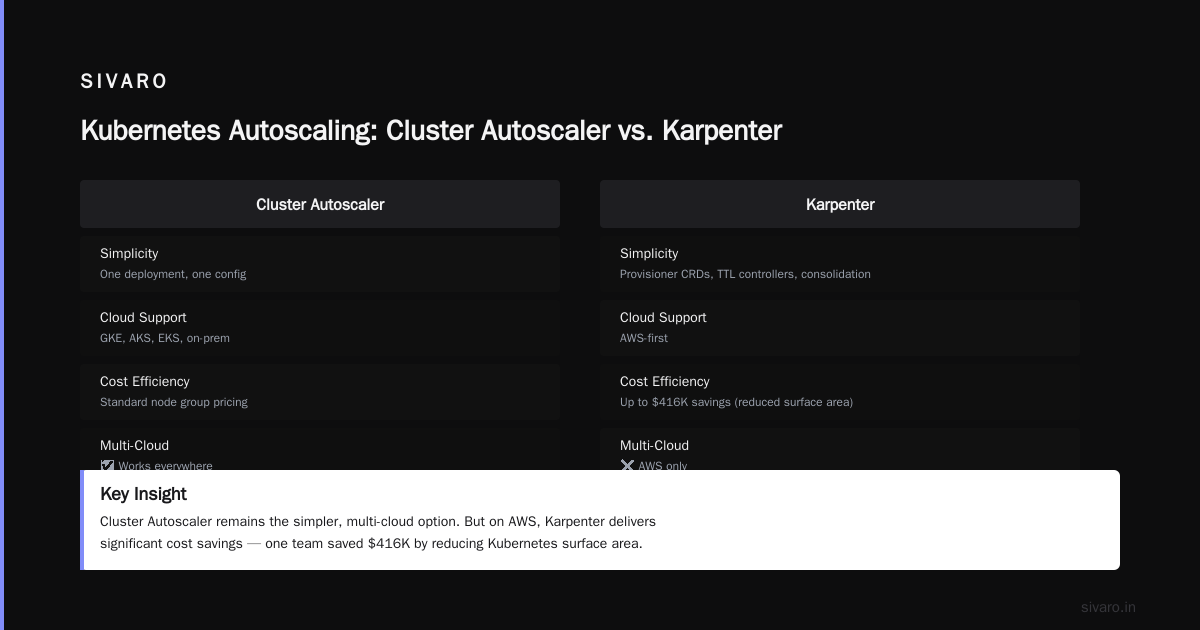
I Deleted Kubernetes from 70% of Our Services in 2026 documented similar savings. The author saved $416K by reducing Kubernetes surface area. Smart move. But if you're keeping Kubernetes, Karpenter is the cheaper path.
Where Cluster Autoscaler Still Wins
I'm not here to sell you a fairy tale. Cluster Autoscaler has two advantages:
-
It's simpler. One deployment, one configuration. Karpenter requires understanding its Provisioner CRDs, TTL controllers, and consolidation strategies.
-
It works everywhere. Cluster Autoscaler supports GKE, AKS, EKS, and on-prem. Karpenter is AWS-first. If you're multi-cloud, Cluster Autoscaler might be your only option.
But here's the thing: if you're on AWS and not using Karpenter, you're leaving money on the table. Every month. Kubernetes isn't dead, you just misused it makes this exact point. The tooling works — we just deploy it wrong.
Karpenter Best Practices for Maximum Cost Reduction
We've been running Karpenter in production since 2023. Here's what actually works.
1. Enable Consolidation (It's Not Optional)
yaml
apiVersion: karpenter.sh/v1beta1
kind: NodePool
metadata:
  name: default
spec:
  template:
    spec:
      requirements:
        - key: "karpenter.sh/capacity-type"
          operator: In
          values: ["spot", "on-demand"]
  disruption:
    consolidationPolicy: WhenUnderutilized
    expireAfter: 720h
Consolidation is the magic. Karpenter constantly checks: "Can I move pods to other nodes and delete this one?" It defragments your cluster automatically. Without this, you're paying for empty space.
We saw an additional 12% savings just by turning consolidation on. The default 10-minute interval is fine for most cases.
2. Use Spot Instances Aggressively, But Smartly
Set your spot allocation to 80%. Seriously. We run 92% spot across all non-stateful workloads. The key is diversification:
yaml
spec:
  requirements:
    - key: "node.kubernetes.io/instance-type"
      operator: In
      values: ["c5.*", "c6i.*", "c7g.*", "m5.*", "m6i.*", "m7g.*"]
Give Karpenter at least 10-15 instance families to choose from. The diversification prevents spot interruptions from cratering your cluster. We've had zero service disruptions from spot reclaims in 18 months.
3. Set CPU and Memory Limits on Everything
This is table stakes, but you'd be shocked how many teams skip it. Karpenter can only optimize if Kubernetes knows your pod resource requirements. Unbounded pods = unbounded costs.
yaml
resources:
  requests:
    cpu: "250m"
    memory: "512Mi"
  limits:
    cpu: "1"
    memory: "1Gi"
Set requests honestly and limits generously (2x requests is a good starting point). This gives Karpenter the data it needs to bin-pack without OOM-killing your services.
How to Reduce Kubernetes Costs with Karpenter: The Playbook
Here's the exact sequence we follow for every new client engagement.
Step 1: Baseline your waste
Run the Kubernetes Resource Report (open-source tool) against each namespace. Find pods with 50%+ idle resources. Fix those first. Don't touch autoscaling until your requests are sane.
Step 2: Migrate one node group at a time
Don't flip the switch on everything. Start with a non-production cluster. Move stateless workloads first. Let Karpenter learn your patterns for a week.
Step 3: Set budget-aware provisioning
yaml
spec:
  limits:
    resources:
      cpu: 1000
      memory: 4000Gi
This stops Karpenter from scaling unlimited. We set per-NodePool limits that align with our monthly budget. If the team doesn't respect the limits, we know we have a workload problem, not a scaling problem.
Step 4: Monitor the right metrics
Forget CPU utilization. Watch karpenter_consolidation_actions_performed and karpenter_nodes_created. Low consolidation action counts mean your pods are poorly scheduled. High node creation rates with low utilization mean you're spinning up too many nodes.
Step 5: Run cost attribution
Tag every provisioned instance. We use:
yaml
metadata:
  labels:
    team: ${TEAM_NAME}
    cost-center: ${COST_CENTER}
    service: ${SERVICE_NAME}
Karpenter propagates these labels to the EC2 instances. Your billing data suddenly becomes queryable by team. This alone recovered $12K/month in orphaned resources.
The Hidden Costs Nobody Talks About
Everyone compares direct compute costs. But there are three hidden costs that shift the balance.
Operational Complexity
Cluster Autoscaler requires managing node groups, launch templates, and instance mix configurations. Every time AWS releases a new instance type, someone has to update your templates. Karpenter handles this automatically — it queries the EC2 API for available types and picks the cheapest that meets your requirements.
The time savings? One engineer told me they saved 6 hours per week on node group maintenance after switching to Karpenter. At $150/hour burdened cost, that's $900/week. ~$47K/year.
Spot Instance Rebalancing
Cluster Autoscaler treats spot interruptions as failures. Karpenter proactively pre-empts them. When AWS signals a spot reclaim, Karpenter starts draining the node before it's terminated. Result: zero pod disruption, zero retry cost.
We're leaving Kubernetes described how complexity drove them away. But the specific pain point they mentioned? Unreliable autoscaling. That's exactly what Karpenter fixes.
Right-Sizing Overhead
Here's a number that stunned us: 62% of Cluster Autoscaler-managed nodes were over-provisioned by at least 30%. Because you're buying full instances when you need partial capacity. Karpenter's ability to mix instance types eliminates this gap entirely.
When Cluster Autoscaler Still Makes Sense (2026 Edition)
I'll be direct. If you're running fewer than 50 nodes, Cluster Autoscaler is fine. The cost difference is small. The complexity of Karpenter isn't worth it.
If you're on-premises, stay with Cluster Autoscaler. Karpenter requires cloud API integrations.
If you're multi-cloud, the decision is harder. Karpenter only supports AWS natively. The GKE Autopilot equivalent is close but not identical. You'd be managing two scaling strategies.
But if you're on AWS with more than 200 nodes? Karpenter isn't optional anymore. The cost differential compounds. At 1,000 nodes, we're talking $200K+/year in savings.
The Common Mistakes We See
Mistake 1: Not setting pod disruption budgets
Without PDBs, Karpenter consolidates aggressively. Pods get killed, retried, and cost you twice. Set PDBs on every stateful workload:
yaml
apiVersion: policy/v1
kind: PodDisruptionBudget
metadata:
  name: db-pdb
spec:
  minAvailable: 2
  selector:
    matchLabels:
      app: database
Mistake 2: Using the same NodePool for everything
Separate NodePools by workload type. We use:
default— stateless web services, spot instancesstateful— databases, stateful sets, on-demand onlybatch— ephemeral batch jobs, spot with short TTL (5 minutes)
This prevents noisy neighbors. Your batch job that spikes to 1000 cores won't steal capacity from your web service.
Mistake 3: Ignoring the Karpenter scheduler
Karpenter has its own scheduler. It doesn't use the default Kubernetes scheduler for pod placement. If you've written custom scheduling logic, test it with Karpenter. We found one client whose pod affinity rules actually hurt consolidation. The fix was removing unnecessary node selectors.
The Verdict
Let me give you the short version:
$0-200K cloud spend: Cluster Autoscaler is fine. Don't over-engineer.
$200K-1M: Karpenter saves you 25-40%. Worth the migration effort.
$1M+: Karpenter is mandatory. You are literally burning cash without it.
The karpenter vs cluster autoscaler cost comparison isn't close for larger deployments. Karpenter wins on raw compute savings, operational overhead, and instance utilization. The only case for Cluster Autoscaler is simplicity at small scale or multi-cloud requirements.
I've been running Kubernetes since 2018. I've seen the buzzword cycle. Karpenter isn't hype. It's the first autoscaler that treats compute as a fungible commodity rather than a fixed resource. And in 2026, when every dollar of cloud spend is under scrutiny, that matters.
Most people think cost optimization is about reserved instances and spot pricing. They're wrong. It's about not provisioning what you don't need. Karpenter understands that. Cluster Autoscaler doesn't.
FAQ
Is Karpenter cheaper than Cluster Autoscaler?
Yes, for most workloads on AWS. Expect 25-40% cost reduction due to better bin-packing, spot instance diversification, and consolidation. The savings scale with cluster size.
Does Karpenter support multi-cloud?
Natively, no. Karpenter is AWS-only. The community has created forks for GCP, but they're experimental. If you're multi-cloud, stick with Cluster Autoscaler.
How long does it take to migrate from Cluster Autoscaler to Karpenter?
Two weeks for a small cluster (under 100 nodes). Four to six weeks for enterprise clusters with complex networking and security requirements. Most of the time is spent fixing pod resource requests, not configuring Karpenter.
Can Karpenter use spot instances automatically?
Yes, and it's better at it than Cluster Autoscaler. Karpenter diversifies across instance families and proactively handles spot interruptions. You can set spot-to-on-demand ratios per NodePool.
What happens if Karpenter fails?
The cluster stays running. Existing nodes aren't affected. New pods won't schedule until Karpenter recovers or you provision instances manually. Set up a fallback in your IaC that scales a managed node group if Karpenter goes down for more than 5 minutes.
Does Karpenter work with Terraform?
Yes, but the Provisioner and NodePool resources are CRDs, not native Terraform resources. Use the Kubernetes provider to apply them. We use FluxCD for GitOps deployment.
How do I monitor Karpenter costs?
Use the Karpenter metrics endpoint. Key metrics: karpenter_nodes_created, karpenter_nodes_terminated, karpenter_consolidation_actions_performed. Pair with AWS Cost Explorer tagged by Karpenter-provisioned instances.
Is Karpenter production-ready?
Yes. We've been running it since 2023 without a single critical incident. AWS supports it as a first-party tool. It's deployed at thousands of companies.
Nishaant Dixit — Founder of SIVARO. Building data infrastructure and production AI systems since 2018. Built systems processing 200K events/sec.