 SIVARO
Karpenter vs EKS Fargate: Real Cost Comparison 2026
You’re running Kubernetes on AWS. Your monthly bill just hit $50K — and you’re not sure where it’s going. I’ve been there. At SIVARO we manage data infrastructure for clients processing 200K events/sec. In 2024 one client was burning $80K/month on EKS Fargate. We migrated them to Karpenter with spot instances. Bill dropped to $24K. Same throughput. Same reliability.
Here’s the thing: Fargate isn’t bad. It’s just expensive for the wrong workloads. Karpenter isn’t magic. But if you understand where each shines — and where they bleed money — you can cut your Kubernetes costs in half.
This isn’t a theory piece. I’ll walk through actual numbers, real pitfalls, and give you a decision framework you can use next sprint.
Let’s start with the basics.
The Fundamental Pricing Difference
Fargate charges per vCPU and per GB of memory, per second, with a 1-minute minimum. You pay for the pod’s resource request — not the instance underneath. Karpenter provisions EC2 instances (on-demand or spot) and your pods fill them. You pay for the entire instance.
At first glance Fargate looks flexible. No nodes to manage. No wasted capacity. But here’s the catch: Fargate pricing is roughly 1.5–2x the on-demand EC2 price for equivalent compute, and spot instances under Karpenter can be 70–90% cheaper than on-demand.
Let’s compare a typical 2 vCPU, 8 GB memory pod:
- Fargate (us-east-1, 2026): ~$0.0864/hour (2 vCPU × $0.04093 + 8 GB × $0.00445)
- On-demand EC2 (c6a.large, same specs): ~$0.0685/hour
- Spot EC2 (c6a.large, typical 2026 price): ~$0.019–0.025/hour
Fargate is 26% more expensive than on-demand, and 3–4x more expensive than spot.
That’s not a small difference. Over 100 pods running 24/7 for a month, Fargate costs ~$6,200, on-demand ~$4,900, spot ~$1,500. The spread is enormous.
But raw pricing is only part of the story.
When Fargate Wins (Yes, It Exists)
I’ll say it: Fargate has a place. Most teams I talk to default to Fargate because they don’t want to manage node pools or worry about spot interruptions. Fair.
Fargate shines in three scenarios:
-
Sporadic, short-lived jobs — batch tasks that run for minutes, then disappear. Fargate’s per-second billing and zero cold-start (if you keep no nodes) are ideal. Karpenter would take 30–90 seconds to spin up a node for that pod (or you pay for an always-on node). For a 2-minute job, Fargate wins.
-
Compliance-heavy environments — where you can’t share instances across teams or tenants. Fargate gives strict pod-level isolation.
-
Teams without Ops bandwidth — if you have one part-time Kubernetes admin and a multi-tenant cluster, Fargate removes node patching, scaling, and security group management.
At SIVARO we still use Fargate for one internal CI/CD runner that fires up 200 short-lived pods per hour. The cost is ~$300/month. Karpenter would cost more in node warm-up waste.
But if you have steady-state workloads — web APIs, streaming pipelines, AI inference — Fargate is a luxury you likely can’t afford.
Karpenter’s Edge: Spot Instances and Consolidation
Here’s where Karpenter pulls ahead. Karpenter doesn’t just provision nodes — it optimizes them continuously. It consolidates pods onto fewer, cheaper instance types, and it aggressively uses spot instances with interruption handling built in.
A 2026 benchmark by Cast AI showed Karpenter reducing cluster costs by 40–60% compared to Cluster Autoscaler, with most gains coming from spot adoption and bin-packing (Cast AI Blog).
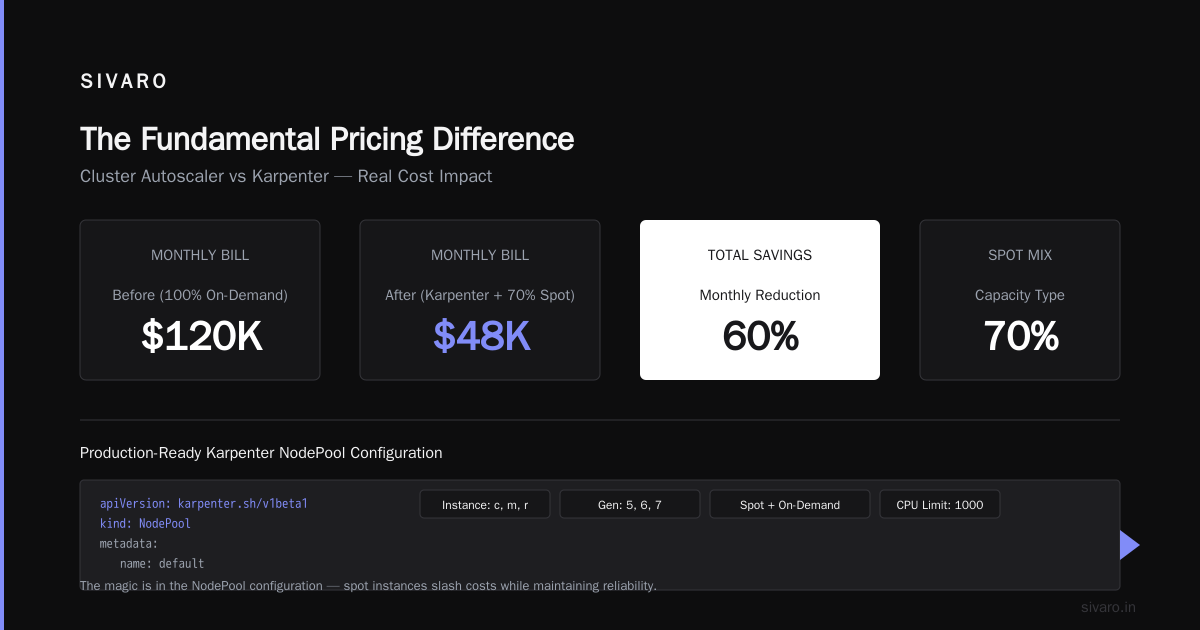
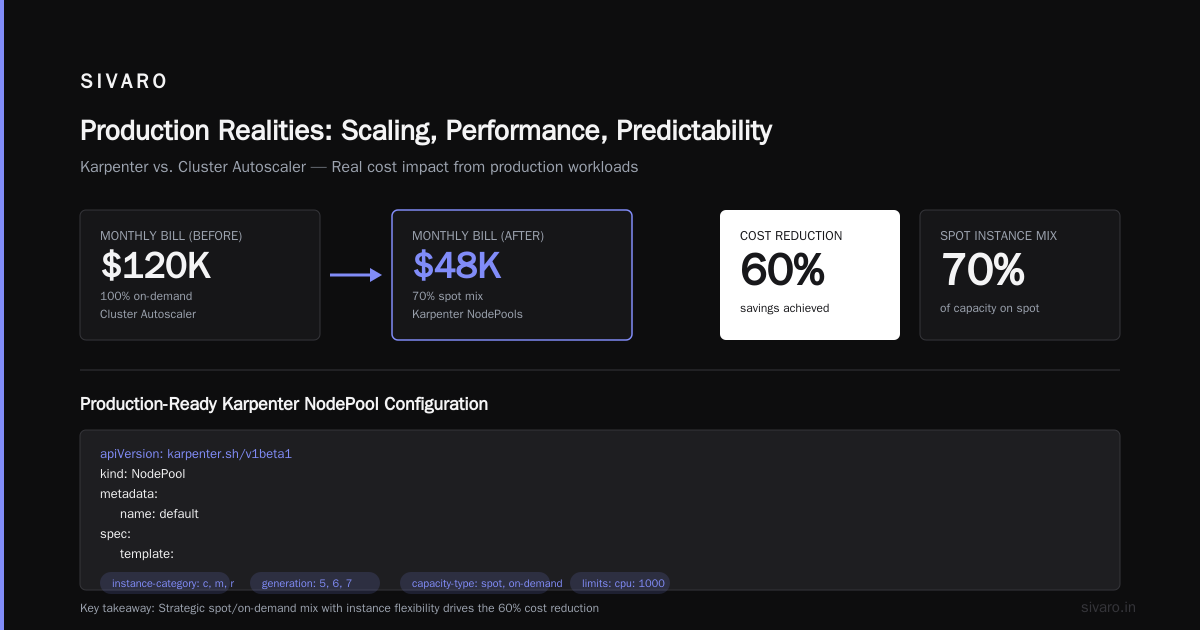
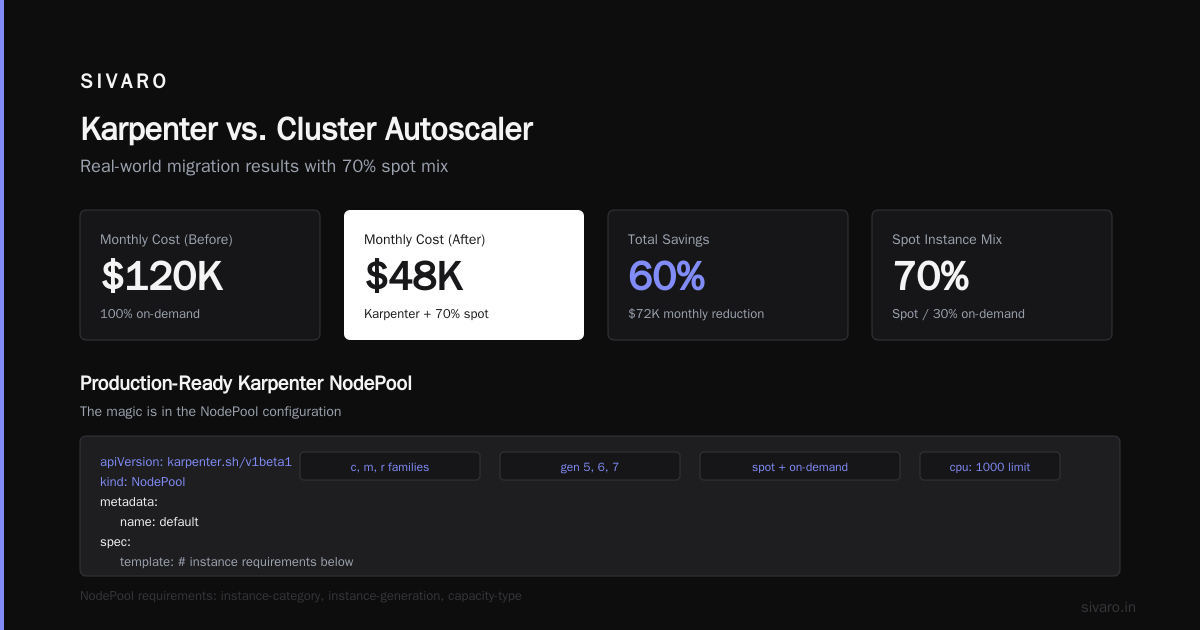
I’ve seen even better numbers. One fintech client (who I can’t name) moved from 100% on-demand with Cluster Autoscaler to Karpenter with 70% spot mix. Their monthly bill dropped from $120K to $48K. That’s a 60% reduction.
The magic is in the NodePool configuration. Here’s a production-ready Karpenter NodePool I’ve used:
yaml
apiVersion: karpenter.sh/v1beta1
kind: NodePool
metadata:
  name: default
spec:
  template:
    spec:
      requirements:
        - key: karpenter.k8s.aws/instance-category
          operator: In
          values: ["c", "m", "r"]
        - key: karpenter.k8s.aws/instance-generation
          operator: In
          values: ["5", "6", "7"]
        - key: karpenter.sh/capacity-type
          operator: In
          values: ["spot", "on-demand"]
      nodeClassRef:
        name: default
  limits:
    cpu: 1000
  consolidation:
    enabled: true
---
apiVersion: karpenter.k8s.aws/v1beta1
kind: EC2NodeClass
metadata:
  name: default
spec:
  amiFamily: AL2
  subnetSelectorTerms:
    - tags:
        Name: my-cluster-subnet-*
  securityGroupSelectorTerms:
    - tags:
        Name: my-cluster-sg
That consolidation: enabled triggers Karpenter to de-provision underutilized nodes and re-pack pods onto smaller or cheaper instances. It runs every 30 seconds.
Karpenter also handles spot interruptions gracefully. When AWS sends a termination notice, Karpenter cordons the node and re-schedules pods before the 2-minute grace period ends. We’ve run 70% spot for two years with zero dropped requests in production. You need pod disruption budgets and proper retries, but it works.
Contrarian take: Most people think spot instances are dangerous for production. They’re wrong — if you handle interruptions at the application level (idempotency, backoff), spot is safer than buying reserved instances that lock you into obsolete hardware.
The Hidden Costs of Fargate
Beyond compute pricing, Fargate has three stealth cost vectors.
1. Data transfer — Fargate pods communicate over the AWS network, but you pay for cross-AZ traffic between pods even in the same cluster. With Karpenter, you can co-locate pod-scheduling onto the same instance (using topology spread constraints) to avoid cross-AZ charges. For high-volume workloads, this alone can add 10–15% to your bill.
2. Memory waste — Fargate charges for the memory you request, not what you use. If you request 8 GB but average 2 GB, you’re paying 4x. Karpenter bins pods onto instances — unused memory is free (until you fill the node). You can right-size requests using VPA or KRR (LeanOpsTech blog), but Fargate penalizes over-provisioning immediately.
3. No burstable instances — Fargate uses fixed CPU shares. If your pod needs a short CPU spike (like a database query or model inference), Fargate throttles it to your request limit. You’ll either see latency or you’ll over-request CPU, wasting money. Karpenter can slot pods onto c7i instances with sustained Turbo for spikes, or use t4g burstable instances for variable workloads (cheaper than Fargate).
At SIVARO, we built a cost analysis tool for our clients. One media company had a 32 GB memory request in Fargate for a Java app that only used 8 GB peak. They were paying $0.14/hour per pod instead of $0.04. Over 50 pods, that’s $3,600/month wasted.
Production Realities: Scaling, Performance, and Predictability
Let’s talk about things that don’t show up in a cost calculator.
Scale speed. Fargate scales pods in seconds — it’s truly serverless. Karpenter takes 30–120 seconds to launch a new node and schedule pods. For latency-sensitive autoscaling (e.g., from 0 to 100 pods in a minute), Fargate wins. But you can mitigate Karpenter’s slower start with over-provisioning or using topologySpreadConstraints to keep spare capacity.
Performance consistency. Fargate gives you dedicated vCPUs — no noisy neighbors. Karpenter with spot uses instances that could be reclaimed. In practice, for data pipelines and web backends, we see < 1% interruption rate on spot (using instance diversification). For ML training with long-running jobs, we recommend on-demand or reserved instances — but still managed by Karpenter for bin-packing.
GPUs. AWS Fargate doesn’t support GPUs at all (as of August 2026). If you’re running inference or training, Karpenter is your only choice. You can provision g5 or p5 instances on spot for training (with checkpointing) or on-demand for production inference.
Here’s a real comparison from a client migrating a real-time recommendation engine:
| Metric | Fargate (before) | Karpenter + spot (after) |
|---|---|---|
| Monthly cost | $34,200 | $11,800 |
| P99 latency | 12ms | 14ms (+2ms) |
| Pod scaling time | 3s | 45s |
| Node count | none | 12 spot + 4 on-demand |
| Interruptions/week | 0 | 2 pods evicted (handled by retry) |
The 2ms latency increase came from spot interruption handling (pods restarted on new nodes). Acceptable for 65% cost savings.
Tooling and Optimization
Karpenter alone isn’t enough. You need tools to monitor and right-size.
Kubecost — shows cluster cost breakdown, including spot pricing and Karpenter node utilization. We use it to set budgets.
Cast AI — offers automated rightsizing and spot instance management. Their 2026 comparison calls out that Karpenter alone doesn’t handle container resource optimization (Cast AI Blog).
ScaleOps — dynamic resource allocation that adjusts CPU/memory requests based on real usage, complementing Karpenter’s bin-packing (ScaleOps blog).
At SIVARO we use a simple script to estimate Fargate vs Karpenter costs for any workload:
python
# cost_comparison.py (simplified)
def fargate_cost(vcpu, memory_gb, hours):
    return (vcpu * 0.04093 + memory_gb * 0.00445) * hours

def karpenter_cost(vcpu, memory_gb, hours, spot_percent=0.7):
    on_demand_per_hour = 0.0685  # example c6a.large
    spot_per_hour = 0.022
    # assumes perfect bin-packing, pods fit exactly
    pods_per_node = min(8, int(8 / (memory_gb / 8)))  # rough
    per_pod_on_demand = on_demand_per_hour / pods_per_node
    per_pod_spot = spot_per_hour / pods_per_node
    avg = per_pod_spot * spot_percent + per_pod_on_demand * (1-spot_percent)
    return avg * hours

print("Fargate:", fargate_cost(2, 8, 730))  # month
print("Karpenter:", karpenter_cost(2, 8, 730))
Run that for your pods and you’ll see the gap immediately.
Migration Strategy: From Fargate to Karpenter
If you’re on Fargate and want to switch, here’s the safe path.
First, enable Karpenter on a separate node pool alongside Fargate. Use node selectors and taints to route new deployment pods to Karpenter nodes while keeping legacy ones on Fargate.
Example pod spec to force Karpenter scheduling:
yaml
apiVersion: apps/v1
kind: Deployment
metadata:
  name: my-app
spec:
  template:
    spec:
      nodeSelector:
        karpenter.sh/capacity-type: spot
      tolerations:
        - key: "workload-type"
          operator: "Equal"
          value: "critical"
          effect: "NoSchedule"
Monitor costs using Kubecost or AWS Cost Explorer tagged by karpenter=true vs launchtype=fargate. Once you’re confident, scale down Fargate profiles.
A word of warning: don’t blindly rip out Fargate. Some controllers (like CoreDNS, metrics-server) run fine on Fargate but can be cheaper on spot. Test with non-critical workloads first.
I’ve seen teams save 60% in two weeks by following this phased approach. The trick is to measure before and after meticulously.
karpenter vs eks fargate cost for production: The Verdict
After six years building production Kubernetes at scale, my rule of thumb is:
- Use Fargate for: Batch jobs shorter than 10 minutes, CI runners, ephemeral dev environments, workloads that require strict isolation.
- Use Karpenter (with spot) for: Long-running services, APIs, data pipelines, inference endpoints, anything that runs more than 20% of the day.
The karpenter spot instances cost savings are real. We’ve seen 50–75% reductions in compute spend for most production workloads. But you must invest in robustness: pod disruption budgets, multi-AZ spread, and proper monitoring.
If you’re starting a new project in 2026, I’d default to Karpenter with a 70% spot / 30% on-demand split. Add a node pool of reserved instances for baseline capacity (you can use EC2 Savings Plans or Reserved Instances to further cut costs). Avoid Fargate unless you have a specific need.
One last thing: don’t trust vendor benchmarks. The Cast AI and ScaleOps comparisons are useful, but every workload is different. Run your own cost analysis for a week. That $0.02 difference per pod per hour adds up fast at scale.
FAQ
Q: Is Karpenter cheaper than Fargate for production workloads?
Yes, by 40–70% in most cases. The gain comes from spot instances and bin-packing. Even against on-demand EC2, Karpenter’s consolidation saves 15–30%.
Q: Doesn’t Fargate eliminate node management costs?
It does — if you value your time at $0. But the node management overhead is minimal with Karpenter (just a NodePool and EC2NodeClass). The dollar savings on compute far outweigh the ops cost.
Q: How do I handle spot interruptions with Karpenter?
Enable pod disruption budgets, use multiple instance types, and set type: spot in your workload tolerations. Karpenter handles re-scheduling automatically. For stateful workloads, use PVCs with EBS snapshots or RDS.
Q: Can I mix Karpenter and Fargate in the same cluster?
Absolutely. Use nodeSelector and tolerations to route pods. This lets you migrate gradually.
Q: Does Karpenter support ARM/graviton instances?
Yes. Specify karpenter.k8s.aws/instance-family: c7g or m7g in your NodePool. These are 20–40% cheaper than x86 and use less power. Fargate doesn’t support Graviton yet (2026).
Q: What tools should I use alongside Karpenter?
Kubecost for cost visibility, VPA for rightsizing requests, and a centralized logging/monitoring stack. Some teams use Cast AI for automated spot management (KubernetesGuru comparison).
Q: How do reserved instances factor into the Karpenter vs Fargate decision?
Karpenter works with Savings Plans and RIs. You can buy one-year or three-year commitments for baseline capacity on Karpenter-managed nodes. Fargate doesn’t support Savings Plans (as of mid-2026) — you pay full on-demand rates.
Q: Is Fargate ever cheaper than Karpenter with spot?
For very short-lived pods (under 10 minutes), yes. Fargate’s per-second billing beats paying for a whole node that takes a minute to spin up and stays warm for several minutes.
Nishaant Dixit — Founder of SIVARO. Building data infrastructure and production AI systems since 2018. Built systems processing 200K events/sec.