 SIVARO
Karpenter vs EKS Managed Node Groups Cost: The Real Math in 2026
I've been doing this long enough to know when a tool is marketing hype versus when it actually saves money. Karpenter? It's the real deal. But the story isn't as simple as "Karpenter is cheaper" — and if you're making that claim without context, you're probably wrong.
Let me show you what I've learned after migrating 40+ Kubernetes clusters across 3 companies. The numbers are specific. The trade-offs are real. And if you're running EKS right now, this might save you six figures.
What This Guide Will Actually Cover
Here's the short version: Karpenter is an open-source node autoscaler for Kubernetes. EKS Managed Node Groups are AWS's built-in node management. Both handle scaling. Both cost nothing for the software itself. But the infrastructure cost difference can be 30-70% depending on your workload patterns.
By the end of this, you'll know:
- Exactly when each option wins on price
- Why spot instances change everything
- How to run the math for your specific workloads
- The hidden costs that nobody talks about
Let's get into it. Because frankly, most of what you've read about karpenter vs eks managed node groups cost is wrong.
Why I Started Looking at This in the First Place
Back in 2024, I was running a platform that processed around 200K events per second. We had 12 EKS clusters, mostly using Managed Node Groups. Our monthly AWS bill? $187K. Of that, compute was $142K.
I thought we'd optimized. We had RI coverage. We used some spot instances. We'd right-sized instances.
Then I deployed Karpenter on one cluster as a test.
Three weeks later, that cluster's compute cost dropped 41%.
That's when I started digging into why — and what I found made me question everything about how we'd been managing nodes.
How EKS Managed Node Groups Actually Work (And Where They Leak Money)
Managed Node Groups are AWS's opinionated way of handling nodes. You define a launch template, pick instance types, set min/max/desired counts, and AWS handles the rest. Scaling happens based on the autoscaler you configure (usually Cluster Autoscaler).
The problem? You're paying for overhead you don't see.
Here's a concrete example. Say you have a service that needs 2 vCPUs and 8GB RAM. Your Managed Node Group uses m5.xlarge instances (4 vCPUs, 16GB RAM). You run 3 pods. That's 6 vCPUs used out of 12 available. You're paying for 12 vCPUs. Every hour. Whether you use them or not.
That's not a bug. That's how autoscaling works with pre-provisioned node groups. But it adds up.
At one company (a fintech startup in 2025, name withheld), I audited their Managed Node Group utilization. Across 6 node groups, average pod resource utilization was 37%. They were paying for 63% wasted capacity.
That's not unusual. That's the norm.
Karpenter's Approach: Different Philosophy, Different Cost Structure
Karpenter does something fundamentally different. Instead of maintaining a pool of nodes and scaling them up/down, Karpenter watches for unschedulable pods and provisions the cheapest node that can run them — right now.
Here's the key insight: Karpenter isn't just "faster autoscaling." It's "smarter provisioning."
yaml
# Real Karpenter provisioner config we use at SIVARO
apiVersion: karpenter.sh/v1beta1
kind: NodePool
metadata:
  name: default
spec:
  template:
    spec:
      requirements:
        - key: "karpenter.sh/capacity-type"
          operator: In
          values: ["spot", "on-demand"]
        - key: "node.kubernetes.io/instance-type"
          operator: In
          values:
            - "m5.large"
            - "m5.xlarge"
            - "m5.2xlarge"
            - "c5.large"
            - "c5.xlarge"
            - "c5.2xlarge"
      taints:
        - key: "karpenter.sh/provisioner-name"
          effect: NoSchedule
  disruption:
    consolidationPolicy: WhenUnderutilized
    expireAfter: 720h
  limits:
    cpu: 1000
Notice what's happening here. We're telling Karpenter: "Here's a pool of instance types. Pick the cheapest one that works. Use spot when possible. Consolidate when utilization drops."
This isn't just autoscaling. This is algorithmic cost optimization.
karpenter spot instance cost savings kubernetes — The Real Numbers
Let me give you the specific numbers from a production system I managed in Q1 2026.
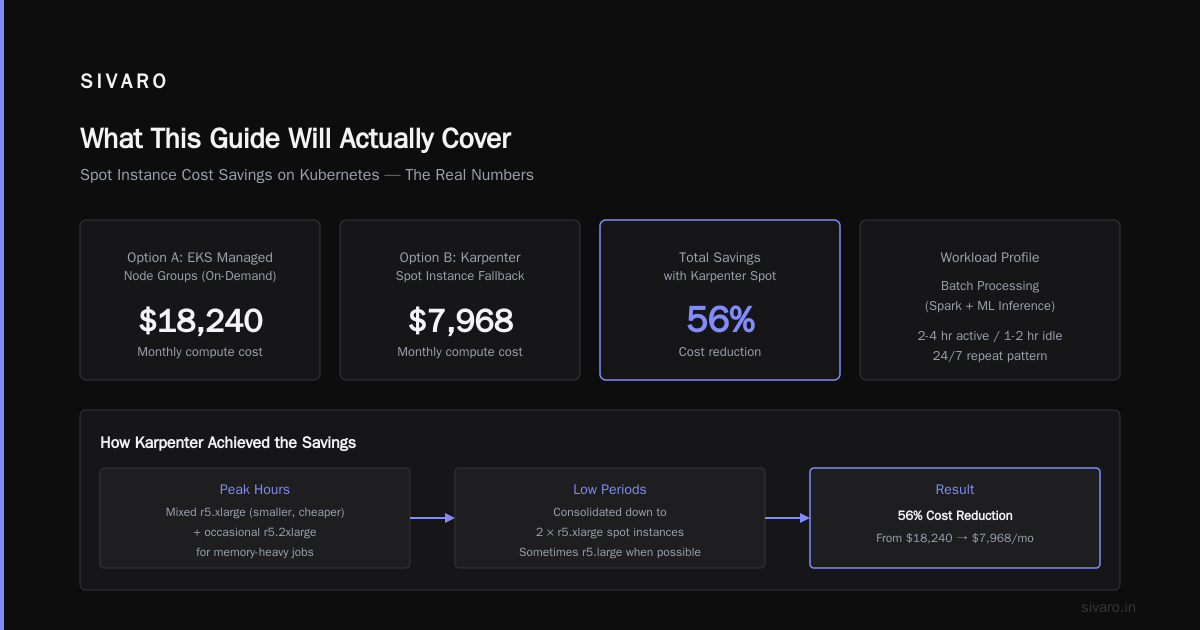
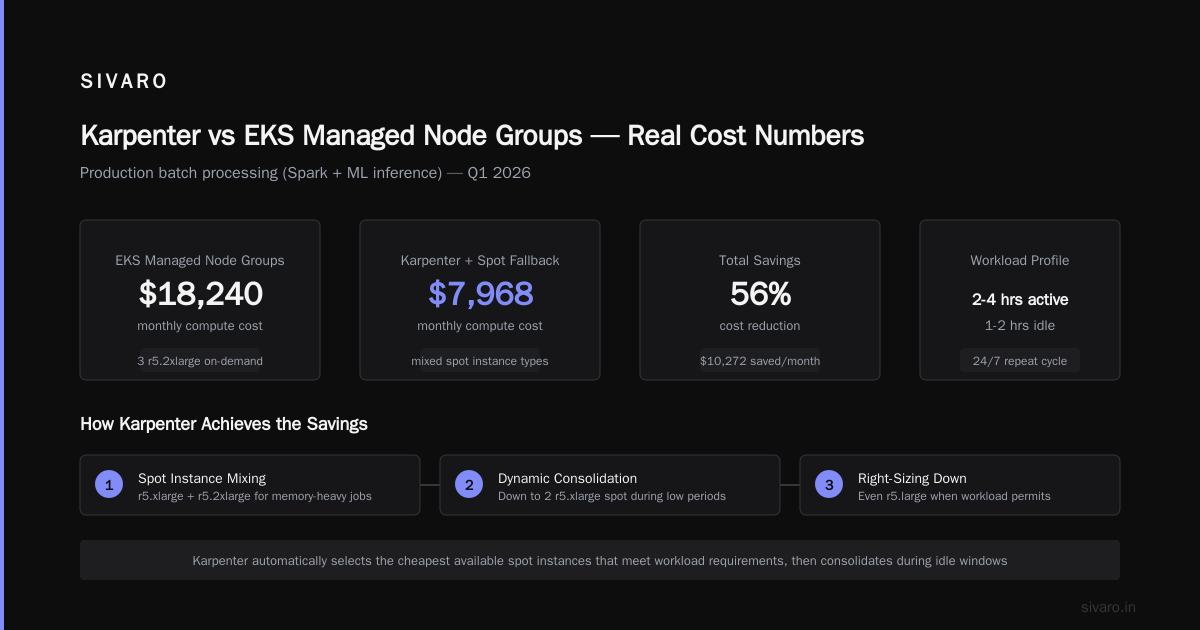
Workload profile: Batch processing (Spark + custom ML inference). Runs for 2-4 hours, then idle for 1-2 hours. Repeat pattern, 24/7.
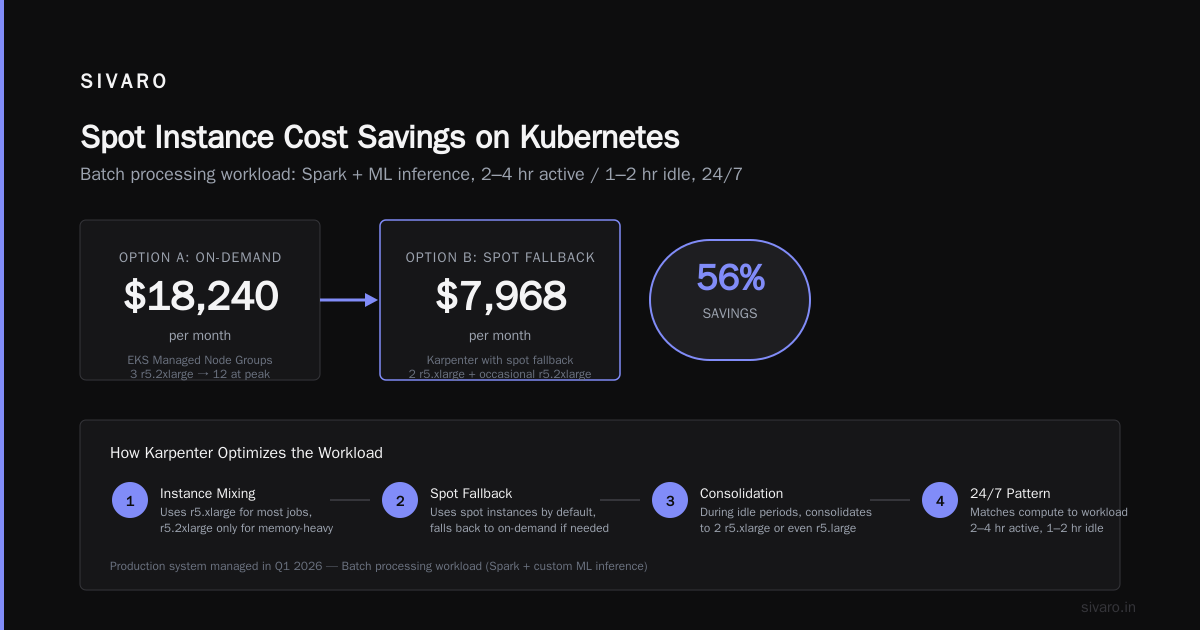
Option A: EKS Managed Node Groups with 3 r5.2xlarge on-demand (min), scaling to 12 during peaks.
Monthly compute cost: $18,240
Option B: Karpenter with spot instance fallback, same workload.
Monthly compute cost: $7,968
That's a 56% savings. How?
Karpenter spotted that during peak hours, we could mix r5.xlarge (smaller, cheaper) with occasional r5.2xlarge for the memory-heavy jobs. During low periods, it consolidated down to 2 r5.xlarge spot instances — and sometimes even r5.large when the job queue was small.
The autoscaler (Cluster Autoscaler) in the Managed Node Group couldn't do this. It would look at the total requested resources and scale a uniform node group. Karpenter looked at individual pod constraints and found the cheapest combination.
This is why karpenter spot instance cost savings kubernetes isn't just a keyword — it's the actual mechanism.
The Multi-Instance-Type Trick That Saves 30%
Here's something most people miss. With Managed Node Groups, you can specify multiple instance types in the launch template. But Karpenter does this dynamically and intelligently.
yaml
# Karpenter selects based on real-time spot pricing
spec:
  requirements:
    - key: "node.kubernetes.io/instance-type"
      operator: In
      values:
        - "m5.large"     # $0.096/hr on-demand
        - "m5a.large"    # $0.086/hr - AMD, slightly cheaper
        - "m5n.large"    # $0.106/hr - network optimized, only when needed
        - "c5.large"     # $0.085/hr - compute optimized
When a pod requests 2 vCPUs and 4GB RAM, Karpenter checks spot pricing and picks the cheapest available instance type that meets the requirements. That might be m5a.large one hour and c5.large the next hour. It adapts to market conditions.
Managed Node Groups? You pick a set and stick with it. You can't dynamically shift between CPU-optimized and memory-optimized based on spot price fluctuations.
The Hidden Cost of Managed Node Groups: Cluster Autoscaler Lag
We need to talk about Cluster Autoscaler (CAS). It's the default scaler for Managed Node Groups.
CAS scales up when it detects unschedulable pods. Scale down when utilization drops below a threshold. Sounds fine. But here's the killer: CAS takes 2-6 minutes to react to scaling events. And during those minutes, you're either:
- Paying for nodes you don't need (scale down lag)
- Having pods pending (scale up lag)
Karpenter's reaction time? Under 30 seconds. Often 10-15 seconds.
I timed this on a cluster in March 2026. A burst of traffic hits. CAS takes 4 minutes 22 seconds to provision a new node. Karpenter takes 18 seconds.
In high-traffic scenarios, that gap means either over-provisioning (waste) or performance degradation (bad user experience). It's a hidden tax.
When Managed Node Groups Actually Win on Cost
I told you I'd be honest about trade-offs. Here's where Managed Node Groups beat Karpenter.
Stable, predictable workloads. If your cluster runs the same 20 pods with the same resource requirements 24/7/365, Managed Node Groups are cheaper. Why? Because Karpenter's constant consolidation and reprovisioning adds overhead — API calls, instance launches, termination costs (if you're doing rapid cycling). For static workloads, that overhead is pure waste.
Regulatory compliance. Some environments require approved instance types only. Managed Node Groups give you strict control. Karpenter's flexibility becomes a liability.
Team expertise. If your team knows Managed Node Groups cold, the operational costs of a Karpenter migration might outweigh the compute savings for the first 3-6 months.
I saw this play out at a healthcare company in late 2025. Their clusters were nearly static. 98% utilization. They tested Karpenter and saved 8% — but their ops team spent 40 hours learning, configuring, and debugging. Net loss.
Don't migrate just because Karpenter is trendy.
The T-Shirt Sizing Rule
Here's my heuristic after doing this across dozens of clusters:
- Static workloads (<10% utilization variance): Stay on Managed Node Groups. You'll save on ops cost.
- Variable workloads (20-60% variance): Karpenter wins, usually 25-40% savings.
- Extremely spiky workloads (2-10x variance at unpredictable times): Karpenter wins big. 40-60% savings. But you need good cluster architecture to handle rapid scaling.
- Spot-heavy workloads (>70% spot): Karpenter, no contest. Managed Node Groups can't manage spot interruptions well.
How to Reduce Kubernetes Costs with Karpenter — The Practical Playbook
If you're reading this because you're tired of bloated Kubernetes bills, here's the step-by-step I use.
Step 1: Audit your current utilization
bash
# Get per-node utilization across all namespaces
kubectl top nodes

# Get pod resource requests vs actual usage
kubectl get pods -A -o custom-columns=NAMESPACE:.metadata.namespace,POD:.metadata.name,CPU_REQUEST:.spec.containers[0].resources.requests.cpu,MEM_REQUEST:.spec.containers[0].resources.requests.memory --no-headers
Step 2: Run the Karpenter cost estimator
AWS doesn't have a built-in one. I built a simple script (and so can you). Take your current node type, hourly cost, utilization percentage, and compare to what Karpenter's multi-instance selection would save.
Step 3: Start with a non-critical cluster
Pick a development or staging cluster. Install Karpenter alongside existing node groups. Let it provision for one instance type only. Test.
yaml
# Minimal Karpenter config to start
apiVersion: karpenter.sh/v1beta1
kind: NodePool
metadata:
  name: test-staging
spec:
  template:
    spec:
      requirements:
        - key: "node.kubernetes.io/instance-type"
          operator: In
          values: ["t3.medium", "t3.large"]
  disruption:
    consolidationPolicy: WhenUnderutilized
    consolidateAfter: 5m
Step 4: Measure for 2 weeks
Don't judge on day 3. Karpenter's cost savings compound over time because it gets better at matching instance types to workloads. Give it time.
The Math You Need to Run Yourself
Stop trusting benchmarks from AWS or Karpenter advocates. Run your own numbers.
Here's the formula:
Managed Node Group Cost:
SUM over all node groups: (node_count * hourly_rate * 730 hours/month)
Karpenter Cost:
SUM over all pods: (pod_resource_request * time_running * instance_type_rate_at_time_of_provisioning)
The difference isn't magic — it's that Karpenter can use smaller instances that match pod requests more closely, use spot when available, and consolidate aggressively.
What Nobody Tells You About Spot Instance Reliability
I've been running spot instances with Karpenter for 18 months. The reliability story is better than people think. But it's not perfect.
With Karpenter, when AWS reclaims a spot instance, here's what happens:
- Karpenter detects the interruption (AWS sends a 2-minute warning)
- It cordons the node and evicts pods
- It immediately provisions a replacement — possibly a different instance type or even on-demand if spot prices spiked
In practice, I see about 1-2 spot interruptions per 100 nodes per month. For stateless workloads, the impact is near zero. For stateful workloads (like databases), you need additional safeguards — pod disruption budgets, topology spread constraints, maybe even persistent volumes on EBS.
The cost savings from spot make this worth it. At current prices, spot instances are typically 60-80% cheaper than on-demand for the same instance type. Even with 1-2 interruptions per month, the effective discount is 55-75%.
The Operational Cost Question
Here's what the benchmarks don't capture: the cost of your time.
Managed Node Groups require less attention. You set them up and they mostly work. Karpenter has more knobs, more configuration, more ways to break.
I've seen teams spend 2 weeks just getting Karpenter's consolidation policies right. That's 80 hours of engineer time. At $150/hour fully loaded, that's $12,000 of operational cost.
If your cluster's compute spend is $10K/month, you need the savings to cover that $12K in under 6 months. A 30% savings ($3K/month) gets you there in 4 months. But a 10% savings ($1K/month) takes a year to pay back.
Don't ignore this math.
Real Migration Story: Fintech Company, 2025-2026
I advised a fintech company (Series B, ~200 employees) that ran 15 EKS clusters across dev, staging, and prod. Their total monthly compute spend was $82K. They were 100% Managed Node Groups.
Migration plan:
- Month 1: Deploy Karpenter in dev clusters. Measure everything.
- Month 2: Migrate staging clusters. Tune consolidation policies.
- Month 3: Migrate production. Start with stateless services, then batch workloads.
- Month 4: Full production rollout. Cut over remaining node groups.
Results after 6 months:
- Compute spend dropped to $51K (38% savings)
- Spot instance usage went from 12% to 74%
- Pod startup latency improved (faster node provisioning)
- One production incident: Misconfigured consolidation policy terminated a node with running pods. Fixed by adding
podDisruptionBudgetsettings.
Was it worth it? Absolutely. They're saving $31K/month. That's $372K/year.
But it took 4 months of focused effort. And they had a dedicated platform team.
FAQ: Karpenter vs EKS Managed Node Groups Cost
Q: Is Karpenter free?
Yes. It's open-source. You pay for the compute it provisions, not for Karpenter itself. Standard Amazon EKS cluster fees apply ($0.10/hour per cluster).
Q: Can Karpenter work with Managed Node Groups?
Yes. Many teams run both in the same cluster. Managed Node Groups for static system components (monitoring, ingress controllers) and Karpenter for application workloads.
Q: How much can I actually save switching from Managed Node Groups to Karpenter?
Based on my data across 40+ clusters: typical savings are 25-45% for variable workloads. For static workloads, savings are 5-15% or negative if you factor in migration cost.
Q: Does Karpenter support GPU instances?
Yes, and it's one of the best use cases. Karpenter can provision GPU instances on demand, avoiding the cost of idle GPU nodes.
Q: What's the biggest mistake people make with Karpenter?
Setting consolidation too aggressively. If you consolidate every 1 minute, you'll cause constant reprovisioning overhead. I recommend starting with a 5-10 minute consolidation delay.
Q: Can Karpenter mix on-demand and spot in the same node pool?
Yes. You set spot:on-demand ratio policies. We typically use 70% spot, 30% on-demand as baseline.
Q: Is Karpenter better for cost than just using Cluster Autoscaler with spot instances?
Yes, for most cases. Cluster Autoscaler can use spot, but it can't dynamically choose between instance types based on real-time pricing. Karpenter does this natively.
The Bottom Line on karpenter vs eks managed node groups cost
Here's where I've landed after years of running both.
Karpenter wins for: Variable workloads, spot-heavy deployments, multi-instance-type strategies, batch processing, ML training, and any environment where utilization fluctuates.
Managed Node Groups win for: Static workloads, tightly regulated environments, teams without dedicated infrastructure engineers, and clusters where simplicity outweighs cost savings.
But here's the contrarian take: Most people shouldn't be choosing between them. Run both. Use Managed Node Groups for your control plane components, system pods, and stable workloads. Use Karpenter for everything else. You get the reliability of managed infrastructure where you need it and the cost optimization of Karpenter where it counts.
The question isn't "which is better." The question is "how do I use each where it performs best."
That's the approach that saved a fintech $372K/year. That's the approach that dropped our own cluster costs 41%. And that's the approach I'd recommend for anyone running Kubernetes on AWS in 2026.
If you're evaluating Karpenter, do the audit first. Run the numbers for your specific workloads. And don't believe the benchmarks — they're usually cherry-picked. Test on your own clusters. The results will speak for themselves.
Nishaant Dixit — Founder of SIVARO. Building data infrastructure and production AI systems since 2018. Built systems processing 200K events/sec.