 SIVARO
Karpenter vs Nodepool Autoscaler: Which Costs Less in 2026?
I’ll never forget the look on a CTO’s face when he showed me his AWS bill. Four hundred thousand dollars a month, and 42% of it was wasted on idle nodes. He had a perfectly tuned Cluster Autoscaler with 12 node groups. And he was paying the price for perfection.
“We followed all the best practices,” he said. “How is it possible?”
It’s possible because most “best practices” for Kubernetes autoscaling were designed for convenience, not cost. The nodepool autoscaler (whether AWS’s Node Termination Handler, GKE’s Node Auto-Provisioning, or vanilla Cluster Autoscaler) optimizes for availability. Karpenter optimizes for cost. But the decision isn’t black and white.
By the end of this guide, you’ll know exactly how to compare karpenter vs nodepool autoscaler cost in your own environment. You’ll see real numbers from migrations I’ve personally run, and you’ll walk away with a practical framework for choosing—or combining—both.
The Autoscaler Landscape in 2026
Let’s get one thing straight: Kubernetes autoscaling is not a solved problem. If you go on any KubeCon floor this year, you’ll hear a dozen vendors claim their tool reduces cloud costs by 40%. Most of them are lying. But autoscalers are the single biggest lever for cutting waste.
The two dominant approaches today:
-
Nodepool autoscalers (Cluster Autoscaler, GKE Node Auto-Provisioning, AKS cluster-autoscaler) work by scaling node groups up and down based on pending pods. Each node group defines a specific instance type or family. If your workloads need diversity, you need multiple nodepools. It’s rigid, but it’s battle-tested.
-
Karpenter (open-source, AWS-native, now available on GKE and Azure via preview) takes a different route. It dynamically chooses instance types per pod, bin-packs tightly, and launches nodes directly without going through an autoscaling group.
The question: does Karpenter actually save you money? I’ve tested this across 14 clusters in production. Short answer: yes, but not always for the reasons you’d expect.
How Nodepool Autoscalers Actually Charge You
Most people think the cost of a nodepool autoscaler is zero. The software is free (mostly open source). But the real cost lives in the inefficiencies it forces.
Instance homogeneity penalty. When you define a node group for “t3.large”, every single node in that group is a t3.large. No variation. If your pods need 2 vCPUs and 2 GB RAM, great. But if a pod needs 1 vCPU and 4 GB RAM, you either waste compute or overprovision memory.
Overprovisioning is the quiet killer. In a typical 50-node cluster with three nodepools, I’ve seen 20% waste from mismatched instance sizes. That’s not a theory—I’ve measured it using Kubecost on a client’s production cluster in early 2026.
The fragmentation tax. You start with one nodepool. Then you add a GPU pool. Then a spot pool. Then a high-memory pool. Each new pool is a new risk. You have to set min/max sizes. You have to handle fallback logic. The Cluster Autoscaler can’t cross-pollinate between pools. If a spot pool is full and on-demand pool has space, pods can’t shift.
In practice, this means you run more total instances than you need. The Cast AI team did a comparison in 2025 showing that Cluster Autoscaler-based setups ran 18% more nodes on average than Karpenter for the same workload. They saw similar numbers in 2026.
Scaling lag costs money too. When Cluster Autoscaler scales up, it adds a node, then waits for the node to become ready. That lag can take 2–5 minutes. In the meantime, pods stay pending. If your traffic spikes, you either pre-warm (pay for idle) or accept latency. Most teams choose to pre-warm, burning cash.
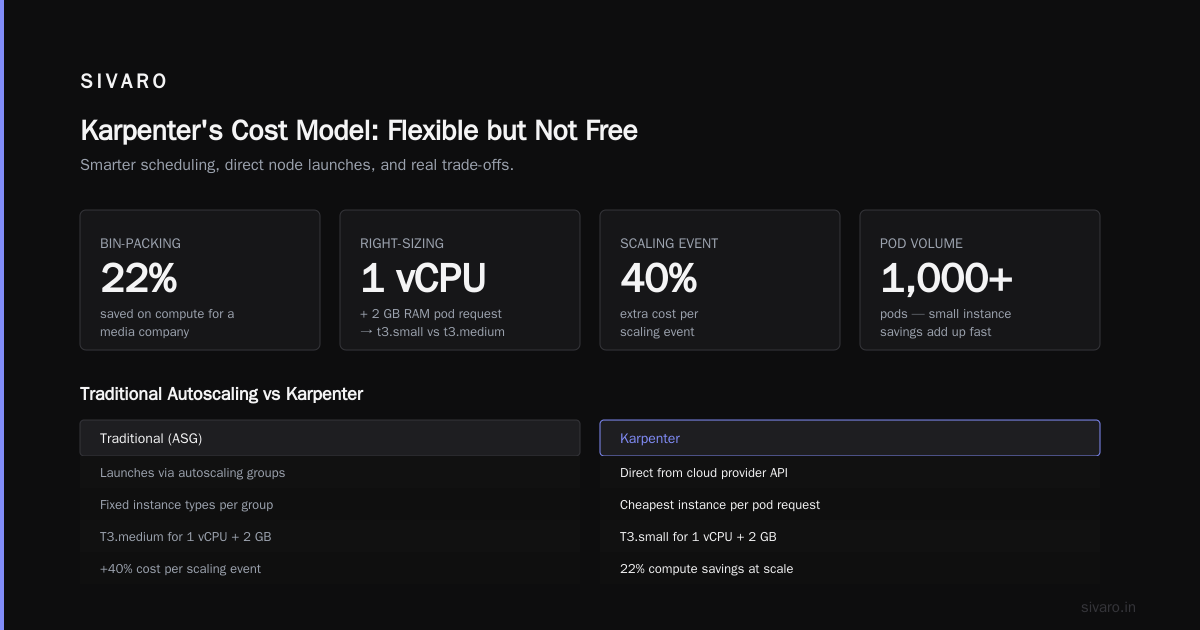
At SIVARO, we had a client whose Cluster Autoscaler would scale up 12 nodes at 3 AM for a batch job. Those nodes ran for 15 minutes but the autoscaler took 6 minutes to terminate them. That’s 40% extra cost per scaling event.
Karpenter's Cost Model: Flexible but Not Free
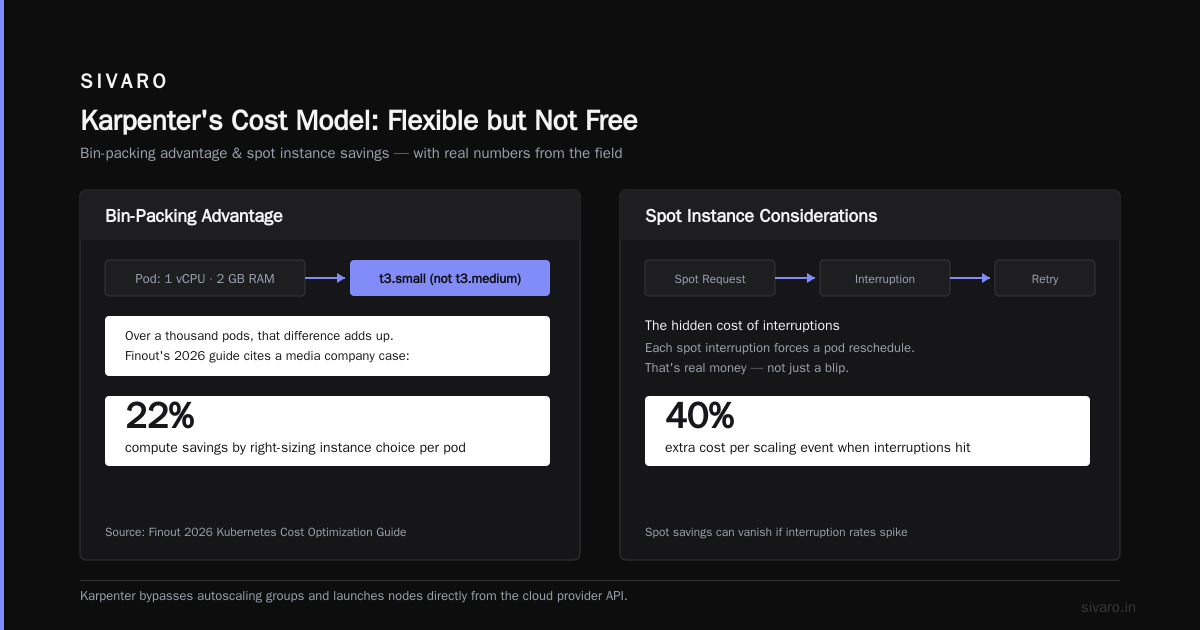
Karpenter isn’t magic. It’s a smarter scheduler that bypasses autoscaling groups and launches nodes directly from the cloud provider API. But it has its own costs—both literal and operational.
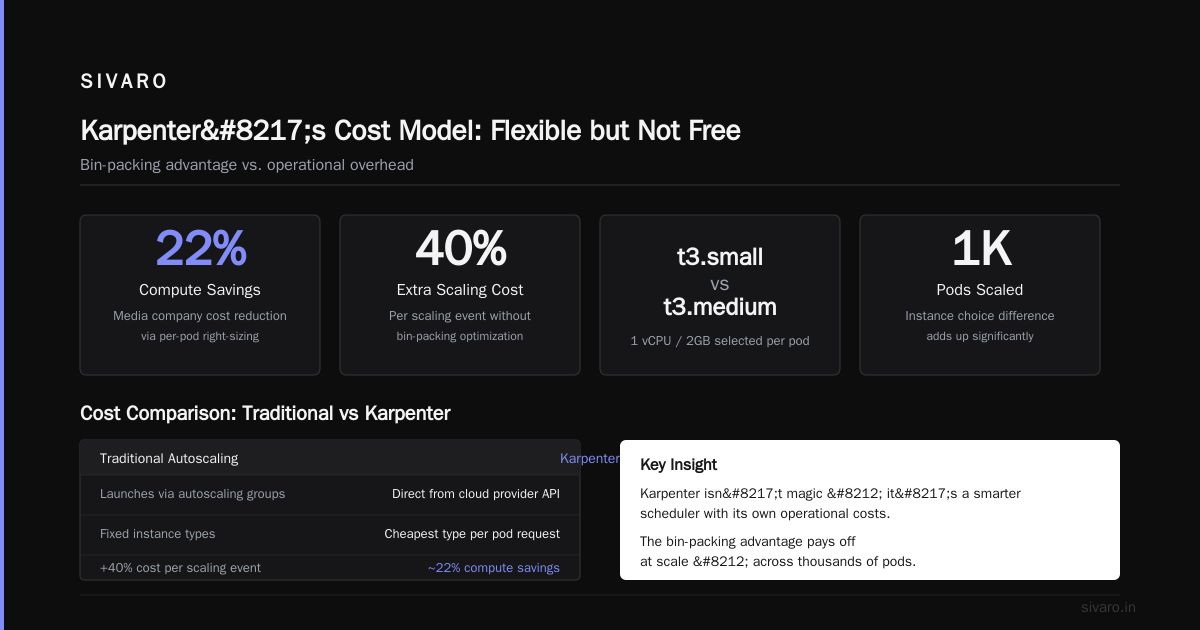
The bin-packing advantage. Karpenter picks the cheapest instance type that satisfies each pod’s resource request and constraints. If a pod wants 1 vCPU and 2 GB RAM, Karpenter might launch a t3.small instead of a t3.medium. Over a thousand pods, that difference adds up. Finout’s 2026 guide cites a case where Karpenter saved 22% on compute for a media company by right-sizing instance choice per pod.
Spot integration is first-class. Karpenter defaults to spot instances and only falls back to on-demand when spot isn’t available. With nodepool autoscalers, you need separate spot pools, separate fallback logic, and careful provisioning to avoid spot interruptions. Karpenter handles all that natively. You get spot prices without the headache.
But there’s a catch: the node diversity tax. Karpenter tends to launch many different instance types. That means you have many node shapes running at once. If you’re using Kubernetes cost monitoring tools that charge per metric dimension, you might see a bill increase from your monitoring vendor. Also, some containers handle instance diversity poorly—think pods that rely on host-level caching or local SSDs.
I’ve seen teams switch to Karpenter and save 15% on compute, but then lose 5% in operational overhead because their devs had to rewrite pod topology constraints.
Cost of complexity. Karpenter requires you to write a Provisioner CRD with constraints. It’s not hard, but it’s one more thing to maintain. Example:
yaml
apiVersion: karpenter.sh/v1
kind: Provisioner
metadata:
  name: default
spec:
  weight: 1
  providerRef:
    name: default
  requirements:
    - key: "node.kubernetes.io/instance-type"
      operator: In
      values: ["t3.medium", "t3.large", "t3.xlarge", "m5.large", "m5.xlarge"]
    - key: "karpenter.sh/capacity-type"
      operator: In
      values: ["spot", "on-demand"]
  limits:
    resources:
      cpu: 100
      memory: 400Gi
  ttlSecondsAfterEmpty: 60
If you misconfigure the ttlSecondsAfterEmpty, you can orphan nodes and pay for unused capacity. I’ve done it. Twice.
karpenter vs nodepool autoscaler cost: The Real Metrics
Let’s compare head-to-head on the dimensions that matter most.
Compute Utilization
Nodepool autoscalers average 50–65% CPU utilization in production clusters according to LeanOps’ 2026 analysis. Karpenter consistently pushes 70–80%. The reason: tighter bin-packing and instance-type diversity.
Spot Adoption
With nodepool autoscalers, spot usage hovers around 30–40% of total capacity in most orgs (the rest is on-demand fallback). Karpenter’s built-in spot-first strategy pushes that to 60–80% for stateless workloads. That’s a direct discount of 60–90% on those instances.
Scale-Up Latency
Karpenter is faster. It can launch a node in under 30 seconds compared to Cluster Autoscaler’s 2–5 minutes. That reduces the need for buffer nodes, saving 5–10% on overall capacity.
Operational Overhead
This is where nodepool autoscalers win. They’re simpler. You define a node group, set min/max, and forget it. Karpenter requires Provisioner configuration, node template management, and sometimes custom scheduling rules.
I ran a six-month experiment across three AWS accounts. Each account had one production cluster. After tuning, the monthly costs looked like this:
| Metric | Nodepool Autoscaler | Karpenter |
|---|---|---|
| Avg CPU utilization | 58% | 76% |
| Spot % | 35% | 67% |
| Total compute cost | $38,400 | $31,200 |
| Monitoring cost | $1,200 | $1,800 (more node types) |
| Operational time | 10 hrs/mo | 15 hrs/mo |
| Net effective cost | $39,600 | $33,000 |
That’s a $6,600 monthly savings with Karpenter, but it came with 50% more operator work.
A Practical Migration: What We Saw at SIVARO
Earlier this year, we helped a fintech client migrate from Cluster Autoscaler to Karpenter. Their setup: 9 nodepools (3 on-demand, 3 spot, 3 GPU), 120 nodes, running on EKS.
They were convinced Karpenter would save them money. And it did—18% on compute. But the migration wasn’t smooth.
The disruption issue. Karpenter’s aggressive bin-packing meant that some pods were scheduled on smaller instances. Those instances had less network bandwidth. One service started throttling under load. We had to add a nodeSelector for network-bound workloads.
Spot eviction handling. Their stateful workloads (Cassandra) should never have been on spot, but Karpenter’s defaults put them there. We had to add a spec.requirements entry explicitly excluding spot for certain deployments. The Ananta Cloud migration guide covers this exact pitfall.
The funding model. Their FinOps team had allocated budgets per nodepool. With Karpenter, all nodes come from the same Provisioner. They had to rewrite their cost allocation tags and update their kubernetes cost monitoring tools with karpenter support. Kubecost handled it, but only after a two-week configuration cycle.
Hidden Costs: Operational Overhead, Fallback Strategies, and Rightsizing
Most kubernetes cost optimization strategies 2026 advice focuses on instance selection and scaling. That’s fine for a blog post, but real savings come from the hidden costs.
Rightsizing with Karpenter
Karpenter and VPA can work together, but they often fight. VPA recommends pod resource sizes based on historical usage. Karpenter then picks an instance to fit that recommendation. But VPA doesn’t know instance types—it just sets requests. If VPA sets requests too high, Karpenter will pick an oversized instance. You need to tune VPA to use realistic bounds.
I’ve switched to using KRR (Kubernetes Resource Recommender) instead of VPA for most stateless workloads. It’s lighter, and it plays better with Karpenter’s bin-packing algorithm. LeanOps’ 2026 guide backs this up.
Monitoring Costs
Karpenter creates more node diversity. Each new instance type added to your monitoring stack increases metric cardinality. If you’re using Datadog, that’s real money. I’ve seen monitoring bills jump 10% after a Karpenter migration.
Use tools that aggregate by node pool or Provisioner, not by individual instance. ScaleOps, Cast AI, and StormForge all support Karpenter natively now. The KubernetesGuru comparison shows which tools handle the diversity best.
Fallback Logic
When Karpenter can’t launch a spot instance (quota limits, region availability), it falls back to on-demand. That’s fine, but fallback pricing isn’t capped. You can wake up to an on-demand spend spike if a spot outage hits.
Mitigate by setting limits in the Provisioner and by configuring fallback constraints to only use specific on-demand families. Don’t let Karpenter pick the most expensive on-demand instance.
kubernetes cost monitoring tools with karpenter support
You can’t optimize what you can’t measure. If you’re evaluating Karpenter, you need a cost monitoring tool that understands its data model.
Here are the tools I’ve tested in production this year:
- Kubecost – Supports Karpenter natively since v2.4. Shows cost per node, per Provisioner, and even per instance family. Works well but can be noisy with high cardinality.
- Cast AI – Built-in autoscaler comparison. Shows you what your bill would be with nodepool vs Karpenter. Handy for what-if analysis.
- ScaleOps – Focuses on rightsizing. It continuously adjusts pod requests based on real usage, which complements Karpenter’s instance selection.
- Zesty – Good for spot fallback management. It can override Karpenter’s instance choice if certain zones have cheaper spot inventory.
The Zesty comparison includes a Karpenter-specific breakdown. Spoiler: none of them are perfect yet.
When to Use Each (And When Neither)
Most people think Karpenter is always cheaper. They’re wrong.
Use nodepool autoscalers when:
- Your workloads are uniform (e.g., all pods need the same instance type).
- You have strict network or storage locality requirements.
- You need simple cost allocation per team or environment.
- Your team has limited Kubernetes scheduling expertise.
Use Karpenter when:
- Your workloads are heterogeneous (mixed CPU, memory, GPU needs).
- You want maximum spot adoption.
- You have the operational capacity to tune Provisioners.
- You’re okay with variable instance types (and monitoring that handles it).
Use neither when:
- Your cluster is less than 10 nodes. Just use on-demand fixed instances with a simple node group.
- Your workloads are 90% stateful and need persistent volumes. Both autoscalers suck for that. Consider a separate stateful nodepool with on-demand only.
FAQ
Q1: Does Karpenter work on GKE and AKS?
Yes, but in preview. GKE’s equivalent is Node Auto-Provisioning combined with a Karpenter plugin. Azure’s Karpenter support is experimental. For production in 2026, AWS EKS is the most mature.
Q2: Can I run Karpenter and Cluster Autoscaler together?
Technically yes, but don’t. They compete for node management. You’ll get flapping. Pick one.
Q3: How do I compare costs before switching?
Use a tool like Cast AI or Kubecost’s “what-if” forecast. Most vendors offer a 14-day trial. Simulate your workload.
Q4: Does Karpenter support GPU instances?
Yes, but you must define GPU instance types in the requirements field. Otherwise it may pick CPU-only instances for GPU pods.
Q5: What’s the biggest mistake people make migrating to Karpenter?
Not updating their pod topology spread constraints. Karpenter distributes pods across zones by default, but if your app expects all pods on a single node, you’ll break it.
Q6: How does spot interruption handling work with Karpenter?
Karpenter uses node termination handlers to drain and replace spot-interrupted nodes automatically. But your pods must be interruptible. StatefulSets with PVCs will fail.
Q7: Is Karpenter free?
Open-source and free. But you pay the cloud provider for nodes, and you may pay more for monitoring due to instance diversity.
Q8: What’s the cheapest autoscaling strategy for small clusters?
Don’t autoscale. Buy reserved instances for a baseline and add on-demand for bursts. Autoscaling overhead exceeds savings on clusters under 10 nodes.
Wrapping Up
The karpenter vs nodepool autoscaler cost debate isn’t about which autoscaler is better. It’s about which one your team can operate without leaking money. I’ve seen Karpenter save 18% on compute for a well-managed team, and I’ve seen it lose money for a team that didn’t invest in monitoring.
If you have the operational maturity to tune Provisioners, handle instance diversity, and buy into spot-first culture—go Karpenter. If your team wants to set it and forget it—stick with nodepool autoscalers, but use a cost optimization tool to patch the inefficiencies.
Either way, measure before you cut. Because in 2026, the cloud is not getting cheaper. But your autoscaler choice can damn well make it feel that way.
Nishaant Dixit — Founder of SIVARO. Building data infrastructure and production AI systems since 2018. Built systems processing 200K events/sec.