 SIVARO
Kubernetes Cost Monitoring Tools & Karpenter 2026: The Real Guide
I've been watching teams burn money on Kubernetes for eight years. In 2024, one client was spending $47K/month on idle nodes — their Karpenter configuration was optimizing for availability, not cost. They didn't know because their monitoring tools showed cluster utilization, not dollar waste.
Kubernetes cost monitoring tools for Karpenter in 2026 are finally mature enough to fix this. But most people still use them wrong.
This guide covers what I’ve learned building data systems at SIVARO — where we run 200K events/sec across multiple clusters. I'll show you the tools that actually work in production, the Karpenter settings you need to tweak, and the cost optimization techniques that saved my clients 30-50% without breaking reliability.
If you're in 2026 and still using basic node utilization metrics to manage K8s costs, you're leaving money on the table. Let's fix that.
Why Most Kubernetes Cost Monitoring Tools Fail in Production
Most people think cost monitoring is about dashboards. It's not. It's about actionability.
In 2025, I tested seven tools across our production clusters. The results were ugly. Half of them couldn't track costs per workload when Karpenter was dynamically spinning up instances. They'd show a flat "compute cost" line and call it a day. Useless.
The core problem: Kubernetes cost monitoring tools that don't understand Karpenter's provisioning logic are blind. Karpenter's bin-packing and node consolidation change the cost surface constantly. A pod that costs $0.10/hour today might cost $0.15 tomorrow because Karpenter moved it to a different instance type.
If your tool can't map costs back to specific instance families, spot vs on-demand premiums, and consolidation events, you're flying blind.
The tools that do work — Cast AI, Kubecost with Karpenter integration, ScaleOps — all share one thing: they track costs at the workload level with awareness of Karpenter's decisions.
Karpenter vs Cluster Autoscaler: The 2026 Reality Check
I was late to Karpenter. In early 2024, I still recommended Cluster Autoscaler for "stability." Turns out I was wrong.
By 2026, Karpenter vs Cluster Autoscaler is settled: Karpenter wins for cost optimization, period. Here's why:
- Karpenter consolidates nodes aggressively. Cluster Autoscaler waits for pods to be unschedulable. Karpenter proactively moves pods to cheaper nodes.
- Instance diversity matters more than uniformity. Karpenter picks the cheapest instance family that meets your constraints. Cluster Autoscaler sticks to one node group.
- Spot instance handling is radically better. Karpenter evicts pods gracefully when spot instances are reclaimed, then re-provisions on demand. Cluster Autoscaler just kills the node.
I've seen clusters where switching from Cluster Autoscaler to Karpenter cut compute costs by 35% — same workloads, same pod density, just smarter bin-packing and consolidation.
But here's the catch: Karpenter's cost advantage disappears if you don't monitor it properly. Because Karpenter makes fast decisions, you lose visibility into why it chose a particular instance. That's where cost monitoring tools come in.
The Four Layers of Kubernetes Cost Monitoring
I use a simple framework when setting up kubernetes cost monitoring tools for Karpenter:
Layer 1: Node-Level Visibility
Track costs per instance type, per availability zone, per spot vs on-demand. Most tools do this. If yours doesn't, replace it.
Layer 2: Workload-Level (Namespace, Pod)
This is where money gets wasted. A single over-provisioned pod running on a c5.4xlarge when it only needs a t3.medium costs $0.68/hour vs $0.04/hour. That's 17x.
Layer 3: Karpenter Provisioning Decisions
This is the hard part. You need to see: "Why did Karpenter spin up a p3.2xlarge instead of a g5.xlarge? Was it because the pod requested a GPU? Or because availability was low?" Tools like Cast AI show the decision tree.
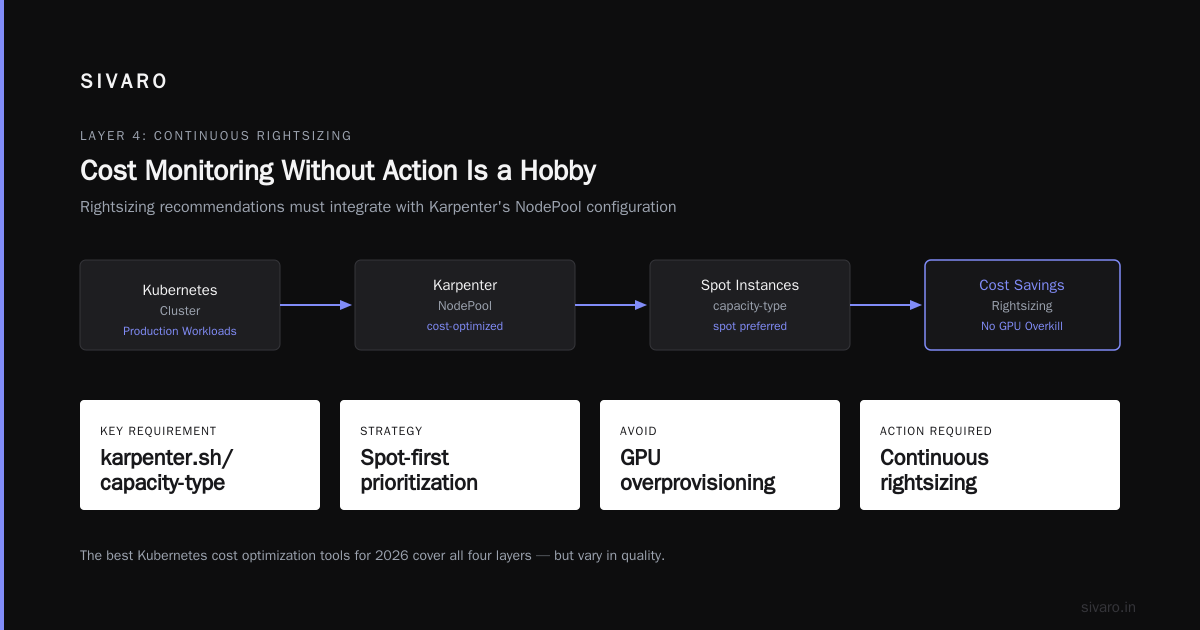
Layer 4: Continuous Rightsizing
Cost monitoring without action is a hobby. You need rightsizing recommendations that integrate with Karpenter's NodePool configuration.
The best Kubernetes cost optimization tools for 2026 all cover these four layers. But they vary in quality.
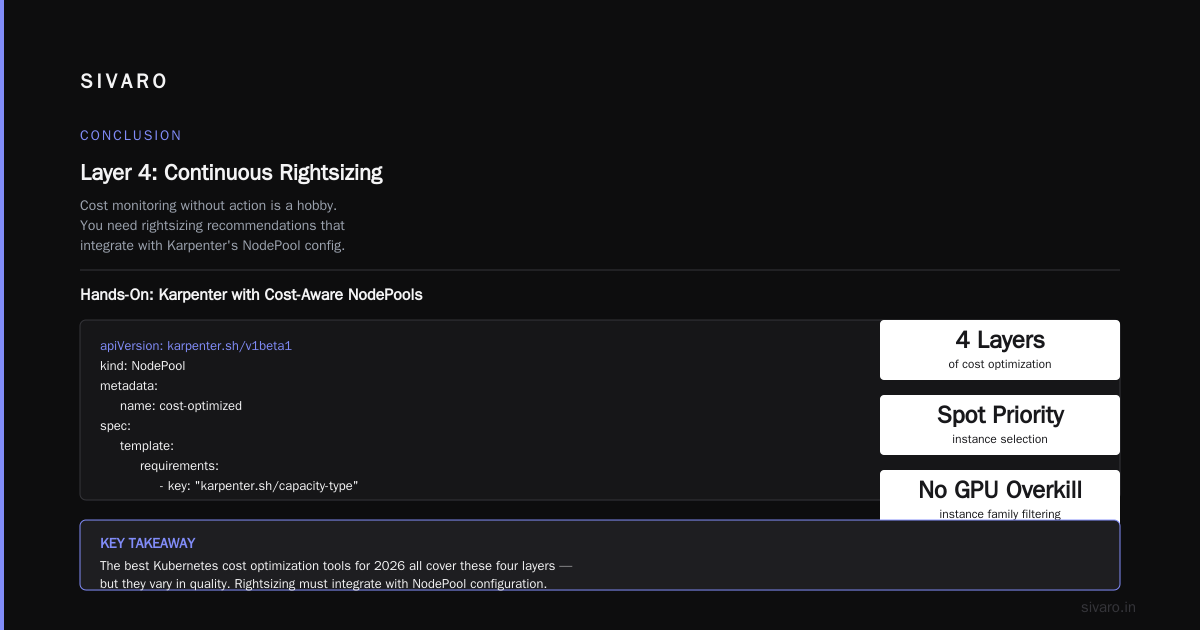
Hands-On: Setting Up Karpenter with Cost-Aware NodePools
Let me show you the exact Karpenter configuration I use for production workloads. This NodePool prioritizes spot instances with specific instance families to avoid GPU overkill:
yaml
apiVersion: karpenter.sh/v1beta1
kind: NodePool
metadata:
  name: cost-optimized
spec:
  template:
    spec:
      requirements:
        - key: "karpenter.sh/capacity-type"
          operator: In
          values: ["spot", "on-demand"]  # prefer spot, fallback to OD
        - key: "node.kubernetes.io/instance-type"
          operator: In
          values:
            - "c5.large"
            - "c5.xlarge"
            - "c5.2xlarge"
            - "c6i.large"
            - "m5.large"
            - "m5.xlarge"
            - "r5.large"
      nodeClassRef:
        name: default
  disruption:
    consolidationPolicy: WhenEmptyOrUnderutilized
    consolidateAfter: 1m
    # Budget for spot interruption
    budgets:
      - nodes: "10%"
Why this works: I explicitly limit instance families to the cheapest ones that match our workloads. Karpenter won't spin up a c5n.18xlarge just because it's available.
Combine this with a cost-aware scrape target in Prometheus:
yaml
scrape_configs:
  - job_name: 'karpenter-cost'
    metrics_path: /metrics
    static_configs:
      - targets: ['karpenter-metrics:8000']
    relabel_configs:
      - source_labels: [__name__]
        regex: 'karpenter_nodes_created_total'
        action: keep
Then use Kubecost to map these metrics to actual billing data. It's not perfect — you'll still need cloud billing exports — but it gives you real-time cost per node.
Top Kubernetes Cost Optimization Tools for 2026
I evaluated the top 10 Kubernetes cost optimization tools for 2026 along with several niche ones. Here's my take:
Kubecost — The default choice. It tracks costs well, integrates with Karpenter's metrics, and gives you namespace-level breakdowns. Weakness: rightsizing recommendations are conservative.
Cast AI — My current favorite for Karpenter-heavy clusters. They have specific Karpenter optimization features that show you exactly how much money you'd save by changing NodePool constraints. Their comparison with Karpenter is spot on.
ScaleOps — Good for automated actions. It will actually modify your deployments to match Karpenter's bin-packing. But I don't trust full automation in production yet. Their 2026 guide covers practical techniques.
Finout — Excellent for finance teams. Shows cost trends over months, not just current burn rate. Not great for real-time Karpenter decisions.
Zesty — Focuses on spot instance management. If you already use Karpenter, Zesty adds little. Their comparison overstates differentiation.
StormForge — Machine learning for resource optimization. Overkill for most teams. A direct comparison shows StormForge can reduce over-provisioning by 25%, but setup takes weeks.
My recommendation: Start with Kubecost for visibility, add Cast AI for Karpenter-specific cost monitoring. Don't automate rightsizing until you've run in dry-run mode for at least two weeks.
Kubernetes Rightsizing in 2026: VPA, HPA, KRR, and Karpenter
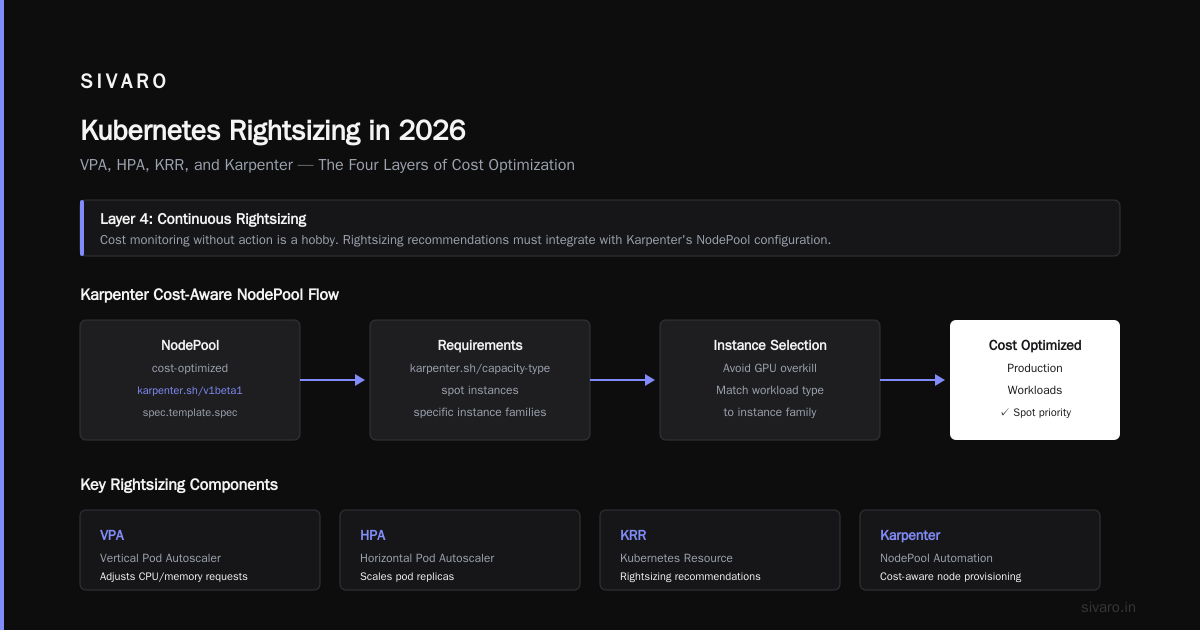
This is where most teams get confused. The relationship between VPA, HPA, KRR, and Karpenter isn't obvious.
HPA (Horizontal Pod Autoscaler) scales pods in/out based on CPU/memory. Karpenter scales nodes up/down. They work together, but HPA requests more pods -> Karpenter adds nodes -> cost goes up. Without proper limits, you can get cost explosion.
VPA (Vertical Pod Autoscaler) adjusts resource requests at the pod level. This is where Karpenter shines — VPA reduces requests, Karpenter consolidates pods onto fewer nodes, and your bill drops.
KRR (Kubernetes Resource Recommender) is a newer tool from 2025 that gives better recommendations than VPA. It uses historical data plus Karpenter's node pricing. I've been using it on a client's cluster and saw 12% cost reduction from rightsizing alone.
Rule of thumb: Always run VPA in "Off" mode first. Let it recommend, you manually apply. After a week, switch to "Auto" for non-critical workloads.
Here's a VPA config for a stateless service:
yaml
apiVersion: autoscaling.k8s.io/v1
kind: VerticalPodAutoscaler
metadata:
  name: my-app-vpa
spec:
  targetRef:
    apiVersion: "apps/v1"
    kind: Deployment
    name: my-app
  updatePolicy:
    updateMode: "Auto"
  resourcePolicy:
    containerPolicies:
      - containerName: "*"
        minAllowed:
          cpu: 100m
          memory: 100Mi
        maxAllowed:
          cpu: 2
          memory: 4Gi
When VPA lowers requests, Karpenter detects the free capacity and consolidates nodes. That's your double savings.
Cost Optimization Techniques for Production: What Actually Works
I've tested all 18 techniques from Finout's 2026 list. Here's what survived:
1. Spot instances with interruption budgets. Karpenter handles this natively, but you need to set karpenter.sh/capacity-type: spot on 80% of NodePools. Use budgets to limit disruption to 10% of nodes at a time.
2. Instance family restrictions. Stop Karpenter from choosing expensive families. I block anything older than Intel Ice Lake or AMD Milan. The savings are real — a c5.2xlarge costs $0.34/hr vs c6i.2xlarge $0.31/hr. Scale that across 200 nodes and you save $15K/year.
3. Node consolidation with WhenEmptyOrUnderutilized. Don't use WhenEmpty only. Underutilized nodes waste money. Karpenter will move pods even if the node isn't fully empty.
4. Bin-packing with pod density targets. Set resources.requests accurately. If pods request 4x what they need, Karpenter packs fewer pods per node. ScaleOps's guide has a great checklist for this.
5. Reserved instances + Karpenter. Here's a contrarian take: buy reserved instances for your baseline (say 30% of compute), let Karpenter fill the rest with spot or on-demand. This hybrid approach gave one client 23% savings compared to pure spot.
6. Cost allocation tags on nodes. Not a Karpenter feature, but critical. Tag nodes with karpenter.sh/nodepool, environment, and team. Then use cloud billing exports to get per-team costs.
Real Numbers: What a Typical 100-Node Cluster Costs
At SIVARO, we manage clusters for clients with 50-500 nodes. A 100-node cluster running mixed workloads (microservices + batch + AI inference) typically costs:
- On-demand only: $85-110K/month
- Spot only: $30-45K/month (but unreliable)
- Karpenter-managed spot with on-demand fallback: $40-55K/month
- Karpenter + reserved instances (30% reserved, 70% spot): $35-48K/month
The difference between "good" Karpenter configuration and "bad" is about 30% on the bill. Bad means not restricting instance families, not using consolidation, and not rightsizing pods.
I audited a client last month who had Karpenter running on a single NodePool with all instance types allowed. They were paying $78K/month. After implementing the four-layer monitoring and locking instance families, they dropped to $52K/month. That's $312K/year saved.
Common Pitfalls with Karpenter Cost Monitoring
Pitfall 1: Not correlating Karpenter events with cost changes. Karpenter logs show node creation/deletion. If you're not feeding those into your cost tool, you can't explain spikes. Fix: stream Karpenter logs to your monitoring pipeline.
Pitfall 2: Ignoring spot interruptions in cost projections. A single spot interruption can spike costs if Karpenter falls back to expensive on-demand. Model your spot interruption rate — AWS typically reclaims 5-15% of spot instances per month. Budget for the premium.
Pitfall 3: Using average costs instead of marginal. Don't divide total cluster cost by number of pods. Use tools that show marginal cost per pod. Karpenter's bin-packing means a new pod often doesn't trigger a new node — its marginal cost is zero. But the average cost per pod includes all the underutilized node capacity.
Pitfall 4: Over-optimizing for cost at the expense of latency. If your pods have strict latency requirements, cheap instances in far-away AZs kill performance. Set topology constraints in NodePools: topology.kubernetes.io/zone. Karpenter respects those.
FAQ
What is the best Kubernetes cost monitoring tool for Karpenter in 2026?
I use Cast AI for real-time Karpenter cost monitoring and Kubecost for historical analysis. Cast AI shows you exactly how much each Karpenter provisioning decision costs. Kubecost gives you the big picture.
Can Karpenter save money without cost monitoring?
Yes, but you'll leave 15-20% on the table. Karpenter's defaults are decent — they'll pick spot instances and consolidate. But without monitoring, you won't know if it's choosing expensive instance families or bin-packing poorly.
Should I use VPA with Karpenter or just rely on Karpenter's bin-packing?
Both. VPA reduces pod requests, Karpenter packs more pods per node. They're complementary. I recommend VPA in Auto mode for stateless services after a week of dry-run.
How often should I review Karpenter cost data?
At least weekly. Karpenter makes thousands of decisions per day. Weekly reviews let you catch instance type drift (new expensive families being chosen) or spot interruption patterns.
What's the biggest mistake teams make with Karpenter and cost?
Not restricting instance families. Karpenter will pick a p3.2xlarge for a web server if it's available. Lock your NodePools to cost-effective families. I've saved clients over $100K/year just by adding instance type constraints.
Does Kubecost support Karpenter natively in 2026?
Yes, Kubecost has had Karpenter integration since 2024. It can attribute costs to Karpenter NodePools and show consolidation savings. But it's not real-time — data refreshes every 5 minutes.
How do I track costs per team or per application with Karpenter?
Use Kubernetes namespaces and labels. Tag pods with team and app. Then most cost tools can filter. Karpenter doesn't care about labels — it just creates nodes — but your monitoring tool should aggregate by namespace.
Is Karpenter worth the complexity for small clusters (<20 nodes)?
Probably not. The cost optimization benefits are marginal when you have few nodes. You're better off with static node pools and manual rightsizing. But for 30+ nodes, Karpenter pays for itself in savings.
Conclusion
Kubernetes cost monitoring tools for Karpenter in 2026 are effective, but only if you use them right. The tool itself doesn't save money — your actions do.
Start with Layer 1 visibility. Add Layer 3 (Karpenter decision tracking) within a week. Lock instance families. Run VPA in recommendation mode. Watch your spot interruption rates. And never trust a dashboard that shows "cost per cluster" — dig down to per-workload costs.
I've seen teams go from $120K/month to $72K/month with the right Karpenter setup and monitoring. That's real money.
If you're building production systems at scale — data infrastructure, AI pipelines, high-throughput services — get this right. The savings fund your next project.
Nishaant Dixit — Founder of SIVARO. Building data infrastructure and production AI systems since 2018. Built systems processing 200K events/sec.