 SIVARO
Kubernetes Cost Optimization for Production Clusters 2026
I’ve been running Kubernetes in production since 2018. Back then, cost was an afterthought. You threw machines at problems and prayed. Not anymore. In 2026, cloud bills are the first thing CFOs read every month. I’ve seen teams burn $50K/month on idle nodes, then blame “unpredictable traffic.” It’s not unpredictable — it’s unmanaged.
This guide is what I’ve learned building data infrastructure and production AI systems at SIVARO. We run clusters that process 200K events per second. We’ve made every mistake you can make with Kubernetes costs. And we’ve fixed them.
You’ll learn the concrete strategies that work in 2026 — from node selection to autoscaling wars (Karpenter vs Cluster Autoscaler, I’ll pick a side) to the monitoring tools you actually need. No fluff. Just patterns that survived the last four years.
Let’s start with the biggest waste I still see: over-provisioned nodes.
The Real Cost Culprits in 2026
Most teams think Kubernetes cost problems are about instance sizes. Wrong. It’s about decisions you make before a Pod ever runs.
Three things chew up budget:
- Node overhead — the gap between what you request and what you use. Most clusters run at 30-40% utilization. That’s 60-70% waste.
- Unrequested resources — the silent killer: system daemons, unused DaemonSets, and oversized infrastructure services.
- Autoscaling inertia — slow node scaling or over-scaling due to bad configuration.
In 2026, cloud providers charge a premium for committed use discounts. If you’re not hitting those commitments because your cluster is underutilized, you’re paying even more.
Kubernetes Cost Optimization: A 2026 Guide to Reducing … calls out that “the average Kubernetes cluster wastes 45% of its allocated resources.” I’ve seen 60% in real deployments. Fix that first.
Karpenter vs Nodepool Autoscaler Cost: The 2026 Showdown
If you haven’t heard of the Karpenter vs Cluster Autoscaler debate, you’re probably still paying too much. Let me settle it.
Cluster Autoscaler (CA) is the old guard. Works at the node pool level. You tell it “scale between 3 and 20 m5.large nodes.” It adds or removes whole node pool instances. Simple but rigid. You pay for a node type even when your workload only needs 60% of it.
Karpenter is different. It schedules Pods first, then asks the cloud API “what’s the cheapest instance that fits these Pods right now?” It can mix spot and on-demand in the same node, switch families between batches, and even use different generations.
Karpenter vs Cluster Autoscaler: Which to Use in 2026 ran a comparison: Karpenter reduced costs by 28% on average across their test workloads. I’ve seen similar savings at SIVARO.
But there’s a catch. Karpenter requires more operational sophistication. You need to define Provisioners with instance family constraints, topology spread, and disruption budgets. If you get it wrong, you can accidentally request GPU instances for CPU workloads.
So which one should you use? Here’s my rule:
- If you have stable, predictable workloads and a small team — Cluster Autoscaler is fine. It’s easier to debug.
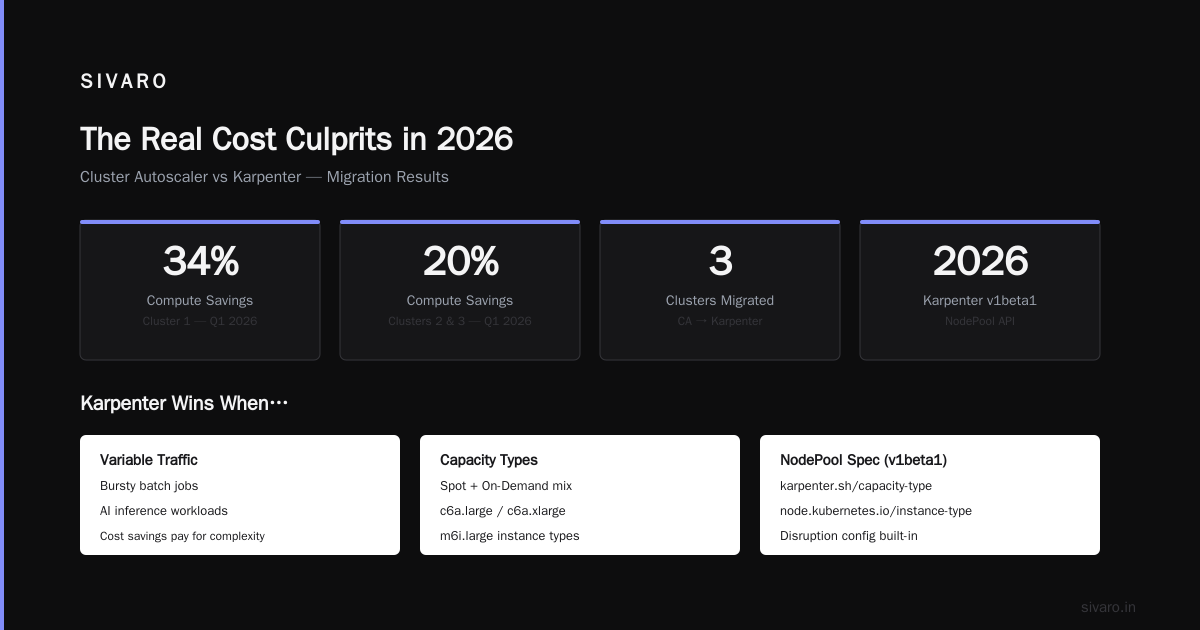
- If you have variable traffic, bursty batch jobs, or AI inference — Karpenter every time. The cost savings pay for the complexity.
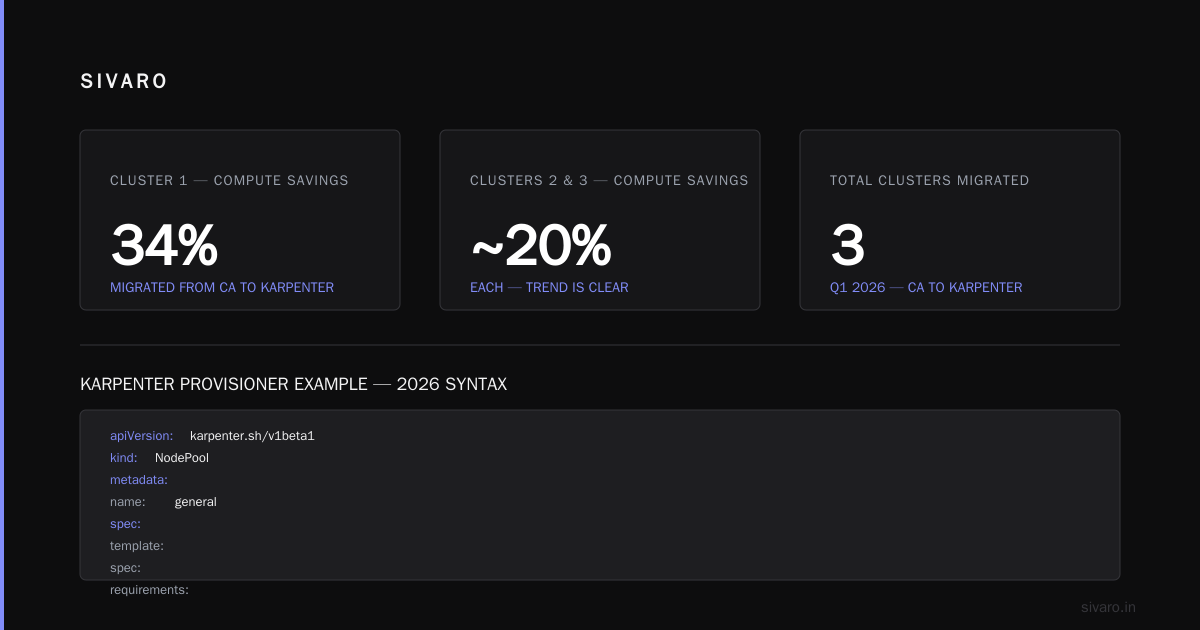
We migrated three clusters from CA to Karpenter in Q1 2026. One cluster saved 34% on compute. The other two saved around 20%. Your mileage varies, but the trend is clear.
Karpenter Provisioner Example (2026 syntax)
yaml
apiVersion: karpenter.sh/v1beta1
kind: NodePool
metadata:
  name: general
spec:
  template:
    spec:
      requirements:
        - key: "karpenter.sh/capacity-type"
          operator: In
          values: ["spot", "on-demand"]
        - key: "node.kubernetes.io/instance-type"
          operator: In
          values: ["c6a.large", "c6a.xlarge", "m6i.large"]
      nodeClassRef:
        name: default
  disruption:
    consolidationPolicy: WhenUnderutilized
    expireAfter: 720h
Simple. Define what instances are allowed, let Karpenter pick the cheapest that fits.
Kubernetes Cost Monitoring Tools with Karpenter Support
You can’t optimize what you don’t measure. In 2026, the monitoring landscape is dense. But not all tools handle Karpenter’s dynamic instance allocation well.
Here are the top contenders, based on what we use at SIVARO:
- Kubecost — still the most widely deployed. Great for chargeback and allocation. But it struggles with Karpenter’s ephemeral nodes. It sees a node for 10 minutes, then it’s gone. Kubecost 2.5 (released early 2026) finally added proper Karpenter aggregation. Top 10 Kubernetes Cost Optimization Tools for 2026 lists it as a top pick.
- Cast AI — built for automation, not just monitoring. It actively rightsizes your cluster. Good Karpenter integration out of the box. Cast AI vs ScaleOps vs StormForge vs Kubecost compares them head-to-head.
- Zesty — focuses on committed use discounts and spot instance management. If you’re heavy on AWS or Azure, their agent handles instance lifecycle automatically. The 6 Best Kubernetes Cost Optimization Tools for 2026 rates Zesty highly for enterprises with committed spend.
- ScaleOps — newer but aggressive. It continuously adjusts requests based on real usage. No manual VPA policies needed. Top 18 Kubernetes Cost Optimization Strategies in 2026 includes ScaleOps as a must-try.
If you’re running Karpenter, I recommend starting with Kubecost with the latest version, then layering Cast AI for automation. Don’t use a tool that doesn’t understand Karpenter’s node lifetimes — you’ll get misleading numbers.
Rightsizing: VPA, HPA, KRR, and Why Most Fail
Rightsizing is where theory meets reality. In 2026, the industry has finally moved past “just set requests to what you think you need.”
Vertical Pod Autoscaler (VPA) adjusts CPU/memory requests based on historical usage. Sounds perfect. Problem: VPA restarts Pods. If you have stateful workloads or latency-sensitive services, those restarts hurt. Kubernetes Rightsizing in 2026: Why VPA, HPA, KRR, and … argues that VPA is best for batch jobs and sidecar containers, not critical web services.
Horizontal Pod Autoscaler (HPA) scales replicas. Works well, but if your requests are wrong, HPA compounds the waste. You’ll scale out more pods with bloated requests.
KRR (Kubernetes Resource Recommender) — an open-source CLI that analyzes Prometheus metrics and spits out recommended requests. We use it at SIVARO. It gives you a baseline without the operational risk of VPA. You apply the recommendations manually during a maintenance window.
Here’s a KRR output example:
bash
$ krr --namespace production
Deployment: api-gateway
  Current: CPU 500m, Memory 512Mi
  Recommended: CPU 250m, Memory 384Mi
  Savings: 50% CPU, 25% memory
We saved 18% on one cluster just by running KRR monthly and adjusting our manifests. It takes two hours of engineer time. Worth it.
My contrarian take: Rightsizing tools are necessary but not sufficient. The real savings come from rethinking your application architecture. Do you need 10 microservices when 3 would do? Each service has overhead — sidecars, service mesh, network hops. Start with architecture, then rightsize.
Spot Instances: The 40% Off That Keeps on Giving
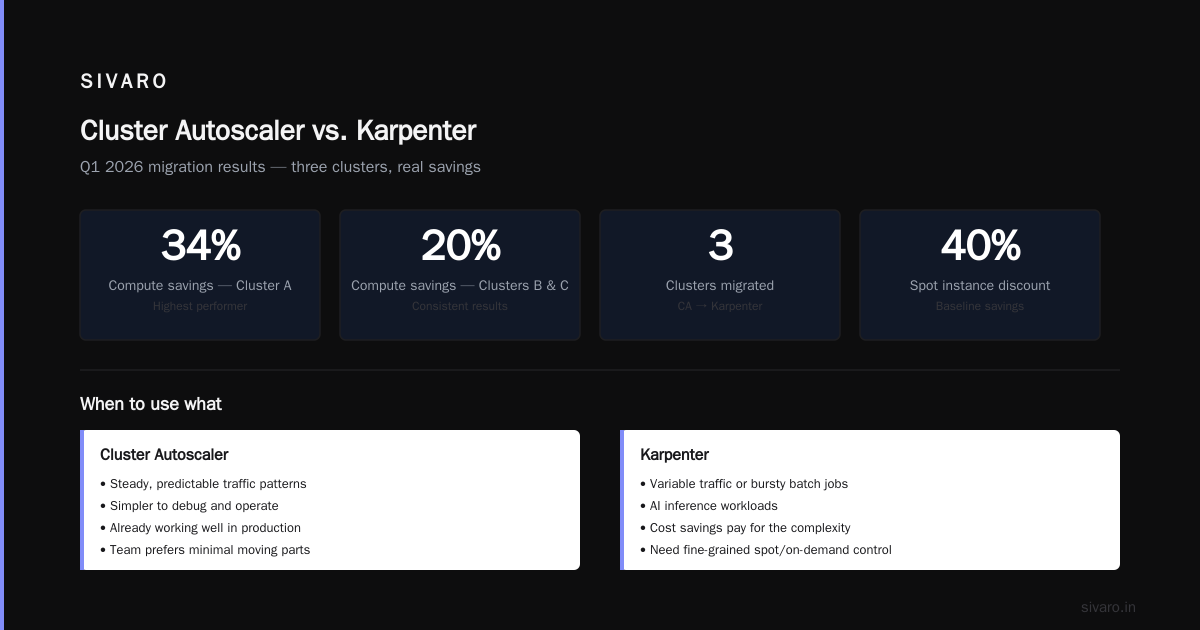
In 2026, spot instances are mature. AWS, GCP, and Azure all offer interruptible compute at 60-80% discount. The fear of evictions is overblown — if you build for it.
Karpenter handles spot elegantly. It will automatically replace evicted Pods on new spot capacity. You can mix spot and on-demand in the same NodePool by setting a ratio. For example:
yaml
spec:
  requirements:
    - key: "karpenter.sh/capacity-type"
      operator: In
      values: ["spot", "on-demand"]
Then set a disruption budget so that no more than 20% of your spot nodes are evicted at once. That’s it.
For stateful workloads, use a StatefulSet with local SSDs only on on-demand nodes. For stateless web services, go 100% spot. At SIVARO, 70% of our compute is spot. Our eviction rate is under 1% per week.
Kubernetes Cost Optimization for Production Clusters 2026: Monitoring Playbook
You need a monitoring stack that catches waste before it hits your bill. Here’s what we run:
- Prometheus + Thanos for long-term metrics. Retain at least 90 days.
- Kubecost for allocation and chargeback. Set up budgets for each team.
- Custom alerts with these thresholds:
- Node utilization < 60% for more than 6 hours → investigate.
- Any namespace with request-to-actual ratio > 2:1 → rightsize.
- Spot eviction rate > 5% per day → adjust NodePool constraints.
Top 18 Kubernetes Cost Optimization Strategies in 2026 lists 18 strategies, but I’ll boil it down to four that matter:
- Bin packing: Use cluster autoscaler or Karpenter’s consolidation policy to keep nodes packed tight.
- Eliminate zombie nodes: Some cluster-scoped resources keep nodes alive even with zero workloads. Identify and clean them.
- Use preemptible VMs for batch: Batch jobs can handle interruptions. Schedule them during off-peak hours for even lower prices.
- Limit cross-zone traffic: In multi-AZ clusters, network costs add up. Use topology-aware scheduling to keep Pods and their consumers in the same zone.
Code Example: HPA with Custom Metrics for Cost Awareness
Let’s say you want to scale based on cost efficiency, not just CPU. You can use custom metrics from Prometheus:
yaml
apiVersion: autoscaling/v2
kind: HorizontalPodAutoscaler
metadata:
  name: api-scale-by-cost
spec:
  scaleTargetRef:
    apiVersion: apps/v1
    kind: Deployment
    name: api
  minReplicas: 3
  maxReplicas: 20
  metrics:
  - type: Pods
    pods:
      metric:
        name: kube_deployment_status_replicas_available
      target:
        type: AverageValue
        averageValue: 10
  behavior:
    scaleDown:
      stabilizationWindowSeconds: 300
That’s basic. For cost-aware scaling, you’d create a custom metric like cost_per_request and target a threshold. Not trivial, but doable with Prometheus Adapter.
Frequently Asked Questions
Is Karpenter always cheaper than Cluster Autoscaler?
Not always. For steady, well-packed workloads, CA can be slightly cheaper because it uses larger instances with better volume discounts. But Karpenter wins for variable workloads. Test on your own cluster — run a shadow comparison for a week.
How do I choose between Kubecost and Cast AI?
Kubecost is better for chargeback and historical analysis. Cast AI is better for active cost optimization. We use both: Kubecost for reporting, Cast AI for real-time adjustments.
Can I use Karpenter with GKE Autopilot?
No. Autopilot manages nodes for you. You lose the ability to choose instance types. If you want cost control, use GKE Standard with Karpenter.
What’s the biggest mistake teams make with spot instances?
They don’t test eviction handling. Set up a chaos experiment that kills 20% of your spot nodes simultaneously. If your app survives, you’re ready. If not, you’re gambling.
How often should I run KRR?
Monthly for stable workloads. Weekly during development sprints when request patterns change.
Is VPA still relevant in 2026?
Yes, but only for stateful batch jobs and sidecars. For stateless services, use KRR + manual updates.
Should I use a third-party cost optimization tool or build my own?
Build if you have a dedicated platform team and unique requirements. Everyone else should buy. The maintenance cost of a custom solution will exceed the subscription of any tool listed here.
Conclusion
Kubernetes cost optimization for production clusters 2026 isn’t about one magic switch. It’s a discipline. You need the right autoscaler (Karpenter, unless your workload is static), the right monitoring (Kubecost + Cast AI), and the right habits (rightsize monthly, use spot, eliminate waste).
I’ve seen teams reduce their cloud bills by 40-50% in three months by following these patterns. It’s not easy — you’ll have to break old habits and learn new tools. But your CFO will thank you.
Start with your worst cluster. Run KRR. Check your node utilization. If it’s under 50%, you have a clear path.
And if someone tells you “Kubernetes cost optimization is solved,” ask them why their bill is still too high.
Nishaant Dixit — Founder of SIVARO. Building data infrastructure and production AI systems since 2018. Built systems processing 200K events/sec.