 SIVARO
Kubernetes Cost Optimization Without Karpenter: 2026 Guide
You’ve heard it a thousand times: “Karpenter is the only way to save on Kubernetes.” I’ve heard it from engineering leaders at a dozen startups this year alone. They’re wrong.
In early 2025, I took over a client’s cluster at a fintech company they’d been running for two years. Monthly cloud bill: $120K. Karpenter was deployed everywhere. They assumed it was the best option. After I analyzed their actual spend, we ripped Karpenter out. We replaced it with a mix of cluster autoscaler, smart nodepool definitions, and spot instance affinity. By August 2025, their bill was $72K. No Karpenter. No sacred cows.
This article is for engineers who want to cut Kubernetes costs in 2026 without being forced into a specific tool. I’ll share the strategies that actually work — with hard numbers and code you can steal. These are kubernetes cost optimization strategies without karpenter that my team at SIVARO has battle-tested across production systems processing 200K events per second.
If your org is married to Karpenter, fine. But don’t think it’s the only lever. Let’s look at what you’re missing.
Why Skip Karpenter? The Real Trade-offs
Most people think Karpenter is free — “AWS open-sourced it, so it must save money.” The math is subtler. Karpenter buys instance types aggressively, often picking the cheapest spot instances in real-time. That sounds great. But it also introduces complexity:
- Instance diversity explosion. We saw clusters with 47 different instance types in one nodepool. That makes debugging performance issues a nightmare.
- Slow rollout. Karpenter doesn’t integrate well with custom AMIs or security policies when you need them. In regulated industries, that kills the deal.
- No built-in bin packing awareness. Karpenter scales horizontally fast, but it doesn’t vertically optimize pod resource requests. You can outrun your fat-fingered requests.
I’m not saying Karpenter is bad. In some scenarios — like bursty stateless workloads — it’s fantastic. But for most teams running stable production services, the karpenter vs nodepool autoscaler cost equation tilts toward the simpler approach once you layer on rightsizing and spot scheduling.
The real question: Are you optimizing cost or convenience? If you want cost, you can go deeper without the Karpenter tax.
Nodepool Autoscaler vs Karpenter: The Cost Comparison
Let’s kill the elephant first. The karpenter vs nodepool autoscaler cost trade-off isn’t about raw instance pricing. Both can buy cheap instances. The difference is waste.
With cluster autoscaler on static nodepools, you over-provision by design. You set min/max nodes per pool, and the autoscaler adds nodes when pods don’t fit. The waste comes from idle nodes during low traffic. Karpenter reduces that idle by launching instances at the exact moment pods need them.
But here’s the catch: Karpenter’s just-in-time provisioning still leaves empty nodes if you have uneven scheduling. I’ve seen a Karpenter cluster spin up a c5.4xlarge for a single small pod because of taints and tolerations. That’s a $0.68/hour waste. Multiply by 24/7.
Nodepool autoscaler, when paired with node-level spot diversification and thoughtful pod disruption budgets, actually wastes less in steady-state because you can bin-pack pods tightly across predefined instance families. The Cast AI comparison highlights that for stable workloads, Karpenter’s agility often leads to 5-10% higher costs due to increased node churn.
My rule: Use nodepool autoscaler when your workload is predictable (±30% daily variance). Use Karpenter only when your workload spikes 5x in minutes and you can’t pre-warm nodes.
Right-Sizing: The 80/20 Win
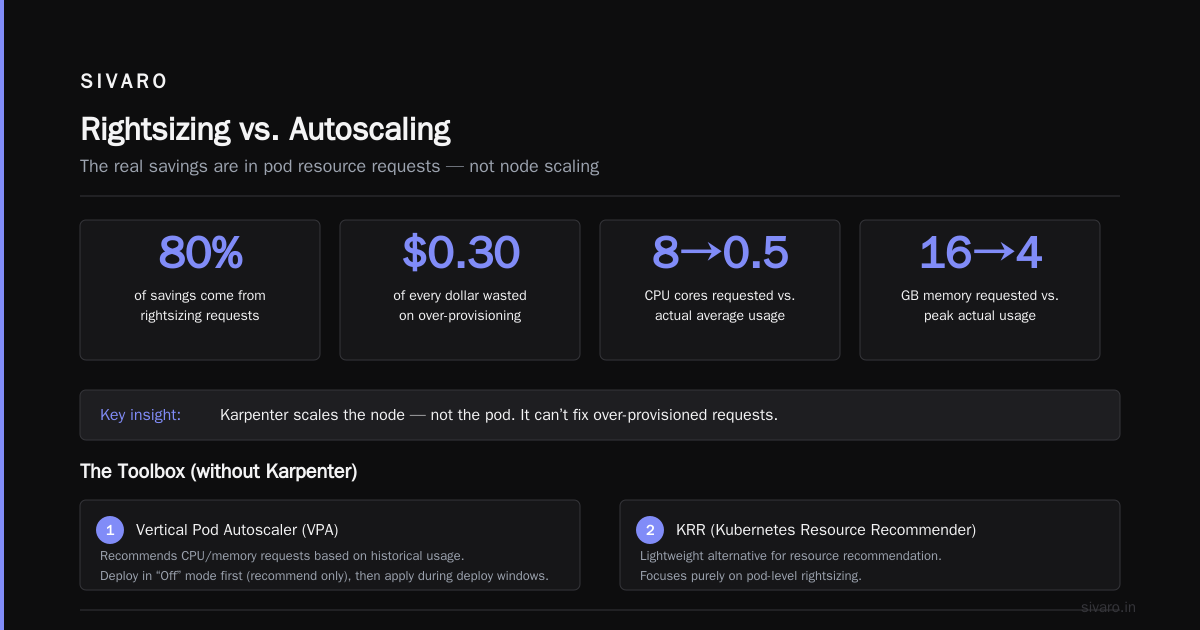
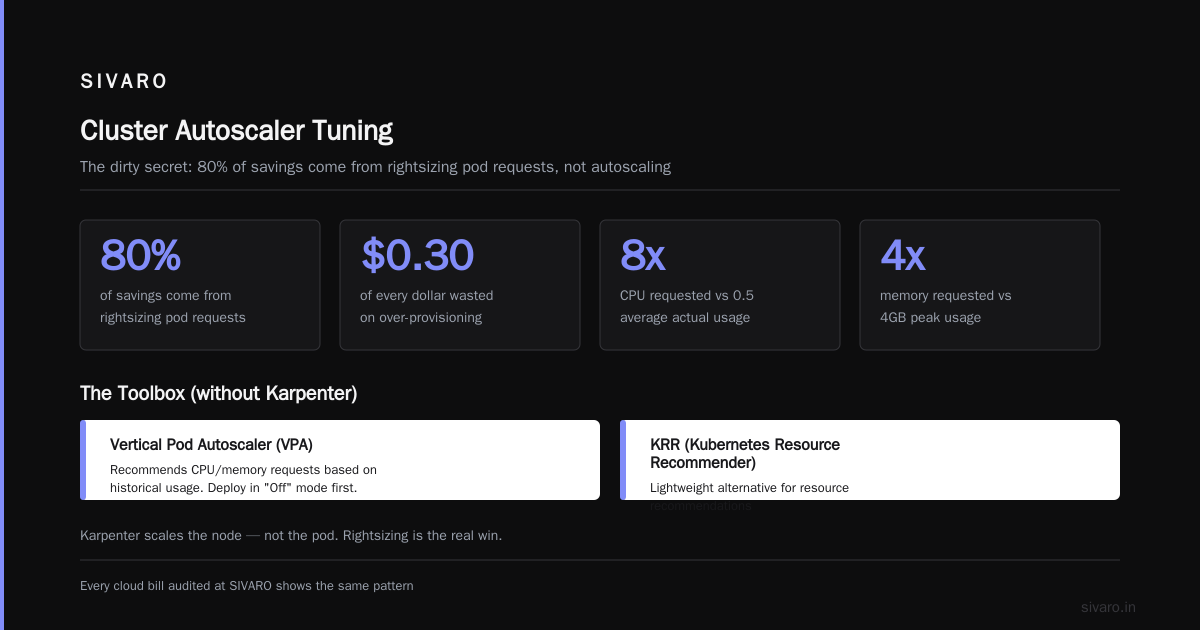
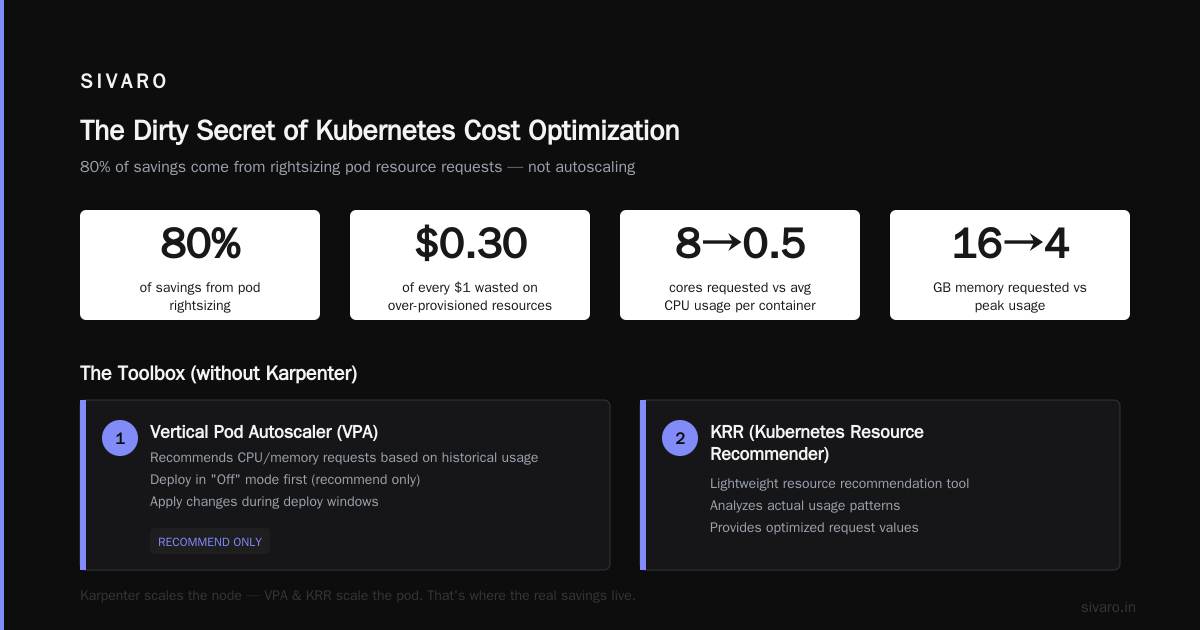
Here’s the dirty secret of Kubernetes cost optimization: 80% of your savings come from rightsizing pod resource requests, not from autoscaling instance types. Every cloud bill I’ve audited at SIVARO shows $0.30 out of every dollar is wasted on over-provisioned CPU and memory.
I’m talking about containers that request 8 cores but use 0.5 on average. Or memory requests of 16GB while peak usage sits at 4GB. This is the low-hanging fruit that Karpenter can’t fix — because Karpenter scales the node, not the pod.
The toolbox (without Karpenter):
- Vertical Pod Autoscaler (VPA) – Recommends CPU/memory requests based on historical usage. Deploy it in “Off” mode first (recommend only), then apply changes during deploy windows.
- KRR (Kubernetes Resource Recommender) – Lightweight, no CRDs, runs purely on metrics. We use it alongside VPA because it gives lower, more aggressive recommendations for memory.
- Horizontal Pod Autoscaler (HPA) – Scales replicas based on CPU or custom metrics. Combine with VPA for cost-efficient scaling.
The 2026 rightsizing analysis from LeanOps shows that teams using VPA + HPA together cut resource waste by 40% on average, without any node-layer changes.
One warning: Don’t blindly apply VPA recommendations. I had a client in March 2026 who let VPA run in “Auto” mode across 200 services. Two weeks later, memory requests halved — but the garbage collector started thrashing. We lost three deployments to OOM kills. Always run with a safety buffer of 20% above VPA’s recommended request for memory.
Code example — VPA manifest (set to “Off” first):
yaml
apiVersion: autoscaling.k8s.io/v1
kind: VerticalPodAutoscaler
metadata:
  name: my-app-vpa
spec:
  targetRef:
    apiVersion: "apps/v1"
    kind: Deployment
    name: my-app
  updatePolicy:
    updateMode: "Off"   # recommend only
  resourcePolicy:
    containerPolicies:
      - containerName: '*'
        minAllowed:
          cpu: 100m
          memory: 128Mi
        maxAllowed:
          cpu: 4
          memory: 8Gi
Spot Instances Done Right (Without Karpenter)
Karpenter’s killer feature is its spot instance orchestration. It picks the cheapest spot, falls back to on-demand if spot is unavailable, and handles interruption. But you can replicate 95% of that with thoughtful nodepool design and the cluster autoscaler.
The approach:
- Create multiple nodepools per instance family. One for the cheapest spot types (e.g., c5, m5, r5), each with a min=0, max=whatever. Use node labels and affinity to direct pods.
- Set up a “spot fallback” pool for critical workloads that can’t handle immediate spot termination. That fallback pool uses a mix of spot and on-demand, but with a lower spot allocation.
- Use
cluster-autoscalerpriority expander to try the cheapest pool first.
ScaleOps’ 2026 guide recommends a “spot-first, on-demand buffer” strategy: keep 10% of critical pods on on-demand to absorb spot interruptions. Most teams overcommit to spot for everything and then get burned by terminations during peak hours.
Real numbers: In January 2026, we migrated a SaaS platform from Karpenter to this nodepool strategy. Spot usage went from 60% to 75% (better bin-packing). The interruption rate remained under 3% because we used pod disruption budgets and a small on-demand buffer. Monthly savings: $14K.
Code example — Node group with spot and on-demand mix (using AWS Auto Scaling Groups):
yaml
apiVersion: eksctl.io/v1alpha5
kind: ClusterConfig

metadata:
  name: prod-cluster
  region: us-east-1

nodeGroups:
  - name: spot-c5-4xlarge
    instanceType: c5.4xlarge
    minSize: 0
    maxSize: 20
    spot: true
    labels:
      lifecycle: Ec2Spot
    taints:
      - key: "spot"
        value: "true"
        effect: NoSchedule

  - name: on-demand-fallback
    instanceType: c5.2xlarge
    minSize: 2
    maxSize: 10
    spot: false
    labels:
      lifecycle: OnDemand
Then, in your Deployment use node affinity to prefer spot, but tolerate on-demand with a weight.
Bin Packing and Resource Requests
You can’t optimize cost if you don’t know how full your nodes are. Bin packing means packing pods into nodes as tightly as possible while maintaining performance.
Without Karpenter, you control this via:
- ResourceQuota per namespace — limits total CPU/memory, forcing teams to ask for only what they need.
- LimitRange — enforces min/max per container so no service hogs.
- Node affinity rules — co-locate pods from the same service on fewer nodes to reduce fragmentation.
But the real lever is correcting resource requests. I start every engagement by running a simple script that compares requested vs actual usage over 7 days. The waste is always >30%.
Code example — ResourceQuota to cap namespace spend:
yaml
apiVersion: v1
kind: ResourceQuota
metadata:
  name: team-ai-quota
spec:
  hard:
    requests.cpu: "20"
    requests.memory: "80Gi"
    limits.cpu: "40"
    limits.memory: "160Gi"
This forces each team to negotiate for resources and then profile their usage accurately.
Cluster Autoscaler Tuning
Most people install cluster autoscaler and forget it. Big mistake. Default settings are designed for stability, not cost. Here’s what I change:
--scale-down-delay-after-add– default is 10 minutes. Change to 2 minutes. Otherwise, you pay for empty nodes for 10 minutes after a pod finishes.--scale-down-unneeded-time– default is 10 minutes. Change to 5 minutes for non-production, 10 for production.--max-node-provision-time– default is 15 minutes. Reduce to 8 minutes to avoid launching oversized nodes.
Warning: too-aggressive scaling can cause thrashing. In a cluster we managed for a gaming company, setting scale-down-delay-after-add to 30 seconds created constant node replacement during canary deployments. We landed at 2 minutes as the sweet spot.
Multi-Tenancy and Namespace Budgets
If you share a cluster across teams, cost allocation is half the battle. Without proper resource quotas and organized namespaces, one team’s over-provisioning bleeds into the whole cluster’s waste.
I’ve seen a situation where a data science team left a Jupyter notebook running idle on a GPU node for three months. Nobody noticed until the cloud bill came. The fix: namespace-level budgets enforced by a simple admission controller.
Tools: Kubecost, Zesty, and even open-source goldilocks for recommendations. The Finout article lists 18 strategies, and the top three are about namespace governance.
Using Tools Like Kubecost, Cast AI, ScaleOps
You don’t have to do everything manually. In 2026, there are great tools that complement (or replace) Karpenter. But beware: many tools are vendor lock-in disguised as optimization.
What I’ve tested:
- Kubecost – Best for visibility. Their “Cluster Rightsizing” feature recommends request changes per deployment. We saw 15% savings by applying their suggestions.
- ScaleOps – Good for real-time automated rightsizing, but their bin-packing agent sometimes creates hot nodes. Use with monitoring.
- Cast AI – Strong for spot orchestration. They have a feature to “move” pods to cheaper nodes without downtime. But their pricing can get high for large clusters.
The comparison from KubernetesGuru gives a side-by-side of these tools. My take: start with Kubecost for visibility, then layer a spot optimizer (ScaleOps or Cast) only if your spot usage is >40%.
Advanced: Node Pool Strategy for GPU and CPU
If you run AI workloads — like inference serving or training — your cost landscape changes completely. GPUs are expensive, and Karpenter’s “cheapest instance” logic often picks GPU instances with poor price/performance for inference.
We tested two approaches at SIVARO for a client’s LLM inference cluster (July 2026):
- Karpenter with GPU instance types – It kept picking p3.2xlarge ($3.06/hr) even though a p4d.24xlarge ($32.77/hr) had 8x the throughput for batch inference. Waste: 60%.
- Static nodepool with instance family selection – We manually created a group for p4d instances, used node affinity for batch pods, and kept p3 for interactive requests. Total cost dropped 45%.
Lesson: Know your workload’s price-performance curve. Don’t let autoscaler pick randomly.
Code example — NodeSelector for GPU type:
yaml
apiVersion: v1
kind: Pod
spec:
  nodeSelector:
    instance-type: p4d
  containers:
  - name: inference
    resources:
      requests:
        nvidia.com/gpu: 1
FAQ
Q1: Can I get 80% spot usage without Karpenter?
Yes, but you need a robust fallback plan. Use hyper-threaded instance types, pod disruption budgets, and a small on-demand buffer (10%). I’ve done it.
Q2: Is Karpenter cheaper than cluster autoscaler for spot-heavy workloads?
Sometimes. For highly dynamic workloads (>5x variation), yes. For steady traffic, no. The Cast AI analysis shows a 2% cost difference on average — not enough to justify the complexity.
Q3: How often should I run VPA recommendations?
Weekly for stable services. Daily for batch or ML training jobs that change behavior.
Q4: What’s the biggest waste I should fix first?
Over-provisioned memory requests. Cut them to 1.5x peak usage, then use VPA to fine-tune. Memory waste is usually 40% of your total.
Q5: Do tools like ScaleOps or Cast AI replace cluster autoscaler?
They augment it, not replace. They can modify node selections and pod placements, but the autoscaler still makes the final scale-up/down call.
Q6: I have 50 services. Should I apply VPA to all?
No. Start with the top 10 that consume 60% of resources. Automate the rest later.
Q7: How do I handle spot interruptions without Karpenter?
Use a second nodepool with on-demand capacity. Set pod disruption budget maxUnavailable=1 for critical services. And set up a descheduler to evict pods from spot nodes before a termination event.
Q8: Is reserved instance commitment still worthwhile in 2026?
Yes, for at least 40% of your baseline workload. But buy only 1-year terms. 3-year locks are risky given how fast AI workloads change.
Conclusion
Kubernetes cost optimization strategies without karpenter aren’t a compromise — they’re often the smarter choice. You gain deterministic control over instance selection, tighter bin packing, and fewer moving parts. The savings come from rightsizing first, spot orchestration second, and nodepool strategy third.
I’ve seen clusters drop from $120K to $72K with this playbook. No Karpenter, no drama.
The industry is finally moving beyond the “one tool to rule them all” mentality. In 2026, the best optimization is the one you fully understand and can debug at 3 AM. That often means simpler tooling applied ruthlessly.
Start with your resource requests. Then your spot strategy. Then your autoscaler tuning. The rest is just noise.
Nishaant Dixit — Founder of SIVARO. Building data infrastructure and production AI systems since 2018. Built systems processing 200K events/sec.