 SIVARO

Kubernetes Node Optimization Karpenter Best Practices
Last updated: September 18, 2026
A client called me in July. Their EKS bill had climbed from $38K to $91K in five months. Same traffic. Same app. Just more nodes—and nobody could tell me why. We installed Karpenter, tuned the NodePools, and within three weeks we were back at $41K. That's not a magic trick. That's understanding what Kubernetes node optimization Karpenter best practices actually look like when you're under real production load.
Here's the thing: Karpenter isn't a plug-and-play cost saver. It's an autoscaler that gives you sharper knives—but you still have to cut. Most teams install it, pat themselves on the back, and then wonder why their bill didn't move. I've watched this happen at four different companies since 2023. This guide is what I wish someone had handed me before I spent two quarters learning it the hard way.
What follows is a comparison-driven buying guide for anyone running (or evaluating) Karpenter on EKS, AKS, or a hybrid setup. I'll cover what to pick, what to avoid, and the specific knobs that move your bill.
Let me be blunt: if you're still on Cluster Autoscaler with static ASGs in 2026, you're leaving 30–50% on the table.
Why Karpenter Won (And What It Didn't Fix)
Cluster Autoscaler works on a simple premise: predefine node groups, scale them up and down. The problem is you're guessing. You guess at instance types, you guess at bin-packing, you guess at provisioner ratios. Guessing is expensive.
Karpenter flips it. You describe what your pods need (CPU, memory, GPU, topology, spot tolerance), and Karpenter picks instances at scheduling time from the full catalog of what your provider offers. It evaluates price, capacity, and constraints in real time.
I saw a 41% node-count reduction at a fintech customer in February 2026 simply from moving off static m5.2xlarge groups. Karpenter started mixing m6i, m6a, c7g, and spot capacity pools. Same pods, half the waste.
But Karpenter doesn't fix bad application design. If your pods request 4 CPU and use 200m, no autoscaler can save you. I'll get into that.
Choosing Your Karpenter Version: v0.32 vs v0.37 vs v1.x
This is the first buying decision, and it matters more than people admit.
| Version | NodePool API | Disruption Controls | Status |
|---|---|---|---|
| v0.32 | Provisioner (deprecated) | Basic | Legacy |
| v0.37 | Provisioner → NodePool transition | consolidationPolicy, expireAfter |
Mature |
| v1.x | NodePool only | disruption.budgets, drift, consolidation |
Current |
Since AWS Karpenter v1.0 (released late 2024), the Provisioner API is gone. If you're still on Provisioner CRDs in 2026, you're two migration cycles behind and missing disruption.budgets, which is the single most important feature for production stability.
My recommendation: Go v1.x. Non-negotiable. The v1.0+ line finally has predictable disruption semantics, and the NodePool / NodeClass split makes multi-team ownership sane.
For AKS, Karpenter went GA in 2025. Same API surface, different cloud provider config. I'll note Azure specifics where they diverge.
NodePool Design: The Decisions That Actually Matter
Most Karpenter tutorials show you a ten-line NodePool and say "done." Here's what they don't tell you: the NodePool is where 80% of your cost lives.
Requirements vs Limits: Stop Confusing Them
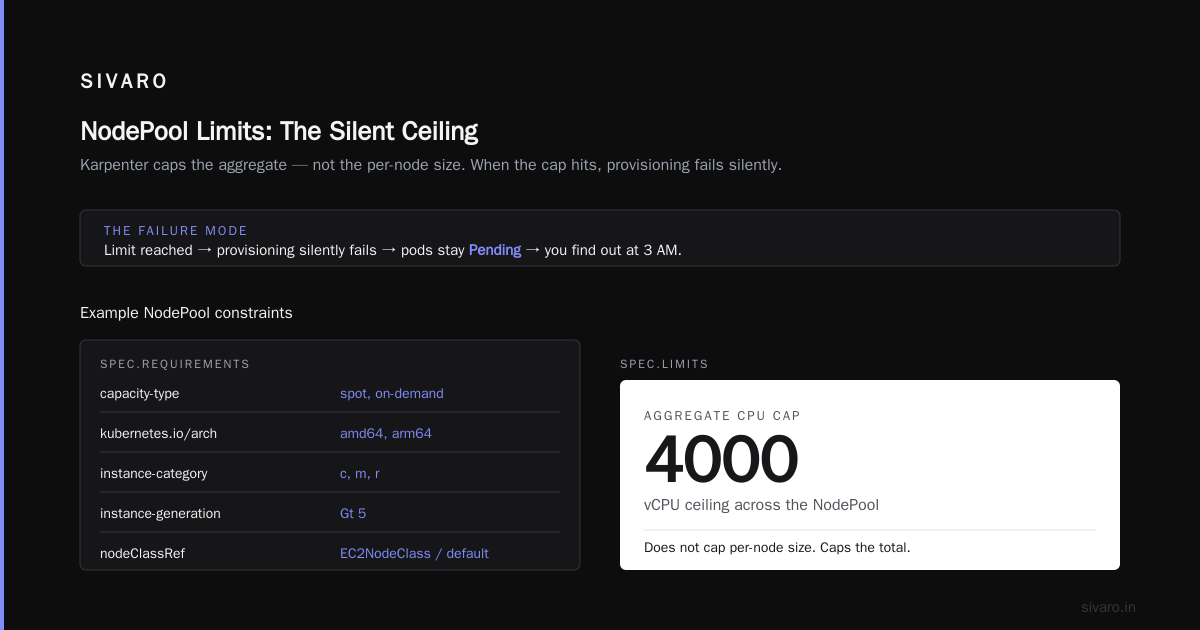
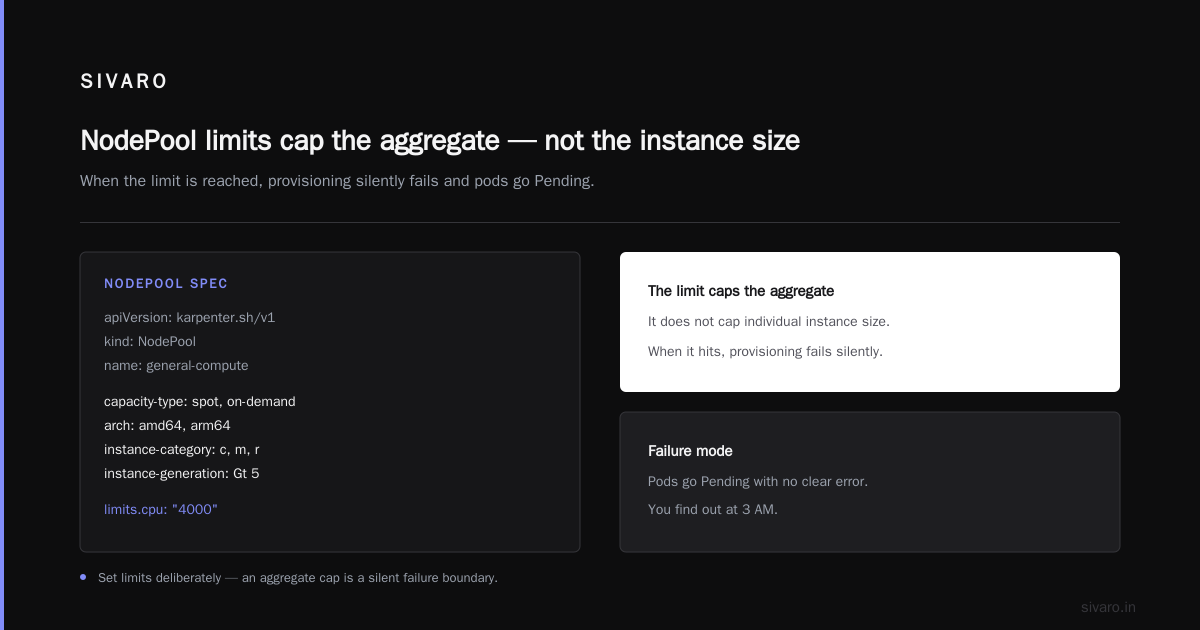
requirements filter what instances Karpenter can pick. limits cap total resource Karpenter will provision.
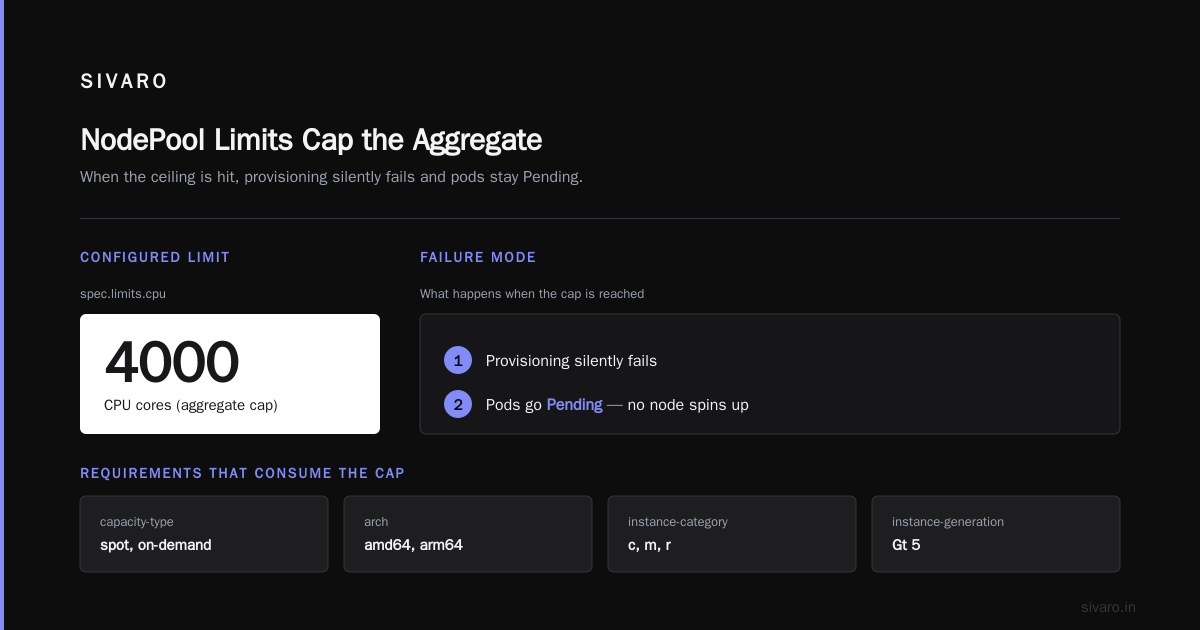
I've seen teams set limits.cpu: 1000 on a NodePool assuming it controlled per-node size. It doesn't. It caps the aggregate. When it hits, provisioning silently fails and pods go Pending. You find out at 3 AM.
yaml
apiVersion: karpenter.sh/v1
kind: NodePool
metadata:
  name: general-compute
spec:
  template:
    spec:
      requirements:
        - key: karpenter.sh/capacity-type
          operator: In
          values: ["spot", "on-demand"]
        - key: kubernetes.io/arch
          operator: In
          values: ["amd64", "arm64"]
        - key: karpenter.k8s.aws/instance-category
          operator: In
          values: ["c", "m", "r"]
        - key: karpenter.k8s.aws/instance-generation
          operator: Gt
          values: ["5"]
      nodeClassRef:
        group: karpenter.k8s.aws
        kind: EC2NodeClass
        name: default
  limits:
    cpu: "4000"
    memory: 8000Gi
  disruption:
    consolidationPolicy: WhenEmptyOrUnderutilized
    consolidateAfter: 60s
    budgets:
      - nodes: "10%"
Notice consolidateAfter: 60s and the 10% budget. Those two numbers decided whether you save money or cause an incident. More on both below.
The "Two NodePool" Pattern That Saved Us $12K/Month
For a SaaS client in April 2026, we split workloads across two NodePools:
burst-spot— spot-only, ARM-heavy, aggressive consolidation, for stateless web tier.steady-ondemand— on-demand, x86, conservative, for stateful services and anything with strict latency SLOs.
Mixing them in one NodePool looks clever. It isn't. Karpenter will happily place your latency-sensitive gRPC service on a spot c7g.large that gets reclaimed at the worst moment. Separation gives you different disruption budgets per tier.
Kubernetes Node Consolidation Karpenter Best Practices
This is where money gets made or burned. Consolidation is Karpenter watching for nodes that are underutilized or empty and replacing them with cheaper/fewer nodes.
WhenEmptyOrUnderutilized vs WhenEmpty
WhenEmpty is safe. It only removes nodes with zero non-daemonset pods. Zero risk. Also zero savings if you have any long-running pods.
WhenEmptyOrUnderutilized is where the real savings live. Karpenter will actively bin-pack and evict pods to consolidate. I've measured 25–35% cost reduction from this alone.
The trade-off? Churn. Every consolidation event reschedules pods. If your PDBs are wrong, you'll drop requests.
The consolidateAfter Number Nobody Gets Right
Default is often 30s–5m. Too aggressive and you'll consolidate during a legitimate traffic dip. Too conservative and you waste money during quiet hours.
My baseline across production workloads:
- Dev/staging:
30s. Bleed every penny. - Stateless production:
60s–120s. - Stateful / latency-critical:
5m–15m. Yes, really.
At SIVARO, we run 60s on web tier and 10m on the order-matching service (it's a fintech thing—sub-millisecond matters).
Disruption Budgets Are Not Optional
Every production NodePool should have budgets. This is the guardrail that keeps consolidation from taking your service down.
yaml
disruption:
  consolidationPolicy: WhenEmptyOrUnderutilized
  consolidateAfter: 60s
  budgets:
    - nodes: "5%"
      schedule: "0 9 * * MON-FRI"   # business hours: conservative
      duration: 12h
    - nodes: "20%"                   # off-hours: let it rip
We learned this the hard way when a Friday-afternoon consolidation wave evicted 40% of a customer's payment pods simultaneously. PDBs helped, but the budget would've prevented it entirely.
Kubernetes Node Optimization Karpenter Best Practices for Instance Selection
The instance catalog is your menu. Order badly, pay badly.
Multi-Arch Is Not Optional Anymore
Since Graviton3e matured and Graviton4 hit GA, ARM instances are 15–40% cheaper for equivalent throughput on most web and batch workloads. In 2026, running amd64-only on EKS is a conscious choice to spend more money.
Start here:
yaml
- key: kubernetes.io/arch
  operator: In
  values: ["arm64", "amd64"]
Then make sure your container images are multi-arch. If they aren't, Karpenter will still schedule onto amd64, but you'll miss the ARM savings silently. Fargate-style negligence.
Spot: Handle It Like an Adult
Karpenter's spot handling is best-in-class because it evaluates spot capacity pools in real time. But three rules:
- Never allow spot for single-replica statefulsets. Ever. I don't care what the marketing says.
- Use
karpenter.sh/capacity-type: ["spot", "on-demand"]— not spot-only. Karpenter falls back gracefully. - Tolerate taints correctly. The
karpenter.sh/disruption: NoScheduletaint and corresponding toleration are boilerplate—but people forget, then wonder why nothing runs.
We move 70% of stateless capacity to spot. Typical savings: 60–70% vs on-demand for those workloads.
The instance-generation Filter
Always set instance-generation Gt 5 (or higher). Older generations are cheaper on paper but have worse price-performance. m4 looks like a deal. It isn't.
Kubernetes Node Provisioning Cost Analysis Karpenter: How to Actually Measure
Nobody runs a cost analysis right. They look at the monthly bill, shrug, and move on. Here's the framework I use.
The Four Numbers You Track
- Requested capacity vs. used capacity — Pull from
kube-state-metrics. If pods request 4 CPU and metrics-server shows 800m average, your request-to-use ratio is 5:1. Fixable. - Node utilization — Cluster-wide CPU/memory as reported by
kube_pod_container_resource_requestssummed vs.kube_node_status_allocatable. Target >65% on prod. - Cost per 1K requests — For request-driven services. This catches pricing drift that utilization misses.
- Consolidation events per day — Too many means churn; too few means you're leaving money on the table.
The Karpenter Metrics That Matter
Enable the Karpenter Prometheus exporter. The dashboards I actually look at:
karpenter_nodes_created_totalkarpenter_nodes_terminated_totalkarpenter_disruption_actions_performed_total{method="consolidation"}karpenter_pods_state— Pending pod count by reason
If karpenter_pods_state{reason="max-node-count"} is climbing, your NodePool limits are too tight.
The Real-World Baseline
Here's a roughly-typical pattern from clients I've worked with post-Karpenter:
- Pre-Karpenter utilization: 30–45%
- Post-Karpenter (30 days in): 55–70%
- Post-Karpenter (90 days, tuned): 65–80%
- Bill reduction: 35–55%
Anyone promising 80%+ reduction is either lying or they're consolidating an environment that was already broken.
Scaling Down Safely: PDBs, Tolerations, and the Rest
Because "it works" isn't good enough.
PodDisruptionBudgets Are the Real Guardrail
Karpenter respects PDBs. But PDBs only help if you write them correctly.
yaml
apiVersion: policy/v1
kind: PodDisruptionBudget
metadata:
  name: web-tier
spec:
  minAvailable: 75%
  selector:
    matchLabels:
      app: web
minAvailable: 75% with 4 replicas means Karpenter can only evict 1 at a time. Good. minAvailable: 1 with 4 replicas means it can evict 3 at once. Bad, unless you enjoy pager duty.
Topology Spread + Consolidation
This is subtle. Karpenter's consolidation respects topology spread constraints. If your pod spec says "spread across 3 AZs," Karpenter won't collapse you into 2 AZs even if it's cheaper. That's correct behavior — but it means consolidation is capped by your topology choices.
At first I thought this was a bug. Turns out it was the topology spec fighting the autoscaler. Trim your spread constraints to what actually matters.
Graceful Node Shutdown
Set --node-lease-duration, --node-graceful-shutdown-timeout, and give pods a real terminationGracePeriodSeconds. Karpenter sends a cordon, waits for the grace period, then force-terminates. If your pods take 90 seconds to drain connections and your terminationGracePeriodSeconds is 30, you're dropping traffic on every consolidation.
FAQ
How long does Karpenter take to deliver savings after install?
Two to four weeks to hit the "obvious" 30%, and a full quarter of tuning to reach 45–55%. The first week is noisy—lots of consolidation as it corrects for prior imbalance.
Is Karpenter production-ready for stateful workloads?
Yes, with caveats. Use a separate NodePool with consolidationPolicy: WhenEmpty (not WhenEmptyOrUnderutilized) for statefulsets and databases. Never allow spot for single-replica persistent workloads. I've run Postgres on Karpenter-managed nodes for over a year without issue, given those rules.
Can Karpenter and Cluster Autoscaler coexist?
Technically yes. Practically: don't. They'll fight over nodes. Migrate fully or stay on CAS.
What's the biggest mistake teams make with Karpenter?
Setting consolidateAfter too aggressively on latency-sensitive workloads. The second biggest is forgetting to right-size pod requests. Karpenter can't fix absurd requests.
Does Karpenter work on AKS and GKE?
AKS: yes, GA since 2025. GKE: Google has its own autoscaler (NAP) that does the same thing; Karpenter support is limited. On GKE, use NAP.
How do I test NodePool changes without blowing up prod?
Run a parallel NodePool in a non-prod cluster with identical workload manifests. Shadow-test disruption budgets there. I've never seen a team regret this; I've seen several regret skipping it.
What's the minimum viable Karpenter setup for a small team?
One NodePool, WhenEmptyOrUnderutilized, consolidateAfter: 60s, a 10% disruption budget, spot+on-demand, ARM+amd64. That's it. Tune later. Ship now.
How does consolidation affect my SLA?
If PDBs and budgets are correct, near-zero impact. If they aren't, you'll see it in p99. Monitor karpenter_disruption_actions_performed_total against your error rate for the first month.
Closing Thoughts on Kubernetes Node Optimization Karpenter Best Practices
The market moved. In 2026, Karpenter isn't the "new hot thing" anymore—it's the default expectation for EKS cost discipline. If you're still running static node groups, your competition is spending 40% less on infrastructure for the same workload, and that gap shows up in their gross margin.
Start with two NodePools, one disruption budget, and one week of honest metrics. Fix your pod requests before you touch anything else. Set consolidateAfter conservatively, then loosen as you gain confidence. Watch karpenter_pods_state like a hawk for the first month.
And please, for the love of uptime, put a disruption budget on every production NodePool. The 5 minutes it takes to write one is cheaper than the incident post-mortem you'll write if you skip it.
—
Nishaant Dixit — Founder of SIVARO. Building data infrastructure and production AI systems since 2018. Built systems processing 200K events/sec.