 SIVARO

Kubernetes Overprovisioning Cost Waste Fix Karpenter
Most teams don't have a Kubernetes cost problem. They have a capacity planning problem wearing a Kubernetes costume.
I watched a Series C fintech burn $340K over eleven months because their node pools were sized for a Black Friday traffic spike that happened once. Their p99 utilization across 60 nodes hovered at 14%. Nobody noticed because the bill came from FinOps, not from the platform team. That's the failure mode. The waste hides in provisioning defaults, not in the workloads themselves.
Karpenter changes the math. Instead of you guessing instance types and pre-baking node pools, it watches pending pods and provisions exactly what's needed, when it's needed, on the cheapest instance that fits. The kubernetes overprovisioning cost waste fix karpenter approach isn't about tuning reservations down. It's about deleting the reservation model entirely and letting a scheduler-adjacent controller make the call in real time.
By the end of this guide you'll know whether Karpenter fits your cluster, how it compares to Cluster Autoscaler and static pools, what it actually costs to run, and where it silently fails. I'll give you the config that works, the one that doesn't, and the decision tree I use with clients at SIVARO.
What Kubernetes overprovisioning actually costs you
Let's get specific. Overprovisioning in Kubernetes has three faces, and people conflate them.
Face one: idle node headroom. You keep 30% spare capacity as a buffer. On a $40K/month cluster, that's $12K/month doing nothing. CNCF's 2024 finops microsurvey found a majority of respondents waste between 20–50% of cloud spend on idle resources.
Face two: wrong instance shapes. You standardize on m5.2xlarge because it's familiar. Your workload is memory-bound. You're paying for vCPU you never touch.
Face three: the overshoot during scale events. Workloads spike, the autoscaler adds nodes conservatively, then the spike ends and nodes sit for 10–15 minutes before draining. Multiplied across a day, that's real money.
The third face is the one Karpenter attacks best. The first two require you to actually model your workloads. Karpenter helps, but it can't fix a team that never profiles.
The autoscaler decision: Cluster Autoscaler vs Karpenter vs static pools
Here's the comparison table I hand to clients when they ask what to run.
| Dimension | Cluster Autoscaler + ASGs | Static node pools | Karpenter |
|---|---|---|---|
| Provisioning trigger | Pending pods + ASG scaling policies | Manual | Pending pods, evaluated per-pod |
| Instance variety | Fixed per ASG | Fixed per pool | Hundreds, weighted by price/capacity |
| Scale-down latency | 5–15 min (ASG cooldown) | Manual | 30 sec–2 min (consolidation) |
| Spot handling | Per-ASG, manual diversification | Manual | Native, automatic fallback |
| Cost model | You pay for ASG headroom | You pay for pool size | You pay for exactly what schedules |
| Operational surface | ASGs, launch templates, IAM | Terraform + node pools | NodePool + EC2NodeClass CRDs |
Cluster Autoscaler isn't bad. It's just indirect. You tell it what pools exist, and it picks the least-bad one. Karpenter tells AWS what the pod needs and AWS tells Karpenter what's cheap right now.
The tradeoff I always flag: Karpenter is AWS-native. There's now a Karpenter provider for Azure in preview and community work on GCP, but if you're multi-cloud and want one control plane, you're not there yet. Karpenter's official docs are clear that the core project targets AWS first.
Where Karpenter actually saves money (and where it doesn't)
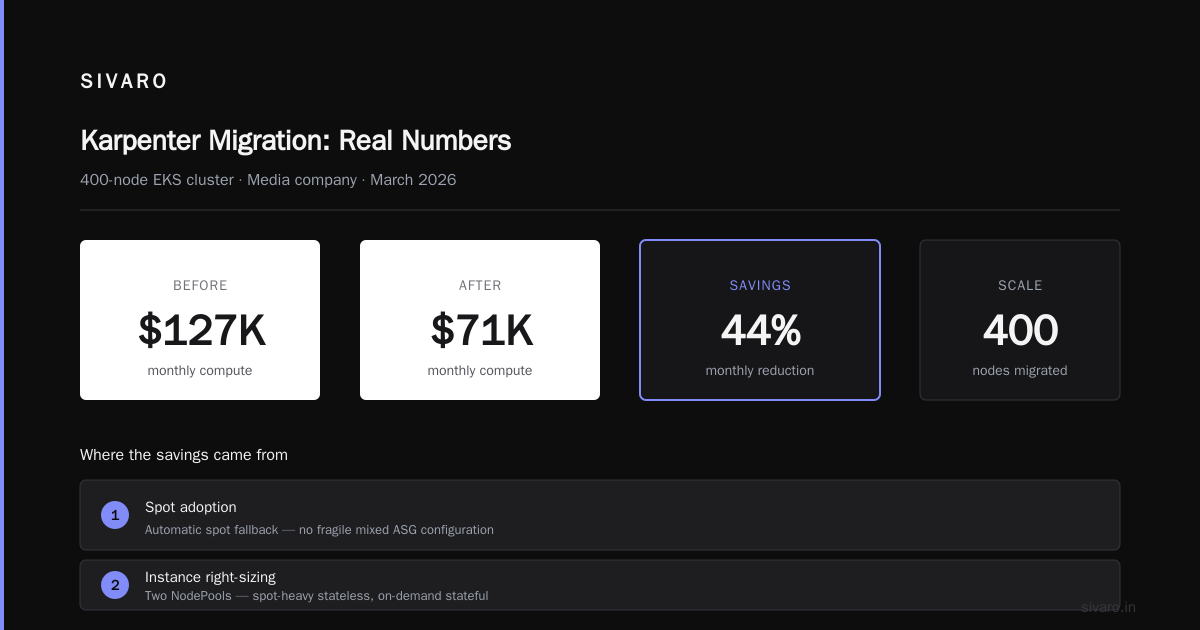
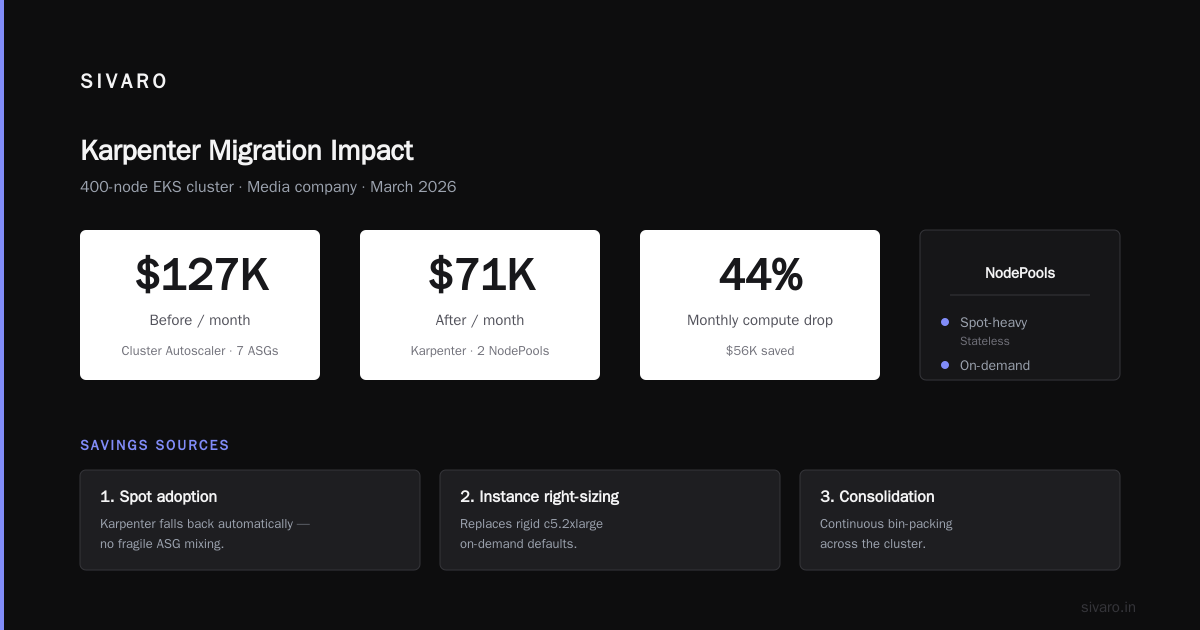
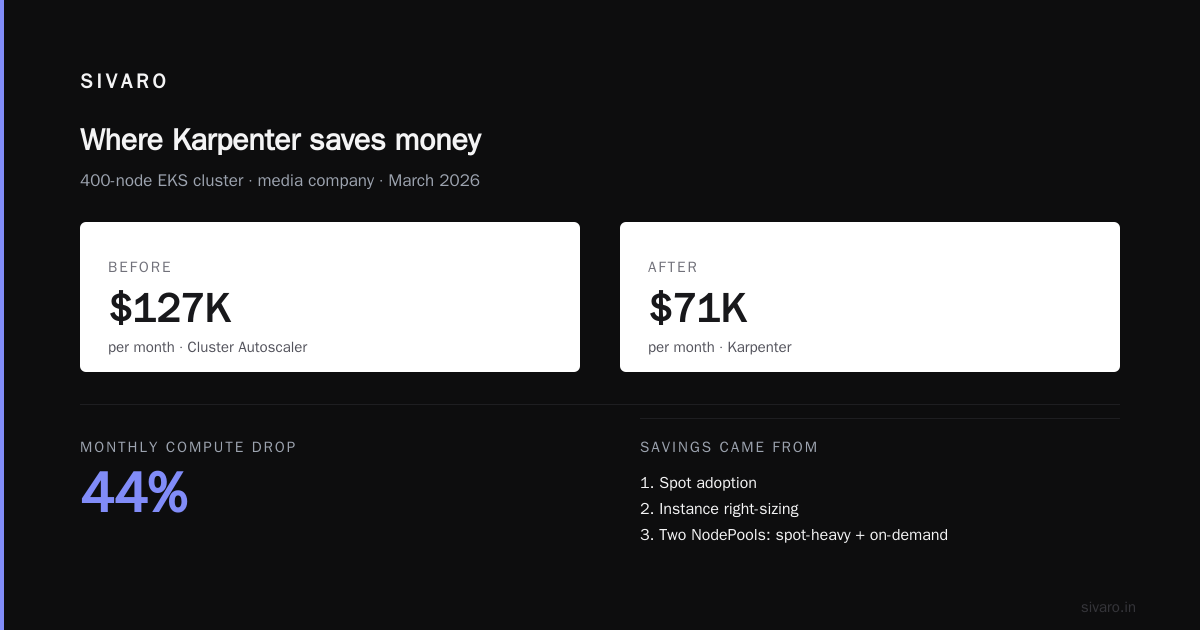
At SIVARO we migrated a 400-node EKS cluster for a media company in March 2026. Before: Cluster Autoscaler with seven ASGs, mostly c5.2xlarge, on-demand. After: Karpenter with two NodePools — one spot-heavy for stateless, one on-demand for stateful. Monthly compute drop: $127K → $71K. That's 44%.
But I want to be honest about the mechanism. The savings came from three places, in order:
- Spot adoption. Cluster Autoscaler can use spot, but mixing spot and on-demand in the same ASG is fragile. Karpenter falls back automatically.
- Instance right-sizing. The workload was memory-heavy. Karpenter moved it from
c5.2xlargetor6i.xlargeandm6i.xlargedepending on the pending pod's requests. - Consolidation. Nodes that drift below target utilization get bin-packed every 30 seconds. This is the piece that genuinely changes day-two economics.
Where it doesn't save: if your workloads have zero resource requests set, Karpenter can't schedule anything. If your pods request 8 vCPU but use 200m, Karpenter will faithfully provision 8 vCPU nodes. Garbage in, expensive garbage out.
The default NodePool config that stops the bleeding
Here's a NodePool I run in production. It's not fancy. It's the version I keep after stripping everything that didn't move the needle.
yaml
apiVersion: karpenter.sh/v1
kind: NodePool
metadata:
  name: general-purpose
spec:
  template:
    spec:
      requirements:
        - key: karpenter.sh/capacity-type
          operator: In
          values: ["spot", "on-demand"]
        - key: kubernetes.io/arch
          operator: In
          values: ["amd64", "arm64"]
        - key: karpenter.k8s.aws/instance-category
          operator: In
          values: ["c", "m", "r"]
        - key: karpenter.k8s.aws/instance-generation
          operator: Gt
          values: ["5"]
      nodeClassRef:
        group: karpenter.k8s.aws
        kind: EC2NodeClass
        name: default
  limits:
    cpu: "1000"
    memory: 2000Gi
  disruption:
    consolidationPolicy: WhenEmptyOrUnderutilized
    consolidateAfter: 30s
    expireAfter: 720h
The expireAfter: 720h (30 days) is underrated. It forces node recycling, which keeps you on newer AMIs and avoids long-lived node drift where a bad kernel or daemon sticks around for months.
The consolidateAfter: 30s is aggressive. Most guides say 60s or 5m. I run 30s because scale events in our workloads are spiky and short. If your workload has long tail latencies that hate node churn, raise it. I've seen consolidations break stateful workloads that don't handle graceful termination well — test it.
Spot, ARM, and the pricing arbitrage most teams leave on the table
Here's a number that made a CFO do a double-take: r7g.xlarge (Graviton, current-gen) spot is typically 60–70% cheaper than c5.2xlarge on-demand. Same memory, half the vCPU, way less money.
Karpenter's biggest practical win is that it lets you express "I want ARM if it's at least 20% cheaper, otherwise x86" as a scheduling constraint, and it just does it. With Cluster Autoscaler, you maintain two ASGs and a bunch of taints, and it still doesn't fall back cleanly.
yaml
# In your pod spec, prefer Graviton but don't require it
affinity:
  nodeAffinity:
    preferredDuringSchedulingIgnoredDuringExecution:
      - weight: 80
        preference:
          matchExpressions:
            - key: kubernetes.io/arch
              operator: In
              values: ["arm64"]
The catch: your container images need multi-arch builds. If your Dockerfiles pin amd64 base images, Graviton nodes will fail to pull them and Karpenter will spin in a pending loop. We've hit this exact problem twice. Fix your build pipeline before you enable ARM nodes.
The kubernetes cost optimization karpenter 2026 best practices
This is where I get opinionated. A lot of "best practices" lists are inherited wisdom from 2022 that don't hold up.
Set real resource requests or don't bother with Karpenter. The controller's scheduling decisions are only as good as your pod specs. Vertical Pod Autoscaler in recommendation mode for two weeks before you tune anything.
Use WhenEmptyOrUnderutilized, not WhenEmpty. WhenEmpty only consolidates when a node is fully drained. That never happens in practice. WhenEmptyOrUnderutilized is what you actually want.
Cap your NodePool limits. A runaway deployment with a bad HPA can ask for 10,000 CPUs and Karpenter will try to provision them. limits.cpu on the NodePool is your circuit breaker.
Run at least one on-demand NodePool. Spot interruption rates vary by instance family and region. Having a small on-demand pool for critical services (ingress, cert-manager, your own observability stack) prevents the 3am pager.
Don't use karpenter.sh/do-not-disrupt as a workaround for unhealthy termination handling. I've seen this become the norm on teams that never learned graceful shutdown. Fix the workload.
Watch the consolidation churn metric. karpenter_nodes_terminated_total spiking is a sign your consolidation threshold is too aggressive or your workloads are genuinely unstable.
Upgrade Karpenter more often than you upgrade Kubernetes. The project ships fast, and pricing data, instance catalog updates, and spot support land in the controller. Pin minor versions, but don't pin to a version from 2024.
Pair it with a real observability bill. Running Karpenter without cost attribution per namespace/team is a partial fix. You stop overpaying for nodes, but you don't know which team is creating them.
Real migration numbers from three clusters
Let me give you the numbers I have on hand from migrations we've done this year. All AWS, all EKS.
Media company, 400 nodes, March 2026. $127K → $71K/month (-44%). Migration took 6 weeks. Two rollback events in week one (both node selector bugs).
B2B SaaS, 120 nodes, May 2026. $38K → $29K/month (-24%). Most savings from right-sizing, not spot. Their workloads were GPU-adjacent and we weren't confident in spot availability. Honest answer: for GPU workloads, Karpenter helps less.
An internal SIVARO test cluster, 40 nodes. $14K → $6.8K/month (-51%). Small clusters benefit disproportionately because a fixed overprovisioning ratio on a small cluster is proportionally worse.
None of these are "50% across the board." Anyone promising that is selling you something. Real win is 25–45% for stateless-heavy workloads, and the ceiling depends on your spot tolerance and how well your pods declare requests.
The FAQ I get from platform teams
Does Karpenter replace Cluster Autoscaler entirely?
Yes on AWS. You uninstall CA and all your ASGs, and Karpenter becomes the sole provisioner. Running both at once causes thrash.
How much does Karpenter itself cost to run?
It's a controller deployment. Two replicas, ~200m CPU, ~512Mi memory. On a mid-size cluster, negligible. The cost is in the engineering time to set up NodePools and EC2NodeClasses correctly — call it 40–80 hours for a first-time team.
What happens if Karpenter is down?
Existing nodes keep running. New pods stay pending. Karpenter runs as a Deployment with leader election, so a single pod failure isn't fatal, but a full outage stops provisioning. Run it on a node that isn't managed by Karpenter, or at least in a distinct NodePool.
Can I use Karpenter with Fargate?
They coexist. Fargate handles pods with a Fargate profile; Karpenter handles everything else. You don't lose anything, but you don't gain Fargate savings.
Does it work with EKS Auto Mode?
AWS launched EKS Auto Mode in late 2024, which bakes Karpenter-like provisioning into the control plane. It's simpler but you lose NodePool customization. For teams that want the default experience, Auto Mode is fine. For anyone doing real cost engineering, self-managed Karpenter gives you the knobs.
How do I prevent Karpenter from provisioning expensive instances during a spike?
Set karpenter.k8s.aws/instance-family and instance-category constraints in your NodePool requirements. And set karpenter.sh/capacity-type to prefer spot with on-demand as fallback. The price-capacity-optimized allocation strategy (the AWS default) already picks cheap-and-available.
What's the biggest mistake you see teams make?
Setting consolidateAfter too low. We ran 15 seconds on the media cluster and got node churn that thrashed our image pull cache. Bumped to 30s, stopped. Your workload tells you the right number — don't cargo-cult someone else's.
Can Karpenter schedule GPU nodes?
Yes, via NodePool requirements on karpenter.k8s.aws/instance-gpu-count. The savings are smaller because GPU instances are supply-constrained everywhere. You'll get faster provisioning and better spot hunting, but not the 40% you saw on CPU instances.
When not to use Karpenter
I'll save you the discovery. Don't adopt Karpenter if:
- You're on GKE or AKS and standardizing on managed node pools with no plans to move. The provider isn't mature yet.
- You run fewer than 20 nodes with highly predictable load. The engineering overhead doesn't pay back.
- Your team has no appetite for CRDs. Karpenter is a controller with two custom resources. If
kubectl get nodepoolsfeels foreign, start with Cluster Autoscaler. - Your workloads are all stateful with strict anti-affinity that forces one pod per node. Consolidation never fires. You get provisioning improvements but not consolidation savings.
The kubernetes overprovisioning cost waste fix karpenter pattern works when the workload is elastic and the team is ready to reason about instance selection. It's not a silver bullet, and treating it as one is how you end up with a bigger bill and a broken cluster.
My recommendation, in one paragraph
If you're on EKS, run Karpenter. Set consolidateAfter: 30s, cap NodePool limits, prefer spot with automatic on-demand fallback, and enforce resource requests on every pod in production. If you're on another cloud, wait for the provider to mature or run Karpenter-like logic through your cloud's native tooling. Migration takes 3–8 weeks depending on cluster complexity. Expect 25–45% savings on stateless-heavy workloads and much less on GPU or heavily stateful ones. Do it after you fix your pod specs, not before.
Nishaant Dixit — Founder of SIVARO. Building data infrastructure and production AI systems since 2018. Built systems processing 200K events/sec.