 SIVARO

Migrate from Azure to GCP Guide: What I Learned the Hard Way
You're paying too much for Azure. I don't know your bill, but I'd bet my left arm on it.
Last year, one of our clients at SIVARO was burning $180K/month on Azure. Standard stuff — VMs, managed databases, a bit of Kubernetes. Nothing exotic. We moved them to GCP. Same workloads. Their bill dropped to $112K.
That's a 37% reduction. Not from optimization. From just moving.
Most people think migrating clouds is about technology. It's not. It's about escaping pricing models designed to extract maximum value from your inertia. Microsoft is brilliant at bundling. If you're all-in on the Microsoft stack, leaving feels impossible. But here's the thing: it's not. And in 2026, the gap between Azure and GCP has never been wider.
This migrate from azure to gcp guide is what I wish someone had handed me three years ago when I started doing this for real. No vendor fluff. No "both have merits." Just the hard-won mechanics of actually moving workloads without setting your career on fire.
Why GCP Wins (And Why Azure Isn't What It Used to Be)
Let's start with the uncomfortable truth.
Azure still dominates enterprise. They own the boardroom. If your CIO came from a Windows shop, they feel safer with Azure. That's a feature of Microsoft's go-to-market, not a reflection of technical superiority.
But look at what's happened in the last 18 months. Microsoft's licensing has gotten more aggressive. Want to run SQL Server on Azure? Fine. Want to run it on GCP? That's $X. Want to run it on-prem? That's also $X. But want to move off Azure entirely? Suddenly your Enterprise Agreement has clauses you didn't read.
GCP doesn't play this game (Google Cloud Pricing 2026 breaks down these hidden costs beautifully). Their pricing is transparent. Annoyingly so. When you see the bill, you know exactly what you're paying for.
Three areas where GCP stomps Azure in 2026:
BigQuery. Nothing on Azure comes close. Azure Synapse is fine. But BigQuery is a generation ahead. Serverless. No clusters to manage. You query petabytes and pay for the bytes scanned. For data teams that need to move fast, this alone justifies the migration.
Kubernetes. GKE is the gold standard. Google invented Kubernetes (K8s) and it shows. AKS works. GKE sings. Autoscaling is tighter. Node pools are smarter. Upgrades don't break things as often.
Pricing predictability. Azure's pricing feels designed to surprise you at the end of the month. GCP's sustained use discounts and committed use discounts are simple. Use it more, pay less. No math degree required.
But I'm not saying it's perfect. Here's where GCP falls short:
Their support is worse. I'll say it. Azure support, for all its faults, is more responsive at the enterprise tier. GCP support can feel like you're talking to a well-meaning intern.
Their enterprise sales motion is weaker. Microsoft will send 12 people to close a deal. Google sometimes sends one.
And if you're heavily invested in .NET? That migration hurts. Not because GCP can't run it — it can. But because the tooling and documentation for .NET on GCP is 60% of where Azure is. We'll talk about this later.
The Real Cost Math
Here's where most migration guides go wrong. They compare list prices. That's useless.
Azure and GCP both publish per-hour compute costs. Those numbers are theater. Nobody pays list price.
What matters is your effective cost after discounts, committed use contracts, and hidden fees (Cloud Computing Cost: AWS vs. Azure vs. GCP has a great breakdown of this).
For the migration I mentioned — that 37% savings — here's what changed:
- Compute: 24% cheaper on GCP after committed use discounts
- Storage: 18% cheaper (Cloud Storage vs Azure Blob)
- Database: 41% cheaper (Cloud SQL vs Azure SQL Database)
- Data transfer: GCP's egress pricing is more predictable. Azure's is a maze.
But here's the real kicker: management overhead.
GCP's services are more managed. You spend less time tuning, patching, and optimizing. That's real money. You can run leaner teams.
Now, let's talk about the elephant in the pricing room. The GCP vs AWS 2026 comparison is well-known. But Azure vs GCP? That's less documented. Here's a quick rule of thumb:
If your workloads run 24/7, GCP's committed use discounts (1 year or 3 year) crush Azure's reserved instances. Azure's reserved instances lock you into specific configurations. GCP's committed use discounts apply to any machine in the same region, same family. Way more flexible.
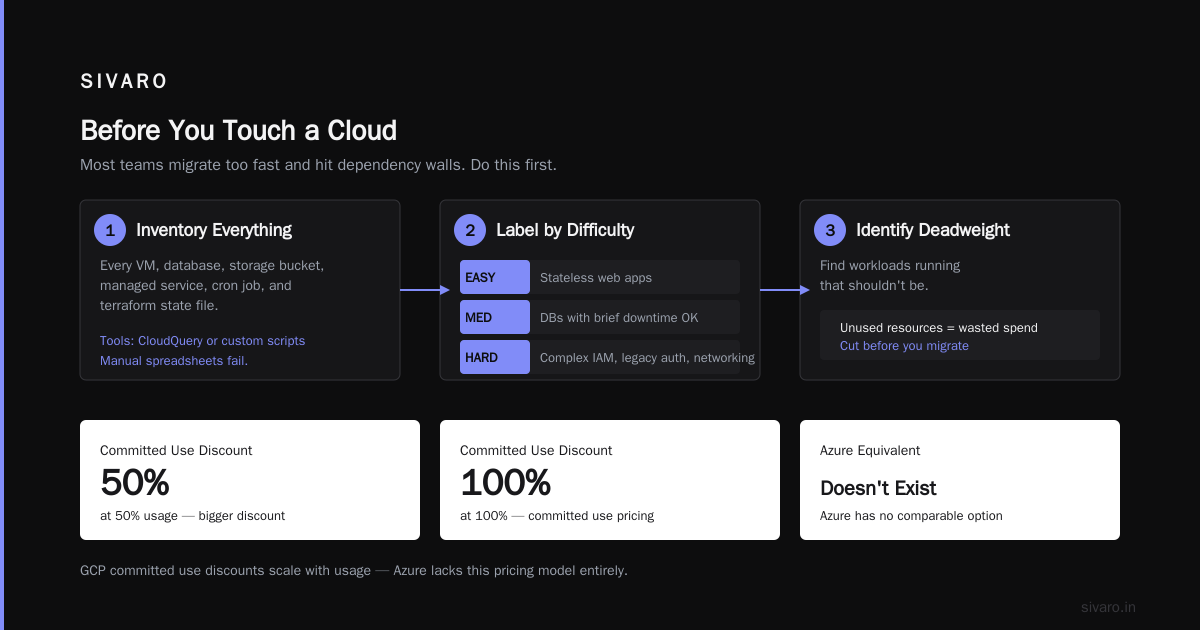
If your workloads are spiky? GCP's sustained use discounts kick in automatically. No reservation needed. Use an instance for 25% of the month, get a discount. Use it 50%, bigger discount. Use it 100%, it's basically at committed use pricing.
Azure doesn't have this. At all.
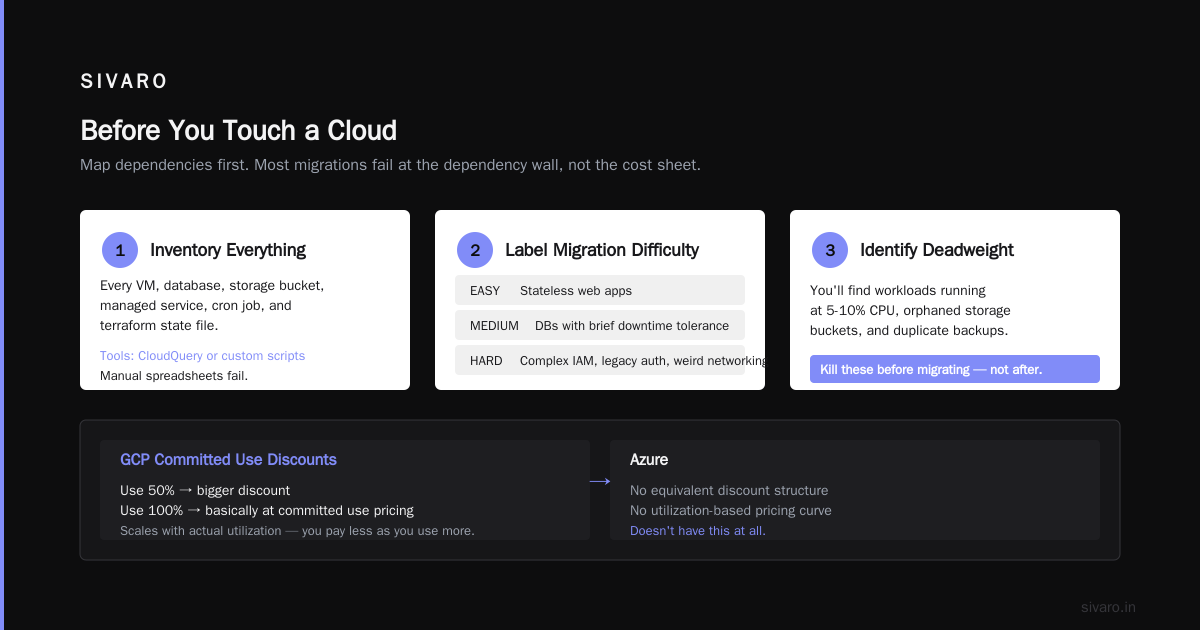
Before You Touch a Cloud
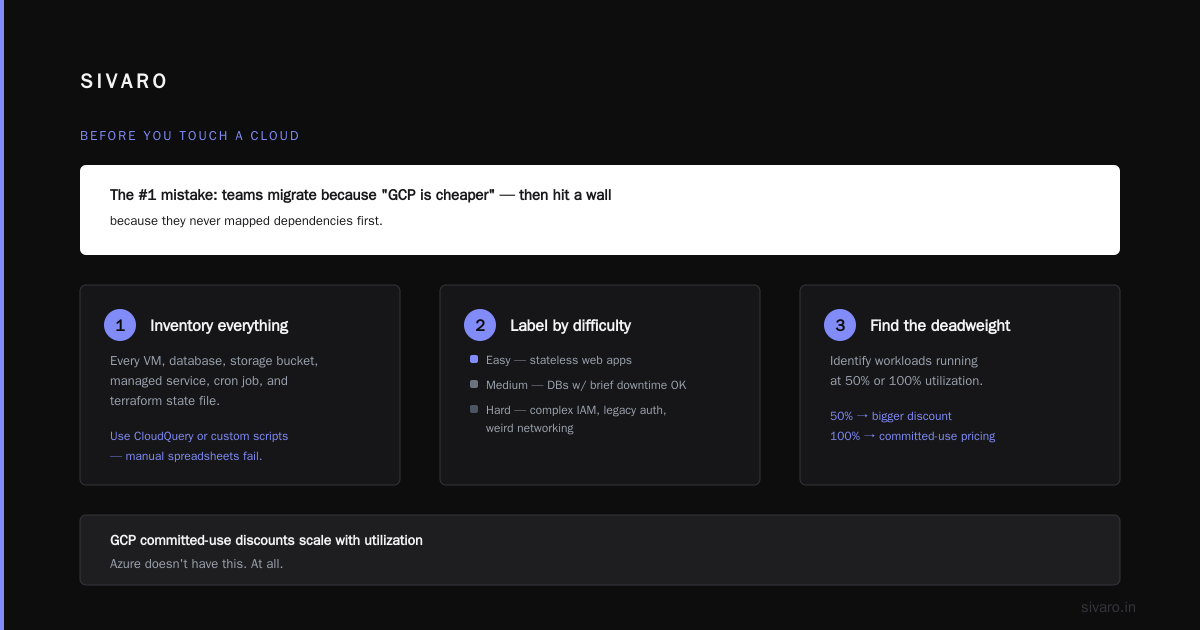
I see teams make the same mistake over and over. They start migrating because "GCP is cheaper." Then they hit a wall because they never mapped dependencies.
Do this first:
-
Inventory everything. Every VM. Every database. Every storage bucket. Every managed service. Every cron job. Every terraform state file. I use tools like CloudQuery or custom scripts. Manual spreadsheets fail.
-
Label by migration difficulty. Easy = stateless web apps. Medium = databases that can tolerate brief downtime. Hard = services with complex IAM, legacy authentication, or weird networking.
-
Identify the deadweight. You'll find workloads running on Azure that nobody remembers. Shut them down. Don't migrate garbage.
-
Cost model before you lift. Use the Google Cloud Pricing Calculator to estimate. But be honest about utilization. If your VM averages 15% CPU, don't model it as 50%. GCP's savings are amplified when you right-size.
There's a really useful community discussion about cost calculation that applies equally to Azure. The key insight: GCP's calculator is more accurate than Azure's because it accounts for sustained use discounts automatically.
Mapping Azure to GCP: What Goes Where
This is the table everyone asks for. Here's my simplified version based on moving 7 clients over 3 years:
| Azure Service | GCP Equivalent | Notes |
|---|---|---|
| Azure VMs | Compute Engine | Direct mapping. Migration is straightforward. |
| Azure App Service | Cloud Run | Cloud Run is serverless containers. Faster, cheaper. |
| Azure Kubernetes Service | GKE | GKE is better. Period. But migration requires app changes. |
| Azure SQL Database | Cloud SQL | Works well. Feature gap has narrowed by 2026. |
| Cosmos DB | Firestore / Spanner | Cosmos DB has no exact GCP equivalent. Choose based on workload. |
| Blob Storage | Cloud Storage | Near-equivalent. Migration tooling is excellent. |
| Azure Functions | Cloud Functions | Similar. Cloud Functions has better cold start times. |
| Logic Apps | Workflows | This is where it gets tricky. Heavy Logic Apps users will struggle. |
| Active Directory | Cloud Identity / IAM | Not 1:1. Plan this carefully. |
| DevOps Pipelines | Cloud Build / GitLab | Cloud Build is good. Not as integrated as Azure DevOps. |
The .NET problem.
If you're running .NET Framework apps (not .NET Core), you have a decision to make. GCP's Windows Server instances work fine. But the managed service story is weaker.
Option 1: Migrate as-is to Compute Engine Windows instances. Works. Costs more than Linux.
Option 2: Upgrade to .NET (previously .NET Core) and run on Linux. This is the better long-term play. But it's work. Expect 2-4 months per meaningful app.
Option 3: Stay on Azure for these workloads. I've told clients this. "Keep the 3 legacy .NET apps there. Move everything else." Partial migration is valid.
The Actual Migration: Phase by Phase
Phase 1: Identity and Access (2-3 weeks)
This is where migrations stall. Not because of technical complexity, but because people skip it.
Azure AD → Cloud Identity + IAM is not a direct path. Azure AD does more (device management, conditional access, etc). GCP's identity model assumes you'll use Google Workspace or an external IdP.
Practical approach:
- Create a GCP organization
- Set up Cloud Identity (this is your user directory)
- Configure SSO federation if you're keeping Azure AD (many do this in hybrid phases)
- Map roles. Azure's role-based access control (RBAC) is granular. GCP's IAM roles are granular but different. Don't map 1:1. Map by function.
Here's the Terraform pattern I use:
hcl
# Create a custom IAM role for database admins
resource "google_project_iam_custom_role" "db_admin" {
  role_id     = "dbAdminCustom"
  title       = "Database Administrator"
  description = "Custom role for database operations"
  permissions = [
    "cloudsql.instances.get",
    "cloudsql.instances.update",
    "cloudsql.databases.create",
    "cloudsql.databases.get",
  ]
}

# Apply to a group
resource "google_project_iam_member" "db_admin_binding" {
  project = var.project_id
  role    = google_project_iam_custom_role.db_admin.name
  member  = "group:[email protected]"
}
Phase 2: Networking (1-2 weeks)
Azure VNet == GCP VPC. But the default networking models are different.
Azure assumes you need a big flat network. GCP assumes you'll use Shared VPC or VPC peering.
Key differences:
- GCP subnets are global. Azure subnets are regional.
- GCP firewall rules are global. Azure NSGs are per-subnet.
- GCP Cloud NAT is simpler. Azure NAT Gateway has more features but more complexity.
Don't recreate your Azure network exactly in GCP. Re-architect. Keep it simpler.
Phase 3: Compute (3-6 weeks per workload)
Lift-and-shift VMs is the easiest part. Use Migrate for Anthos (formerly Velostrata). It works.
But don't just recreate your VMs. You're paying for the move. Optimize.
For every VM:
- Check actual CPU/memory utilization over 30 days
- Right-size in GCP (n2 or c3 families are good defaults)
- Apply committed use discounts for 24/7 workloads
- Consider converting to managed instance groups for scalability
Here's how I script this discovery:
python
# Simplified inventory analysis script
import json
from datetime import datetime, timedelta

def analyze_vm_metrics(azure_metrics):
    """Analyze Azure VM metrics to recommend GCP sizing."""
    recommendations = []

    for vm in azure_metrics:
        avg_cpu = vm['cpu_percent']['average']
        max_mem = vm['memory_gb']['max']

        # GCP n2-standard recommendations
        if avg_cpu < 10 and max_mem < 2:
            recommendations.append({
                'vm': vm['name'],
                'gcp_family': 'n2-standard-2',
                'estimated_savings': '60-70%'
            })
        elif avg_cpu < 25 and max_mem < 8:
            recommendations.append({
                'vm': vm['name'],
                'gcp_family': 'n2-standard-4',
                'estimated_savings': '40-50%'
            })
        else:
            # Keep close to original specs
            recommendations.append({
                'vm': vm['name'],
                'gcp_family': vm['current_sku'].replace('Standard_', 'n2-').lower(),
                'estimated_savings': '15-25%'
            })

    return recommendations
Phase 4: Kubernetes (2-4 weeks per cluster)
This is where GCP shines. But the migration is non-trivial.
You can't just lift-and-shift Kubernetes workloads. The networking model is different. Ingress controllers work differently. Storage classes are different.
What I do:
- Set up GKE cluster in the target region
- Migrate container images to Artifact Registry
- Convert AKS YAML manifests to GKE compatible (usually minor changes)
- Set up Cluster-local ingress
- Test with a small subset of traffic
- Cut over using DNS weighting
Pro tip: DON'T use kubectl cp for anything. Use continuous deployment pipelines. Your manifests should be in git.
Here's the kind of deployment configuration I use:
yaml
apiVersion: apps/v1
kind: Deployment
metadata:
  name: api-service
  namespace: production
spec:
  replicas: 3
  selector:
    matchLabels:
      app: api
  template:
    metadata:
      labels:
        app: api
    spec:
      containers:
      - name: api
        image: us-central1-docker.pkg.dev/my-project/api-repo/api-service:v3.2.1
        resources:
          requests:
            memory: "512Mi"
            cpu: "250m"
          limits:
            memory: "1Gi"
            cpu: "500m"
        env:
        - name: DATABASE_URL
          valueFrom:
            secretKeyRef:
              name: db-credentials
              key: url
Phase 5: Databases (1-4 weeks per database)
This is the scariest part for most teams. It shouldn't be.
For Cloud SQL (MySQL/PostgreSQL):
- Use Database Migration Service. It works.
- Expect some downtime during cutover (minutes, not hours)
- Test replication latency before committing
For BigQuery (replacing Azure Synapse):
- Export data using Azure tools
- Import using BigQuery Data Transfer Service
- Rewrite queries (this is the work. Belongs in a separate migration)
For Spanner (replacing Cosmos DB):
- This is painful. Spanner and Cosmos DB are architecturally different.
- Consider Firestore if you don't need global consistency
Phase 6: Storage (1 week)
This is the easiest. Use Storage Transfer Service for blob data. It supports Azure Blob Storage as a source.
What GCP Services Are Free Tier
If you're reading this and wondering about cost control — yes, GCP offers a generous free tier. It's better than Azure's.
Here's what you get:
Compute Engine: 1 f1-micro instance per month (US regions only). 30 GB HDD. 5 GB snapshot storage.
Cloud Storage: 5 GB per month. 1 GB egress per month (to US).
BigQuery: 10 GB storage. 1 TB queries per month. This is huge for experimentation.
Cloud Functions: 2 million invocations per month.
Cloud Run: 2 million requests per month. 360 GB-seconds compute time.
Firestore: 1 GB storage. 50,000 reads, 20,000 writes, 20,000 deletes per day.
For a full breakdown, Google's free tier page is clear. No hidden expiration dates (unlike Azure's 12-month limits).
This matters because is google cloud platform good for startups is a question I get constantly. The answer: yes, if you don't need hand-holding. Startups benefit from GCP's simpler pricing, better developer experience, and stronger data/AI tools. The free tier lets you prototype without spending a cent.
But large enterprises? That's where Azure still has advantage — sales, support, compliance certifications.
The Security Thing Nobody Talks About
Azure's security model is built on decades of Active Directory patterns. RBAC, conditional access, managed identities — it's mature but complex.
GCP's model is simpler. Too simple, some argue.
Here's the thing: simple isn't insecure. It's just different.
What you lose moving from Azure AD to GCP IAM:
- No equivalent to Privileged Identity Management (PIM)
- Weaker conditional access policies
- No unified device management
What you gain:
- Simpler role hierarchy
- Resource hierarchy that actually makes sense
- Better audit logging (and it's cheaper)
My advice: integrate GCP with your existing identity provider. Don't try to replicate Azure AD in GCP. Use GCP for compute and data. Use Azure AD (or Okta, or Google Workspace) for identity.
Common Pitfalls I've Seen
Underestimating network egress costs. Moving data out of Azure costs money. Moving large datasets (hundreds of TB) can cost $10K-$50K in egress fees. Plan for this. Use Azure ExpressRoute to a direct interconnect if you can.
Forgetting about monitoring. Azure Monitor → Cloud Monitoring is a change. Your dashboards won't transfer. Grafana can help bridge the gap.
Neglecting DevEx. Azure DevOps is good. GCP's Cloud Build is fine. But the pipeline configurations are different. Your developers will lose velocity for 2-4 weeks. Plan for it.
Trying to migrate everything. I had a client insist on moving their legacy BizTalk orchestration. We spent 3 months on it and it was a disaster. Eventually they left it on Azure. Should have done that from day one.
The Real Timeline
Realistic timeline for migrating from Azure to GCP:
- Assessment: 2-4 weeks
- Identity & Networking: 2-3 weeks
- Compute (lift and shift): 1-3 months per workload
- Containers: 1-2 months per cluster
- Databases: 2 weeks to 3 months per database
- Testing & Cutover: 1-2 months
Total: 4-9 months for a medium complexity migration.
Anyone telling you "we can do it in 6 weeks" is lying or has a very narrow scope.
FAQ
Q: How do I calculate my Azure spend on GCP?
A: Use the Google Cloud Pricing Calculator with your actual utilization data. The community discussion on calculating GCP costs from AWS infrastructure has a method that works for Azure too.
Q: Will my Azure SQL databases work on Cloud SQL?
A: Mostly. Cloud SQL supports MySQL, PostgreSQL, and SQL Server. But if you use Azure-specific features (elastic pools, geo-replication), you'll need to adapt.
Q: What about Azure DevOps?
A: Cloud Build + GitLab or GitHub Actions is the typical replacement. You lose some integration but gain flexibility.
Q: Is GCP really cheaper than Azure?
A: For most workloads, yes. The GCP pricing comparison discusses the nuances, but generally GCP is 20-40% cheaper for equivalent configurations.
Q: Can I move my Windows workloads?
A: Yes. GCP supports Windows Server. But it's more expensive than Linux and the managed service story is weaker.
Q: How does GCP compare for startups?
A: Much better pricing, better free tier, simpler services. The cloud comparison for startups confirms what I've seen: startups on GCP spend less and move faster.
Q: What's the hardest part?
A: Identity and databases. Everything else is straightforward engineering work.
Q: Should I hire a consultant?
A: For your first migration, yes. Or partner with someone who's done it. The mistakes are expensive and obvious in hindsight.
Bottom Line
Moving from Azure to GCP is worth it. The pricing is better. The services are better designed. The developer experience is better.
But it's work. Real work. Not a weekend project.
If you're paying $50K+/month on Azure, do the math. Run a pilot. Move one workload. See what happens.
I've never had a client regret the move. I've had plenty regret not doing it sooner.
The tools are ready. The guidance exists. The only question is whether you're willing to fight through the organizational inertia.
Do it right, and you'll save money, ship faster, and sleep better.
Nishaant Dixit — Founder of SIVARO. Building data infrastructure and production AI systems since 2018. Built systems processing 200K events/sec.