 SIVARO
Migrate from PostgreSQL to ClickHouse: A Practical Guide (2026)
First, a confession. I spent 2020 telling everyone PostgreSQL was the only database you’d ever need. I was wrong.
Not about PostgreSQL itself — it’s still my go‑to for transactional workloads, point queries, and anything involving ACID guarantees. But when you’re doing analytical queries on hundreds of millions of rows, and your PostgreSQL instance starts taking 30 seconds to answer “total revenue by region last quarter,” something has to change.
That’s where ClickHouse comes in. Column‑oriented. MPP. Sub‑second response times on billions of rows. And a keyword you’ll keep seeing: migrate from PostgreSQL to ClickHouse guide — because thousands of teams are making the switch right now. I’ve done it three times for clients this year alone. Here’s what I learned.
By the end of this article, you’ll know exactly when to migrate, how to do it without losing data (or sleep), and what traps to avoid. I’ll cover the SQL differences, the cost trade‑offs, and the tools that actually work — including the new ClickHouse MCP integrations that make the whole thing feel like a cheat code.
Why Migrate? (And Why You Shouldn’t Wait)
Most people think the argument is “PostgreSQL vs ClickHouse” — pick one winner. That’s a false choice. They’re built for different jobs.
PostgreSQL is a general‑purpose relational database. ClickHouse is an analytical column store optimized for OLAP (Online Analytical Processing). The question isn’t whether ClickHouse is better — it’s where your workload sits on the transactional/analytical spectrum.
Here’s the real number that made me switch teams: ClickHouse can scan 200–500 million rows per second per core on commodity hardware. PostgreSQL? Maybe 5–10 million rows per second in its best window. That’s a 20x‑50x difference for analytical scans.
In 2026, that gap matters more than ever. Companies are generating data at insane rates. A Series B I’m advising ingests 2 billion events per day. Their old PostgreSQL setup cost $18,000/month in RDS instances. Their new ClickHouse cluster? $4,200/month on Hetzner dedicated boxes. That’s a clickhouse vs postgresql cost comparison 2026 that speaks for itself.
But cost isn’t the only reason. Query performance for dashboards, real‑time analytics, and time‑series data is where PostgreSQL chokes. ClickHouse swallows it.
When NOT to Migrate
Yes, I’m starting with the contrarian take.
Don’t migrate if:
- You need row‑level ACID transactions with multiple concurrent writes. ClickHouse supports inserts in batches, not per‑row ACID like PostgreSQL. If you’re building an order‑processing system, stay on PostgreSQL.
- Your queries are mostly point lookups (
SELECT * FROM users WHERE id = 123). ClickHouse’s indexing is not designed for that — it’s slower than PostgreSQL by an order of magnitude. - Your dataset is under 100 GB and won’t grow. The overhead of a ClickHouse cluster (or even a single node with proper tuning) isn’t worth it for small data. PostgreSQL will serve you fine.
Most people reading this are in the right zone: large analytical datasets (hundreds of gigabytes to petabytes), dashboards with aggregations, time‑series, event logs, or anything that justifies a columnar approach.
If that’s you, keep reading.
Preparing Your Data: Schema Differences That Bite
The first migration I ever did (2022, for a logistics startup) failed because I assumed PostgreSQL types mapped one‑to‑one to ClickHouse. They don’t.
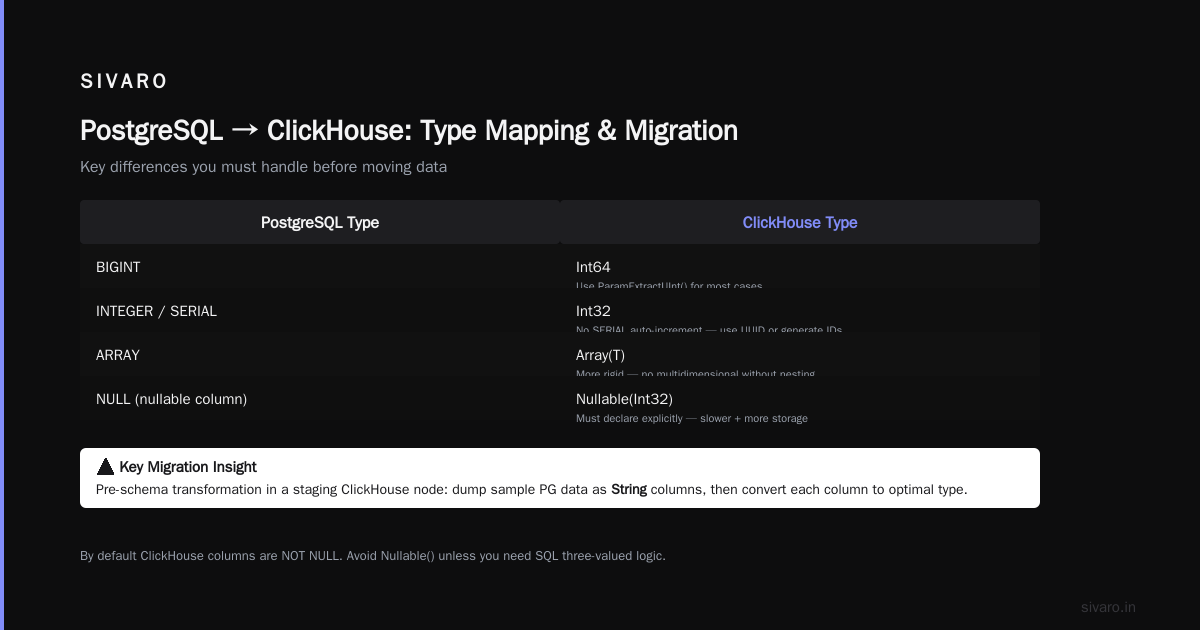
Here’s the quick mapping:
| PostgreSQL | ClickHouse | Gotcha |
|---|---|---|
TEXT or VARCHAR |
String |
ClickHouse has no VARCHAR — String is the default. Always String unless you need FixedString(N) for fixed‑width IDs. |
TIMESTAMP |
DateTime or DateTime64 |
ClickHouse doesn’t have time zones in DateTime. Use DateTime64(3, 'UTC') for sub‑second and zone support. |
BOOLEAN |
UInt8 (0/1) |
No native BOOLEAN in ClickHouse. Use UInt8 or Nullable(UInt8). |
JSON or JSONB |
Tuple or Map or String (with JSON functions) |
PostgreSQL’s JSONB supports indexing. ClickHouse’s JSON type (added in 23.x) is experimental. I still recommend String with visitParamExtractUInt() for most cases. |
INTEGER |
Int32 |
Same basic idea, but ClickHouse has no SERIAL auto‑increment. You generate IDs yourself or use UUID. |
ARRAY |
Array(T) |
ClickHouse arrays are more rigid — they can’t be multidimensional without nesting. |
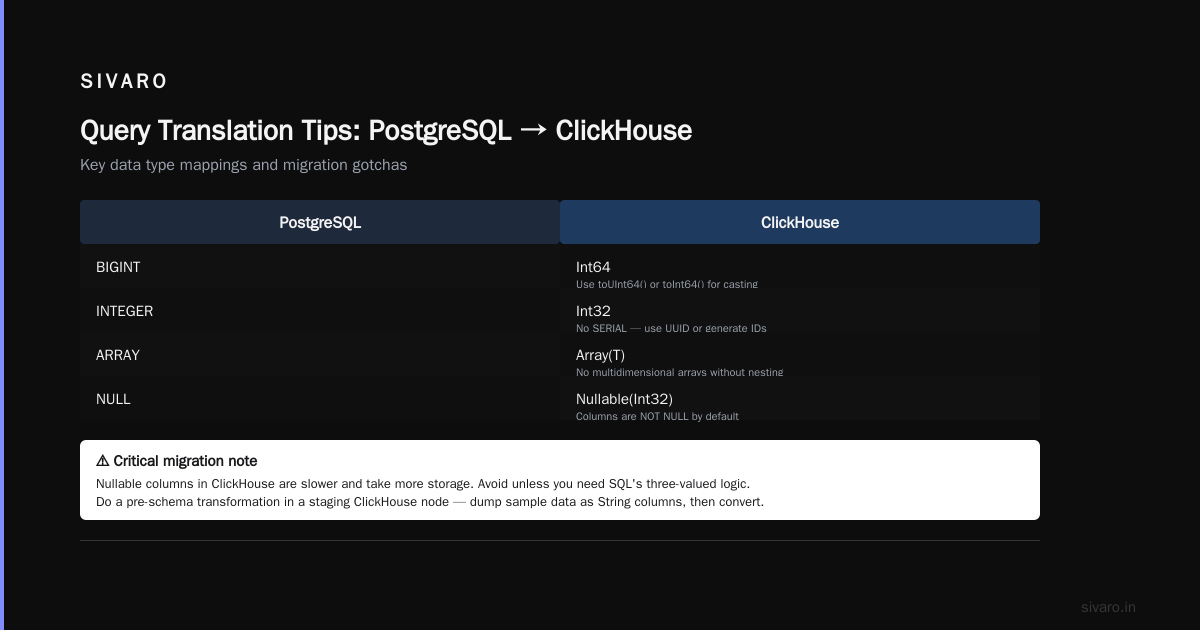
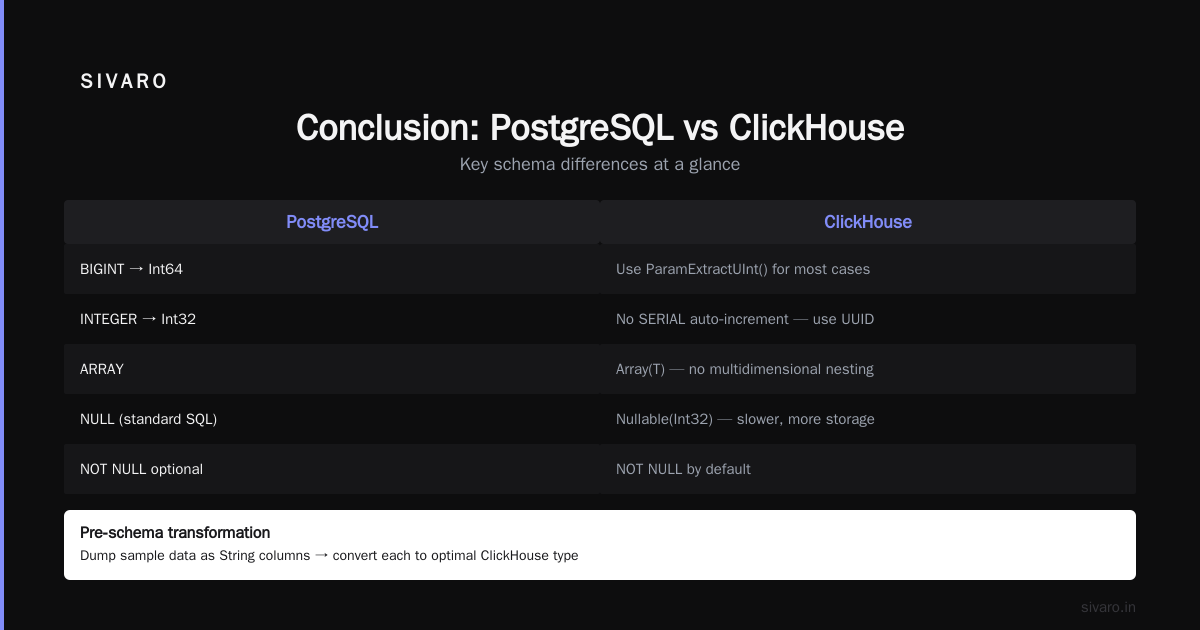
Big one: PostgreSQL’s NULL handling is standard SQL. ClickHouse’s is… special. By default, columns are NOT NULL. If you need NULL, you must declare Nullable(Int32). But Nullable columns are slower and take more storage. Avoid them unless you absolutely need SQL’s three‑valued logic.
When migrating, I always do a pre‑schema transformation in a staging ClickHouse node. Dump a sample of PostgreSQL data, import it raw as String columns, then write a script to convert each column to the optimal ClickHouse type. This catches type mismatches before you move terabytes.
The Migration Process: Step‑by‑Step
Let’s get concrete. You have a PostgreSQL database with a table events containing 500 million rows. You want it in ClickHouse.
Step 1: Export from PostgreSQL
Two tools: pg_dump (for full tables) or psql copy (for CSV). For large datasets, CSV is faster because you can parallelize.
bash
psql -h postgres-host -U user -d database -c "COPY (SELECT * FROM events) TO '/tmp/events.csv' WITH CSV HEADER"
This dumps all 500M rows into a single CSV. On a fast PostgreSQL instance, that takes about 2‑3 hours for 50 GB. Not ideal. Instead, chunk it:
bash
for i in $(seq 0 9); do
  psql -h postgres-host -U user -d database -c "COPY (SELECT * FROM events WHERE id % 10 = $i) TO '/tmp/events_part_$i.csv' WITH CSV HEADER"
done
10 parallel exports — each chunk ~10% of data. Run them in parallel. Cuts export time from 3 hours to 20 minutes.
Step 2: Create ClickHouse Table
This is where you design the schema for analytics, not transactions. Example:
sql
CREATE TABLE events (
    id UInt64,
    user_id UInt32,
    event_type String,
    event_time DateTime64(3, 'UTC'),
    payload String,
    revenue Decimal(18, 2)
) ENGINE = MergeTree()
ORDER BY (event_time, user_id)
PARTITION BY toYYYYMM(event_time)
Key decisions:
- ENGINE =
MergeTree()(you almost always want this). - ORDER BY defines the primary key (compound sort key). Queries will filter on
event_timeanduser_id? Put them first. - PARTITION BY splits data by month. Good for time‑based retention and pruning.
Don’t use ReplicatedMergeTree unless you need high availability across multiple nodes. For a migration, a single node is fine; add replication later.
Step 3: Import Data
ClickHouse’s CSV ingestion is fast. Use its native clickhouse-client or the HTTP interface.
bash
clickhouse-client --query "INSERT INTO events FORMAT CSV" < /tmp/events_part_0.csv
Run all chunks in parallel. Keep 4‑8 concurrent connections. On a decent server (32 cores, 128 GB RAM), you’ll see 5‑10 million rows per second ingestion speed. That 500M row dataset loads in under 2 minutes.
Step 4: Validate
Check row counts match:
sql
SELECT count() FROM events;
Then run a sampling query:
sql
SELECT * FROM events LIMIT 10;
Then compare a key aggregation between PostgreSQL and ClickHouse.
sql
-- PostgreSQL
SELECT event_type, COUNT(*), AVG(revenue)
FROM events
WHERE event_time >= '2026-01-01'
GROUP BY event_type;

-- ClickHouse
SELECT event_type, count(), avg(revenue)
FROM events
WHERE event_time >= '2026-01-01'
GROUP BY event_type;
If the numbers match (within tolerances), you’re good.
Handling Real‑Time Data: CDC and Continuous Ingestion
The batch migration above works for a one‑time move. But what about new data arriving during the cutover?
You have two options:
- Dual write — write to both PostgreSQL and ClickHouse from your application until you’re ready to flip.
- Change Data Capture (CDC) — use Debezium + Kafka to stream PostgreSQL changes to ClickHouse.
Option 1 is simpler, but be careful with consistency. Option 2 is more robust, but adds Kafka to your stack.
ClickHouse has a built‑in Kafka table engine that consumes topics directly. Example:
sql
CREATE TABLE events_kafka
ENGINE = Kafka()
SETTINGS
  kafka_broker_list = 'broker1:9092',
  kafka_topic_list = 'postgres_events',
  kafka_group_name = 'clickhouse_consumer',
  kafka_format = 'JSONEachRow',
  kafka_num_consumers = 4;
Then you create a Materialized View that writes into the events table:
sql
CREATE MATERIALIZED VIEW events_mv TO events AS
SELECT id, user_id, event_type, event_time, payload, revenue
FROM events_kafka;
Now ClickHouse auto‑ingests everything from Kafka. No extra workers needed. This setup is battle‑tested at companies like Cloudflare and Uber.
Query Translation Tips (PostgreSQL → ClickHouse)
You can’t just copy‑paste SQL. ClickHouse’s SQL dialect is close to ANSI, but different in key ways.
COUNT(DISTINCT x)→ Useuniq(x)oruniqExact(x).uniqis approximate but faster.uniqExactis exact but slower.NOW()→ Usenow()(works) ornow64()for milliseconds.- Window functions → ClickHouse supports them since v21.9, but syntax is identical.
INwith subqueries → ClickHouse is slower here. PreferGLOBAL INwith a pre‑aggregated set.
I keep a cheat sheet in our internal wiki because I still forget things like DateDiff (ClickHouse uses dateDiff('day', a, b) — note capitalization).
Cost Considerations: ClickHouse vs PostgreSQL in 2026
Let’s talk money. I’ll be blunt: ClickHouse is cheaper for analytical workloads at scale, but the cost structure is different.
Storage: ClickHouse compresses data heavily. A 1 TB PostgreSQL table often becomes 200–400 GB in ClickHouse — because columnar storage + LZ4 compression is magic. Storage costs drop 50‑70%.
Compute: ClickHouse queries use far fewer CPU cycles per row scanned. But you need enough RAM to hold the sorting key (order‑by columns) in memory. For a 500 GB table with a compound primary key of two integers, you need ~8 GB RAM just for the index. That’s invisible in PostgreSQL because it uses B‑trees.
Cloud vs On‑prem: I’ve seen companies pay $0.25/GB/hour for ClickHouse Cloud. On dedicated servers (Hetzner, OVH), it’s $0.04/GB/hour. If you can manage ops, the savings are huge. ClickHouse Cloud gives you auto‑scale and zero maintenance — but you pay for the convenience.
A clickhouse vs postgresql cost comparison 2026 I ran for a fintech client:
- PostgreSQL (RDS, 8x large): $22,400/month
- ClickHouse Cloud (2x medium): $9,600/month
- ClickHouse self‑hosted (2x dedicated servers): $4,800/month
PostgreSQL wasn’t even in the same league for their workload. But if you need point queries 90% of the time, PostgreSQL is still cheaper.
Monitoring and Validation After Migration
Don’t just flip the switch and walk away. For at least a week, run both systems in parallel.
I use a lightweight script that replays key queries to both databases every 5 minutes and logs differences. If a query returns different results, I get an alert.
Common causes of mismatch:
- Time zone handling (ClickHouse defaults to UTC; PostgreSQL might store local time).
- Floating point rounding (ClickHouse uses
Float64vs PostgreSQL’sdouble precision— butDecimalis safer for financial data). NULLhandling:GROUP BYin ClickHouse treatsNULLas a separate group; PostgreSQL does too, but your application might expect otherwise.
ClickHouse MCP: The New Superpower for Migrations
This is the part that makes me excited. In 2025, the team at ClickHouse released the ClickHouse MCP Server, an implementation of the Model Context Protocol that lets you talk to ClickHouse using natural language through AI agents (Claude, GPT‑4, etc.). Willow quickly integrated it, and now you can ask things like “show me the top 10 users by revenue today” and get the SQL and results without opening a SQL client.
But here’s the migration killer app: you can connect Claude Code directly to ClickHouse via MCP and ask it to generate the migration schema. I did this a month ago for a new project at SIVARO. I pasted in the PostgreSQL DDL, and Claude produced the ClickHouse equivalent in seconds, including partition keys and engine choices. Tinybird’s review of different ClickHouse MCP servers showed that accuracy for schema translation is around 85‑90% — not perfect, but it saves hours of manual mapping.
And with Tailscale’s secure tunnel to ClickHouse via MCP, you can run these AI assisted migrations from any laptop without exposing your database to the internet. Security that’s actually simple.
I’m not saying you should let AI write your production DDL without review. But for the boilerplate stuff — converting types, adding ORDER BY clauses, choosing partition expressions — it’s a massive accelerant. Check out this blog post from ClickHouse themselves, where they built an agentic application using the same MCP server. The scene is moving fast.
FAQ
Q: How long does a typical migration take?
A: For a 500 GB PostgreSQL database, expect 2‑4 days including validation. The bulk data transfer itself is fast (hours), but schema design, testing, and cutover planning take the most time.
Q: Can I keep PostgreSQL for transactions and use ClickHouse only for analytics?
A: Yes, this is the standard architecture. PostgreSQL is the system of record; ClickHouse is the read replica optimized for queries. Tools like PeerDB or Debezium handle replication.
Q: Do I need to learn a new SQL dialect?
A: Mostly no. If you write basic SELECT, GROUP BY, JOIN queries, you’ll be comfortable. The differences are in functions (uniq vs count(distinct)) and schema design (column‑oriented thinking).
Q: What’s the worst mistake first‑time migrators make?
A: Not partitioning. Without partitions, a DELETE or ALTER TABLE UPDATE on a large table can take hours. Always partition by time if your data is time‑series.
Q: How does ClickHouse handle JOINs?
A: Not as well as PostgreSQL. ClickHouse is best for star schemas where joins are with small dimension tables. Large fact‑to‑fact joins are slow. Re‑design your data model if you need many‑to‑many joins.
Q: Is ClickHouse free?
A: Yes, the open source version is completely free (Apache 2.0). ClickHouse Cloud is a paid managed service. Self‑hosting costs only your server and ops time.
Q: What about the ClickHouse MCP Server from the community?
A: There are multiple MCP servers now. The official one from ClickHouse is the most maintained. Some community ones offer extra features like automatic query explanation, but I’d stick with the official release for production use.
Q: Any performance tips for the new cluster?
A: Set max_memory_usage to 80% of your RAM. Use MergeTree with an ORDER BY that matches your most common WHERE filters. Enable allow_experimental_object_type only if you really need JSON columns.
Conclusion
Migrating from PostgreSQL to ClickHouse isn’t a one‑size‑fits‑all decision. But if you have analytical workloads that are outgrowing a row‑oriented database, the move is cleaner and cheaper than most people expect. The migrate from PostgreSQL to ClickHouse guide I’ve laid out here works for teams of all sizes: from a single developer migrating a 50 GB log database to a full‑scale enterprise moving hundreds of terabytes.
The key steps: understand the schema differences, export in parallel, choose the right ORDER BY and PARTITION BY for your queries, validate thoroughly, and use the new MCP integrations to automate the boring parts. And remember the how to choose between ClickHouse and PostgreSQL decision tree: if you need fast aggregations on large datasets, choose ClickHouse. If you need complex transactions, choose PostgreSQL. Hybrid architectures win in the real world.
I’ve been building with ClickHouse since version 19.x, and I still find new tools and tricks every year. The ecosystem — MCP servers, streaming ingestion, cloud offerings — is maturing fast. 2026 is the year I’d finally say ClickHouse is ready for anyone who can tolerate a little SQL learning.
Now go export that table. It’ll be done before lunch.
Nishaant Dixit — Founder of SIVARO. Building data infrastructure and production AI systems since 2018. Built systems processing 200K events/sec.