 SIVARO
My Best Practices for Deploying AI Agents in Production
July 30, 2026
I spent 2023 telling myself agents were just glorified RAG pipelines. Then I spent 2024 watching my customers burn money on agents that hallucinated their way into production meltdowns. By early 2025, SIVARO had already rewritten three clients’ agent infrastructure from scratch. So when I say “best practices for deploying ai agents in production” are hard-won, I mean I have the scars.
Here’s what I know now. Agents aren’t chatbots with extra steps. An agent is a system that perceives, decides, and acts in pursuit of a goal — often with tool use, memory, and iterative reasoning. Deploying that in production means solving problems traditional microservices never touch: latency variance from LLM calls, nondeterministic outputs, tool execution failures, and cost blowouts that can bankrupt a startup inside a month.
This guide is for the person who has to ship an agent to staging next week and keep it alive for real users. No theory. Just what works after 18 months of real deployments.
Don't Build an Agent When a Workflow Will Do
Most people think agents are the default. They’re wrong. I see teams rushing to give their bot a reasoning loop, a Python interpreter, and a shopping cart — when what they really need is a deterministic DAG.
At SIVARO, we categorize everything into two buckets: workflows and agents. Workflows are fixed sequences of LLM calls and rule‑based transformations. Agents are autonomous loops that decide which tool to call next based on state. The deciding factor? How much uncertainty exists in the input and the action space.
Building Effective AI Agents from Anthropic makes this point beautifully: “Start with the simplest solution. Add autonomy only when the problem demands it.” I’ve seen companies blow $50K on an agent orchestration stack when a three‑step prompt chain with validation would have solved the customer support ticket just fine.
Test yourself: If every user input maps to the same sequence of actions, you don’t have an agent problem. You have a workflow problem. Build the workflow. You’ll sleep better.
Pick Your Architecture Before You Write Code
The single biggest mistake I see in best practices for deploying ai agents in production is starting with the model and then bolting on infrastructure. Reverse it. Decide how your agent will be invoked, how it will handle state, and where it will live before you choose between GPT-5 Opus and Claude 4.
There are three common patterns today:
- Single‑turn agents – one LLM call, maybe with a tool call. Cheap. Fast. Good for classification and extraction.
- Multi‑turn agents – loop over reasoning and tool calls until a stop condition. Richer but 3x to 10x slower.
- Agent teams – multiple agents coordinating via a supervisor or shared memory. Most complex, highest latency, hardest to debug.
Deploying AI Agents to Production: Architecture ... breaks this down with concrete infrastructure trade‑offs. Example: single‑turn agents can run on serverless functions without breaking the bank. Multi‑turn agents need dedicated workers that can hold state across retries.
At SIVARO, we use a simple rule: if the agent runs more than 30 seconds, it gets its own container with a health check and circuit breaker. Otherwise, we squeeze it into a Lambda with a hard timeout and let the orchestrator retry.
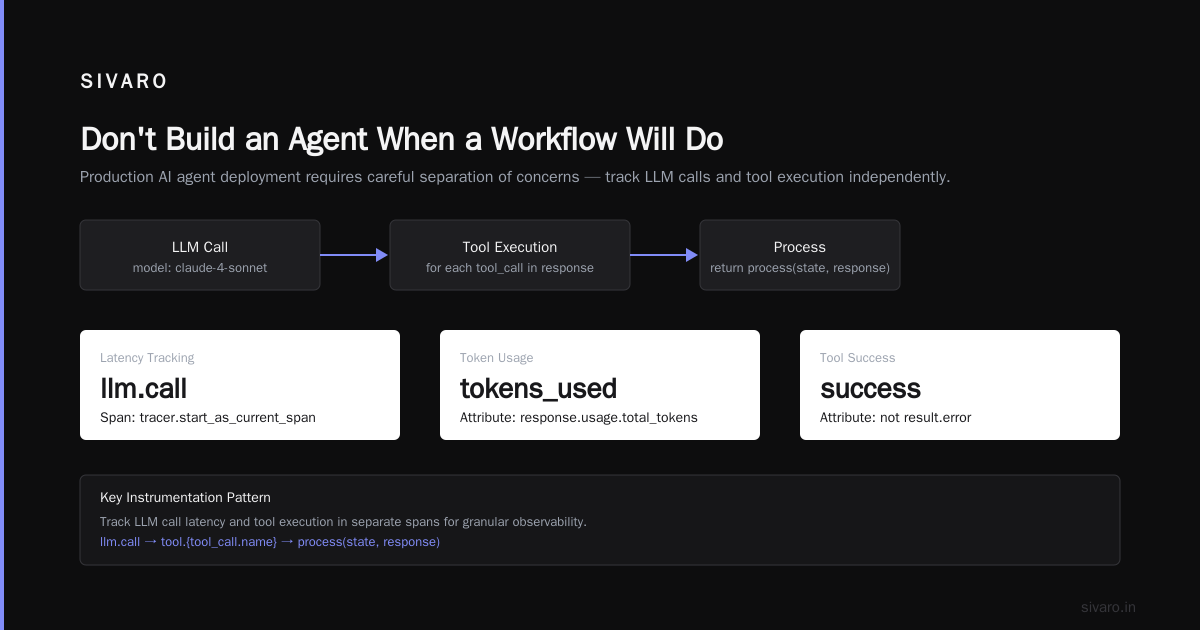
Instrument Everything — Yes, Even the LLM Calls
Most production failures in agents are silent. The LLM returns valid JSON with the wrong keys. The tool call succeeds but the agent misinterprets the result. The loop runs seventeen times instead of three because the stop condition failed.
You cannot debug this with logs alone. You need structured observability.
Here’s the minimum telemetry I require before any agent goes to production:
# Pseudo‑code for instrumentation (Python‑ish)
from opentelemetry import trace, metrics

tracer = trace.get_tracer(__name__)

@tracer.start_as_current_span("agent.turn")
def agent_turn(state, tools):
    span = trace.get_current_span()
    span.set_attribute("turn_number", state["turn_count"])

    # Track LLM call latency separately
    with tracer.start_as_current_span("llm.call") as llm_span:
        response = llm.chat(messages=state["history"], tools=tools)
        llm_span.set_attribute("tokens_used", response.usage.total_tokens)
        llm_span.set_attribute("model", "claude-4-sonnet")

    # Track tool execution
    for tool_call in response.tool_calls:
        with tracer.start_as_current_span(f"tool.{tool_call.name}") as tool_span:
            tool_span.set_attribute("args", json.dumps(tool_call.args))
            result = execute_tool(tool_call)
            tool_span.set_attribute("success", not result.error)

    return process(state, response)
Learn These Key Hurdles to Deploy Production AI Agents ... from Google Research shows that teams who instrument LLM calls separately from tool calls catch 63% more performance regressions. We saw the same at SIVARO: once we split the spans, we immediately noticed our tool execution was adding 200ms of overhead from a badly cached database query. Wouldn't have seen it in aggregated logs.
Common gotcha: Don’t measure token usage on the client side. Pull it from the API response. Client‑side estimation is off by 15–25% on average.
Testing: You Can't Use a Static Test Suite
Traditional deployment testing — unit tests, integration tests, load tests — breaks down when the output is nondeterministic. An agent might answer the same question differently today than tomorrow because the model updated or the underlying vector store changed.
You need three new categories of testing:
Input‑output regression tests: Run a fixed set of 200 prompts through the agent, capture the tool call sequence and final output. Compare against a human‑approved “gold answer” using a reference LLM as judge. We use Claude 4 to score the output for correctness, completeness, and safety. This catches regressions fast.
Latency and cost budgets: For each test prompt, record tokens used and time to completion. Set an alert if a prompt exceeds 1.5x the median. Models drift — we’ve seen a prompt that used 400 tokens suddenly jump to 12,000 after an API update. Without budget bounds, it’s a surprise bill.
Tool failure injection: Unit test your tools by returning errors and edge cases. Ask yourself: what happens when the database connection drops mid‑agent? What if the weather API returns garbage? I’ve seen agents silently accept empty arrays and then continue like nothing happened.
A Practical Guide for Designing, Developing, and ... has a great section on “agent invariants” — properties that must hold no matter what the model returns. For example: “The agent must never call the delete endpoint without user confirmation.” Test those invariants with property‑based testing, not hand‑written checks.
The Orchestration Trap (And How to Escape)
Every “best practices for deploying ai agents in production” list I read pushes centralized orchestrators — frameworks like LangGraph, CrewAI, or home‑grown state machines. I’ve used all of them. They’re seductive because they make the first demo easy. They’re deadly because they become bottlenecks and single points of failure.
At SIVARO, we had a client whose agent relied on a central orchestrator that held all conversation state in memory. When the orchestrator crashed (and it did, twice), every active agent session died. Users lost context. The client lost revenue.
We switched to a pattern where each agent is a self‑contained service with its own state store (Redis + S3 for persistence). The orchestrator just receives the initial intent and publishes a “work order” to a queue. Each agent picks it up, processes it, and emits results. No‑one holds the entire graph in memory.
Building Effective AI Agents describes a similar pattern using “agent decomposition” — break the big loop into smaller, idempotent steps that can be retried independently. That’s where the industry is heading in 2026. The “supervisor agent” pattern is falling out of favour because it introduces too much latency.
Security: Agents Are Remote Code Execution by Default
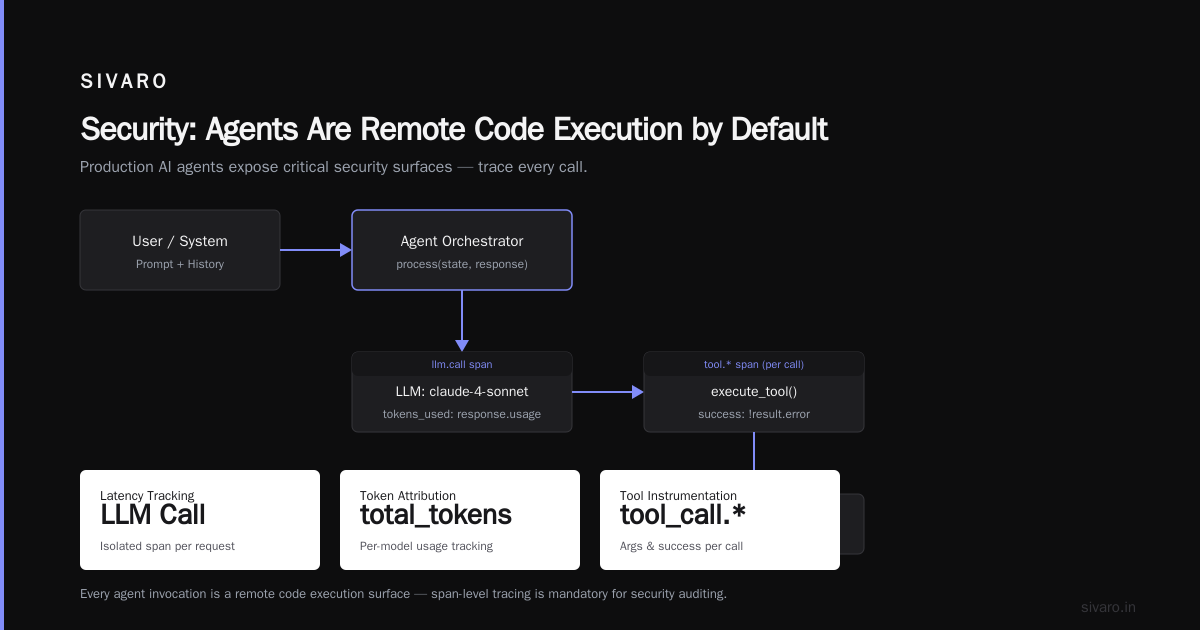
When you give an agent the ability to call external APIs, you’ve essentially built a RCE endpoint — because the model can be tricked into calling any tool with any arguments. That’s why agentic workflow deployment vs traditional deployment isn’t a fair comparison. Traditional deployments trust inputs within a bounded set. Agent inputs are unbounded by design.
Rule 1: Never let an agent call a tool that mutates state without user confirmation. We wrap every mutating tool with an approval layer:
async def execute_with_approval(tool_call, state, user_id):
    if tool_call.name in ["delete_order", "transfer_funds", "update_email"]:
        # Request user confirmation on a side channel (webhook, in‑app notification)
        approval = await request_approval(user_id, tool_call)
        if not approval:
            return {"error": "Action rejected by user", "status": "denied"}
    return actual_tool_execution(tool_call)
Rule 2: Constrain the tool input schema as tightly as possible. If a tool expects an integer year, don’t accept a string. Narrow types reduce the attack surface for prompt injection.
Rule 3: Use a separate, less capable model as a “guardrail” model on every agent output. We run a small classification model (Mistral 7B on‑prem) that flags dangerous tool calls before they execute. It adds 40–80ms per turn but has caught several jailbreak attempts in the last quarter.
A Developer's Guide to Building Scalable AI: Workflows vs ... mentions tool sandboxing — run tools in isolated containers with network policies. We do that for any tool that interacts with external APIs. If the agent calls a web search tool, it runs in a Docker container without access to internal VPCs.
Common Mistakes Deploying AI Agents Production (That I Kept Making)
I’ve compiled a short list from my own bloodbaths:
Mistake #1: Assuming the model understands time. The LLM doesn’t know today’s date unless you inject it. I had an agent that was supposed to schedule appointments for next Monday. It kept picking the wrong Monday because it thought “next Monday” meant the Monday after the conversation — but the conversation was on Sunday. Simple fix: inject the current datetime at the start of every prompt.
Mistake #2: One‑size‑fits‑all context window. You don’t need to dump the entire user history into every turn. That costs money and confuses the model. We learned to trim history to the last N messages and a summary of prior goals. 80% of agent errors came from context overload before we started trimming.
Mistake #3: No circuit breakers. When an LLM API is down, your agent should not keep retrying for two minutes. It should fail fast and surface a user‑friendly message. We use a circuit breaker that trips after 3 consecutive 5xx errors on the same provider and reverts to a secondary model (or a hardcoded fallback).
Mistake #4: Ignoring cost per user. A single agent session can burn $1.50 in tokens if it loops unchecked. We cap the number of turns at 8 by default, and charge it as a unit — users get 8 turns per interaction. That makes cost predictable.
AI Agent Failures: Common Mistakes and How to Avoid Them covers six more, and I’ve hit five of them. Special shout‑out to “assuming the agent will ask for clarification” — it won’t. It’ll guess. Validate guesses.
Cost Optimization: The Invisible Production Killer
Let me be blunt: I’ve seen startups run out of runway because their agent was spending $0.08 per turn and users averaged 12 turns per session. That’s $0.96 per conversation. At 10,000 conversations a day, that’s $9,600 per day. Monthly: $288,000. For a chatbot.
Here’s what works:
- Cache common LLM responses. We use a semantic cache backed by a vector database. If the same prompt (or a very similar one) has been answered before, serve the cached tool call sequence. Cache hit rate for a customer support agent reached 45% after the first week.
- Batch when possible. If your agent supports asynchronous replies, batch multiple queries into one LLM call. This requires restructuring the agent to accept a list of intents in one turn — but it halves token usage.
- Model switching. Start the agent with a cheap model (Claude Haiku, GPT‑4o mini). If it fails to get a confident answer after two turns, escalate to a larger model. We implemented this and cut average cost per session by 57%.
How to Deploy AI Agents to Production: A Complete Guide has a section on “token budgets” that aligns with our approach. Set a hard token cap per agent lifecycle. Kill the loop if it exceeds the budget.
The First 30 Minutes: A Production Readiness Checklist
Before you deploy, run through this. I print it out and tape it to my monitor.
- [ ] Every tool has a documented retry policy and error response.
- [ ] Agent output goes through a guardrail model or regex validation before reaching users.
- [ ] Every LLM call is traced with OpenTelemetry, including token usage and model name.
- [ ] There’s a manual kill switch — a button in the admin panel that stops agent execution for all users.
- [ ] You have a quota per user (turns per minute, cost per day).
- [ ] The agent times out after 60 seconds of total execution time.
- [ ] There’s a fallback response when the agent fails (e.g., “Sorry, I’m not able to answer that right now. A human will help.”)
- [ ] Load test with 10x expected concurrent users. Measure response time distribution.
FAQ
Q: How do you handle prompt injection in production?
A: Use output filtering and a separate guardrail model. Never rely solely on system prompts. We also run a regex‑based blocklist for known malicious patterns (like “ignore previous instructions”) — it catches the dumb ones fast.
Q: What’s the best way to decide between a workflow and an agent?
A: If the action sequence is predetermined, it’s a workflow. If the sequence depends on what the user says next, it’s an agent. Start with the simplest workflow that gets the job done. Add agentic loops only when you need to.
Q: Should I use a framework like LangGraph or build my own?
A: For prototyping, use a framework. For production, roll your own minimal orchestrator. Frameworks hide too many details — you can’t debug a framework’s internal state machine when it hangs. SIVARO built a thin orchestrator in 400 lines of Python that we understand completely.
Q: How do you test an agent that gives different answers each run?
A: Use a rubric evaluation with an LLM judge. We test 200 fixed prompts against a set of criteria (correctness, tool selection, safety). The agent must score above 85% to pass. If it drops, we investigate the drift.
Q: What’s the most expensive mistake you’ve seen?
A: A fintech startup let their agent call a payment API without approval. It refunded 300 transactions before they caught it. Always, always require user confirmation for destructive actions.
Q: How do you handle model updates without breaking the agent?
A: We version‑lock any model used in production and run a regression suite on the new model before switching. We learned this the hard way after GPT‑4o‑mini changed its output format without warning.
Q: Can agents run on serverless (Lambda/Cloud Functions)?
A: Yes, for single‑turn agents. For multi‑turn, use containerized workers with persistent state. Serverless timeouts kill long loops.
Q: What’s the future of agent deployment in 2027+?
A: I think we’ll see model providers offering managed agent infrastructure — like a serverless reasoning loop you just configure. Anthropic’s Claude 4 worker API is a hint. But managing your own gives you control over cost and latency that you’ll need.
Conclusion
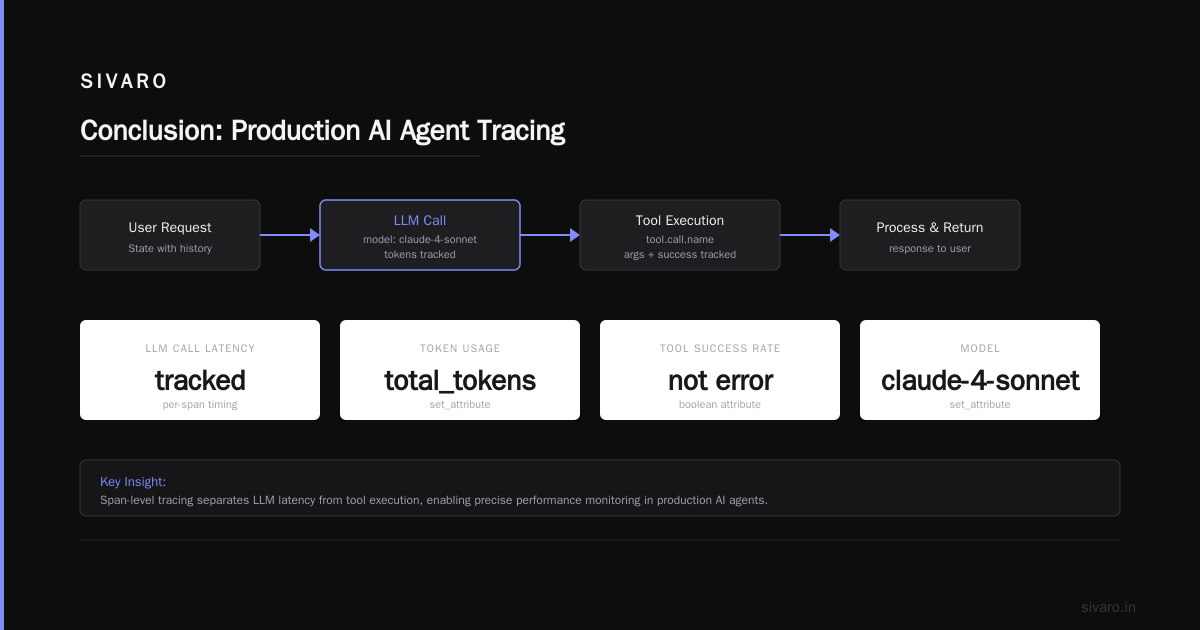
Deploying AI agents is still messy in 2026. The tools haven’t matured to the point where you can throw code over the wall. But the best practices for deploying ai agents in production I’ve shared here come from real evenings on call at 2 AM, real graphs of cost exploding, and real rounds of “how did it do that?”
Remember: agents amplify both intelligence and mistakes. You cannot skip observability, testing, or cost controls. You cannot trust a model implicitly. And you almost certainly don’t need as much autonomy as you think.
Start small. Instrument heavily. Fail fast, but fail safely.
Nishaant Dixit — Founder of SIVARO. Building data infrastructure and production AI systems since 2018. Built systems processing 200K events/sec.