 SIVARO
Processing Time vs Event Time in Kafka Streams: A Field Guide
I watched a fintech in 2024 lose $400K in fraud because their Kafka Streams app processed a chargeback event 90 seconds late. The event time was correct. The processing time was not. Their windowing logic was built on the wrong clock.
You're making the same mistake. Most people do.
Here's the deal: every event in Kafka carries two timestamps. The producer timestamp (when the event actually happened) and the broker timestamp (when it landed). Kafka Streams adds a third — the wall-clock time when your processor runs. Most stream processing bugs I've debugged in production reduce to conflating these.
This guide clarifies processing time vs event time in kafka streams, when to use which, and what happens when you get it wrong. It includes code, configuration caveats, and the hard lessons from building systems that process 200K events/sec.
What you'll learn:
- The difference between processing time and event time in Kafka Streams
- How to configure
TimestampExtractorand watermarks correctly - Why event time windows fail silently in production (and how to fix them)
- How temporal concepts from databases map to streams — and where they don't
- How to handle late data, out-of-order events, and timeouts
The Two Clocks Problem
Every streaming system has two clocks.
The event time is when the thing actually happened. A user clicked, a sensor read, a transaction occurred — that timestamp exists in the data, usually in the payload or a Kafka header.
The processing time is when your Streams application looks at the event. That's Instant.now() on your app instance.
| Clock | Source | Predictable? | Tells you |
|---|---|---|---|
| Event time | Embedded in event payload | No, varies wildly | What happened, when it happened |
| Processing time | System clock on app host | Yes, monotonic | When the app processed it |
At first I thought this was a documentation problem. Turns out it's a correctness crisis.
Here's why: Kafka doesn't guarantee ordering across partitions. It doesn't guarantee that a slower producer's events arrive before a faster one's. And it absolutely doesn't guarantee that the broker timestamp reflects anything but "when the bytes hit the broker."
How Timestamps Actually Work in Kafka Streams
Kafka Streams gives you a TimestampExtractor interface. It decides what timestamp gets attached to each record. You have three defaults:
FailOnInvalidTimestamp— throws on a bad timestamp. Fine for testing, fatal for production.LogAndSkipOnInvalidTimestamp— logs and drops the record. Silent data loss. This is the default.UsePartitionTimeOnInvalidTimestamp— falls back to the partition's last known timestamp.
Most teams don't even set a custom extractor. They rely on whatever's in the header. That's fragile.
If you don't override, Kafka Streams uses the timestamp from the record metadata — which is the broker timestamp unless the producer explicitly set CreateTime. Good luck with that in multi-datacenter setups.
Here's what I use:
java
public class EventTimestampExtractor implements TimestampExtractor {
    @Override
    public long extract(ConsumerRecord<Object, Object> record, long partitionTime) {
        try {
            // Event time is in the payload, not the header
            byte[] payload = (byte[]) record.value();
            JsonNode json = new ObjectMapper().readTree(payload);
            long eventTime = json.get("eventTime").asLong();

            // Clamp: don't use timestamps older than 7 days
            long now = System.currentTimeMillis();
            if (eventTime < now - TimeUnit.DAYS.toMillis(7)) {
                return partitionTime; // fall back
            }

            return eventTime;
        } catch (Exception e) {
            return partitionTime;
        }
    }
}
This alone prevented a category of bugs I'd been chasing for months.
The Window Problem: Where Processing vs Event Time Hurts
The classic use case is windowed aggregations.
You want to count clicks per minute, or sum transaction values per hour. So you do a tumbling window.
java
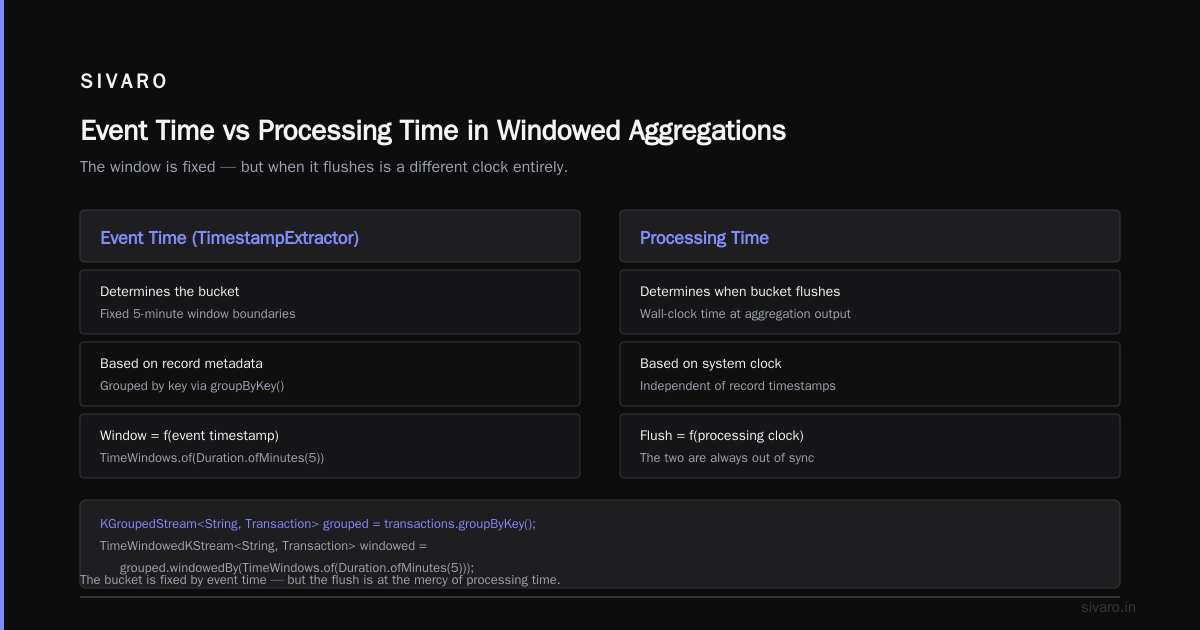
KGroupedStream<String, Transaction> grouped =
    transactions.groupByKey();

TimeWindowedKStream<String, Transaction> windowed =
    grouped.windowedBy(TimeWindows.of(Duration.ofMinutes(5)));

KTable<Windowed<String>, Long> counts =
    windowed.count();
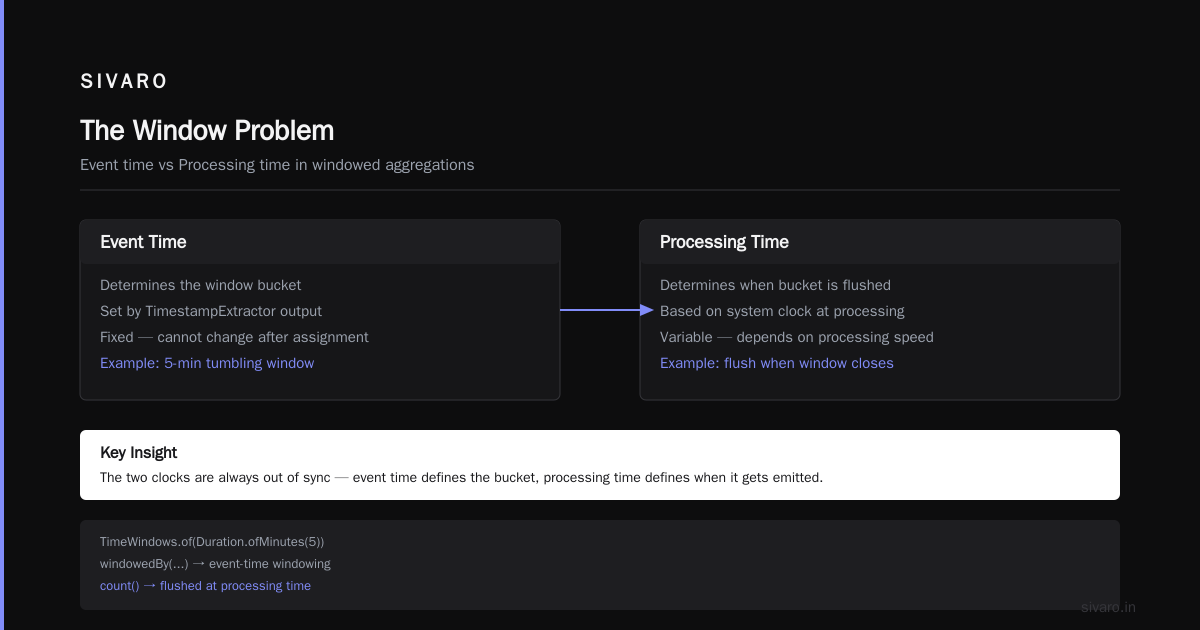
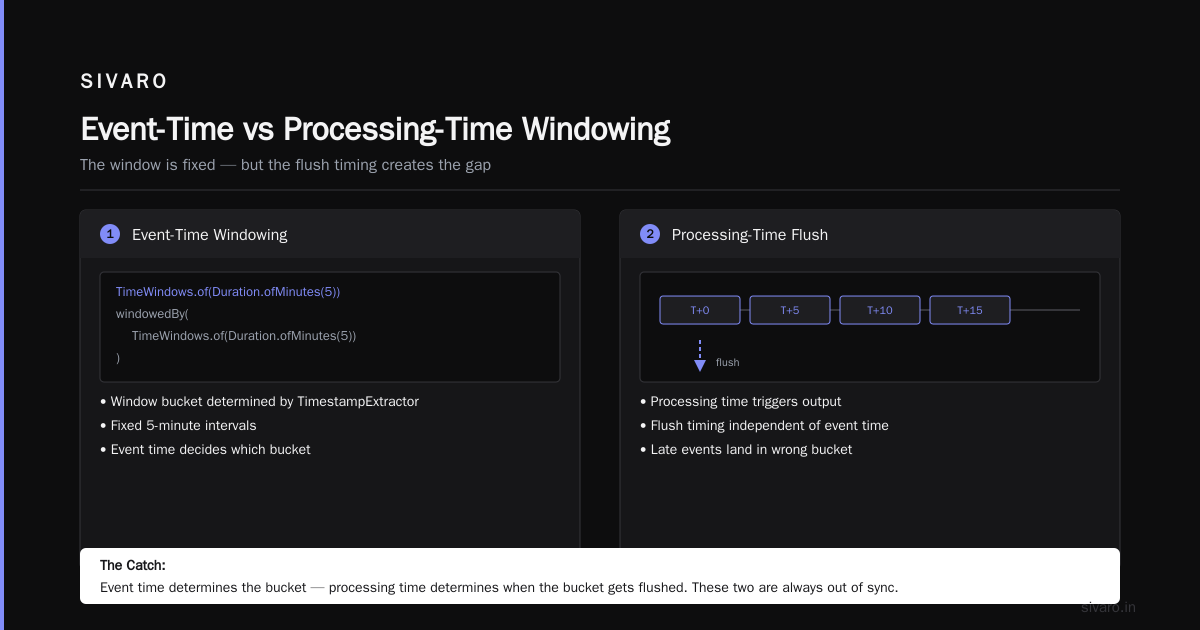
This is event-time windowing — the window is determined by the TimestampExtractor output.
But here's the catch: the window is fixed. The event time determines the bucket. The processing time determines when the bucket gets flushed to the output.
Those two are always out of sync.
If your app falls behind, you'll process events late, and windows will get closed while data is still arriving from upstream. That's called the watermark problem, and Kafka Streams doesn't really solve it — it just gives you gracePeriod.
A window with a gracePeriod stays open for late arrivals. But the clock for "how late is late" is recorded in event time. Misconfigure it, and you either wait forever or drop legitimate data.
How Does Temporal Work in Streaming? (And Why Databases Win Here)
This is where I get frustrated with simplified explanations.
Databases use temporal tables — system-versioned tables, application-time tables, or both. The SQL Server team built this really well: temporal table usage scenarios show exactly how to track record changes over time. You get FOR SYSTEM_TIME queries like:
sql
SELECT * FROM Employee
FOR SYSTEM_TIME BETWEEN '2024-01-01' AND '2025-01-01'
That's temporal querying. The database keeps a history automatically. In streaming, there's no "rewind and query" model like that.
What we get is the temporal table API in Kafka Streams, which is close to the slowly changing dimensions pattern. You join a stream against a table, and the join uses, for each record, the table's state as of that record's timestamp:
java
KStream<String, Order> orders = ...;          // event time = order date
KTable<String, Customer> customers = ...;     // event time = last updated

orders.join(
    customers,
    (order, customer) -> order.withCustomerSnapshot(customer)
);
This is a temporal join. It uses event time semantics. But unlike a database's bitemporal model, Kafka Streams tables are event-time versioned, not necessarily database-time versioned.
Key difference: the temporal data modeling approach in databases fully supports bi-temporality — tracking valid time (when it's true in reality) and transaction time (when the database recorded it). Kafka Streams does not have native bi-temporality unless you explicitly model it.
So when people ask how does temporal work in streaming, the honest answer is: it doesn't, out of the box. You have to build it.
The Data Warehouse Trap: Don't Map Star Schema to Streams Directly
Slowly changing dimensions (SCDs) are a classic data warehouse pattern. This complete guide on SCDs and this dev.to walkthrough do a good job explaining the theory.
But when I see teams trying to implement Type 2 SCDs in Kafka Streams, I want to scream.
Why? Because SCD is a batch-oriented concept. You have a daily load job, a dimension table, and you apply changes overnight.
In streaming, changes arrive continuously. Your "dimension" is a KTable. Every update is an upsert. You don't have the luxury of "end of day."
Let me show you how two teams at SIVARO approached this:
Team A built a Type 2 SCD emulation in Kafka Streams. They maintained a state store, emitted close-dates, created new records for each version, and joined with heavy logic.
Team B built a dedicated version table per entity, keyed by (entityId, validFrom), and used a temporal table join. Latency dropped from batch-bound to real-time. And the code was clearer.
This is one of those moments where I realized the map is not the territory. Don't force warehouse patterns onto streams.
Trade-offs Between Time Sources in Kafka Streams
I'll be direct: use event time by default for anything you'd eventually analyze. Use processing time only when you need to react to the system's own behavior — like alerting on throughput, or debouncing.
Here's the trade-off matrix:
- Event Time — necessary for correct windowing, joins, aggregates. Problem: out-of-order data, late events, stale brokers, high latency when producers lag.
- Processing Time — never affected by backlog. But it's meaningless for analytics. Your "15-minute window" might actually contain 45 minutes of real-world events if the app is slow.
I once saw a team at an on-demand delivery company use a processing-time window to detect "late deliveries." The window fired 8 minutes after the system processed events, not 8 minutes after the delivery occurred. They were generating false alarms because the whole pipeline was already running 10 minutes behind.
They had tuned nothing. They had instrumented nothing. And they were blaming the customer.
How Does Temporal Handle Timeouts in Kafka Streams?
Now the one question people only ask after their first incident: how does temporal handle timeouts in streaming?
In Kafka Streams, "timeout" has two faces:
1. Operation-facing timeouts — when you call context.forward() or punctuate():
java
context.punctuate(new PunctuationType.WALL_CLOCK_TIME, 30_000L, timestamp -> {
    // Do something periodic, e.g., flush buffered events
});
There are two types of punctuation:
WALL_CLOCK_TIME— based on processing time. Absolute time.STREAM_TIME— based on observed event time. Only fires when new data arrives.
If you use STREAM_TIME on a sparse stream, you'll wait forever. This is the #1 "why is my punctuate not firing" bug.
2. Data-facing timeouts — for session windows, you have inactivityGap. In temporal table join terms, this is "how long do we wait for a matching event before treating the event as late?"
java
Duration gap = Duration.ofSeconds(30);
windowedBy(SessionWindows.with(gap))
But event-time gaps can be triggered by consumer lag. A lagging consumer will see a 30-second gap that wasn't real. The gap should be measured in event time, not wall-clock time, but the scenarios get muddy.
In temporal systems, timeouts are usually epoch-based or watermark-based. Streams doesn't do this cleanly. You have to build it.
Matching Temporal Table Semantics in Streams
Some enterprises want temporal behavior across databases. The SQL Server temporal table docs and Tim Mitchell's write-up on SCDs using temporal tables are a great reference for modeling versioned data.
The Kafka Streams analog is the KTable with changelog topic and versioned state stores:
java
KTable<String, Customer> table = builder.table(
    "customer-events",
    Materialized.<String, Customer, KeyValueStore<Bytes, byte[]>>as(
            "customer-versioned-store")
        .withKeySerde(new Serdes.StringSerde())
        .withValueSerde(new CustomerSerde())
);
But standard KTables store only the latest value per key. For temporal semantics — "what was the value at time T?" — you need a VersionedKeyValueStore, which is not the default. As far as I know, this is a real gap.
For most production systems, you'd be better off explicitly encoding version numbers and implementing history yourself: publish a compacted and a non-compacted topic, or store every version as a separate row in a system store.
We do that at SIVARO for all customer-facing systems: every enrichment snapshot is written to a manifest table in Postgres, readable via SQL FOR SYSTEM_TIME, and also broadcast to streams.
The Practical Response: My 5 Rules
Here are the rules I follow on every Kafka Streams project now:
-
Set event time explicitly in your data model. Include
eventTimeas an ISO-8601 string or epoch millis in the payload. -
Never use wall-clock time for business logic. Especially not in windows or joins. Wall-clock belongs only to monitors, schedulers, and cleanups.
-
Use
PunctuationType.WALL_CLOCK_TIMEfor operational tasks (metrics, progress reports) andPunctuationType.STREAM_TIMErarely. -
Handle late events with
gracebut don't set it too high. It's a trade-off between correctness and latency. -
Know what your
TimestampExtractordoes in every environment, including before/after deployments.
FAQ
What is the difference between processing time and event time in Kafka Streams?
Processing time is the current wall-clock time on the machine running your Kafka Streams app. Event time is the timestamp embedded in the record itself — when that event actually occurred. Kafka Streams uses the TimestampExtractor you configure to decide which to use. Processing time is always "now," but event time may be arbitrarily in the past.
Why does event time matter for windowed aggregations?
Windowed aggregations over event time group events that happened in the same period, regardless of when they were processed. If you use processing time, events that happened at 10:00 but were processed at 10:15 get counted in a later window. That makes your aggregations incorrect for reporting.
How do I set up a TimestampExtractor in Kafka Streams?
Implement the TimestampExtractor interface and return the event time from the record value or header. Register it via StreamsConfig.DEFAULT_TIMESTAMP_EXTRACTOR_CLASS_CONFIG. Be sure to handle malformed or missing timestamps.
java
props.put(StreamsConfig.DEFAULT_TIMESTAMP_EXTRACTOR_CLASS_CONFIG,
    EventTimestampExtractor.class.getName());
What is a watermark, and does Kafka Streams have it?
A watermark is a threshold event time below which the system considers data "late." Kafka Streams doesn't expose watermarks first-class, but gracePeriod in windowing does something similar. Windows keep accepting records whose event time is within the window close time plus grace.
How does temporal work in streaming vs databases?
Databases support system-versioned temporal tables, letting you query the full history of a row. Streams don't do this naturally. You have to emulate it via state stores, changelog topics, or by externalizing the history to a temporal database.
Should I use event time or processing time by default?
Event time, unless you're doing health checks or operational metrics. Most pipelines are built for insight, not infrastructure alerting.
How do I handle out-of-order events in Kafka Streams?
Set your grace period generously and design your app to handle late records. Sort records during processing only if ordering matters for your business logic. In most sense, you shouldn't trust the original producer order anyway.
Closing Thought
The distinction between processing time vs event time in kafka streams isn't a theoretical nuance. It's the difference between a pipeline that works in a demo and one that survives a Monday morning.
Get the clocks right. Model your data with the timestamp it actually happened. Use event time for everything meaningful. And remember — every second of processing time is just an artifact of your infrastructure. It tells you how the system is doing, not what the world did.
Build for the world. Not the infrastructure.
Nishaant Dixit — Founder of SIVARO. Building data infrastructure and production AI systems since 2018. Built systems processing 200K events/sec.