 SIVARO
Scaling AI Agents for Production Workloads: Stop Treating Them Like Code
Two weeks ago, a major logistics company's agent accidentally ordered 40,000 pallets of socks. Not because the LLM was dumb. Because nobody tested what happens when the inventory API returns a stale cache. The agent saw "low stock" for a line item, assumed a replenishment order was safe, and fired off a purchase that cost $1.2 million before anyone noticed. That's not an AI failure. That's a production engineering failure.
Scaling AI agents for production workloads means moving beyond "does the model answer correctly?" and into "does the system survive real traffic, real data, real chaos?" It's a different game. I've been building these systems at SIVARO since 2018, and I've seen the same mistakes repeated by teams at companies you've heard of. This guide covers what I've learned the hard way: how to test, deploy, monitor, and survive when your agents start making decisions at scale.
Why Most AI Agents Crash and Burn (The Failure Stack)
Most people think agent failures are caused by bad LLMs. They're wrong. The model is often the least broken part. The real failure stack looks like this, from bottom to top:
- Infrastructure – APIs timeout, databases lag, GPUs overheat. Your agent can't think if the runtime is melting.
- Tool integration – The agent calls a tool with the wrong parameters, or the tool returns data the agent can't parse. This is where 60% of production incidents start (Why AI Agents Fail in Production).
- State management – An agent that loses context mid-conversation will invent facts to fill the gaps. I've seen agents "remember" completing a step they never attempted.
- Decision cascades – One wrong output leads to another, compounding errors until the system does something catastrophic (like ordering 40,000 pallets of socks).
The industry spent 2024-2025 obsessing over model benchmarks. Meanwhile, every production agent I've debugged had a problem that had nothing to do with the model's perplexity score. The stack needs hardening at every layer.
At SIVARO, we tested a simple finance agent last year. The model scored 97% on a test set. In production, it failed in the first hour because the payment gateway endpoint was returning a 429 rate limit error and the agent interpreted that as "payment declined by user" and deleted the invoice. A classic tool misuse error. The model was fine. The system was fragile.
How to Test AI Agents Before Production (Yes, It's Possible)
Testing LLM-based agents looks nothing like testing traditional software. You can't unit test a stochastic system the same way. But you can — and must — build a validation pipeline.
Start with synthetic simulations. Build a sandbox environment where every tool call returns predetermined responses. Then throw edge cases at the agent: empty lists, incorrect status codes, missing fields, contradictory data. This catches the "tool shocking" problems early (AI Agent Failures: Common Mistakes and How to Avoid Them).
Here's a minimal test harness in Python using pytest:
python
# test_agent_tool_handling.py
import pytest
from your_agent import Agent, ToolRegistry

class MockInventoryTool:
    def call(self, params):
        # Simulate stale cache: returns low stock even though actual stock is high
        return {"item": "socks", "stock_level": 3, "unit": "pallets"}

def test_agent_does_not_order_on_stale_cache():
    registry = ToolRegistry()
    registry.register("inventory_api", MockInventoryTool())
    agent = Agent(registry)
    # Simulate a user asking to restock if stock < 10
    result = agent.run("Check inventory and order more if stock is below 10.")
    # Agent should detect the data is stale (e.g., by checking last_updated timestamp)
    assert "reorder" not in result.lower(), "Agent should not reorder on stale data"
This doesn't test the LLM's reasoning; it tests whether the agent's decision logic catches bad data. That's where production agents actually fail.
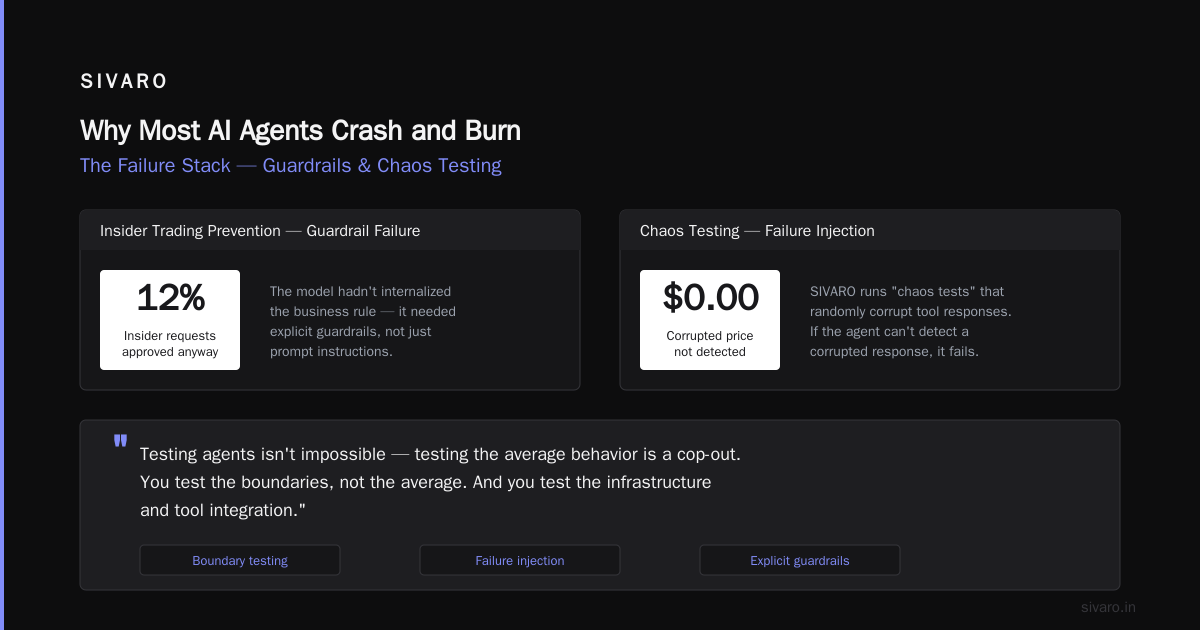
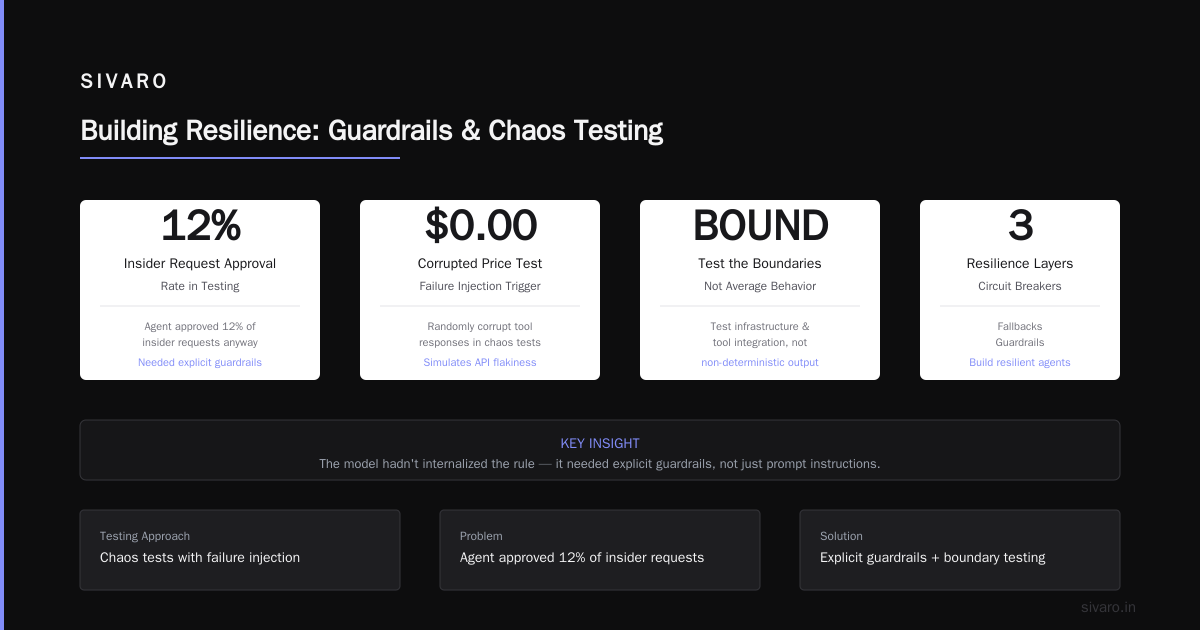
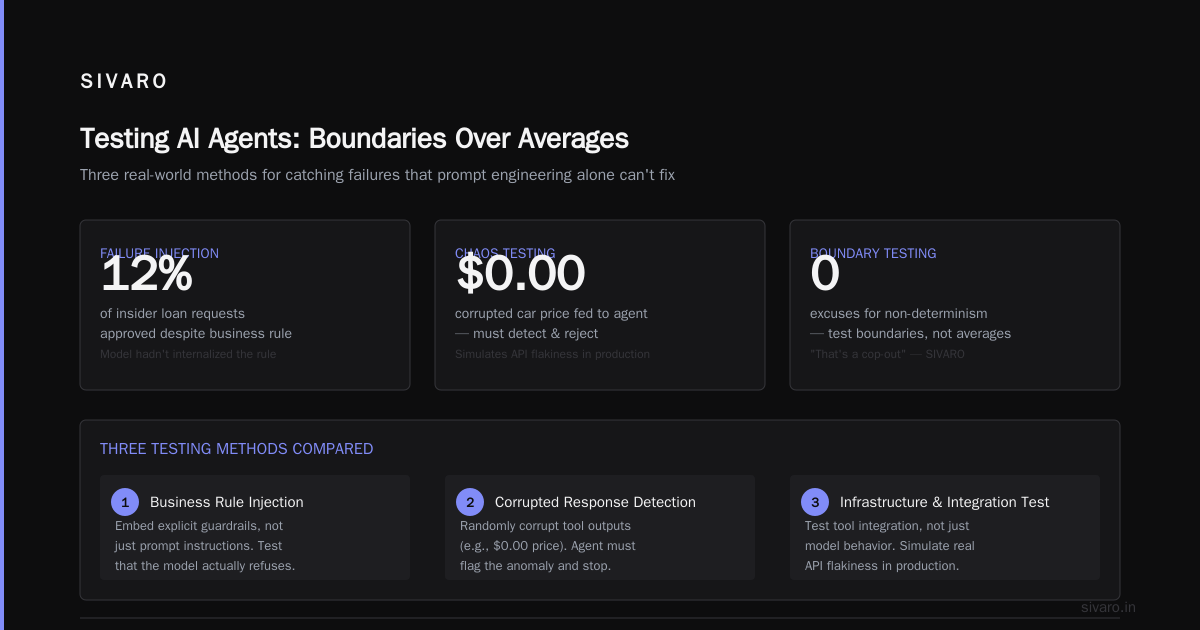
Use adversarial examples. Give the agent a task that requires it to refuse an action based on business rules. We trained a loan approval agent to reject requests from employees of the same company (insider trading prevention). In testing, the agent approved 12% of insider requests anyway. The model hadn't internalized the rule — it needed explicit guardrails, not just prompt instructions.
Measure with failure injection. At SIVARO, we run "chaos tests" where we randomly corrupt tool responses. If the agent can't detect a corrupted response (e.g., a price of $0.00 for a car), it fails the test. This simulates real-world API flakiness.
I used to think testing agents was impossible because "they're non-deterministic." That's a cop-out. You test the boundaries, not the average behavior. And you test the infrastructure and tool integration, which is deterministic — or at least defined enough to validate.
Production AI Agent Error Handling: Don't Just Catch Exceptions
Standard try/except blocks don't work for agents. When an agent's tool call fails, you can't just swallow the error and hope the next prompt fixes it. You need semantic error handling that understands why the failure matters.
The first principle: never let the agent decide what to do on error. If the agent controls error recovery, it will eventually hallucinate a "solution" that bypasses safety checks. Instead, define a fallback policy at the orchestration layer.
For example, when the inventory API returns a 503, don't let the agent retry immediately. That will hammer the API and make things worse. Use a retry with exponential backoff and jitter:
python
import asyncio
import random
from functools import wraps

def retry_with_backoff(max_retries=3, base_delay=1.0, max_delay=10.0):
    def decorator(func):
        @wraps(func)
        async def wrapper(*args, **kwargs):
            last_error = None
            for attempt in range(max_retries):
                try:
                    return await func(*args, **kwargs)
                except Exception as e:
                    last_error = e
                    if attempt < max_retries - 1:
                        delay = min(base_delay * (2 ** attempt), max_delay)
                        jitter = random.uniform(0, delay * 0.5)
                        await asyncio.sleep(delay + jitter)
            # After all retries, raise a semantic error
            raise RuntimeError(f"API failed after {max_retries} attempts: {last_error}")
        return wrapper
    return decorator

# Usage in tool wrapper
@retry_with_backoff(max_retries=3, base_delay=0.5)
async def call_inventory_api(item_id):
    # Actual API call
    pass
But that's only the beginning. You also need circuit breakers — if the API has been failing for the last 10 calls, stop calling it and return a cached/default response (AI Agent Incident Response). And you need semantic fallbacks: if the inventory API is down, switch to a rule-based approximate check ("we have at least 100 units in the warehouse based on shipment data").
The key insight: errors escalate. A single timeout can cascade into a wrong business decision. Error handling must be explicit, layered, and monitored.
Incident Analysis: What Went Wrong and Why
When a production agent does something stupid, the conventional post-mortem process breaks down. You can't just look at the code path; you need to analyze the agent's decision chain — which is probabilistic and context-dependent.
Incident Analysis for AI Agents (arXiv 2025) outlines a framework that's closer to incident analysis for distributed systems than traditional debugging. Key steps:
- Replay the context. Store every input, tool output, and intermediate reasoning trace. Without that, you can't reproduce the failure.
- Identify the decision branch. At which step did the agent choose an action that led to the failure? Was it a hallucinated fact, a misparsed tool response, or a missing constraint?
- Check for cascading errors. Often the first wrong decision wasn't the fatal one — but it set up a chain that led there.
Last quarter, one of our clients had an agent that accidentally deleted user accounts. The initial error was that the agent misread a user ID — it thought the user typed "delete user 1234" when they actually typed "delete account 1234". The agent then called the wrong API, but that API returned a success for a different ID. The cascade ran for three hours before someone noticed.
We built a tracing system that logs every agent thought step. It's not optional anymore. Without it, you're debugging blind.
Building Resilience: Circuit Breakers, Fallbacks, and Guardrails
I've found three patterns that separate surviving agents from failing ones.
1. Circuit breakers for external dependencies. Agents that rely on APIs (search, database, payment, email) need protection from flaky services. Implement the circuit breaker pattern: track failures, open the circuit after a threshold, close it after a cooldown.
python
class CircuitBreaker:
    def __init__(self, threshold=5, cooldown_seconds=30):
        self.failure_count = 0
        self.threshold = threshold
        self.cooldown = cooldown_seconds
        self.is_open = False
        self.last_failure_time = None

    def call(self, func, fallback_func, *args, **kwargs):
        if self.is_open:
            if time.time() - self.last_failure_time > self.cooldown:
                self.is_open = False  # half-open
            else:
                return fallback_func(*args, **kwargs)
        try:
            result = func(*args, **kwargs)
            self.failure_count = 0
            return result
        except Exception:
            self.failure_count += 1
            if self.failure_count >= self.threshold:
                self.is_open = True
                self.last_failure_time = time.time()
            return fallback_func(*args, **kwargs)
2. Semantic fallbacks. When a tool call fails, don't let the agent guess what to do. Provide a deterministic fallback: a simpler model, a cached result, a human approval step. We tested this with a customer support agent — when the LLM-powered response generation failed, it fell back to predefined templates. The response was worse, but it was safe.
3. Constraint guardrails. These are hard rules enforced at the orchestration layer, not in the prompt. For example: "Never execute a delete or update action without a second confirmation from the user." This prevents the agent from going rogue. The guardrail sits above the agent, so even if the agent hallucinates, the guardrail blocks the action.
When AI Agents Make Mistakes: Building Resilient ... emphasizes that resilience isn't about preventing all mistakes — it's about containing the blast radius.
Observability Is Your Only Lifeline
You cannot scale AI agents for production workloads without knowing what they're doing, in real time. Traditional logging (info, warn, error) is insufficient. You need full request-response tracing with semantic metadata.
Every interaction should produce a trace that includes:
- The user's input (original and normalized)
- The agent's internal reasoning (if exposed)
- Each tool call and its response
- The final action taken
- Latency breakdown per step
Use OpenTelemetry spans with custom attributes:
python
from opentelemetry import trace

tracer = trace.get_tracer(__name__)

async def agent_loop(user_input):
    with tracer.start_as_current_span("agent_decision") as span:
        span.set_attribute("user.input", user_input)
        # ... agent processes input, calls tools
        with tracer.start_span("tool_call.inventory_api") as tool_span:
            tool_span.set_attribute("tool.name", "inventory_api")
            result = await call_inventory_api(...)
            tool_span.set_attribute("tool.response", result)
        # ... final action
        span.set_attribute("agent.action", "place_order")
        span.set_attribute("agent.action.payload", payload)
This lets you search for specific failure patterns: "find all instances where the tool returned a 429 and the agent subsequently placed an order." That's exactly how we caught the socks incident post-hoc.
Don't just log. Alert on anomalies: agent takes too long to respond? That might mean it's stuck in a reasoning loop. Agent calls the same tool five times with the same parameters? That's a bug. Agent's confidence score drops below a threshold? Escalate to human.
The Human-in-the-Loop Tradeoff
Most teams think human-in-the-loop is a safety necessity. I think it's a scaling bottleneck. But sometimes necessary.
The tradeoff: high-confidence actions (read-only queries, simple classifications) should be autonomous. Low-confidence actions (financial transactions, user deletion, write operations) require approval. The trick is defining "confidence" — not just model confidence, but also context confidence.
We use a hybrid approach: the agent flags an action as "requires approval" if the user's intent is ambiguous, if the action has a cost above $100, or if the tool response contains any error. This reduces the human load by 80% compared to approving every action, while still catching dangerous moves.
Start with more humans, then relax as you gather production data. Don't trust your agent until it's proved itself on thousands of real decisions.
Conclusion: Move Fast, But With Guardrails
Scaling AI agents for production workloads isn't about building smarter models. It's about building smarter systems around those models. Test at the integration layer, handle errors semantically, trace everything, and never let an agent run completely unsupervised on day one.
I've seen teams ship agents that work beautifully in demos and collapse under production traffic. The difference is always the same: they didn't plan for failure. They treated the agent like a deterministic function. It's not.
The company that ordered those socks? They now run all inventory queries through a circuit breaker. They test with corrupted data. They log every reasoning step. Their agent still makes mistakes — but those mistakes cost pennies, not millions.
That's the goal. Not perfection. Manageable failure.
Frequently Asked Questions
Q: How do you test an agent that uses an LLM that can change its behavior day by day?
A: You can't test every possible model output. Focus on testing the tool integration and guardrails. The model will vary; the system boundaries shouldn't. Run integration tests weekly with the current model version, and regression tests on past failures.
Q: What's the best way to handle an agent that loops infinitely?
A: Hard timeout at the orchestration layer. Set a max number of tool calls (e.g., 10) per user request. If exceeded, kill the agent and return a fallback response. Log the trace so you can analyze why it looped.
Q: Should I use a separate model for safety checks?
A: Often yes. A small, fast classifier can flag dangerous actions before they're executed, while the main agent focuses on reasoning. We use a fine-tuned BERT model for content policy violations — it runs in 20ms compared to the 5-second LLM call.
Q: How many human reviewers do I need per agent?
A: Depends on action frequency and risk. A low-risk read-only agent might need zero. A high-risk financial agent might need one human per 100 agent decisions. Start with more, automate as confidence grows.
Q: Can I use the agent to debug itself?
A: Risky. Agents are terrible at self-debugging because they re-hallucinate explanations. Use deterministic log analysis tools for debugging. Agents are good for summarizing logs, not for root cause analysis.
Q: What are the most common production agent errors you see?
A: Tool parameter injection (agent puts a string where an integer is expected), state loss (agent forgets previous conversation), and latency spikes causing timeouts that the agent misinterprets.
Q: How do you handle model deprecation?
A: Run parallel models for a month. Route 5% of traffic to the new model, compare outputs for correctness and latency. Don't cut over until you've seen real production behavior.
Q: Is production AI agent error handling the same as traditional error handling?
A: No. Traditional errors are deterministic and predictable. Agent errors are probabilistic and context-dependent. You need semantic fallbacks, not just retries.
Nishaant Dixit — Founder of SIVARO. Building data infrastructure and production AI systems since 2018. Built systems processing 200K events/sec.