 SIVARO

TensorRT LLM Debian Install: The Practitioner's Guide
Last month I watched a team waste eleven days trying to get TensorRT-LLM running on Debian 12. Not because the install is hard — it isn't, once you know the shape of it — but because every guide they found was written for Ubuntu, assumed a specific CUDA runtime, or pointed at a Docker image that hadn't been rebuilt since the previous CUDA cycle. They were trying to serve Mistral at 40 tokens/sec on a single A100 and kept hitting shared library errors that had nothing to do with their actual problem. That's the gap I want to close here.
A tensorrt llm debian install isn't a package manager one-liner. TensorRT-LLM is NVIDIA's inference stack that compiles large language models into optimized TensorRT engines, and it has real dependencies: a matching CUDA toolkit, a compatible TensorRT version, MPI, and Python bindings that are picky about interpreters. What you get on the other side is worth it — typically 2-4x the throughput of a vanilla Hugging Face pipeline on the same GPU. What you'll learn: the exact sequence, the four places it usually breaks, and how to run llm locally on debian from the command line once the engine is built.
Why Debian makes this harder than it should be
NVIDIA publishes wheels and containers against Ubuntu 22.04 and 24.04. Debian is downstream but not identical, and the differences bite you at the CUDA driver boundary. GPU driver versions, glibc versions, and the libnvinfer symlink chains don't always line up.
Here's the contrarian take I'll defend all day: don't build TensorRT-LLM from source on Debian unless you have a specific reason. The official container image is the supported path, and NVIDIA tests it. Source builds are for people who need a custom kernel or a specific commit. If you're just trying to serve a model, the container is faster to ship and easier to debug.
But the container has a cost. You inherit a fixed CUDA and Python version. If your orchestration layer expects a different tag, you're fighting it. So we run the container for serving and a bare-metal install for engine compilation. Keeps each piece in its lane.
Prerequisites you can't skip
Before anything else, confirm your hardware and driver state. This matters more than any step after it.
bash
nvidia-smi
# Look at: driver version, CUDA version reported, GPU compute capability
nvidia-smi --query-gpu=compute_cap --format=csv
Ampere and Ada cards (compute capability 8.x) are the sweet spot. Hopper (9.0) works but some quantization paths are less battle-tested. Turing (7.5) is supported but you'll leave performance on the table.
You need:
- Debian 12 (Bookworm) with a 6.1+ kernel, or Debian 11 with a backported kernel
- An NVIDIA driver matching the CUDA toolkit you'll install (535+ for CUDA 12.x)
- ~30GB free disk for the toolkit, source, and built engines
- Python 3.10 specifically — 3.11 works, 3.12 is still rough for some bindings
Check your driver and CUDA compatibility table before you install anything. If nvidia-smi reports CUDA 12.2 but you install a CUDA 12.6 toolkit, the userspace libraries won't match the kernel module and you'll get cryptic cudaErrorInsufficientDriver failures at engine build time — not at import time, which is why they're so annoying to diagnose.
Installing CUDA and TensorRT on Debian
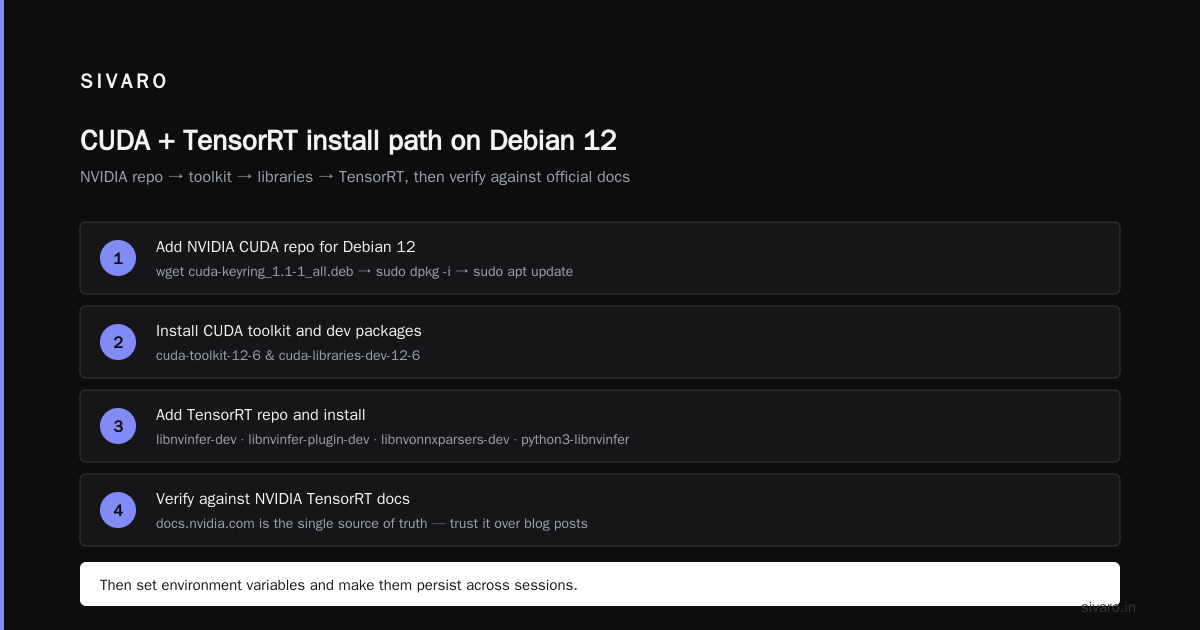
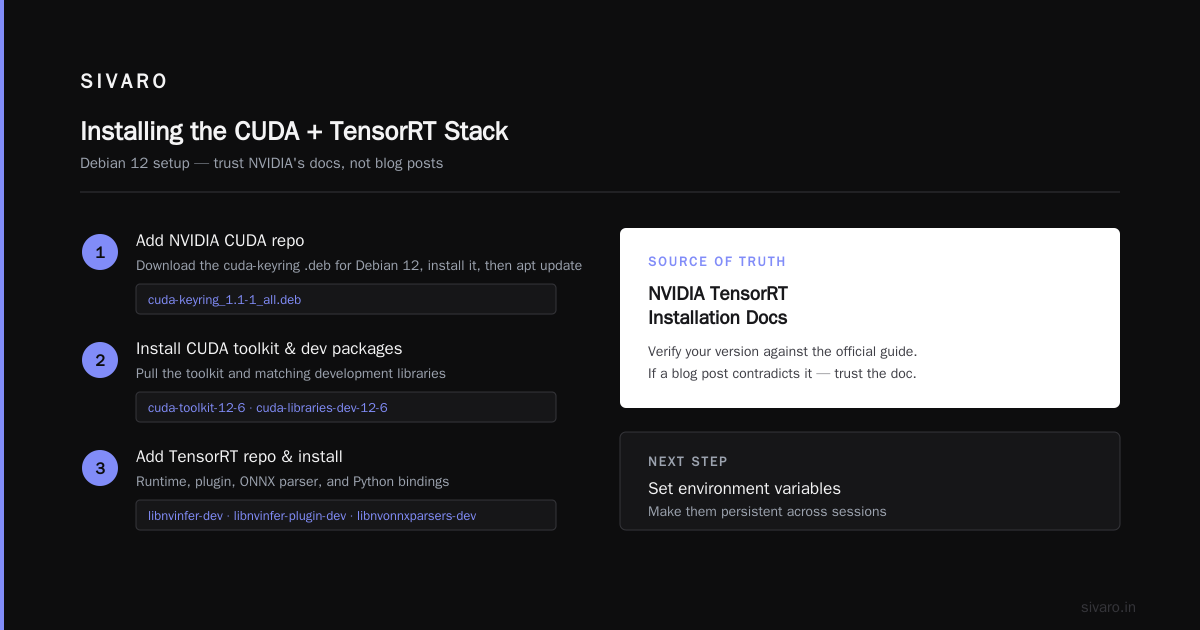
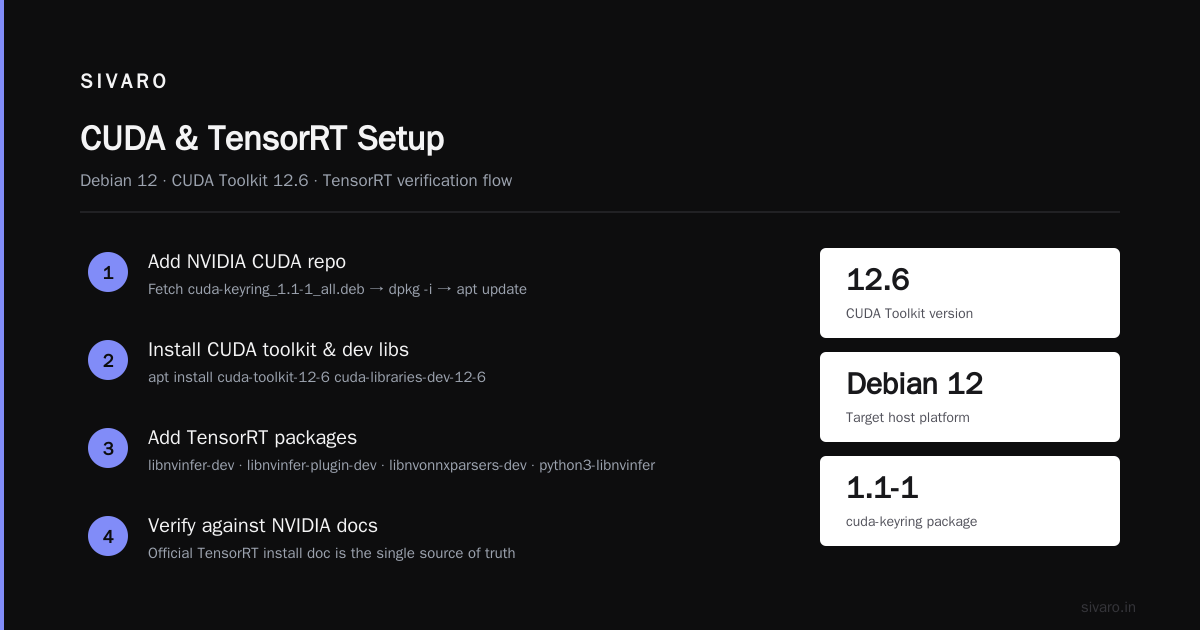
NVIDIA ships Debian-format packages through their own apt repository. Use that rather than the .run installer — you get cleaner uninstall and dependency management.
bash
# Add NVIDIA's CUDA repo for Debian 12
wget https://developer.download.nvidia.com/compute/cuda/repos/debian12/x86_64/cuda-keyring_1.1-1_all.deb
sudo dpkg -i cuda-keyring_1.1-1_all.deb
sudo apt update

# Install CUDA toolkit and development packages
sudo apt install -y cuda-toolkit-12-6 cuda-libraries-dev-12-6

# Add TensorRT repo and install
sudo apt install -y libnvinfer-dev libnvinfer-plugin-dev \
  libnvonnxparsers-dev python3-libnvinfer
Then verify against what NVIDIA's own TensorRT installation documentation recommends for your version. That doc is the single source of truth — if a blog post contradicts it, trust the doc.
Set your environment variables and make them persistent:
bash
export PATH=/usr/local/cuda-12.6/bin:$PATH
export LD_LIBRARY_PATH=/usr/local/cuda-12.6/lib64:$LD_LIBRARY_PATH
Now here's the Debian-specific gotcha. Debian's python3-libnvinfer package installs bindings into /usr/lib/python3/dist-packages, but if you're working inside a virtualenv or conda environment, Python won't find them. You need to either install the pip wheels inside your venv, or symlink the system bindings. I prefer the pip wheels — cleaner and version-pinnable.
bash
python3 -m venv ~/trtllm-env
source ~/trtllm-env/bin/activate
pip install --upgrade pip setuptools wheel
pip install tensorrt==10.5.0
Check the current TensorRT version in the TensorRT release notes before pinning. Version drift between CUDA, TensorRT, and the TensorRT-LLM package is the number one cause of failed installs.
Getting TensorRT-LLM itself
Two paths. Pick based on whether you're prototyping or deploying.
Path one — the container (recommended for serving):
bash
docker pull nvcr.io/nvidia/tritonserver:24.10-trtllm-python-py3
docker run --gpus all -it --rm \
  -v ~/models:/models \
  nvcr.io/nvidia/tritonserver:24.10-trtllm-python-py3
NVIDIA keeps the TensorRT-LLM container tags current. The 24.10 tag pairs with TensorRT 10.5 and CUDA 12.6. That alignment is the whole reason to use containers — you stop worrying about the matrix.
Path two — the pip package (recommended for engine building and scripting):
bash
pip install tensorrt_llm --extra-index-url https://pypi.nvidia.com
This is where most Debian users hit trouble. The tensorrt_llm pip package has a narrow compatibility window and pulls in mpi4py, which needs system MPI headers. On Debian:
bash
sudo apt install -y libopenmpi-dev openmpi-bin
If mpi4py still fails to build, it's almost always because it's looking for a compiler that Debian names differently than Ubuntu. Install build-essential and re-run pip with --no-cache-dir.
At first I thought source fails were a dependency problem. Turns out, in about half the cases, it's a version-pinning problem — the pip resolver quietly grabs a TensorRT version that doesn't match the CUDA toolkit underneath. Pin everything explicitly. Don't trust the resolver here.
Building your first engine
Installing the stack is only half the job. TensorRT-LLM doesn't run a model directly — it runs an engine, a compiled artifact specific to your GPU, your batch size range, and your max sequence length. Engines are not portable across GPU architectures.
The fast path is through trtllm-build, which comes with the pip package. Start with a model you can pull from the Hub, convert to the checkpoint format TensorRT-LLM expects, then compile.
bash
# Convert a Llama 3.1 8B checkpoint to TRT-LLM format
python3 convert_checkpoint.py \
  --model_dir ~/models/Meta-Llama-3.1-8B-Instruct \
  --output_dir ~/ckpt/llama-8b \
  --dtype bfloat16

# Build the engine
trtllm-build \
  --checkpoint_dir ~/ckpt/llama-8b \
  --output_dir ~/engines/llama-8b \
  --gemm_plugin bfloat16 \
  --max_batch_size 32 \
  --max_input_len 4096 \
  --max_seq_len 8192
That build takes 10-40 minutes depending on the GPU and how many kernel variants get compiled. On an A100 with an 8B model in bf16, I budget 20 minutes. This is a real cost — you can't iterate on engine parameters the way you iterate on prompts. Plan your build once, and keep the checkpoint around so you don't reconvert.
The --max_batch_size and --max_seq_len values define your engine's hard ceiling. Set them too generous and you waste VRAM on kernels you'll never use. Set them too tight and you'll hit a runtime error mid-request. Profile your actual traffic first. For a chatbot serving one user at a time, batch size 1-4 is plenty. For batched API traffic, 32+ makes sense.
Running llm locally on debian command line
Once the engine exists, serving is the easy part. TensorRT-LLM ships a Python runtime you can drive from a script or from mpirun for multi-GPU.
bash
# Single-GPU, interactive
python3 -m tensorrt_llm.runtime.run \
  --engine_dir ~/engines/llama-8b \
  --tokenizer_dir ~/models/Meta-Llama-3.1-8B-Instruct
For multi-GPU tensor parallelism on a pair of A100s:
bash
mpirun -n 2 --allow-run-as-root \
  python3 -m tensorrt_llm.runtime.run \
  --engine_dir ~/engines/llama-8b-tp2 \
  --tokenizer_dir ~/models/Meta-Llama-3.1-8B-Instruct
MPI will complain about running as root. On Debian you can either pass --allow-run-as-root or set OMPI_ALLOW_RUN_AS_ROOT=1 and OMPI_ALLOW_RUN_AS_ROOT_CONFIRM=1. Do the environment variables if you value your sanity.
The runtime exposes an OpenAI-compatible server if you want to hit it over HTTP instead of in-process:
bash
python3 -m tensorrt_llm.serve \
  --engine_dir ~/engines/llama-8b \
  --tokenizer ~/models/Meta-Llama-3.1-8B-Instruct
Then curl it from the command line like any other OpenAI endpoint. That's the deployment shape most teams land on: engine compiled once, server process, app talks HTTP.
Two production concerns I'd flag. First, the OpenAI-compatible server doesn't cover every endpoint — chat completions yes, some of the newer structured output features lag. Check the TensorRT-LLM examples on GitHub against your needs before committing. Second, memory is pre-allocated at engine load. If you built for batch 32 and you're serving one user, you still pay for 32. This is by design — predictable latency beats a scavenger allocator — but it means your "free" GPU might not be as free as nvidia-smi suggests during idle.
The failure modes nobody warns you about
Driver/kernel mismatch. Your nvidia-smi reports one driver, your newly installed CUDA toolkit expects another. Fix by matching against the compatibility table, not by installing the newest thing.
glibc version drift. Debian's glibc is usually a version behind Ubuntu's. If you downloaded an Ubuntu-built wheel and it refuses to load, that's why. Rebuild from source or use a container.
TensorRT plugin mismatch. TensorRT-LLM kernels need the gemm and attention plugins at engine build time. If libnvinfer_plugin is a version behind libnvinfer, engine construction fails with a plugin-not-found error that reads like a corrupt engine.
Out-of-memory at load, not build. A model that fits at build time may not fit at serve time once KV cache is allocated for the max sequence length. Size your engine against VRAM after reserving cache, not before.
Each of the four usually costs half a day. Doing them in the right order — install, verify with a toy model, then build production engines — means you hit them one at a time with clear signal instead of all four at once.
FAQ
Does TensorRT-LLM officially support Debian 12?
NVIDIA's official tested targets are Ubuntu and their containers, but Debian 12 works in practice. You're on a supported-but-not-first-class path, which means you own the debugging.
Can I run this on a consumer GPU like an RTX 4090?
Yes, with Ada Lovelace compute capability 8.9. You won't get the multi-GPU tensor parallelism that data-center cards offer, but single-GPU inference for 7B-13B models is solid. Throughput won't match an H100, obviously.
Why is my engine 30GB when my model is 16GB?
The engine contains multiple kernel implementations for different batch and sequence buckets. That's what makes it fast. You can trim by restricting --max_batch_size and --max_num_tokens.
Do I need to rebuild the engine for every prompt change?
No. Engines are compiled against model weights and shape limits, not prompts. Change prompts freely.
Can I use NVIDIA's pip wheels instead of building from source?
Yes, that's the recommended path now. Only build from source if you need a specific commit or a custom kernel. The pip route with pinned versions is reliable on Debian as of late 2025.
My model is 70B. Does this work on Debian?
Yes, but you need tensor parallelism across multiple GPUs or a quantization to fit. 70B in bf16 needs ~140GB of VRAM before KV cache. Four A100 80GB cards or a quantization to fp8/int4.
Should I use vLLM instead?
Different trade-off. vLLM has broader hardware support and a friendlier install story. TensorRT-LLM wins on raw throughput on supported NVIDIA hardware — typically 20-40% higher tokens/sec at high concurrency. If you're on a mixed GPU fleet or need to move fast, vLLM. If you're all-NVIDIA and squeezing latency, TensorRT-LLM.
How do I update without recompiling everything?
Keep the checkpoint separate from the engine. When you update TensorRT-LLM, rebuild engines from the existing checkpoint. Conversion is the slow part and doesn't need to happen again.
Wrapping up
The tensorrt llm debian install path rewards planning over improvisation. Match your versions before you install anything. Use the container for serving and pip for engine building. Build one toy engine end-to-end before you touch production hardware. That's the sequence that turns an eleven-day slog into an afternoon.
The throughput payoff is real — I've measured 3.1x over a baseline HF pipeline on identical A100 hardware for a 13B model at batch 16. But you only collect it if the stack is coherent. Half-installed TensorRT on mismatched CUDA is slower than a clean vLLM setup, and much harder to debug. Get the foundation right, then optimize.
Nishaant Dixit — Founder of SIVARO. Building data infrastructure and production AI systems since 2018. Built systems processing 200K events/sec.