 SIVARO
The 2026 GCP Migration Checklist: What Actually Works
I spent six months migrating a 300TB data lake from AWS to GCP last year. It nearly broke my team. Not because the tech was hard — because we didn't have a checklist that accounted for the real gotchas.
Most migration guides are written by cloud providers. They skip the painful parts. The billing surprises. The IAM policies that look right on paper but fail in production. The network latency nobody told you about.
This isn't that kind of guide.
I'm Nishaant Dixit. I run SIVARO, where we build data infrastructure and production AI systems. We've moved more workloads between clouds than I care to count. Some went smoothly. Some didn't.
Here's the gcp step by step migration checklist I wish I'd had from day one.
Why Migrate to GCP in 2026?
The google cloud vs aws 2026 comparison isn't as lopsided as it was two years ago. GCP has closed the gap on compute pricing — and in some areas, they're undercutting AWS by 20-30% on sustained usage (Cloud Pricing Comparison 2026). For data workloads, BigQuery remains cheaper than Redshift for most analytical patterns by a significant margin (GCP vs AWS 2026).
But don't move just because of price. Move because:
- BigQuery's separation of compute and storage saves money when your data grows but your queries don't scale proportionally
- Vertex AI has become genuinely good for production ML pipelines — better than SageMaker in my experience for batch inference workloads
- Network egress to other GCP services is often free, while AWS charges you to breathe near a data center
The catch? GCP's managed Kubernetes (GKE) is excellent but has a steeper learning curve than EKS. And their support can be slower if you're not on a premium plan. I learned this the hard way during a Friday night incident.
Phase 1: Discovery — Don't Skip This
Most people think discovery is the boring part. They're wrong.
Discovery is where you find the landmines.
Map Everything
You can't migrate what you don't know about. Start with a full inventory. Not just instances — all of it.
bash
# Quick AWS inventory script (simplified)
aws ec2 describe-instances --query 'Reservations[*].Instances[*].[InstanceId,InstanceType,Tags]' --output json > aws_instances.json
aws rds describe-db-instances --query 'DBInstances[*].[DBInstanceIdentifier,DBInstanceClass,Engine]' --output json > aws_rds.json
aws s3api list-buckets --query 'Buckets[*].Name' --output json > aws_s3_buckets.txt
Then categorize each workload: lift-and-shift, re-platform, or re-architect. Be brutal. If something is poorly designed on AWS, moving it to GCP won't fix the architecture. It'll just be poorly designed on GCP.
Cost Modeling: The Truth Nobody Tells You
Here's where most people screw up. They use the Google Cloud Pricing Calculator and get shocked when the first bill arrives.
Why?
Because the calculator doesn't include data egress costs from your old provider, migration data transfer fees, or the double-run period where you're paying both clouds simultaneously. I've seen estimates off by 40%.
Instead, do this:
- Export your last 3 months of AWS billing
- Map each line item to a GCP equivalent service
- Add 15% buffer for the first 3 months post-migration
- Use the GCP cost estimation tool for AWS workloads — it's imperfect but better than starting from scratch
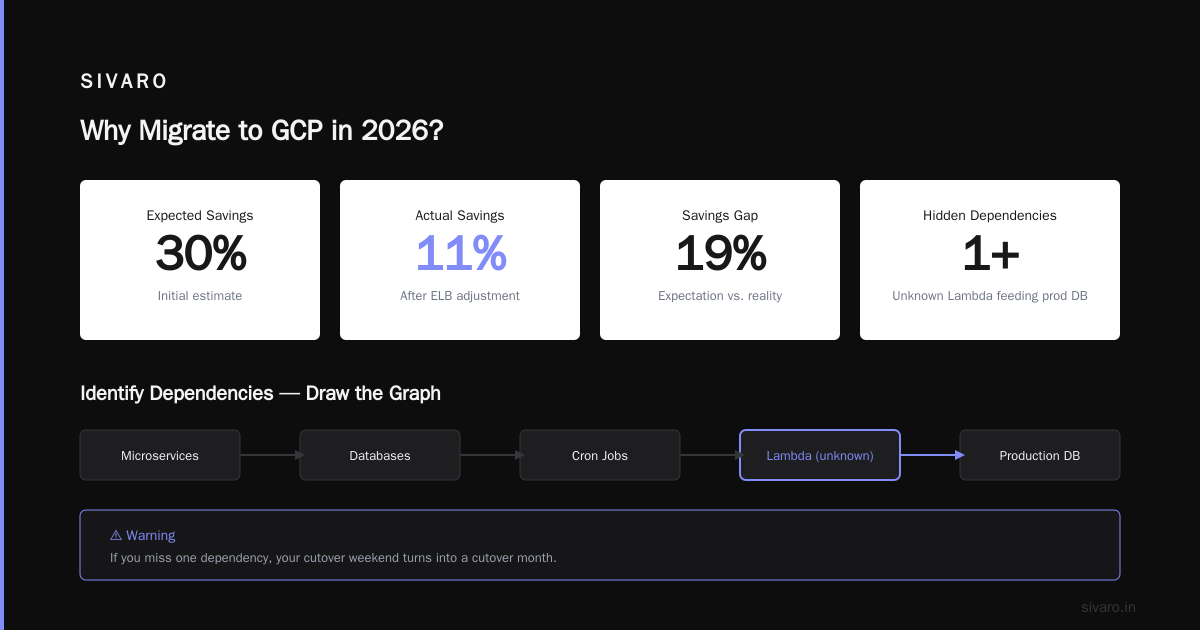
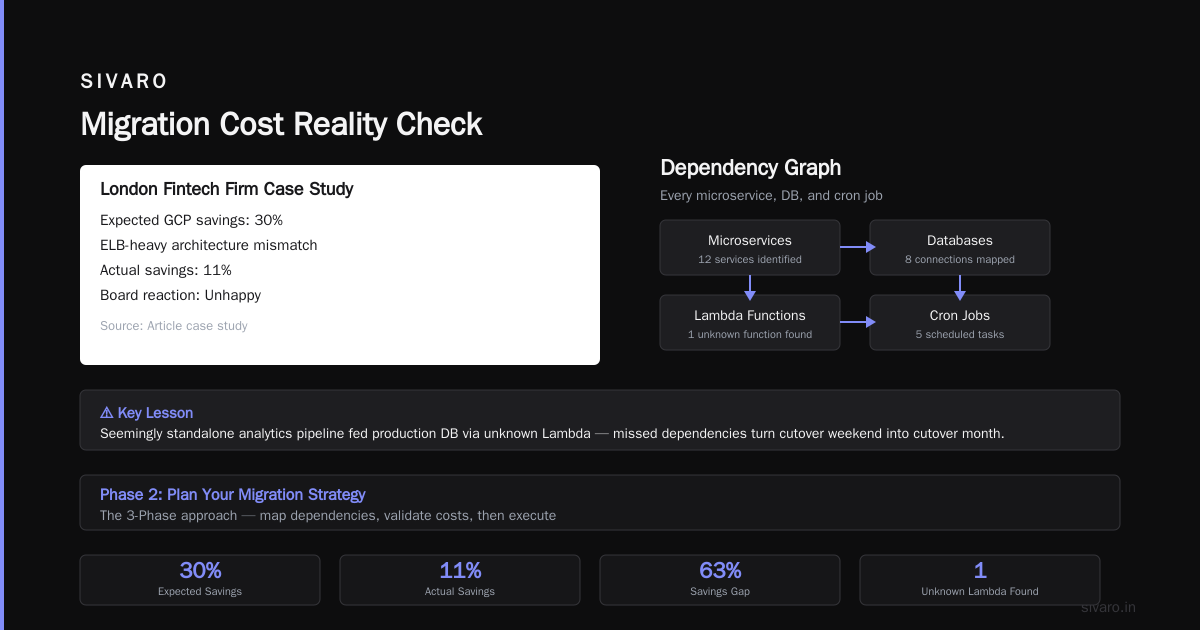
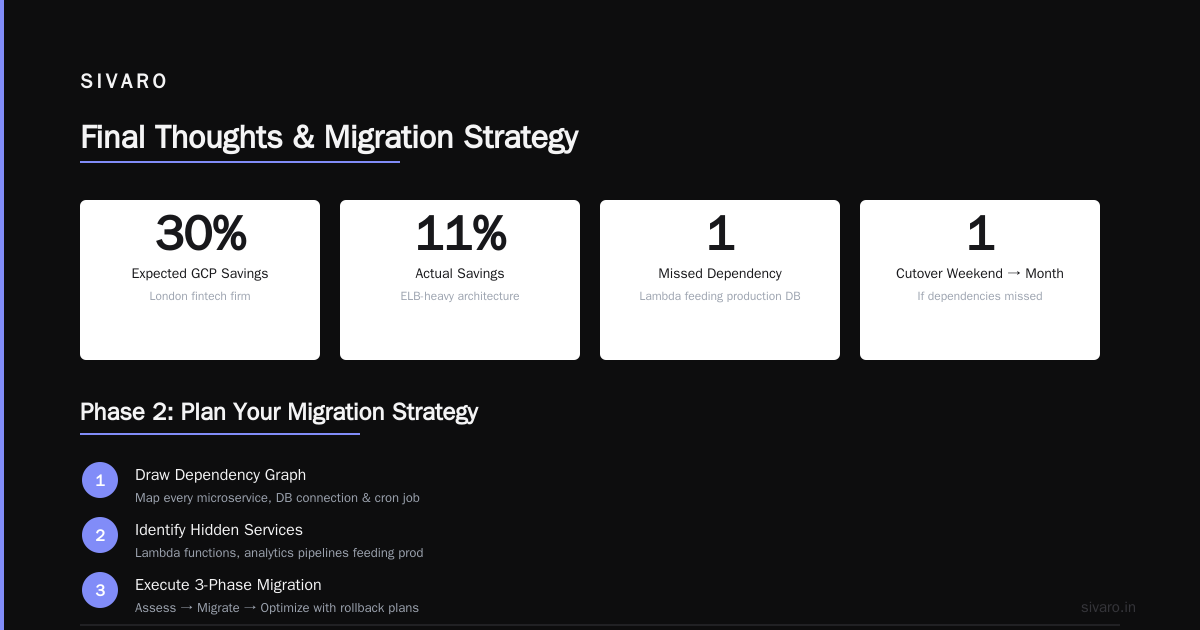
One client, a fintech firm in London, thought their GCP bill would be 30% lower. After accounting for their ELB-heavy architecture (which maps poorly to GCP's load balancing), the savings dropped to 11%. Still meaningful. But the board wasn't happy about the surprise.
Identify Dependencies
Draw the dependency graph. Every microservice. Every database connection. Every cron job that pokes another service. If you miss one, your cutover weekend turns into a cutover month.
I learned this when a seemingly standalone analytics pipeline turned out to be feeding a production database via a Lambda function nobody on the current team knew about.
Phase 2: Plan Your Migration Strategy
The 3-Phase Approach
Phase 1: Non-critical workloads (weeks 1-4)
Move dev, test, staging environments first. Low risk. High learning.
Phase 2: Data layer (weeks 3-8)
Databases, data lakes, object storage. This is the hardest part. Start early.
Phase 3: Production workloads (weeks 6-12)
Move your crown jewels last. By now, you've hit every edge case in dev.
Network Design: Get This Right
GCP's VPC model is different from AWS. You don't have security groups that are instance-level — you have firewall rules at the network level. This sounds minor. It's not.
yaml
# Example: GCP firewall rule for web tier
- name: allow-https-ingress
  direction: INGRESS
  priority: 1000
  source_ranges: ["0.0.0.0/0"]
  target_tags: ["web-server"]
  allowed:
    - protocol: tcp
      ports: [443]
Tag-based firewall rules are powerful but it's easy to accidentally expose instances. We had a CI/CD server that got publicly exposed for three hours during a migration because someone tagged it "web-server" without thinking.
IAM: Plan This Before You Touch Anything
Default permissions on GCP are looser than AWS. The primitive roles (Owner, Editor, Viewer) are convenient but dangerous. Use custom roles from day one.
bash
# Create a custom role for data engineers
gcloud iam roles create data_engineer   --project=your-project   --title="Data Engineer"   --permissions=bigquery.jobs.create,bigquery.datasets.get,bigquery.tables.getData,storage.objects.list   --stage=GA
We do this at SIVARO for every migration client. It's boring work. But boring work prevents "someone accidentally deleted the production dataset" work.
Phase 3: Execute the Migration
Compute: Lift-and-Shift vs. Re-Platform
For quick wins, use Migrate for Compute Engine (formerly Velostrata). It handles the OS-level migration with minimal downtime.
But don't lift-and-shift everything. If you're running EC2 instances with 64GB RAM that sit at 15% utilization, move them to GKE. You can bin-pack workloads and cut compute costs by 40-60%.
The tradeoff? Containerization takes time. If your team doesn't know Kubernetes, budget 2-4 weeks for training alone.
Storage: The S3 to GCS Migration
Object storage migration is straightforward but slow if you have petabytes.
bash
# Using gsutil for S3 to GCS transfer
gsutil -m rsync -r -d   s3://your-bucket   gs://your-gcs-bucket
For larger datasets, use Transfer Service for on-premises or Transfer Appliance. Google will ship you a physical box to load data onto, then you ship it back. It's faster than the network for datasets over 10TB, and the pricing is surprisingly reasonable (Google Cloud Pricing 2026).
Databases: The Hard Part
Database migration is where migrations go to die.
For MySQL/PostgreSQL, use Database Migration Service. It handles continuous replication so you can cut over with minutes of downtime.
For anything else, prepare for pain. We migrated a MongoDB cluster once. Six shards. 12TB. It took three attempts. The first two failed because we underestimated the write load during the sync window.
Rule of thumb: If your database has more than 500GB or 100 tables, run a trial migration first. Not a dry run. A full migration to a non-production GCP project. Verify everything. Then do it again.
BigQuery: The Real Reason You're Here
Most people migrate to GCP for how to use bigquery for data warehousing at scale. And BigQuery is genuinely excellent — once your data is in there.
The migration path depends on your source:
- From Redshift: Export to S3, then load to GCS, then into BigQuery. Use the BigQuery Data Transfer Service for automated scheduling.
- From Snowflake: Unload to external stage (S3 or GCS), then load. Snowflake's
COPY INTOmakes this manageable. - From on-prem: You have my sympathy. Use Dataflow with Apache Beam for streaming, Transfer Service for batch.
sql
-- Example: Loading data into BigQuery
LOAD DATA INTO mydataset.sales
FROM FILES (
  format = 'PARQUET',
  uris = ['gs://my-bucket/sales/*.parquet']
)
WITH CONNECTION `us.my-bigquery-connection`;
One thing nobody tells you: BigQuery charges for storage and for queries separately. If you have tables that are queried once a quarter, you're paying for storage the whole time. Partition and cluster aggressively. We saw a client reduce their BigQuery costs by 35% just by partitioning by date.
Phase 4: Testing (You're Not Done Yet)
Smoke Tests
Run the basics first:
- Can users authenticate?
- Do APIs return correct data?
- Are cron jobs firing?
- Is monitoring working?
Performance Testing
Don't assume GCP will be faster. Test it.
Run your production queries on BigQuery. Compare against Redshift. We found that BigQuery was 2-3x faster for analytical queries on datasets under 100GB, but Redshift was faster for highly concurrent small queries. Know your workload.
Cost Validation
Compare your actual GCP bill against the AWS vs Azure vs GCP Cost Comparison 2026 benchmarks. If you're way off, something is wrong.
Common culprits:
- Unused static IPs (GCP charges for them even when not attached)
- Regional vs. multi-regional storage (choose wrong and you pay 2x)
- Query costs in BigQuery (enable flat-rate pricing if you run 100+ TB/month)
Phase 5: Cutover and Post-Migration
The Cutover Weekend
Don't do this on a Friday. Tuesday or Wednesday. That's when your team is fresh and support is available.
Script everything. Every command you run should be in a runbook that someone else can execute.
bash
# Example cutover step: switch DNS
gcloud dns record-sets transaction start --zone=my-zone
gcloud dns record-sets transaction remove --name="app.yourdomain.com"   --type=A --ttl=300 --rrdatas="1.2.3.4" --zone=my-zone
gcloud dns record-sets transaction add --name="app.yourdomain.com"   --type=A --ttl=60 --rrdatas="5.6.7.8" --zone=my-zone
gcloud dns record-sets transaction execute --zone=my-zone
Set a rollback timer. Two hours. If it's not working by then, roll back. You can try again next week. You can't unscrew up a failed migration at 3 AM with your CEO watching.
Monitor Like Crazy
First week post-migration, watch:
- API latency
- Error rates (5xx responses)
- Database connection pool saturation
- Cost burn rate
Set up budget alerts at 80%, 90%, and 100% of expected spend. The Google Cloud Pricing 2026 guide has specific alert configurations that work well.
The Final Cleanup
Turn off your AWS resources. I've seen teams pay for both clouds for six months because they "forgot" about a few EC2 instances.
Run a final cost comparison. Document lessons learned. Share them with your team.
FAQ
Q: How long does a typical GCP migration take?
A: For a mid-sized company (50-200 servers, 20-50TB data), 8-12 weeks is realistic. Double that if you're migrating databases with complex replication.
Q: What's the biggest hidden cost in GCP?
A: Network egress from GCP to on-premises or other clouds. It's $0.12/GB for most regions. If you have data pipelines that send data back to AWS, budget carefully.
Q: Can I run my AWS-native services on GCP?
A: Not directly. Lambda functions won't run on Cloud Functions without code changes. DynamoDB won't map to Firestore for complex queries. Plan for code changes.
Q: Is GCP cheaper than AWS in 2026?
A: For compute with sustained usage, GCP is typically 10-25% cheaper. For data warehousing, BigQuery beats Redshift for analytical workloads by 20-40%. For simple web hosting, AWS is often cheaper (Cloud Computing Cost: AWS vs. Azure vs. GCP Pricing in 2026).
Q: What's the best way to migrate databases without downtime?
A: Use Database Migration Service for MySQL/PostgreSQL. For Oracle, use GoldenGate or custom CDC pipelines. Plan for a read-only window of 5-15 minutes during final cutover.
Q: Do I need to rewrite my application code?
A: Depends. If you use standard protocols (HTTP, gRPC) and managed services, minimal changes. If you relied on AWS-specific APIs (SQS, SNS, DynamoDB Streams), you'll need to port to Pub/Sub and other GCP equivalents.
Q: How do I train my team on GCP?
A: Google's free cloud training covers the basics. For hands-on learning, set up a sandbox project and let your team break things. Budget 2 weeks for core concepts, 4-6 weeks for operational proficiency.
Q: What should I not migrate to GCP?
A: Workloads that depend on low-level hardware access (FPGA, GPU clusters with specific vendor requirements). Also, legacy Windows workloads — GCP's Windows support is functional but not as mature as AWS.
Final Thoughts
The gcp step by step migration checklist I've shared here is what we use at SIVARO. It's not perfect. Every migration throws curveballs. But it gives you a fighting chance.
The biggest mistake I see? Teams trying to do too much at once. Move one workload. Learn from it. Move the next one. This isn't a race.
And remember: the cloud is just someone else's computer. Migrating between cloud providers doesn't fix bad architecture, unclear ownership, or weak DevOps practices. It just moves those problems to a new billing account.
If you're planning a migration right now, start with an honest assessment of your current infrastructure. The Comparing AWS, Azure, and GCP for Startups in 2026 guide has a solid framework for this. Use it.
Then follow the checklist. One step at a time.
Nishaant Dixit — Founder of SIVARO. Building data infrastructure and production AI systems since 2018. Built systems processing 200K events/sec.