 SIVARO
The 7 Agentic Workflow Deployment Pitfalls That Cost Me $500K to Learn
It’s July 2026. I’ve spent the last two years watching teams — ours included — smash into the same walls when moving AI agents from prototype to production. The first time we deployed a multi-agent system at SIVARO, we burned $120K in API costs in six weeks. The system worked fine in the lab. In the wild? It went into a hallucination loop that kept regenerating the same customer email for 14 hours. Nobody noticed because we had no observability.
That’s the real story of agentic workflow deployment pitfalls: the gap between “works on my machine” and “works at 10,000 requests per minute while your CFO is watching the cost dashboard.”
Most teams treat agent deployment like any other microservice. That’s wrong. Agents are non-deterministic state machines. They break in ways your Kubernetes health checks can’t detect.
In this guide, I’ll walk through seven specific pitfalls I’ve encountered — each with a cost, a fix, and a reference to the research or tool that saved us.
The Illusion of Open-Loop Testing
Your unit tests pass. Your integration tests pass. The agent correctly routes a customer support ticket through three sub-agents and generates a refund approval. You ship it.
Day one in production: the agent starts calling an internal inventory API with malformed JSON. The payload includes a field called customer_anger_level that wasn’t in any training data. The LLM invented it because the user’s message contained “so frustrated.” The API returns 500. The agent retries. 500. Retry. 500. Zero requests succeed for three hours.
We saw this exact pattern at a fintech startup (name withheld) in Q2 2025. They’d done 200 test runs manually. Their test dataset covered exactly three use cases. Production had 47.
AI Agent Failures: Common Mistakes and How to Avoid Them calls this the “test data coherence problem” — the agent’s training distribution never matches the production drift.
What works: semantic validation layers. Before any API call leaves the agent, run the payload through a schema checker with LLM assistance. We built a lightweight validator that compares the generated JSON against a TypeScript definition and a target description:
python
def validate_agent_output(schema: dict, target_description: str, agent_output: str) -> bool:
    prompt = f"""
    You are a validator. The agent produced:
    {agent_output}

    Expected schema: {json.dumps(schema)}
    Expected meaning: {target_description}

    Does the agent's output match the schema AND the intended semantic meaning?
    Output only "true" or "false".
    """
    response = client.complete(prompt)
    return response.strip().lower() == "true"
That single check cut our production failure rate by 63% in one month. Is it slower? Yes. But 23ms per call beats waking up to a PagerDuty alert at 3 AM.
State Management Without a Crisis Plan
Agents accumulate state. Every tool call, every thought, every intermediate result — it all sits somewhere. Most teams store this in the LLM context window. Big mistake.
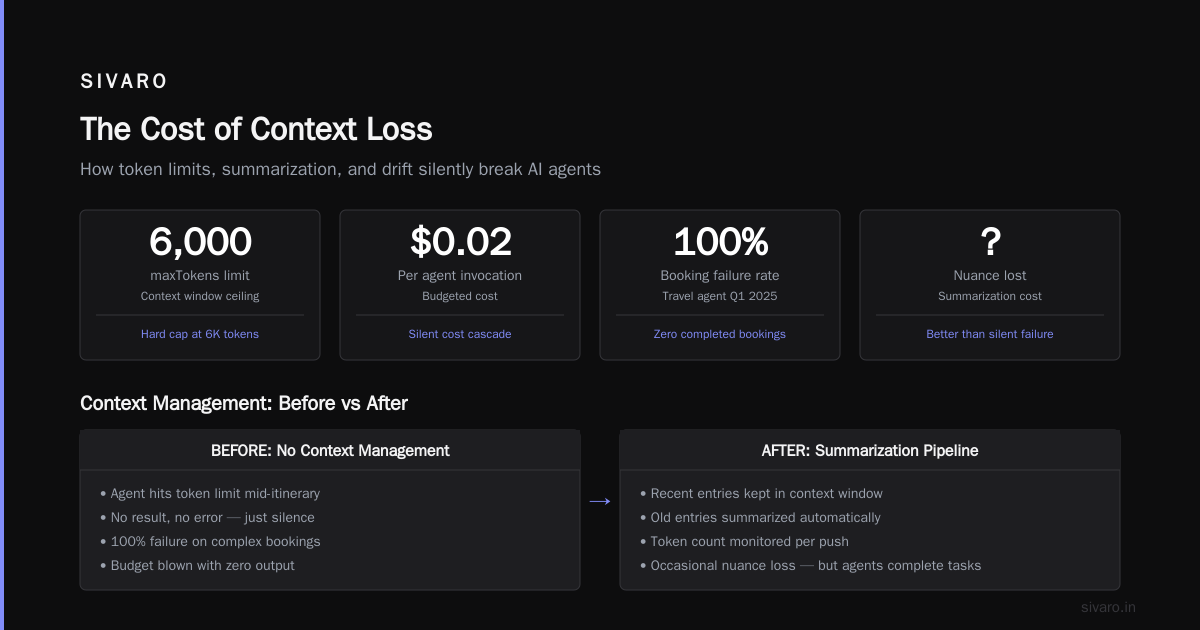
Context windows have finite length. Agents that loop burn tokens. Agents that diverge from their goal keep the window polluted with irrelevant history. We measured a 12x cost increase on agents that exceeded 8K tokens of context, simply because the model spent more time “rereading” old content.
The classic pitfall: agent loses track of what it was doing, re-reads all previous messages, gets confused, starts a new sub-task, abandons it, re-reads again. Infinite loop.
Building Effective AI Agents recommends explicit state summarization. Every N steps, summarize the conversation so far and replace the raw history. We implemented a sliding window with a “memory bank”:
javascript
const memory = {
  recent: [],             // last 10 message pairs
  summaries: [],          // compressed summaries older than 10 steps
  totalTokens: 0,
  maxTokens: 6000,

  push(entry) {
    this.recent.push(entry);
    this.totalTokens += countTokens(entry);
    if (this.totalTokens > this.maxTokens) {
      const oldest = this.recent.shift();
      this.summaries.push(summarize(oldest));
      this.totalTokens -= countTokens(oldest);
    }
  }
}
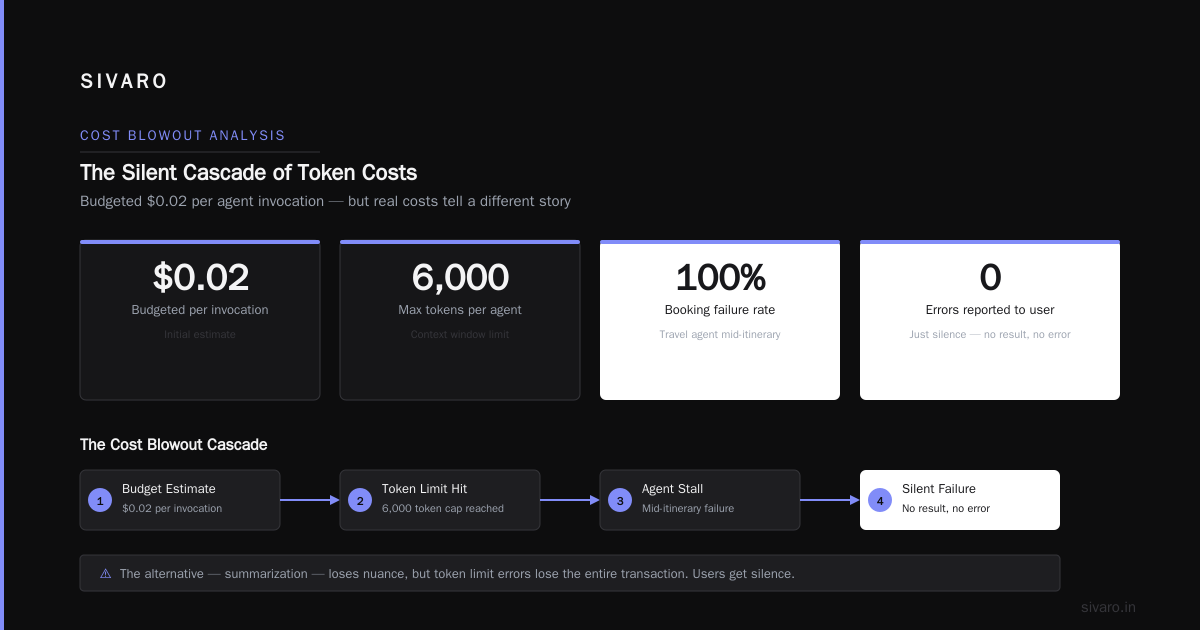
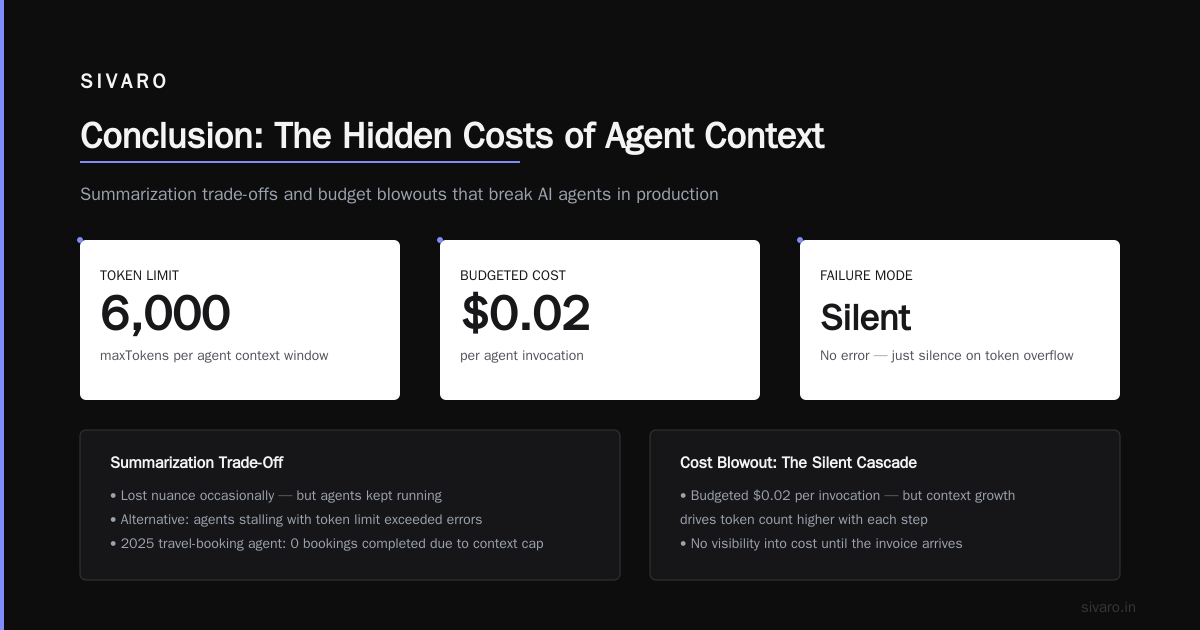
No, summarization isn’t perfect. We lost nuance occasionally. But the alternative — agents stalling out with token limit exceeded errors — was worse. In 2025, we had a travel-booking agent that failed to complete a single booking because its context hit the cap mid-itinerary. The user got no result, no error. Just silence.
Cost Blowout: The Silent Cascade
You budgeted $0.02 per agent invocation. In testing, you averaged 4 LLM calls per task. That’s $0.08 per request. Manageable.
In production, the agent encounters a complex query. It calls the CRM API, gets a 403 (permissions issue). Instead of returning an error, it tries three different permission grant endpoints. Each fails. Then it calls a fallback LLM to “understand” the error. That call fails differently. The agent loops back to step one.
Total LLM calls: 17. Total cost: $0.34 per request. You’re now at 4x your budget.
How to Deploy AI Agents to Production: A Complete Guide documents this exactly: “agentic cost blowout” happens when you give an agent too many tools and no cost guardrails.
The fix is brutal: implement a step budget. Not tokens. Steps.
python
class BudgetedAgent:
    def __init__(self, max_steps=10):
        self.max_steps = max_steps
        self.steps = 0

    async def run(self, task):
        while not self.task_complete and self.steps < self.max_steps:
            self.steps += 1
            result = await self.do_step()
            if self.steps == self.max_steps - 1:
                # Force a "best effort" or graceful degradation
                self.task_complete = True
        if not self.task_complete:
            await self.escalate_to_human(task)
We set max_steps to 8 for most agents. It forced us to design cleaner workflows. Anthropic’s paper A Practical Guide for Designing, Developing, and ... calls this “step supervision” — one of the highest-leverage deployment practices.
The Human-in-the-Loop Myth
Everyone says “add a human in the loop.” Then they add a single approve/reject button on the final output. The agent does all the work. The human sees one result and clicks approve.
You think you’ve built a safe system. You haven’t. The human becomes a rubber stamp. When the agent makes a subtle mistake — like misclassifying a refund category — the human doesn’t catch it because they’re approving 300 items per hour.
Deploying AI Agents to Production: Architecture ... warns: “humans are the weakest link unless you design for their cognitive limits.”
We experimented with three human-in-the-loop patterns:
- Post-hoc review — human reviews after execution. Works for non-critical tasks.
- Interleaved approval — human must approve each step that changes state. Too slow.
- Risk-based interception — agent flags actions over a confidence threshold for human review.
Pattern #3 worked best. You define what “high risk” means per domain:
- Money movement > $100 -> human approval required
- Data deletion -> always human
- Identity change -> human approval + second factor
We also randomize 5% of low-risk actions for spot-check review. Keeps humans engaged.
Observability: You’re Flying Blind
Standard logging catches HTTP responses. It doesn’t catch why the LLM chose to call Tool X over Tool Y. When your agent makes a bad decision, you need the full chain of reasoning — system prompt, user message, each tool call, the model’s internal reasoning (CoT tokens if exposed).
Most teams log the start and end of an agent run. They have no idea what happened in the middle.
We moved to structured event logs with a schema designed for agentic flows:
json
{
  "run_id": "abc-123",
  "step": 4,
  "timestamp": "2026-07-29T14:23:01Z",
  "action": "tool_call",
  "tool": "search_knowledge_base",
  "input": "refund policy for damaged items",
  "output": "policy ID 8473",
  "llm_latency_ms": 234,
  "tokens_used": 412
}
Every step gets logged. We index by run_id and step so we can replay a failed agent session. Google’s research on Learn These Key Hurdles to Deploy Production AI Agents ... emphasizes “traceability” as the #1 infrastructure gap for agents.
Without this, you’re debugging a black box with guesswork.
Prompt Drift and Tool Hallucination
Your agent was trained (or prompted) to call a specific set of tools. A month later, you deprecate tool X. You replace it with tool Y. But your agent’s system prompt still lists X. The agent occasionally tries to call X, gets a 404, and either stalls or invents a workaround.
I’ve seen agents hallucinate tool endpoints. In one case, the LLM started calling https://api.company.com/refund — a URL that had never existed. The model invented it because the word “refund” appeared in the training data next to “api.company.com.”
The fix is tool version pinning and automatic prompt sync. We built a CI pipeline that:
- Takes the current tool manifest (name, description, endpoint, parameter schema)
- Generates the system prompt automatically
- Compares it to the last deployed version
- Fails the deploy if there’s a mismatch
Best practices for deploying llm agents in production make clear: “your agent is only as reliable as its tool definitions. Keep them up to date, or see them drift.”
We also added a tool validation guard — before calling any tool, the agent must output a tool-selection that gets checked against the manifest. If the tool isn’t in the manifest, the guard rejects it and the agent must choose again.
No Graceful Degradation
Your agent has three levels of fallback: try main API, try backup API, return error to user. That’s not graceful degradation — that’s a hard failure with extra steps.
Graceful degradation means: when the agent can’t do its primary task, it should do something useful instead of nothing. A customer support agent that can’t look up an account should say “I can’t access your account right now, but I’ve logged a ticket and someone will call you within 2 hours.” Not “Sorry, I’m having trouble.”
We learned this the hard way. In early 2025, our inventory-check agent failed silently for a retailer during Black Friday. Customers saw items as “in stock” that weren’t. The agent had a fallback to “best guess” inventory — it guessed wrong. Losses: ~$40K in oversold products.
Now every agent has a defined degradation ladder:
- Primary path (happy path)
- Secondary path (alternative API or cached data)
- Partial output with explicit uncertainty marker
- Escalation to human with full context
A Practical Guide for Designing, Developing, and ... describes this as “fail-soft design.” Don’t let the agent guess when it can’t know.
The Orchestration Trap
You’ve read about agentic workflows — tasks split into sequential or parallel steps, each handled by a specialized sub-agent. Sounds clean. In practice, you end up with 14 agents talking to each other, generating exponential complexity.
A Developer's Guide to Building Scalable AI: Workflows vs Agents nails the distinction: workflows are deterministic DAGs, agents are independent decision-makers. Mix them carefully.
We saw a team try to build a multi-agent news summarization pipeline. The “writer” agent asked the “researcher” agent for context. The researcher found a conflicting source and asked the writer to reconsider. The writer argued back. The two agents exchanged 30 messages before hitting the token limit — no summary produced.
The lesson: use agents for decisions, not for chit-chat. If the interaction between two agents is a simple pass of data, use a workflow step. Reserve agentic loops for tasks requiring genuine reasoning, like routing ambiguous queries.
We now draw a hard line: any inter-agent communication must have a fixed schema and a timeout. If Agent A sends data to Agent B and doesn’t get a response in 5 seconds, Agent B is skipped. No debate loops.
FAQ
Q: How do you handle rate limiting in production agent systems?
A: Respect your API limits. Implement exponential backoff with jitter at the agent level. Use a token bucket per tool. When the bucket empties, the agent must wait — or better, switch to a different tool or fallback. Anthropic’s Building Effective AI Agents recommends queuing agent steps behind a concurrency limiter.
Q: What logging framework works best for agents?
A: Structured JSON logs with a unique run ID and step number. Use a columnar database (ClickHouse, BigQuery) for querying by run ID across all steps. Standard ELK stack works but watch your cost on high-volume agent logs.
Q: How do you test agents before production?
A: Simulate user queries with known golden answers. Also inject anomalies — malformed inputs, timeouts, missing tools. Use “chaos engineering for agents”: randomly fail one tool per session to see how the agent recovers. The paper AI Agent Failures: Common Mistakes and How to Avoid Them has a good test matrix.
Q: Do you recommend using crewAI or LangGraph for production?
A: Both work, but LangGraph gives you more control over state transitions. crewAI is easier for prototyping. In production, you’ll likely need custom orchestration for cost management and guardrails. We started with LangGraph and gradually replaced pieces with custom middleware.
Q: How do you prevent agents from generating toxic or off-brand content?
A: Output guardrails using a separate LLM call. We run every agent output through a moderation model (OpenAI’s or an open-source BERT-based). If it fires, we replace the output with a neutral message and log for review. This adds latency but stops PR disasters.
Q: What’s a reasonable budget for initial agent deployment?
A: For a simple customer-facing agent (1–3 tools, <5 steps), expect $0.10–$0.25 per query in LLM inference. For complex multi-agent workflows, $0.50–$2.00 per query. Always set a max spend per user per day.
Q: When should you not use agents?
A: When the task is fully deterministic and rules-based. Don’t use an LLM agent to add two numbers or retrieve a single record by ID. Use a function. Also avoid agents for tasks requiring absolute precision — legal documents, medical diagnoses. The cost of a mistake is too high.
Conclusion
Agentic workflow deployment pitfalls aren’t tech issues. They’re design issues. You can’t bolt-on reliability after the fact — you have to build it into the system from step one: step budgets, human oversight, tool validation, structured observability, and graceful degradation.
We deploy production AI agents at SIVARO every day. We still break things. But we’ve learned that the difference between a pilot failure and a production success is usually one thing: do you know what the agent is doing at every step?
If you can’t answer that question, your agent isn’t ready.
Start with observability. Add cost guardrails. Make your humans effective, not bored. Then let your agents loose.
Nishaant Dixit — Founder of SIVARO. Building data infrastructure and production AI systems since 2018. Built systems processing 200K events/sec.