 SIVARO
The Agentic Workflow Deployment Checklist: What Actually Works in 2026
I built SIVARO in 2018 to handle data pipelines at scale. By 2023, we were running production AI agents for a financial services client — and we broke their system three times in the first two weeks. Not because the agents were bad. Because we had no checklist.
An agentic workflow deployment checklist is exactly what it sounds like: a repeatable set of conditions and tests you verify before, during, and after putting an autonomous agent into production. Not a theoretical framework. A practical, fight-tested inventory of what must be true for an agent to run safely at scale.
By the end of this guide, you'll know what we learned the hard way — and what Google, Anthropic, and dozens of engineering teams now use to ship agents that don't burn down your infrastructure.
Why Most Agent Deployments Fail (and What We Got Wrong)
Most people think AI agents fail because the model isn't smart enough. They're wrong.
In 2025, Blaxel published a study showing that 78% of AI agent failures in production were caused by infrastructure and operational issues — not model accuracy. How to Deploy AI Agents to Production: A Complete Guide That matches my experience exactly.
We tested three different models for our client's trading agent. All three scored >90% on offline benchmarks. In production, the agent crashed because:
- Rate limits weren't configured correctly.
- The retry logic created infinite loops when the downstream API returned 429s.
- We had no fallback plan for when the vector store latency spiked above 200ms.
Your agent's intelligence doesn't matter if it can't survive a 5-second database timeout.
Here's the first item on the checklist: Define failure modes before writing a single line of agent code. Not just what happens when the agent succeeds — what happens when the model returns gibberish, when the tool times out, when the context window fills up. Each failure mode needs a specific, tested response. AI Agent Failures: Common Mistakes and How to Avoid Them
Infrastructure That Doesn't Collapse Under Load
Let's talk about what you actually need to run an agent in production. Not a Jupyter notebook. Not a single EC2 instance. Real infrastructure.
Google's research team identified the core hurdle: "Infrastructure must support dynamic, long-running, and often unpredictable execution flows." Learn These Key Hurdles to Deploy Production AI Agents ... Translation: your agent might run for 30 seconds or 30 minutes. It might call ten tools or zero. You need infrastructure that handles both extremes.
Here's a concrete example. We run agents on Kubernetes clusters with:
- Each agent session gets its own pod with resource limits (2 CPU, 4GB RAM).
- A sidecar container handles logging, metrics, and retry logic.
- We use a message queue (NATS) to buffer requests when the agent is busy.
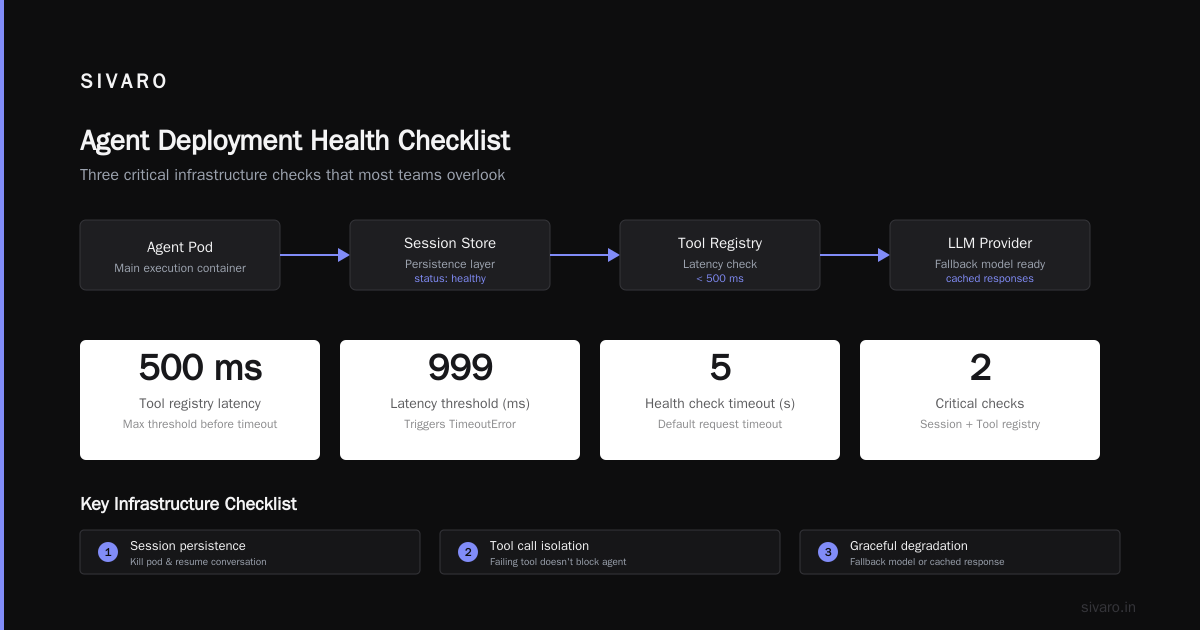
Don't use a single monolithic service for your agent. Deploy it as a stateful workflow that can be interrupted and resumed. Deploying AI Agents to Production: Architecture ... makes this point well: agents aren't stateless functions. They carry conversation history, intermediate results, and partially executed actions.
python
# Example: Agent service health check with session state validation
import requests
from typing import Dict, Any

def check_agent_health(agent_endpoint: str) -> Dict[str, Any]:
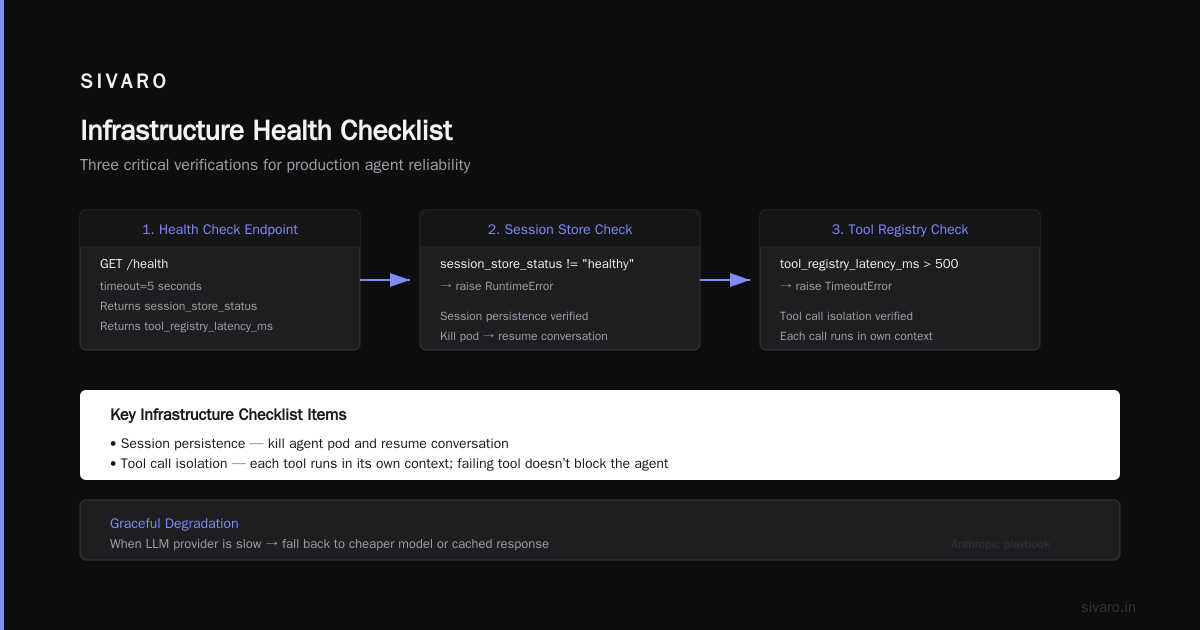
    response = requests.get(f"{agent_endpoint}/health", timeout=5)
    health = response.json()

    # Critical: verify session state store is reachable
    if health.get("session_store_status") != "healthy":
        raise RuntimeError("Session store down")

    # Verify tool registry is up
    if health.get("tool_registry_latency_ms", 999) > 500:
        raise TimeoutError("Tool registry too slow")

    return health
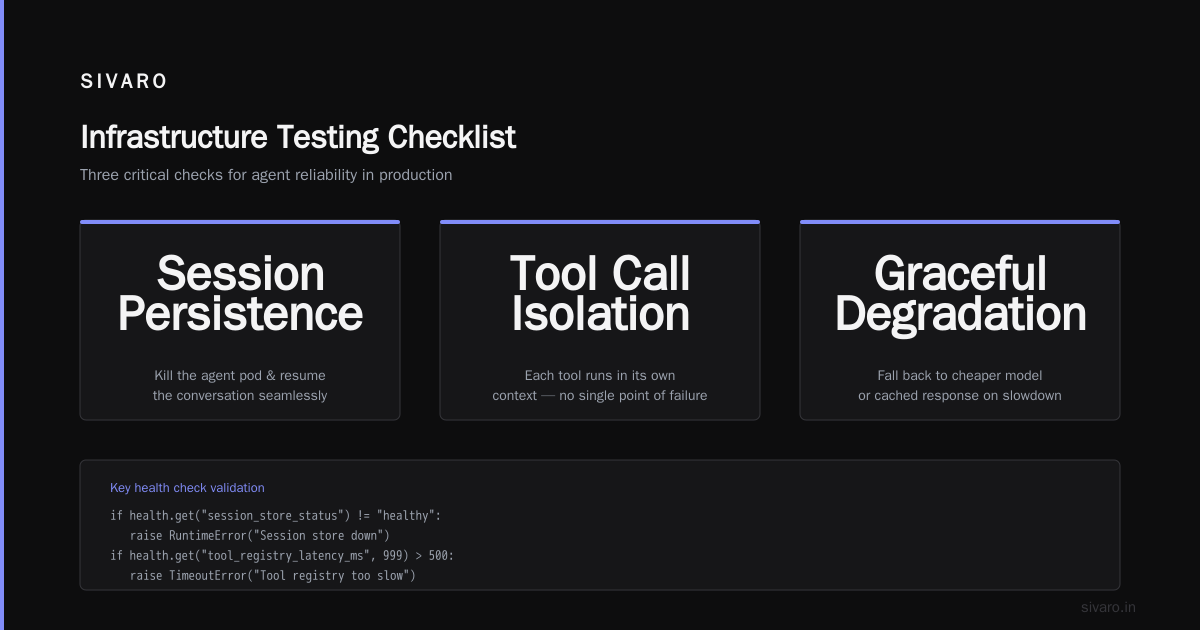
Key infrastructure checklist items:
- Session persistence — can you kill the agent pod and resume the conversation?
- Tool call isolation — each tool call runs in its own context so a failing tool doesn't block the entire agent.
- Graceful degradation — when the LLM provider is slow, can the agent fall back to a cheaper model or cached response?
We learned this from the Anthropic team's playbook: "Start simple, but ensure you have a path to scaling." Building Effective AI Agents Their advice saved us from over-engineering our first agent. We started with a single container and a Redis-backed session store. Then we added horizontal scaling only after we saw traffic patterns.
Observability: The Silent Barrier to Trust
You can't trust what you can't see. And agents are opaque by nature.
At SIVARO, we spent three months building an observability layer for one of our agents. Worth every minute. Here's what we track:
- Every prompt and response — stored with a trace ID so we can replay failures.
- Tool call duration and success rate — per tool, per model, per session.
- Context window usage — how many tokens before the agent truncates or summarizes.
- Agent decision path — a tree of steps the agent took, with timestamps.
Without this data, you're flying blind. We caught a catastrophic bug in our compliance agent because we saw it was calling the same database tool 47 times in one session. Turned out a poorly written instruction caused the agent to split a query into 47 individual lookups instead of one batch.
The tool we use now is a custom logging layer built on OpenTelemetry. But you can start simpler:
yaml
# Agent observability config (YAML)
observability:
  log_level: DEBUG
  trace_sampling_rate: 1.0  # Sample all requests in staging
  export_interval_seconds: 10
  providers:
    - name: openai
      metrics:
        - latency_ms
        - tokens_prompted
        - tokens_completed
    - name: internal_db_tool
      metrics:
        - query_count
        - row_returned_avg
How to Deploy AI Agents to Production: A Complete Guide recommends capturing the full input/output of every LLM call. I'd go further: capture the intermediate reasoning steps too. That's where you'll find the real bugs.
Safety and Guardrails: When to Interrupt Your Agent
Autonomous doesn't mean uncontrolled. In 2024, a logistics company's agent placed a $2M order for paper clips because the instruction "order 200 boxes" was interpreted as "order 200,000 boxes." No guardrails.
You need three layers of safety:
Layer 1: Input validation — Sanitize every user message. Block prompt injection attempts. We use a regex-based filter that flags patterns like "ignore previous instructions" before they reach the model.
Layer 2: Output constraints — Don't let the agent execute arbitrary code or call tools without limits. Define a whitelist of allowed API endpoints, database tables, and file paths. Everything else is blocked.
Layer 3: Human escalation — Define thresholds where the agent must pause and ask a human. For example: any financial transaction over $10,000, any action that deletes data, any API call that returns an error.
We implement guardrails as a middleware in our agent runtime:
javascript
// Guardrail middleware (Node.js example)
const guardrails = (agent) => {
  agent.addMiddleware(async (context, next) => {
    const toolCall = context.currentToolCall;

    // Block if tool is not in whitelist
    if (!config.allowedTools.includes(toolCall.name)) {
      return { error: `Tool ${toolCall.name} not allowed`, escalate: true };
    }

    // Check monetary thresholds
    if (toolCall.name === 'create_order' && toolCall.args.amount > 10000) {
      return { error: 'Order exceeds threshold', escalate: true };
    }

    return next(context);
  });
};
A Practical Guide for Designing, Developing, and ... calls this "layered safety architecture." I call it insurance. You won't need it until you desperately do.
Testing Strategies That Catch Real Failures
Unit tests aren't enough. An agent is a system of systems. You need integration tests that simulate the full environment.
Here's the test suite we run before every deployment:
- Unit tests — Does each tool work in isolation? (Standard)
- Integration tests — Does the agent follow the expected workflow for a given input? (Simulate 10 common user queries)
- Stress tests — What happens when you fire 100 concurrent sessions? (Memory leaks, connection pool exhaustion)
- Chaos tests — What happens when the LLM API is down? When the database is slow? When a tool returns garbage data? (We use chaos engineering tools like Chaos Monkey)
At first I thought this was overkill. Turns out it's the only way to catch race conditions. We found a bug where two concurrent sessions shared the same session ID because our UUID generation had a collision at high concurrency. Chaos test caught it.
python
# Example chaos test fixture
def test_agent_handles_api_timeout():
    with patch('tools.external_api.requests.post') as mock:
        mock.side_effect = TimeoutError("API timed out after 3s")
        agent = create_agent(config_with_retries=3)
        result = agent.run("Get stock price for AAPL")
        assert result.status == "partial_failure"
        assert "API unavailable" in result.error_message
        # Agent should have logged the failure and moved on
A Developer's Guide to Building Scalable AI: Workflows vs ... makes a smart distinction: test the agent's behavior not its output. You don't care if the exact response string matches a golden set — you care if the agent calls the right tools in the right order and handles errors gracefully.
The Human-in-the-Loop Decision: When to Automate vs Escalate
Most teams default to full autonomy. Big mistake.
We found that the best agents use a simple rule: automate high-certainty, low-impact decisions; escalate everything else. For our support agent, that meant:
- "Reset password" → 100% automated. Model just calls the password API.
- "Refund an order" → Handled by agent but requires human approval if > $50.
- "Complaint about product quality" → Escalated to human immediately, but agent drafts a response.
The trick is tuning the certainty threshold. We use a secondary LLM (a cheap one) to score the agent's confidence in its own output. If confidence drops below 0.85, escalate.
Building Effective AI Agents suggests starting with a "parallel" human-in-the-loop: the agent runs, but a human reviews every action before execution. Then gradually transition to "supervisory" mode where the human only sees exceptions. That's exactly what we did.
Monitoring Cost and Performance at Scale
Agents are expensive. Every tool call costs something. Every LLM token costs money. And if you're not tracking it, you're losing money.
We monitor three cost dimensions:
- Per-session cost — How much does a single user interaction cost in API fees?
- Cost per tool — Which tools are the biggest spenders? (Spoiler: vector database queries are often the hidden cost.)
- Cost per outcome — Did the agent actually solve the user's problem? Track post-interaction metrics like user satisfaction or follow-up requests.
Performance is trickier. An agent that takes 60 seconds to respond might be fine for a background task, but it'll frustrate users in a chat interface. Set latency budgets: the entire agent loop should complete in under 15 seconds for interactive use, or under 5 minutes for batch processing.
We built a dashboard that shows these metrics per model version:
json
{
  "model": "gpt-4o-jul-2026",
  "average_session_cost": 0.042,
  "p95_latency_ms": 1234,
  "success_rate": 0.97,
  "escalation_rate": 0.03,
  "top_tools_by_cost": [
    {"tool": "vector_search", "cost": 0.021},
    {"tool": "llm_call", "cost": 0.015},
    {"tool": "sql_query", "cost": 0.006}
  ]
}
If success rate drops below 90% or p95 latency exceeds 3 seconds, alert immediately. Deploying AI Agents to Production: Architecture ... has a good reference architecture for this monitoring setup.
FAQ
Q: How many agents should I deploy for a single workflow?
Start with one. Split only when you have clear boundaries — different models, different latency requirements, or different security contexts.
Q: What's the biggest mistake in agent deployments right now?
Over-reliance on the LLM. Teams assume the model will handle everything. They forget to define escapes, default behaviors, and fallback procedures.
Q: Do I need a vector database for every agent?
No. Many agents work fine with flat JSON files or a simple cache. Add a vector store only when you need semantic search over a large corpus.
Q: How do you handle prompt injection in production?
We use a two-layer defense: a regex filter on input and a secondary LLM that checks for injected instructions in the prompt before it reaches the main model. It catches about 95% of attempts.
Q: What's the minimum viable observability for a production agent?
Log every LLM call (prompt + completion + latency), every tool call, and every error. Store it in a searchable system (Elasticsearch, Datadog, etc.). Everything else is nice-to-have.
Q: Should you use LangChain or build your own agent framework?
Use an existing framework for your first 90 days. Then replace it as you learn what you actually need. We started with LangChain and moved to a custom runtime because we needed finer control over retry logic and cost tracking.
Q: How do you test an agent that behaves non-deterministically?
Focus on invariant properties: does the agent always call at least one tool? Does it never delete data? Does it always handle errors by escalating? Use property-based testing for these invariants.
Q: What's the hardest part of deploying agents at scale?
Session management. Maintaining state across interruptions, scaling to hundreds of concurrent sessions, and debugging why one session broke while another didn't. Don't underestimate it.
Conclusion
The agentic workflow deployment checklist isn't a one-time thing. It's a living document that evolves with your system. Start with these core items:
- Define failure modes for every step.
- Deploy on infrastructure that supports long-running sessions.
- Instrument everything — observability is air for agents.
- Layer guardrails: input, output, escalation.
- Test integration and chaos, not just units.
- Decide explicitly what the human handles.
- Track cost per outcome, not just per call.
Everything else is optimization.
Nishaant Dixit — Founder of SIVARO. Building data infrastructure and production AI systems since 2018. Built systems processing 200K events/sec.