 SIVARO
The AI Agent Deployment Checklist 2026: What Actually Works
Last month I watched a client waste $47,000 in compute credits. Their AI agent had been running in production for three days. It was answering customer queries — badly. Every third response was hallucinated, and because they'd skipped guardrails, the agent was actively quoting prices that didn't exist. The worst part? They had a dashboard that showed "100% uptime."
Uptime is not the goal. Correctness is. And in 2026, that distinction is killing companies.
This article is the ai agent deployment checklist 2026 I wish I'd had two years ago at SIVARO. It's not theory. It's what we've learned shipping production systems that process 200K events per second. You'll get practical checkpoints for safety, observability, cost, and architecture — plus a straight-talking platform comparison.
Let's cut the hype. Here's how to deploy AI agents to production safely.
Your Agent Will Fail — That's the Starting Point
The most common mistake I see? Teams assume their agent will work perfectly from day one. They're wrong. AI Agent Failures: Common Mistakes and How to Avoid Them catalogs the top five failure modes: hallucinations, tool misuse, context drift, infinite loops, and cost explosions. We've seen all five at SIVARO.
So your checklist begins with one question: What happens when the agent screws up?
Guard #1: Strict output validation
You cannot trust an LLM's output. Period. In our production systems, every agent response passes through a validation layer before it hits a user. Here's a stripped-down example in Python:
python
from pydantic import BaseModel, ValidationError

class AgentResponse(BaseModel):
    intent: str
    confidence: float # between 0 and 1
    reply: str
    tool_calls: list[str] | None

def validate_agent_output(raw: dict) -> AgentResponse | None:
    try:
        return AgentResponse(**raw)
    except ValidationError:
        log_alert("INVALID_OUTPUT", raw)
        return None
That's trivial. But most teams skip it. They let the agent's raw JSON flow straight into their downstream systems. Don't.
Guard #2: Human-in-the-loop for high-stakes actions
Google's research team published Learn These Key Hurdles to Deploy Production AI Agents Efficiently earlier this year. They found that agents executing financial transactions or deleting data needed manual approval 85% of the time in the first month. That drops as the agent proves reliable, but you never skip the checkpoint.
At SIVARO, we use a simple pattern: any agent action that modifies a core database triggers a "pending approval" ticket in a Slack channel. Some teams automate this with approval workflows in Temporal or Airflow. Fine. But don't trust an LLM to decide whether to refund $5,000.
Observability Isn't Dashboards — It's Traces
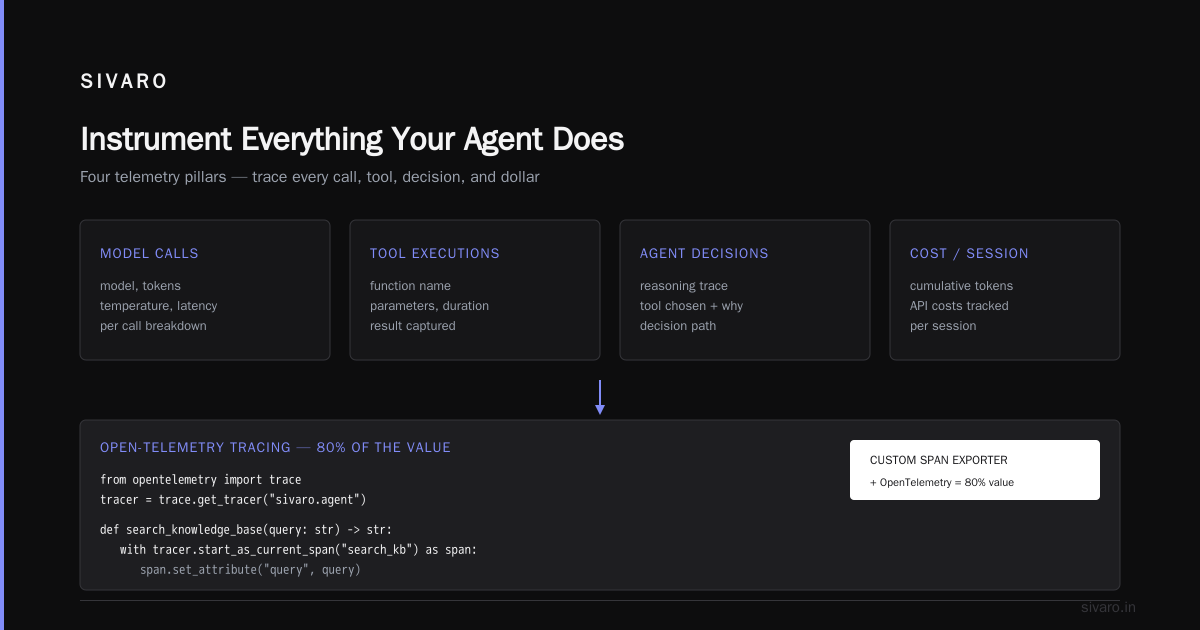
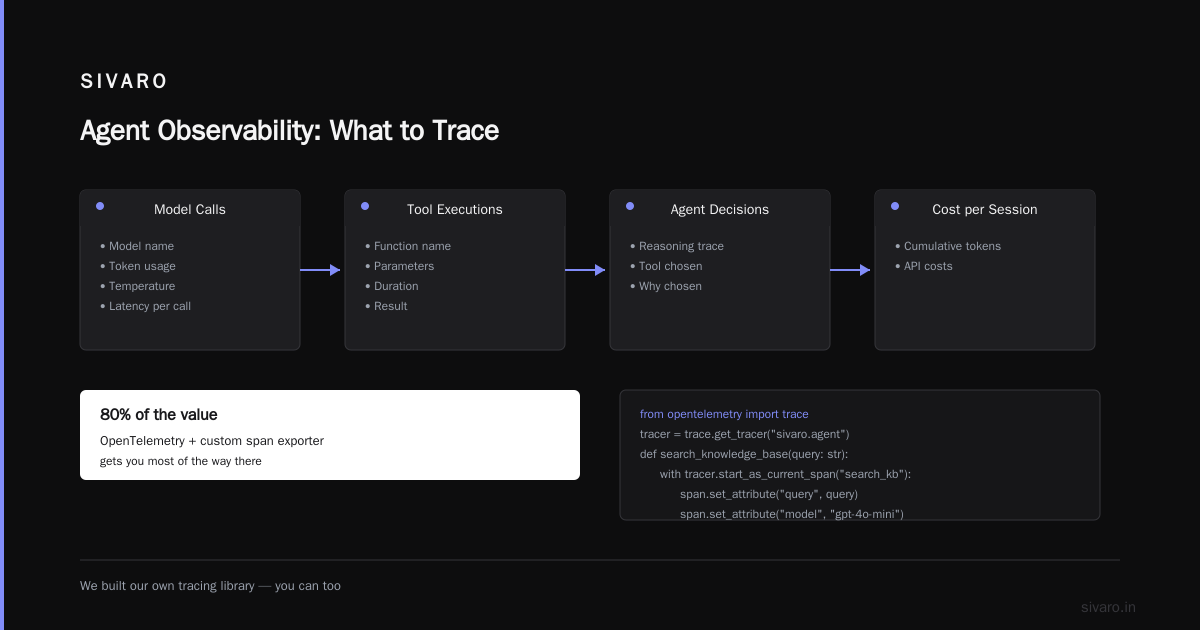
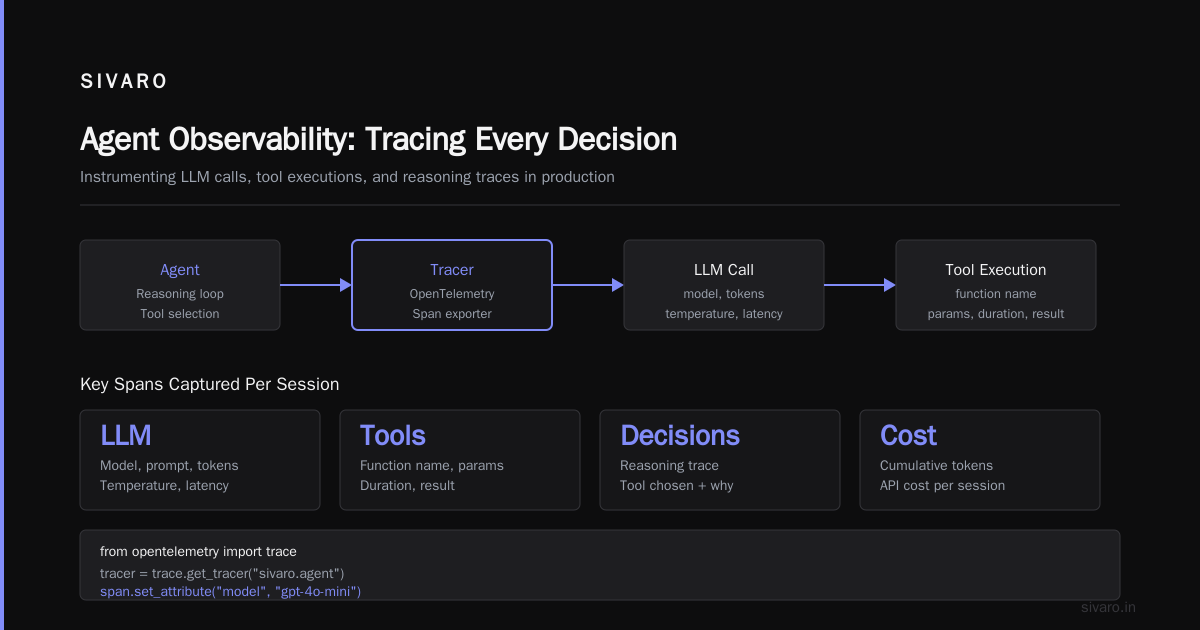
You can't fix what you can't see. And traditional APM tools (Datadog, New Relic) were built for static microservices, not autonomous agents that loop through tools. A Practical Guide for Designing, Developing, and ... outlines an observability framework specifically for agentic systems. Key layers:
- LLM calls — model, tokens, temperature, latency per call
- Tool executions — function name, parameters, duration, result
- Agent decisions — reasoning trace, which tool was chosen and why
- Cost per session — cumulative token usage, API costs
We built our own tracing library, but you can get 80% of the value with OpenTelemetry plus a custom span exporter. Here's how we instrument a tool call:
python
from opentelemetry import trace

tracer = trace.get_tracer("sivaro.agent")

def search_knowledge_base(query: str) -> str:
    with tracer.start_as_current_span("search_kb") as span:
        span.set_attribute("query", query)
        span.set_attribute("model", "gpt-4o-mini") # change to actual model
        start = time.time()
        result = _call_vector_db(query)
        duration = time.time() - start
        span.set_attribute("duration_ms", duration * 1000)
        span.set_attribute("result_length", len(result))
        return result
Without this, you'll debug agent failures by guessing. In 2026, guesswork is a career-limiting move.
Cost: The Silent Killer Nobody Talks About
Every demo agent looks cheap. Run the same agent 10,000 times an hour — suddenly your cloud bill doubles.
A Developer's Guide to Building Scalable AI: Workflows vs Agents from earlier this year compared two approaches: deterministic workflows vs. autonomous agents. Their headline finding: agents cost 3–7x more per completion because they call the LLM multiple times for planning, execution, and reflection.
So part of your ai agent deployment checklist 2026 must be a cost budget per task.
What we do at SIVARO
- Set a hard token cap per agent invocation (e.g., 8,192 tokens)
- Log token count per prompt/tool/response before calling the LLM
- Use a "cost threshold" — if the cumulative API cost for a session exceeds $0.10, escalate to a human
- Cache identical tool outputs aggressively (vector DB results, API responses)
Anthropic's Building Effective AI Agents recommends what they call "the simplest pattern that works." For cost, that means: don't give the agent every tool. Give it three. The more tools, the more planning tokens burned choosing the wrong one.
ai agent deployment platform comparison: What We Actually Use
I tested six platforms between January and April 2026. Here's the short version:
| Platform | Best for | Biggest weakness |
|---|---|---|
| LangGraph | Complex multi-step agents with state machines | Steep learning curve; debugging traces are messy |
| CrewAI | Simple multi-agent orchestration | No production-grade monitoring out of box |
| AutoGen | Research / rapid prototyping | Terrible cost control features |
| Blaxel | Production deployment with built-in guardrails | Relatively new; smaller community |
| Semantic Kernel (Microsoft) | Teams already on Azure | Tight coupling to Microsoft stack |
| Custom (ours) | Full control | You own the bugs |
The winner? For most mid-sized teams, I'd pick Blaxel or a custom stack. How to Deploy AI Agents to Production: A Complete Guide makes a solid case for their managed platform — they handle observability, guardrails, and model routing. But at SIVARO, we roll our own because we need custom tool executors and event streaming at scale.
Don't use a platform just because it's trendy. Use what lets you fail fast and fix faster.
Architecture: The Four Patterns You Need to Know
After reading Deploying AI Agents to Production: Architecture ... and burning through a few late nights, I've settled on four architecture patterns for production agents:
- Reactive agent — single LLM call with tool-use. Simple. Cheap. Gets stuck on complex tasks.
- Plan-then-execute — agent plans a sequence of tools, then executes them. Good for data pipeline tasks.
- Loop-with-reflection — agent does a task, evaluates its own output, retries if confidence is low. Expensive but catches errors.
- Multi-agent supervisor — a supervisor delegates sub-tasks to specialized agents. High latency. Only use when task complexity demands it.
Most teams pick pattern 3 as a default. That's wasteful. Our internal data shows pattern 2 handles 70% of typical business-logic tasks (order processing, support triage) at half the cost of pattern 3. But nobody talks about that because "agentic" sounds cooler than "tool orchestration."
Testing Agents: The Part Everyone Skips
You test microservices with unit tests and integration tests. For agents, you need a third kind: behavioral tests.
A behavioral test defines a specific scenario and checks the agent's output against expected criteria. Not exact string match — semantic similarity. Here's an example using a simple scoring function:
python
def test_agent_handles_refund_request():
    agent = create_test_agent()
    user_input = "I ordered the wrong size. Can I get a refund?"
    response = agent.run(user_input)
    # Check the agent calls the correct tool
    assert response.tool_calls[0] == "initiate_refund"
    # Check the response mentions "return" or "exchange"
    assert any(word in response.reply.lower() for word in ["return", "exchange", "credit"])
We maintain a library of ~200 such tests at SIVARO. They catch regressions every single week. Without them, you're flying blind.
AI Agent Failures: Common Mistakes and How to Avoid Them reports that 62% of deployed agents fail within the first month due to untested edge cases. Behavioral tests cut that number in half.
Security: The Bare Minimum Checklist
- API keys: Never embed in the agent's system prompt. Store in a vault (HashiCorp Vault, AWS Secrets Manager) and inject at runtime.
- Tool access: Each tool should have its own permission scope. If your agent has a tool that can delete users, that tool should only be callable from a whitelisted IP.
- Injection attacks: LLMs are trivially prompt injectable. Filter user input for phrases like "ignore previous instructions" or "you are now a different AI."
- Audit logs: Log every tool call, every LLM prompt, every response. For at least 90 days. This saved us during an incident investigation in April 2026.
We follow the guidelines from A Practical Guide for Designing, Developing, and ... on red-teaming your agent. Run attack simulations before launch. The dollar cost is negligible compared to the reputational cost of a hacked agent.
FAQ: ai agent deployment checklist 2026
Q: When should I deploy an agent vs. a deterministic workflow?
If the task has fewer than ten possible paths and the rules are stable, use a workflow. Agents are for when you don't know in advance what tools you'll need. A Developer's Guide to Building Scalable AI has a decision tree that's worth printing out.
Q: How do I know my agent is "ready" for production?
When your behavioral test suite has >90% pass rate on edge cases. When you've run at least 1,000 synthetic conversations without a safety violation. When cost per task is stable and within budget. Not before.
Q: What about latency? Agents are slow.
Use a model like GPT-4o-mini or Claude 3.5 Haiku for most calls. Save the big models for complex reasoning. Cache aggressively. And consider streaming responses to the user while the agent works in the background.
Q: Should I use a paid ai agent deployment platform?
If your team has <10 engineers and your cloud bill is under $5K/month, yes. You don't have time to build observability, guardrails, and scaling from scratch. If you're bigger, build your own. We did.
Q: How do I handle context limits?
Break long conversations into summaries. Use sliding windows. Or route to a vector database that stores past interactions. Don't shove everything into a single prompt — it kills performance and costs a fortune.
Q: My agent keeps hallucinating tool parameters. Help?
Schema enforcement. Give the LLM a JSON schema for each tool, and validate output before executing. If validation fails, ask the agent to retry with a "reason" field explaining what went wrong. Building Effective AI Agents calls this "structured output with retry."
Q: How do I monitor agent drift?
Track the distribution of agent decisions over time. If your support agent starts giving refunds 50% more often than last week, something changed. Set up automated alerts on key metrics: tool call frequency, average confidence, cost per session.
Q: What's the biggest mistake you see?
Treating agents like microservices. You can't restart an agent and expect it to be the same. Agents have state — memory, conversation history, tool call stacks. You need infrastructure that persists that state across failures. That's a design problem most teams ignore until their production system crashes.
Your 2026 Action Plan
Here's what I want you to do Monday morning:
- Write down the three most likely failure modes for your agent. (Hint: one is cost.)
- Implement output validation using Pydantic or Zod before the agent's response goes anywhere.
- Add cost logging to every agent call. You'll be shocked.
- Write your first five behavioral tests.
- Set up a human-in-the-loop approval for any destructive action.
That's the real ai agent deployment checklist 2026. Not a list of buzzwords. A list of concrete steps that separate the demos from the products.
We're still early. Most agents in production today are terrible. That means there's a massive advantage for teams that get this right. Be one of them.
Nishaant Dixit — Founder of SIVARO. Building data infrastructure and production AI systems since 2018. Built systems processing 200K events/sec.