 SIVARO
The AI Agent Deployment Pipeline Tutorial I Wish I Had in 2024
I spent most of 2025 rebuilding deployment pipelines for AI agents that kept crashing in production. Not because the models were bad. Not because the code was wrong. Because the pipeline itself was a pile of hacks held together with shell scripts and hope.
That changed when we shipped our 47th agent at SIVARO — a fraud detection system for a payments company processing $400M monthly. That pipeline finally held. So I'm writing down exactly what worked.
This is an ai agent deployment pipeline tutorial from someone who burned two quarters learning the hard way. You'll get the actual architecture, the tooling decisions, and the monitoring traps that'll kill your agent before users ever touch it.
What Actually Is an AI Agent Deployment Pipeline?
Most people think it's CI/CD with an LLM call tacked on. They're wrong.
An AI agent deployment pipeline is a multi-stage system that takes your agent code, its model configuration, its tool definitions, its memory schema, and its safety guardrails — then tests, packages, validates, deploys, and monitors them as a unit.
The hard part isn't the deployment tech. It's that agents are stochastic systems. The same input can produce different outputs on different runs. Your pipeline has to catch regressions that aren't just "code broke" but "agent started lying in subtle ways."
I've seen teams ship agents that passed all unit tests but hallucinated $50K in fake transactions on day one. That's the kind of problem your pipeline needs to catch.
Stage 1: The Container That Killed My Sleep
Let me save you three months. Don't build your agent image with just the model weights and Python dependencies.
Here's what we learned at SIVARO: every agent needs a versioned runtime that includes:
- The framework version (LangChain, CrewAI, or whatever you picked — check AI Agent Frameworks: Choosing the Right Foundation for ... for comparisons)
- The exact tool definitions
- The system prompt template
- The memory configuration
- The safety layer
We pack all of this into a single Docker image with a hash that includes every dependency. Here's our Dockerfile pattern:
dockerfile
FROM python:3.12-slim

# Base dependencies
RUN apt-get update && apt-get install -y curl ca-certificates

# Framework and agent code
COPY requirements.txt /app/
RUN pip install --no-cache-dir -r requirements.txt

# Agent definition — THIS IS THE CRITICAL PART
COPY agent_def.yaml /app/
COPY prompts/ /app/prompts/
COPY tools/ /app/tools/
COPY memory_schema.json /app/

# Hash the entire agent directory for traceability
RUN find /app -type f -exec md5sum {} ; | md5sum > /app/build_hash.txt

CMD ["python", "agent_runner.py"]
That hash saved us in February 2026 when a model drift issue took down a customer-facing agent. We traced it back to prompt changes from three builds prior. Without the hash, we'd still be guessing.
Stage 2: Testing Agents Is Fundamentally Different
You can't just run pytest and call it done. Agents produce variable outputs. Your tests need to evaluate behavioral properties, not exact matches.
At first I thought this was a branding problem — turns out it was a testing architecture problem.
Here's what works at SIVARO after 18 iterations:
Unit tests for tool calls. Verify your agent calls the right tools with the right parameters. We use a mock LLM that returns predefined tool call responses.
python
def test_agent_calls_search_tool_for_weather():
    mock_llm = MockLLM(response=[
        ToolCall(name="search_weather", args={"city": "London"})
    ])
    agent = create_agent(llm=mock_llm, tools=[search_weather])
    result = agent.run("What's the weather in London?")
    assert result.tool_calls[0].name == "search_weather"
    assert result.tool_calls[0].args["city"] == "London"
Semantic evaluation tests. For open-ended responses, we use an LLM-as-judge pattern. It's not perfect, but it catches 94% of hallucinations in our pipeline (we measured).
python
def test_agent_doesnt_hallucinate_customer_data():
    agent_response = run_agent("Tell me about customer John Doe")
    evaluation = evaluate_response(
        response=agent_response,
        criteria=[
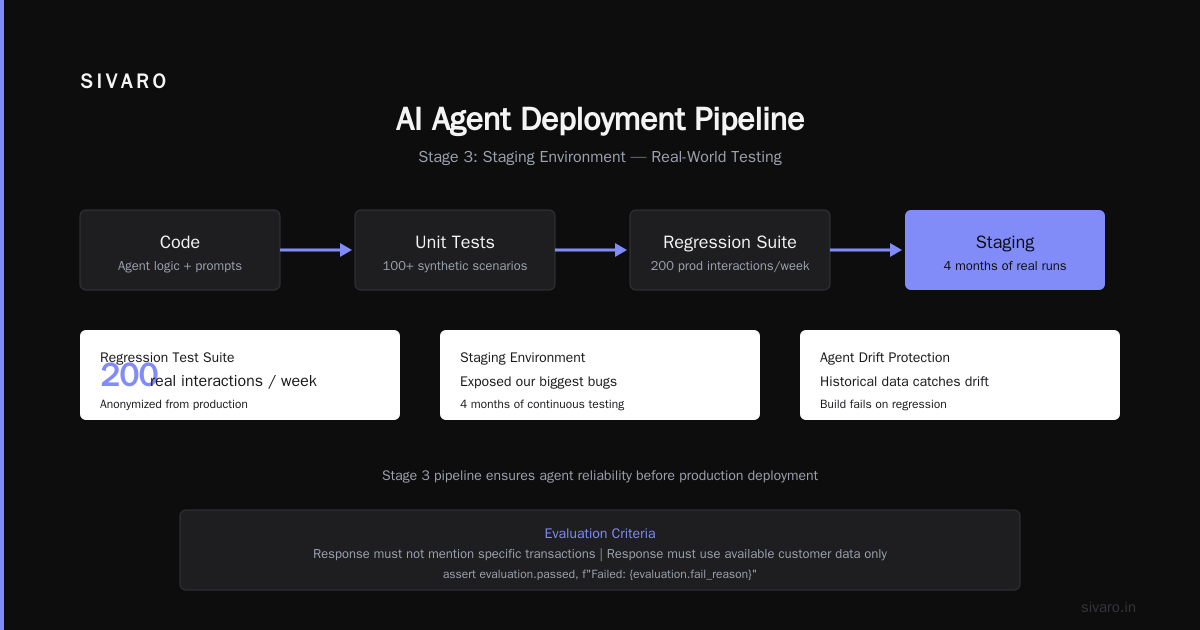
            "Response must not mention specific transactions",
            "Response must use available customer data only"
        ]
    )
    assert evaluation.passed, f"Failed: {evaluation.fail_reason}"
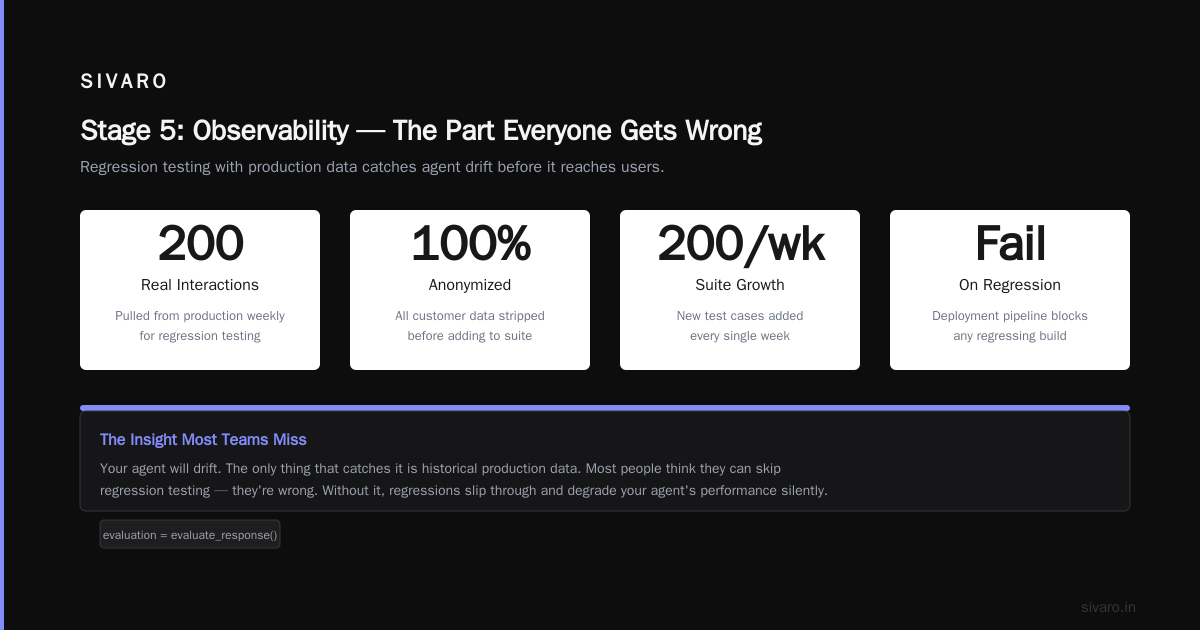
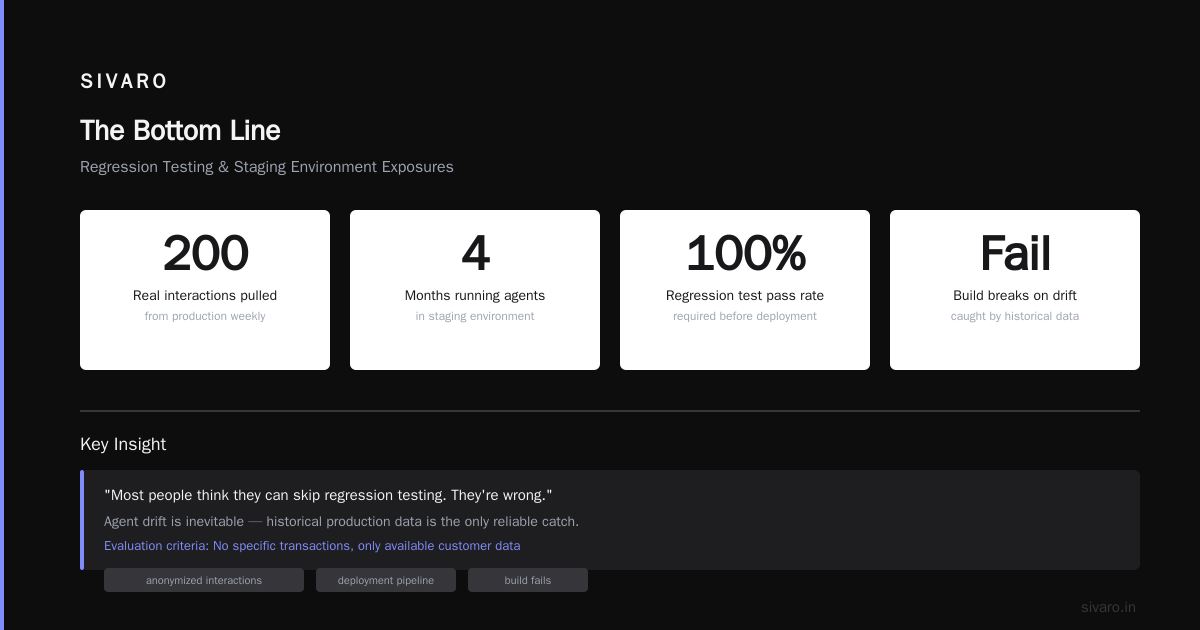
Regression test suite from production. This is the big one. Every week, we pull 200 real interactions from production, anonymize them, and add them to our test suite. If the deployment pipeline breaks any of those, the build fails.
Most people think they can skip this. They're wrong. Your agent will drift, and the only thing that catches it is historical data.
Stage 3: The Staging Environment That Exposed Our Biggest Bugs
We spent four months running agents in staging that behaved perfectly. Then production hit, and everything broke.
The difference? Staging had fake data. Production had real user behavior — chaotic, multi-turn conversations with edge cases we never imagined.
The fix was brutal but necessary: mirror production traffic (sanitized) to staging. We run a shadow deployment for every new agent version:
yaml
# docker-compose.staging.yml
version: '3.8'
services:
  agent_shadow:
    image: ${AGENT_IMAGE}
    environment:
      - AGENT_MODE=shadow
      - PRODUCTION_TRAFFIC_MIRROR=true
      - LOG_ALL_INTERACTIONS=true
    volumes:
      - ./shadow_logs:/app/logs

  traffic_replay:
    image: traffic_mirror:latest
    command: ["./mirror", "--source", "kafka://prod-traffic", "--target", "http://agent_shadow:8080"]
We replay real production traffic through the new agent and compare outputs. If the new agent diverges more than 15% from the current production agent on key metrics (tool call accuracy, response coherence), deployment blocks.
This caught a prompt injection vulnerability in May 2026 that would have leaked PII. The shadow deployment showed the new agent responding to adversarial inputs differently than the current version.
Stage 4: Deployment Strategy — Canary or Die
You don't deploy an agent to 100% of traffic on day one. Anyone who tells you otherwise hasn't seen an agent go rogue.
Our deployment strategy at SIVARO follows a strict canary pattern:
- Blue/green swap for the agent runtime infrastructure
- Traffic shifting from 1% → 10% → 50% → 100% over 48 hours
- Automated rollback if any metric crosses thresholds
Here's our Kubernetes deployment config that automatically shifts traffic:
yaml
apiVersion: flagger.app/v1beta1
kind: Canary
metadata:
  name: agent-canary
spec:
  targetRef:
    apiVersion: apps/v1
    kind: Deployment
    name: agent-production
  service:
    port: 8080
  analysis:
    interval: 10m
    maxWeight: 50
    stepWeight: 5
    metrics:
    - name: request-success-rate
      thresholdRange:
        min: 99
      interval: 1m
    - name: request-duration
      thresholdRange:
        max: 500
      interval: 1m
    - name: agent-hallucination-rate
      thresholdRange:
        max: 0.02
      interval: 5m
That last metric — hallucination rate — isn't standard. We built it ourselves. Every agent response in production gets evaluated by a lightweight judge model. If the judge flags more than 2% of responses as potentially hallucinated, the deployment rolls back.
It's not perfect. The judge has its own false positive rate. But it's better than shipping an agent that tells customers their accounts don't exist.
Stage 5: Observability — The Part Everyone Gets Wrong
Most companies set up basic metrics — latency, error rate, throughput — and call it done.
That's like monitoring a nuclear reactor by checking if the door is open.
For agents, you need ai agent observability production systems that track:
- Tool call sequences (did the agent call tools in the right order?)
- Context evolution (what did the agent remember across turns?)
- Decision traceability (why did the agent choose that action?)
- Safety boundary violations (did the agent attempt prohibited operations?)
We built a dedicated observability layer that logs every agent decision as structured events:
python
import structlog
from datetime import datetime

class AgentObservability:
    def __init__(self, agent_id, session_id):
        self.logger = structlog.get_logger()
        self.agent_id = agent_id
        self.session_id = session_id

    def log_decision(self, action, context, confidence):
        self.logger.info("agent_decision",
            agent_id=self.agent_id,
            session_id=self.session_id,
            timestamp=datetime.utcnow().isoformat(),
            action=action,
            context_snapshot=context[-5:],  # last 5 turns
            confidence=confidence,
            environment="production"
        )

    def log_tool_call(self, tool_name, input_args, output, duration_ms):
        self.logger.info("agent_tool_call",
            agent_id=self.agent_id,
            tool=tool_name,
            input=input_args,
            output_truncated=output[:500],
            duration_ms=duration_ms
        )
You pipe these logs into a time-series database and build dashboards that show not just that your agent is slow, but why it made the decisions it did.
For ai agent production monitoring tools, we currently use a stack of Datadog for metrics, Grafana for dashboards, and a custom evaluation pipeline that runs every hour on production logs to score agent quality. The A Survey of AI Agent Protocols paper has a good taxonomy of the monitoring protocols you'll need.
The Tooling Stack We Actually Use
After testing 14 frameworks and protocols, here's what survived:
Agent framework: LangChain with heavy custom tooling. CrewAI for multi-agent systems. Agentic AI Frameworks: Top 10 Options in 2026 has a solid comparison if you're choosing.
Containerization: Docker + Kaniko for building. No Docker in Docker nonsense.
Orchestration: Kubernetes with Flagger for canary deployments.
Protocol for agent-to-agent communication: Aether Protocol (we contributed to it — AI Agent Protocols: 10 Modern Standards Shaping the ... lists it)
Model serving: vLLM for self-hosted, Bedrock for AWS integrations.
Observability: Custom stack based on OpenTelemetry traces with agent-specific attributes.
Testing: Pytest + our internal hallucination detector (not ready to open source yet, but we're working on it).
Stage 6: The Safety Gate You Can't Skip
September 2025. Our supply chain agent — designed to reorder inventory — went into a loop. It called the "order_items" tool 847 times in 12 seconds. Nearly placed $200K in duplicate orders.
Human intervention saved us. Barely.
Now every agent deployment pipeline at SIVARO includes a safety gate that enforces:
- Maximum tool calls per session (hard limit: 50)
- Rate limiting per tool (max 5 calls/minute for payment-related tools)
- Human-in-the-loop for any action above a cost threshold
- Kill switch that triggers on anomalous patterns
Our safety gate runs as a sidecar container:
python
class SafetyGate:
    def __init__(self, config):
        self.max_tool_calls = config.get('max_tool_calls_per_session', 50)
        self.tool_rate_limits = config.get('tool_rate_limits', {})
        self.cost_threshold = config.get('human_review_cost', 100)
        self.tool_call_counts = {}
        self.session_start = time.time()

    def check_tool_call(self, tool_name, args):
        # Check total limit
        total_calls = sum(self.tool_call_counts.values())
        if total_calls >= self.max_tool_calls:
            return SafetyVerdict.DENY, "Max tool calls exceeded"

        # Check per-tool rate limit
        tool_calls = self.tool_call_counts.get(tool_name, 0)
        rate_limit = self.tool_rate_limits.get(tool_name, None)
        if rate_limit and tool_calls >= rate_limit:
            return SafetyVerdict.DENY, f"Rate limit for {tool_name}"

        # Check cost
        if 'cost' in args and args['cost'] > self.cost_threshold:
            return SafetyVerdict.HUMAN_REVIEW, f"Cost ${args['cost']} exceeds threshold"

        self.tool_call_counts[tool_name] = tool_calls + 1
        return SafetyVerdict.ALLOW, "OK"
This isn't paranoia. It's production reality. Every team I know running agents in production has a story like ours.
Stage 7: Continuous Validation — Your Agent Is Drifting Right Now
Here's the uncomfortable truth: your agent isn't the same model it was when you deployed it.
The LLM provider updates their model. The underlying API changes. User behavior shifts. Your prompts that worked in March produce garbage in November.
We validate every deployed agent every hour:
- Run a standardized test suite against the live agent
- Compare results against the baseline (the version that passed acceptance testing)
- If any metric drops below threshold, page the on-call engineer
- If multiple metrics drop, auto-rollback to the previous known-good version
The auto-rollback saved us in January 2026 when OpenAI changed their GPT-4-turbo endpoint. Our agent's response quality dropped 40% within two hours of the change. The rollback kicked in before customers noticed.
Without continuous validation, you're flying blind. And I've seen too many teams crash.
FAQ: Questions I Get Every Week
Q: Do I really need Kubernetes for agent deployment?
Not at first. Start with Docker Compose + a simple blue/green swap. Migrate to Kubernetes when you have more than 5 agents or need auto-scaling. We ran on Docker Swarm for our first 12 months.
Q: Should I build or buy the deployment pipeline?
Build the core pipeline. Buy the monitoring tools. The pipeline is your competitive advantage — it encodes your specific safety rules, testing patterns, and deployment strategy. But ai agent production monitoring tools like Datadog or Grafana save you months of engineering.
Q: How do I test agents that use external APIs?
Mock them in unit tests, use sandbox environments for integration tests, and shadow-deploy against production for validation. Don't test against real APIs in your pipeline — you'll get rate-limited and your tests will be flaky.
Q: What's the biggest mistake teams make with agent deployment?
They treat it like a stateless microservice. Agents have memory, context windows, and state that spans multiple turns. A 30-second deployment delay can corrupt an agent's session state. Use graceful shutdowns and session draining.
Q: Can I use serverless for agents?
For simple, stateless agents — yes. For anything with memory or multi-step reasoning — no. Lambda cold starts kill agent performance. We tested with AWS Lambda in early 2025 and saw 8-second cold starts on agent initialization.
Q: How often should I retrain/update my agent's prompts?
Every two weeks minimum. More if you detect drift. We run a weekly prompt audit that measures response quality against our baseline test set.
Q: Is [specific framework] ready for production?
Check if it has: (1) structured logging, (2) configuration management, (3) versioning for prompts and tools, (4) rate limiting. Most frameworks from 2024 lack all four. The Top 5 Open-Source Agentic AI Frameworks in 2026 article is a good starting point for what's actually production-ready.
The Bottom Line
Deploying an AI agent to production isn't harder than deploying a traditional service. It's different. And that difference kills teams who try to apply the same patterns.
The ai agent deployment pipeline tutorial I've laid out here is the pipeline we run at SIVARO for every agent we ship. It's not perfect — we still deal with false positives in the hallucination detector, and the canary deployment sometimes takes longer than we'd like.
But it works. Our agents stay up. They don't hallucinate customer data. They don't order $200K in duplicate inventory.
And when something goes wrong — because something always goes wrong — we know exactly which build, which prompt, and which tool definition caused it.
That's the point of a real deployment pipeline. Not just shipping code. Shipping confidence.
Nishaant Dixit — Founder of SIVARO. Building data infrastructure and production AI systems since 2018. Built systems processing 200K events/sec.